eSIM for international travel: what it is and how it actually works
You're boarding a flight to Berlin. Your phone works fine in Chicago, but the moment you land, connectivity becomes a negotiation. International roaming from your home carrier costs around $10 per day. Local SIM cards require finding a shop, navigating a language barrier, and hoping your phone is unlocked. eSIM promises a third option: download a data plan before you leave, activate it when you land, and skip the entire physical-card ritual.
eSIM is not a new carrier. It's not a special kind of plan. It's a different mechanism for connecting your phone to a cellular network. Instead of inserting a plastic card with a chip, you download a digital profile. The profile contains the same authentication credentials a physical SIM would hold, but it lives in your phone's embedded hardware. You activate it through software, not a SIM tray.
The technology has existed since around 2016, but adoption lagged until recently. Apple added eSIM support to iPhones in 2018. Android followed across flagship models. By 2026, most phones sold in the last four years support eSIM, though budget models and older devices often don't. The shift matters for travelers because it changes how you get connected abroad without changing the underlying cellular network.
This article explains the mechanism behind eSIM, how it works when you cross borders, and what actually changes compared to physical SIM cards or international roaming. No marketing claims. Just the technical reality and what you need to know before your next trip.
What eSIM actually is
A SIM card is a small chip that authenticates your phone to a cellular network. It stores your subscriber identity, carrier information, and encryption keys. When you insert a SIM, your phone reads those credentials and uses them to connect.
An eSIM is the same authentication mechanism, but the chip is soldered into your phone at the factory. You can't remove it. Instead of swapping physical cards, you download profiles. Each profile contains the credentials for a specific carrier and plan. Your phone can store multiple profiles at once and switch between them through settings.
The "e" stands for embedded. The SIM functionality is embedded in your device's hardware, not removable. The GSMA, the industry group that sets cellular standards, calls this an eUICC: embedded Universal Integrated Circuit Card. The term eSIM stuck because it's shorter and less jargon-heavy.
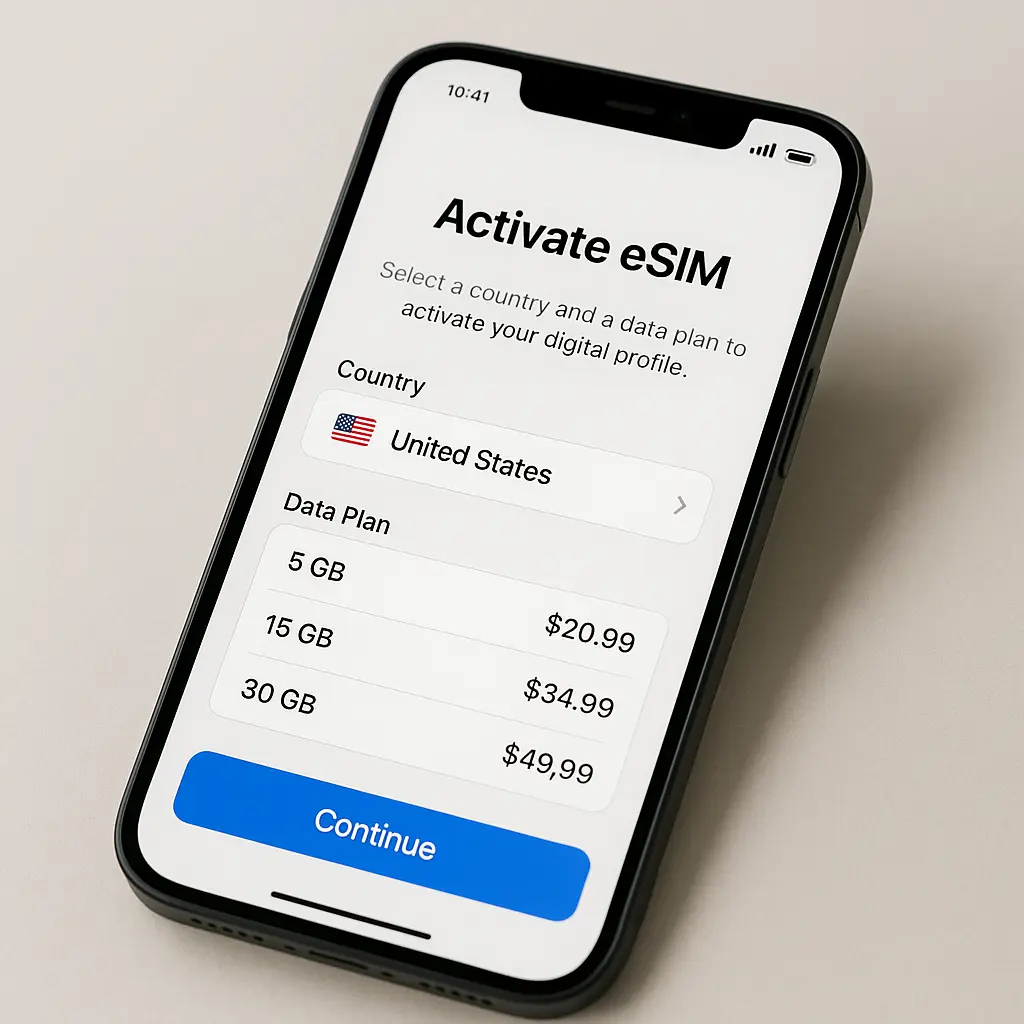
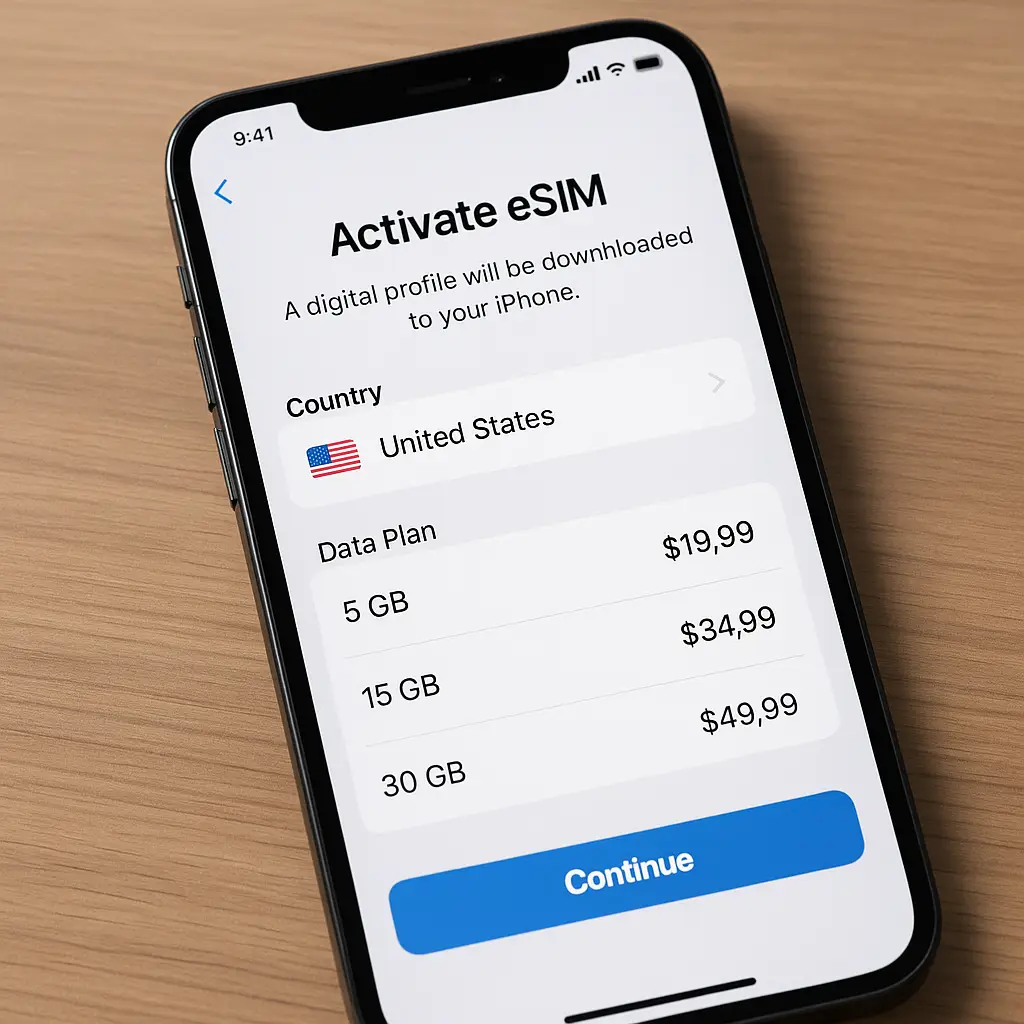
When you buy an eSIM plan, you're not buying a card. You're buying access to a carrier's network and receiving a QR code or activation code. You scan the QR code with your phone's camera or enter the code manually. Your phone downloads the profile from the carrier's server, installs it, and activates it. The entire process happens over WiFi or cellular data.
The profile download uses a protocol called RSP: Remote SIM Provisioning. The GSMA standardized RSP to ensure eSIM works the same way across carriers and device manufacturers. RSP encrypts the profile during download, authenticates the carrier's server, and verifies your device is authorized to receive the profile. The security model is similar to HTTPS, but specific to SIM provisioning.
Once installed, the eSIM profile functions identically to a physical SIM. Your phone connects to cell towers, authenticates using the credentials in the profile, and routes calls, texts, and data through the carrier's network. The difference is entirely in how the credentials got onto your phone, not how they work after installation.
How eSIM works for international travel
When you travel internationally with a physical SIM, you have three options: pay your home carrier's roaming fees, buy a local SIM at your destination, or use WiFi exclusively. eSIM adds a fourth: download a data-only plan before or after you arrive.
Most eSIM travel plans are data-only. You get mobile data, but not a local phone number. Calls and texts still route through your home carrier if you keep that SIM active, which most people do. Dual SIM support lets you run both profiles simultaneously. Your home number stays reachable for voice and SMS while eSIM handles data.
The setup process is straightforward. You buy an eSIM plan from a provider, receive a QR code or activation code, and install the profile. Some providers let you install the profile before you travel but delay activation until you arrive. Others activate immediately. The profile includes the carrier's network credentials, so your phone knows which towers to connect to.
When you land, your phone detects the local network and connects using the eSIM profile. You don't need to find a store, swap SIM cards, or navigate a foreign carrier's website. The data connection works as soon as you turn off airplane mode. Your home SIM remains active for calls and texts unless you disable it manually.
eSIM plans for travel typically cover multiple countries or entire regions. A single profile might work across 30 European countries or 150 destinations worldwide. The provider partners with local carriers in each country, and your phone roams onto whichever network the provider has an agreement with. You don't choose the carrier; the eSIM profile does that automatically based on signal strength and network availability.
Data speeds depend on the local carrier and the plan tier you purchased. Some eSIM providers throttle speeds after a certain data threshold. Others offer full-speed LTE or 5G with no caps. The terms vary by provider and plan, so you need to read the details before buying.
The profile stays installed until you delete it. If you travel to the same region again, you can reactivate the same profile or buy a new one. Some providers sell plans with expiration dates; others sell data buckets that last until you use them up. The model depends on the provider.
eSIM vs physical SIM cards
The functional difference between eSIM and physical SIM is installation. The authentication mechanism, network connection, and data routing are identical. Both use the same cellular protocols. Both connect to the same towers. Both encrypt traffic the same way.
Physical SIM cards require a SIM tray, which means you need a SIM ejector tool or a paperclip. You power off your phone, pop out the tray, swap the card, and reboot. If you're traveling, you need to keep track of your home SIM card while using the local one. Losing the card means losing access to your home number until you get a replacement.
eSIM eliminates the physical swap. You install profiles through software and switch between them in settings. No tray, no ejector tool, no risk of losing a tiny piece of plastic in a hotel room. Dual SIM support means you don't have to choose between your home number and local data; you can run both at the same time.
The tradeoff is compatibility. Not all phones support eSIM. Budget models, older devices, and some regional variants lack the embedded chip. If your phone doesn't support eSIM, you're stuck with physical SIM cards. You can check your phone's specs or look in settings under Cellular or Mobile Data to see if eSIM is available.
Some carriers lock eSIM to their network, just as they lock physical SIM cards. If your phone is carrier-locked, you can't install eSIM profiles from other providers until you unlock it. The unlock process is the same whether you're using eSIM or physical SIM. You contact your carrier, meet their unlock requirements, and they remove the restriction.
eSIM profiles are tied to your device. You can't remove an eSIM profile and insert it into another phone the way you can with a physical SIM card. If you upgrade phones, you need to delete the profile from the old device and reinstall it on the new one. Some providers let you transfer profiles; others require you to buy a new plan.
Physical SIM cards degrade over time. The chip can wear out, the plastic can crack, and the contacts can corrode. eSIM has no physical components to degrade. The profile is software, and the embedded chip is soldered in place. Barring hardware failure, eSIM lasts as long as your phone does.
eSIM vs international roaming
International roaming is when your home carrier lets you use your phone abroad by partnering with carriers in other countries. You keep your SIM card, your phone number, and your plan. The carrier bills you for usage at roaming rates, which are typically higher than domestic rates.
eSIM doesn't replace roaming; it's an alternative. You can still use international roaming with eSIM if your home carrier supports it. But most travelers use eSIM to avoid roaming fees by buying a local or regional data plan instead.
Roaming fees vary by carrier and destination. Some U.S. carriers charge around $10 per day for international roaming with unlimited data. Others charge per megabyte or offer monthly add-ons. The cost adds up quickly on long trips. A two-week vacation can cost $140 in roaming fees, which is often more than an eSIM plan for the same period.
eSIM plans for travel are usually cheaper. A 10GB data plan covering Europe might cost $20 to $40, depending on the provider. The plan lasts for a set number of days or until you use up the data, whichever comes first. If you run out, you buy more data or switch back to roaming.
Roaming gives you a local phone number in some cases, but more often it just forwards calls and texts to your home number. eSIM data plans are data-only, so you don't get a local number. If you need to make local calls, you use VoIP apps like WhatsApp, Signal, or your carrier's WiFi calling feature.
Roaming works automatically. You land, your phone connects, and you start using data. eSIM requires setup. You need to buy a plan, install the profile, and activate it. The setup takes around five minutes if you do it before you travel, but it's still an extra step.
Roaming coverage depends on your home carrier's partnerships. If your carrier has an agreement with a local carrier, you get service. If not, you're out of luck. eSIM providers often have broader coverage because they partner with multiple carriers in each country. Your phone connects to whichever network is available.
Roaming is convenient if you travel infrequently and don't mind paying for it. eSIM makes more sense if you travel often, stay abroad for extended periods, or want control over your data costs.
How to set up eSIM before you travel
Setting up eSIM before departure means you land with connectivity already configured. You avoid the scramble to find WiFi, the confusion of foreign carrier websites, and the risk of buying the wrong plan in a language you don't speak fluently.
First, confirm your phone supports eSIM. On iPhone, go to Settings > Cellular > Add Cellular Plan. If the option exists, your phone supports eSIM. On Android, go to Settings > Network & Internet > SIMs. Look for an option to download a SIM or add a carrier. If it's there, you're good.
Next, check if your phone is unlocked. Carrier-locked phones can't install eSIM profiles from other providers. If you're unsure, contact your carrier and ask. If the phone is locked, request an unlock. Most carriers unlock devices that are fully paid off and meet their unlock criteria.
Choose an eSIM provider. Options include Saily, Airalo, Holafly, and others. Providers differ on coverage, pricing, data limits, and speed caps. Compare plans for your destination and read the terms. Some providers offer unlimited data with speed throttling after a threshold. Others sell fixed data buckets with no throttling.
Buy the plan. You'll receive a QR code, activation code, or both. Some providers send the code immediately; others send it closer to your departure date. If you're using Saily, the process is app-based: download the app, select your destination, choose a plan, and purchase. The app generates the QR code.
Install the profile. Open your phone's settings, navigate to the cellular or mobile data section, and select the option to add an eSIM. Scan the QR code with your camera or enter the activation code manually. Your phone downloads the profile and installs it. This step requires WiFi or cellular data.
Label the profile. Your phone lets you assign a name to each eSIM profile. Label it something clear like "Europe Travel" or "Saily Data." This helps you identify which profile is which when you have multiple installed.
Configure your default lines. If you're running dual SIM, decide which line handles voice, which handles data, and which line is your default for iMessage or RCS. Most people set their home SIM for voice and the eSIM for data. This keeps your home number active for calls while routing data through the cheaper eSIM plan.
Test the setup before you leave. Some providers let you activate the profile early and use a small amount of data to confirm it works. Others delay activation until you arrive. If activation is immediate, check that your phone connects and data flows. If activation is delayed, you won't know if it works until you land, but the installation process is the same either way.
Keep the QR code or activation code accessible. If something goes wrong, you might need to reinstall the profile. Save the code in your email, a password manager, or a notes app. Don't rely on the provider's website being reachable when you're abroad without data.
What happens when you land
You land, turn off airplane mode, and your phone does the rest. The eSIM profile tells your phone which network to connect to. Your phone scans for available towers, finds a match, and authenticates using the credentials in the profile. The connection happens automatically within a few seconds.
If your eSIM plan requires manual activation, you'll need to turn it on in settings. Go to Cellular or Mobile Data, select the eSIM profile, and toggle it on. Some providers require you to activate through their app. The app sends an activation signal to the carrier's server, which enables the profile. This step requires WiFi if the profile isn't active yet.
Your home SIM stays active unless you disable it. Most travelers leave their home SIM on for voice and SMS and use eSIM for data. Calls and texts from your home number come through as usual. Data routes through the eSIM network. Your phone handles the routing automatically based on your default line settings.
If your eSIM plan includes multiple countries, your phone switches networks automatically as you cross borders. The profile contains credentials for each carrier the provider partners with. When you enter a new country, your phone detects the local network and connects. You don't need to do anything.
Data speeds depend on the local carrier and the plan you purchased. If the provider throttles speeds after a data cap, you'll notice slower performance once you hit the limit. If the plan includes full-speed data, you'll get whatever the local network delivers. LTE and 5G speeds vary by location, network congestion, and signal strength.
Monitor your data usage. Your phone's built-in data tracker shows how much you've used on each line. Check it periodically to avoid running out before your trip ends. If you're close to the limit, buy more data or switch to WiFi for heavy tasks like video streaming or large downloads.
If something goes wrong, no connection, no data, or an error message, restart your phone first. Most connectivity issues resolve with a reboot. If that doesn't work, check that the eSIM profile is active and set as your data line. If it's still not working, contact the provider's support. Most eSIM providers offer chat or email support, though response times vary.
When you return home, your phone switches back to your home SIM automatically. The eSIM profile stays installed but inactive. You can delete it, keep it for future trips, or let it expire. Expired profiles don't interfere with your phone's operation; they just sit there unused.
eSIM providers and what to look for
eSIM providers are not carriers. They're intermediaries that buy wholesale access to carrier networks and resell it as data plans. The provider handles billing, customer support, and the app or website interface. The actual network connection comes from a local carrier the provider has partnered with.
Providers differ on coverage, pricing, data limits, speed caps, and support quality. Some focus on specific regions; others offer global coverage. Some sell unlimited data with throttling; others sell fixed data buckets with no throttling. The terms matter more than the brand.
Coverage is the first thing to check. Does the provider support the countries you're visiting? If you're traveling to multiple countries, does one plan cover all of them, or do you need separate plans? Regional plans are usually cheaper than global plans, but global plans are more convenient if your itinerary spans continents.
Pricing varies widely. A 5GB plan for Europe might cost $15 from one provider and $30 from another. Compare the cost per gigabyte, not just the headline price. A $20 plan with 10GB is a better deal than a $15 plan with 3GB, assuming you'll use the extra data.
Data limits and throttling are critical. Some providers advertise unlimited data but throttle speeds to 2G or 3G after you hit a threshold. 2G is unusable for most tasks. 3G works for messaging and light browsing but struggles with video or maps. If the plan throttles, check the threshold and decide if it's realistic for your usage.
Speed caps are different from throttling. Some providers cap speeds at 4G LTE even if 5G is available. Others deliver whatever the local network supports. If you need fast speeds for work or heavy usage, confirm the plan includes full-speed access.
Activation timing matters. Some providers activate the plan immediately when you install the profile. Others let you install the profile but delay activation until you connect to the network abroad. Immediate activation is convenient for testing, but delayed activation prevents your plan from expiring before you arrive.
Support quality varies. Some providers offer 24/7 chat support. Others rely on email with response times measured in hours or days. If you're traveling to a remote area or a destination where connectivity is critical, choose a provider with responsive support.
Refund policies are rare. Most eSIM providers don't refund unused data or plans that don't work. Some offer a replacement plan if the original fails, but you need to contact support and prove the issue. Read the terms before buying.
Saily is one option among many. It offers regional and global plans, app-based setup, and coverage in over 150 countries. The app interface is straightforward, and the plans include full-speed data with no throttling. Other providers include Airalo, Holafly, and Nomad. Each has different strengths depending on where you're going and what you need.
eSIM and dual SIM: running both at once
Dual SIM lets you run two phone lines simultaneously. One line can be a physical SIM; the other can be an eSIM. Or both can be eSIM profiles if your phone supports multiple eSIMs. Most modern phones support dual SIM in some configuration.
The point of dual SIM for travelers is keeping your home number active while using a local data plan. You don't have to choose between staying reachable and avoiding roaming fees. Your home SIM handles calls and texts. The eSIM handles data. Your phone routes each type of traffic through the appropriate line.
Setting up dual SIM requires configuring your default lines. On iPhone, go to Settings > Cellular and select which line is your default for voice, data, and iMessage. On Android, go to Settings > Network & Internet > SIMs and choose your defaults. Most people set the home SIM as the default for voice and the eSIM as the default for data.
When someone calls your home number, the call comes through on your home SIM even if you're using eSIM for data. When you make a call, your phone uses the line you've set as the default for voice. You can override the default on a per-call basis by selecting the line manually before dialing.
Data routing is automatic. If you've set the eSIM as your data line, all apps use the eSIM network. Your home SIM doesn't consume data unless you manually switch the data line back to it. This prevents accidental roaming charges.
iMessage and RCS routing depends on your settings. iMessage can route through either line, but you need to choose which one. If you set your home SIM as the iMessage line, your messages show your home number. If you set the eSIM as the iMessage line, your messages show the eSIM number if it has one, or they route through your Apple ID email if it's data-only.
Battery life takes a hit with dual SIM. Your phone maintains two active connections, which increases power consumption. The impact is modest, around 10 to 20 percent depending on usage, but it's noticeable on long days without charging.
Some carriers restrict dual SIM functionality. If your home carrier doesn't support eSIM, you can't use it as one of your dual SIM lines. If your phone is locked, you can't install eSIM profiles from other providers. Check your carrier's policies and your phone's compatibility before relying on dual SIM abroad.
eSIM security and privacy
eSIM uses the same authentication and encryption protocols as physical SIM cards. The security model is identical. Your phone authenticates to the network using credentials stored in the SIM profile. The network encrypts traffic between your phone and the cell tower. The encryption standard is the same whether you're using eSIM or physical SIM.
The RSP protocol that provisions eSIM profiles includes encryption and authentication. When you download a profile, the carrier's server verifies your device is authorized to receive it. The profile downloads over an encrypted connection. The process is similar to HTTPS, but specific to SIM provisioning.
eSIM doesn't make your phone more or less secure than physical SIM. The risk profile is the same. If someone steals your phone and unlocks it, they can access your eSIM profiles just as they could access a physical SIM. If someone intercepts your cellular traffic, the encryption protects you the same way regardless of SIM type.
Privacy is a different question. eSIM providers know which networks you connect to, which means they know which countries you're in and roughly when. Physical SIM cards create the same data trail. Your carrier knows your location whenever you connect to a tower. eSIM doesn't change that.
Some eSIM providers log more data than others. Check the provider's privacy policy. Some log connection times, data usage, and device identifiers. Others claim to log minimal data. The claims are hard to verify, so treat them with skepticism.
eSIM profiles are stored in your phone's secure element, the same hardware that stores biometric data and payment credentials. The secure element is tamper-resistant. Extracting data from it requires physical access to the device and specialized tools. For most threat models, this is sufficient.
If you're crossing borders where device searches are common, eSIM doesn't protect you. Border agents can compel you to unlock your phone and access your data. The fact that your SIM is digital instead of physical makes no difference. If you're concerned about border searches, encrypt your device, back up your data, and consider traveling with a clean phone. eSIM won't solve that problem.
When eSIM makes sense and when it doesn't
eSIM makes sense if you travel internationally more than once or twice a year, if you stay abroad for extended periods, or if you want control over your data costs. It's also useful if you travel to multiple countries and want one plan that covers all of them.
eSIM doesn't make sense if your phone doesn't support it, if your carrier's roaming plan is cheap enough that you don't care, or if you prefer the simplicity of using one SIM and one plan without thinking about it.
If you travel infrequently, once a year for a week, international roaming might be simpler. The cost difference between a $10-per-day roaming plan and a $20 eSIM plan is $50 for a week. That's real money, but it's not life-changing. If the convenience of roaming outweighs the savings, stick with roaming.
If you travel often or for long periods, eSIM saves money. A month-long trip with roaming at $10 per day costs $300. A month-long eSIM plan with 20GB of data costs around $40 to $60. The savings add up quickly.
If you need a local phone number for calls, eSIM data-only plans won't help. You'll need to buy a physical SIM card with a local number or use your home carrier's roaming. VoIP apps like WhatsApp can handle calls over data, but they require the person you're calling to have the same app.
If you're traveling to a country with limited eSIM provider coverage, physical SIM cards might be more reliable. eSIM providers partner with local carriers, but not every carrier supports eSIM. In some countries, physical SIM cards are still the dominant option.
If you're traveling with a group or family, eSIM can simplify logistics. Everyone installs their own profile before departure. No one needs to find a SIM card shop or navigate a foreign carrier's website. Everyone lands with connectivity.
If you're concerned about running out of data, physical SIM cards often offer better value for heavy users. A local SIM card in Europe might include 50GB or unlimited data for around $20 to $30. eSIM plans with that much data cost more, though the gap is narrowing.
The cultural reference that fits
In How I Met Your Mother, Ted keeps a box of mementos from past relationships. Each item represents a different chapter: a ticket stub, a photograph, a tchotchke from a trip. The box is physical clutter, but it's also a record. When he opens it, he's navigating through history stored in objects.
eSIM is the opposite. Instead of accumulating SIM cards in a drawer, one from London, one from Tokyo, one from that trip to Iceland, you download profiles and delete them when you're done. The record exists in your phone's settings, not in a pile of plastic chips. You're still moving through the same networks, connecting to the same towers, but the physical artifact is gone. The mechanism works, the connection happens, and nothing tangible remains.
The analogy holds because the function is identical. Ted's box and a digital archive both store the same information. A physical SIM and an eSIM profile both authenticate you to a network. The difference is portability and clutter. eSIM removes the need to manage objects, but it doesn't change what those objects do. You're still carrying the same history; it's just stored differently.
What to do if eSIM doesn't work
eSIM failures fall into a few categories: the profile won't install, the profile installs but won't activate, the profile activates but data doesn't flow, or data works but speeds are unusable.
If the profile won't install, check your internet connection. Profile downloads require WiFi or cellular data. If you're offline, the download fails. Connect to WiFi and try again.
If the download still fails, verify the QR code or activation code is correct. A typo or a damaged QR code causes installation errors. Contact the provider and request a new code.
If the profile installs but won't activate, check that your phone is unlocked. Carrier-locked phones can't activate eSIM profiles from other providers. If your phone is locked, contact your carrier and request an unlock.
If the profile activates but data doesn't flow, check your data line settings. Go to Cellular or Mobile Data and confirm the eSIM profile is set as your default data line. If it's not, your phone routes data through your home SIM, which might trigger roaming charges.
If data flows but speeds are unusable, check if you've hit a throttling threshold. Some eSIM plans throttle speeds after a data cap. If you're throttled, buy more data or switch to WiFi for heavy tasks.
If none of that works, restart your phone. Most connectivity issues resolve with a reboot. If the problem persists, contact the provider's support. Most eSIM providers offer chat or email support. Response times vary, so reach out early if you're on a tight timeline.
If the provider can't fix the issue, ask for a refund or replacement plan. Some providers offer replacements; others don't. If you're stuck without data, fall back to WiFi or buy a physical SIM card as a backup.
eSIM and the future of travel connectivity
eSIM is not the final form of travel connectivity. It's a transition technology. The next step is network slicing, where carriers allocate virtual network segments to specific users or use cases. You'd buy a slice of bandwidth instead of a data plan. The slice follows you across borders without requiring separate profiles or provider partnerships.
That future is years away. For now, eSIM is the best option for travelers who want control over data costs without swapping physical SIM cards. It's not perfect, provider coverage varies, support quality is inconsistent, and setup requires more steps than roaming, but it works.
The mechanism is sound. The profiles authenticate the same way physical SIMs do. The networks are the same. The encryption is the same. The difference is convenience and cost. eSIM removes the physical card, simplifies multi-country travel, and reduces roaming fees. Those benefits are real, even if the technology isn't revolutionary.
If you travel internationally and your phone supports eSIM, try it. Buy a small data plan for your next trip, install the profile before you leave, and see how it works. If it solves your connectivity problem, keep using it. If it doesn't, fall back to roaming or physical SIM cards. eSIM is a tool, not a mandate. Use it when it makes sense.
Related reading: