RCS Messaging: What It Is and Why It Matters
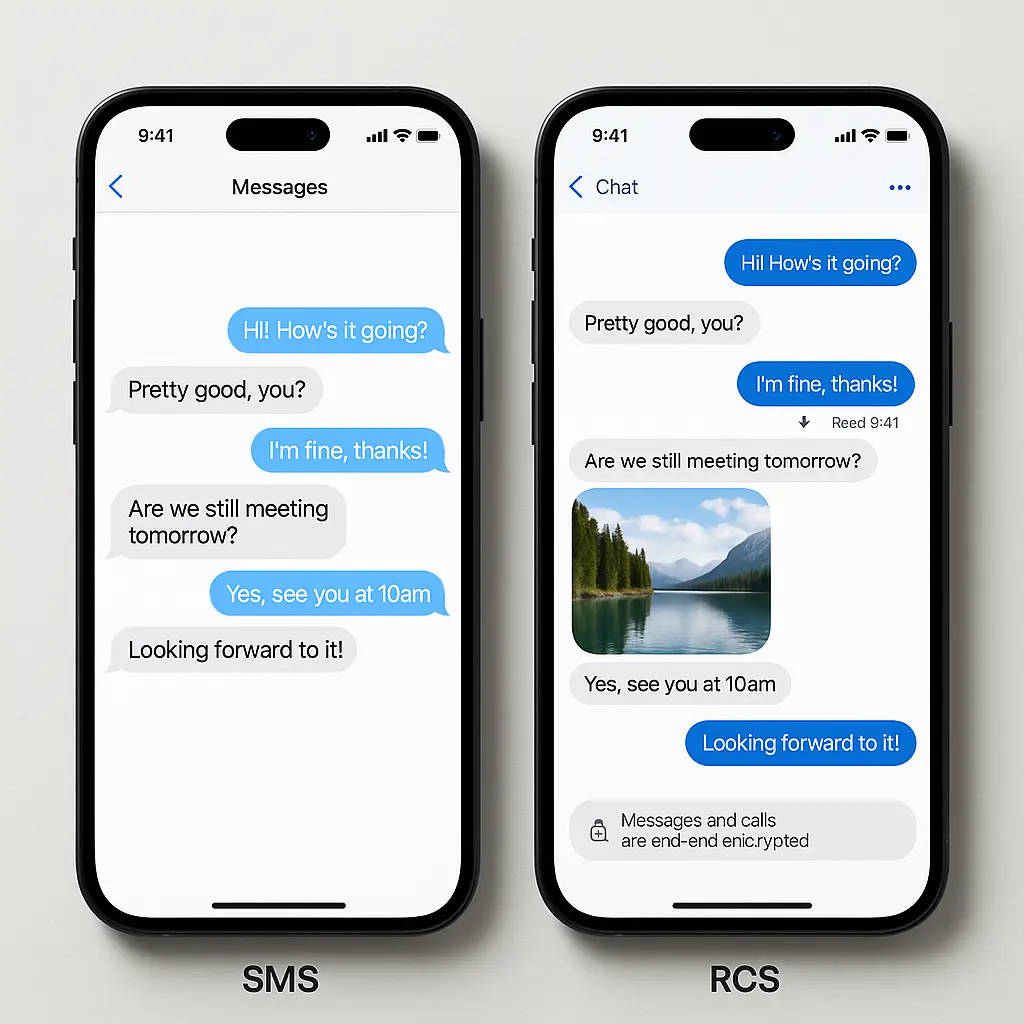
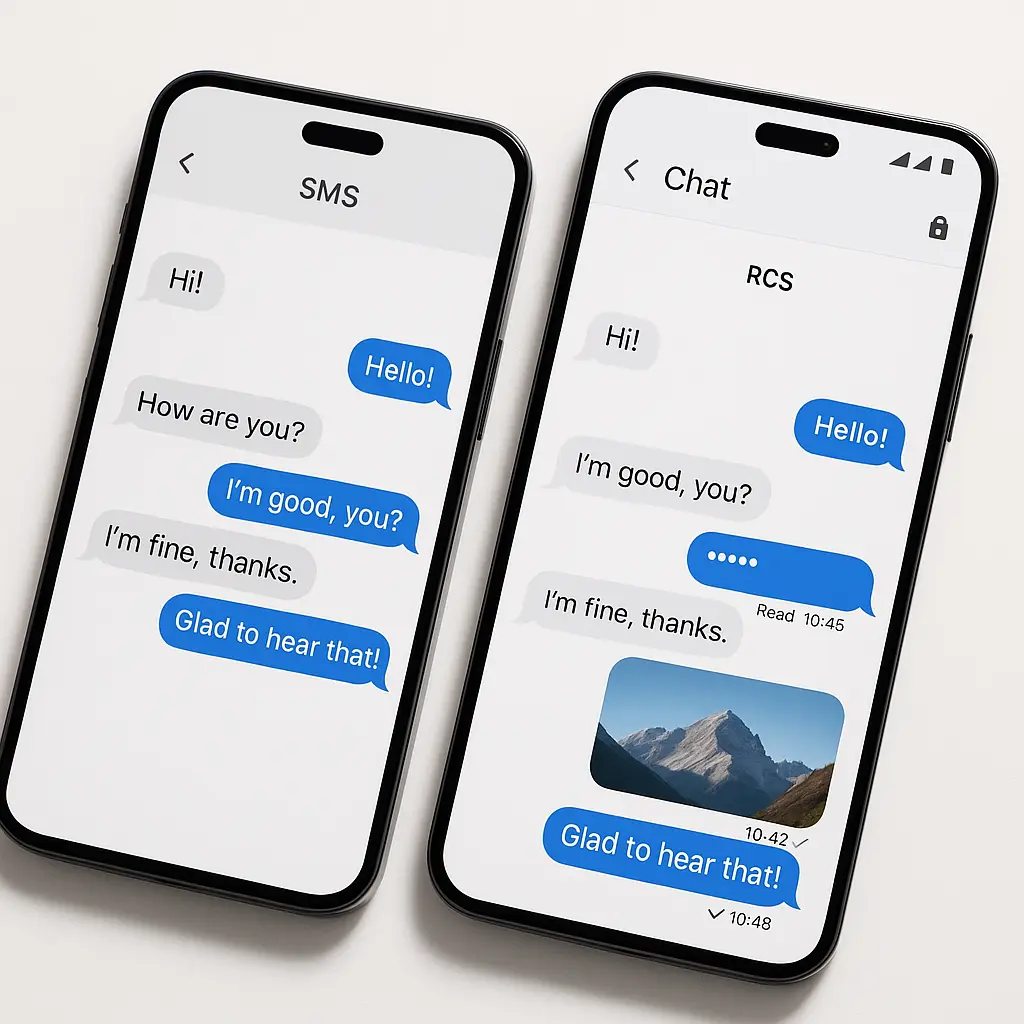
You've probably noticed your text messages look different lately. Read receipts appear where they didn't before. Typing indicators show up. Photos send at full resolution instead of pixelated thumbnails. Your phone might display a small label that says "Chat" or "RCS" instead of "Text" or "SMS."
This is RCS messaging, and it's replacing SMS as the default protocol for text messages on most phones. The shift has been gradual, carrier-dependent, and largely invisible to users. But the underlying mechanism matters, especially if you care about who can read your messages.
Here's what RCS actually is, how it differs from SMS and app-based messaging, and what changes when your texts move from one protocol to the other.
What RCS messaging is
RCS stands for Rich Communication Services. It's a protocol designed by the GSMA (the global mobile industry trade group) to replace SMS and MMS with a system that supports modern messaging features. The core idea: upgrade the carrier-level messaging infrastructure instead of requiring everyone to install third-party apps.
SMS sends plain text in 160-character segments. MMS adds multimedia support but compresses images heavily and caps file sizes. Both protocols date from the 1990s and early 2000s. Neither was designed for smartphones, encryption, or the kind of rich media people expect in 2026.
RCS works over your carrier's data network (or WiFi) instead of the older circuit-switched channels SMS uses. It supports typing indicators, read receipts, group chats with more than ten people, file sharing up to 100MB, location sharing, and high-resolution images and videos. The protocol can carry end-to-end encryption, though whether your messages are actually encrypted depends on which app you're using and who you're texting.
On Android, RCS typically runs through Google Messages, which Google has pushed as the default texting app on most devices since around 2019. On iPhone, Apple added RCS support in iOS 18 (released fall 2024), routing it through the built-in Messages app. The implementation varies by manufacturer and carrier, but the protocol itself is standardized.
When you send a message to someone whose device and carrier support RCS, the system upgrades the conversation automatically. If the recipient's setup doesn't support RCS, the message falls back to SMS or MMS. This happens invisibly. You might notice the conversation label change from "Chat" to "Text," or you might not notice anything at all.
How RCS differs from SMS
The technical differences start with transport. SMS routes through the carrier's signaling network (SS7), which was built for voice calls and retrofitted for text. Messages pass through multiple carrier systems, often stored temporarily on servers you don't control. Anyone with access to those systems can read the content.
RCS uses IP-based transport, which means it travels over the same data network as your web browsing, app traffic, and streaming video. The protocol supports end-to-end encryption using the Signal Protocol (the same cryptographic system Signal and WhatsApp use), but encryption is optional, not mandatory. Whether your RCS messages are encrypted depends on the app and the recipient's setup.
Google Messages encrypts RCS conversations between Android users running the same app. The encryption is end-to-end, meaning Google can't read the content. But if you text someone using a different RCS app, or someone on an iPhone with RCS enabled, the encryption often doesn't apply. Apple's RCS implementation, as of iOS 18, doesn't support end-to-end encryption at all. Messages between iPhone and Android users using RCS are protected in transit (like HTTPS for web traffic) but readable by the carrier.
This creates a fragmented landscape. Two Android users on Google Messages get encryption. An Android user texting an iPhone user gets RCS features (read receipts, typing indicators, better images) but no encryption. An Android user texting another Android user on a carrier-specific RCS app might or might not get encryption, depending on the carrier's implementation.
SMS, by comparison, is consistently unencrypted. The protocol has no encryption layer. Carriers can read every message. So can anyone who compromises the SS7 network, which researchers have demonstrated repeatedly over the past decade. RCS with encryption is a meaningful upgrade. RCS without encryption is a lateral move: better features, same privacy model.
RCS compared to app-based messaging
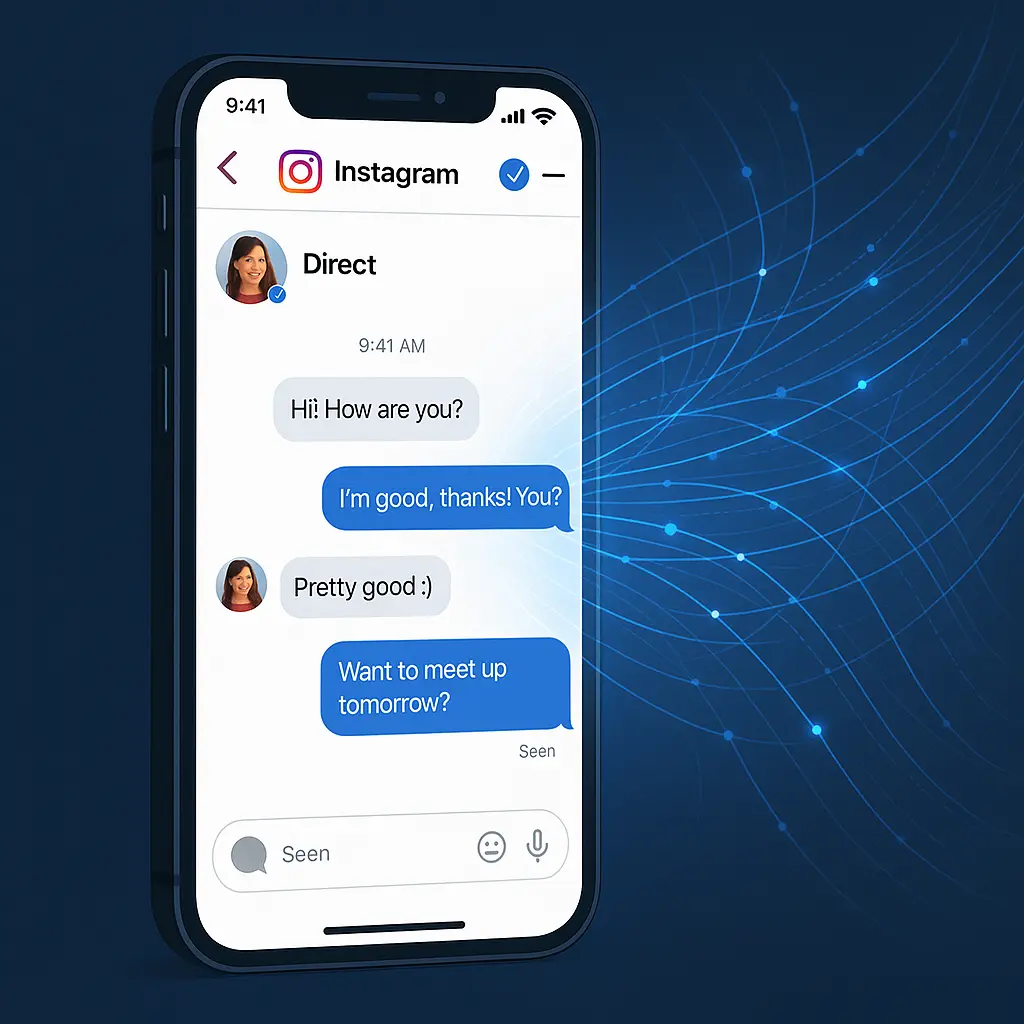
Signal, WhatsApp, iMessage, and other app-based messaging platforms work differently. They don't rely on carrier infrastructure. They route messages through the app developer's servers (or, in Signal's case, through servers that can't read the content). Encryption is built in and non-negotiable. If you use Signal, your messages are end-to-end encrypted, period. The protocol doesn't have an unencrypted fallback.
RCS sits in a middle position. It upgrades the carrier-level infrastructure, which means it works without installing anything new (on compatible devices). But it inherits the carrier model's limitations. Your carrier controls whether RCS is available, how it's implemented, and whether encryption is enabled. You don't get to choose a different provider the way you can switch from WhatsApp to Signal.
The advantage of RCS is reach. If your phone supports it, you can send RCS messages to anyone else whose phone supports it, without both of you installing the same app. The disadvantage is control. You're trusting your carrier, the recipient's carrier, and the app developer to implement the protocol correctly and prioritize encryption. That trust isn't always warranted.
In practice, this means RCS works well for casual conversations where convenience matters more than guaranteed privacy. It's a better experience than SMS for sharing photos, coordinating group plans, or texting people who don't use the same messaging apps you do. But for conversations where you need to be certain no one else can read the content, app-based encrypted messaging is still the better choice.
What happens when RCS falls back to SMS
RCS isn't always available. If you're texting someone on an older phone, or someone whose carrier doesn't support RCS, or someone in an area with poor data coverage, the system falls back to SMS or MMS. This happens automatically, and the experience varies by app.
Google Messages usually shows a small label change. "Chat features" (Google's term for RCS) become unavailable, and the conversation reverts to "Text." You lose read receipts, typing indicators, and high-resolution media. Messages revert to 160-character segments. Group chats lose the ability to name the group or add more than ten people. If the conversation was encrypted under RCS, it's no longer encrypted under SMS.
The fallback is invisible to the recipient. They see a text message. They don't know whether it came through RCS or SMS unless they check the technical details, which most people don't. This creates a problem: you might think you're having an encrypted conversation when you're not.
Some apps warn you when encryption status changes. Signal, for instance, shows a prominent notice if safety numbers change (indicating a potential security issue). Google Messages shows a small lock icon when RCS encryption is active, but the icon's absence doesn't necessarily mean the conversation is unencrypted, it might mean RCS isn't available at all. The distinction matters, but the interface doesn't always make it clear.
This is where the comparison to Sherlock Holmes fits. In "A Scandal in Bohemia," Holmes warns the King of Bohemia that the absence of evidence isn't evidence of absence. The fact that you don't see a lock icon doesn't tell you whether your messages are traveling encrypted over RCS, unencrypted over RCS, or unencrypted over SMS. The lack of a clear signal leaves you guessing about the actual state of the conversation.
If you need to be certain your messages are encrypted, use an app that doesn't fall back to unencrypted transport. Signal, WhatsApp, and iMessage (between Apple devices) guarantee encryption. RCS with Google Messages encrypts some conversations but not all. SMS encrypts none.
RCS and phishing risks
Upgrading from SMS to RCS changes the attack surface for phishing and smishing (SMS phishing). The features that make RCS more convenient also make certain scams more convincing.
Read receipts and typing indicators create a sense of real-time interaction. Scammers can use these features to build urgency and pressure you into clicking a link or sharing information before you have time to think. High-resolution images and rich media make fake alerts look more legitimate. A phishing message that includes a convincing logo, formatted text, and an embedded link feels more official than a plain-text SMS.
RCS also supports more sophisticated message formatting. Scammers can send messages that look like they came from your bank, your email provider, or a government agency, complete with branding and interactive elements. The FTC warns that phishing scams are getting harder to spot, and RCS gives attackers more tools to make their messages look real.
The underlying risk is the same as SMS: you're receiving an unsolicited message asking you to take action. The protocol doesn't change that. But the presentation layer matters. A plain-text SMS that says "Your account has been suspended. Click here to verify." is easier to dismiss than an RCS message with your bank's logo, a formatted alert box, and a typing indicator showing someone is "responding" to your concern.
The defense is the same across all messaging platforms: don't click links in unsolicited messages. If you receive a message claiming to be from your bank, your email provider, or a government agency, open the official app or website directly. Don't use the link in the message. Verify the request through a channel you control, not one the sender provides.
CISA's phishing guidance applies to RCS the same way it applies to email and SMS. The medium changes, but the pattern doesn't. Urgency, threats, requests for personal information, and unsolicited links are red flags regardless of whether the message arrives via SMS, RCS, email, or a phone call.
Privacy and encryption status
Whether your RCS messages are encrypted depends on three factors: the app you're using, the app the recipient is using, and whether both apps support end-to-end encryption for RCS.
Google Messages encrypts RCS conversations between Android users running the same app. The encryption uses the Signal Protocol, which is well-tested and widely trusted. Google can't read the content. Neither can your carrier. The encryption is end-to-end, meaning only you and the recipient hold the keys.
But if you're texting someone on an iPhone, even if both of you have RCS enabled, the conversation isn't end-to-end encrypted. Apple's RCS implementation (as of iOS 18) supports the protocol's rich features but not its encryption layer. Messages between Android and iPhone users over RCS are encrypted in transit (using TLS, the same encryption that secures web traffic), but the carrier can read the content. So can Apple, in theory, though Apple's privacy policies suggest they don't.
If you're texting someone using a carrier-specific RCS app (like Samsung Messages with RCS enabled through a carrier that isn't using Google's implementation), encryption status depends on the carrier. Some carriers support end-to-end encryption. Others don't. There's no universal standard, and the user interface often doesn't make the distinction clear.
This fragmentation is a problem. You can't reliably know whether your RCS conversation is encrypted without checking technical details that most people don't know how to access. The app might show a lock icon, or it might not. The icon might mean end-to-end encryption, or it might mean transport encryption, which is a weaker protection.
If you need guaranteed encryption, use an app that doesn't have this ambiguity. Signal encrypts everything, always. WhatsApp encrypts everything, always. iMessage encrypts conversations between Apple devices, always. RCS encrypts some conversations, sometimes, depending on factors outside your control.
How to check if RCS is enabled
On Android, open Google Messages, tap the three-dot menu, and go to Settings > RCS chats (or "Chat features," depending on your version). If RCS is available through your carrier, you'll see a toggle to enable it. If it's already enabled, you'll see a status message confirming that chat features are connected.
On iPhone (iOS 18 or later), open Settings, scroll to Apps, tap Messages, and look for RCS Messaging. If the option is present, you can toggle it on or off. If the option isn't there, your carrier doesn't support RCS yet, or your device isn't running iOS 18.
Not all carriers support RCS. In the U.S., the major carriers (Verizon, AT&T, T-Mobile) rolled out support between 2019 and 2024, but smaller carriers and MVNOs (mobile virtual network operators) have been slower to adopt. If your carrier doesn't support RCS, the option won't appear in your settings.
Even if your carrier supports RCS, the person you're texting needs compatible support on their end. If they're on an older phone, or a carrier without RCS, or using an app that doesn't support the protocol, your conversation will fall back to SMS or MMS.
You can usually tell whether a conversation is using RCS by looking at the message input field or the conversation header. Google Messages shows "Chat" for RCS and "Text" for SMS. iPhone Messages shows "Text Message" for SMS and "RCS Message" for RCS (though this label isn't always visible). Some apps show a lock icon when end-to-end encryption is active, but the absence of the icon doesn't always mean the conversation is unencrypted, it might just mean RCS isn't available.
What RCS means for group chats
SMS-based group chats are limited to around ten participants, depending on the carrier. Adding more people often fails, and the conversation breaks into multiple threads. MMS group chats support media but compress images and videos heavily, and delivery is inconsistent. Some people see the messages; others don't. There's no way to name the group, and you can't remove someone from the conversation without starting a new thread.
RCS group chats support more participants (the limit varies by implementation but is typically much higher than SMS), allow you to name the group, and let you add or remove people without fragmenting the conversation. Media shares at full resolution. Typing indicators show who's responding. Read receipts show who's seen the message.
But group chat encryption under RCS is inconsistent. Google Messages encrypts group chats if all participants are using the same app and all have RCS enabled. If even one person is on SMS, or using a different RCS app, the entire group chat loses encryption. The app doesn't always make this clear.
For group chats where privacy matters, use an app designed for encrypted group messaging. Signal supports encrypted group chats with up to 1,000 members. WhatsApp supports encrypted group chats with up to 1,024 members. Both platforms encrypt group chats end-to-end by default, with no fallback to unencrypted transport.
RCS group chats are better than SMS group chats for convenience and features. But they're not a substitute for purpose-built encrypted group messaging if the content is sensitive.
Carrier control and data access
RCS runs through your carrier's infrastructure, which means your carrier controls whether the service is available, how it's implemented, and what data they collect. This is different from app-based messaging, where the app developer controls the infrastructure.
Carriers can see metadata for RCS conversations: who you're texting, when, and how often. If the conversation isn't end-to-end encrypted, they can see the content too. Carriers are subject to legal requests for data, including subpoenas and national security letters. If law enforcement requests your RCS message history, and the messages aren't encrypted, your carrier can hand over the content.
This isn't hypothetical. Researchers have found that carriers routinely retain SMS and MMS messages for varying periods, and the same infrastructure applies to RCS. The retention period varies by carrier and jurisdiction, but the data exists.
If you're using Google Messages with RCS encryption enabled, Google can't read the content of your messages. But Google can see metadata: who you're texting, when, and how often. Google's privacy policy governs what they do with that metadata, and their policies can change.
For conversations where you don't want metadata exposed, use an app that minimizes data collection. Signal collects almost no metadata. The service knows your phone number and the last time you connected, but it doesn't store who you message or when. WhatsApp collects more metadata than Signal but less than most carrier-based systems.
RCS is a carrier service, and carriers are businesses subject to legal and commercial pressures. If you're texting someone about something sensitive, consider whether you trust your carrier (and the recipient's carrier) with the metadata and, potentially, the content.
RCS and international messaging
SMS and MMS international messaging is expensive and unreliable. Carriers charge per-message fees for texts sent across borders, and delivery isn't guaranteed. Media often fails to send, and group chats break down entirely.
RCS routes over data networks, which means international RCS messages travel the same way as any other data: through your data plan or WiFi. If you have an international data plan or you're connected to WiFi, RCS messages to other countries are effectively free. No per-message fees. No delivery failures due to carrier interoperability issues.
But international RCS depends on both carriers supporting the protocol. If you're texting someone in a country where RCS isn't widely deployed, the message falls back to SMS, and you're back to per-message fees and unreliable delivery.
For international messaging, app-based platforms are more reliable. WhatsApp works in nearly every country and routes messages over WiFi or data without carrier involvement. Signal works the same way. Both platforms are free for international messaging, and both deliver messages reliably regardless of where the recipient is located.
RCS improves international messaging when both sides support it, but the global rollout is uneven. If you travel frequently or text people in other countries, an app-based platform gives you more consistent results.
Should you enable RCS
If your phone and carrier support RCS, enabling it gives you a better messaging experience with minimal downside. You get read receipts, typing indicators, high-resolution media, and better group chats. If you're texting other people on compatible setups, you might get end-to-end encryption.
The cost is carrier dependency. You're trusting your carrier to implement the protocol correctly, to prioritize encryption when possible, and to handle your data responsibly. That trust isn't always justified, but for casual conversations, the tradeoff is reasonable.
If you're having conversations where privacy is critical, don't rely on RCS. Use Signal, WhatsApp, or iMessage (between Apple devices). These platforms guarantee encryption and don't fall back to unencrypted transport. They're purpose-built for privacy in a way that carrier-based messaging isn't.
For everything else, RCS is fine. It's a meaningful upgrade over SMS. It makes texting feel more like modern messaging. And if you're already using your phone's default messaging app, enabling RCS doesn't require you to install anything new or convince your contacts to switch platforms.
The protocol is a step forward, but it's not a replacement for encrypted messaging apps. Know what you're getting, know what you're not, and choose the right tool for the conversation you're having.
Related reading: