iMessage vs SMS Security: How They Compare
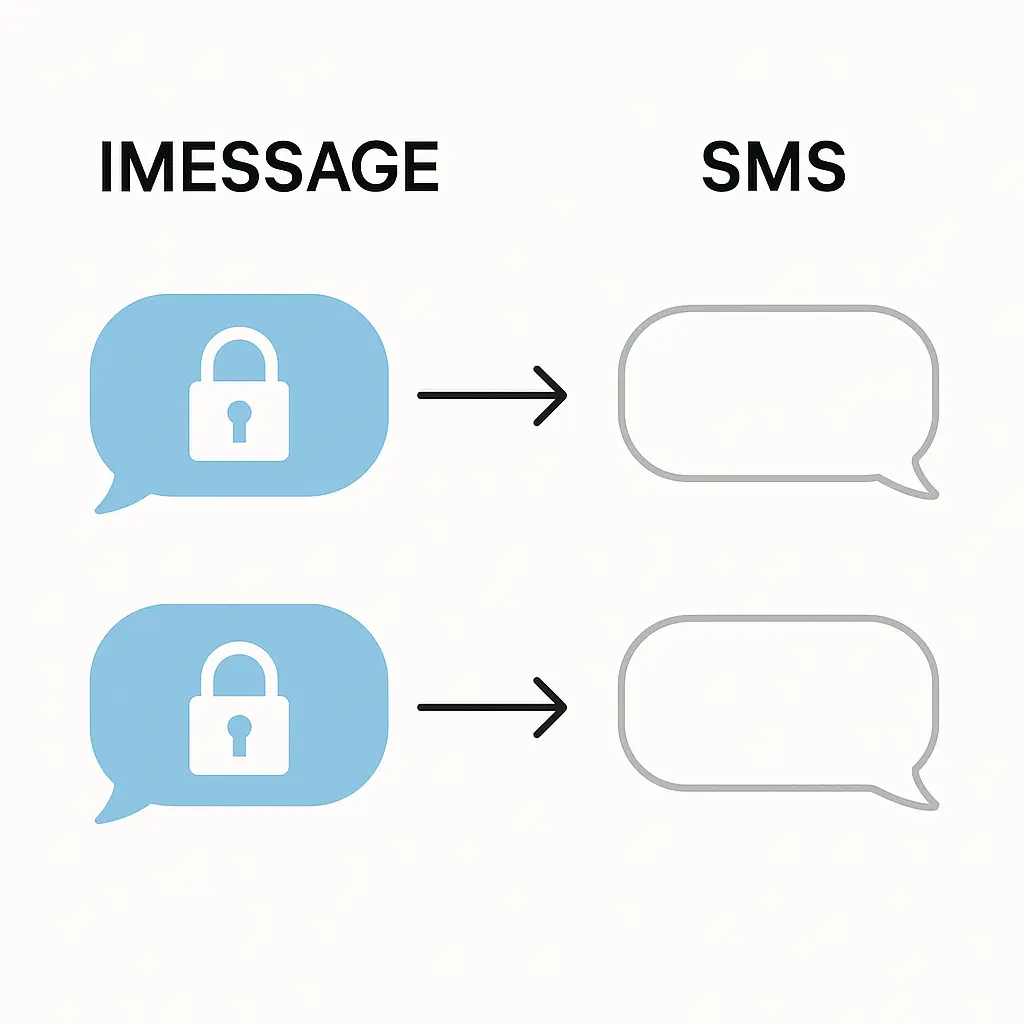
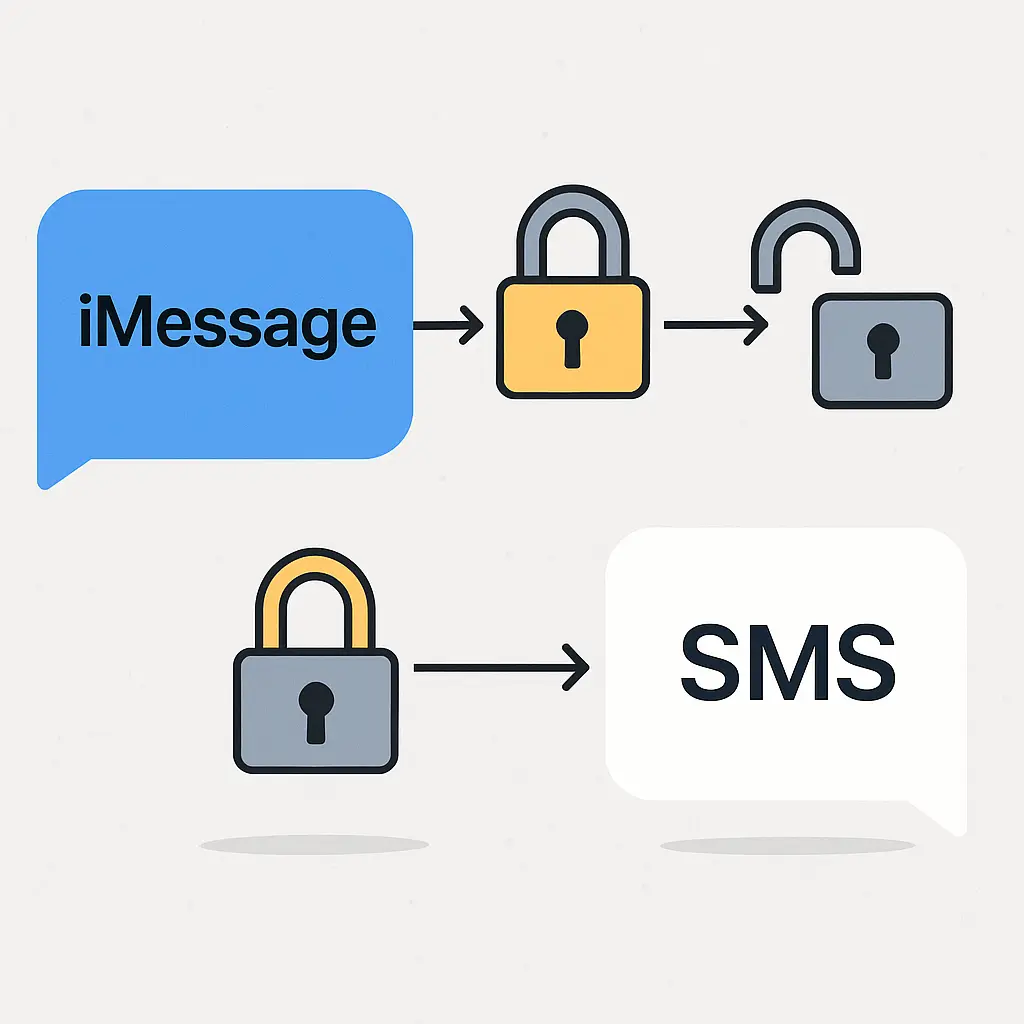
You send a text from your iPhone to another iPhone. Blue bubble. End-to-end encrypted. Apple can't read it. Your carrier can't read it. Someone intercepting the transmission gets ciphertext.
You send the same message to an Android phone. Green bubble. SMS. Your carrier sees every word. So does anyone with access to the carrier's network. The message travels in cleartext, readable at multiple points along the path.
The color of the bubble tells you which protocol you're using, and the protocol determines who can read your messages. That's the core security difference between iMessage and SMS. Everything else follows from that split.
How iMessage encrypts your messages
iMessage uses end-to-end encryption. When you send a message, your device encrypts it using a key that only the recipient's device can decrypt. The message travels through Apple's servers, but Apple can't read the content. The servers relay ciphertext.
The encryption happens automatically. You don't configure anything. You don't exchange keys manually. Apple's infrastructure handles key generation, distribution, and rotation in the background using public-key cryptography.
Each device you own has its own encryption keys. When you send an iMessage, your device encrypts a copy for each of the recipient's registered devices. If they have an iPhone, an iPad, and a Mac signed into the same Apple ID, your device sends three separately encrypted copies. Each device decrypts its own copy using its private key.
This design means Apple never holds the keys to decrypt your messages. They can see metadata (who messaged whom, when, from which IP address), but not content. That metadata limitation matters for privacy, but it's a separate issue from message content security.
iMessage also encrypts attachments, reactions, read receipts, and typing indicators. The entire conversation layer is protected. If you delete a message on your device, it's gone from your local storage, but the encrypted copies remain on the recipient's devices and in iCloud backups if they have those enabled.
How SMS sends messages in cleartext
SMS is a protocol from the 1980s designed for short text messages on cellular networks. It predates modern encryption standards. Messages travel through your carrier's infrastructure without content encryption.
When you send an SMS, your phone transmits the text to a cell tower. The tower forwards it to your carrier's Short Message Service Center, which routes it to the recipient's carrier, which delivers it to their phone. At every hop, the message is readable.
Your carrier logs SMS messages. They can see the content, the sender, the recipient, and the timestamp. Law enforcement can request these records with a subpoena. Carriers retain SMS logs for varying periods (around 3 to 5 months for content, longer for metadata, depending on the carrier and jurisdiction).
Interception is also possible. Someone with access to the carrier's network, a rogue cell tower (often called a Stingray or IMSI catcher), or the SS7 signaling protocol used by carriers can intercept SMS messages in transit. These attacks require technical capability and equipment, but they're not theoretical. Researchers have demonstrated them, and intelligence agencies use them.
SMS also lacks authentication. Spoofing the sender is straightforward. Scammers routinely send phishing texts that appear to come from banks, delivery services, or government agencies. The protocol provides no mechanism to verify that the sender is who they claim to be.
What happens when you text across platforms
iMessage only works between Apple devices signed into iCloud. If you send a message from an iPhone to an Android phone, the message automatically downgrades to SMS or MMS (Multimedia Messaging Service, which handles images and group texts but also lacks encryption).
Your iPhone detects that the recipient isn't using iMessage and switches protocols. The blue bubble turns green. You lose end-to-end encryption. The message becomes readable to carriers and anyone intercepting the transmission.
This downgrade happens silently. There's no warning that your message is about to become less secure. The color change is the only indicator, and many people don't know what it means.
Group messages complicate this further. If you start a group chat with multiple iPhone users, it's an iMessage thread. If you add one Android user, the entire thread downgrades to MMS. Every message in that thread, from every participant, loses encryption.
You can't override this behavior. iMessage and SMS are mutually exclusive. Apple devices use iMessage when possible and fall back to SMS when necessary. There's no setting to force encryption or block unencrypted messages.
RCS as the attempted middle ground
RCS (Rich Communication Services) is a newer protocol designed to replace SMS with features like read receipts, typing indicators, high-resolution images, and optional end-to-end encryption. Google has pushed RCS as the Android messaging standard, and Apple added RCS support to iPhones in iOS 18.
RCS supports end-to-end encryption for one-on-one chats between compatible devices, but the implementation is inconsistent. Encryption depends on both devices supporting the same version of the protocol, both users having it enabled, and the carriers routing the message correctly. Group chats often fall back to unencrypted RCS or MMS.
Cross-platform RCS between iPhones and Android phones does not currently use end-to-end encryption in most cases. The messages are more feature-rich than SMS, but they're not encrypted. Apple and Google have not agreed on a unified encryption standard for RCS, and carriers have their own implementations that don't always interoperate.
In practice, RCS in 2026 is a patchwork. Some messages are encrypted. Some aren't. The indicators are unclear. If you're relying on RCS for security, you're making assumptions that the protocol doesn't consistently support.
Metadata: what iMessage and SMS both expose
iMessage encrypts message content, but it doesn't hide metadata. Apple knows who you're messaging, when, how often, and from which IP address. If you're using iCloud to sync messages across devices, Apple stores encrypted copies of your messages on their servers, but they still see the metadata.
SMS exposes even more. Your carrier sees the content and the metadata. They know who you text, when, how often, and your location when you send each message (based on which cell tower you're connected to).
Both protocols expose your phone number. If you're messaging someone, they have your number. That number is tied to your identity through your carrier account. Anonymity isn't part of the design.
Metadata can reveal a lot. Security professionals generally say that metadata is often more valuable than content for building a profile of someone's behavior, relationships, and routines. Encrypting content without addressing metadata is a partial solution.
If metadata exposure concerns you, consider apps like Signal, which minimize metadata collection and don't require your real phone number for registration (as of recent updates allowing usernames).
When SMS is actually fine
SMS isn't secure, but that doesn't mean it's always the wrong choice. Security is context-dependent. For many conversations, the lack of encryption doesn't matter.
Logistics: "I'm running 10 minutes late." "Pick up milk on your way home." "Meet at the restaurant at 7." These messages don't contain sensitive information. If your carrier reads them, the impact is minimal.
Public information: Anything you'd be comfortable posting on social media is fine over SMS. If the content isn't private, the protocol's lack of encryption is irrelevant.
Convenience: SMS works everywhere. It doesn't require both parties to have the same app. It doesn't require internet access. For quick, low-stakes communication, the convenience often outweighs the security tradeoff.
The risk comes when you send sensitive information over SMS without realizing the protocol exposes it. Financial details, passwords, private conversations, medical information, and anything you wouldn't want your carrier (or a subpoena, or an attacker with access to carrier systems) to see should go through an encrypted channel.
When you need encryption
Use iMessage or another encrypted app when the content of your messages would cause harm if exposed. Here's a non-exhaustive list of situations where encryption matters:
Financial information: Account numbers, credit card details, wire transfer instructions, and anything involving money. Attackers target financial data, and SMS interception is a known attack vector for fraud.
Passwords and codes: Never send a password or two-factor authentication code over SMS if you have an alternative. SMS-based 2FA is better than no 2FA, but it's the weakest form. Attackers can intercept SMS codes through SIM swapping or SS7 attacks.
Private conversations: Anything you'd want to keep between you and the recipient. Personal matters, relationship discussions, health information, and anything that would be damaging if leaked.
Work communication: If your employer has policies about communication security, follow them. Many industries (healthcare, finance, legal) have regulations that effectively prohibit sending certain information over unencrypted channels.
Activism and journalism: If you're communicating about sensitive topics where surveillance is a plausible threat, use an encrypted app. SMS is trivially intercepted by state actors and sophisticated adversaries.
How to check which protocol you're using
On an iPhone, the bubble color tells you. Blue means iMessage. Green means SMS or MMS. That's the only indicator.
On Android, the situation is messier. Google Messages shows an icon (usually a lock) when RCS encryption is active, but the icon doesn't appear consistently, and its absence doesn't always mean the message is unencrypted. Some Android messaging apps don't indicate encryption status at all.
If you're unsure, assume the message isn't encrypted. If encryption matters for that conversation, switch to an app where encryption is guaranteed: Signal, WhatsApp (which uses end-to-end encryption by default), or iMessage if both parties are on Apple devices.
You can also disable SMS fallback on your iPhone. Go to Settings > Messages and turn off "Send as SMS." This prevents your iPhone from automatically downgrading to SMS when iMessage isn't available. Instead, the message won't send. You'll know immediately that the recipient isn't reachable via iMessage, and you can choose an alternative.
The blue-bubble-green-bubble social dynamic
The security difference between iMessage and SMS has created a social signaling problem, particularly in the United States where iPhones are common. Blue bubbles indicate you're in the Apple ecosystem. Green bubbles indicate you're not.
This has nothing to do with security for most people using it as a social marker, but the technical difference is real. Group chats with Android users lose features (reactions, high-quality images, encryption) because the thread downgrades to MMS. Some iPhone users exclude Android users from group chats to avoid the downgrade.
This dynamic is frustrating, but it's also a reminder that default behaviors shape security outcomes. Most people don't choose protocols. They use whatever their phone defaults to. iMessage encrypts by default when possible. SMS doesn't. The difference in outcomes follows from that design choice.
Apple has faced criticism for not adopting RCS sooner and for the way the green bubble visually separates Android users. The company added RCS support in iOS 18, but the cross-platform encryption gap remains. Until that gap closes, the security difference persists.
In The Sting, the con works because the mark doesn't know he's in a con. The setup looks legitimate. The tells are subtle. By the time he realizes what's happening, the money's gone. SMS is a bit like that. It looks like a normal text message. The interface is familiar. There's no visible warning that the message is traveling in cleartext, readable by your carrier and anyone with access to the network. The tell is the green bubble, and most people don't know what it means.
What Apple and Google could do differently
Apple could warn users when a message downgrades from iMessage to SMS. A notification: "This message will be sent unencrypted" would make the tradeoff visible. They don't do this, likely because it would disrupt the user experience and highlight a limitation of their ecosystem.
Google could enforce end-to-end encryption for all RCS messages and refuse to send unencrypted RCS. They don't do this, likely because carrier and device fragmentation makes universal encryption difficult, and blocking unencrypted messages would break compatibility with older devices and networks.
Both companies could adopt an open, interoperable encryption standard for cross-platform messaging. They haven't, likely because each benefits from ecosystem lock-in. iMessage keeps people on iPhones. RCS is Google's answer, but it's not a true open standard (despite the name), and the encryption implementation is inconsistent.
In the absence of industry coordination, users are left to navigate a fragmented landscape where security depends on who you're messaging and which devices you're both using.
Practical recommendations
Use iMessage when both parties are on Apple devices. It's encrypted by default, and it works seamlessly.
Use Signal, WhatsApp, or another end-to-end encrypted app for cross-platform messaging when encryption matters. These apps work on both iPhone and Android, encrypt by default, and don't downgrade based on the recipient's device.
Assume SMS is readable by your carrier and anyone with access to carrier systems. Don't send sensitive information over SMS unless you have no alternative.
Turn off SMS fallback on your iPhone if you want to avoid accidentally sending unencrypted messages. This forces you to choose an encrypted alternative when iMessage isn't available.
Check the bubble color (on iPhone) or the encryption indicator (on Android) before sending sensitive information. If you're not sure the message is encrypted, switch apps.
Don't rely on RCS for security in 2026. The encryption support is inconsistent, and the protocol doesn't guarantee end-to-end encryption for all message types or all device combinations.
Educate the people you communicate with. Many people don't know the difference between iMessage and SMS, or that the green bubble means the message isn't encrypted. A short explanation can shift behavior.
The long view
Messaging security has improved significantly over the past decade. End-to-end encryption has moved from a niche feature used by privacy advocates to a default in mainstream apps. iMessage, WhatsApp, Signal, and others have made encrypted messaging accessible to billions of people.
But SMS persists. It's the fallback protocol, the lowest common denominator, the thing that works when nothing else does. And because it works, people use it, often without understanding the security implications.
The gap between iMessage and SMS is a case study in how defaults shape outcomes. Most people don't choose protocols. They send messages, and the protocol is chosen for them based on the recipient's device. That automatic decision exposes some messages and protects others, and the user often doesn't know which is which.
In the long run, I think SMS will fade. RCS or a successor protocol will replace it, and end-to-end encryption will become universal. But we're not there yet. In 2026, the blue bubble and the green bubble still mean different things, and the difference still matters.
Related reading: