Why your Google searches follow you around: the ad tracking mechanism explained
You search for "hiking boots" on Google. An hour later, you're reading a news article and see an ad for hiking boots. Two days later, you're checking the weather and there's another hiking boot ad. A week later, you're watching a YouTube video and, hiking boots again.
This isn't coincidence. This is the ad tracking mechanism working exactly as designed.
Here's how it actually works, what data Google collects, and what you can control.
The basic mechanism: cookies and ad networks
When you search on Google, the search happens on Google's servers. You type a query, Google returns results, and you click on something or move on. That's the visible part.
The invisible part is the cookie Google places in your browser. A cookie is a small text file that websites store on your device to remember information about you. Google uses cookies to track what you search for, which results you click, and how you interact with Google services.
Those cookies don't stay on Google. They follow you to other websites.
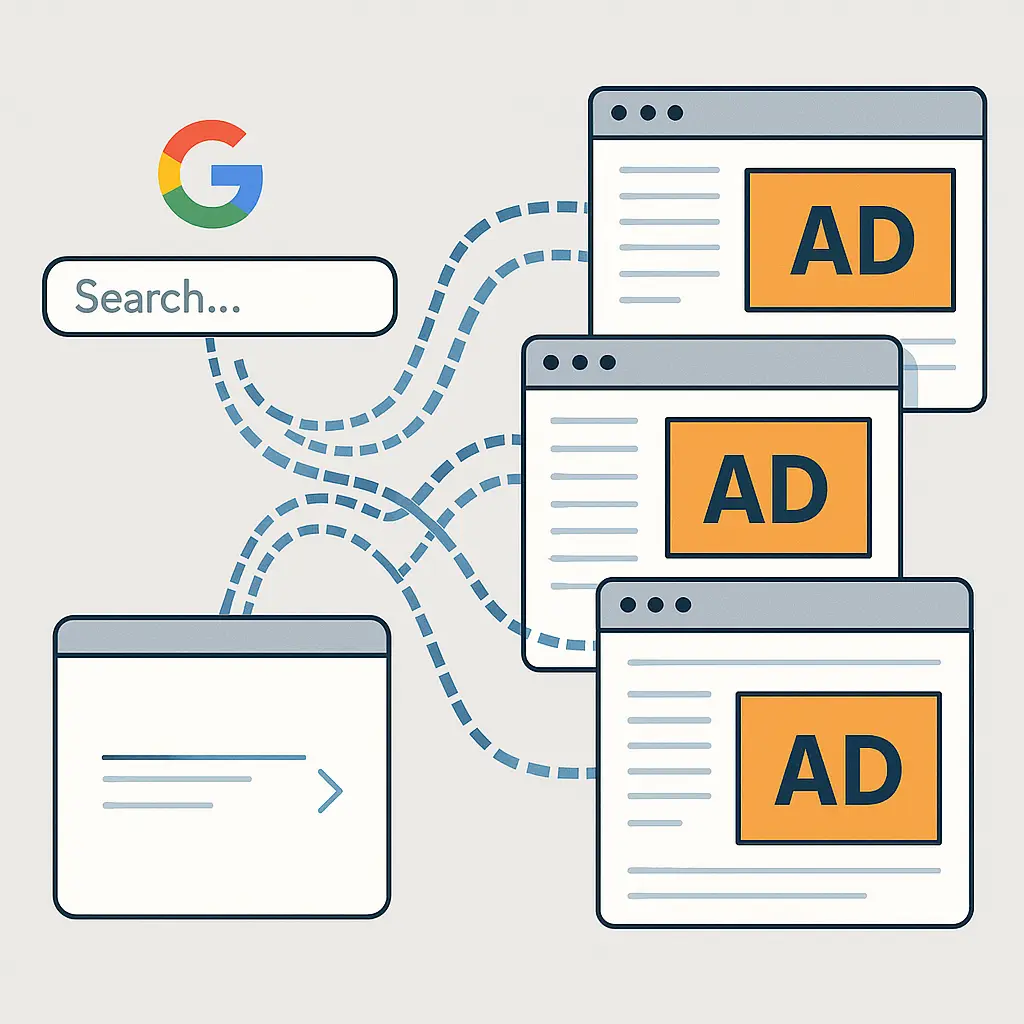
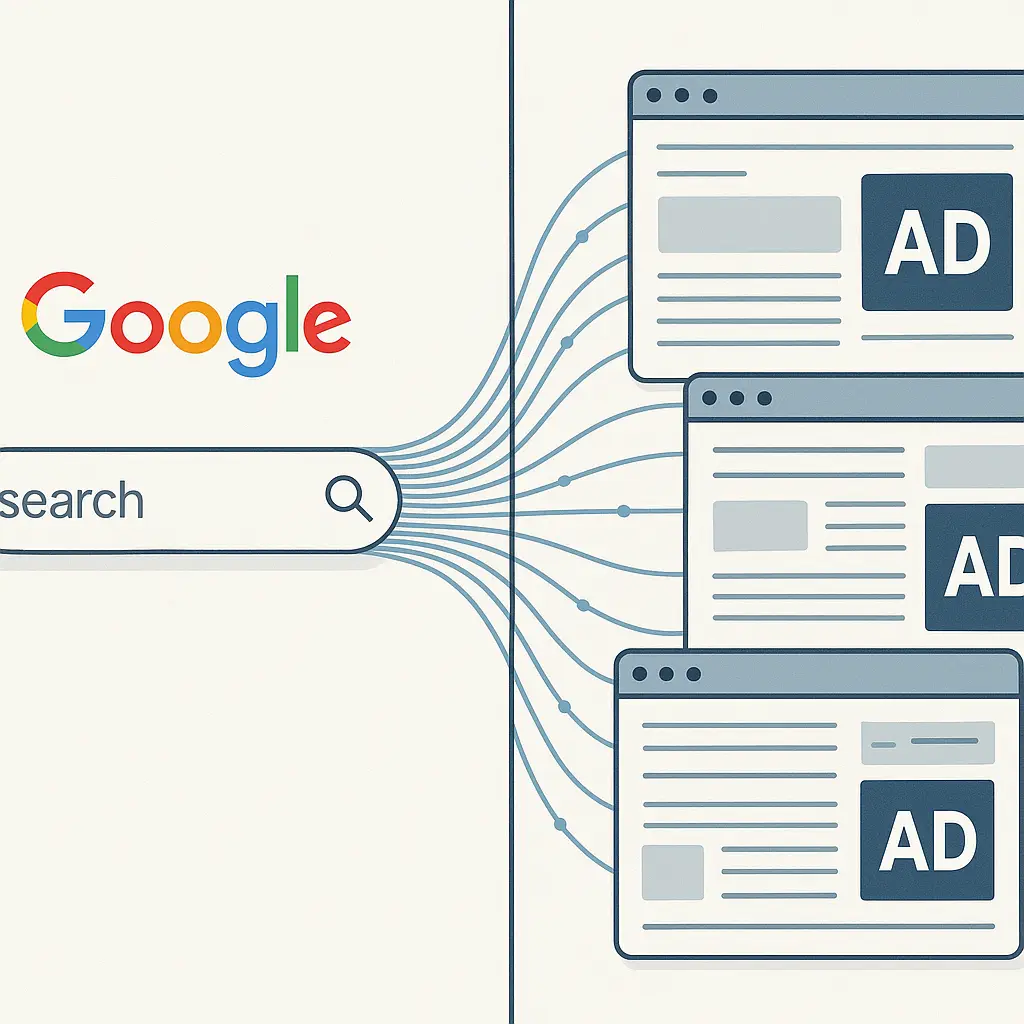
Most websites use Google's advertising network, either Google Ads or Google AdSense. When you visit a site running Google's ad code, that code checks for Google cookies in your browser. If it finds them, it reads your search history and shows you ads based on what you've searched for recently.
This is called behavioral advertising. The ads you see are personalized based on your behavior, in this case, your search history.
The mechanism works because Google operates both the search engine and the ad network. You search on Google. You browse sites that use Google's ads. Google connects the two through cookies.
What data Google actually collects from searches
Every time you search on Google, the company collects a set of data points tied to that search. Here's what gets logged:
Search terms. The exact words you type into the search box. This is the core data point for ad targeting.
Clicked results. Which search results you click, how long you stay on those pages, and whether you return to the search results to click something else.
Location. Your approximate location based on your IP address or, if you've granted permission, your precise GPS location from your device.
Device and browser information. What device you're using (phone, laptop, tablet), which browser, which operating system, screen resolution, and language settings. This is called device fingerprinting, and it helps Google identify you even without cookies.
Time and date. When you searched. This helps Google understand patterns, whether you search for certain things at certain times of day or on certain days of the week.
Account data. If you're logged into a Google account, all of this data ties directly to your account. If you're not logged in, Google still collects it, but ties it to your IP address and device fingerprint instead of a named account.
Google stores this data and uses it to build a profile of your interests. That profile determines which ads you see.
The FTC's guidance on online privacy notes that companies use behavioral data to target ads, but the specifics of what gets collected and how it's used vary by company. Google's mechanism is one of the most extensive because Google controls so many parts of the web experience, search, ads, analytics, and more.
How Google connects your searches to ads on other sites
Here's the step-by-step process:
Step 1: You search on Google. Let's say you search for "best noise-canceling headphones." Google logs that search, ties it to your account or device, and places a cookie in your browser marking your interest in headphones.
Step 2: You visit another website. You leave Google and visit a news site, a blog, or an online store. That site runs Google's ad code, either Google Ads (for advertisers) or Google AdSense (for publishers).
Step 3: The ad code reads your cookies. When the page loads, Google's ad code checks your browser for Google cookies. It finds the cookie from your headphone search.
Step 4: Google serves a targeted ad. Based on that cookie, Google's ad network shows you an ad for noise-canceling headphones. The ad might be from a retailer, a manufacturer, or a review site, whoever is paying Google to show ads to people interested in headphones.
Step 5: The cycle repeats. You see headphone ads on multiple sites because the same cookie follows you everywhere Google's ad network reaches. And Google's ad network reaches around 90% of the web, according to industry estimates.
This process happens in milliseconds. You don't see it. You just see the ad.
The mechanism relies on third-party cookies, cookies set by a domain you're not directly visiting. When you're on a news site, Google's ad code sets a cookie from google.com, even though you're not on google.com. That's a third-party cookie, and it's the technical foundation of cross-site ad tracking.
The role of your Google account
If you're logged into a Google account while you search, the tracking mechanism becomes more precise.
When you're logged in, Google ties your searches directly to your account ID. That means your search history persists across devices. You can search for hiking boots on your phone, then see hiking boot ads on your laptop, because both devices are logged into the same Google account.
Your Google account also aggregates data from other Google services. If you watch YouTube videos about hiking, read Gmail messages with hiking trip confirmations, or check Google Maps for trail locations, all of that data feeds into the same profile. Google uses the combined data to refine ad targeting.
You can see some of this data yourself. Go to myactivity.google.com, log in, and click "Web & App Activity." You'll see a list of your searches, websites you've visited while logged in, and other activity Google has recorded.
The list is partial. Google collects more than it shows you in My Activity, but this view gives you a sense of the data trail you're leaving.
If you're not logged into a Google account, the tracking still happens, but it's tied to your IP address and device fingerprint instead of an account ID. That makes it slightly less persistent, if you switch devices or networks, the tracking doesn't follow you as seamlessly. But it's not anonymous. Google can still build a profile based on your IP and device, and that profile still drives ad targeting.
What incognito mode actually does (and doesn't do)
Incognito mode, called Private Browsing in Safari and Firefox, changes the tracking mechanism, but doesn't stop it.
When you search in incognito mode, your browser doesn't save the search in your local browsing history. If someone else uses your device, they won't see what you searched for. That's the primary function of incognito mode: local privacy on a shared device.
But Google still sees the search. If you're logged into a Google account in incognito mode, Google logs the search just like it would in a regular browsing session. The search appears in your Google account's Web & App Activity. The only difference is that it doesn't appear in your browser's history.
If you're not logged into a Google account in incognito mode, Google still collects data tied to your IP address and device fingerprint. The search isn't tied to a named account, but it's not invisible. Google can still use it for ad targeting during that browsing session.
Incognito mode also doesn't block cookies entirely. It isolates cookies to that session, when you close the incognito window, the cookies disappear. But while the window is open, cookies work normally. If you search for something in incognito mode and then visit a site running Google ads in the same incognito session, you'll still see targeted ads based on that search.
Incognito mode is useful for preventing local tracking on your device. It's not useful for preventing Google from tracking your searches.
How advertisers use your search data
Advertisers don't see your search history directly. Google doesn't hand over a list of your searches to the companies buying ads.
Instead, Google offers advertisers targeting options based on interests, demographics, and behaviors that Google infers from your search data. An advertiser can say, "Show my ad to people interested in hiking boots," and Google uses your search history to decide whether you fit that category.
The advertiser sees aggregated data, how many people saw the ad, how many clicked, how many converted into customers. They don't see your name, your search terms, or your account details.
But the targeting is still based on your individual search history. Google uses your data to decide which ads to show you. The advertiser benefits from that targeting without seeing the underlying data.
This model protects your privacy from advertisers while still letting Google monetize your search history. It's a middle ground, but it's not the same as privacy from Google. Google still collects, stores, and uses your search data. Advertisers just don't get direct access.
The difference between personalized ads and contextual ads
Not all ads are based on your search history. Some ads use contextual targeting instead of behavioral targeting.
Contextual ads are based on the content of the page you're currently viewing, not your past behavior. If you're reading an article about camping, you might see ads for tents and sleeping bags, not because you searched for camping gear, but because the article is about camping.
Behavioral ads are based on your search history, browsing history, and other tracked behavior. If you searched for camping gear last week, you'll see camping ads on unrelated sites, news articles, weather forecasts, social media feeds.
Google uses both methods, but behavioral targeting is more common because it's more effective. Advertisers pay more for behavioral ads because they reach people who've already shown interest in a product or topic.
You can tell the difference by paying attention to when ads appear. If you see ads for something you searched for recently on sites unrelated to that topic, that's behavioral targeting. If you see ads that match the content of the page you're on, that's contextual targeting.
What you can control (and what you can't)
You can't stop Google from collecting data when you use Google Search. The search engine is free because Google monetizes your data. If you use the service, you're part of the data collection mechanism.
But you can limit what Google does with that data and how much of it persists.
Turn off ad personalization. Go to adssettings.google.com, log in, and toggle off "Ad Personalization." This tells Google to stop using your search history and browsing behavior to target ads. You'll still see ads, but they'll be contextual instead of behavioral.
This setting only applies if you're logged into a Google account. If you search while logged out, ad personalization settings don't apply.
Delete your search history. Go to myactivity.google.com, click "Delete activity by," and choose a time range. You can delete all activity or just activity from the past hour, day, week, or custom range.
Deleting your search history removes it from your account's activity log, but it doesn't necessarily delete it from Google's servers. Google's privacy policy states that some data is retained for security, fraud prevention, and legal compliance even after you delete it from your account.
Use a privacy-focused browser or extension. Browsers like Brave and Firefox block third-party tracking cookies by default. Extensions like uBlock Origin and Privacy Badger block tracking scripts and cookies on sites you visit.
These tools reduce how much data Google collects when you're not on Google's sites, but they don't stop Google from tracking your searches when you're on google.com.
Search while logged out. If you search without logging into a Google account, your searches won't tie to an account ID. They'll still tie to your IP address and device fingerprint, but that's less persistent than account-based tracking.
This method is inconvenient if you use other Google services that require login, like Gmail or Google Drive.
Use a different search engine. DuckDuckGo, Startpage, and Brave Search don't track your searches or build advertising profiles. You won't see behaviorally targeted ads based on searches conducted on those engines.
This is the most effective method for stopping search-based ad tracking, but it requires giving up Google's search results, which some people find more relevant than alternatives.
Use a VPN. A VPN hides your IP address from Google, making it harder to tie searches to a specific location or network. But Google can still track you through cookies, device fingerprints, and account login.
A VPN alone doesn't stop ad tracking. It's one layer in a broader privacy strategy.
The Gilmore Girls problem
In Gilmore Girls, Lorelai and Rory live in Stars Hollow, a small town where everyone knows everyone's business. You walk into Luke's Diner, and Luke already knows what you want to order because he's seen you order it a hundred times. You don't have to say anything. He just knows.
That's how Google's ad tracking works. You don't have to tell Google what you're interested in. Google already knows because it's been watching you search, click, and browse for years. The ads aren't random. They're based on patterns Google has observed.
The difference is that Luke is one person running one diner. Google is a global ad network running on 90% of the web. The scale is different. The persistence is different. And you can't just move to a different town.
Why this matters beyond annoyance
Seeing ads for hiking boots after searching for hiking boots is annoying, but the mechanism behind it has broader implications.
Data aggregation. Google doesn't just track your searches. It tracks your location, your YouTube watch history, your Gmail content, your Google Maps searches, your Chrome browsing history, and more. All of this data feeds into a single profile. That profile is detailed, persistent, and valuable.
Inference and prediction. Google uses your data to infer things you haven't explicitly shared, your political views, your health concerns, your financial situation, your relationship status. Advertisers can target you based on these inferences, even if you've never searched for those topics directly.
Data sharing and breaches. Google doesn't sell your data to advertisers, but it does share data with partners, third-party services, and law enforcement under certain conditions. If Google's systems are breached, your search history and profile data could be exposed.
Behavioral manipulation. Personalized ads aren't just about selling products. They're about influencing behavior. Advertisers use your data to show you messages designed to trigger specific emotional responses, urgency, fear, desire, social pressure. The mechanism is persuasive by design.
The EFF's Surveillance Self-Defense guide recommends minimizing your digital footprint by limiting what data you share, deleting old accounts, and using privacy tools. The advice applies to search tracking as much as any other form of online surveillance.
What Google says about all this
Google's privacy policy and ads transparency page explain how the company collects and uses data. The language is careful, but the core mechanism is clear: Google collects data from your searches and other activity, uses that data to build an advertising profile, and shows you personalized ads based on that profile.
Google emphasizes that you can control some of this through account settings, ad preferences, and activity controls. That's true, but the controls are partial. Turning off ad personalization doesn't stop data collection. Deleting your search history doesn't erase it from Google's servers. Logging out doesn't make you invisible.
The default settings favor data collection. You have to actively opt out of personalization, actively delete history, and actively use privacy tools to limit tracking. Most people don't do that, which is why the ad tracking mechanism works so well at scale.
The reality check
Your Google searches follow you around because Google built a system that makes that happen. The system is profitable, legal, and widely used. It's also largely invisible to the people it tracks.
You can reduce how much data Google collects and how that data is used for ads, but you can't eliminate tracking entirely while still using Google services. The trade-off is built into the business model.
If you want to stop search-based ad tracking, the most effective method is to stop using Google Search. Use DuckDuckGo, Startpage, or Brave Search instead. Block third-party cookies with browser extensions. Turn off ad personalization in your Google account if you still use other Google services.
None of these steps are perfect, but they shift the balance. You'll see fewer behaviorally targeted ads. Google will collect less data. Your searches won't follow you around as persistently.
The tracking mechanism works because most people don't know how it works and don't take steps to limit it. Now you know how it works. What you do with that information is up to you.
Related reading: