What happens to your accounts when you die, and how to plan for it
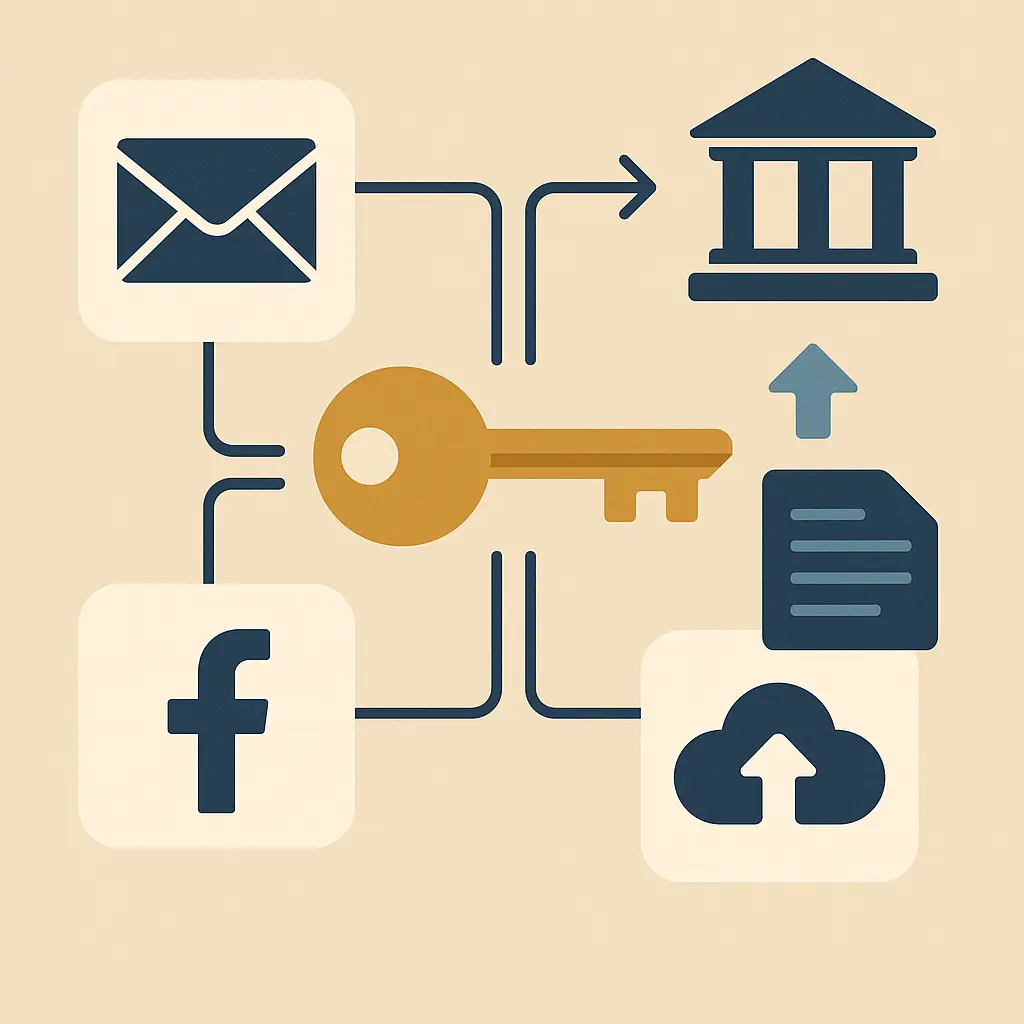
Your accounts don't close when you die. They sit there, accumulating data, holding photos, locking access to files your family might need. Some services have policies. Most don't enforce them. A few have tools. Almost nobody uses them.
I've watched this play out twice in my own family. My uncle's Gmail account sat untouched for three years before Google finally deleted it, taking two decades of correspondence with it. My aunt's Facebook page turned into a memorial without anyone asking, because nobody knew how to report her death to the platform. Both situations were fixable. Neither got fixed, because nobody knew what to do and nobody had prepared.
The problem isn't that services are hostile to grieving families. The problem is that digital accounts weren't designed with death in mind. Authentication exists to keep people out. Recovery processes assume the account holder is alive and can receive a code. Inheritance laws were written before email existed. The result is a system where your digital life becomes inaccessible the moment you can't log in yourself.
Here's what actually happens to your accounts when you die, how each major service handles it, and what you can do now to make things easier for the people you leave behind.
Email accounts don't close automatically
Email is the master key to everything else you own online. Password resets, account recovery, two-factor codes, all of it flows through email. When you die, that access dies with you unless you've made other arrangements.
Gmail keeps inactive accounts for around two years before deletion, but the timeline isn't guaranteed. Google's Inactive Account Manager lets you designate someone to receive your data or delete the account after a specified period of inactivity. You set the waiting period, provide a trusted contact's email, and Google notifies them when the deadline passes. They don't get your password. They get a download link for your data.
Outlook and Yahoo have similar policies but no built-in legacy tools. Microsoft requires a death certificate and legal documentation to grant access. Yahoo's process is roughly the same. Both will close the account if you provide proof of death, but neither will hand over login credentials to family members.
Apple offers Legacy Contacts through iCloud. You designate up to five people who can request access to your account after you die. They need your death certificate and an access key you generate when setting them up. The system grants access to photos, messages, notes, and files, but not payment information or passwords stored in iCloud Keychain.
The takeaway: email accounts persist after death, but access requires either advance planning or legal intervention. If you do nothing, the account eventually closes and everything in it disappears.
Social media platforms have memorialization policies
Facebook turns profiles into memorials when someone reports a death. The profile remains visible with "Remembering" added to the name. Friends can post on the timeline, but nobody can log in. If you've designated a Legacy Contact in your settings, that person can manage the memorial page, respond to friend requests, and update the profile picture. They can't read your messages or post as you.
Instagram follows the same model. A memorialized account shows "Remembering" in the profile. Nobody can log in. Posts and photos stay visible to the original audience. If you didn't designate a legacy contact, family can request memorialization or deletion with a death certificate.
Twitter (now X) will deactivate accounts upon request from verified immediate family or estate executors. The platform doesn't offer memorialization. Once deactivated, the account and all tweets are permanently deleted after 30 days. No legacy contact option exists.
LinkedIn removes profiles when notified of a death. The platform doesn't memorialize accounts or offer legacy access. Family members submit a request with a death certificate, and LinkedIn deletes the profile entirely.
TikTok will remove accounts or memorialize them depending on family preference. The memorialization option keeps videos visible but locks login access. Deletion is permanent.
The pattern: social media platforms will act on death if someone reports it, but they won't proactively search for obituaries or cross-reference death records. If nobody tells them, the account stays active indefinitely.
Banking and financial accounts follow legal inheritance
Your bank account doesn't close when you die. It freezes. The bank restricts access until an executor or legal heir provides documentation, usually a death certificate, will, and letters testamentary from probate court. Joint account holders retain access. Beneficiaries on payable-on-death accounts can claim funds with a death certificate.
Credit cards get canceled when the issuer is notified. Outstanding balances become estate debts. If you're an authorized user on someone else's card, you lose access when the primary cardholder dies. If someone was an authorized user on your card, the account closes and they can't use it anymore.
Investment accounts transfer to named beneficiaries or go through probate. Retirement accounts like 401(k)s and IRAs pass to designated beneficiaries outside of probate, which is faster. Brokerage accounts without beneficiaries enter the estate and follow the will.
Cryptocurrency wallets are different. If you hold crypto in a self-custody wallet and nobody has your private keys, the funds are gone. There's no customer service to call. No recovery process. No probate court that can compel access. If you use an exchange like Coinbase, the account follows the same rules as a bank account, family can claim it with legal documentation. But if the crypto lives in a hardware wallet or a software wallet where only you know the seed phrase, it's permanently inaccessible when you die.
The takeaway: financial accounts follow established legal processes, but crypto introduces a new risk where access truly dies with you if you don't share keys or seed phrases.
Cloud storage and file services vary widely
Google Drive, Dropbox, iCloud, and OneDrive all handle death differently.
Google Drive falls under the Inactive Account Manager. If you've set it up, your designated contact gets access to files after the inactivity period. If you haven't, family can request access with legal documentation, but Google's process is slow and requires proof of legal authority.
Dropbox will close an account when notified of death. The company doesn't offer legacy access or memorialization. Family can request data with a death certificate and legal documentation, but Dropbox has no obligation to comply and often doesn't.
iCloud uses Apple's Legacy Contact system. Your designated person gets access to photos, files, notes, and backups, but not passwords, payment info, or health data. Without a legacy contact, Apple requires a court order to release data.
OneDrive follows Microsoft's policy. No legacy access tool. Family can request account closure with a death certificate, but Microsoft won't grant login access or transfer files without a court order.
The pattern: cloud storage is where your photos, documents, tax records, and personal files live. If you don't set up legacy access or share credentials in advance, your family will likely lose everything stored there.
Subscription services keep charging until canceled
Netflix, Spotify, Adobe, and every other subscription you've ever signed up for will keep billing your account until someone cancels them. The services don't monitor death records. They don't cross-reference obituaries. They charge the card on file every month until the card expires or the bank flags the account.
If you die and nobody has access to your email, nobody gets the billing notifications. If nobody has access to your bank account, nobody sees the charges. Subscriptions can run for months or years, draining an estate account that family members don't realize is still active.
Canceling subscriptions after someone dies requires access to their email (to find the accounts), their payment methods (to stop the charges), and sometimes their login credentials (to navigate the cancellation process). Some services make cancellation easy. Others bury it behind multiple menus and require you to call customer service.
The takeaway: subscriptions don't stop automatically. Someone has to find them and cancel them, which requires access to email and payment records.
Messaging apps and encrypted services are mostly inaccessible
Signal, WhatsApp, Telegram, and iMessage all use encryption that makes messages unreadable without the account holder's device and credentials.
Signal encrypts messages locally on your device. If someone dies and their phone is locked, the messages are gone. Signal doesn't store messages on servers. There's no cloud backup. No recovery process. If you can't unlock the phone, you can't read the messages.
WhatsApp encrypts messages end-to-end, but it backs them up to Google Drive or iCloud. If you have access to the deceased person's Google or Apple account, you can restore the WhatsApp backup to a new device. But you still need their phone number to activate WhatsApp, which means you need access to their SIM card or the ability to port their number.
Telegram offers optional end-to-end encryption in Secret Chats, but most conversations use server-side encryption that Telegram can access. The company will not hand over data to family members without a court order, and even then, compliance is inconsistent.
iMessage syncs across Apple devices if iCloud is enabled. If you're a Legacy Contact, you get access to iMessage backups. If you're not, you need the person's Apple ID password and access to a trusted device.
The pattern: encrypted messaging apps prioritize privacy over access. If you can't unlock the device or the account, the messages are gone.
Gaming accounts and digital purchases are non-transferable
Steam, PlayStation Network, Xbox Live, Nintendo, Epic Games, every major gaming platform prohibits account transfers. Their terms of service state that accounts are non-transferable and licenses terminate upon death.
When you buy a game on Steam, you don't own the game. You own a license to play the game, and that license is tied to your account. When you die, the license dies with you. Your family can't transfer your Steam library to their account. They can't sell it. They can't inherit it. If they have your login credentials, they can keep using your account, but that violates the terms of service.
The same applies to PlayStation, Xbox, and Nintendo. Digital game libraries are not property in the traditional sense. They're licenses, and licenses don't transfer.
The only exception is if someone has your login credentials and continues using the account as if you're still alive. The platforms don't actively search for deceased account holders. But if they discover the account is being used by someone other than the original owner, they can terminate it.
The takeaway: digital game libraries are functionally inaccessible after death unless you've shared login credentials in advance, and even then, continued use violates terms of service.
What you can do now to prepare
You don't need a lawyer to make your digital life easier to handle after you die. You need a plan and about an hour of setup.
Use a password manager with emergency access. Most password managers offer a feature where you designate a trusted person who can request access to your vault. You set a waiting period, usually 24 to 72 hours, and if you don't deny the request, they get in. NordPass, Bitwarden, 1Password, and Dashlane all offer this. It's not the same as sharing your master password. It's a controlled, time-delayed process that gives someone access only when you can't respond.
Set up legacy contacts where available. Apple, Google, and Facebook all offer legacy contact features. Go into your account settings and designate someone. It takes five minutes. Apple gives them an access key. Google sends them a notification after your chosen inactivity period. Facebook lets them manage your memorial page. Do it now, not later.
Document your accounts in a secure location. Create a list of every account you have, what it's used for, and where to find it. You don't need to write down passwords, that's what the password manager is for, but you do need to list the accounts. Email, banking, social media, subscriptions, cloud storage, domain registrations, hosting services, and anything else that holds data or charges money. Store the list in your password manager's secure notes or in a physical document with your will.
Tell someone where your password manager is. Emergency access is useless if nobody knows you have a password manager. Tell your spouse, a sibling, or a trusted friend that you use one, what service it is, and that you've designated them for emergency access. Write it down in your will if that feels more official.
Review your subscriptions annually. Go through your email and bank statements once a year and cancel anything you don't use. Fewer subscriptions means fewer things for someone to hunt down and cancel after you die.
Consider a digital estate plan if your situation is complex. If you own domains, run a business, manage intellectual property, or have significant digital assets, talk to a lawyer who understands digital estate planning. Laws vary by state, and some assets require specific legal language to transfer properly.
The goal isn't to make death easier. The goal is to make the aftermath less of a nightmare for the people who have to clean up your digital life when you're gone.
The legal gaps that still exist
Estate law hasn't caught up to digital accounts. The Revised Uniform Fiduciary Access to Digital Assets Act (RUFADAA) gives executors and trustees legal authority to access digital accounts, but only 47 states have adopted it, and even in those states, companies can override it with their own terms of service.
In practice, this means that even if you're the legal executor of someone's estate, Google, Facebook, or Dropbox can refuse to grant you access based on their policies. Some companies comply with court orders. Others don't. There's no consistency, and there's no enforcement.
The FTC has published guidance on protecting personal information, but it focuses on data security for living users, not posthumous access. CISA offers best practices for account security, including multi-factor authentication, but none of it addresses what happens when the account holder dies.
The reality is that digital accounts exist in a legal gray area where companies control access based on their own policies, and those policies prioritize privacy and liability protection over family access. Until laws change or companies adopt consistent policies, the burden of planning falls on you.
The cultural shift that hasn't happened yet
In You've Got Mail, Meg Ryan's character loses her mother and inherits a bookstore. The inheritance is tangible. The bookstore has a deed, a lease, inventory. There's a legal process, but the assets are physical and the transfer is understood.
Digital inheritance doesn't work that way. You can't walk into a bank and show them a death certificate to access someone's Gmail. You can't hire a locksmith to break into someone's iCloud account. The assets are real, photos, documents, financial records, business files, but the access mechanism is authentication, not ownership. And authentication dies with the person who set it up.
The cultural expectation is still that death is something you handle with lawyers, death certificates, and probate court. But digital accounts don't fit that model. They require passwords, recovery codes, two-factor authentication, and access to devices. Legal authority doesn't matter if you can't get past the login screen.
This gap between legal inheritance and practical access is where most families get stuck. They have the legal right to the account, but they don't have the technical means to access it. And companies, for the most part, don't offer a bridge between the two.
The shift that needs to happen is a recognition that digital assets are real assets, and access to them after death should be as straightforward as access to a bank account or a house. But that shift requires companies to build better tools, laws to mandate clearer processes, and individuals to plan ahead instead of assuming someone will figure it out later.
Why this matters more than you think
Your digital accounts hold more than data. They hold your relationships, your work, your memories, and your identity. When you die, those things don't disappear, they just become inaccessible.
I've seen families lose years of photos because nobody could get into iCloud. I've seen businesses collapse because the owner died and nobody had access to the domain registrar. I've seen people spend thousands of dollars on lawyers trying to recover a loved one's email, only to be told the company won't comply without a court order they can't afford to pursue.
The practical impact of poor digital estate planning is that your family loses access to things that matter, spends money they don't have on legal processes that don't work, and eventually gives up because the system is too hard to navigate.
The emotional impact is worse. Losing access to someone's photos, messages, and files feels like losing them a second time. It's a grief compounded by frustration, because the data is still there, it's just locked behind a password nobody knows.
You can prevent this. Not by writing down passwords. Not by sharing your master password with your spouse. But by using the tools that exist, password managers with emergency access, legacy contacts on major platforms, and a documented list of accounts stored somewhere your family can find it.
It's not a perfect system. The tools are inconsistent, the legal framework is incomplete, and the companies that control access have no obligation to make it easy. But it's better than doing nothing, and doing nothing is what most people do.
Your accounts won't close when you die. They'll sit there, locked and inaccessible, until someone figures out what to do with them. Make it easier for that someone. Set up emergency access. Designate legacy contacts. Write down where your accounts are. Tell someone you trust.
It takes an hour. It might save your family months of frustration and thousands of dollars. And it might preserve the things that matter most, the photos, the messages, the files, so they don't disappear when you do.