Cookies, supercookies, and what tracks you across sites

You visit a news site. Then a recipe blog. Then a clothing store. Three unrelated sites, but the same ad for running shoes follows you to all three. That's tracking cookies doing what they were designed to do.
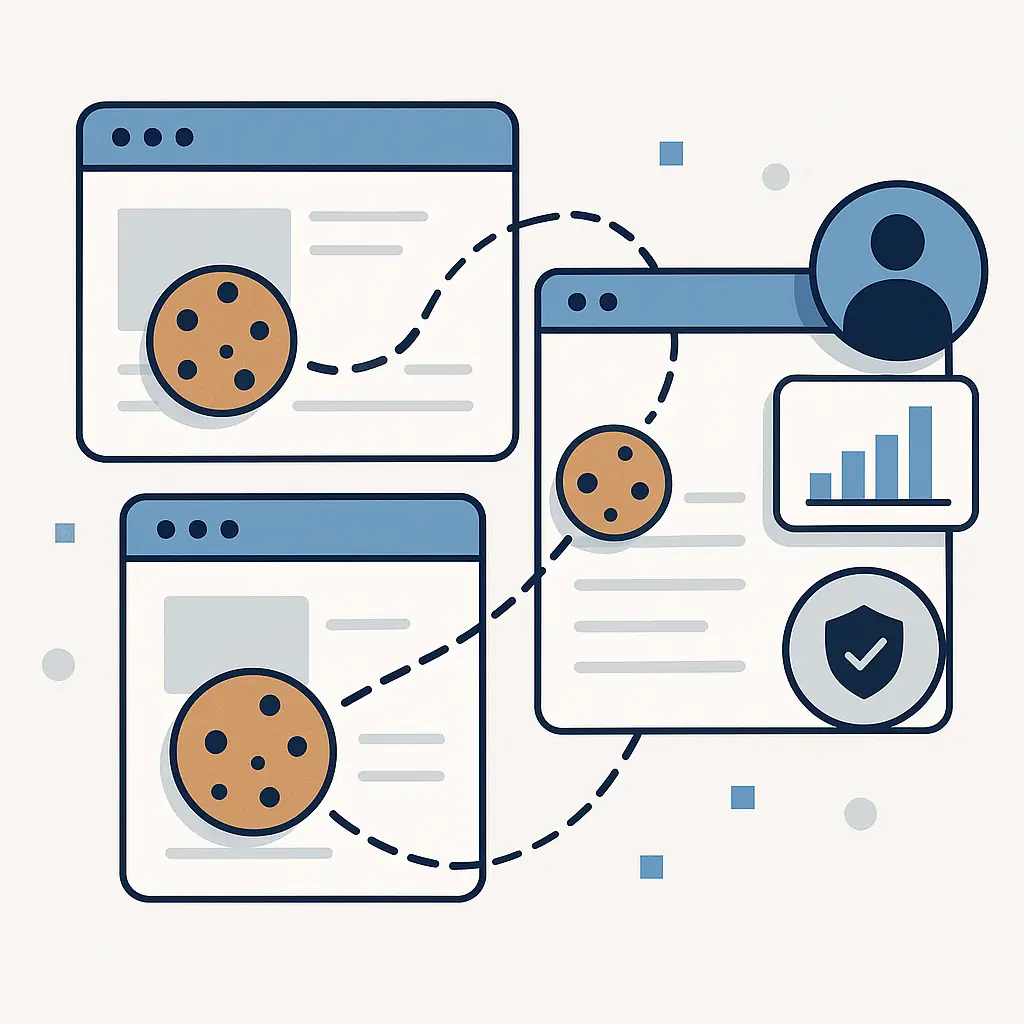
A tracking cookie is a small text file that websites store in your browser to recognize you. First-party cookies come from the site you're visiting. Third-party cookies come from advertisers, analytics companies, and other entities embedded in that site. Third-party cookies are the ones that follow you across the web, stitching together your browsing into a profile that advertisers buy and sell.
Here's how the mechanism works, what supercookies add to the mix, and what you can actually control.
How tracking cookies work
When you load a webpage, your browser downloads the visible content plus invisible elements: analytics scripts, ad network code, social media widgets. Each of these can set a cookie in your browser.
A first-party cookie comes from the domain in your address bar. If you're on example.com, a cookie from example.com is first-party. These cookies handle login sessions, shopping carts, site preferences. They make the site work.
A third-party cookie comes from a different domain embedded in the page. If example.com loads an ad from adnetwork.com, that ad can set a cookie from adnetwork.com. Now adnetwork.com has placed an identifier in your browser.
The next time you visit a different site that also uses adnetwork.com, that same cookie fires. The ad network sees the identifier, recognizes you, and logs the visit. Do this across dozens of sites, and adnetwork.com builds a behavioral profile: which categories you browse, which products you view, how long you linger, what time of day you shop.
Third-party cookies don't know your name. They know a browser identifier. But the profile attached to that identifier can be detailed enough to infer demographics, interests, income level, and purchase intent. Advertisers bid on access to users matching specific profiles. Your browsing funds that market.
The Electronic Frontier Foundation tracks how online tracking operates and has documented the scale of third-party tracking networks. The same cookie can appear on thousands of unrelated sites, all feeding data to the same entity.
The tracking ecosystem
A single webpage can load tracking elements from dozens of third parties. Open your browser's developer tools on a major news site and watch the network tab. You'll see requests to ad exchanges, analytics platforms, social networks, data brokers, and companies you've never heard of.
Each of these can set cookies. Each cookie is a potential tracking point. Some companies operate across hundreds of thousands of sites. One identifier in your browser can follow you across a significant portion of the web.
Tracking networks share data. Company A sells profiles to Company B. Company B merges that data with its own tracking. The result is a composite profile drawn from multiple sources, more detailed than any single tracker could build alone.
Mozilla's privacy documentation describes how third-party cookies enable cross-site tracking at scale. The technical mechanism is simple: a persistent identifier that survives across domains. The ecosystem built on that mechanism is vast.
What gets collected
Tracking cookies log the pages you visit, the time you spend, the links you click, the products you view. On their own, cookies don't capture what you type into forms or read the content of your emails. But they don't need to. Behavioral data is enough.
If you visit ten articles about diabetes management, three forums about insulin pumps, and two online pharmacies, a tracking network doesn't need to know your medical history. The pattern implies it. Advertisers buy access to users exhibiting that pattern.
Some tracking goes further. Session replay scripts record your mouse movements, scrolling, and clicks. These aren't cookies, but they often work alongside cookie-based tracking to build richer profiles. The FTC's privacy enforcement work has addressed cases where companies collected more data than users understood.
Cookies also enable retargeting. You view a product but don't buy. The advertiser's cookie notes the product ID. For the next week, ads for that exact product follow you across unrelated sites. The mechanism is straightforward: the cookie stores the product ID, the ad network reads it, the ad network serves ads based on it.
Supercookies and persistent tracking
Supercookies are tracking identifiers stored outside the normal cookie jar. They're harder to find and harder to delete.
Flash cookies, also called Local Shared Objects, were an early supercookie method. Adobe Flash stored data in a separate location from browser cookies. Clearing your browser cookies left Flash cookies intact. Flash is dead now, but the concept persists.
HTML5 introduced local storage, a legitimate feature for web apps to store data in the browser. Some trackers abuse local storage to recreate deleted cookies. You clear cookies, the site checks local storage, finds the old identifier, and writes a new cookie with the same ID. The tracking continues.
Browser cache can function as a supercookie. A tracker loads a unique image or script and caches it in your browser. The next time you visit, the site checks whether that unique file is in your cache. If it is, the site knows you've been there before, even without cookies.
ETags, a caching mechanism, can be repurposed for tracking. The server assigns a unique ETag to a resource. Your browser stores it. The next visit, your browser sends the ETag back. The server uses it as an identifier.
Supercookies exploit legitimate browser features for tracking purposes. They're technically clever and ethically dubious. Browsers have added defenses, but the arms race continues.
Browser fingerprinting: tracking without cookies
Some tracking doesn't use cookies at all. Browser fingerprinting collects details about your browser configuration: screen resolution, installed fonts, timezone, language settings, plugins, graphics card, operating system. Individually, these details are common. Combined, they create a fingerprint unique enough to identify you across sites.
Fingerprinting works even when you block cookies. It works in incognito mode. It works across browser restarts. The EFF's Privacy Badger project addresses fingerprinting alongside cookie-based tracking.
Canvas fingerprinting is one method. A script draws an invisible image in your browser using the HTML5 canvas element. Tiny variations in how your browser renders that image, driven by your specific hardware and software stack, create a unique signature.
WebRTC, a protocol for real-time communication, can leak your real IP address even when you're using a VPN. Trackers use this to correlate your VPN session with your non-VPN browsing.
Fingerprinting is harder to block than cookies because it doesn't store anything in your browser. It reads what's already there. Some browsers add noise to fingerprinting signals or standardize responses to make fingerprints less unique, but complete prevention is difficult.
What browsers do about tracking
Safari blocks third-party cookies by default and has since 2020. Firefox blocks third-party cookies in strict mode. Chrome announced plans to phase out third-party cookies but has delayed implementation multiple times. As of 2026, Chrome still allows third-party cookies by default, though that's expected to change.
Blocking third-party cookies breaks some web functionality. Embedded videos sometimes fail to load. Social login buttons may not work. Some paywalls rely on third-party cookies for access control. The tradeoff is real: more privacy, occasional broken features.
Browsers also offer tracking protection lists that block known trackers before they load. Firefox Enhanced Tracking Protection uses a list maintained by Disconnect. Safari's Intelligent Tracking Prevention uses machine learning to identify and block trackers. These systems reduce tracking without requiring you to manually configure anything.
Private browsing modes (incognito, private window) don't save cookies after you close the session, but they don't block tracking during the session. Websites still see your IP address, still fingerprint your browser, still log your behavior while the window is open. FTC guidance on online privacy clarifies that private browsing is not anonymous browsing.
What you can control
You can block third-party cookies in your browser settings. In Chrome: Settings → Privacy and security → Cookies and other site data → Block third-party cookies. In Firefox: Settings → Privacy & Security → Enhanced Tracking Protection → Strict. In Safari: third-party cookies are blocked by default.
Blocking third-party cookies stops most cross-site tracking. It won't stop first-party tracking (the site you're visiting still knows you visited), and it won't stop fingerprinting, but it eliminates the primary mechanism advertisers use to follow you across the web.
Browser extensions add another layer. Privacy Badger, developed by the EFF, learns which domains track you and blocks them. uBlock Origin blocks ads and trackers using filter lists. These tools are more aggressive than built-in browser protections and more likely to break sites, but they're also more effective.
Clearing cookies regularly removes tracking identifiers, but it also logs you out of every site. Password managers make re-logging in less painful. Some browsers offer automatic cookie deletion on close for specific sites, keeping you logged into sites you trust while clearing tracking cookies from sites you don't.
Using a VPN hides your IP address from websites, which makes it harder to correlate your browsing across sessions. But VPNs don't block cookies or fingerprinting. A VPN plus cookie blocking is stronger than either alone. For more on how VPNs work and what they actually protect, see our guide on what is a VPN and how does it actually work.
Switching browsers for different activities creates separation. Use Firefox for personal browsing, Chrome for work. Trackers in one browser can't see what you do in the other. This is manual compartmentalization, and it works if you stick to it.
The legal and regulatory landscape
The European Data Protection Board publishes guidelines on tracking under GDPR. Websites operating in the EU must obtain consent before setting non-essential cookies. That's why you see cookie consent banners on most sites now.
In practice, consent banners are designed to nudge you toward accepting all cookies. The "Accept All" button is prominent and one click. The "Reject All" or "Manage Preferences" option is smaller, requires more clicks, and is sometimes hidden. The mechanism complies with the letter of the law while undermining the intent.
California's CCPA and its successor CPRA give residents the right to know what data companies collect and the right to opt out of sale. "Sale" includes sharing data with third parties for advertising. Enforcement is inconsistent, and many companies interpret the law narrowly.
The FTC has taken enforcement action against companies for deceptive tracking practices, but the legal framework in the US remains fragmented. There's no federal privacy law equivalent to GDPR. State laws vary. Industry self-regulation has not been effective.
The cultural reference that fits
In Friends, Monica's apartment is the gathering place. Everyone has a key. They come and go freely, often without Monica knowing who's been there or when. The apartment is Monica's, but the access is shared, and the boundaries are porous.
Tracking cookies work the same way. Your browser is your space, but dozens of third parties have placed identifiers there. They come and go as you browse. You don't see them arrive. You don't see them leave. They're there because the websites you visit gave them access, and the default settings let them in.
Monica eventually realizes she's lost control of her own space. She changes the locks. You can do the same with your browser. Block third-party cookies, install Privacy Badger, clear cookies on close. Take back the keys.
What tracking actually costs you
Tracking doesn't steal your money directly. It steals your attention and sells it. Advertisers pay for access to users who match specific profiles. Your browsing funds that system.
Targeted ads can feel invasive. You research a medical condition, and ads for treatments follow you for weeks. You shop for a gift, and ads for that product appear on your partner's device because you share a network. The ads know too much because the tracking knows too much.
Tracking also enables price discrimination. Some e-commerce sites show different prices to different users based on browsing history, location, and device type. Research suggests that users on expensive devices sometimes see higher prices. The mechanism relies on tracking data to segment users.
Data breaches at tracking companies expose your behavioral profile. In 2024, a major ad network disclosed a breach affecting millions of user profiles. The data included browsing histories, inferred demographics, and purchase intent scores. That data is now in the hands of whoever breached the network. For more on what happens after a breach, see our article on what is a data breach and what to do if you're in one.
What you can't control
You can't eliminate tracking entirely while using the web normally. First-party tracking is unavoidable if you want sites to function. Fingerprinting is hard to block completely. Some tracking happens server-side, invisible to your browser.
You can't control what happens to data already collected. Profiles built from your past browsing exist in databases you'll never access. Data brokers trade those profiles. Advertisers use them. You can stop feeding the system new data, but you can't erase the old data.
You can't rely on websites to protect your privacy. Sites have financial incentives to enable tracking. Ad revenue funds free content. Tracking makes ads more valuable. Expecting sites to voluntarily limit tracking is unrealistic.
Legal protections are inconsistent and weakly enforced. GDPR is the strongest privacy law globally, but it applies only in the EU. US users have fewer protections. Even where laws exist, enforcement is slow and penalties are often trivial compared to the revenue tracking generates.
Practical steps that work
Set your browser to block third-party cookies. This is the single most effective step. It stops most cross-site tracking immediately.
Install Privacy Badger or uBlock Origin. These extensions block trackers that slip past browser settings.
Clear cookies regularly, or configure your browser to delete them on close. Accept that you'll need to log back into sites.
Use different browsers for different activities. Personal browsing in Firefox, work in Chrome, shopping in Safari. Trackers can't correlate what they can't see.
Check your browser's privacy settings. Enable Enhanced Tracking Protection in Firefox, Intelligent Tracking Prevention in Safari, or equivalent features in your browser. For a detailed comparison of privacy-focused browsers, see our guide on privacy-focused browsers compared.
Avoid clicking "Accept All" on cookie banners. Click "Manage Preferences" or "Reject All" instead. It takes longer, but it limits what gets set.
Review installed browser extensions. Each extension can see your browsing. Remove extensions you don't actively use.
Consider a VPN for additional IP address masking, but understand that VPNs don't block cookies or fingerprinting. They're one layer, not a complete solution.
The reality of tracking in 2026
Third-party cookies are declining but not dead. Chrome's delays mean they're still widespread. Fingerprinting is rising as a replacement. Server-side tracking, invisible to browser controls, is growing.
Privacy-focused browsers like Brave and Firefox offer stronger default protections, but most users still use Chrome. Market share drives web standards. If Chrome allows tracking, most of the web will use it.
Cookie consent banners are everywhere, but they're designed to extract consent, not protect privacy. Most users click "Accept All" because the alternative is friction.
Tracking will not end voluntarily. It's too profitable. Legal change is slow. Technical defenses work but require effort. The default state of the web is tracked.
You can reduce tracking significantly with the steps above. You can't eliminate it. That's the tradeoff: convenience and free content funded by tracking, or privacy at the cost of friction and broken features.
I block third-party cookies. I use Privacy Badger. I clear cookies weekly. Some sites break. I fix them or stop using them. The web is less convenient and more private. That's the choice.
Related reading: