Group Chat Encryption: What's Actually Protected and What Isn't
You start a group chat with your family to coordinate Thanksgiving plans. Your work team uses one to share project updates. Your book club organizes through another. The interfaces look similar. The privacy protections are not.
Some group chats encrypt every message so thoroughly that even the platform operator can't read them. Others encrypt nothing at all. Most fall somewhere in between, protecting some data while leaking the rest. The padlock icon in your chat app tells you almost nothing about what's actually happening to your messages.
Here's what group chat encryption actually protects, what it doesn't, and how to tell the difference.
End-to-End Encryption: The Gold Standard That Isn't Universal
End-to-end encryption means messages get encrypted on your device and stay encrypted until they reach the recipient's device. The platform operator, WhatsApp, Signal, Telegram, iMessage, whoever runs the service, sees only scrambled data. They can't read your messages. They can't hand readable messages to law enforcement. They can't mine your conversations for advertising data.
That's the theory. The implementation determines whether it's true.
Signal encrypts all messages end-to-end by default, including group chats. You can't disable it. Every message you send in a Signal group chat is encrypted before it leaves your phone, transmitted as ciphertext, and decrypted only on the recipients' devices. Signal's servers never see plaintext.
WhatsApp uses the same encryption protocol as Signal, the Signal Protocol, developed by Signal's creators, and applies it to all chats, including groups. The encryption is automatic. You don't configure anything. Meta, which owns WhatsApp, can't read your messages.
iMessage encrypts group chats end-to-end, but only when every participant uses an Apple device. Add one Android user to the group, and iMessage downgrades to SMS or MMS, which travel in cleartext. The group chat interface doesn't always make this obvious. You might think you're protected when you're not.
Telegram encrypts group chats, but not end-to-end by default. Standard Telegram groups use client-server encryption: your message is encrypted between your device and Telegram's servers, then decrypted, then re-encrypted for transmission to recipients. Telegram can read those messages. To get end-to-end encryption in Telegram, you need to use Secret Chats, which don't support groups at all. Telegram groups are not end-to-end encrypted, period.
Google Messages supports RCS, which offers end-to-end encryption for one-on-one chats. Group chats in Google Messages are not end-to-end encrypted. The encryption indicator disappears when you add a third person.
Discord encrypts messages in transit between your device and Discord's servers, but Discord can read everything you send. Discord groups, servers, channels, DMs, are not end-to-end encrypted.
Slack encrypts data in transit and at rest, but Slack (and your employer, if it's a work Slack) can read every message. Slack groups are not end-to-end encrypted.
The presence of encryption doesn't tell you much. The type of encryption and where it's applied determine what's actually protected.
What End-to-End Encryption Protects (and What It Doesn't)
When a group chat uses proper end-to-end encryption, the message content is protected. The platform can't read what you wrote. Law enforcement can't compel the platform to hand over readable messages, because the platform doesn't have them. Hackers who breach the platform's servers get encrypted gibberish.
But end-to-end encryption doesn't protect metadata. Metadata is data about your data: who's in the group, when messages were sent, how many messages were exchanged, the size of each message, which device sent it, and where that device was located when it sent the message.
Metadata reveals more than you think. Researchers have shown that metadata alone can identify relationships, infer topics of conversation, and map social networks. If I know you messaged someone at 2 a.m. every night for three months, I don't need to read the messages to draw conclusions.
Signal collects minimal metadata and stores almost none of it. Signal's servers know when your account last connected and approximately when you registered. They don't store message timestamps, group membership lists, or contact lists. Signal can't hand over metadata it doesn't have.
WhatsApp collects more. WhatsApp knows who's in your groups, when you were last online, and which groups you're active in. Meta can't read your messages, but they can see patterns of communication.
iMessage stores metadata on Apple's servers, including group membership and message timestamps. Apple can access that metadata and has handed it to law enforcement in response to valid legal requests.
Telegram stores extensive metadata, including your contact list, group membership, and message history (for non-secret chats). Telegram's servers hold this data indefinitely.
End-to-end encryption protects the words you type. It doesn't protect the context around those words.
The Backup Problem: Encryption That Vanishes
You enable end-to-end encryption. Your messages are secure. Then you back up your phone to iCloud or Google Drive, and the encryption evaporates.
iMessage backs up to iCloud by default. Those backups are encrypted, but Apple holds the keys. Apple can decrypt your iCloud backups, which means law enforcement can compel Apple to hand over your messages. End-to-end encryption protects messages in transit, but iCloud backups bypass that protection entirely.
Apple introduced Advanced Data Protection for iCloud in 2022, which encrypts iCloud backups with keys only you control. If you enable Advanced Data Protection, your iMessage backups become end-to-end encrypted. Most users haven't enabled it. The default setting leaves your messages readable by Apple.
WhatsApp offers encrypted backups to Google Drive or iCloud. You set a password or encryption key, and WhatsApp encrypts the backup before uploading it. Meta can't read those backups. Google and Apple can't read them. But if you lose the password, you lose the backup. There's no recovery mechanism. Most users don't enable encrypted backups because the risk of lockout feels higher than the risk of exposure.
Signal doesn't back up to the cloud at all on iOS. On Android, Signal offers local encrypted backups that you store on your device or transfer manually. Signal's backups are encrypted by default, but you're responsible for storing them securely.
Telegram backs up messages to Telegram's servers, where they sit unencrypted (for standard chats). Telegram can read your backups.
The gap between encryption in transit and encryption at rest creates a vulnerability most users don't know exists. Your messages might be end-to-end encrypted while traveling between devices, but if they're sitting in plaintext in a cloud backup, the encryption didn't accomplish much.
Group Dynamics Break Encryption Assumptions
End-to-end encryption assumes two endpoints: sender and receiver. Group chats have multiple endpoints, and that changes the threat model.
In a two-person encrypted chat, you control one endpoint, and the other person controls the other. If you trust them, the system is secure. In a group chat, you control one endpoint, and a dozen other people control the rest. You're trusting all of them.
Anyone in the group can screenshot your messages. Some platforms notify you when someone takes a screenshot; most don't. Signal notifies you in one-on-one Secret Conversations but not in group chats. iMessage doesn't notify you at all. WhatsApp doesn't notify you. Once a message appears on someone else's screen, you've lost control of it.
Anyone in the group can forward your messages to someone outside the group. Forwarding bypasses encryption entirely. The recipient sees your message in plaintext, and you'll never know it happened.
Anyone in the group can add new members. Most platforms let any group member add others without admin approval. When someone joins a group, they typically gain access to message history. End-to-end encryption protects messages from the platform, but it doesn't stop existing group members from sharing old messages with new ones.
Group chats also introduce device security as a variable. If one group member's phone gets stolen or compromised, the attacker gains access to the entire group chat. End-to-end encryption protects messages in transit, but it can't protect messages sitting unlocked on a stolen phone.
In Ocean's Eleven, Danny Ocean's crew succeeds because every member plays their role perfectly. One weak link, one person who talks, one person who panics, and the whole plan collapses. Group chat encryption works the same way. You're only as secure as the least secure member.
Platform Policies Override Technical Protections
End-to-end encryption protects your messages from the platform, but it doesn't protect you from the platform's policies.
WhatsApp encrypts your messages, but Meta's terms of service allow them to analyze metadata, monitor for policy violations, and share data with law enforcement. WhatsApp can't read your messages, but they can see who you're messaging, when you're messaging them, and whether your account exhibits patterns associated with spam or abuse. If WhatsApp decides your account violates their terms, they can ban you. End-to-end encryption doesn't grant immunity from platform policies.
iMessage encrypts your messages, but Apple scans photos for child sexual abuse material (CSAM) before encryption happens. Apple's scanning occurs on-device, before messages are encrypted and sent. The encryption is intact, but the scanning happens anyway. Apple paused the rollout of CSAM scanning in 2021 after backlash, but the technical capability remains.
Signal encrypts your messages and collects minimal metadata, but if you're using Signal on a work phone managed by your employer, your employer can see Signal is installed, monitor network traffic to infer when you're using it, and potentially access messages if they have device management software installed. End-to-end encryption protects messages from Signal, but it doesn't protect you from device-level surveillance.
Telegram encrypts messages in transit, but Telegram's terms of service grant them broad rights to access and analyze content. Telegram says they don't read your messages, but their terms don't prevent them from doing so. Trust in Telegram's encryption depends on trust in Telegram's promises, not on cryptographic guarantees.
Technical protections are only as strong as the policies governing them. A platform can offer end-to-end encryption and still compromise your privacy through metadata collection, content scanning, or device-level access.
The Disappearing Message Illusion
Many platforms offer disappearing messages: messages that delete themselves after a set time. Signal, WhatsApp, Telegram, and iMessage all support this feature in group chats.
Disappearing messages delete from your device and the recipient's device after the timer expires. They don't delete from backups. They don't delete from screenshots. They don't delete from forwarded copies. They don't prevent someone from photographing the screen with another device.
Disappearing messages reduce the attack surface by limiting how long messages persist, but they don't eliminate exposure. If someone screenshots your message before it disappears, the screenshot lasts forever. If your messages back up to the cloud before the disappearing timer triggers, the backup contains the full message.
Disappearing messages also create a false sense of security. Users assume that because a message disappears from their chat history, it's gone. It's not. It's gone from the visible interface. Copies may persist in backups, logs, or other users' devices.
Security researchers generally recommend against relying on disappearing messages as a primary security control. They're useful for reducing clutter and limiting long-term exposure, but they don't provide strong privacy guarantees.
What You Can Actually Control
You can't control the platform's encryption implementation, but you can control which platform you use.
If you need strong encryption for a group chat, use Signal. Signal encrypts all messages end-to-end by default, collects minimal metadata, and doesn't back up to the cloud. Signal's encryption is automatic, transparent, and doesn't degrade when you add group members.
If you need to use WhatsApp because that's where your family or friends are, enable encrypted backups and verify that every group member has done the same. WhatsApp's encryption is strong, but backups bypass it unless you configure them correctly.
If you use iMessage, enable Advanced Data Protection for iCloud to encrypt your backups end-to-end. Without Advanced Data Protection, your iMessage backups are readable by Apple.
If you use Telegram, understand that standard group chats are not end-to-end encrypted. Telegram's Secret Chats offer end-to-end encryption, but they don't support groups. If you need encryption in Telegram, you need to use a different platform.
If you use Google Messages, understand that group chats are not end-to-end encrypted. RCS encryption applies only to one-on-one conversations. Adding a third person disables it.
If you use Discord or Slack, understand that the platform operator can read everything you send. These platforms are not designed for private communication. They're designed for community and workplace collaboration, where transparency is often a feature, not a bug.
You can also control group membership. The more people in a group, the higher the risk that someone will screenshot, forward, or leak your messages. Small groups are easier to secure than large ones.
You can control what you share. End-to-end encryption protects message content, but it doesn't protect you from saying something you'll regret. If you wouldn't want a message to become public, don't send it, even in an encrypted group chat.
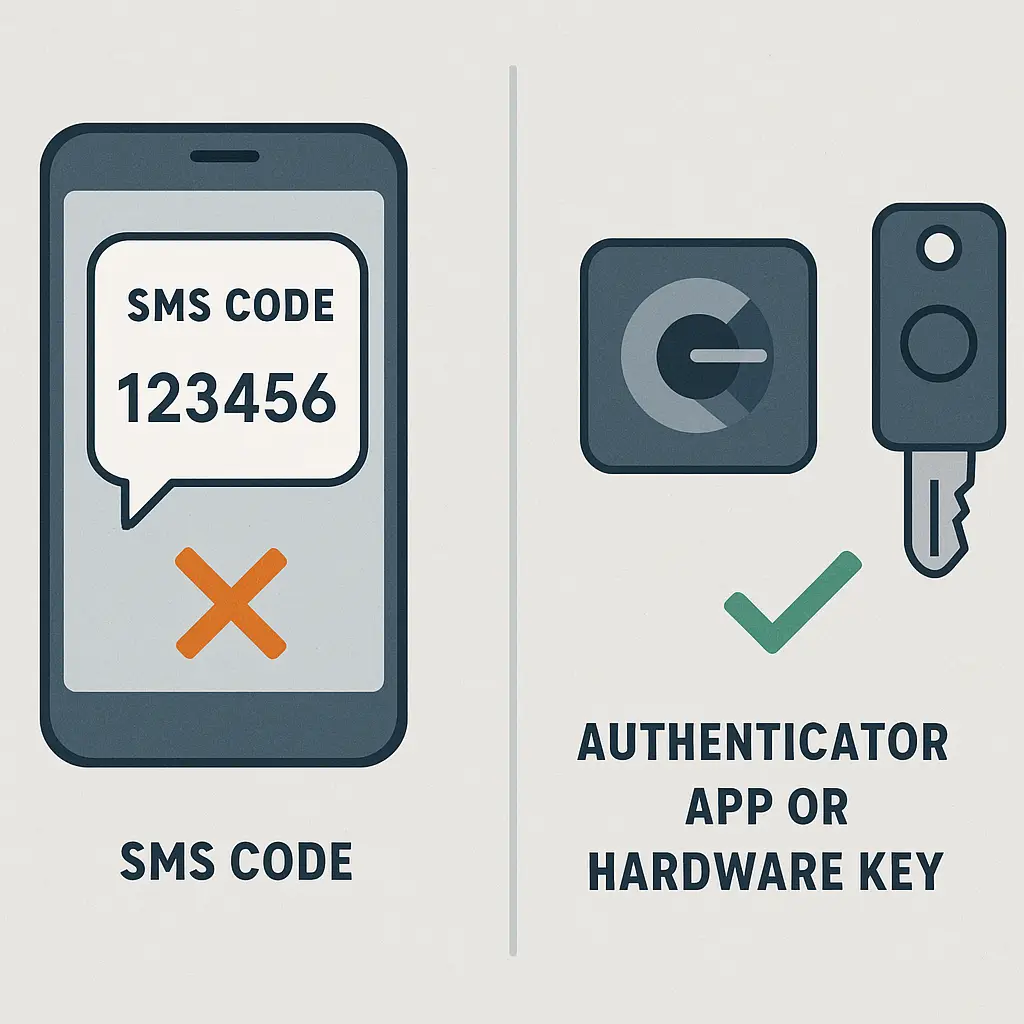
You can control your device security. Enable a strong passcode or biometric lock. Keep your phone updated. Use two-factor authentication on your messaging accounts. If your device is compromised, encryption won't save you.
The Reality Check
Group chat encryption is real. When implemented correctly, it protects your messages from platform operators, hackers, and government surveillance. But "implemented correctly" is doing a lot of work in that sentence.
Most group chats are not end-to-end encrypted. The ones that are often leak metadata, allow unencrypted backups, or rely on every group member to maintain strong device security. Encryption protects messages in transit, but it doesn't protect messages from screenshots, forwarding, or human error.
The promise of encrypted group chats is privacy. The reality is conditional privacy, dependent on platform choices, backup settings, group behavior, and device security. Encryption is a tool, not a guarantee.
If you need to protect sensitive information, use Signal, verify your settings, and limit group size. If you're coordinating Thanksgiving dinner, the encryption level probably doesn't matter. The gap between those two scenarios is where most group chats live, somewhere in the middle, with some protection, some risk, and a lot of assumptions about what "encrypted" actually means.