Tech support scams explained: how they work and how to spot them
A tech support scam is a social engineering attack that uses fake warnings, impersonation, and manufactured urgency to convince you that your computer has a problem requiring immediate paid assistance. The scam works by triggering fear, then offering a solution that costs money and grants remote access to your device.
The mechanism is straightforward. Someone contacts you claiming to represent Microsoft, Apple, Norton, McAfee, or your internet service provider. They tell you your computer is infected, your warranty is expiring, or your account has been compromised. They offer to fix it for a fee. You pay. They either do nothing, install malware, or steal information. Sometimes all three.
The FBI's Internet Crime Complaint Center reported tech support scams caused around $924 million in losses in 2024, with victims over 60 accounting for roughly 58% of that total. The numbers understate the problem because many victims don't report, either from embarrassment or because they don't realize they were scammed.
Here's how the attack works, what the variations look like, and how to recognize them before you engage.
The core mechanism: fear plus urgency plus authority
Every tech support scam follows the same three-step pattern, regardless of how it starts.
Step one: create fear. The scammer tells you something is wrong. Your computer is infected. Your data is at risk. Your account has been compromised. Your warranty is expiring. Your subscription will auto-renew unless you act now. The claim is specific enough to sound credible but vague enough to apply to anyone.
Step two: manufacture urgency. The problem requires immediate action. If you don't act now, you'll lose your files, your identity will be stolen, or you'll be charged hundreds of dollars. The urgency prevents you from pausing to verify the claim.
Step three: establish authority. The scammer impersonates a trusted entity. Microsoft. Apple. Your bank. Your antivirus vendor. Your internet provider. They use logos, technical jargon, and official-sounding language to seem legitimate.
Once all three are in place, the scammer offers a solution: pay for support, grant remote access, or both. The attack succeeds when you comply.
This is the dynamic from The Sting. The con works because the mark believes the setup is real, the threat is immediate, and the solution is the only option. The scammer controls the frame. You're reacting, not evaluating.
Variation one: the pop-up warning
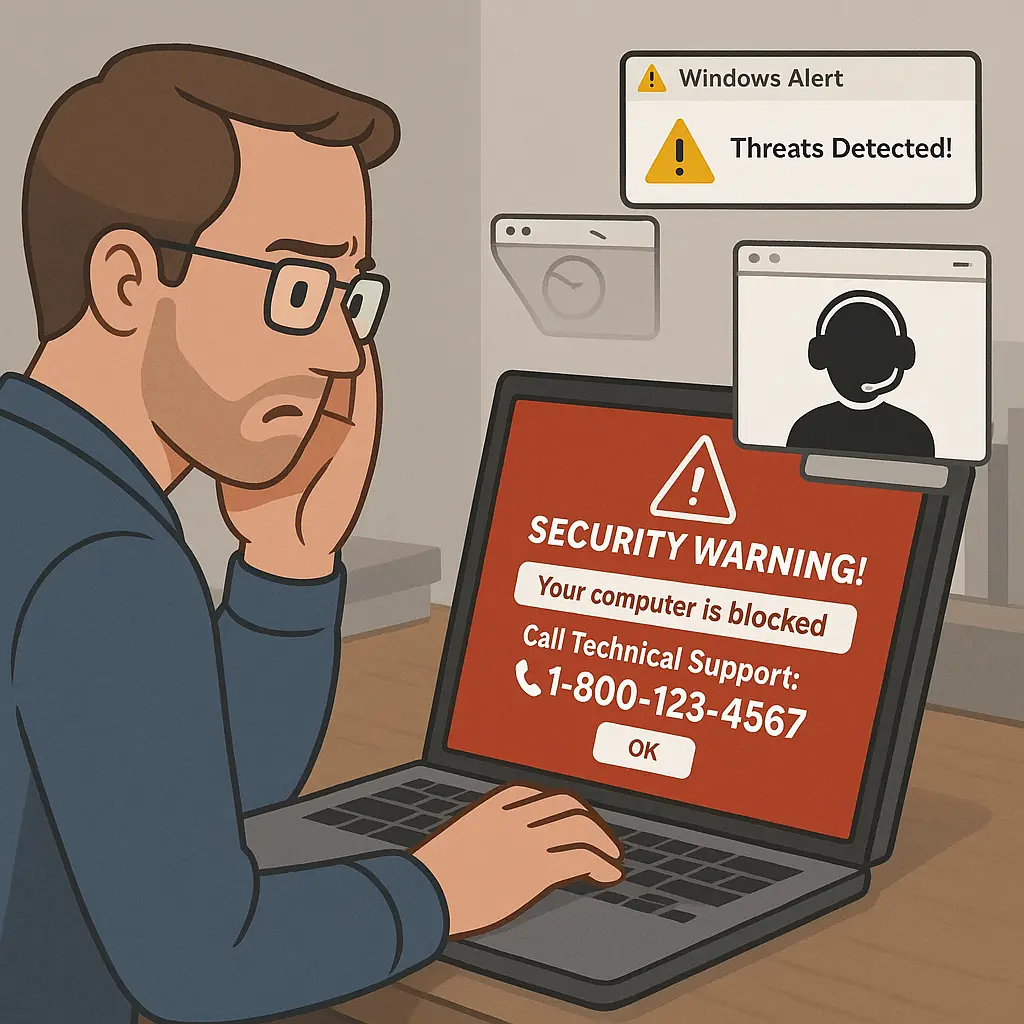
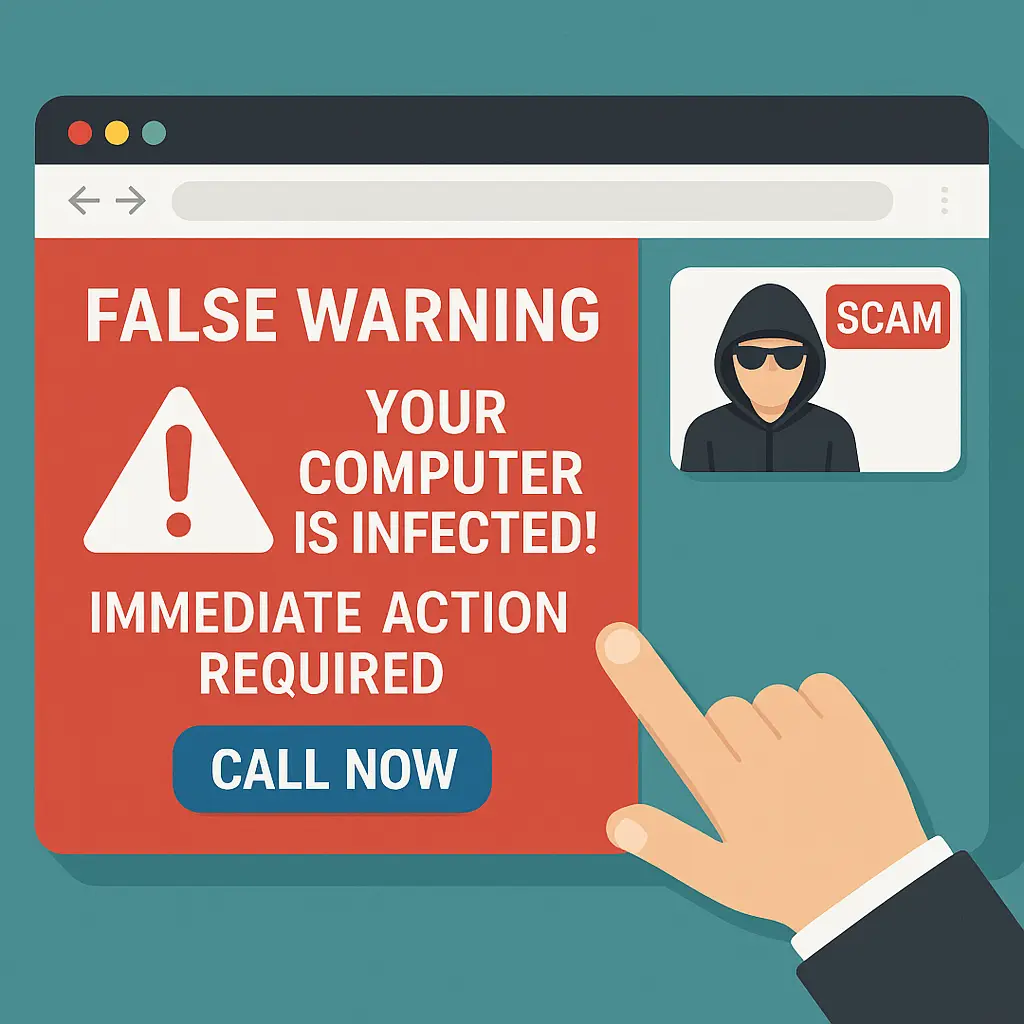
You're browsing a website. A full-screen warning appears, claiming your computer is infected or your data is at risk. The warning uses official-looking logos and language. It displays a phone number to call for support. Sometimes it locks your browser or plays an alarm sound.
The warning is a webpage, not a system alert. Your computer is not infected. The number connects to the scammer, not to Microsoft or Apple.
If you call, the scammer walks you through steps that appear to diagnose the problem. They might open Event Viewer, a Windows utility that logs routine system events, and point to harmless warnings as evidence of infection. They might run a fake scan that displays fabricated results. They then offer to fix the problem for a fee, usually between $200 and $500.
The fix involves remote access software like TeamViewer, AnyDesk, or Quick Assist. Once connected, the scammer can install malware, steal files, change settings, or simply pretend to work while running up the clock. You pay for nothing, or worse, you pay to have your system compromised.
The FTC notes that legitimate companies don't generate pop-up warnings with phone numbers. Security software from Norton, McAfee, or Windows Defender displays alerts within the application, not as browser pop-ups. If a warning appears while browsing and demands you call a number, it's a scam.
To close a locked browser without calling the number: press Ctrl+Alt+Delete on Windows or Command+Option+Esc on Mac, then force-quit the browser. Reopen it and avoid the site that triggered the pop-up.
Variation two: the cold call
Your phone rings. The caller claims to be from Microsoft, Apple, or your internet provider. They say they've detected a problem with your computer, your account, or your network. They offer to help you fix it.
No legitimate company cold-calls customers about detected computer problems. Microsoft doesn't monitor your PC remotely. Apple doesn't call about malware. Your ISP doesn't call about infections. If you didn't initiate contact, the call is a scam.
The caller might reference your IP address, your operating system, or recent activity to seem credible. This information is either guessed (most people use Windows), publicly available (your IP address is visible to any website you visit), or obtained from a data breach. It doesn't prove the caller is legitimate.
If you engage, the scammer follows the same script as the pop-up variation: fake diagnostics, fabricated problems, paid remote access. The difference is the entry point. The pop-up scam waits for you to find it. The cold call brings the scam to you.
Some cold-call scammers impersonate government agencies. The FBI warns of callers claiming to represent the Social Security Administration, the IRS, or law enforcement, saying your Social Security number has been compromised or your computer is involved in illegal activity. The script is the same: fear, urgency, authority, payment.
To verify a caller's identity, hang up and call the organization directly using a number you find independently, not one the caller provides. Don't press any buttons during the call. Don't follow prompts. Just hang up.
Variation three: the refund scam
You receive a call or email claiming you're owed a refund from a tech support company, antivirus vendor, or subscription service. The scammer says the company is going out of business, you were overcharged, or your subscription was canceled. They offer to process the refund if you provide your bank details or grant remote access.
Once connected, the scammer uses a fake banking interface or remote access to your actual bank account. They claim to process the refund but "accidentally" transfer too much money. They then demand you return the excess via wire transfer, gift cards, or cryptocurrency.
The excess money is either fabricated (they edit the HTML of the bank page to display a false balance) or transferred from your savings to your checking account while you're distracted. You're not receiving a refund. You're being tricked into sending your own money to the scammer.
The FTC notes that refund scams often target people who previously fell for a tech support scam. The scammer already has your contact information and knows you're susceptible. The refund offer is a second attempt to extract money.
Legitimate refunds don't require remote access or upfront payment. If you're owed money, the company processes it through the original payment method. If someone contacts you about a refund you didn't request, it's a scam.
Variation four: the renewal scam
You receive an email or text claiming your antivirus subscription, Microsoft Office license, or cloud storage plan is about to renew for a large sum. The message includes a phone number to call if you want to cancel or dispute the charge.
The renewal is fake. The number connects to a scammer who offers to cancel the charge if you verify your account, grant remote access, or pay a cancellation fee. Once you engage, the script follows the standard pattern: fake diagnostics, fabricated problems, paid access.
Some renewal scams use legitimate-looking invoices from PayPal, Norton, or McAfee. The invoice is real in the sense that it's a valid PayPal invoice, but it's created by the scammer using PayPal's invoicing system. The charge hasn't been processed. The invoice is bait.
To verify a subscription renewal, log into your account directly through the company's website. Don't click links in the email. Don't call numbers in the message. Check your account settings and payment history. If there's no record of the renewal, the message is a scam.
Variation five: the callback scam
You receive an email or text about a large purchase you didn't make. The message claims your account was charged for an expensive item or subscription. It includes a phone number to call if you didn't authorize the purchase.
The purchase is fake. The number connects to a scammer who offers to cancel the charge and secure your account. They ask you to verify your identity, grant remote access, or install software to prevent future fraud. Once you comply, they steal information, install malware, or charge you for fake security services.
The scammer creates both the problem and the solution. You call because you're alarmed by the charge. The scammer resolves your alarm by offering help. You trust them because they appear to be solving a problem they actually created.
CISA warns that callback scams often impersonate banks, payment processors, or retailers. The email or text uses official logos and language. The phone number may appear legitimate when searched online because the scammer has created fake business listings or reviews.
To verify a suspicious charge, check your actual account through the bank's app or website. Don't call numbers provided in unsolicited messages. If the charge isn't real, the message is a scam.
How scammers get your contact information
Tech support scammers don't need sophisticated targeting. They cast a wide net. They buy contact lists from data brokers, scrape phone numbers from public records, or use information from breaches. Some lists are segmented by age, location, or previous scam victimization.
Pop-up scams don't require contact information. They appear on compromised websites, malicious ads, or sites designed to look like legitimate tech support pages. You find them by browsing. They find you by being where you browse.
Some scammers use caller ID spoofing to make their number appear as if it's from Microsoft, Apple, or a local area code. The displayed number is fake. Calling it back won't reach the scammer or the company they're impersonating.
What happens if you grant remote access
Remote access software like TeamViewer, AnyDesk, or Windows Quick Assist allows someone to control your computer from another location. Legitimate uses include IT support for remote workers or helping family members troubleshoot problems. Scammers use the same tools to steal information and install malware.
Once connected, the scammer can:
- View and copy files, including documents, photos, and saved passwords
- Install malware, keyloggers, or ransomware
- Change system settings to disable security software or create backdoors
- Access saved browser passwords and autofill data
- Lock you out of your own system by changing passwords or encryption settings
- Use your computer as a relay for other attacks
The scammer might perform visible actions to justify the fee, like running fake scans or deleting harmless files. They might also perform invisible actions, like installing software that logs your keystrokes or monitors your screen.
If you've granted remote access to a scammer, disconnect from the internet immediately. Uninstall the remote access software. Run a full antivirus scan using a reputable tool like Bitdefender or Malwarebytes. Change passwords for all accounts, starting with email and banking. Consider a full system reinstall if you can't verify the system is clean.
Payment methods and why they matter
Tech support scammers prefer payment methods that are difficult to reverse or trace. Common requests include:
- Gift cards (iTunes, Google Play, Amazon, or prepaid Visa)
- Wire transfers (Western Union, MoneyGram)
- Cryptocurrency (Bitcoin, Ethereum)
- Prepaid debit cards
- Payment apps (Venmo, Cash App, Zelle)
Legitimate companies don't accept payment via gift cards. If someone asks you to pay for tech support by buying gift cards and reading the numbers over the phone, it's a scam. No exceptions.
Credit card payments offer more protection because you can dispute charges, but scammers sometimes accept them if they think the victim won't dispute or if they're running a short-term operation before the payment processor shuts them down.
If you paid a scammer, contact your bank or credit card company immediately. Explain the situation and request a chargeback. If you paid with gift cards, contact the card issuer (Apple, Google, Amazon) and report the fraud. Recovery is unlikely, but some issuers will freeze unused balances.
How to recognize a tech support scam before you engage
Every tech support scam fails the same basic tests. You don't need technical knowledge to spot them. You need to pause and ask three questions:
Did I initiate this contact? If a pop-up appeared while browsing, a call came in unsolicited, or an email arrived about a problem you didn't report, you didn't initiate contact. Legitimate support responds to requests. Scammers create requests.
Is the contact method normal for this company? Microsoft doesn't call customers about infections. Apple doesn't send pop-up warnings with phone numbers. Norton doesn't email invoices for subscriptions you didn't purchase. If the contact method doesn't match how the company actually operates, it's a scam.
Is the payment method normal for this service? Tech support companies charge credit cards or process payments through their websites. They don't ask for gift cards, wire transfers, or cryptocurrency. If the payment method is unusual, it's a scam.
If any of these questions raises doubt, stop. Don't call the number. Don't click the link. Don't grant access. Verify independently by contacting the company through official channels you find yourself.
What to do if you're targeted
If you receive a pop-up warning, close your browser without calling the number. If the browser is locked, force-quit it using Task Manager on Windows or Activity Monitor on Mac. Clear your browser cache and avoid the site that triggered the pop-up.
If you receive a cold call, hang up. Don't engage. Don't press buttons. Don't follow prompts. If you're concerned the call might be legitimate, look up the company's official number and call back. Don't use the number the caller provided.
If you receive an email or text about a charge, renewal, or refund, don't click links or call numbers in the message. Log into your account directly through the company's website. Check your account history. If there's no record of the issue, the message is a scam.
If you've already engaged with a scammer but haven't paid or granted access, just stop. Block the number. Delete the email. Move on. You're not obligated to continue the conversation.
What to do if you've been scammed
If you paid a scammer, contact your bank or credit card company immediately. Explain what happened and request a chargeback or fraud investigation. If you paid with gift cards, contact the issuer and report the fraud. If you paid with cryptocurrency, recovery is unlikely, but report it anyway.
If you granted remote access, disconnect from the internet. Uninstall the remote access software. Run a full antivirus scan. Change passwords for all accounts, especially email, banking, and any account with payment information saved. Enable two-factor authentication on every account that supports it.
If you shared personal information like your Social Security number, bank account details, or credit card numbers, monitor your accounts for unauthorized activity. Consider placing a fraud alert or credit freeze with the major credit bureaus (Equifax, Experian, TransUnion).
Report the scam to the FTC and the FBI's Internet Crime Complaint Center. Your report won't result in immediate action, but it contributes to data that law enforcement uses to identify and prosecute scammers.
If you're over 60, you can also report to the National Elder Fraud Hotline at 833-FRAUD-11. The hotline connects you to case managers who can help you navigate reporting and recovery.
Why these scams still work
Tech support scams succeed because they exploit predictable responses to fear and urgency. You see a warning that your computer is infected. You feel alarm. The alarm overrides skepticism. You act to resolve the alarm. The scammer controls the frame from the first moment of contact.
The scam doesn't require you to be careless or uninformed. It requires you to be human. Fear triggers action. Urgency prevents evaluation. Authority creates trust. The scammer stacks these in sequence, and the sequence works often enough to make the scam profitable.
The scammer controls what you see (the fake warning), what you feel (the alarm), and what you do (the call or click). You're reacting to their script.
The defense is to break the sequence. Pause. Verify independently. Ask whether the contact makes sense. The scammer's advantage disappears the moment you step outside the script.
Why reporting matters even if you don't recover your money
Most tech support scam victims don't recover their money. Gift cards can't be reversed. Wire transfers are difficult to trace. Cryptocurrency is designed to be irreversible. The scammer operates from another country, often with legal impunity.
Reporting still matters. The FTC uses reports to identify patterns, track losses, and build cases against scam operations. Law enforcement uses aggregated data to prioritize investigations and coordinate with international partners.
Your report might not get your money back, but it contributes to actions that shut down operations and prevent future victims. The scam you report today might be the one that triggers an investigation tomorrow.
Reporting also creates a record if you need to dispute charges, file insurance claims, or document identity theft. The report is evidence that you were targeted and that you took action.
The long-term risk: repeat targeting
If you fall for a tech support scam once, you're more likely to be targeted again. Scammers share lists of successful victims. The refund scam specifically targets people who paid for fake tech support. The scammer already knows you're susceptible and has your contact information.
Some victims are targeted repeatedly over months or years, losing thousands of dollars across multiple scams. The scammer builds a relationship, calling periodically to offer new services, warn of new threats, or process fake refunds. The victim comes to trust the scammer as a legitimate support contact.
If you've been scammed, change your phone number if possible. Use call-blocking apps or services to filter unknown numbers. Be especially skeptical of any follow-up contact claiming to help you recover your money or offering additional services.
What legitimate tech support actually looks like
Legitimate tech support from Microsoft, Apple, or antivirus vendors operates through specific channels. You initiate contact by calling a published number, submitting a support ticket, or using a chat feature on the company's website. They don't call you unsolicited. They don't send pop-up warnings with phone numbers. They don't demand immediate payment via gift cards.
If you have a paid support plan, the company might call you back in response to a ticket you submitted, but they'll reference the ticket number and the issue you reported. They won't claim to have detected a problem you didn't report.
Legitimate remote support sessions happen only after you've initiated contact and agreed to the session. The technician uses official company tools, not third-party software. They explain what they're doing and why. They don't rush you or create urgency.
Payment happens through the company's official website or app, not over the phone with gift cards. If you're unsure whether a support interaction is legitimate, end the session and contact the company directly through channels you verify yourself.
The bottom line
A tech support scam is a social engineering attack that uses fear, urgency, and impersonation to convince you that your computer has a problem requiring immediate paid assistance. The scam works by controlling the frame. You see a warning, feel alarm, and act to resolve it. The scammer provides the solution, which costs money and grants access to your system.
The defense is to pause and verify. Legitimate companies don't cold-call about infections. They don't generate pop-up warnings with phone numbers. They don't accept payment via gift cards. If you didn't initiate contact, it's almost certainly a scam.
If you've been targeted, stop engaging. If you've been scammed, disconnect, scan, change passwords, and report. The scam succeeds when you stay in the script. You break the scam by stepping out.