Password managers explained for skeptics: why you need one and how they actually work
You've heard the advice. Use a password manager. Everyone says it. Security professionals, tech journalists, your IT department, probably your nephew who works in computers. The recommendation is universal, insistent, and vaguely condescending.
But here's the thing: if you're skeptical, you're not wrong to be. The pitch asks you to trust a single piece of software with every credential you own. One breach, one bug, one acquisition by a company with different priorities, and suddenly your entire digital life sits in someone else's database. That's not paranoia. That's pattern recognition.
So let's talk about why that reaction makes sense, why the math still favors using a password manager anyway, and what actually happens inside one of these things when you click "save password."
The problem password managers solve (and why it's worse than you think)
You reuse passwords. I know you do. Not because you're careless, but because the alternative is impossible.
The average person has somewhere around 100 online accounts. Could be more. Email, banking, shopping, utilities, work systems, social media, streaming services, loyalty programs, medical portals, insurance, government services, the random forum you joined once in 2019 to ask a question about your dishwasher. Each one demands a password. Many demand a unique password. Some force you to change it every 90 days.
NIST's authentication guidelines recommend passwords that are long, random, and never reused. That's the standard. That's what security professionals tell you to do.
But here's what actually happens. You pick a base password. Maybe you make it pretty good. Then you modify it slightly for different sites. Add a number. Swap a letter. Append the site name. You think you're being clever. You think you're creating unique passwords.
You're not. You're creating a pattern. And patterns are what attackers look for.
When a site gets breached (not if, when), the attackers don't just get one password. They get your email address and your password, and then they try that password everywhere. Email, banking, social media, shopping. It's called credential stuffing, and it works because people reuse passwords. I wrote about why password reuse is the single worst security habit if you want the full mechanism.
Even if you're modifying the password slightly, the attackers know the common patterns. They try variations. They automate it. One breach becomes a skeleton key.
The problem isn't that you're lazy. The problem is that human memory can't hold 100 strong unique passwords. It's not designed to. The system itself is the mismatch.
How a password manager actually works (the mechanism, not the marketing)
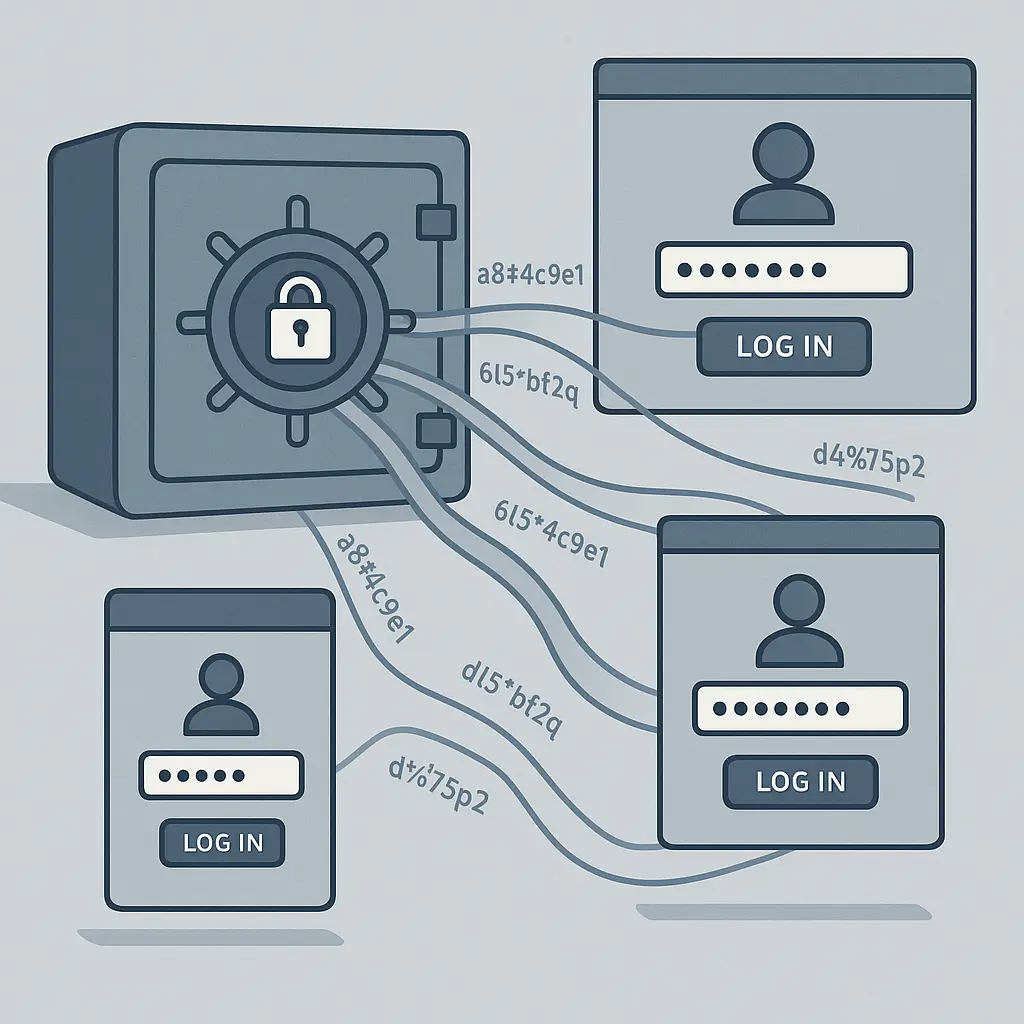
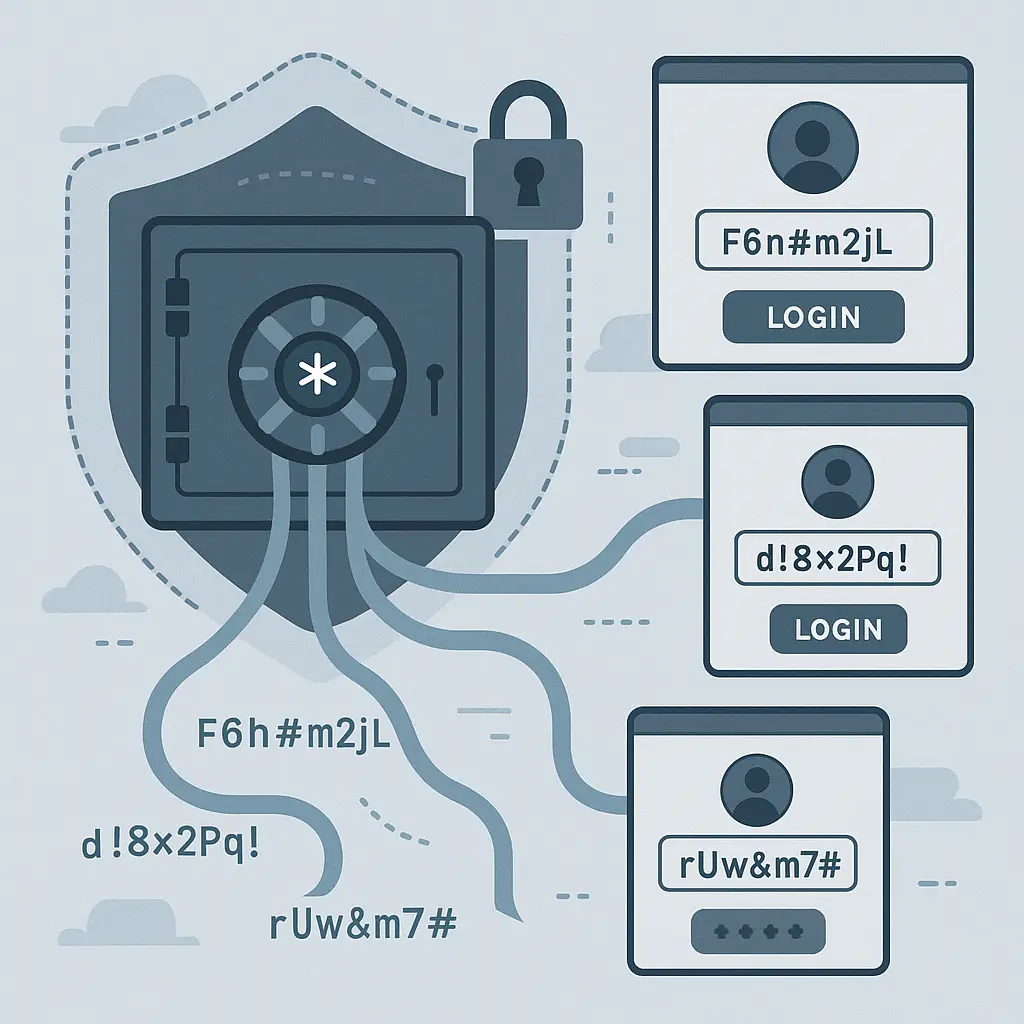
A password manager is a database with three core functions: generate, store, fill.
Generate. When you create a new account, the password manager generates a random string. Not a word you'd remember. Not a pattern. True randomness. Something like K9$mP2vL@nQ7wX4hR. Length varies (most default to somewhere around 16-20 characters, depending on the tool), but the principle is the same: maximum entropy, zero human memorability.
You don't need to remember it. That's the point.
Store. The password manager saves that random string in an encrypted database. The encryption happens locally, on your device, before anything touches the internet. The encryption key is derived from your master password (the one password you do need to remember). Without that master password, the database is unreadable noise.
This is called zero-knowledge architecture. The company running the password manager can't read your passwords. They don't have the key. If they get breached, the attackers get an encrypted blob they can't decrypt without your master password.
Fill. When you visit a site, the password manager recognizes the URL and autofills the username and password. No typing. No copy-paste. The password manager checks the URL to prevent phishing (if you think you're on yourbank.com but you're actually on yourbank-secure-login.com, the password manager won't fill because the URL doesn't match).
That's the basic loop. Generate something you can't remember, store it encrypted, fill it when needed.
The master password is the single point of failure. If someone gets your master password, they get everything. That's the tradeoff. One strong password protecting 100 strong passwords, versus 100 weak passwords you reused because you had to.
The risks are real (and worth understanding before you commit)
I'm not going to pretend password managers are risk-free. They're not. Nothing is. But let's be specific about what the risks actually are.
Master password compromise. If someone gets your master password through phishing, shoulder surfing, keylogging, or any other method, they own your vault. This is the big one. It's also the one you control. Pick a strong master password. Use a passphrase (I wrote about how to create a password you can actually remember if you need a method). Don't reuse it anywhere. Enable two-factor authentication on the password manager itself if the option exists.
Vendor breach. Password manager companies get breached. It happens. In 2022, a password manager company disclosed a breach where attackers accessed encrypted vaults. The encryption held (as of this writing, researchers haven't seen evidence of successful decryption at scale), but the incident showed that the "zero-knowledge" promise depends on implementation details. If the company stores any decryption hints, recovery mechanisms, or metadata in a way that weakens the encryption, a breach gets worse.
CISA recommends strong passwords as a baseline, and that applies to your master password more than anything else.
Software bugs. Password managers are software. Software has bugs. Some bugs leak data. Some bugs allow attackers to extract passwords from memory. Some bugs break autofill in ways that expose credentials to malicious sites. These get patched, but there's always a window between discovery and fix.
Acquisition and policy changes. Companies get bought. New owners change policies. Free tiers disappear. Privacy commitments get rewritten. The password manager you trusted in 2024 might operate very differently in 2027 under new management. You're trusting not just the current company, but every future version of that company.
Single point of failure. This is the philosophical one. Concentrating all your credentials in one place means one mistake, one breach, one bug has maximum impact. That's true. It's also true that the alternative (reused passwords, patterns, weak passwords you can remember) has already failed at scale. You're choosing between a concentrated risk you can manage and a distributed risk that's actively being exploited.
When the Rose family in Schitt's Creek loses everything, they lose it all at once because it was all in one place. But the alternative (never concentrating resources, never building anything) means never having anything to lose in the first place. The risk of concentration is real. The risk of dispersion is invisibility until it's too late.
What skeptics get right (and where the tradeoff still favors managers)
Skepticism about password managers comes from a reasonable place. You're being asked to trust a company, trust software, trust encryption you can't verify yourself, and trust that nothing will change in the future.
That's a lot of trust.
Here's what skeptics get right:
Trusting one company is a bet. You're betting that the company implements encryption correctly, stores nothing they shouldn't, responds to breaches honestly, and doesn't get acquired by someone with different priorities. That's not paranoia. That's risk assessment.
The master password is a single point of failure. If you lose it, you lose everything. If someone steals it, they steal everything. That's the design. It's not a flaw, but it's not comfortable either.
Software changes. Features you rely on disappear. Pricing changes. Compatibility breaks. The browser extension that worked perfectly in 2025 might be a mess in 2026. You're trusting ongoing maintenance, not just a static product.
Offline access is complicated. If the password manager's servers go down, or your internet goes out, or you're traveling somewhere without connectivity, can you still access your passwords? Depends on the tool. Some cache locally. Some don't. Some require manual export. That's a dependency you didn't have before.
Here's where the tradeoff still favors using a password manager:
The alternative is worse. Not theoretically worse. Measurably, actively, right-now worse.
Password reuse is how accounts get taken over. Weak passwords are how accounts get cracked. Patterns are how attackers predict your next password after they get one. Writing passwords on paper works until you need to log in from your phone. Storing passwords in a text file works until your laptop gets stolen or your cloud storage gets breached.
The FTC recommends password managers specifically because the risks of not using one outweigh the risks of using one.
The math is this: a password manager concentrates risk, but it also concentrates defense. One strong master password, one encrypted vault, one set of security practices. Versus 100 weak passwords, 100 reused patterns, 100 opportunities for an attacker to get in.
The concentrated risk is lower. Not zero. Lower.
How to choose one (criteria that actually matter)
If you're ready to pick a password manager, here's what to look for. Not marketing claims. Actual criteria.
Zero-knowledge architecture. The company should not be able to read your passwords. This should be explicit in their documentation. If they offer account recovery that doesn't require your master password, that's a red flag. True zero-knowledge means if you lose your master password, your data is gone. That's the tradeoff for security.
Open source or audited. Open source means the code is public and reviewable. Audited means third-party security researchers have examined it. Either one is better than neither. Both is better than one.
Cross-platform support. You need it to work on every device you use. Phone, laptop, tablet, work computer. If it doesn't work everywhere, you'll fall back to reused passwords for the places it doesn't work.
Autofill that checks URLs. The password manager should verify the site URL before filling credentials. This prevents phishing. If it fills your bank password on a fake bank site, the security benefit disappears.
Two-factor authentication for the vault. Your password manager account itself should support 2FA. If someone gets your master password, 2FA is the second line of defense. CISA recommends multifactor authentication for exactly this reason.
Export functionality. You should be able to export your passwords in a standard format (usually CSV). If the company shuts down, gets acquired, or changes in ways you don't like, you need an exit path.
Pricing you can sustain. Free tiers are fine if they meet your needs, but understand what happens if the company kills the free tier. Paid tiers are fine if you'll actually pay. The worst outcome is picking a tool you can't afford to keep using, then falling back to reused passwords when the price goes up.
NordPass is one option that meets these criteria. It uses zero-knowledge encryption, supports cross-platform use, includes breach monitoring, and offers both free and paid tiers depending on your needs. We earn a commission on purchases through this link, at no extra cost to you.
The master password is the whole game (make it count)
Your master password is the one password that matters. If you pick a weak one, the entire system fails. If you pick a strong one you can't remember, you'll get locked out. If you pick a strong one you write down in an obvious place, someone will find it.
This is where the advice gets real: you need a passphrase. Not a password. A passphrase.
A passphrase is a sequence of random words. Something like clay-morning-penguin-castle-bright. Long, but memorable. High entropy, but human-readable. EFF's Diceware method is the gold standard for generating these. You roll dice, you look up words, you string them together.
The length matters more than the complexity. A 20-character passphrase of random words is stronger than an 8-character password with symbols. I wrote about why long passwords beat complex ones if you want the entropy calculation.
Don't reuse your master password. Don't use it for anything else. Not email, not banking, not your work login. It's the master password. It stands alone.
Enable 2FA on your password manager account if the option exists. Use an authenticator app, not SMS. EFF has a guide to two-factor authentication methods if you need to compare options.
Write your master password down. I know that sounds wrong. But here's the thing: the threat model for most people is not a burglar breaking into your house to steal a piece of paper. The threat model is forgetting your password and losing access to everything. Write it down. Put it somewhere safe. A safe, a locked drawer, a trusted family member's house. Somewhere physical, offline, not in a text file on your computer.
What happens when you actually start using one (the first month is weird)
The first month with a password manager feels wrong. You're breaking habits you've had for years. You're trusting a system you don't fully understand. You're changing your relationship with every login you have.
Here's what actually happens:
Week one: migration. You're moving existing passwords into the vault. Some tools have import features. Some don't. You're logging into accounts you haven't touched in months just to save the credentials. You're realizing how many accounts you actually have. It's more than you thought.
Week two: new password generation. You're creating new accounts, and instead of picking a password, you're clicking "generate password" and watching the tool spit out something unreadable. It feels weird to save a password you've never seen before. You'll get used to it.
Week three: autofill friction. Autofill doesn't always work. Some sites have weird login flows. Some sites break when the password manager tries to fill. You're learning which sites work smoothly and which ones require manual copy-paste. This is normal.
Week four: the first time you log in from a different device. You're on your phone, or a friend's computer, or a work machine. You need a password. You open the password manager app. It works. You realize you actually don't know your own passwords anymore. That's the point. That's the design. It still feels strange.
The strangeness fades. After a month, autofill becomes automatic. After three months, you forget what it was like to type passwords. After six months, the idea of remembering 100 passwords feels absurd.
But that first month is weird. That's normal. Stick with it.
The exit strategy (because nothing lasts forever)
No company lasts forever. No software stays maintained forever. No service keeps the same policies forever. You need an exit strategy before you need it.
Export your passwords at least once a year. Most password managers let you export to CSV (a plain text format that any other password manager can import). Do it. Save the file somewhere encrypted and offline. An encrypted USB drive, an encrypted folder on a backup hard drive, somewhere that's not the password manager itself.
The CSV file is your insurance policy. If the company shuts down, if they get acquired and the new owners kill the product, if the pricing becomes unsustainable, if a breach makes you lose trust, you have your data. You can move to a different tool.
Delete the CSV file after you've verified the export worked. Don't leave it sitting on your desktop. Don't upload it to cloud storage. It's a plain text list of every password you have. Treat it accordingly.
Test your export once. Import it into a different password manager (most offer free trials) just to verify the process works. You don't want to discover the export is broken the day you actually need to switch.
Have a plan for what happens if your password manager disappears. Export your data. Know how to move it. Don't wait until you're forced to.
The answer (for most people, yes, you need one)
Do you really need a password manager?
If you have more than around 10 online accounts, yes.
If you reuse passwords across sites, yes.
If you use weak passwords because strong ones are too hard to remember, yes.
If you've ever reset a password because you forgot it, yes.
If you've ever been in a data breach (and statistically, you have), yes.
The risks are real. The tradeoffs are real. The trust you're placing in one company and one piece of software is real. But the alternative (weak passwords, reused passwords, patterns that attackers exploit) is already failing. Not in theory. Right now. At scale.
A password manager doesn't eliminate risk. It concentrates it in a place you can defend. One strong master password. One encrypted vault. One set of security practices. That's more defensible than 100 weak passwords scattered across 100 sites with 100 different security policies you don't control.
The skepticism is reasonable. The conclusion is still the same.