Password reuse is the single worst security habit, and here's why it works so well for attackers
You've heard it before. Don't reuse passwords. Everyone says it. Security professionals, tech support, your IT department, the little warning box when you're signing up for a new account. It's so common that it sounds like generic advice, the kind of thing you nod along to and then ignore because you've got 47 accounts to keep track of and your brain isn't a filing cabinet.
But password reuse isn't just bad practice in the abstract. It's the single most dangerous security habit you can have, and the reason has nothing to do with how strong your password is. You can use a 20-character monster with symbols and numbers and uppercase letters, and if you reuse it across sites, you're still vulnerable. The threat isn't brute-force guessing. It's that attackers already have your password from somewhere else, and they're going to try it everywhere.
This is an explainer about the mechanism. How password reuse creates the vulnerability, what attackers do with it, why your other security measures can't compensate, and what actually fixes the problem.
The breach you didn't know about
Here's the scenario. You signed up for a forum about vintage synthesizers in 2019. You used your regular email address and a password you've used on a few other sites. The forum seemed fine. Small community, enthusiastic moderators, no obvious security issues. You posted a few times, got some helpful advice, and moved on.
In 2021, the forum's database was compromised. The operators didn't announce it. Maybe they didn't know. Maybe they knew and didn't want to deal with it. The database contained usernames, email addresses, and password hashes. The hashes were MD5, an outdated algorithm that's vulnerable to modern cracking techniques. Within a few weeks, a significant portion of those hashes were cracked, meaning the plaintext passwords were recovered.
The database ended up on a forum frequented by people who trade this kind of material. It sat there for months. Eventually someone packaged it with a dozen other breached databases into a single file and put it up for sale. Then it got folded into a larger collection. Then it became part of the standard toolkit that anyone with moderate interest and minimal technical skill can acquire.
You never heard about any of this. The forum didn't send an email. No news outlet covered it. Your email provider didn't flag anything suspicious. From your perspective, nothing happened.
But now your email address and password are in a file that thousands of people have access to. And if you used that password anywhere else, those accounts are now at risk.
Credential stuffing is just trying your key in every lock
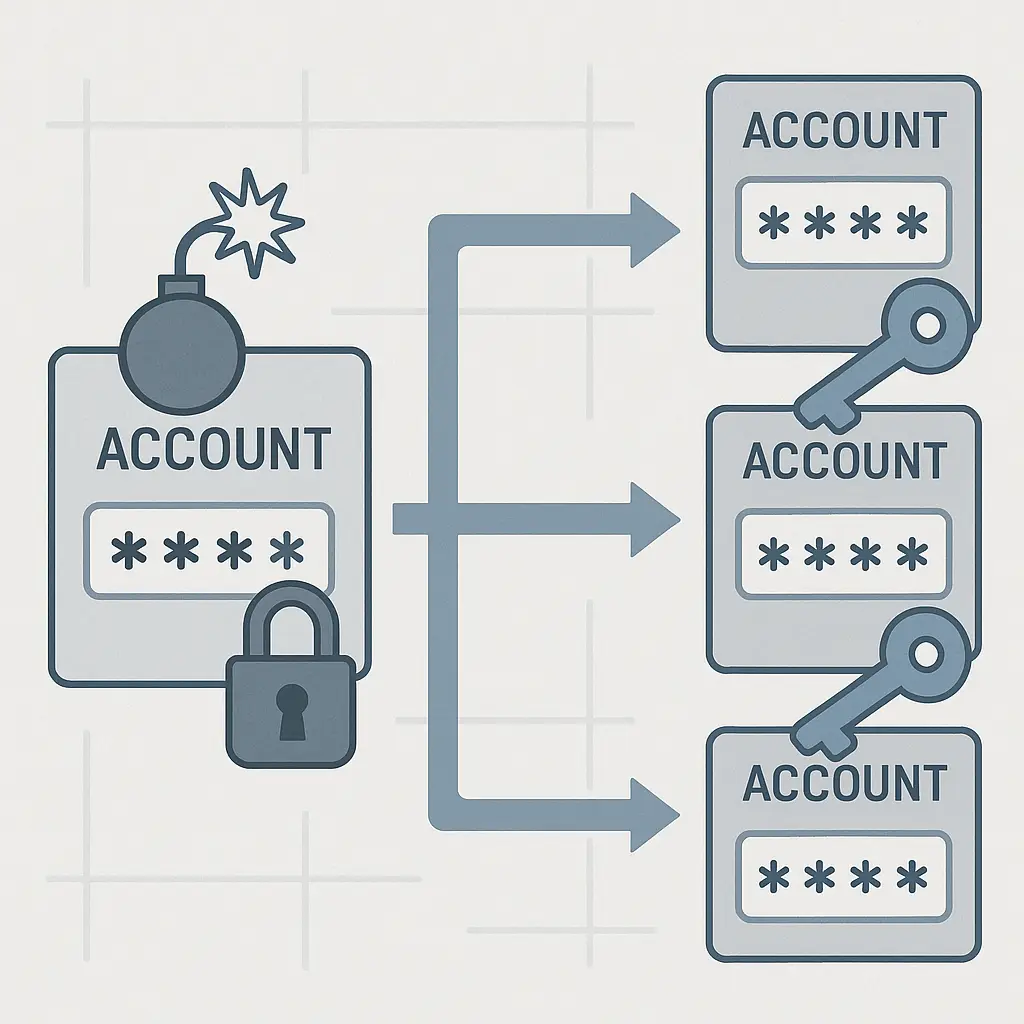
Credential stuffing is the term for what happens next. It's not a sophisticated attack. There's no hacking in the Hollywood sense, no bypassing firewalls or writing custom exploits. It's just automation.
The attacker has a list of email-password pairs from breached databases. They write a script that tries each pair against a list of high-value targets: banks, email providers, shopping sites, social media platforms, anything with financial access or personal data. The script submits login attempts, thousands per hour, distributed across many IP addresses to avoid rate limiting.
When a pair works, the script flags it. The attacker now has access to that account. What they do next depends on what the account is. Email accounts get used to reset passwords on other services. Bank accounts get drained. Shopping accounts get used to buy things with stored payment methods. Social media accounts get sold or used for spam. Cryptocurrency wallets get emptied.
CISA's guidance on strong passwords emphasizes that reused credentials are a primary vector for account compromise, specifically because this kind of automated attack scales so well. The attacker doesn't need to know anything about you personally. They just need your email and password to match something in their database, and they need you to have used that password somewhere else.
This is why password strength alone doesn't solve the problem. A strong password makes brute-force guessing impractical, but credential stuffing doesn't guess. It uses the actual password, obtained from a breach. If you reused that password, strength is irrelevant.
Why one reused password puts everything at risk
Password reuse is the One Ring problem from Tolkien. You create a single point of failure that, once compromised, gives access to everything else.
In The Lord of the Rings, the whole plot hinges on the fact that Sauron poured so much of his power into the One Ring that losing it meant losing everything. If the ring is destroyed, he's finished. If it's captured, whoever holds it controls him. The ring is both his greatest strength and his catastrophic vulnerability.
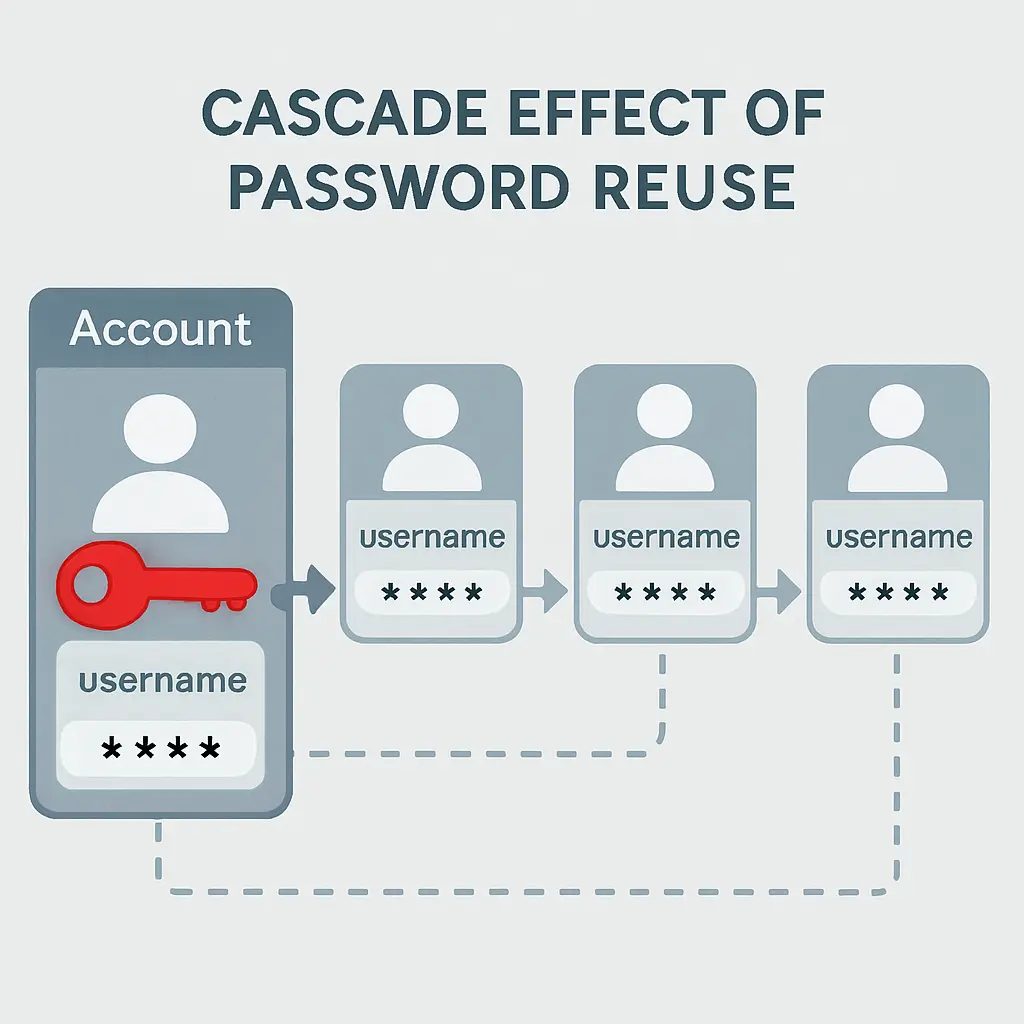
That's what a reused password does. You've made one credential the master key to your entire digital life. Lose it once, in one breach on one site you barely remember signing up for, and an attacker can walk through every other account you've tied to that password.
The mechanism is almost elegant in its simplicity. You don't need to be targeted. You don't need to be important. You just need to be in a database that got breached, and you need to have reused that password. The attacker doesn't care about you specifically. They care about the thousands of people in that database who made the same choice.
Why multi-factor authentication isn't enough
You might be thinking: I have two-factor authentication turned on. Doesn't that protect me?
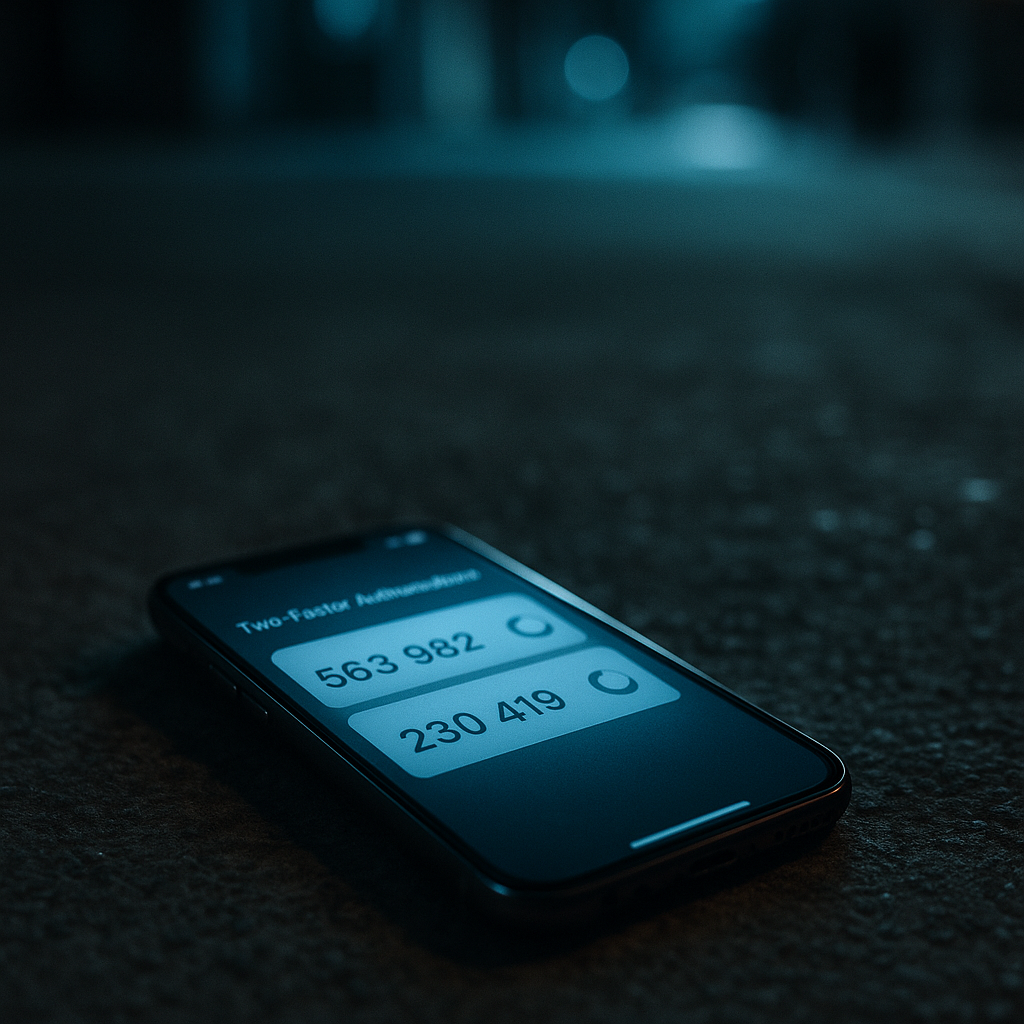
It helps. CISA recommends multi-factor authentication as a critical layer of defense, and it absolutely reduces risk. If an attacker has your password but not your second factor, they can't get in. That's real protection.
But not every site supports MFA. Not every site that supports it makes it mandatory. And even when you've enabled it, there are gaps. Some MFA implementations can be bypassed through account recovery flows. Some sites let you disable MFA if you can answer security questions, which might also be compromised if you've reused information across sites. Some attackers use phishing to capture both the password and the MFA code in real time.
More importantly, MFA is a mitigation, not a solution to the underlying problem. It's like putting a deadbolt on a door when the real issue is that you've given copies of your house key to 30 different people. The deadbolt helps, but it doesn't address the fact that your key is out there.
The EFF's guide to two-factor authentication walks through the different types and their trade-offs. SMS-based codes are better than nothing but vulnerable to SIM-swapping attacks. App-based codes are stronger but still rely on you having access to your phone. Hardware keys are the most secure but require you to carry the key and have it with you when you need to log in.
None of these change the fact that if you reuse passwords, you're relying on every site you've ever signed up for to never get breached and to store your password securely. That's not a bet I'd take.
How attackers prioritize targets
Not all accounts are equal from an attacker's perspective. They're going to focus on the ones with the highest potential return.
Email accounts are the crown jewel. If an attacker gets into your email, they can reset passwords on almost everything else. They can search your inbox for account numbers, financial statements, password reset emails, anything that gives them a foothold into other services. Email is the skeleton key to your digital life, which is why it's one of the first things attackers try when they have a set of credentials.
Financial accounts come next: banks, investment platforms, payment processors, cryptocurrency exchanges. These have direct monetary value. If the attacker can get in and move money, they will.
Shopping accounts with saved payment methods are also high on the list. The attacker can make purchases, ship items to themselves or to a drop address, and disappear before you notice.
Social media accounts have value too, though in a different way. They can be sold, used for spam, used to run scams on your contacts, or used to build credibility for other attacks. An account with a real history and real followers is worth something to someone running a disinformation campaign or a phishing operation.
Work accounts are situational. If you're in a position with access to sensitive data or systems, those credentials are valuable. If you're not, they're less interesting unless the attacker is specifically targeting your employer.
The point is that attackers triage. They start with the highest-value targets and work their way down. If you've reused your password, they're going to try it on your email first, then your bank, then everything else. The order is predictable because the incentives are predictable.
Why "I'll just change it if there's a breach" doesn't work
Some people take the position that they'll deal with breaches reactively. If a site announces a breach, they'll change their password on that site and anywhere else they used it. Problem solved, right?
This doesn't work for three reasons.
First, not all breaches get announced. The forum example from earlier is realistic. Smaller sites, older sites, sites run by hobbyists or volunteers, sites in jurisdictions without breach notification laws, these often don't announce breaches, either because they don't know or because they don't want to deal with the fallout. Your first indication that there was a breach might be unauthorized charges on your credit card or a locked account.
Second, even when breaches are announced, they're often announced months or years after the fact. The database was stolen in 2021, but the company didn't discover it until 2023, and didn't announce it until 2024. By the time you hear about it, your credentials have been circulating for years. Attackers have already tried them everywhere.
Third, you're relying on your memory of where you used that password. If you reused a password across ten sites over five years, can you name all ten right now? Probably not. You'll change it on the obvious ones and miss the obscure forum you signed up for once in 2018. That's the one that stays vulnerable.
Reactive password changes are better than nothing, but they're not a strategy. They're damage control after the fact, and they only work if you know about the breach, remember everywhere you used that password, and act quickly. That's a lot of ifs. Services like Have I Been Pwned can help you discover if your credentials have appeared in known breaches, but they can't catch every database that gets traded privately.
What unique passwords actually look like in practice
Here's what the solution looks like in practice. You use a password manager. The password manager generates a unique, random password for every account. You don't know what those passwords are. You don't need to. The password manager stores them, encrypted, and fills them in when you need to log in.
When you sign up for a new account, the password manager generates a new password. When you need to log in, the password manager fills it in. When you need to change a password, the password manager generates a new one and updates the stored entry. You never reuse a password because you never manually create a password.
This is the only practical way to maintain unique passwords across dozens of accounts. Human memory can't handle it. Writing them down in a notebook works for a small number of accounts but doesn't scale and creates a physical security risk. Using patterns or variations on a theme (like "Amazon2024!" and "Netflix2024!") is better than pure reuse but still vulnerable if an attacker figures out the pattern.
Password managers solve the problem by making unique passwords the default. The friction is removed. You don't have to remember anything except the one master password that unlocks the password manager itself. Everything else is handled automatically.
NIST's guidance on password management specifically recommends using password managers as a practical solution for maintaining unique, complex passwords across multiple accounts. The guidance also notes that the security of the password manager itself is critical, which is why choosing a reputable one and using a strong master password matters.
If you want more detail on how to pick a password manager, the EFF has a helpful guide that walks through the considerations. For readers who want to dig into the trade-offs between cloud-hosted and self-hosted setups, I wrote about Bitwarden's self-hosted versus cloud options earlier this year.
Why "I don't have anything worth stealing" is wrong
Some people assume they're not a target because they don't have anything valuable. No cryptocurrency, no large bank account, no sensitive work data. Why would an attacker bother?
This misunderstands how credential stuffing works. Attackers aren't targeting you specifically. They're running automated scripts against millions of credentials. They don't know who you are or what you have until after they've gotten into your account. The script tries your credentials everywhere and flags the ones that work. Then a human looks at the flagged accounts and decides what to do with them.
Even if you don't have money in your bank account, your email account is still valuable. It can be used to reset passwords on other services, to send phishing emails to your contacts, to create new accounts in your name, or to build credibility for other scams.
Your social media accounts are valuable even if you don't have a large following. They can be used to run scams on your friends and family, to spread spam, to participate in coordinated disinformation campaigns, or to be sold to someone else who wants an account with a real history.
Your shopping accounts are valuable even if you don't have a saved payment method. They can be used to make fraudulent purchases if the attacker adds their own payment method, to test stolen credit card numbers, or to build up credibility for a seller account on a marketplace.
The assumption that you're not a target is based on the idea that attackers are selective. They're not. They're opportunistic. If your credentials work somewhere, they'll use them. If they don't find anything valuable, they'll move on to the next account. But they're going to try.
What happens when you use a password manager
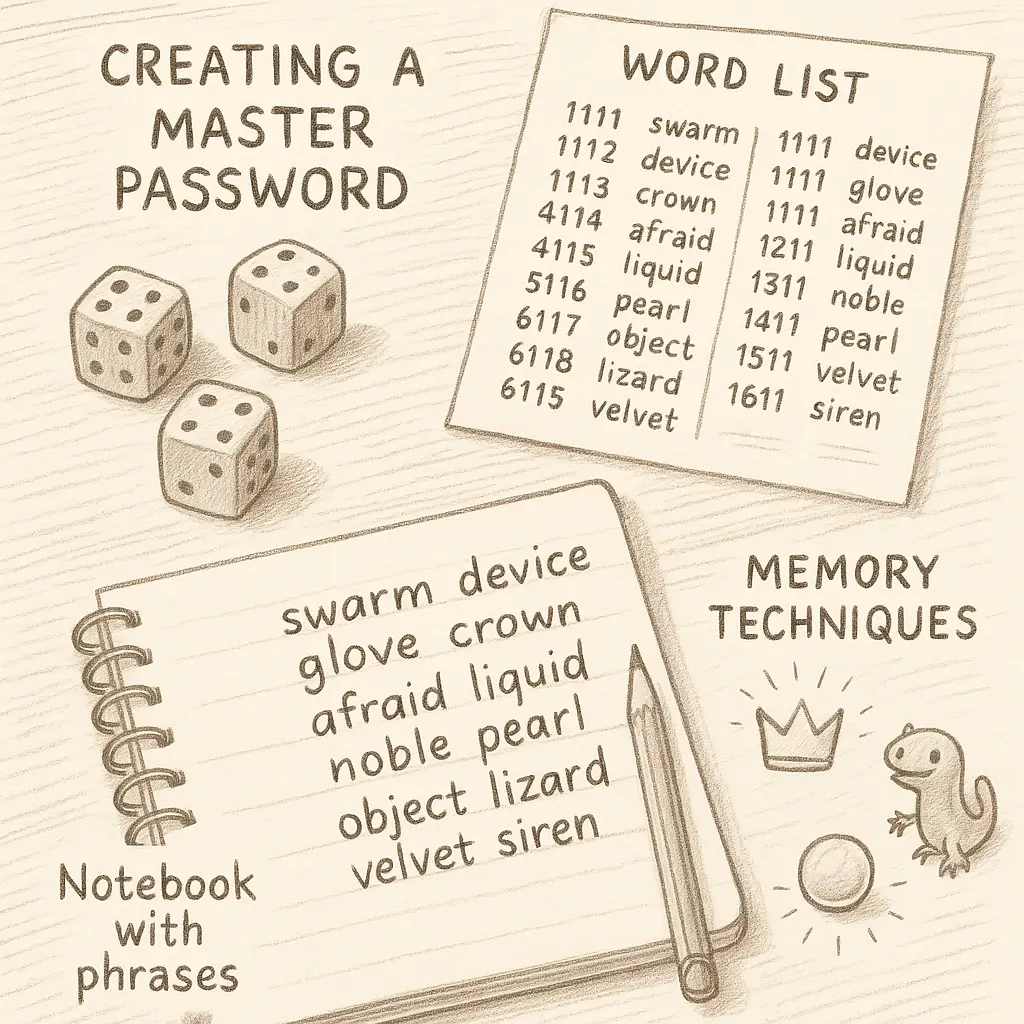
Here's the practical shift. You install a password manager. You pick a strong master password, something long, memorable, unique, never used anywhere else. I'd suggest a passphrase: four or five random words strung together, like the EFF's Diceware method recommends.
Then you start migrating your accounts. You log into each one, go to the password change page, and let the password manager generate a new password. The password manager saves it. You move on to the next account.
This takes time. If you have 40 accounts, it might take a few hours spread over a few days. But once it's done, you're in a different security posture. A breach at any one site affects only that site. You change that one password, and you're done. No cascading risk, no wondering where else you used that password, no emergency lockdown of your entire digital life.
When you sign up for new accounts, the password manager generates a unique password automatically. You never have to think about it. The default behavior is now the secure behavior.
The password manager also solves the memory problem. You don't need to remember 40 passwords. You need to remember one master password. Everything else is stored, encrypted, and filled in automatically.
If you're concerned about the security of the password manager itself, what happens if the password manager company gets breached, or if you lose access to your master password, those are legitimate questions. The short version: reputable password managers use strong encryption, so even if their servers are breached, the encrypted data is useless without your master password. If you lose your master password, you lose access to your vault, which is why you should write it down and store it somewhere secure, like a safe or a locked drawer.
For readers who want a deeper dive into how to pick a password manager and what to look for, the EFF's guide is a good starting point. The key criteria are: strong encryption, reputable company, cross-platform support, and a user interface you can actually tolerate using every day.
The credential-stuffing economy
There's an entire ecosystem built around stolen credentials. Breached databases get traded, sold, aggregated, and packaged into tools that make credential stuffing accessible to anyone with moderate technical skill and a few dollars to spend.
Some of this happens on dark web forums, but a lot of it happens in semi-public spaces: Telegram channels, Discord servers, invite-only forums that aren't hard to find if you know where to look. The barrier to entry is low. The tools are user-friendly. The return on investment is high enough that people keep doing it.
The databases themselves are often free or cheap. A database with a million credentials might sell for a few hundred dollars, or it might be shared freely to build reputation in a community. The real value is in the automation and the scale. One person with a script can try millions of credentials across dozens of sites in a matter of hours.
This isn't a fringe activity. It's industrialized. There are tutorials, support forums, customer service for the tools, regular updates to bypass new security measures. It's a business, and it's profitable because password reuse is so common.
The FTC's guidance on account security emphasizes that consumers need to understand the threat model. It's not individual hackers targeting you personally. It's automated systems running 24/7, trying every credential they have against every site they can access. Your defense is to make sure that even if your credentials are in one of those databases, they're not valid anywhere else.
Why this is the single worst habit
Password reuse is the worst security habit because it defeats every other precaution you take.
You can use strong passwords, enable MFA, keep your software updated, avoid phishing emails, use a VPN, encrypt your hard drive, and do everything else right. But if you reuse passwords, one breach on one site you barely remember signing up for can still compromise your email, your bank, and everything else tied to that password.
It's the single point of failure that undermines everything else. It's the vulnerability that attackers actively exploit at scale. It's the habit that turns a minor breach into a catastrophic compromise.
The fix is simple in concept, use unique passwords everywhere, but it's only practical with a password manager. Trying to do it manually doesn't work. Human memory isn't built for it, and the friction is too high. People will fall back to reuse because it's easier.
Password managers remove the friction. They make unique passwords the default. They turn the secure behavior into the easy behavior. That's the shift that actually works.
If you take one action after reading this, make it this: install a password manager and start migrating your accounts. It's not exciting. It's not complicated. It's just effective.
Looking for a password manager? NordPass offers cross-device sync, breach monitoring, and zero-knowledge architecture, meaning even NordPass can't see your stored passwords. We earn a commission on purchases through this link, at no extra cost to you.