Copilot, Claude, Gemini: Which AI Assistant Actually Protects Your Privacy?
You ask an AI assistant to draft an email, debug code, or summarize a document. The assistant responds. The conversation ends. What happens to that data?
The answer depends entirely on which assistant you're using. Copilot, Claude, and Gemini all process your prompts differently. They retain data for different durations. They use conversations for training under different conditions. They share data with third parties according to different policies.
Privacy isn't a binary feature. It's a set of tradeoffs across retention, training use, third-party access, and control. Here's how the three major AI assistants compare on privacy that actually matters.
What Privacy Means in AI Assistants
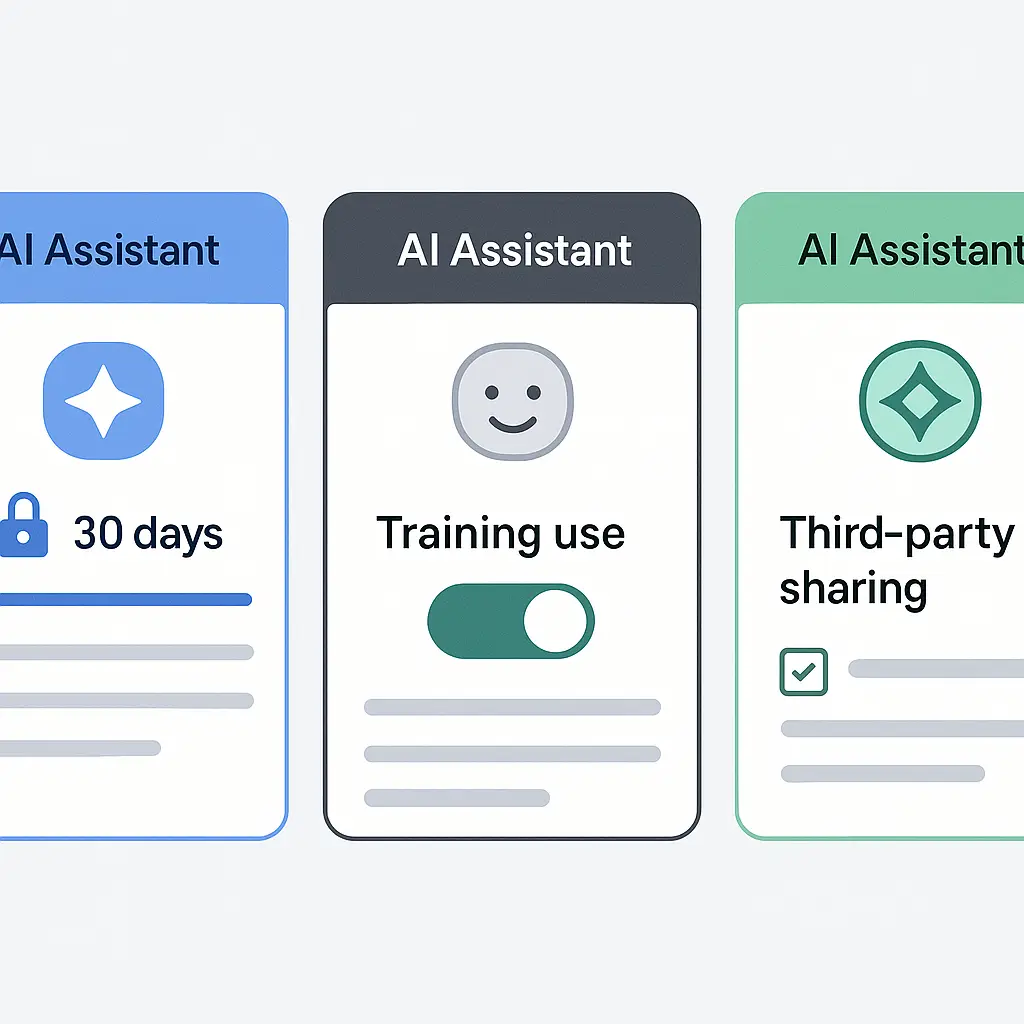
Privacy in AI assistants breaks down into four components:
Data retention: How long the platform stores your conversations, prompts, and outputs. Shorter retention reduces exposure in a breach. Longer retention enables features like conversation history and personalization.
Training use: Whether the platform uses your conversations to improve its models. Training use means your prompts and outputs become part of the dataset that trains future versions of the AI. Opting out prevents this, but the opt-out mechanism varies by platform.
Third-party sharing: Whether the platform shares your data with advertisers, partners, or other external entities. Some platforms use conversations to personalize ads. Others don't share data outside their own infrastructure.
User control: Whether you can delete conversations, disable history, opt out of training, or limit data collection. More control means you can adjust privacy settings to match your comfort level.
These four factors interact. A platform might offer strong user control but retain data indefinitely. Another might delete data quickly but use it for training before deletion. There's no perfect option. Every assistant makes different tradeoffs.
Copilot: Microsoft's Integration Play
Copilot is Microsoft's AI assistant, integrated across Windows, Edge, Office, and Bing. It's built on OpenAI's GPT models, but Microsoft controls the data handling.
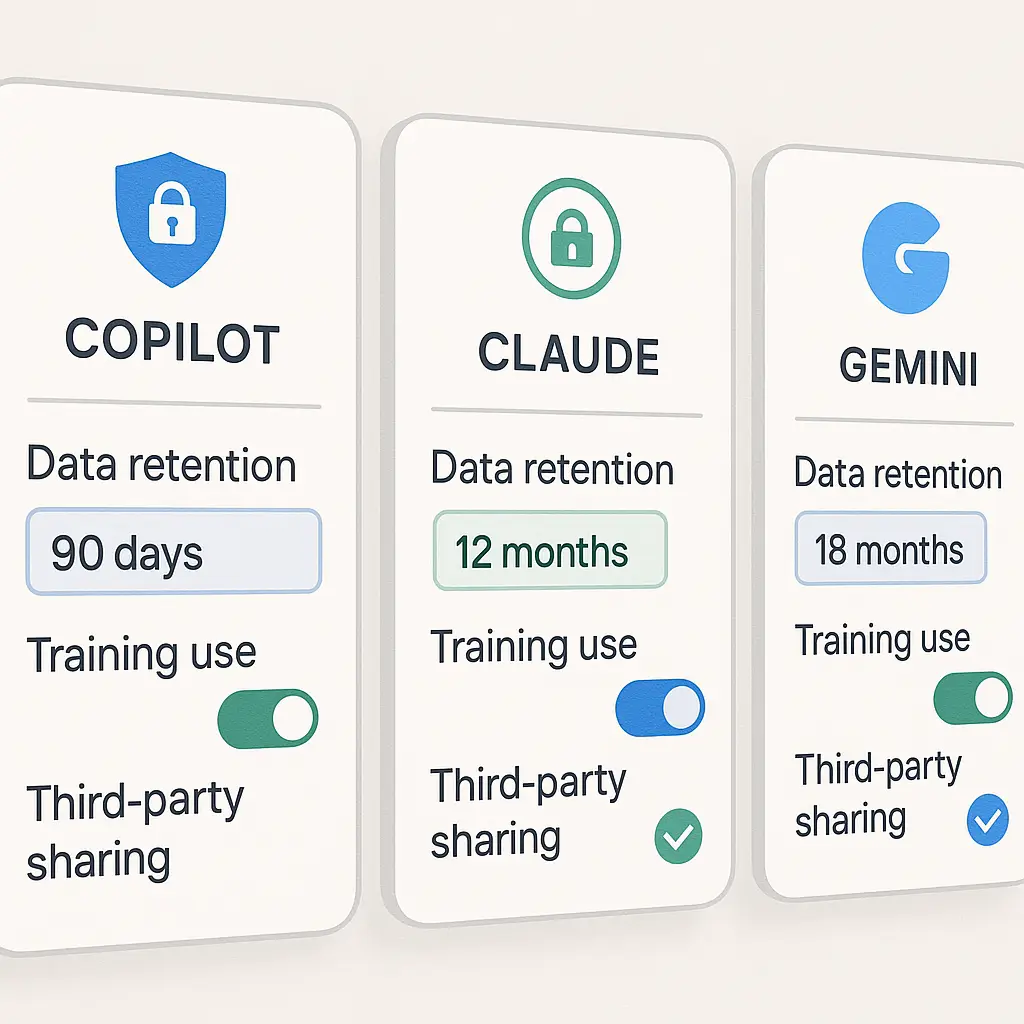
Data retention: Copilot's retention policy depends on how you access it. In the free tier through Bing or Edge, Microsoft states that prompts and responses are retained for up to 30 days for abuse monitoring and service improvement. In Microsoft 365 Copilot (the enterprise tier), data retention follows your organization's compliance policies, which can range from immediate deletion to indefinite storage.
The free tier doesn't store conversation history by default. You can enable it, but doing so extends retention. The enterprise tier stores data according to your organization's settings, which you likely don't control.
Training use: Microsoft says it doesn't use Copilot conversations from Microsoft 365 enterprise customers to train models. For the free tier, the policy is less clear. Microsoft's privacy statement indicates that data may be used to improve services, but it doesn't explicitly state whether that includes model training. The language is vague enough that I'd assume training use is possible unless you're on an enterprise plan with explicit contractual protections.
Third-party sharing: Microsoft doesn't sell your Copilot data to advertisers, but it does share data with OpenAI for processing. OpenAI's role is as a service provider, not a data controller, which means OpenAI processes prompts on Microsoft's behalf but doesn't own the data. That's the official structure. In practice, you're trusting both Microsoft and OpenAI to handle data according to their agreements.
User control: You can delete individual conversations if you've enabled history. You can disable history entirely, which prevents storage of your prompts and outputs. You can't opt out of the 30-day retention window for abuse monitoring in the free tier. Enterprise users have more control through organizational policies, but individual users within an organization typically can't override those settings.
Copilot's privacy is tightly coupled to Microsoft's ecosystem. If you already use Microsoft 365, Copilot integrates seamlessly, but you're extending trust to Microsoft's data handling across all your accounts. If you don't trust Microsoft with your email, calendar, and documents, you shouldn't trust Copilot with your prompts.
Claude: Anthropic's Privacy-First Positioning
Claude is Anthropic's AI assistant, available through claude.ai and API access. Anthropic positions itself as privacy-focused, and the technical implementation reflects that.
Data retention: Claude stores conversations until you delete them. There's no automatic expiration. If you don't delete a conversation, it persists indefinitely in your account. That's a tradeoff: you control deletion, but you're responsible for managing your own data.
Anthropic states that deleted conversations are removed from active systems, but some data may persist in backups for a limited time. The exact duration isn't specified. I'd estimate around 30 days for backup retention, but that's an inference based on industry norms, not a confirmed number.
Training use: Anthropic doesn't use consumer conversations to train Claude. That's the default policy for all users. If you use Claude through the API, you can opt in to training use, but it's opt-in, not opt-out. For the web interface at claude.ai, your conversations aren't used for training at all.
This is the clearest training policy among the three assistants. Anthropic's business model doesn't depend on harvesting user data for model improvement. They train on licensed datasets and publicly available text, not on your prompts.
Third-party sharing: Anthropic doesn't share your conversations with third parties. There's no ad network, no data broker partnerships, no cross-platform tracking. Your prompts stay within Anthropic's infrastructure. The company is funded by venture capital and enterprise contracts, not data monetization.
User control: You can delete conversations individually or clear your entire history. You can use Claude without an account through the web interface, but that limits you to a small number of messages per session and disables conversation history. No-account access is genuinely anonymous. Anthropic doesn't log IP addresses or device identifiers for no-account users.
If you create an account, you can export your data, delete your account, and review all stored conversations. The controls are straightforward. There's no hidden retention, no buried opt-outs, no dark patterns.
Claude's privacy model is the strongest of the three for individual users. The tradeoff is that you're trusting a smaller company with less infrastructure redundancy than Microsoft or Google. Anthropic could be acquired, could change policies, or could face financial pressure that shifts priorities. Right now, the privacy stance is solid. Whether it stays that way depends on factors outside your control.
Gemini: Google's Data Integration
Gemini is Google's AI assistant, integrated across Search, Gmail, Docs, and Android. It's built on Google's own models, and data handling follows Google's broader ecosystem policies.
Data retention: Gemini stores conversation history indefinitely by default. You can turn off activity logging, which prevents new conversations from being saved, but past conversations remain until you manually delete them. Deletion removes conversations from your visible history, but Google retains some data for security, fraud prevention, and legal compliance. The exact retention period for deleted data isn't specified.
Google's privacy policy indicates that data may be retained for as long as necessary to provide services, comply with legal obligations, and resolve disputes. That's broad language that doesn't commit to a specific timeline.
Training use: Google uses Gemini conversations to improve its models. That's the default setting. You can opt out by turning off the "Gemini Apps Activity" setting in your Google account, but the opt-out isn't retroactive. Conversations you've already had remain part of the training dataset unless you delete them before opting out.
The opt-out mechanism is buried in account settings, not surfaced during your first interaction with Gemini. Most users won't find it unless they go looking. That's a design choice that favors data collection over user control.
Third-party sharing: Google doesn't sell your Gemini data to third parties, but it uses conversations to personalize ads across Google's ad network. If you ask Gemini about hiking boots, you might see hiking boot ads in Search, YouTube, and partner sites. The data doesn't leave Google's infrastructure, but it's used for targeting.
You can disable ad personalization in your Google account settings, which stops Gemini data from influencing ads, but it doesn't stop Google from collecting the data. The collection and the use are separate controls.
User control: You can delete individual conversations, clear all history, disable activity logging, and opt out of training use. The controls exist, but they're scattered across multiple settings pages. Google's account settings are notoriously complex, and finding the right toggle requires navigating several layers of menus.
If you use Gemini through a Google Workspace account (the enterprise tier), your organization's admin controls data retention and sharing. Individual users can't override organizational policies. That's standard for enterprise software, but it means your privacy depends on your employer's settings, not your own choices.
Gemini's privacy is the weakest of the three for individual users. The default settings favor data collection and training use. Opting out is possible but not easy. If you're already deep in Google's ecosystem and comfortable with their data practices, Gemini is convenient. If you're trying to minimize data collection, Gemini works against you.
Comparison Table: Retention, Training, Sharing
Here's how the three assistants stack up across the four privacy factors:
Data retention:
- Copilot: 30 days (free tier), configurable (enterprise)
- Claude: Until you delete it
- Gemini: Indefinite (until you delete it)
Training use:
- Copilot: Unclear for free tier, no training use for enterprise
- Claude: No training use for consumer accounts, opt-in for API
- Gemini: Default yes, opt-out available
Third-party sharing:
- Copilot: Shared with OpenAI for processing, not sold to advertisers
- Claude: No third-party sharing
- Gemini: Used for ad personalization within Google, not sold externally
User control:
- Copilot: Delete conversations, disable history, limited control in free tier
- Claude: Delete conversations, export data, no-account option
- Gemini: Delete conversations, disable activity, opt out of training (buried settings)
Claude offers the strongest privacy defaults. Copilot sits in the middle, with enterprise protections but vague free-tier policies. Gemini has the most data collection and the weakest defaults, but the controls exist if you're willing to dig for them.
What About Enterprise Tiers?
All three assistants offer enterprise versions with enhanced privacy controls. These versions are designed for organizations that need compliance with regulations like GDPR, HIPAA, or SOC 2.
Microsoft 365 Copilot gives organizations control over data retention, training use, and third-party access. Microsoft signs Business Associate Agreements for HIPAA compliance and Data Processing Agreements for GDPR. Your conversations stay within your organization's tenant and aren't used for model training. The tradeoff is cost (around $30 per user per month as of 2026) and administrative overhead.
Claude for Enterprise offers similar protections. Anthropic signs DPAs and BAAs, doesn't use enterprise data for training, and provides audit logs for compliance. Pricing is custom, typically based on usage volume. The privacy model is the same as the consumer tier, but with contractual guarantees and support.
Google Workspace Gemini follows Google Workspace's data handling policies, which include DPAs, BAAs, and configurable retention. Your data doesn't leave your Workspace tenant, and Google doesn't use it for ad targeting. Training use is disabled for Workspace accounts. Pricing is around $30 per user per month, similar to Microsoft.
Enterprise tiers don't eliminate trust. You're still trusting the vendor to honor their agreements, secure their infrastructure, and handle breaches responsibly. But they do add legal accountability and technical controls that consumer tiers lack.
If you're using AI assistants for work that involves sensitive data, the enterprise tier is non-negotiable. The consumer tiers aren't designed for compliance, and their privacy policies reflect that.
The No-Account Option
Claude is the only assistant that offers meaningful no-account access. You can visit claude.ai, start a conversation, and use the assistant without logging in. No email, no phone number, no identifier. Anthropic doesn't log IP addresses or device fingerprints for no-account users.
The limitation is volume. No-account users get a small number of messages per session, and there's no conversation history. Once you hit the limit, you have to wait or create an account. But for one-off queries, it's genuinely private.
Copilot and Gemini both require accounts. Copilot needs a Microsoft account. Gemini needs a Google account. There's no anonymous access. Even if you create a throwaway account, you're still tied to an identifier that the platform can track across sessions.
If you need to ask a sensitive question and don't want it tied to your identity, Claude's no-account option is the only real choice among the three.
What This Looks Like in Practice
Let's say you're drafting a resignation letter. You want help with tone and structure, but you don't want your employer, your email provider, or an AI vendor to have a record of it.
With Copilot, your prompt goes to Microsoft's servers, gets processed, and is retained for up to 30 days. If you've enabled conversation history, it persists longer. Microsoft shares the prompt with OpenAI for processing. The conversation might be used for training if you're on the free tier. If your employer uses Microsoft 365 and you're logged into your work account, your IT admin might have access depending on organizational policies.
With Claude, your prompt is processed by Anthropic, stored until you delete it, and not used for training. If you use the no-account option, there's no identifier linking the conversation to you. If you create an account, you can delete the conversation immediately after you're done. Anthropic doesn't share data with third parties.
With Gemini, your prompt goes to Google, is stored indefinitely unless you delete it, and is used for model training unless you've opted out. Google uses the conversation to personalize ads unless you've disabled ad personalization. If you're logged into a Google Workspace account, your organization's admin controls retention and access.
The same prompt, three different privacy outcomes. The choice depends on which tradeoffs you're willing to accept.
The Tradeoff You're Actually Making
Privacy in AI assistants isn't about finding a perfect option. It's about understanding what you're giving up and what you're getting in return.
Copilot gives you deep integration with Microsoft's ecosystem. If you live in Outlook, Teams, and Word, Copilot is the most convenient option. The privacy cost is trusting Microsoft with another layer of your data and accepting vague policies on training use.
Claude gives you the strongest privacy defaults and the clearest policies. The tradeoff is that you're betting on a smaller company with less infrastructure, fewer integrations, and an uncertain long-term future. If Anthropic gets acquired or changes direction, the privacy stance could shift.
Gemini gives you integration with Google's ecosystem and the most advanced search-augmented responses. The privacy cost is the highest: indefinite retention, default training use, ad personalization, and complex opt-out mechanisms. If you're already comfortable with Google's data practices, that might be acceptable. If you're trying to minimize data collection, Gemini works against you.
In Star Trek: The Next Generation, the crew of the Enterprise routinely uses the ship's computer to access sensitive personal logs, run simulations, and process classified data. The computer is treated as a trusted extension of the ship's infrastructure. No one worries about what happens to their queries after the fact, because the computer is part of the crew's own system, not a third-party service.
AI assistants in 2026 aren't like the Enterprise computer. They're third-party services with their own business models, data retention policies, and compliance obligations. You're not querying your own infrastructure. You're sending data to someone else's servers, and what happens next depends on their priorities, not yours.
The privacy question isn't whether AI assistants are safe. It's whether you trust the specific company handling your data, understand what they're doing with it, and accept the tradeoffs they're making on your behalf.
For most people, Claude offers the best balance of privacy and functionality. For enterprise users, all three offer compliant tiers with strong contractual protections. For casual use within Google's ecosystem, Gemini is convenient but privacy-weak. For Microsoft users, Copilot is the path of least resistance, with privacy that's acceptable but not exceptional.
The right choice depends on your threat model, your existing ecosystem, and your tolerance for ambiguity. There's no universal answer. Just tradeoffs, and the question of which ones you're willing to make.
Related reading: