Spear Phishing vs Regular Phishing: What Makes Targeted Attacks Different
Spear phishing is phishing with a name on it.
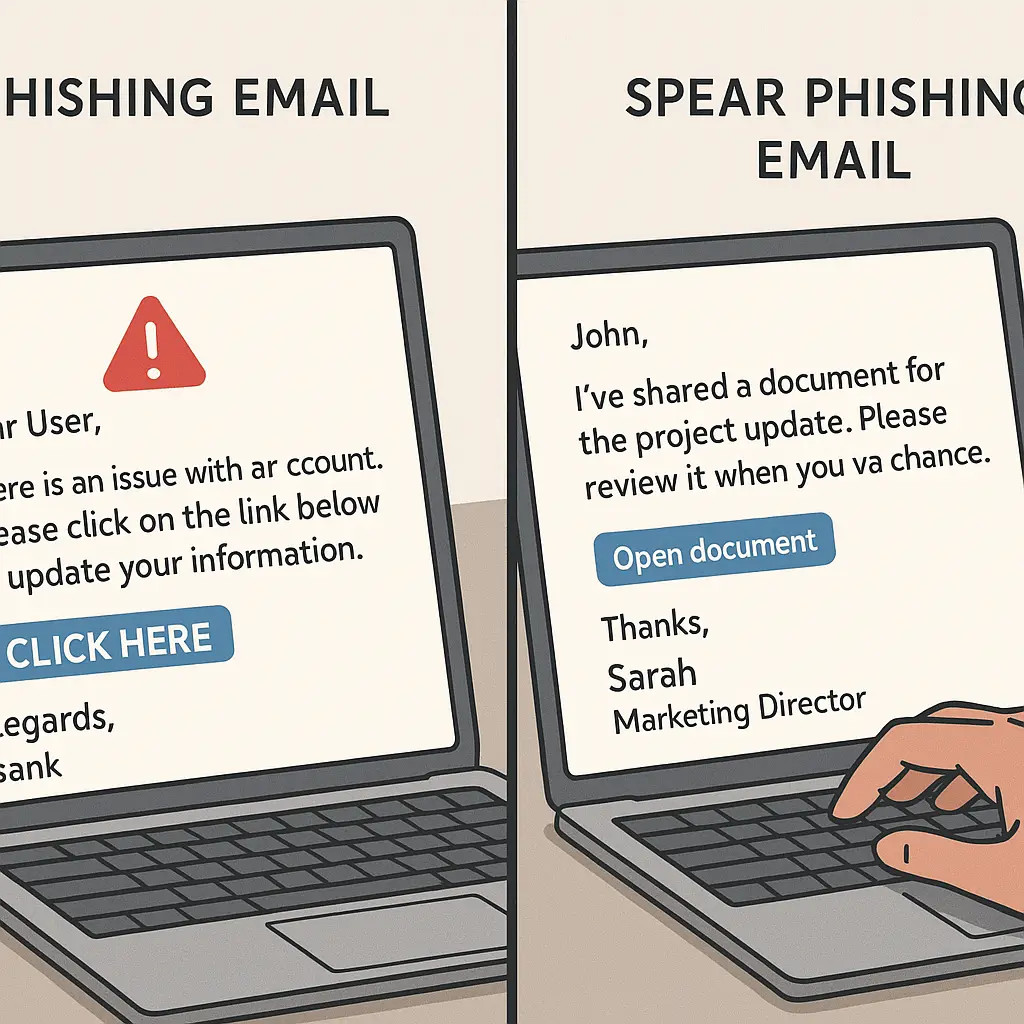
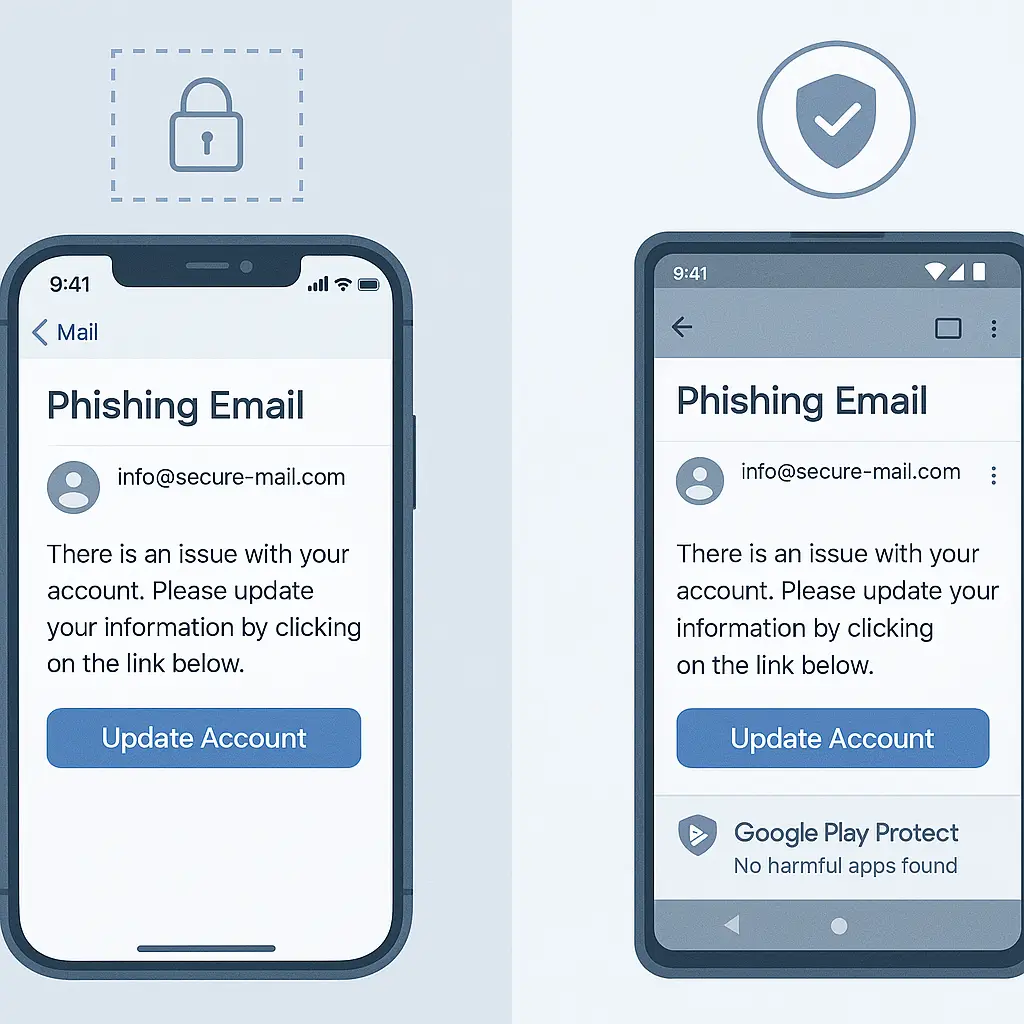
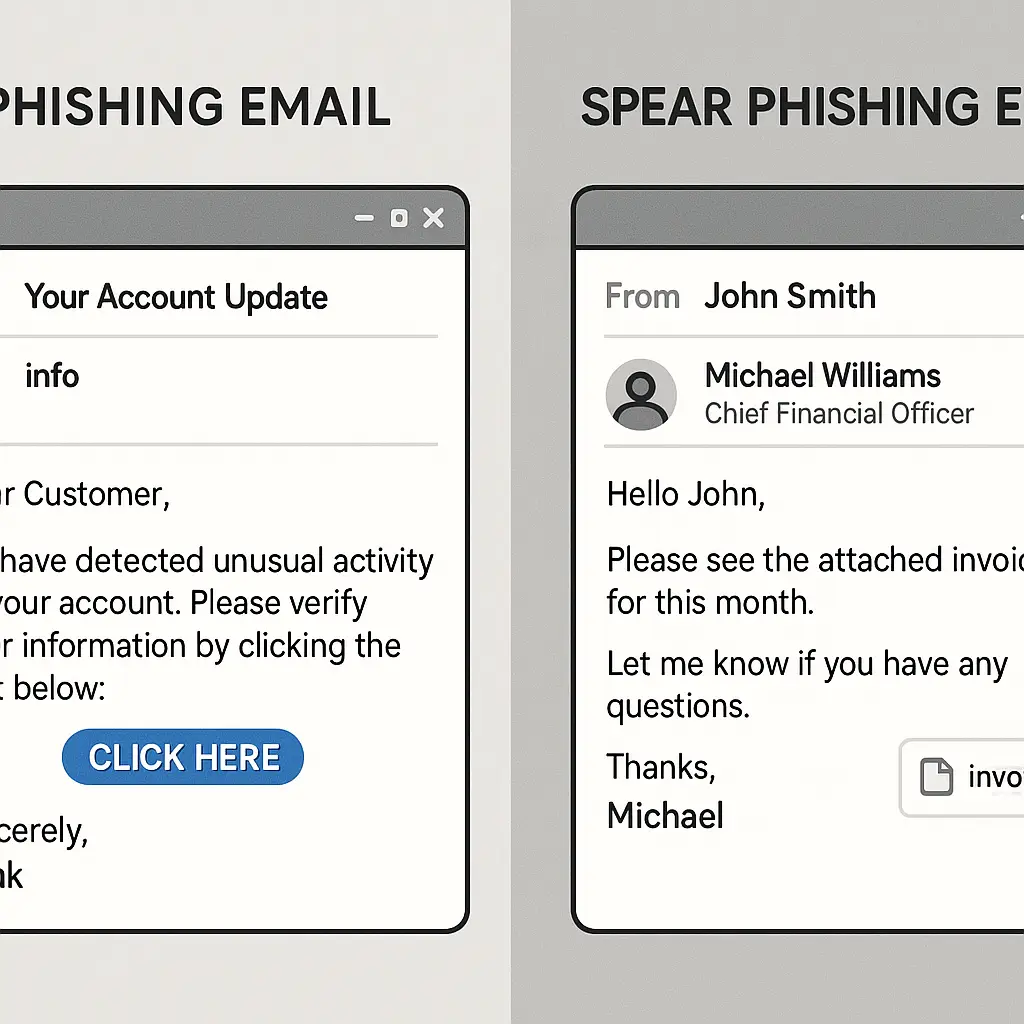
Regular phishing casts a wide net. The attacker sends identical emails to millions of addresses, hoping a small percentage will click. The message is generic because it has to work for everyone: "Your account has been suspended," "You have a package waiting," "Verify your payment information." The attacker doesn't know who you are, where you work, or what services you use. They're guessing.
Spear phishing is different. The attacker knows your name, your job title, your boss's name, the project you're working on, and the software your company uses. The email references real people, real events, and real context. It arrives at the right time, from a plausible sender, with a request that makes sense given what you're doing today.
That personalization changes everything. The patterns you've learned to recognize in generic phishing don't apply when the email contains details only someone inside your organization would know. Your guard drops. You click.
Here's how spear phishing works, what makes it different from the mass-produced version, and how to recognize a targeted attack even when it looks legitimate.
The Mechanism: Research Before Attack
Regular phishing is volume business. The attacker buys a list of email addresses, writes one message, and sends it to everyone. Success rate is low, but the cost per attempt is nearly zero. Send ten million emails, get a thousand clicks, compromise a hundred accounts. That's the model.
Spear phishing inverts the economics. The attacker spends time on research before sending anything. They identify a specific target, gather intelligence, and craft a message designed for that one person or that one organization. The success rate is higher because the message is credible. The cost per attempt is higher because research takes time. But when the target is a finance employee who can initiate wire transfers or an IT admin who can grant access, one success is enough.
The research phase pulls from public sources. LinkedIn shows job titles, reporting relationships, and recent job changes. Company websites list employee names, department structures, and ongoing projects. Social media reveals hobbies, locations, and personal interests. Professional directories, conference attendee lists, and industry publications fill in the gaps. Email signatures leak phone numbers, titles, and organizational hierarchy.
Some intelligence comes from prior breaches. If your email address appeared in a data breach five years ago, the attacker knows what services you used then and can guess what you're using now. If your company disclosed a breach, the attacker knows the systems that were compromised and can reference them in the email.
The attacker synthesizes this information into a plausible scenario. They know you report to Sarah in Finance. They know your company uses Microsoft 365. They know your team just launched a new product because the press release went out last week. The email says it's from Sarah, references the product launch, and asks you to review a document in OneDrive. Everything checks out.
What Personalization Buys the Attacker
Generic phishing relies on urgency and fear. "Your account will be closed in 24 hours." "Unusual activity detected." "Verify now or lose access." The message tries to bypass your critical thinking by triggering panic.
Spear phishing uses familiarity and context instead. The email doesn't need to be urgent. It just needs to be plausible. When the sender is someone you know, the request is something you'd expect, and the timing makes sense, you don't question it. You're not being tricked into clicking. You're clicking because the email appears to be legitimate work communication.
Personalization also defeats the visual red flags you've learned to spot. Generic phishing often contains spelling errors, awkward phrasing, or mismatched branding because the attacker is working at scale and doesn't care about polish. Spear phishing emails are well-written because the attacker has time to proofread. The sender address might be spoofed to match your company's domain, or it might come from a lookalike domain that's one character off. The signature block contains the right phone number and title because the attacker copied it from the real person's LinkedIn profile.
The link in the email might go to a fake login page that's pixel-perfect replica of your company's actual login page. The attacker registered a domain that looks legitimate at a glance: company-portal.com instead of companyportal.com, company.co instead of company.com. You're not looking for the difference because you're not expecting an attack. You're looking at an email from your boss asking you to review a document, and you click the link because that's what you do when your boss asks you to review a document.
The Gilmore Girls Problem
In Gilmore Girls, Lorelai and Rory have a communication style built on shared references, rapid-fire banter, and unspoken context. When Lorelai says something cryptic, Rory understands immediately because they share a decade of inside jokes, cultural touchstones, and private shorthand. An outsider listening to the conversation would miss half of it.
Spear phishing exploits the same dynamic. Organizations develop internal communication patterns. People use specific phrases, reference ongoing projects by nickname, and assume shared context. When you get an email from a colleague that sounds like your colleague, uses the internal terminology you use, and references the project you're both working on, you process it as legitimate because it fits the pattern.
The attacker doesn't need to be inside your organization to mimic that pattern. They just need to observe it. If your company posts meeting notes publicly, the attacker sees the terminology. If employees discuss work on LinkedIn, the attacker sees the project names. If your boss gives a conference talk, the attacker hears their speaking style and can approximate it in an email.
The more context the attacker has, the more credible the message becomes. A generic phishing email asks you to "verify your account." A spear phishing email asks you to "review the Q2 budget spreadsheet Sarah mentioned in yesterday's meeting." One of those feels like work. The other feels like a scam. The difference is context.
Spear Phishing in Practice: The Wire Transfer Request
The business email compromise scenario is the clearest example of how spear phishing works in the real world. The attacker identifies someone in finance who has authority to initiate wire transfers. They research the organizational structure to find out who that person reports to. They monitor the company's public communications to identify when executives are traveling or out of the office.
Then they send an email. It appears to come from the CFO. The subject line says "Urgent: Wire Transfer Needed." The message explains that the CFO is in meetings all day and needs to complete a time-sensitive acquisition payment. The email includes the amount, the recipient bank details, and a request to process it immediately. The tone matches the CFO's usual communication style because the attacker read a dozen emails the CFO sent in previous breaches or found in public records.
The finance employee receives the email, sees it's from the CFO, and processes the transfer. The money goes to an account controlled by the attacker. By the time anyone realizes the email was fake, the funds are gone.
This attack works because every detail is plausible. The CFO does travel. Acquisitions do happen. Wire transfers are time-sensitive. The email doesn't ask the employee to do anything outside their normal job responsibilities. It just asks them to do their job faster than usual, which is a request they've probably received before from the real CFO.
According to the FBI's Internet Crime Complaint Center, business email compromise cost victims over eight billion dollars in 2025. That number represents thousands of individual attacks, most of which succeeded because the initial email was credible enough to bypass the recipient's skepticism.
How Attackers Defeat Two-Factor Authentication
Two-factor authentication protects your account after you've entered your password. It doesn't protect you from entering your password on a fake login page.
Here's how the attack works. You receive a spear phishing email with a link to what looks like your company's login page. You enter your username and password. The page prompts you for your two-factor authentication code. You enter it.
What you don't see: the fake login page is proxying your credentials to the real login page in real time. The attacker's server receives your username and password, submits them to the actual service, receives the 2FA prompt, displays it to you, captures your 2FA code when you enter it, and submits that code to complete the login. The entire process takes seconds. By the time you realize something is wrong, the attacker has a valid session token and is inside your account.
This technique is called adversary-in-the-middle phishing. Krebs on Security reported on phishing kits that automate this process, making it accessible to attackers who don't have the technical skill to build the infrastructure themselves. The kits provide ready-made fake login pages for popular services, handle the real-time proxying, and deliver stolen session tokens to the attacker.
Two-factor authentication still matters. It blocks automated credential stuffing attacks and protects you if your password appears in a breach. But it doesn't make you immune to phishing. If you enter your credentials on a fake page, 2FA just adds one more step to the process.
The Information Asymmetry Problem
You know what legitimate communication from your organization looks like. You recognize your boss's writing style, the usual meeting request format, and the standard signature block. That pattern recognition is useful for filtering routine work communication, but it becomes a vulnerability when the attacker has studied the same patterns.
The asymmetry is this: you assume emails that match the pattern are legitimate. The attacker knows you make that assumption and crafts emails to match the pattern. You're defending against the phishing you've seen before, the obvious scams with spelling errors and generic threats. The attacker is sending something that looks like the internal communication you process every day without thinking.
This is why CISA's phishing guidance emphasizes verification through a separate channel. If you receive an email asking you to take an action that has consequences (transfer money, grant access, share credentials, download a file), verify the request before acting. Call the person using a phone number you already have. Message them on a different platform. Walk to their desk. The verification takes thirty seconds. The cost of not verifying can be catastrophic.
The attacker is counting on you to skip that step. They're counting on the email being plausible enough that verification feels unnecessary. They're counting on urgency, familiarity, or routine to override your caution. The defense is to verify anyway, even when the email looks legitimate, especially when the email looks legitimate.
Regular Phishing vs Spear Phishing: The Comparison
Here's how the two approaches differ across key dimensions:
Targeting: Regular phishing sends the same message to millions of addresses. Spear phishing targets a specific person or organization.
Research: Regular phishing requires no research. Spear phishing requires hours or days of intelligence gathering before the first email is sent.
Personalization: Regular phishing uses generic language that could apply to anyone. Spear phishing includes your name, job title, colleagues' names, and references to real projects or events.
Success rate: Regular phishing succeeds roughly one time in a thousand, give or take. Spear phishing succeeds far more often because the message is credible.
Cost per attempt: Regular phishing costs almost nothing per email. Spear phishing costs the attacker time and effort, but the payoff from one successful attack can be orders of magnitude higher.
Red flags: Regular phishing often contains obvious errors, mismatched branding, or implausible scenarios. Spear phishing is polished, contextually accurate, and visually identical to legitimate communication.
Defense: Regular phishing is defeated by recognizing common patterns (urgency, generic greetings, suspicious links). Spear phishing requires verification through a separate channel because the email itself looks legitimate.
What to Look for in a Potential Spear Phishing Email
Even well-crafted spear phishing emails contain inconsistencies if you know where to look. These aren't the obvious red flags you'd see in generic phishing. They're subtle mismatches between what the email says and what you know to be true.
Sender address: The display name might say "Sarah Johnson," but the actual email address is sarah.johnson@company-portal.com instead of sarah.johnson@company.com. Hover over the sender name to see the full address. If it's from a domain you don't recognize, verify before acting.
Timing: Does this request make sense right now? If your boss is in a meeting you both know about, would they really be emailing you to process an urgent wire transfer? If the project the email references wrapped up last month, why is someone asking for files today?
Tone: Does the email sound like the person it claims to be from? If your normally formal boss suddenly sends a casual message, or your casual colleague sends something stiff and formal, that's worth questioning.
Request: Is this something the sender would normally ask you to do through email? If your IT department usually handles password resets through a web portal, why are they emailing you a link? If your finance team has a standard approval process for wire transfers, why is this one bypassing that process?
Link destination: Hover over links before clicking. The text might say "company.com," but the actual URL is "company-login.co" or "companyportal.net." If the domain doesn't match what you expect, don't click.
Urgency without explanation: Legitimate urgent requests usually include context. "We need this by end of day because the client deadline moved up" is different from "Please handle this immediately." If the email demands urgency but doesn't explain why, verify before acting.
None of these indicators are definitive on their own. A mismatched tone might mean your boss is having a bad day. An unexpected request might be legitimate. But when you see multiple inconsistencies in the same email, especially an email asking you to take an action with consequences, verification is the right move.
The Broader Targeting Landscape
Spear phishing isn't limited to wire transfer scams. The same technique applies to any scenario where the attacker wants something from a specific target.
Credential theft: An email appears to be from your IT department, asking you to verify your account by logging in through a provided link. The link goes to a fake login page that captures your credentials.
Malware delivery: An email from a colleague asks you to review a document. The attachment contains malware that installs when you open it.
Data exfiltration: An email from someone in your organization requests files, spreadsheets, or documents. You send them, not realizing the recipient address is spoofed or the request is fraudulent.
Access grants: An email from your boss asks you to add a new user to a system, grant permissions to a contractor, or share access to a resource. The request is fake, but you comply because it looks legitimate.
Invoice fraud: An email from a vendor you work with regularly provides updated payment information for an upcoming invoice. You update the payment details in your system, and the next payment goes to the attacker instead of the vendor.
Each scenario follows the same pattern: research the target, personalize the message, make a request that fits the target's role and responsibilities, and count on familiarity to bypass skepticism.
What Organizations Can Do
Individual vigilance matters, but spear phishing is an organizational problem that requires organizational defenses. Here's what helps:
Email authentication: DMARC, SPF, and DKIM reduce the attacker's ability to spoof your domain. These protocols don't stop all spoofing, but they make it harder for attackers to send emails that appear to come from inside your organization.
Verification procedures: Establish clear procedures for high-risk actions like wire transfers, access grants, or credential sharing. Require verification through a separate channel before processing requests. Make the verification step mandatory, not optional.
Security training: Generic phishing awareness training teaches people to spot obvious scams. Spear phishing training needs to be more specific. Show employees examples of targeted attacks. Explain how attackers gather intelligence. Teach verification habits, not just pattern recognition.
Simulated attacks: Run periodic spear phishing simulations that mimic real attacks your organization might face. Use the results to identify who needs additional training and what scenarios people struggle with. The goal isn't to shame people who click. The goal is to calibrate defenses to the actual threat.
Limit public information: Review what information your organization publishes about employees, organizational structure, and internal processes. You can't hide everything, and you shouldn't try. But there's a difference between listing employee names on your website and publishing detailed organizational charts with reporting relationships and email addresses.
According to CISA, organizations that combine technical controls with employee training reduce successful phishing attacks substantially. Neither approach works alone. Technical controls can be bypassed. Trained employees still make mistakes. The combination is stronger than either piece individually.
What You Can Do Right Now
If you think you might be a target for spear phishing (and if you work in finance, IT, HR, or executive support, you probably are), here's what to do:
Review your digital footprint: Search for your name and email address. See what information is publicly available. You can't erase everything, but knowing what attackers can find helps you recognize when that information appears in an unexpected context.
Audit your LinkedIn profile: Make sure your job title, employer, and responsibilities are accurate, but consider whether you need to list your direct manager, your team structure, or the specific projects you're working on. That information is useful for networking. It's also useful for attackers.
Enable 2FA everywhere: Two-factor authentication doesn't stop phishing, but it does limit the damage if you accidentally enter credentials on a fake page. Use an authenticator app or hardware key rather than SMS if possible.
Verify before acting: If you receive an email asking you to transfer money, grant access, share credentials, or download an attachment, verify the request through a different channel before complying. Call the person. Message them on a separate platform. Walk to their desk. Make verification a reflex, not an exception.
Report suspicious emails: If you receive an email that might be spear phishing, report it to your IT or security team even if you're not sure. False positives are fine. Unreported attacks are not.
Trust your instincts: If an email feels off, even if you can't articulate why, don't ignore that feeling. Verify the request. The worst case is you spend thirty seconds confirming a legitimate email. The best case is you stop an attack.
The FTC's guidance on phishing applies to spear phishing with one addition: you can't rely on the email looking wrong. Spear phishing emails look right. That's the point. The defense is verification, not pattern recognition.
The Long Game
Spear phishing works because organizations and individuals are predictable. We use the same software, follow the same procedures, and communicate in consistent patterns. Attackers study those patterns and mimic them.
The information asymmetry will get worse before it gets better. More data breaches mean more intelligence available to attackers. More social media means more public information about who works where, who reports to whom, and what projects are in flight. AI tools make it easier to generate personalized messages at scale, blurring the line between mass phishing and targeted attacks.
The defense isn't to become unpredictable. The defense is to verify. When an email asks you to do something with consequences, verify the request through a separate channel. That habit defeats spear phishing regardless of how sophisticated the attack becomes.
Spear phishing is phishing with your name on it. The email knows who you are, where you work, and what you're working on. It looks legitimate because the attacker did the research. The only reliable defense is to verify anyway.