Pretexting: when scammers pose as someone you trust
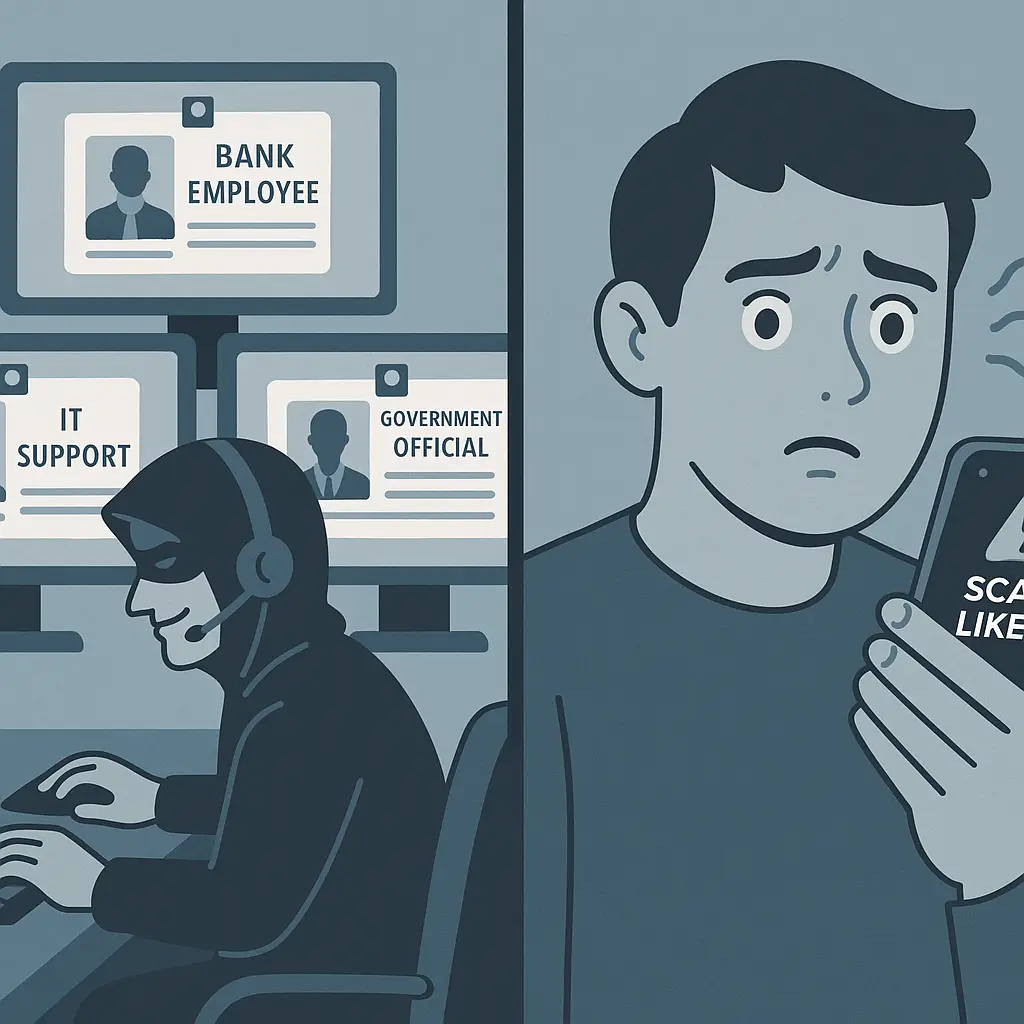
You get a call from your bank's fraud department. They've detected suspicious activity on your account. The caller has your account number, knows your recent transactions, and sounds professional. They just need you to verify your identity by confirming the one-time code they're about to send to your phone.
You're being pretexted.
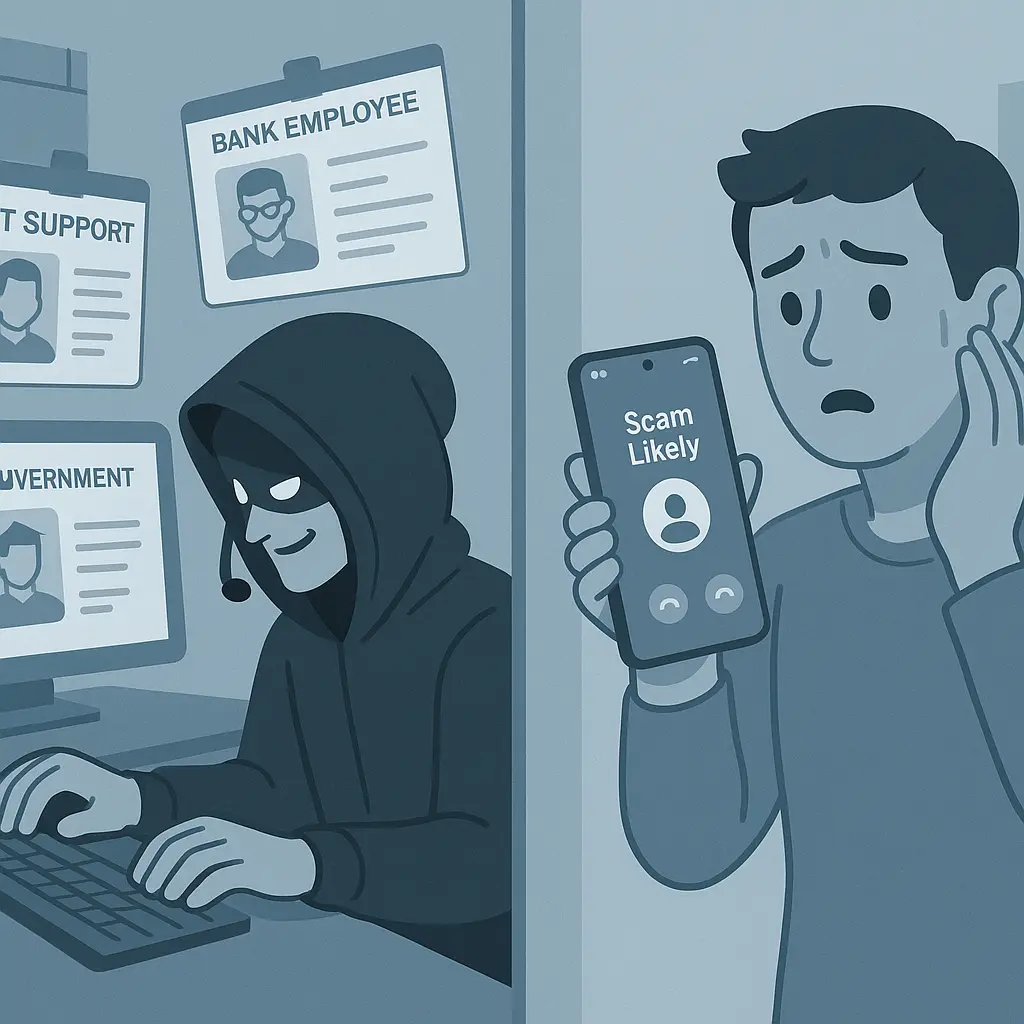
Pretexting is social engineering fraud where attackers impersonate trusted figures, your bank, your IT department, a government agency, your boss, to manipulate you into handing over information, money, or access. The scammer builds a false scenario (the pretext) that justifies their request. The more convincing the story, the more likely you are to comply before you stop to verify.
The FTC calls impersonation scams one of the costliest fraud categories, with billions in reported losses annually. Pretexting sits at the core of that category because it weaponizes trust. When someone claims to represent an institution you rely on, your default response is cooperation, not suspicion.
This article explains the mechanism behind pretexting, what makes it succeed, and how to recognize the attack before you hand over what the scammer wants.
How pretexting works: the anatomy of the deception
Pretexting follows a predictable structure. The attacker researches you, builds a plausible scenario, contacts you with urgency, and extracts what they need before you have time to verify their identity.
Research precedes contact. Before the scammer calls, they've gathered details about you. Data breaches leak your email, phone number, and account associations. Social media reveals your employer, recent travel, family connections, and interests. Data brokers sell profiles that include addresses, property records, and purchasing patterns. Public records provide even more.
The attacker uses this information to personalize the pretext. They know which bank you use, where you work, what you recently bought online. That specificity makes the story credible.
The pretext creates urgency. The scammer contacts you with a scenario designed to bypass skepticism. Common pretexts include:
- Fraud alerts: "We've detected unusual activity on your account. We need to verify these transactions immediately to prevent further charges."
- IT support: "We're experiencing a security incident. I need you to reset your password and confirm your login credentials to secure your account."
- Government impersonation: "This is the IRS. You have unpaid taxes and a warrant will be issued unless you settle this today."
- Executive requests: "This is the CFO. I'm in a meeting and need you to process an urgent wire transfer. I'll send details via email."
- Delivery problems: "Your package is being held at customs. We need payment information to release it."
Each scenario includes a reason you can't pause to verify: fraud is happening now, systems are compromised, legal action is imminent, the executive is waiting, your package will be returned.
The request feels reasonable within the pretext. Once the scenario is established, the scammer asks for something that makes sense in that context. A bank representative asks you to read back a verification code. IT support requests your password to "reset" your account. The IRS demands payment via gift cards to avoid arrest. Your boss needs login credentials to access a shared file while traveling.
The request aligns with the story. That alignment suppresses the warning signs you'd notice if someone cold-called asking for your password.
Verification is discouraged. Pretexting attackers know that independent verification kills the scam. They preempt it by creating time pressure ("this must be resolved in the next ten minutes"), offering to stay on the line while you "check" something, or providing a callback number that routes to another scammer.
Legitimate organizations expect you to verify. Scammers can't afford to let you hang up and call back.
Why pretexting succeeds: exploiting institutional trust
Pretexting works because it hijacks the trust you've built with institutions. You trust your bank to protect your money. You trust your employer's IT department to secure systems. You trust government agencies to follow procedures. Scammers borrow that trust by impersonating the institution.
Authority short-circuits skepticism. When someone claims to represent an organization with power over you, your bank, your employer, the IRS, your brain shifts into compliance mode. Questioning authority feels risky. What if you're wrong? What if refusing cooperation makes the problem worse?
That hesitation creates the opening the scammer needs. By the time you think to verify, you've already shared the code, the password, or the payment.
Personalization signals legitimacy. Generic phishing emails fail because they're obviously mass-produced. Pretexting succeeds because the attacker uses details that prove they know you. They mention your recent Amazon order, your employer's name, your account balance. That specificity feels like proof of legitimacy.
It's not. Breached data and public records provide those details to anyone willing to look.
Urgency disables verification. Fraud alerts, security incidents, and legal threats all carry implicit deadlines. The scammer frames inaction as more dangerous than compliance. You're not being asked to do something risky, you're being told that failing to act creates risk.
That framing flips your threat assessment. Verifying the caller feels like the risky choice. Complying feels like the safe one.
Common pretexting scenarios and their variations
Pretexting adapts to whatever trust relationship the scammer can exploit. These are the most frequent scenarios, but the underlying structure stays the same: impersonate authority, create urgency, extract information before verification.
Bank fraud alerts. The scammer calls claiming to be from your bank's fraud department. They've detected suspicious transactions, often international purchases or large transfers you didn't authorize. They need you to verify your identity by reading back the one-time code they're sending to your phone.
That code isn't from your bank. It's a password reset code or two-factor authentication code the scammer triggered by attempting to log into your real account. When you read it back, they gain access.
Variation: the scammer claims your debit card has been compromised and they're sending a courier to pick up the card for "secure destruction." The courier is the scammer or an accomplice.
IT support requests. The attacker impersonates your company's IT department, often during a real or fabricated security incident. They need you to reset your password, install remote access software to "fix" a problem, or verify your login credentials to "restore" your account after a breach.
Once you comply, they have your credentials or remote access to your computer. That access spreads to everything you can reach from your work account.
Variation: the scammer impersonates a software vendor (Microsoft, Adobe, your antivirus provider) and claims your license has expired or your system is infected. They need payment information or remote access to "resolve" the issue.
Government agency impersonation. The caller claims to represent the IRS, Social Security Administration, or law enforcement. You owe back taxes, your Social Security number has been suspended due to fraud, or a warrant has been issued for your arrest. The problem can be resolved immediately if you pay via gift cards, wire transfer, or cryptocurrency.
The IRS does not call to demand immediate payment. Social Security numbers don't get "suspended." Warrants aren't resolved with iTunes gift cards. But the scenario creates enough panic that some targets comply before thinking through the absurdity.
Variation: the scammer claims you've missed jury duty and a warrant will be issued unless you pay a fine immediately over the phone.
Executive impersonation (CEO fraud). The attacker impersonates a senior executive at your company, often the CEO, CFO, or your direct manager. They're traveling, in a meeting, or dealing with an urgent situation and need you to process a wire transfer, purchase gift cards, or share login credentials to access a file.
The request comes via email (often from a spoofed or look-alike domain) or phone. The urgency and authority make employees hesitate to verify through normal channels.
Variation: the scammer impersonates a vendor or client your company works with regularly, requesting payment to a new bank account due to a "system migration."
Package delivery scams. You receive a text or email claiming a package is being held due to an incomplete address, unpaid customs fees, or failed delivery. You need to click a link and provide payment information or personal details to release the shipment.
The link leads to a fake site designed to steal your credit card information or login credentials. There is no package.
Variation: the scammer calls claiming to be from FedEx, UPS, or the postal service and needs to verify your address or payment method before delivering a high-value item.
The role of data breaches in enabling pretexting
Pretexting depends on information. The more the attacker knows about you before contact, the more convincing the pretext becomes. Data breaches supply that information at scale.
When a retailer, bank, or service gets breached, the stolen data often includes your name, email, phone number, account associations, purchase history, and sometimes partial payment details. That data moves through criminal markets and gets aggregated into profiles that pretexting scammers buy or access.
A scammer doesn't need to hack your bank to know you have an account there. They just need access to a breach dataset that leaked your email and the merchant name. From there, they can call you claiming to be from that bank, mention a recent transaction pulled from the same dataset, and ask you to verify your identity.
The breach didn't give them your password. But it gave them enough context to trick you into handing it over.
Breach notification fatigue makes pretexting easier. You've probably received dozens of breach notifications over the years. Each one advises you to monitor your accounts and change your password. After a while, breach alerts become background noise.
Scammers exploit that fatigue. When they call claiming your account was compromised in a breach, the scenario feels plausible because breaches happen constantly. You're primed to believe it.
Data brokers amplify the problem. Even without breaches, data brokers compile detailed profiles from public records, marketing databases, and aggregated online activity. Those profiles include your address, phone number, property ownership, vehicle registration, and purchasing patterns.
Pretexting scammers use that data to add specificity to their scripts. They know you recently bought a car, refinanced your mortgage, or moved to a new address. That knowledge makes the pretext feel personal.
How to recognize pretexting before you comply
Pretexting succeeds when you act before verifying. Recognition depends on noticing the pressure tactics that bypass your normal skepticism.
Urgency is the tell. Legitimate organizations rarely demand immediate action over the phone. Fraud departments give you time to verify. IT support schedules calls through official channels. The IRS sends letters before making contact. Executives don't bypass normal approval processes for wire transfers.
If the caller insists you must act now, this minute, before you hang up, before you verify, that urgency is the scam. Pause. The real emergency is the one you're being pressured into creating by complying without verification.
Unsolicited contact requesting sensitive information is suspicious. Banks, government agencies, and IT departments don't call you out of the blue asking for passwords, Social Security numbers, or one-time codes. If they need information, they ask you to log into your account through official channels or visit in person.
If someone contacts you claiming to represent an organization and immediately requests sensitive information, that's pretexting until proven otherwise.
Verification resistance is a red flag. Legitimate callers expect you to verify their identity. They'll give you an official number to call back, wait while you independently confirm, or direct you to log into your account through the normal website.
Scammers can't afford verification. They'll offer to stay on the line while you "check," provide a callback number that routes to another scammer, or create urgency that makes verification feel like the risky choice.
If the caller discourages independent verification, you're being pretexted.
Requests for unusual payment methods signal fraud. No legitimate organization asks for payment via gift cards, wire transfers to unfamiliar accounts, or cryptocurrency to resolve account issues, pay taxes, or settle legal matters. Those payment methods are irreversible and untraceable, exactly what scammers need.
If the resolution involves iTunes cards, Green Dot cards, or Bitcoin, you're being scammed.
Emotional manipulation points to pretexting. Scammers use fear (your account is compromised, you'll be arrested, you'll lose money), urgency (this must be resolved now), and authority (I'm calling from the IRS, I'm your boss, I'm from IT) to override rational thought.
Legitimate communications don't rely on panic. If you feel pressured, scared, or rushed, that emotional state is part of the attack.
What to do when you suspect pretexting
Recognition is the first defense. Verification is the second. If you suspect pretexting, you can stop the attack by refusing to comply until you've independently confirmed the caller's identity.
Hang up. Don't engage further with the caller. Don't argue, don't explain why you're skeptical, don't ask clarifying questions. Just end the call.
Pretexting relies on keeping you on the line long enough to extract what the scammer needs. Hanging up breaks the attack.
Verify independently. Look up the organization's official contact number yourself. Don't use a number the caller provided. Don't call back the number that appeared on your caller ID (that can be spoofed). Find the number on your credit card, your account statement, the back of your insurance card, or the organization's official website.
Call that number and ask if they attempted to contact you. If they didn't, you've confirmed the pretext. If they did, you've verified their identity before sharing anything sensitive.
Check your accounts directly. If the pretext involved a fraud alert, log into your account through the official website or app. Don't click links in emails or texts. Type the URL yourself or use a saved bookmark.
If there's no suspicious activity visible in your account, the fraud alert was fake.
Report the attempt. Report pretexting attempts to the FTC, the impersonated organization, and (if it involved financial loss or attempted theft) the FBI's IC3. Reporting creates a record, helps law enforcement track patterns, and may prevent the scammer from targeting others using the same script.
If the pretext involved your employer, notify your IT security team immediately. If it involved a government agency, report it to that agency's fraud hotline.
Don't feel embarrassed. Pretexting works on intelligent, cautious people. The attack is designed to exploit trust, not ignorance. If you caught it before complying, you did the right thing. If you didn't catch it in time, acting quickly to limit damage is what matters now.
What to do if you've already complied
If you've already shared information, credentials, or payment with a pretexting scammer, immediate action limits the damage.
Change passwords immediately. If you gave account credentials, change those passwords now. If the compromised account uses the same password elsewhere, change those too. Enable two-factor authentication on every account that supports it.
Don't wait. The scammer is already attempting to use what you gave them.
Contact your bank. If you shared financial information, credit card numbers, or bank account details, call your bank immediately. Explain what happened. They can freeze accounts, issue new cards, monitor for fraudulent transactions, and reverse unauthorized charges if caught quickly.
Freeze your credit. If you shared your Social Security number, freeze your credit at Equifax, Experian, and TransUnion. A freeze prevents new accounts from being opened in your name.
Freezing is free, reversible, and takes around fifteen minutes total.
Notify your employer. If the pretext involved work credentials, remote access, or company data, notify your IT security team immediately. They need to know your account may be compromised so they can contain the breach before it spreads.
Don't hide it. The faster they know, the less damage the attacker can do.
Monitor your accounts. Watch for unauthorized transactions, password reset attempts, new account openings, or changes to recovery settings. Set up alerts for unusual activity if your bank or email provider offers them.
Early detection catches fraud before it compounds.
Report the fraud. File a report with the FTC and the IC3 if financial loss occurred. If the scammer impersonated a specific organization, report the incident to that organization's fraud department.
Reporting creates a paper trail that supports identity theft recovery, insurance claims, and law enforcement investigations.
Pretexting in the workplace: CEO fraud and vendor impersonation
Pretexting doesn't just target individuals. It targets employees with access to company funds, data, or systems. The pretext shifts from personal fraud alerts to business-justified requests, but the mechanism stays the same.
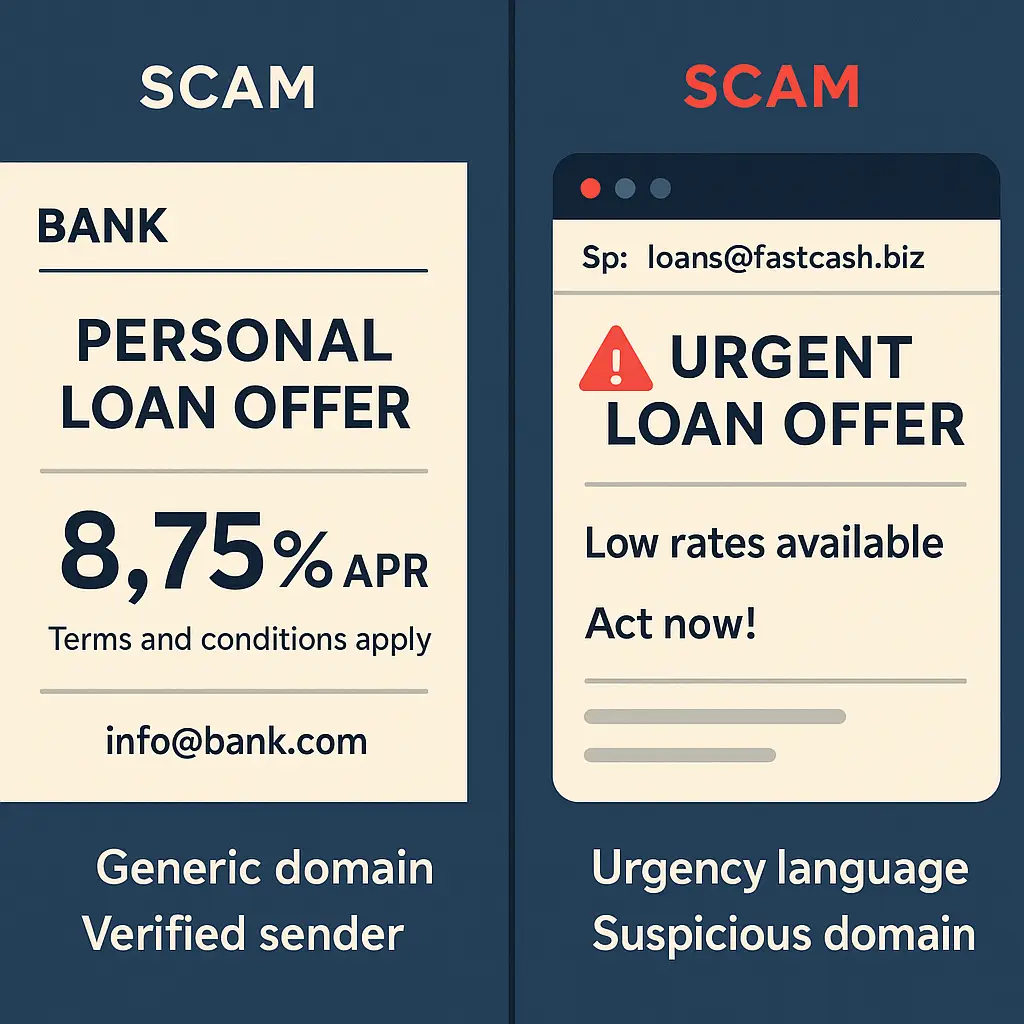
CEO fraud (business email compromise). The attacker impersonates a senior executive and requests an urgent wire transfer, payroll diversion, or W-2 data for "tax purposes." The email often comes from a spoofed domain (replacing an "l" with a "1," adding a hyphen, using a similar top-level domain) or a compromised account.
The urgency and authority make employees hesitate to verify through normal channels. The executive is "traveling," "in a meeting," or "dealing with a confidential matter" that justifies bypassing standard approval processes.
The FBI's IC3 reports billions in losses annually from business email compromise, much of it driven by CEO fraud pretexting.
Vendor impersonation. The scammer impersonates a vendor or client your company works with regularly. They send an email requesting payment to a new bank account due to a "system migration," "audit requirement," or "updated payment terms."
The request looks legitimate because the scammer researched your company's vendor relationships, often through publicly available contract announcements, LinkedIn connections, or prior breaches of vendor databases.
Defense in the workplace. Establish verification protocols for financial requests, especially those that bypass normal processes. Require verbal confirmation through a known phone number (not one provided in the email) for wire transfers, payroll changes, or sensitive data requests.
Train employees to recognize urgency and authority as pretexting tactics, not reasons to skip verification. Make it clear that verifying a request from the CEO is not insubordination, it's policy.
The intersection of pretexting and AI voice cloning
Pretexting traditionally relies on text (email, SMS) or voice calls where the attacker impersonates someone verbally. AI voice cloning adds a new dimension: the scammer can now sound like the person they're impersonating.
Voice cloning tools analyze a few seconds of someone's speech, pulled from social media videos, conference recordings, or voicemail greetings, and generate synthetic audio that mimics their voice. The attacker uses that audio in a phone call to pretend to be your boss, your family member, or a trusted colleague.
The pretext remains the same (urgent request, authority, time pressure), but the voice adds credibility that text alone can't provide. You hear what sounds like your manager asking you to process a wire transfer. Your brain registers the voice as proof of identity.
Defense against voice-cloned pretexting. Establish a verification protocol that doesn't rely on voice recognition. Use a family password, a callback to a known number, or a secondary communication channel (if someone calls, verify via text to their known number, or vice versa).
Don't trust the voice. Verify the request through a method the scammer can't clone.
Why "just be more careful" isn't enough
Pretexting succeeds because it's designed to bypass the defenses that work against generic phishing. You can't "be more careful" your way out of a pretext that uses accurate information, plausible scenarios, and emotional pressure.
The defense isn't heightened vigilance. It's procedural: verify before you comply, every time, no exceptions. Legitimate organizations expect verification. Scammers can't survive it.
When someone contacts you claiming to represent your bank, your employer, a government agency, or anyone with authority over you, the default response is: "I'll call you back." Not because you're paranoid. Because verification is how trust works.
Pretexting weaponizes trust by impersonating the institutions you rely on. The counter is to verify that the person claiming to represent that institution actually does. Hang up. Look up the number yourself. Call back. Confirm.
That fifteen-second pause is what stops the scam.
In Gilmore Girls, Lorelai Gilmore navigates a world where everyone in Stars Hollow knows everyone else's business, where trust is assumed because relationships are long-established and visible. Pretexting inverts that dynamic: the scammer uses the appearance of an established relationship (your bank, your employer, your government) to short-circuit verification. The attacker isn't part of your trusted network, they're impersonating someone who is. The defense is to treat unsolicited contact as untrusted until you've independently confirmed it belongs to the relationship it claims. In Stars Hollow, you know who's calling because you know their voice, their routine, their context. Online and over the phone, you don't. Verify first.
Pretexting works when you act on trust before confirming identity. It fails when you make verification the default.