Personal info you accidentally share at work: what to keep private and how
You mention your kid's school name in a Slack channel. You write your home address on a package slip that sits on your desk. You tell a coworker your birth year during a casual conversation about generational differences. You connect your personal LinkedIn to the company directory.
None of these moments feel significant. All of them leak data.
Work environments create subtle, constant pressure to share personal information. The pressure comes from collegiality, convenience, and the blurred line between professional and social relationships. You want to be friendly. You want to participate. You don't want to seem paranoid or standoffish.
But the data you share at work doesn't stay in conversation. It enters systems, spreads through contact lists, appears in company directories, and persists in email archives that survive long after you've left the job. Some of it creates identity theft risk. Some of it just makes you easier to find, track, or impersonate.
This is a practical guide to what personal information you should protect at work, what leaks through systems you can't control, and the step-by-step method to maintain boundaries without alienating your coworkers or looking like you're hiding something.
The data you give HR versus the data you mention casually
Your employer needs certain information to pay you, comply with tax law, and maintain records. That's unavoidable. What's avoidable is the casual disclosure of the same information, or adjacent information, through conversation, shared documents, and social interaction.
HR has your Social Security number. That's required for tax reporting. But your SSN should never appear in email, Slack, shared spreadsheets, or verbal conversation. If someone at work asks for it outside of official HR paperwork, the answer is no. If you need to provide it for benefits enrollment, do it through the secure HR portal, not through email or a form you fill out at your desk where others can see.
HR has your full birth date. Payroll and benefits administration require it. But coworkers don't need your birth year. When someone asks your birthday for a team calendar or celebration, give month and day only. "March 15" is enough. The year adds nothing to workplace friendliness and everything to identity verification risk. Most password reset flows and security questions use birth date. Knowing your full birth date makes impersonation easier.
HR has your home address. That's required for tax forms and emergency contact purposes. But your home address shouldn't appear in your email signature, on shipping labels visible to coworkers, or in conversation. If you need to receive a package at work, use the company address with your name and department. If someone asks where you live, name the neighborhood or general area, not the street.
HR has your emergency contact. That's appropriate. But your emergency contact's phone number, relationship to you, and full name shouldn't be common knowledge. If you mention your emergency contact in conversation, use first name only. Don't specify the relationship unless it's necessary. "I need to call Alex" is enough. "I need to call my wife Alex at this specific number" is too much.
The line here is function. HR needs certain data to perform legal and administrative functions. Coworkers, managers, and company systems don't need that same data to perform work functions. When the function doesn't require the data, don't provide it.
What leaks through company systems you can't control
Even when you're careful about what you say, company systems collect and expose personal information in ways you might not notice until it's too late.
Email signatures leak phone numbers. Many people include their personal cell phone in their work email signature for convenience. That number then appears in every email you send, gets copied into contact lists, and persists in email archives. If you leave the company, your personal number stays in those archives. If the company gets breached, your personal number is in the dataset.
If you need to be reachable by phone for work, get a second number. Google Voice is free and works on your existing phone. You can give out the Google Voice number, and it forwards to your real number. When you leave the job, you disable forwarding. Your real number never enters company systems.
Company directories leak personal details. Many companies maintain internal directories that include employee photos, job titles, department, office location, and sometimes personal information like birthday, hometown, or interests. These directories are meant to foster connection, but they also create a detailed profile that makes social engineering easier.
Check what's in your company directory. If it includes information beyond your name, job title, and work contact information, ask HR to remove it. Most companies allow you to opt out of non-essential directory fields. If your company doesn't, at minimum remove your photo, birthday, and hometown.
Slack and Teams profiles leak personal accounts. Many people link their personal Twitter, LinkedIn, or GitHub accounts to their work Slack or Teams profile. This creates a direct connection between your work identity and your personal online presence. It also means anyone in your Slack workspace, including people you've never met, can find your personal accounts.
Unlink personal accounts from work profiles. If you need to share your LinkedIn for professional networking, do it selectively through direct message, not through a public profile field. Your personal GitHub, Twitter, or Instagram should never appear in a work system.
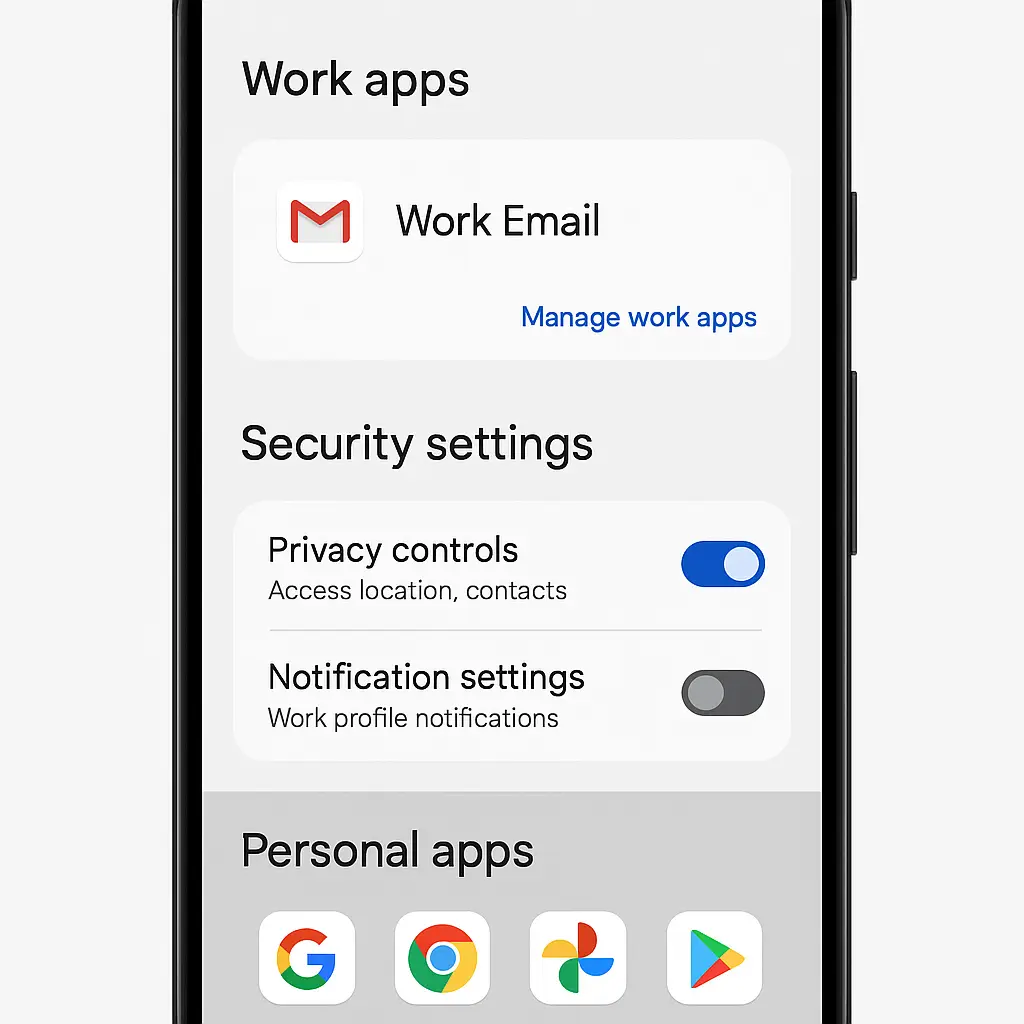
Calendar invites leak location data. If you accept a calendar invite that includes a physical address, that address appears in your work calendar. If your work calendar syncs to your phone, it's now in your phone's location history. If your phone is enrolled in mobile device management (MDM), your employer can see that location data.
Before accepting calendar invites with addresses, check whether the address is necessary. If it's a video call, decline the physical address or ask the organizer to remove it. If it's an in-person meeting at a non-work location, consider adding the address manually after the meeting rather than accepting it in the invite.
Shared documents leak personal information through comments and edit history. If you edit a shared Google Doc or Office 365 file using your personal account, your personal email address appears in the edit history. If you comment on a document, your profile photo and email appear with the comment.
Always use your work account for work documents. If you accidentally edit a document with your personal account, you can't remove your email from the edit history, but you can delete your comments. Going forward, check which account you're using before opening shared documents.
The cultural reference: Ted Lasso and the problem of being too open
In Ted Lasso, the titular character is relentlessly, almost aggressively open. He shares his feelings, his past, his vulnerabilities, and his personal life with almost everyone he meets. It's presented as a strength, a way to build trust and connection in a closed-off environment.
And it works, in the show. But Ted Lasso is fiction, and the show doesn't address what happens when that openness encounters bad actors, data breaches, or systems that don't forget.
In a real workplace, Ted's openness would create risk. Every personal detail he shares is a data point. Every story about his ex-wife, his son, his childhood, or his anxieties gives someone material for social engineering. Every vulnerability he admits makes him easier to manipulate or impersonate.
The same dynamic applies to you. Openness feels like connection, but connection at work doesn't require full disclosure. You can be friendly, collegial, and trustworthy without sharing the details that make identity theft easier or give bad actors leverage.
The goal isn't to be cold or withholding. The goal is to recognize that work relationships exist in a context where data persists, systems leak, and not everyone has your best interests in mind. You can be warm and still maintain boundaries. You can be a good coworker without being an open book.
What to say when coworkers ask personal questions
The hardest part of maintaining boundaries at work isn't the technical side, it's the social side. Coworkers ask personal questions because they're trying to connect, not because they're trying to steal your identity. But the outcome is the same either way: you've disclosed information you can't take back.
Here's the step-by-step method for deflecting personal questions without seeming evasive or unfriendly.
Step 1: Answer the spirit of the question, not the literal question. If someone asks, "Where do you live?" they're usually asking, "Are you local?" or "How long is your commute?" You can answer those questions without giving your address. "I'm about 20 minutes north of here" or "I'm in the Riverside neighborhood" provides context without specifics.
Step 2: Redirect to a related topic. If someone asks, "How old are your kids?" you can answer, "Elementary school age," and then ask, "Do you have kids?" Most people are more interested in talking about themselves than in extracting precise data from you. The redirect satisfies the social expectation without giving away details.
Step 3: Use humor to deflect without offense. If someone asks, "What's your birthday?" you can say, "March 15, but I stopped counting years a while ago," and smile. It's light, it's friendly, and it establishes that you're not providing the year. Most people won't push.
Step 4: Be direct when deflection doesn't work. If someone persists after deflection, you can say, "I keep that private," or "I don't share that at work." It's a little awkward, but it's not rude. Most people will respect the boundary once you state it clearly.
Step 5: Don't apologize or over-explain. "I'd rather not say" is enough. "I'd rather not say because I'm worried about identity theft and I read this article about workplace oversharing and I'm trying to be more careful" is too much. Over-explaining makes the boundary seem fragile and invites negotiation. State the boundary and move on.
The key is consistency. If you deflect personal questions sometimes but answer them other times, people will keep asking. If you deflect consistently, people learn that certain topics are off-limits, and the questions stop.
What you can't control and what you can
Some information leaks no matter what you do. Your name is in the company directory. Your job title is on LinkedIn. Your work email address is in every email you send. You can't eliminate all exposure.
But you can control the layers beyond that. You can control whether your personal phone number is in your email signature. You can control whether your birth year is common knowledge. You can control whether your home address is on a package slip on your desk. You can control whether your personal social media is linked to your work profile.
Each layer you protect makes identity theft harder. Each boundary you maintain reduces the data available to bad actors. The goal isn't perfect privacy, that's not possible in a workplace, the goal is to minimize unnecessary exposure.
Set up credit monitoring. If you've already shared more than you should have at work, you can't take it back. But you can monitor for misuse. Free credit monitoring from the FTC-recommended services will alert you if someone opens an account in your name. It won't prevent identity theft, but it will help you catch it early.
Review your social media privacy settings. If your coworkers know your name and hometown, they can find your Facebook profile. If your Facebook profile is public, they can see your posts, photos, friends list, and personal information. Set your profile to private. Limit who can see your friends list. Turn off location tagging. Make it harder for casual searches to return detailed information about your personal life.
Use a password manager. If your work email gets breached, attackers will try your work password on your personal accounts. If you reuse passwords, they'll succeed. A password manager generates unique passwords for every account. Even if your work email is compromised, your personal accounts stay protected. We've written about password managers before, and the recommendation stands: use one.
Enable two-factor authentication on personal accounts. If someone at work learns enough about you to attempt a password reset on your personal accounts, 2FA stops them. Even if they know your email address, birth date, and security question answers, they can't access your account without the second factor. Set up 2FA on email, banking, and social media. It's the single most effective defense against account takeover.
What to do if you've already overshared
You can't undo past disclosure. If you've already told coworkers your full birth date, home address, or personal phone number, that information is out there. But you can stop the pattern now and reduce future risk.
Stop sharing going forward. The next time someone asks a personal question, deflect. The next time you're tempted to include your personal phone number in an email signature, don't. The next time you're about to link your personal LinkedIn to your Slack profile, pause. You can't fix the past, but you can change the pattern.
Audit what's in company systems. Check your company directory, email signature, Slack profile, and any shared documents where your personal information might appear. Remove what you can. If you can't remove it yourself, ask HR or IT to remove it. Most companies will comply if you explain that you're trying to reduce your exposure to identity theft.
Monitor for misuse. If you've shared your Social Security number, birth date, or home address more widely than necessary, set up credit monitoring and watch for suspicious activity. Most identity theft doesn't happen immediately, it happens months or years later when the data gets sold, leaked, or used in a breach. Monitoring helps you catch it early.
Don't panic. Oversharing at work increases your risk, but it doesn't guarantee identity theft. Most people who share personal information at work never experience fraud. The goal here isn't to fix a crisis, it's to reduce future exposure and build better habits going forward.
The line between paranoia and prudence
You might read this and think it's overkill. You might think your coworkers aren't threats, your company isn't going to get breached, and your personal information isn't valuable enough to protect.
You're probably right about your coworkers. You're probably wrong about breaches. And you're definitely wrong about the value of your data.
Work environments feel safe because they're familiar and because you see the same people every day. But familiarity doesn't equal security. Your coworkers might not be threats, but the systems you share data with are. Company directories get breached. Email archives get leaked. Slack workspaces get compromised. The data you share casually today becomes part of a dataset tomorrow.
And your data is valuable. Not because you're important, but because identity thieves don't need much. A name, birth date, and rough location are enough to attempt account takeovers. A Social Security number and home address are enough to open credit accounts. The less you share, the harder you are to impersonate.
The line between paranoia and prudence is function. If sharing information serves a work function, share it. If it doesn't, don't. It's that simple.