Read receipts: the invisible pressure you can turn off
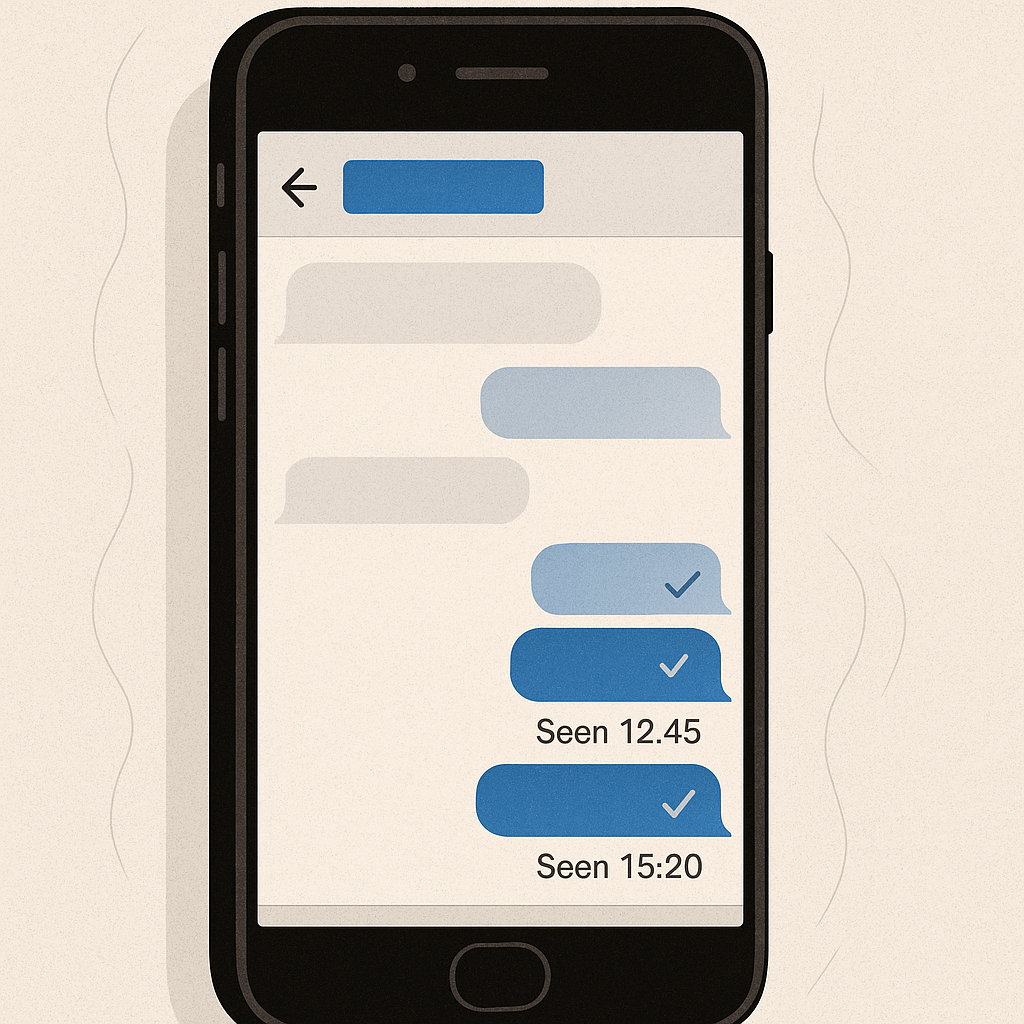
A message arrives. You open it. Three seconds later, the sender knows you've seen it. The clock starts ticking on your response time, and the sender watches that clock.
Read receipts create this dynamic. They broadcast information about your attention and behavior to the person who messaged you. The feature exists in iMessage, WhatsApp, Instagram DMs, Facebook Messenger, and most modern messaging platforms. It sounds like a small convenience, confirmation that your message got through, but the social mechanics it creates are anything but small.
Here's how read receipts work, why they generate pressure, and what actually changes when you turn them off.
The technical mechanism behind read receipts
When you open a message in an app that supports read receipts, your device sends a notification back to the sender's device. This happens automatically, in the background, without requiring any action from you beyond opening the conversation.
The notification contains a timestamp. On iMessage, this appears as "Read" followed by the time. On WhatsApp, two blue checkmarks replace the gray delivery indicators. On Instagram, you see "Seen" with a timestamp below the message. The exact presentation varies, but the underlying mechanism is consistent: your device tells their device that you've opened the message, and their app displays that information.
This is separate from delivery confirmation. Delivery receipts confirm that a message reached your device. Read receipts confirm that you opened the conversation thread and viewed the message. The distinction matters because delivery happens automatically when your phone is on and connected. Reading requires your deliberate action.
Read receipts are implemented at the application level, not the operating system level. iMessage handles them differently than WhatsApp, which handles them differently than Signal. Some platforms make read receipts mandatory. Others let you disable them globally. A few offer per-conversation control, where you can turn receipts off for specific people while leaving them on for others.
The feature predates smartphones. BlackBerry Messenger had read receipts in the mid-2000s. Email clients offered "read receipt requests" even earlier, though those required the recipient to actively confirm. Modern messaging apps removed that confirmation step. The receipt sends automatically unless you've explicitly disabled the feature in settings.
Why read receipts create social pressure
Read receipts transform a private action into public information. Before read receipts, you could read a message whenever you wanted, process it at your own pace, and respond when you had something to say. The sender had no visibility into your internal timeline. They knew their message delivered, but they didn't know if you'd seen it, when you'd seen it, or whether you were currently composing a response.
Read receipts eliminate that ambiguity. Now the sender knows the moment you've read their message. If you don't respond immediately, they know you've chosen not to respond immediately. That's different from not having seen the message yet. It's different from being busy. It's a visible, timestamped decision to delay your response.
This creates what researchers in communication studies call response obligation. Once the sender knows you've read their message, social norms around conversation kick in. In face-to-face conversation, you don't walk away mid-sentence without explanation. Read receipts apply that same expectation to asynchronous text communication, even though the entire point of texting is that it's asynchronous.
The pressure intensifies with certain relationships. A message from your boss that shows "Read 20 minutes ago" carries different weight than the same message without a read receipt. A message from someone you're dating, someone you're trying to politely distance yourself from, or someone who tends toward anxious communication patterns all create distinct forms of pressure once they know you've seen their words.
The mechanism also enables a specific form of social engineering. Scammers and manipulators use read receipts to create urgency. If you've read their message and haven't responded, they can escalate: "I see you read my message. This is time-sensitive." The read receipt becomes leverage. It's harder to claim you missed something when the timestamp proves you opened it.
In Star Wars, Obi-Wan Kenobi tells Luke, "You can't escape your destiny." Read receipts work the same way, they make it harder to escape the social obligation to respond. The message sits there, marked "Read," creating a visible gap between acknowledgment and reply. That gap is where the pressure lives. You've seen it. They know you've seen it. The conversation is now in your court, and the clock is visible to both of you.
What happens when you disable read receipts
When you turn off read receipts, your device stops sending the notification that you've opened a message. From the sender's perspective, the message shows as "Delivered" but never upgrades to "Read." They know it reached your phone. They don't know if you've looked at it.
This restores the ambiguity that existed before read receipts. The sender can't distinguish between "hasn't opened the message yet" and "opened it but hasn't responded." That ambiguity removes the visible timeline that creates pressure. You can read a message immediately and respond three hours later without the sender knowing you've been sitting on it.
The change is unilateral. You don't need the sender's permission to disable read receipts. Most platforms don't notify the other person when you change this setting. They simply stop receiving read notifications from you. If they're paying close attention, they might notice that your messages never show "Read" anymore, but the app doesn't announce the change.
The tradeoff is reciprocal on most platforms. When you disable read receipts, you also stop seeing read receipts from others. iMessage works this way. WhatsApp works this way. If you want to stop broadcasting when you've read messages, you also give up visibility into when others have read yours. Some people find this acceptable. Others find it frustrating, especially if they use read receipts to gauge whether someone is ignoring them or genuinely hasn't seen their message yet.
A few platforms handle this differently. Instagram lets you disable read receipts per conversation. You can turn them off for specific people while keeping them on for others. Signal makes read receipts opt-in rather than opt-out, you have to explicitly enable them if you want them. Telegram offers "last seen" privacy controls that affect read receipts indirectly.
Disabling read receipts doesn't make you invisible. Typing indicators still work. If you're actively composing a response, the sender sees the three dots or "typing..." indicator in real time. Online status still works on platforms that show it. WhatsApp displays "last seen" timestamps unless you disable that separately. Read receipts are one piece of visibility, not the entire picture.
The social dynamics of turning off read receipts
Some people interpret disabled read receipts as a social signal. If you've always had read receipts on and you suddenly turn them off, someone who messages you frequently might notice and wonder why. This is more common in close relationships where communication patterns are established and visible changes stand out.
In practice, most people don't pay that much attention. They send a message, it shows "Delivered," and they wait for a response. Whether it ever showed "Read" is detail they might not track unless they're specifically monitoring your response time. The pressure read receipts create is real, but the absence of read receipts often goes unnoticed.
Turning off read receipts can reduce anxiety on both sides of a conversation. If you're someone who feels obligated to respond immediately once you've opened a message, disabling receipts removes that trigger. You can read messages when you have time to read them, without starting the response clock. If you're someone who gets anxious when you see "Read" but no reply, not having that information eliminates the source of the anxiety.
The feature also interacts with boundary-setting in relationships. If someone consistently pressures you to respond faster, read receipts give them ammunition. "You read my message an hour ago" becomes a complaint. Disabling receipts removes that specific data point from the conversation. They can still be frustrated that you haven't responded, but they can't point to the exact moment you read their words.
This doesn't solve underlying relationship problems. If someone is using read receipts to monitor and pressure you, turning off the feature addresses the symptom, not the cause. But it does remove one tool from their toolkit, and sometimes that's enough to reduce the pressure to a manageable level.
Platform-specific differences that matter
iMessage ties read receipts to your Apple ID settings. Go to Settings → Messages → Send Read Receipts and toggle it off. This disables receipts for all iMessage conversations. If you want to enable receipts for a specific person, open that conversation, tap their name at the top, tap "info," and toggle "Send Read Receipts" on just for them. The per-conversation setting overrides the global setting.
WhatsApp handles read receipts under Settings → Privacy → Read Receipts. Toggle it off, and your blue checkmarks stop appearing for others. You also stop seeing theirs. Group chats are an exception, read receipts always work in group chats, regardless of your privacy setting. WhatsApp doesn't offer per-conversation control.
Instagram Direct Messages let you disable read receipts per conversation. Open a chat, tap the person's name, scroll to "Privacy and Safety," and turn off "Show Activity Status." This disables read receipts for that specific conversation without affecting others. You can also disable activity status globally under Settings → Privacy → Activity Status, which turns off read receipts everywhere.
Facebook Messenger doesn't offer a built-in option to disable read receipts. The app always shows when you've seen a message. Third-party workarounds exist, browser extensions, modified apps, but these violate Messenger's terms of service and create security risks. If read receipts are a dealbreaker, Messenger might not be the right platform.
Signal makes read receipts opt-in. They're off by default. If you want them, go to Settings → Privacy → Read Receipts and enable them. This is the opposite of most platforms, which make receipts opt-out. Signal's approach reflects its privacy-first design philosophy.
Telegram offers "last seen" controls under Settings → Privacy and Security → Last Seen & Online. You can set this to "Nobody," which prevents others from seeing when you were last active. This doesn't directly control read receipts, but it reduces overall visibility into your activity patterns. Telegram also supports "Delete for Everyone," which lets you unsend messages up to 48 hours after sending them, further reducing the permanence of read status.
When read receipts actually serve a purpose
Read receipts aren't purely negative. In some contexts, they provide useful information that improves communication.
If you're coordinating time-sensitive logistics, meeting someone in 10 minutes, confirming a pickup time, coordinating during an emergency, read receipts confirm that your message got through and was seen. Delivery confirmation tells you the message reached their phone. Read confirmation tells you they've actually looked at it. In high-stakes, time-sensitive situations, that distinction matters.
In professional contexts, read receipts can reduce unnecessary follow-up. If you send a project update to your manager and see "Read," you know they've seen it. You don't need to send a "just checking if you got my message" follow-up. The receipt serves as acknowledgment, even if they haven't responded yet.
Some people use read receipts as a trust signal in close relationships. If your partner reads your message and doesn't respond for hours, you know they're busy, not ignoring you. The receipt provides context. This works when both people agree on the norm and don't weaponize the information. It breaks down when one person uses receipts to monitor or pressure the other.
The feature also helps in group coordination. If you send a message to a group chat and see that three out of five people have read it, you know who's in the loop and who might need a direct follow-up. This is particularly useful in work contexts where you need to track who's received important information.
These use cases are real, but they don't require read receipts to be always-on for everyone. Platforms that offer per-conversation control let you enable receipts where they're useful and disable them where they create pressure. The problem isn't the feature itself, it's the default-on implementation that assumes everyone wants this level of visibility all the time.
The broader pattern of visibility and control
Read receipts are part of a larger category of features that broadcast your activity to others: online status indicators, typing indicators, "last seen" timestamps, location sharing, activity status in social apps. Each feature trades some amount of privacy for some amount of convenience or social connection.
The pattern across these features is similar. They're often enabled by default. Disabling them requires finding the right setting, which varies by platform. The tradeoffs aren't always clear until you've used the feature for a while and experienced the pressure it creates. And once you've established a pattern of visibility, changing it can feel like a social statement, even though it's just a privacy preference.
Understanding read receipts as one piece of this larger visibility ecosystem helps clarify the decision. You don't have to accept every default setting just because it's the default. You don't have to broadcast every piece of information about your activity just because the app makes it easy. Read receipts are optional. Turning them off is a neutral privacy choice, not a social rejection.
The pressure read receipts create is real, but it's not inevitable. It's a design choice, implemented differently across platforms, with controls you can adjust. The mechanism is simple: your device tells their device when you've opened a message. The social dynamics that mechanism creates are complex, but they're not immutable.
If read receipts create pressure in your life, you can turn them off. The setting exists. The choice is yours. And the people who matter will adjust to your response time without needing a timestamp that proves you've read their words.