Passphrases vs Passwords: Which One Actually Protects Your Accounts Better
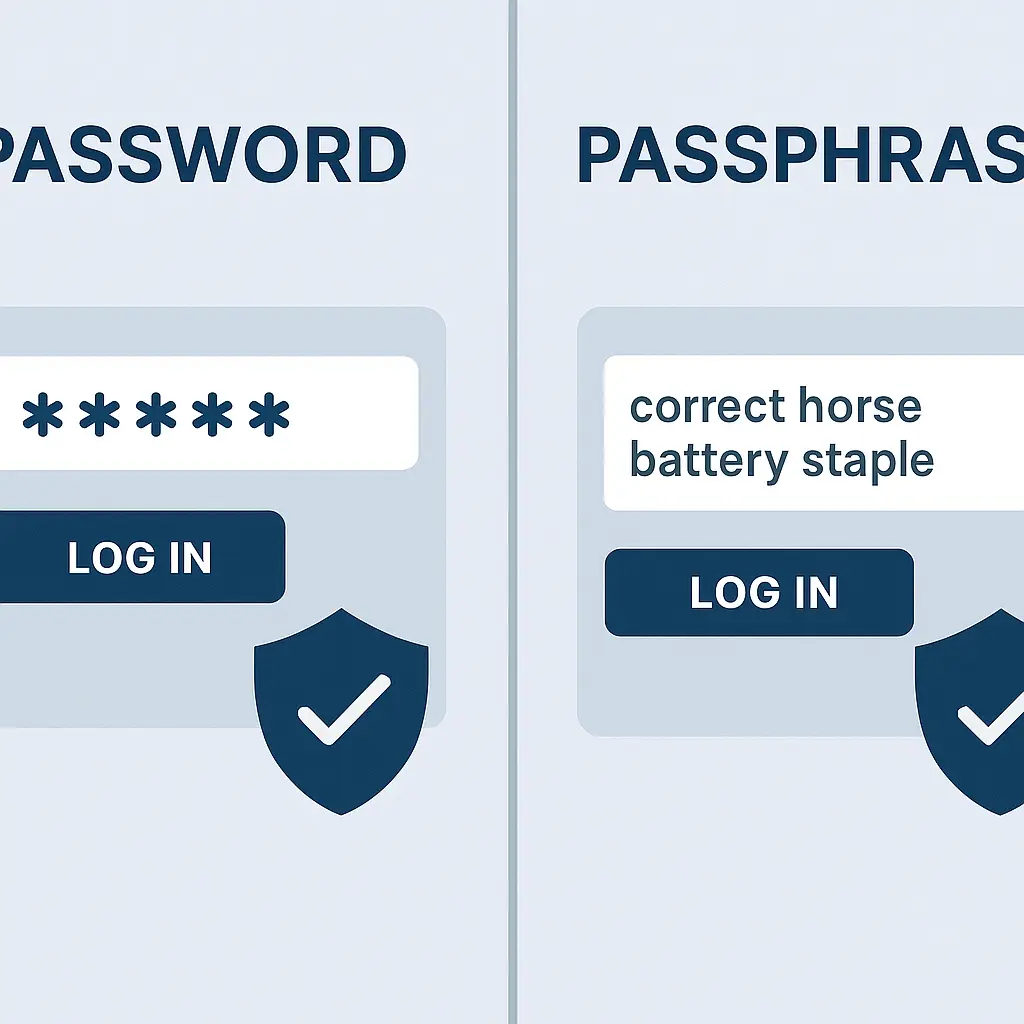
The passphrase vs password debate is more useful than it sounds. The real question is which one works better against the specific threats you face in 2026.
A password is typically 8-16 characters mixing uppercase, lowercase, numbers, and symbols. A passphrase is a sequence of words, usually 4-7 random words strung together. Both authenticate you to a system. Both can fail spectacularly if you use them wrong. The difference is in how they fail, how attackers break them, and how you remember them without compromising security.
The truth is neither passwords nor passphrases win on every metric. Each has specific advantages. Your choice depends on which threats matter most to you and how you manage credentials across dozens of accounts.
What Makes a Password a Password
A password is a character string you type to prove you are who you claim to be. The traditional model demands variety: mix character types, avoid dictionary words, change it every 90 days, never reuse it. That model came from an era when attackers had to guess passwords one at a time against a live login page.
Modern attacks don't work that way. When a site gets breached, attackers steal the password database. If the site stored passwords correctly, those passwords are hashed (one-way mathematical transformation). The attacker can't reverse the hash, but they can guess billions of passwords per second, hash each guess, and compare it to the stolen hashes. A match means they cracked that password.
NIST guidance on password authentication recommends length over complexity. An 8-character password with uppercase, lowercase, numbers, and symbols has around 218 trillion possible combinations. That sounds like a lot. A modern GPU setup can test roughly 100 billion guesses per second for common hashing algorithms. Your 8-character password falls in under an hour if the attacker has the hash and decent hardware.
A 12-character password with the same character mix has around 3 sextillion combinations. That takes the same hardware setup around 950 years. Length matters more than symbol placement because every additional character multiplies the search space exponentially.
The problem is memory. You can't remember 40 random 12-character passwords. You can maybe remember 3. So you reuse. Password reuse turns one breach into a skeleton key. Attackers take credentials from one breach and try them everywhere. That's credential stuffing. It works because people use the same password across Gmail, their bank, and the pizza delivery app.
Complexity rules create a second problem: predictable patterns. People don't generate random passwords. They start with a word, capitalize the first letter, add a number at the end, throw in an exclamation point. "Password1!" meets the complexity rules. It's also in every cracking dictionary. Attackers know the patterns. They test them first.
What Makes a Passphrase a Passphrase
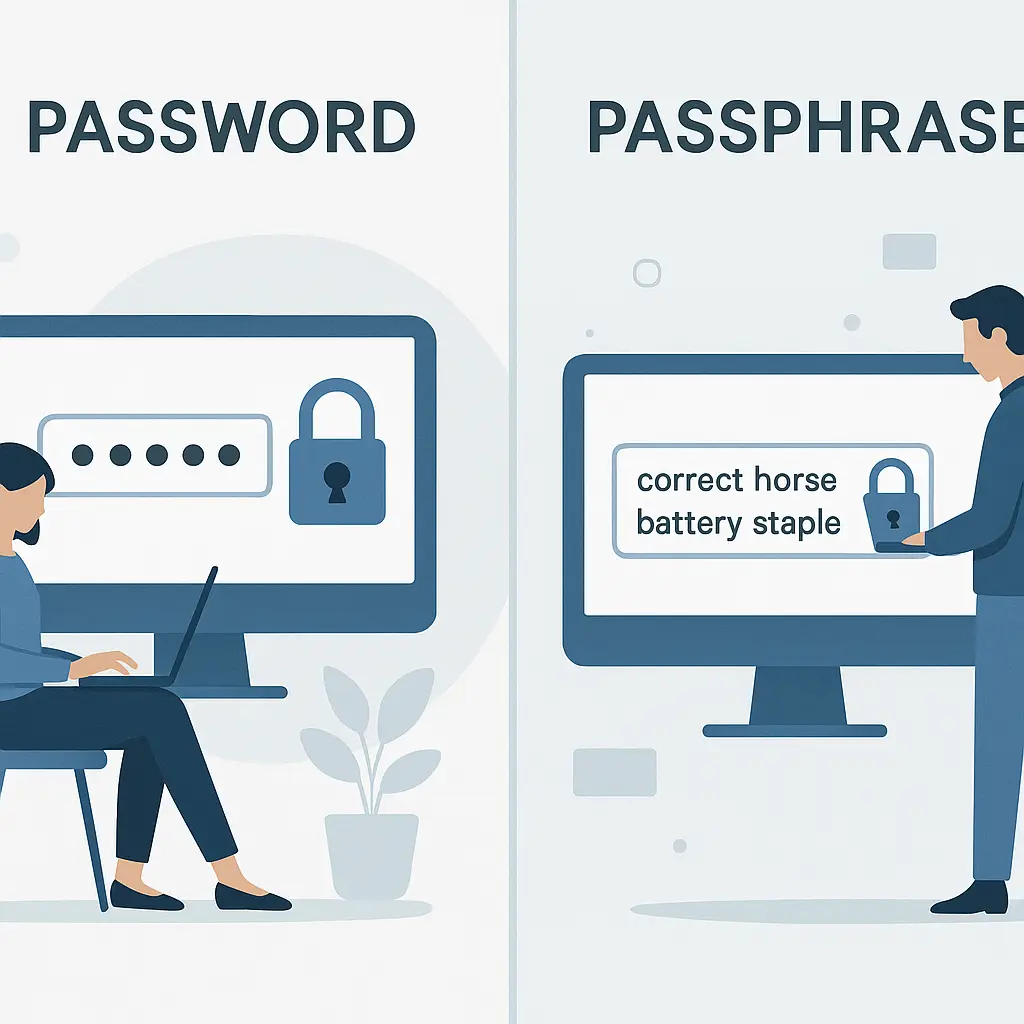
A passphrase is a sequence of random words. The classic example is "correct horse battery staple" (which you should never use, because it's famous). A real passphrase might be "envelope Arctic trampoline glacier" or "dolphin stapler moonlight bakery." Four random words from a large word list.
The security comes from the number of possible combinations. If you're pulling from a 7,776-word list (the EFF's Diceware list), a 4-word passphrase has around 3,656 trillion possible combinations. That's comparable to a 9-character random password with mixed character types. A 5-word passphrase has around 28 quadrillion combinations, comparable to a 10-character random password. A 6-word passphrase has around 221 quadrillion combinations, comparable to an 11-character random password.
The advantage is memorability. "envelope Arctic trampoline glacier" is easier to remember than "g7#Kp2@mQx9." You can visualize the words. You can create a mental image. You can rehearse the sequence. That's not true for random character strings.
The disadvantage is typing. A 4-word passphrase is around 25-30 characters with spaces. That's a lot of keystrokes on a phone. It's also a lot of opportunities to mistype. Passwords have autocorrect turned off. One wrong letter and you're locked out.
Passphrases also fail if you don't use random words. "I love my two cats" is not a passphrase. It's a sentence. Attackers test common sentence patterns. They test phrases from song lyrics, movie quotes, book titles. If a human brain generated it naturally, it's in the cracking dictionary. You need true randomness. That means dice, a word list, and discipline.
CISA guidance on strong passwords recommends passphrases for accounts where you type the credential regularly and can't use a password manager. That's your laptop login, your phone unlock, your password manager's master password. Everywhere else, the recommendation is a password manager generating random passwords.
How Each Performs Against Offline Cracking
Offline cracking is when an attacker has the password hash and unlimited time to guess. No rate limiting. No account lockouts. Just raw computational power against the hash.
In this scenario, length is everything. A 6-word passphrase (around 221 quadrillion combinations) takes roughly the same time to crack as an 11-character random password. Both are effectively uncrackable with current consumer hardware if the site used a strong hashing algorithm like bcrypt or Argon2.
If the site used a weak hashing algorithm (MD5, SHA-1, plain SHA-256 without salting), both the passphrase and the password are in trouble. Weak hashing lets attackers test billions of guesses per second. A 4-word passphrase falls in minutes. An 8-character password falls in seconds.
The real-world takeaway: if a site you use gets breached and they were hashing passwords correctly, a 5-word passphrase or a 12-character random password both protect you. If they were hashing incorrectly, neither protects you. You need to change your password immediately after a breach disclosure, regardless of what you were using.
Passphrases have one edge here: they're easier to make long. Adding a fifth or sixth word is trivial. Adding 3-4 more random characters to a password you're already struggling to remember is hard. So in practice, people tend to use longer passphrases than passwords, which gives passphrases a defensive advantage in the offline cracking scenario.
How Each Performs Against Phishing
Phishing is when an attacker tricks you into typing your credential into a fake login page. You think you're logging into your bank. You're actually handing your password to an attacker.
In this scenario, passphrases and passwords perform identically. Both are replayable credentials. The attacker captures what you type, then uses it to log into the real site. Length doesn't matter. Complexity doesn't matter. Randomness doesn't matter. You gave them the key.
The defense against phishing is not a better password. It's two-factor authentication, ideally a hardware security key that uses FIDO2. A hardware key won't authenticate to a fake site because the cryptographic challenge is tied to the real domain. Phishing fails even if you type your password into the fake page.
Passphrases and passwords are both equally vulnerable to phishing. Neither wins here. The solution is a second factor, not a longer first factor.
How Each Performs Against Reuse
Password reuse is the single worst security habit. Using the same credential across multiple sites means one breach compromises all of them. Credential stuffing attacks automate this. Attackers take username-password pairs from one breach and test them against thousands of other sites.
In theory, passphrases and passwords are equally vulnerable to reuse. In practice, passphrases might have a slight edge because they're easier to vary. If you're using a 4-word passphrase, you can swap one word for each site: "envelope Arctic trampoline glacier" for your bank, "envelope Arctic trampoline dolphin" for your email. That's still reuse (three words overlap), but it's partial reuse. Automated credential stuffing won't catch it because the exact string doesn't match.
I don't recommend this. It's a hack. The right answer is a password manager generating a unique random password for every site. But if you're in a situation where you can't use a password manager and you need to remember credentials for 10 different sites, varying one word in a passphrase is better than reusing the same 8-character password everywhere.
The real defense against reuse is not passphrase vs password. It's using a password manager. A password manager generates a unique 16-character random password for every site. You remember one strong master password (ideally a 6-word passphrase). The manager remembers everything else.
How Each Performs on Memorability
This is where passphrases shine. Four random words are easier to remember than 12 random characters. You can visualize the words. You can create a story. You can rehearse the sequence in your head while you're making coffee.
Random passwords are hard. "g7#Kp2@mQx9" has no structure. No pattern. No mnemonic. You can maybe remember it for a week if you type it every day. After a month without using it, it's gone.
Passphrases stick. I can remember a 6-word passphrase I created two years ago for a test account. I cannot remember a 10-character random password I created last month for a different test account. The difference is the brain's preference for words over symbols.
The tradeoff is typing. Passphrases are long. On a phone, typing "envelope Arctic trampoline glacier" takes 10-15 seconds and multiple screens of autocorrect suggestions. A password manager autofills in 2 seconds. If you're typing the credential more than once a day, the passphrase becomes tedious.
The practical recommendation: use a passphrase for credentials you type regularly and can't autofill. Your laptop login. Your phone unlock. Your password manager's master password. Use random passwords everywhere else, stored in the password manager.
How Each Performs on Typing Accuracy
Passwords are short but finicky. One wrong character and you're locked out. Caps Lock on when you didn't mean it: locked out. Typo in the third character: locked out. Most systems give you 3-5 attempts before locking the account or adding a delay.
Passphrases are long but forgiving in a different way. If you mistype one letter in "trampoline," you still have the other three words correct. The system rejects it, but you know which word you mistyped because you can see the structure. With a random password, you have no idea which character you got wrong.
On a physical keyboard, passphrase typing accuracy runs around 85-90% on the first attempt. Random password typing accuracy runs around 70-80%. The passphrase is longer, but each word is a familiar unit. The password is shorter, but every character is a potential mistake.
On a phone, both are terrible. Passphrase typing accuracy drops to maybe 60-70% because of autocorrect interference and the length. Random password typing accuracy drops to maybe 50-60% because of the symbol keyboard switching. This is why autofill exists. If you're typing credentials on a phone more than once a month, you're doing it wrong.
How Each Performs in Password Managers
Password managers don't care whether you're storing a passphrase or a password. Both are just strings. The manager encrypts them, stores them, and autofills them when you need them.
The only place the distinction matters is the master password. Your master password is the one credential you have to remember and type regularly. It protects everything else in the vault.
Industry guidance recommends a 6-word passphrase for your master password. Long enough to resist offline cracking if someone gets your encrypted vault file. Memorable enough that you can type it every time you open the manager. Not so complex that you write it down or store it in plaintext somewhere.
For everything else in the manager, use the password generator. Let it create 16-character random passwords with mixed character types. You'll never type them. You'll never see them. The manager autofills them. That's the entire point.
The comparison between passphrases and passwords is mostly relevant for credentials you manage manually. Once you're using a password manager, the manager handles the generation and storage. You just need one strong passphrase to unlock it.
When to Use a Passphrase
Use a passphrase when you need to type the credential regularly and can't use autofill:
- Your laptop or desktop login
- Your phone or tablet unlock (though biometrics are better here)
- Your password manager's master password
- Full-disk encryption passwords
- SSH key passphrases
- Any system where you're authenticating from a command line or a non-browser interface
The pattern is: high-security credential, typed frequently, no autofill available. In these cases, a 5-6 word passphrase gives you strong security and reasonable memorability.
Use a passphrase when you need to share a credential verbally or write it down temporarily. "envelope Arctic trampoline glacier" is easier to dictate over the phone than "g7#Kp2@mQx9." It's also easier to write on a sticky note without making transcription errors (though you shouldn't be writing passwords on sticky notes in the first place).
Use a passphrase when you're setting up a new account and you know you won't have your password manager available for the first few logins. Some systems make you authenticate multiple times during setup before you can install your password manager's browser extension. A passphrase gets you through that setup phase without the frustration of mistyping a random password six times.
When to Use a Password
Use a random password for everything stored in a password manager. Let the manager generate 16-20 character random strings with uppercase, lowercase, numbers, and symbols. You'll never type them. You'll never see them. The manager autofills them. That's the highest security option because the password is truly random and unique to each site.
Use a random password when the system enforces a maximum length shorter than a typical passphrase. Some older systems cap passwords at 12-16 characters. A 4-word passphrase won't fit. A 12-character random password will.
Use a random password when you're authenticating through an API or a script. Passphrases with spaces can cause parsing issues in some systems. Random passwords without spaces are safer for automated authentication.
Use a random password when you're dealing with a system that doesn't allow spaces in passwords. Some systems reject spaces as invalid characters. A passphrase without spaces is just a long random string, which loses the memorability advantage. At that point, you might as well use a traditional random password.
The Verdict: Which One Wins
Neither wins across the board. The right choice depends on the threat model and the use case.
For offline cracking resistance: Passphrases and passwords perform similarly if both are long enough. A 6-word passphrase and a 12-character random password both resist offline cracking with current hardware. Passphrases have a practical edge because people tend to use longer passphrases than passwords.
For phishing resistance: Both fail equally. The defense is two-factor authentication, not a longer or more complex first factor.
For reuse resistance: Both fail if you reuse them. The defense is a password manager generating unique credentials for each site.
For memorability: Passphrases win decisively. Four random words are easier to remember than 12 random characters.
For typing accuracy: Passphrases win on physical keyboards. Both lose on phones. Autofill is the real solution.
For password manager master passwords: Passphrases win. You need length, memorability, and resistance to offline cracking. A 6-word passphrase delivers all three.
For everything else: Random passwords win, because you're storing them in a password manager and never typing them. The manager generates them, stores them, and autofills them. You don't need to remember them or type them.
The practical recommendation for 2026: use a 6-word passphrase for your password manager's master password. Use random 16-character passwords generated by the manager for everything else. Use two-factor authentication everywhere it's available, ideally a hardware security key. That combination protects you against offline cracking, phishing, and credential stuffing.
The Password Manager Question
If you're managing credentials manually, the passphrase vs password debate matters. If you're using a password manager, it mostly doesn't. The manager handles generation and storage. You just need one strong master password.
A password manager solves the core problem: you can't remember 40 strong unique credentials. You can remember one. Let the manager remember the rest.
NordPass is a password manager with cross-device sync, breach monitoring, and zero-knowledge architecture. It generates strong random passwords for every site, stores them encrypted, and autofills them when you need them. The master password is the only credential you have to remember. Make it a 6-word passphrase. Let NordPass handle everything else.
We earn a commission on purchases through this link, at no extra cost to you.
The passphrase vs password comparison is useful for understanding how different credential types perform under different attacks. But the real security improvement comes from using a password manager, enabling two-factor authentication, and never reusing credentials. Get those three right and you're ahead of 90% of the population.