Customer data handling for non-IT employees: the step-by-step guide to keeping people's information safe
You handle customer data at work. Maybe you're in sales, customer service, HR, accounting, or operations. You're not in IT. You didn't ask to become responsible for protecting people's private information, but here you are.
This guide is for you.
Customer data handling isn't an IT problem that IT can solve alone. Every person who touches customer information plays a role in keeping it safe. When data leaks, it's rarely because someone hacked the mainframe. It's because someone left a file open on their desk, sent an email to the wrong address, or wrote a password on a sticky note.
I'm going to walk you through what customer data actually is, what can go wrong, and the specific steps you take every day to protect it. No jargon. No assumptions that you know how encryption works. Just the practical actions that matter.
What customer data actually means
Customer data is any information that identifies a person or describes their relationship with your organization.
That includes:
- Names, addresses, phone numbers, email addresses
- Account numbers, customer IDs, membership numbers
- Payment information: credit card numbers, bank account details, billing addresses
- Purchase history, order records, service requests
- Dates of birth, Social Security numbers, driver's license numbers
- Health information, insurance details, employment records
- Notes from customer interactions, complaints, support tickets
- Login credentials, security questions, password reset tokens
- IP addresses, device identifiers, browsing history (if your organization collects it)
If you can connect it to a specific person, it's customer data. If losing it would embarrass your organization or harm a customer, it's customer data.
The FTC defines personal information broadly because the harm from a breach doesn't depend on whether the data fits a narrow technical definition. A name plus an email address can fuel phishing. An account number plus a phone number can enable fraud. A purchase history can reveal private details about someone's life.
Your organization's policies might use different terms: personally identifiable information (PII), protected health information (PHI), sensitive personal data, confidential customer records. The label doesn't matter. If it's about a customer and it's not public knowledge, treat it as customer data.
Why this matters more than you think
Customer data breaches don't just happen to big corporations with sophisticated attackers. They happen to organizations of every size, and they often start with everyday mistakes by people doing their jobs.
Someone emails a spreadsheet to the wrong recipient. Someone leaves printed invoices on a conference room table. Someone writes a password on a Post-it note stuck to their monitor. Someone clicks a link in a phishing email and enters their work credentials on a fake login page.
These aren't hypothetical scenarios. Researchers have found that human error contributes to a significant portion of data breaches. The exact numbers vary by study and industry, but the pattern is consistent: organizations lose customer data because someone who wasn't trying to cause harm made a mistake.
The consequences are real:
-
Legal liability. Federal and state laws require organizations to protect customer data and report breaches. Violations can result in fines, lawsuits, and regulatory investigations. Your employer faces those consequences, but the mistake that caused them might have been yours.
-
Customer harm. Stolen data fuels identity theft, financial fraud, phishing, and harassment. When customer data leaks, real people deal with the aftermath: fraudulent charges, ruined credit, hours on the phone with banks and credit bureaus, and the emotional toll of violation.
-
Reputational damage. Organizations that lose customer data lose customer trust. People stop doing business with companies that can't protect their information. Your job security depends on your employer's reputation.
-
Personal accountability. If you mishandle customer data in a way that violates policy or law, you can face disciplinary action, termination, or even criminal charges in extreme cases.
I'm not trying to scare you. I'm trying to make clear that this isn't optional. Customer data handling is part of your job, whether or not it's in your job description.
The physical world: paper, desks, and conversations
Let's start with the physical handling of customer data, because this is where a lot of non-IT employees work every day.
Your desk is not a filing cabinet
If you have physical documents with customer data, invoices, contracts, intake forms, printouts from the database, they don't live on your desk when you're not actively using them.
Here's the rule: customer data goes in a locked drawer or filing cabinet when you're not working with it. If you step away from your desk for more than a few minutes, lock it up. If you're done for the day, lock it up. If you're in a meeting, lock it up.
"But my office has a door" doesn't cut it. Doors don't lock themselves. Cleaning crews, maintenance workers, delivery people, and coworkers all have access to offices. Physical security depends on physical locks.
If your desk doesn't have a locking drawer and your organization handles customer data on paper, ask for one. This isn't a luxury. It's a basic control.
Printing creates a trail
Every time you print a document with customer data, you create a physical object that needs to be controlled from the printer to the locked drawer to the shredder.
Before you print:
- Ask yourself if you actually need a paper copy. Can you work from the screen? Can you share a digital file instead?
- If you must print, walk to the printer immediately and collect the document. Don't leave it sitting in the output tray for someone else to find.
- If you print multiple copies, count them. Know how many pages you printed and account for all of them.
- When you're done with the document, shred it. Don't toss it in the recycling bin. Don't leave it in the trash. Shred it.
Shared printers are a weak point. If your organization uses a central printer in a common area, customer data sits exposed until you retrieve it. Some organizations address this with secure print release: you enter a code at the printer to release your job. If your organization has this feature, use it. If it doesn't, minimize printing.
Conversations have audiences
You talk about customers at work. That's normal. But those conversations involve customer data, and customer data has boundaries.
The rule: don't discuss customer information in any location where unauthorized people can overhear. That includes:
- Break rooms
- Elevators
- Hallways
- Parking lots
- Restaurants during lunch
- Phone calls in public spaces
- Video calls when other people are in the room with you
If you need to discuss a customer by name, account number, or other identifying detail, do it in a private office or conference room with the door closed. If you're on the phone, make sure no one else is listening. If you're on a video call, make sure your screen isn't visible to anyone walking past.
This applies to conversations with coworkers who are authorized to access the data. Even if the person you're talking to has legitimate need-to-know, the person standing behind you in the coffee line does not.
Clean desk, locked screen
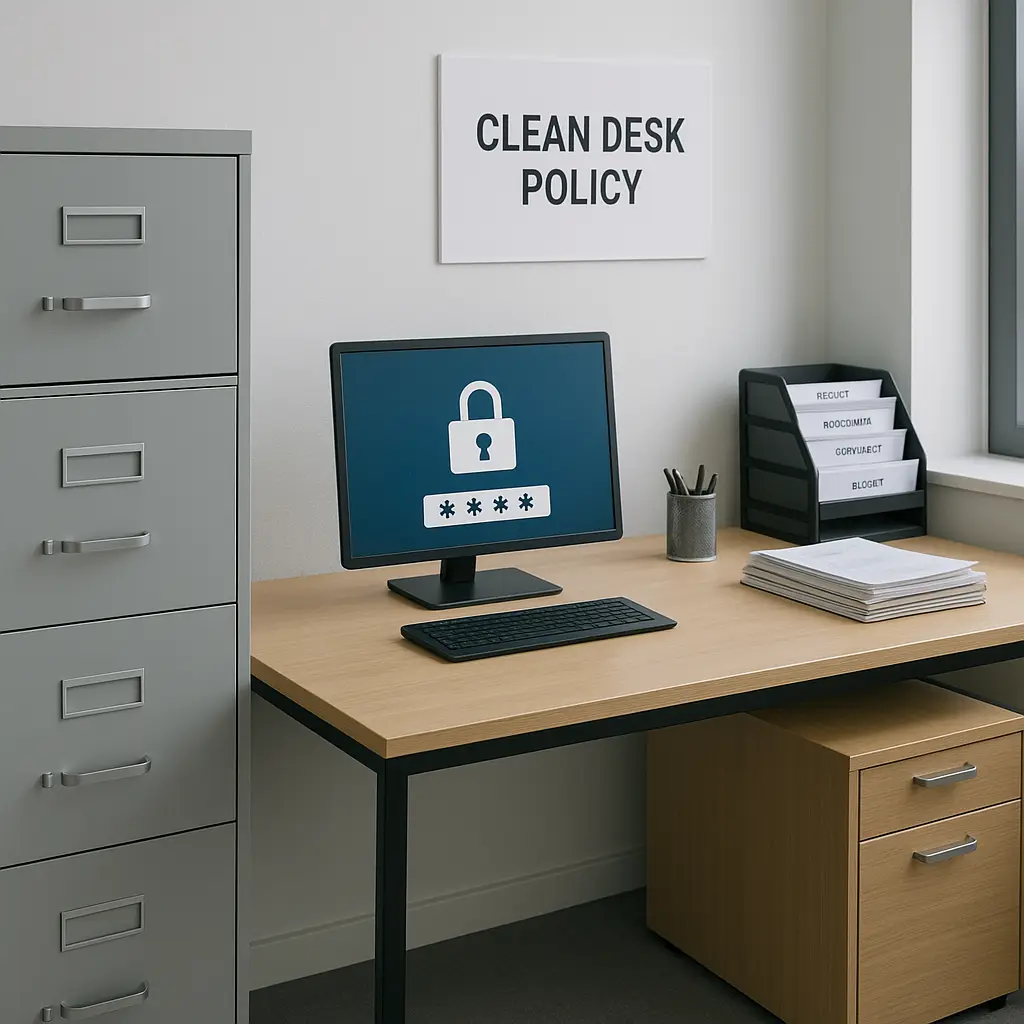
At the end of your workday, your desk should be clear of customer data. Physical documents go in locked storage. Your computer screen locks automatically or you lock it manually. Your phone locks. Your filing cabinet locks.
This is called a clean desk policy, and it's not about neatness. It's about making sure customer data isn't accessible when you're not there to control it.
If your organization doesn't have a formal clean desk policy, create your own. It takes 30 seconds at the end of the day and eliminates a major risk.
The digital world: email, files, and screens
Most customer data lives in digital systems now. You access it through your computer, your phone, your work email, and your organization's internal applications.
Digital doesn't mean safe by default. Digital means you need different controls.
Email is not a secure storage system
Email is convenient. It's also one of the least secure places to keep customer data.
Here's what goes wrong:
- You send customer data to the wrong recipient because autocomplete filled in the wrong address.
- You forward an email thread without realizing it contains customer data several messages down.
- You CC someone who doesn't need access to the customer information in the message.
- Your email account gets compromised, and the attacker gains access to years of customer data sitting in your inbox and sent folder.
- You email customer data to your personal account so you can work from home, and now it's outside your organization's security controls.
The rules for email:
-
Double-check recipients before you hit send. Every time. No exceptions. If the message contains customer data, verify that every person in the To, CC, and BCC fields is authorized to see it.
-
Don't use email to send sensitive customer data unless your organization has secure email tools. Some organizations use encryption tools that protect email contents. If yours does, use them. If it doesn't, find another method: secure file transfer, internal messaging systems, or in-person handoff.
-
Don't forward emails with customer data unless you review the entire thread. Email threads accumulate context. The message you're forwarding might seem innocuous, but scroll down and you'll find account numbers, addresses, or private details from earlier in the conversation.
-
Don't email customer data to your personal account. Ever. If you need to work remotely, your organization should provide secure remote access. If they don't, you don't take the data home.
-
Delete emails with customer data when you're done with them. Don't let customer information accumulate in your inbox. If you need to keep a record, save it to your organization's secure file system and delete the email.
Screen privacy is physical security
Your computer screen displays customer data. Anyone walking past your desk can see it.
Laptop privacy screens are physical filters that narrow the viewing angle. If your work involves frequent access to customer data and you work in an open office, a privacy screen is a small investment that prevents a lot of exposure.
Even without a privacy screen, you control what's visible:
- Lock your screen when you step away. Windows: Windows key + L. Mac: Control + Command + Q. Do it every time, even if you're just walking to the printer.
- Position your monitor so it doesn't face high-traffic areas. If your desk is near a door or hallway, angle the screen away from passersby.
- Don't leave customer data visible on your screen during meetings, video calls, or screen shares unless everyone present is authorized to see it.
In The Office, Jim Halpert keeps a secret second desk in the warehouse where he can work without interruption. You don't need a second desk. You just need to treat your screen like the public display it is.
File names and file sharing
You create files with customer data: spreadsheets, documents, PDFs. Those files have names, and file names matter.
Bad file names:
customer_list_with_SSNs.xlsxJohn_Smith_account_details.pdfQ2_sales_data_CONFIDENTIAL.docx
These names advertise their contents. If someone gains unauthorized access to your file system, descriptive file names make it easy to find the most valuable data.
Better file names:
Q2_analysis_final.xlsxaccount_review_2026.pdfsales_report_june.docx
The file name doesn't need to be cryptic. It just shouldn't announce that it contains sensitive information.
When you share files:
- Use your organization's secure file-sharing system, not personal cloud storage like Dropbox or Google Drive (unless your organization uses those tools for work and manages them centrally).
- Set permissions so only authorized people can access the file. Most file-sharing systems let you control who can view, edit, or download. Use those controls.
- Don't share files via public links that anyone with the URL can access. Require authentication.
- Remove access when the recipient no longer needs it. If you shared a file with a contractor for a specific project, revoke their access when the project ends.
Passwords and access controls
Your work systems have passwords. Those passwords protect customer data.
The rules:
-
Don't share your password. Not with coworkers, not with your supervisor, not with IT (legitimate IT staff will never ask for your password). If someone needs access to a system, they get their own credentials.
-
Don't write your password down. Not on a Post-it note, not in a notebook, not in a text file on your desktop. If you can't remember your passwords, use a password manager. If your organization doesn't provide one, ask IT if they recommend one. (For personal use, I'd point you to what is a password manager and why you actually need one, but for work, follow your employer's policy.)
-
Don't reuse passwords across systems. If you use the same password for your work email and your personal Netflix account, a Netflix breach becomes a work data breach. Every system gets a unique password.
-
Enable two-factor authentication (2FA) on every work system that offers it. 2FA requires a second form of verification, usually a code from your phone, in addition to your password. It stops attackers who steal or guess your password. CISA strongly recommends multi-factor authentication as a basic security control.
-
Log out when you're done. Don't leave work systems logged in on shared computers or public devices. If you access work email on your phone, make sure your phone locks with a passcode.
Remote work and personal devices
If you work from home or access work systems on your personal phone or laptop, the security boundary extends beyond your office.
Your organization should have a remote work policy that covers:
- Whether you're allowed to access customer data remotely
- What devices you can use (work-issued only, or personal devices with specific security configurations)
- What networks you can use (your home WiFi is probably fine; the coffee shop's public WiFi is probably not)
- What happens if your personal device is lost or stolen
If your organization doesn't have a clear remote work policy, ask. Don't assume it's okay to take customer data home just because you have the technical ability to do so.
If you use your personal phone for work email, understand what your employer can see and control. Some organizations use mobile device management (MDM) software that gives them access to work data on your phone. That's fine, but you should know the terms. (For more on this, see work email personal phone tradeoffs youre.)
Recognizing and reporting problems
You will make mistakes. Everyone does. The question is whether you catch them in time and report them appropriately.
What counts as a data incident
A data incident is any event where customer data might have been accessed, disclosed, or lost in an unauthorized way.
Examples:
- You sent an email with customer data to the wrong recipient.
- You left printed customer records on the printer overnight.
- You lost a laptop, phone, or USB drive that contained customer data.
- You clicked a link in a phishing email and entered your work credentials.
- You discovered that customer data was stored in an unsecured location (an unlocked drawer, a shared drive with no access controls, an unencrypted laptop).
- You overheard a coworker discussing customer data in a public place.
- You found customer data in the trash instead of the shredder.
- A customer called to report that they received someone else's information.
If you're not sure whether something counts as an incident, report it anyway. It's better to report something that turns out to be minor than to stay quiet about something that turns out to be serious.
How to report
Your organization should have a process for reporting data incidents. It might involve:
- Notifying your direct supervisor
- Contacting IT or information security
- Filling out an incident report form
- Calling a hotline
Find out what the process is before you need it. Ask your supervisor or check your employee handbook. If the process isn't documented, ask IT or HR to clarify it.
When you report an incident:
- Do it immediately. Speed matters. The faster your organization knows about a problem, the faster they can contain it.
- Be specific. Describe exactly what happened, when it happened, what data was involved, and who might have been affected.
- Don't try to fix it yourself first. If you sent an email to the wrong person, don't email them asking them to delete it. Report it and let your organization handle the response.
- Don't hide mistakes out of fear of consequences. Yes, you might face disciplinary action if you violated policy. But covering up a data incident makes everything worse: the harm to customers, the legal exposure, and the consequences for you.
What happens next
After you report an incident, your organization will investigate. They'll determine:
- What data was involved
- Who had unauthorized access
- What the potential harm is
- Whether the incident needs to be reported to regulators or affected customers
- What steps to take to prevent similar incidents
You might be asked to provide more details, change your work practices, or complete additional training. That's normal. The goal is to prevent the next incident, not to punish you for the last one.
In some cases, your organization is legally required to report data breaches to government agencies or notify affected customers. The FTC provides guidance on data breach response, and many states have their own notification laws. Your organization's legal and compliance teams handle those requirements, but your prompt reporting makes it possible for them to meet legal deadlines.
Training, policies, and asking questions
Your organization should provide training on data handling. If they don't, ask for it. If they do, take it seriously. Compliance training feels like a box-checking exercise, but the scenarios are based on real incidents that happened to real organizations.
Read your organization's data handling policies. They're usually in the employee handbook, on the intranet, or available from HR. If you can't find them, ask. If they don't exist, that's a red flag, and you should raise it with your supervisor or HR.
If you have questions about whether a specific action is allowed, ask before you do it. Better to ask a question that feels obvious than to make a decision that compromises customer data.
Common questions:
- Can I email this spreadsheet to a vendor?
- Can I take this file home to finish the project?
- Can I print this document?
- Can I share my login with a coworker who needs temporary access?
- Can I store customer data on my personal cloud account?
- Can I discuss this customer issue in the break room?
The answer to most of these questions is probably no, but the specifics depend on your organization's policies and the nature of the data. When in doubt, ask.
What your organization owes you
You have responsibilities, but so does your organization. They should provide:
- Clear policies on what you can and can't do with customer data
- Training on those policies and the reasoning behind them
- Tools that make secure data handling practical (locked storage, secure file sharing, password managers, remote access solutions)
- A process for reporting incidents without fear of retaliation
- Support when you have questions or encounter situations the policy doesn't cover
If your organization isn't providing these things, you can't single-handedly fix the problem. But you can raise it with your supervisor, HR, or compliance team. Data security is a shared responsibility, and everyone benefits when the organization takes it seriously.
The bottom line
Customer data handling is not an IT problem. It's a people problem. The technical controls matter, encryption, access controls, firewalls, monitoring, but those controls fail when people make everyday mistakes.
You don't need to become a security expert. You need to follow basic practices consistently:
- Lock physical documents when you're not using them
- Double-check email recipients before you hit send
- Lock your screen when you step away
- Don't share passwords
- Report incidents immediately
- Ask questions when you're not sure
These actions take seconds. They prevent harm that lasts years.
Your customers trust your organization with their information. Your organization trusts you to handle it responsibly. That trust is not optional, and it's not someone else's job.
Every person who touches customer data plays a role in keeping it safe. Play yours.