Windows Defender vs. Paid Antivirus: Which One Actually Protects Your Computer
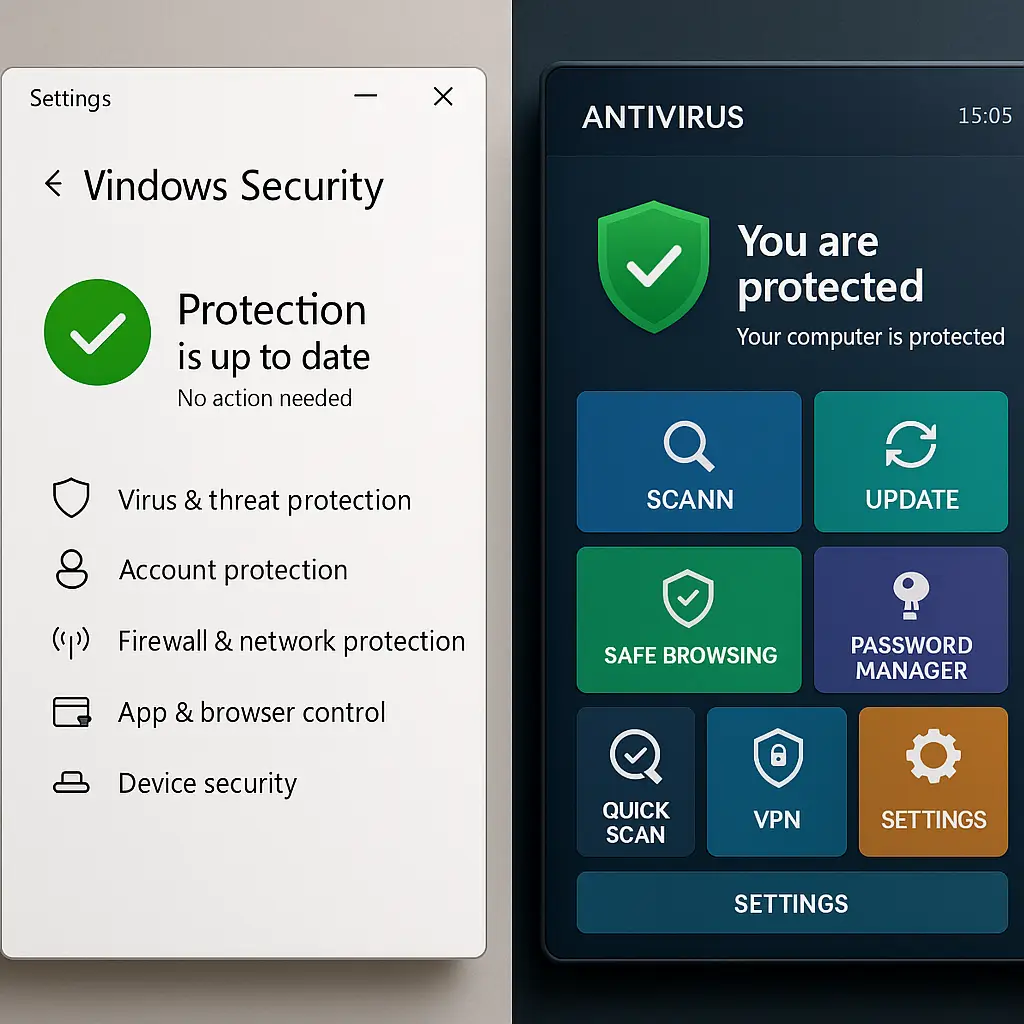
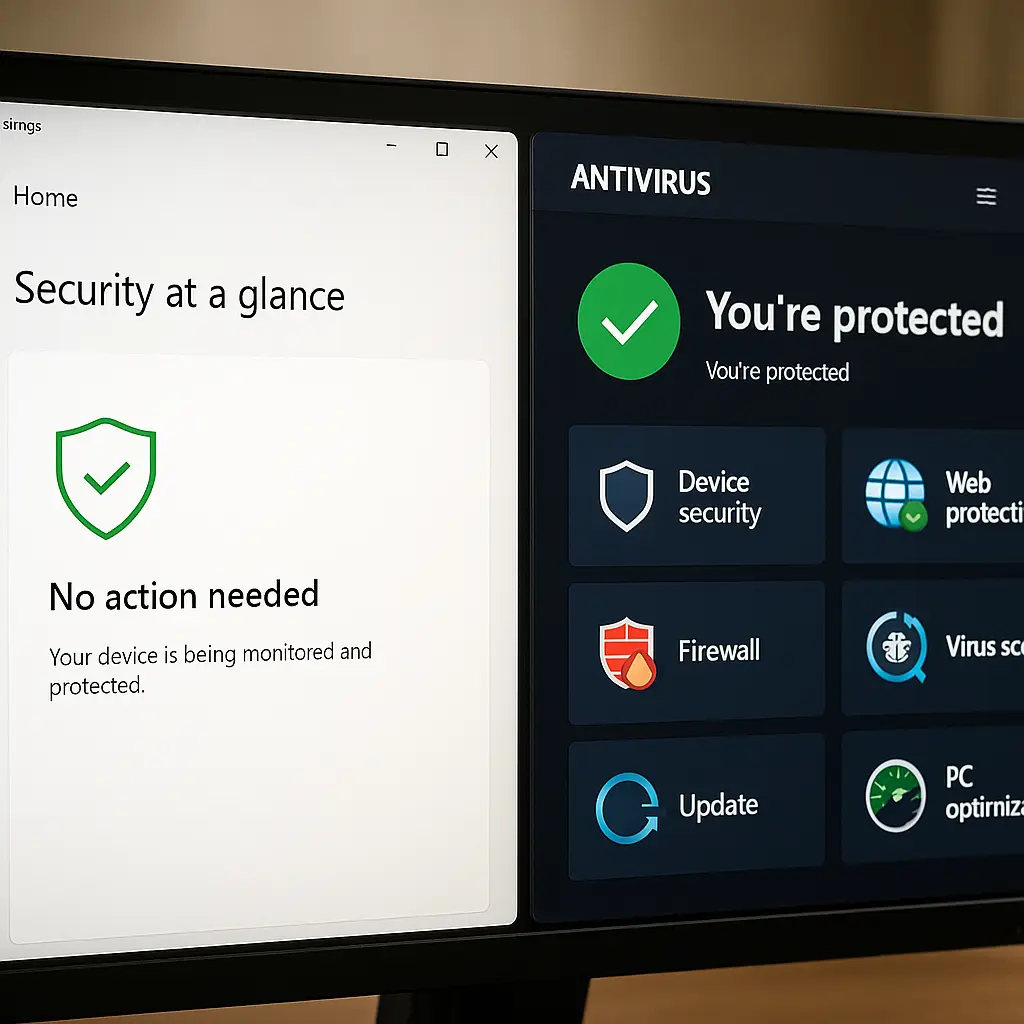
You boot Windows. A shield icon sits in the system tray. Windows Defender runs silently, scanning files, blocking threats, updating definitions. It's free. It's built-in. It works.
Then you see an ad: "Your PC is at risk. Upgrade to premium protection." A paid antivirus promises better detection, faster scans, advanced features. The price is around $40 to $100 per year.
The question is simple: does the paid option actually protect you better, or are you paying for features you don't need?
Here's how Windows Defender and paid antivirus compare on detection rates, system impact, feature sets, and real-world protection. No marketing claims. Just what each tool does, where each one falls short, and which makes sense for your situation.
What Windows Defender Actually Does
Windows Defender, officially called Microsoft Defender Antivirus since 2020, is the antivirus engine built into Windows 10 and 11. It runs automatically. No installation, no separate purchase, no renewal reminders.
The core functions:
Real-time protection. Defender scans files as you open them, downloads as they arrive, and programs as they run. It checks against a database of known malware signatures and uses behavioral analysis to catch threats that don't match known patterns.
Automatic updates. Defender pulls new threat definitions from Microsoft multiple times per day. You don't manage this. It happens in the background, through Windows Update.
Cloud-delivered protection. When Defender encounters a suspicious file, it can send metadata to Microsoft's cloud service for real-time analysis. The cloud checks the file against billions of samples and responds within seconds. This catches zero-day threats, malware so new that signature databases haven't caught up yet.
Ransomware protection. Controlled folder access blocks unauthorized apps from modifying files in protected folders like Documents, Pictures, and Desktop. You enable this manually in Windows Security settings.
Browser integration. Defender SmartScreen scans downloads and warns you about phishing sites when you use Edge or other Microsoft browsers. It also works in Chrome and Firefox through extensions, though coverage is spottier.
Firewall. Windows Defender Firewall controls inbound and outbound network traffic. It's separate from the antivirus engine but managed through the same Windows Security interface.
What Defender doesn't do: VPN, password manager, parental controls, identity theft monitoring, or phone support. It's antivirus and firewall, nothing else.
What Paid Antivirus Products Add
Paid antivirus software, Bitdefender, Norton, Malwarebytes, Kaspersky, and others, starts with the same core function as Defender: scan files, block threats, update definitions. The antivirus engine is the baseline. Everything else is differentiation.
The common extras:
Bundled tools. Most paid products include a VPN (usually with data caps on cheaper tiers), a password manager (often limited compared to standalone tools), and dark web monitoring (which scans breach databases for your email). These aren't antivirus features. They're adjacent products packaged into one subscription.
Advanced ransomware protection. Some products, Bitdefender and Malwarebytes, for example, add ransomware rollback, which creates automatic backups of files before encryption happens. If ransomware hits, you can restore the pre-encrypted versions. Windows Defender's controlled folder access blocks unauthorized changes but doesn't create backups.
Behavioral analysis. Paid products often invest more in heuristic detection, watching how programs behave rather than just matching signatures. This catches polymorphic malware that changes its code with each infection. Defender does some of this through cloud-delivered protection, but paid products market it more aggressively.
Multi-device coverage. Many paid subscriptions cover Windows, Mac, Android, and iOS under one license. Defender only protects Windows. If you need cross-platform protection, paid antivirus simplifies management.
Customer support. Paid products offer phone, chat, or email support. Defender has documentation and community forums. If you need hand-holding through a malware infection, paid support matters. If you're comfortable troubleshooting on your own, it doesn't.
Performance optimization tools. Some products bundle disk cleanup, startup managers, and system tuning utilities. These are unrelated to malware protection. Windows has built-in equivalents (Disk Cleanup, Task Manager). The paid versions are rarely better, just more visible.
The core question: do these extras justify the cost? That depends on what you actually use.
Detection Rates , The Numbers That Matter
Independent testing labs, AV-TEST, AV-Comparatives, SE Labs, run standardized tests on antivirus products every few months. They measure three things: detection rate (how many threats the product catches), false positive rate (how often it flags clean files as malicious), and system impact (how much it slows the computer).
Here's what the 2026 results show:
Windows Defender detection rate: Around 99.5% on known malware, 98% on zero-day threats. That's the same ballpark as Bitdefender, Kaspersky, and Norton. The gap between Defender and top-tier paid products is typically one or two percentage points, statistically small.
False positives: Defender produces slightly more false positives than some paid products. In AV-TEST's most recent evaluation, Defender flagged around 10 clean files as threats during a six-month period. Bitdefender flagged 3. Norton flagged 5. The difference matters if you run niche software that triggers heuristic detection, but for mainstream use, it's noise.
System impact: Defender scores well here. It integrates with Windows at the kernel level, so it uses fewer resources than third-party products that run as separate processes. AV-TEST measures slowdown during file copying, app launches, and downloads. Defender typically ranks in the top third. Bitdefender and Malwarebytes match or beat it. Norton and McAfee tend to score lower, more noticeable slowdown, especially on older hardware.
The takeaway: if you're comparing pure malware detection, Defender and paid antivirus are functionally equivalent. The paid products don't catch significantly more threats. They catch the same threats, sometimes slightly faster, sometimes with fewer false positives. The difference is incremental, not transformative.
Where Paid Antivirus Actually Wins
Paid antivirus isn't a scam. It delivers value in specific scenarios. Here's where the extra cost makes sense:
You want bundled features under one subscription. If you're already paying for a VPN and a password manager separately, a paid antivirus suite that includes both can be cheaper. Norton 360 Deluxe, for example, bundles antivirus, VPN (unlimited data), password manager, and 50GB cloud backup for around $50/year on sale. That's less than buying each tool individually. The catch: the bundled versions are often stripped-down compared to standalone products. Norton's password manager lacks some features you'd get from Bitwarden or 1Password. The VPN is solid but not as fast as dedicated services like NordVPN or ExpressVPN.
You need cross-platform protection. Defender only runs on Windows. If you use a Mac, Android phone, and Windows laptop, managing separate antivirus tools for each platform is annoying. Paid products like Bitdefender Total Security cover all three under one license. You install once, manage from a central dashboard, and get consistent protection across devices.
You run high-risk software or visit sketchy sites. If your browsing habits involve torrenting, cracked software, or niche forums where malware spreads, paid antivirus with aggressive heuristic detection adds a layer of safety. Defender's cloud-delivered protection catches most threats, but paid products like Malwarebytes specialize in detecting adware, potentially unwanted programs (PUPs), and borderline-malicious software that Defender sometimes misses.
You want ransomware rollback. Defender's controlled folder access blocks unauthorized changes to protected folders. That stops ransomware from encrypting your files. But if you forget to enable it, or if ransomware finds a workaround, you're stuck. Paid products with ransomware rollback, Bitdefender, Acronis, Malwarebytes, automatically back up files before encryption happens. If ransomware hits, you restore the pre-encrypted versions. That's insurance Defender doesn't offer.
You need support. If malware infects your computer and you don't know how to remove it, paid antivirus includes phone or chat support. Defender doesn't. You're on your own with Microsoft's documentation and community forums. For non-technical users, that gap matters.
Where Windows Defender Actually Wins
Defender isn't just free. It's also better than paid antivirus in ways that don't show up in marketing materials.
No nagging. Paid antivirus products interrupt you constantly. Pop-ups about renewing your subscription, upgrading to a higher tier, enabling features you didn't ask for, scanning your computer right now even though you're in the middle of something. Defender runs silently. It updates in the background, scans when the system is idle, and only alerts you when it blocks a real threat. The user experience is cleaner.
No bloat. Paid antivirus installs browser extensions, system tray icons, background services, and startup programs you didn't request. Some products, Norton, McAfee, are notorious for this. They slow boot times, clutter your taskbar, and make uninstallation a multi-step process. Defender is part of Windows. It doesn't add cruft.
No privacy tradeoffs. Paid antivirus collects data. Norton tracks your browsing to power its Safe Web feature. Avast was caught selling anonymized user data to advertisers in 2020. Kaspersky's ties to the Russian government raise questions about data sovereignty. Defender sends telemetry to Microsoft, but it's the same telemetry Windows already collects. You're not adding a new data collector.
Automatic updates without renewal pressure. Defender updates through Windows Update. You don't manage a separate subscription. You don't get emails reminding you to renew. You don't lose protection because your credit card expired. Paid antivirus requires active management. Miss a renewal, and your protection lapses. Defender just works.
Deep OS integration. Defender is built into Windows at the kernel level. It sees everything the operating system sees. Third-party antivirus runs as a separate process with elevated privileges, which introduces complexity and potential conflicts. Defender's integration means fewer compatibility issues, faster scans, and lower resource use.
The Real Tradeoff , Features vs. Simplicity
The comparison isn't about better or worse. It's about what you're optimizing for.
Windows Defender optimizes for simplicity. It does one thing, antivirus, and does it well. No bundled tools, no upsells, no subscription management. If you practice safe browsing, keep Windows updated, and don't need extras like a VPN or password manager, Defender is sufficient. The malware protection is equivalent to paid products. The system impact is lower. The user experience is cleaner.
Paid antivirus optimizes for features. You get the antivirus engine plus a bundle of adjacent tools: VPN, password manager, dark web monitoring, parental controls, ransomware rollback. If you use those features, the subscription pays for itself. If you don't, you're paying for bloat.
The mistake is thinking paid antivirus is inherently better at stopping malware. It isn't. The detection rates are nearly identical. The difference is everything around the antivirus engine, features, support, convenience, marketing.
In Breaking Bad, Walter White starts cooking meth to pay for cancer treatment. The goal is clear: make money, solve the problem, get out. But the operation grows. He adds partners, expands distribution, builds an empire. The complexity multiplies. The original goal, paying medical bills, gets buried under layers of infrastructure he didn't plan for.
Paid antivirus is the same dynamic. You start with a simple need: block malware. Then the product adds a VPN, a password manager, a system optimizer, a file shredder, a startup manager, a browser extension, a mobile app. The core function, antivirus, gets buried under features you didn't ask for and might not use. Defender is Walter's original plan: solve the problem, nothing more.
When to Switch from Defender to Paid Antivirus
Switch if:
- You need bundled features (VPN, password manager, identity monitoring) and the total cost is less than buying each tool separately.
- You use multiple devices (Windows, Mac, Android, iOS) and want one subscription to cover all of them.
- You run high-risk software or visit sites where malware is common, and you want aggressive heuristic detection.
- You want ransomware rollback as a safety net beyond Defender's controlled folder access.
- You need phone or chat support for malware removal.
Don't switch if:
- You're satisfied with Defender's protection and don't need extras.
- You already have a VPN and password manager you like.
- You practice safe browsing, avoid sketchy downloads, and keep Windows updated.
- You're on a tight budget and can't justify $40 to $100 per year for incremental features.
The decision isn't about security. It's about convenience and feature preference.
When to Stick with Defender
Stick with Defender if:
- You're running Windows 10 or 11 with automatic updates enabled.
- You don't click suspicious links, download pirated software, or disable security warnings.
- You back up your files regularly (external drive, cloud storage, or both).
- You enable controlled folder access in Windows Security settings to block ransomware.
- You use strong, unique passwords (ideally stored in a password manager, standalone or built into your browser).
- You keep your browser and plugins updated.
- You don't need VPN, password manager, or identity monitoring bundled into your antivirus.
Defender's biggest weakness isn't the antivirus engine. It's user behavior. If you're the type of person who clicks "Yes" on every pop-up, disables security warnings because they're annoying, and never updates Windows, no antivirus will save you. Paid products won't fix bad habits.
The Myth of "Free Means Worse"
There's a persistent belief that free antivirus is inferior because companies need to make money somewhere. The logic goes: if you're not paying for the product, you are the product. Your data gets sold, your activity gets tracked, and the protection is just good enough to keep you hooked.
That's true for some free antivirus products. Avast and AVG (owned by the same company) were caught selling user data to advertisers. Free versions of paid products, like Norton Free or Kaspersky Free, are deliberately crippled to upsell you to the paid tier.
But Windows Defender doesn't fit that model. Microsoft makes money from Windows licenses, not from Defender. The antivirus is a feature of the operating system, not a standalone product. Microsoft's incentive is to keep Windows secure so enterprises and consumers keep buying licenses. Defender's quality reflects that incentive. It's not a loss leader. It's part of the product.
The data collection argument is real but overstated. Defender sends telemetry to Microsoft, file hashes, detection events, system configuration data. That telemetry powers cloud-delivered protection and improves threat detection. You can disable some of it in Windows Privacy settings, though doing so weakens protection. Paid antivirus collects similar data. The difference is transparency and trust. Microsoft documents what it collects. Smaller antivirus vendors are less transparent.
System Impact , What Actually Slows Your Computer
Antivirus software runs constantly. It scans files, monitors processes, intercepts network traffic, and checks every program you launch. That overhead is unavoidable. The question is how much overhead.
AV-TEST measures system impact by running standardized tasks, copying files, launching apps, downloading files, browsing websites, and comparing performance with and without antivirus. The results show:
Windows Defender: Minimal impact. File copying slows by around 5%. App launches slow by 3%. Downloads slow by 2%. Browsing is unaffected. Defender integrates with Windows at the kernel level, so it doesn't add a separate process layer.
Bitdefender: Similar to Defender. Lightweight, efficient, minimal slowdown. Independent tests consistently rank it among the fastest antivirus products.
Malwarebytes: Slightly heavier than Defender but still lean. Noticeable impact on older hardware (pre-2020 laptops with 4GB RAM or less). On modern systems, the difference is negligible.
Norton: Heavier. File copying slows by around 10%. App launches slow by 7%. Norton's system optimizer and background scans add overhead. On newer hardware, it's tolerable. On older systems, it's annoying.
McAfee: Heaviest of the major products. Slowdown is noticeable across all tasks. McAfee's bundled features, Safe Connect VPN, WebAdvisor, file shredder, run as separate background processes. The cumulative impact is significant.
If your computer is less than three years old with 8GB RAM or more, system impact is rarely a deciding factor. Any modern antivirus runs fine. If you're on older hardware, Defender's lower overhead matters.
False Positives , When Clean Files Get Flagged
Antivirus software makes mistakes. It flags clean files as malicious, false positives, because the file's behavior or code structure resembles malware. The more aggressive the heuristic detection, the higher the false positive rate.
Windows Defender produces more false positives than some paid products. In AV-TEST's most recent evaluation, Defender flagged around 10 clean files over six months. Bitdefender flagged 3. Norton flagged 5. Kaspersky flagged 2.
For most users, this doesn't matter. You download mainstream software, Chrome, Zoom, Adobe Reader, and antivirus never complains. False positives hit edge cases: niche utilities, custom scripts, game mods, developer tools. If you work in software development or use obscure freeware, false positives are annoying. You have to whitelist files manually or disable real-time protection temporarily.
Paid antivirus with lower false positive rates reduces that friction. But the tradeoff is detection speed. Products that minimize false positives are often slower to catch new threats because they wait for more data before flagging a file as malicious. Defender's higher false positive rate reflects its aggressive cloud-delivered protection, it flags suspicious files quickly, even if that means occasional mistakes.
You can report false positives to Microsoft through the Windows Security app. The process takes a few days. Paid products have similar reporting mechanisms.
The Role of Behavior , What Antivirus Can't Fix
Antivirus software blocks known threats and catches some unknown threats through heuristic analysis. But it can't protect you from yourself.
If you click a phishing link and enter your password on a fake login page, antivirus doesn't help. The page is a legitimate website, just controlled by an attacker. No malware runs. No file gets downloaded. Antivirus has nothing to scan.
If you grant admin privileges to a program that asks for them, antivirus might warn you, but it won't stop you. Windows User Account Control prompts you to confirm. If you click "Yes," the program runs with full system access. Antivirus can't override your explicit approval.
If you reuse passwords across sites and one site gets breached, attackers use credential stuffing to log into your other accounts. Antivirus doesn't see this. It happens at the account level, not the device level.
The best antivirus in the world, paid or free, can't compensate for risky behavior. The security stack that matters:
- Strong, unique passwords stored in a password manager.
- Two-factor authentication on email, banking, and social media.
- Regular backups (external drive, cloud storage, or both).
- Updated software (OS, browser, plugins).
- Skepticism about unsolicited emails, links, and attachments.
- Antivirus (Defender or paid) as the last line of defense.
Antivirus is number six. If you skip one through five, antivirus won't save you.
What I Actually Use
I run Windows Defender. No paid antivirus. No third-party firewall. No system optimizer.
My setup:
- Windows 11 Pro with automatic updates enabled.
- Controlled folder access enabled in Windows Security to block ransomware.
- Cloud-delivered protection enabled for real-time threat analysis.
- Automatic sample submission enabled to help Microsoft improve detection.
- Windows Defender Firewall on default settings (blocks inbound, allows outbound).
- Bitwarden for password management (standalone, not bundled with antivirus).
- Proton VPN when I need a VPN (standalone, not bundled with antivirus).
- Backblaze for cloud backups (standalone, not bundled with antivirus).
I don't need Norton's bundled VPN because I already have Proton. I don't need Bitdefender's password manager because I already have Bitwarden. I don't need McAfee's system optimizer because Windows has built-in tools that work fine.
Defender blocks the same threats as paid antivirus. It updates automatically. It doesn't nag me. It doesn't slow my computer. It just works.
If I were managing security for a family member who's less technical, I'd consider paid antivirus with phone support. If they got infected and couldn't remove the malware themselves, being able to call someone would matter. For my own use, I don't need it.
The Bottom Line
Windows Defender and paid antivirus protect you equally well against malware. The detection rates are nearly identical. The difference is features, support, and convenience.
Defender is sufficient if you practice safe browsing, keep Windows updated, and don't need bundled tools like VPN or password manager. It's free, lightweight, and integrated into the OS. The user experience is cleaner than paid products.
Paid antivirus makes sense if you want bundled features under one subscription, need cross-platform protection, or value phone support for malware removal. The antivirus engine isn't better, the package around it is more convenient.
The decision isn't about security. It's about what you're willing to pay for convenience.
If Defender works and you're happy with it, there's no urgent reason to switch. If you're already paying for a VPN and password manager separately, bundling them into a paid antivirus suite might save money. If you're unsure, start with Defender. It's already running. See if it meets your needs. You can always switch later.
The threat landscape changes. Antivirus evolves. But the core principle stays the same: the best protection is behavior, not software. Antivirus is the safety net, not the strategy.