Whaling: When Phishing Targets the C-Suite

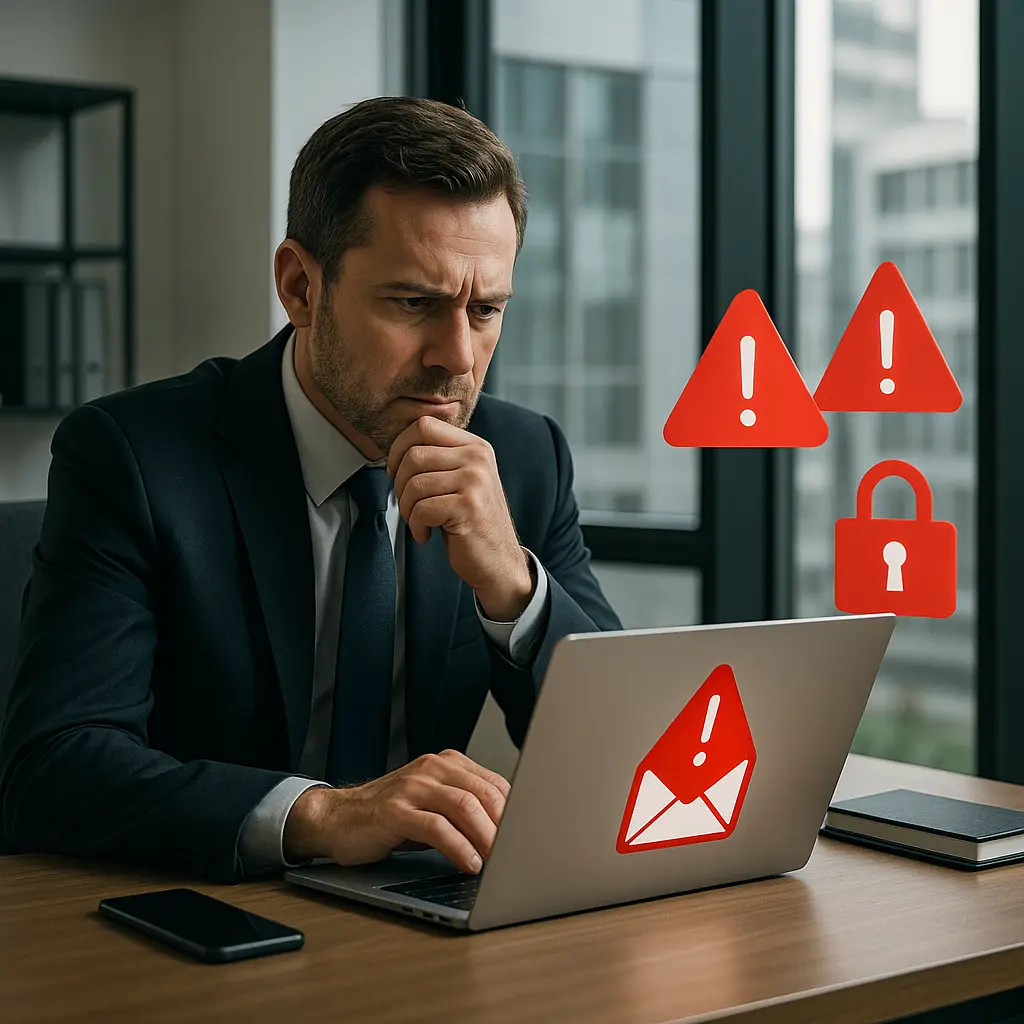
The CEO receives an email from the company's outside counsel. Subject line: "Urgent: Confidential acquisition documents for review." The message references an actual pending deal, uses the lawyer's real name and email signature format, and requests immediate review of attached contracts. The CEO clicks the attachment. Three minutes later, attackers have access to the email account, the board portal, and confidential merger documents worth $400 million.
This is whaling. It's phishing, but the target isn't random. The attacker didn't send 10,000 identical emails hoping someone clicks. They sent one email to one person, after spending days or weeks researching that person's role, relationships, current projects, and communication patterns. The goal isn't your Netflix password. It's wire transfer authority, confidential strategy documents, or access to systems that control millions of dollars.
Phishing attacks succeed when they trigger reflexive action before critical thinking kicks in. Whaling succeeds because the message contains enough accurate context that critical thinking says "this looks legitimate."
What Whaling Actually Targets
The term "whaling" comes from the idea of hunting big targets. In practice, that means executives, board members, senior attorneys, finance controllers, and anyone with authority to move money or access to confidential strategic information.
Attackers aren't necessarily after the CEO specifically. They're after whoever can do what they want. If the goal is wire fraud, they target whoever approves international payments. If the goal is stealing intellectual property, they target whoever has access to product roadmaps or customer lists. If the goal is insider trading material, they target whoever knows about pending mergers or earnings before public disclosure.
The FBI's Internet Crime Complaint Center reports that business email compromise attacks (which include whaling) caused losses exceeding $2.9 billion in 2023. That's more than ransomware, tech support scams, and romance fraud combined. The average loss per successful attack runs into six figures.
The reason is simple: executives can authorize large transactions, access confidential data, and make decisions that affect entire organizations. One successful whaling attack can yield more money than 10,000 successful credential phishing attacks against regular users.
How Attackers Research Executive Targets
Whaling requires preparation. Attackers don't guess. They research. The goal is to build enough context that the fraudulent message blends seamlessly into the target's legitimate daily email flow.
LinkedIn is the primary research tool. Attackers build org charts by mapping who reports to whom, identify responsibilities from job titles and descriptions, and track career history to understand relationships with former colleagues at other companies. They note recent promotions, new hires, and departures to identify moments of transition when processes might be less settled.
Press releases and news articles provide project details. A company announces a new facility opening in six months. That tells attackers the CFO is likely coordinating construction payments, the COO is managing logistics, and the communications team is preparing public statements. Each of those people becomes a potential target, and each project detail becomes material for a convincing pretext.
Social media adds personal context. An executive tweets about attending a conference. Attackers know that person is traveling, likely checking email on mobile devices, possibly distracted, and may not notice small inconsistencies in sender addresses. An executive posts about a charity board role. Attackers can impersonate that charity requesting an urgent donation or posing as a fellow board member.
Some attackers call lower-level employees directly. They pose as vendors, consultants, or IT support and ask questions that sound routine but gather intelligence about internal processes. "I'm updating our records for the wire transfer we discussed. Can you confirm whether approvals still go through Janet in finance or if that changed when she got promoted?" The employee answers helpfully. The attacker now knows Janet was recently promoted and likely has new responsibilities she's still learning.
Public financial filings, conference presentations, and industry publications provide additional detail. Attackers read 10-K forms to understand revenue sources and major contracts. They watch conference videos to hear executives discuss strategy. They scan trade publications for mentions of partnerships or product launches.
The research phase can take days or weeks. By the time the attack email arrives, the attacker knows more about the target's professional context than many legitimate business contacts do.
The Anatomy of a Whaling Message
A whaling email doesn't look like the obvious phishing most people imagine. There's no generic greeting, no broken English, no implausible urgency about a package delivery or account suspension. The message looks like legitimate business communication because it's built from real business context.
The sender address is spoofed or compromised. Spoofing means forging the "From" field to display a legitimate email address while the actual sending server is elsewhere. Email protocols don't inherently verify sender identity, so this is trivially easy for attackers. Compromised means the attacker already controls a legitimate account and sends from it directly. If the attacker previously phished someone at the outside law firm, they can send whaling emails from that lawyer's actual account.
The subject line references something real. "Q3 board materials for Thursday's meeting" works if there actually is a Thursday board meeting. "Updated wire instructions for the Singapore vendor" works if the company actually does business with vendors in Singapore. The subject line passes the first credibility test because it aligns with what the target expects to see.
The body contains specific details. The message might reference a colleague by name, mention a project the target is actually working on, or allude to a recent conversation. "Following up on your call with David yesterday about the facility timeline" works if the target did speak with David yesterday. The attacker doesn't need to know what they discussed. The reference itself establishes credibility.
The request sounds reasonable within that context. "Can you review the attached contract before I send it to the other party?" or "Please confirm these updated payment details so we can process the final invoice" or "I need your approval on this before end of business today." The request isn't outlandish. It's the kind of thing the target does regularly.
The tone matches the supposed sender. If impersonating outside counsel, the message is formal and uses legal terminology. If impersonating a vendor, the tone is professional but less formal. If impersonating a colleague, the tone might be casual and use internal shorthand. Attackers study how people actually write by reading previous legitimate correspondence, either from compromised accounts or from public sources like press releases and blog posts.
The technical details are often perfect. The email signature block matches the real person's format. The domain name in the sender address looks correct at first glance (though it might be off by one letter, like "examp1e.com" instead of "example.com"). The message might even be part of an existing email thread, if the attacker compromised an account and is replying within a real conversation.
Why Traditional Defenses Fail Against Whaling
Spam filters catch generic phishing because generic phishing follows patterns. Millions of identical messages, sent from known bad IP addresses, containing known malicious links. Whaling doesn't follow those patterns. It's one message, sent from a legitimate-looking source, containing content that appears relevant to the recipient.
Security awareness training teaches people to watch for obvious red flags: typos, generic greetings, implausible urgency. Whaling emails often have none of those. The message is well-written, addresses the recipient by name, and presents urgency that makes sense in context. "We need your signature before the wire cutoff at 3pm" is plausible if you regularly approve wire transfers and it's currently 2:30pm.
Two-factor authentication protects accounts from credential theft, but some whaling attacks don't need to steal credentials. Wire fraud attacks trick you into authorizing a fraudulent payment using your legitimate access. Data theft attacks trick you into sending confidential documents via reply email. The attacker never touches your password.
When whaling attacks do target credentials, they increasingly use real-time phishing proxies. These are tools that sit between the victim and the real login page. You enter your username, password, and 2FA code. The proxy captures all of it and immediately uses it to log into the real site before the 2FA code expires. From your perspective, you logged in normally. From the attacker's perspective, they now have an active session in your account.
Technical controls like DMARC (email authentication protocols) help but aren't universal. DMARC tells receiving mail servers to reject messages that fail authentication checks, but not all organizations implement it correctly, and not all receiving servers enforce it strictly. Even with DMARC, attackers can compromise legitimate accounts and send from those, bypassing authentication entirely.
The fundamental problem is that whaling exploits trust within existing business relationships. You trust your outside counsel. You trust your vendors. You trust your colleagues. The attacker impersonates someone you trust and presents a request that fits your mental model of what that person might legitimately ask for.
The Wire Fraud Variant
The most financially damaging whaling attacks target wire transfers. The attacker impersonates a vendor, partner, or executive and requests that payment for a legitimate invoice be sent to a different bank account than usual. "Our bank changed. Please use these updated wire instructions for all future payments."
The request often arrives when the target is busy, traveling, or dealing with other urgent matters. The message might reference a real invoice number, a real project, or a real person who would plausibly be involved in payment processing. The new account details look professional, formatted like legitimate banking information.
The target forwards the request to the finance team or processes it directly. The wire transfer goes out. Hours or days later, the real vendor contacts the company asking where their payment is. The company realizes the payment went to a fraudulent account. By that time, the money is gone, typically moved through multiple accounts across multiple countries within minutes of receipt.
These attacks succeed because they exploit normal business processes. Companies pay vendors regularly. Payment details do occasionally change when vendors switch banks. The request doesn't seem unusual until after the money disappears.
Some organizations implement verification protocols: any change to payment details must be confirmed through a separate communication channel, like a phone call to a known number. But these protocols only work if people follow them consistently, and attackers specifically craft their messages to discourage verification. "This is urgent, we need the payment today to avoid late fees" or "I'm traveling and can't take calls, please just process this so we can close the books."
The FBI warns that business email compromise attacks increasingly use social engineering to bypass verification protocols. Attackers might call the finance team first, impersonating the executive, to say "I'm sending you updated wire instructions, please process them immediately without calling me back because I'm in meetings all day." Then the email arrives, and the finance person processes it without verification because they think they already verified it through the phone call.
The Data Theft Variant
Not all whaling attacks target money directly. Some target confidential information that's worth more than any single wire transfer.
An attacker impersonating outside counsel requests "all documents related to the pending acquisition for our due diligence review." An executive sends them. The attacker now has confidential merger documents that could be used for insider trading or sold to competitors.
An attacker impersonating a board member requests "the updated customer list with revenue figures for the board meeting next week." A sales executive sends it. The attacker now has the company's entire customer database, which they can sell to competitors or use to launch targeted phishing attacks against those customers.
An attacker impersonating IT support requests "your current password so we can update your account settings." An executive provides it. The attacker now has full access to that person's email, calendar, file storage, and any other systems using the same credentials.
Data theft whaling attacks are harder to detect than wire fraud because there's no immediate financial loss. The executive sends the information, thinks nothing of it, and continues working. The breach might not be discovered until the stolen information appears publicly, gets used in a subsequent attack, or triggers unusual activity that security teams investigate.
The damage from data theft can exceed wire fraud losses. Confidential product roadmaps leaked to competitors. Customer data used for follow-on attacks. Strategic plans exposed before public announcement. The costs include competitive disadvantage, regulatory fines for data breaches, legal liability, and reputational damage.
The Credential Harvesting Variant
Some whaling attacks use fake login pages to steal credentials. The email contains a link: "Please review this document" or "Your account requires verification" or "New security policy requires acknowledgment." The link goes to a page that looks exactly like the company's real login page or a real cloud service login page.
The target enters their username and password. The fake page captures them. If the account uses two-factor authentication, the fake page prompts for that code too. The target enters it. The page forwards everything to the attacker in real time.
These attacks work because the fake page is pixel-perfect. Attackers copy the HTML, CSS, and JavaScript from the real login page. They register domain names that look almost identical to the real domain. They use SSL certificates so the fake page shows the padlock icon in the browser. The only difference is the URL, and most people don't carefully examine URLs before entering credentials.
Modern variants use reverse proxy techniques. Instead of creating a static fake page, the attacker sets up a proxy server that sits between the victim and the real service. When you load the fake login page, the proxy fetches the real login page in real time and displays it to you. When you enter your credentials, the proxy captures them and forwards them to the real service. You get logged in normally. The attacker gets your credentials and an active session.
This defeats many technical defenses. The page looks real because it is real, just proxied. The SSL certificate is valid because you're connecting to the proxy's certificate, not trying to forge the real service's certificate. Security tools that check for known phishing domains might miss it because the attacker registered a new domain specifically for this attack.
Why Executives Are Particularly Vulnerable
You might assume executives are less vulnerable because they have more security awareness training, more experience, and more to lose. In practice, several factors make executives particularly vulnerable to whaling.
First, executives are busy. They process large volumes of email quickly, often on mobile devices, often while traveling or in meetings. They don't have time to carefully examine every sender address or hover over every link. They rely on context clues (does this message seem relevant to my work?) rather than technical verification.
Second, executives are accustomed to urgent requests. Their role involves making quick decisions with incomplete information. When a message says "I need your approval before end of business today," that's not unusual. It's their normal work environment. The attacker exploits that by framing the malicious request as just another urgent business matter.
Third, executives often work with people they've never met in person. They communicate with outside counsel, auditors, consultants, and board members primarily through email. They don't necessarily know what those people's email habits look like. If a message from outside counsel seems slightly different in tone, the executive might attribute that to the lawyer being busy, not to the message being fraudulent.
Fourth, executives have authority that makes verification awkward. If the CFO receives a message that appears to be from the CEO requesting immediate action, questioning it feels insubordinate. The organizational hierarchy creates psychological pressure to comply without pushing back. Attackers exploit this by impersonating people with authority over the target.
Fifth, executive schedules are often semi-public. Conference appearances, earnings calls, and board meetings appear on public calendars or in SEC filings. Attackers use this information to time their attacks for moments when the executive is likely to be distracted, traveling, or unable to verify through normal channels.
Real-World Whaling Patterns
Attackers follow patterns that have proven successful. Understanding these patterns helps recognize attacks before they succeed.
The "CEO fraud" pattern: An attacker impersonates the CEO and emails the CFO or controller requesting an urgent wire transfer. "I'm in meetings all day but we need to get this payment out immediately for the acquisition. I'll explain later." The attacker counts on the target not wanting to bother the CEO with questions.
The "vendor update" pattern: An attacker impersonates a regular vendor and sends updated payment information. "We've changed banks. Please update your records and use these new wire instructions for all future payments." The attacker counts on the target processing the update as routine paperwork.
The "lawyer urgency" pattern: An attacker impersonates outside counsel and requests immediate action on a legal matter. "The filing deadline is today. I need your signature on these documents within the next two hours." The attacker counts on the target not wanting to miss a legal deadline.
The "travel timing" pattern: An attacker monitors social media or press releases to identify when an executive is traveling, then sends requests during that travel period. "I'm at the conference and can't access our system. Can you send me the customer list so I can prepare for tomorrow's presentation?" The attacker counts on the target being more accommodating when the requester is traveling.
The "new employee" pattern: An attacker targets newly hired executives who are still learning internal processes and relationships. "I'm following up on the conversation you had with the CFO last week about budget approvals. Can you authorize this payment?" The new executive doesn't remember that conversation but assumes it happened before they started.
The "compromised account" pattern: An attacker compromises a legitimate account (often through earlier phishing) and uses it to send whaling emails to that person's contacts. The messages come from a real account, making them much harder to detect. "I'm working from home today. Can you send me the board presentation so I can review it before the meeting?"
Defense Requires Process, Not Just Technology
Technology helps. Email authentication protocols, spam filters, and endpoint security all reduce risk. But whaling defense ultimately requires process changes that address the human factors attackers exploit.
Verification protocols for financial transactions: Any request to change payment details must be verified through a separate communication channel. Call the vendor at a known number (not a number provided in the email). Confirm with the executive through a separate conversation (not by replying to the email). Make this process mandatory, not optional, and make it apply to everyone including senior executives.
Out-of-band verification for sensitive requests: If someone requests confidential information, wire transfers, or credential changes, verify through a different method than the one used for the request. If the request came via email, verify by phone. If it came via phone, verify by email to a known address. The attacker controls one channel but probably doesn't control both.
Reduced public information about executive schedules: Don't announce travel plans on social media. Don't publish detailed conference schedules. Don't include executive calendars in press releases. The less attackers know about when executives are busy or traveling, the harder it is to time attacks for maximum vulnerability.
Separate email addresses for public communication: Executives who speak at conferences, write articles, or appear in media should use a separate email address for that public-facing work. The primary internal email address should not be widely published. This doesn't stop determined attackers but raises the difficulty level.
Security awareness training that addresses whaling specifically: Generic phishing training focuses on obvious red flags. Whaling training should focus on context verification. "Even if the message looks perfect, verify any financial request through a separate channel." "Even if the urgency seems real, take 30 seconds to check the sender address carefully." "Even if the request comes from someone senior to you, it's appropriate to verify before sending confidential information."
Incident response plans that include whaling: Know what to do if you realize you've been targeted. Who do you notify? How quickly can you freeze a wire transfer? How do you secure accounts if credentials were compromised? Having a plan reduces damage when attacks succeed.
What to Do If You Think You've Been Targeted
If you receive a message that might be whaling, don't panic and don't ignore it. Verify.
Check the sender address carefully. Look at the actual email address, not just the display name. "John Smith <jsmith@examp1e.com>" is not the same as "John Smith <jsmith@example.com>". The display name can be anything. The address is what matters.
Verify through a separate channel before taking action. If the message requests a wire transfer, call the supposed sender at a known number. If it requests confidential information, send a new email to a known address (don't reply to the suspicious message). If it requests credentials, contact IT through official channels.
Don't click links or download attachments until you've verified. If the message says "review this document," get the document through another method. Ask the supposed sender to upload it to your shared drive or send it through your official file-sharing system.
Report the message to your security team even if you don't take the bait. Security teams need to know about whaling attempts so they can warn other potential targets and investigate whether the attacker has already compromised other accounts.
If you already took action before realizing it was whaling, report it immediately. If you sent a wire transfer, your bank might be able to freeze it if you act within minutes or hours. If you sent confidential information, your security team needs to assess the damage and notify affected parties. If you entered credentials on a fake page, change your password immediately and notify IT so they can monitor for unauthorized access.
The faster you report, the more options you have for damage control.
The Long Game
Whaling isn't going away. As organizations improve technical defenses against generic phishing, attackers shift resources toward targeted attacks against high-value individuals. The return on investment for a successful whaling attack is orders of magnitude higher than mass phishing.
Artificial intelligence makes research easier. Attackers can use AI tools to scrape and analyze public information about executives, generate convincing message text, and even create fake voice or video for more sophisticated social engineering. The barrier to entry for whaling continues to drop.
At the same time, the information available for research continues to grow. More executives use social media. More business details appear in press releases and regulatory filings. More organizational charts are visible on LinkedIn. The raw material for whaling attacks becomes richer every year.
Defense requires acknowledging that perfect prevention is impossible. Some whaling messages will be convincing enough to fool even careful, trained people. The goal is to make attacks harder, detect them faster, and limit damage when they succeed.
That means building verification into routine business processes. It means accepting that verification takes time and that time is worth the cost. It means creating an environment where questioning a suspicious message is encouraged, not seen as paranoid or insubordinate.
It means recognizing that the person with authority to move millions of dollars or access confidential strategy is also the person most likely to be targeted by sophisticated, well-researched attacks designed specifically to exploit their role, their relationships, and their daily work patterns.
In How I Met Your Mother, Ted spends years building elaborate stories and explanations for his kids. The narrative is so detailed, so consistent, and so personal that it's impossible to dismiss. That's what whaling looks like. It's not a random stranger asking for your credit card number. It's a carefully constructed narrative that fits seamlessly into your existing professional context, built from real information about your role and relationships, designed to trigger the same reflexive trust you extend to legitimate business communication.
The defense isn't skepticism about everything. It's verification of specific things: financial transactions, credential requests, and confidential information sharing. Build those verification steps into your routine. Make them non-negotiable. Make them apply to everyone, including yourself.
Because the attacker isn't targeting random people hoping someone clicks. They're targeting you, specifically, after researching exactly what message would make you click.