How VPNs Actually Work: The Technical Mechanism Behind Encrypted Tunnels
You click connect. A progress bar fills. A moment later, your VPN app reports you're now browsing from Amsterdam, Tokyo, or wherever you selected. Your IP address changed. Your location changed. But what actually happened in those few seconds?
Here's the technical mechanism behind VPN connections, what each component does, and what protection you actually get.
The Tunnel Metaphor Is More Literal Than You Think
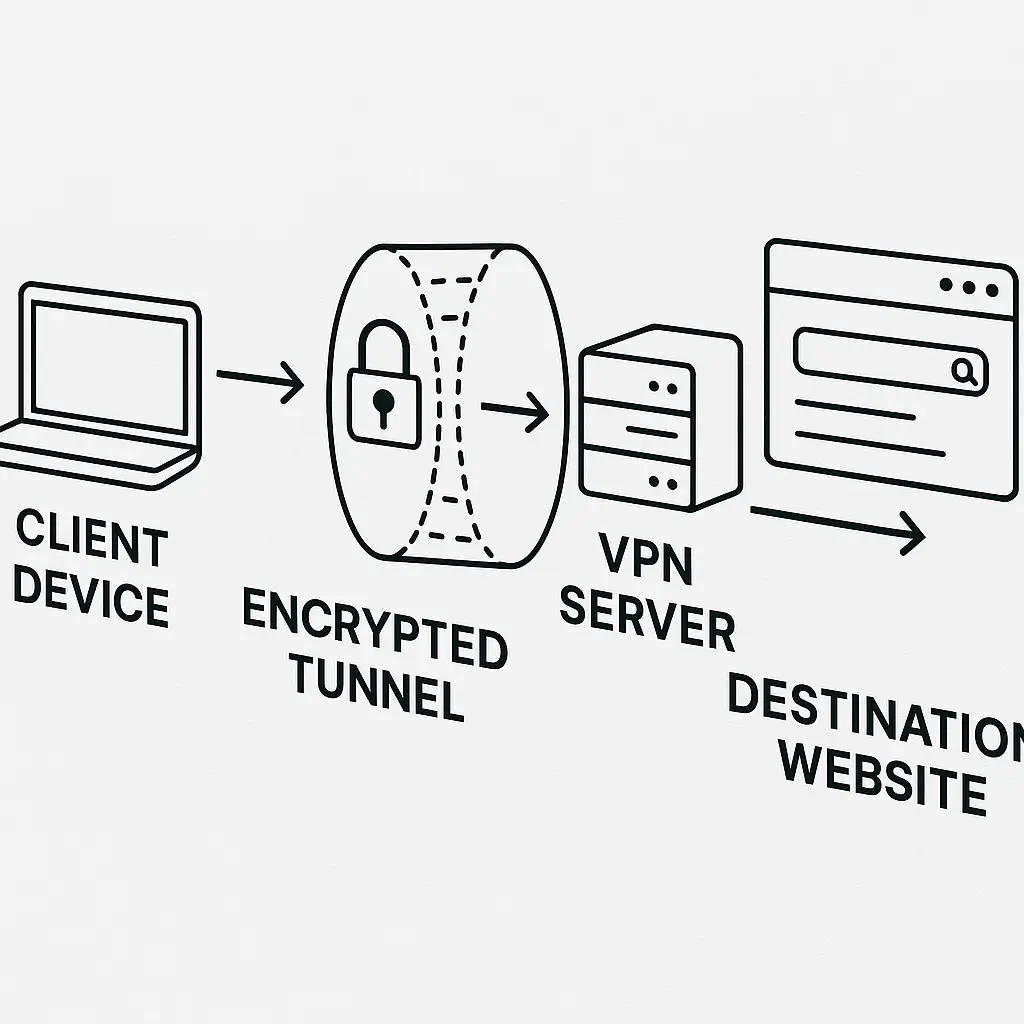
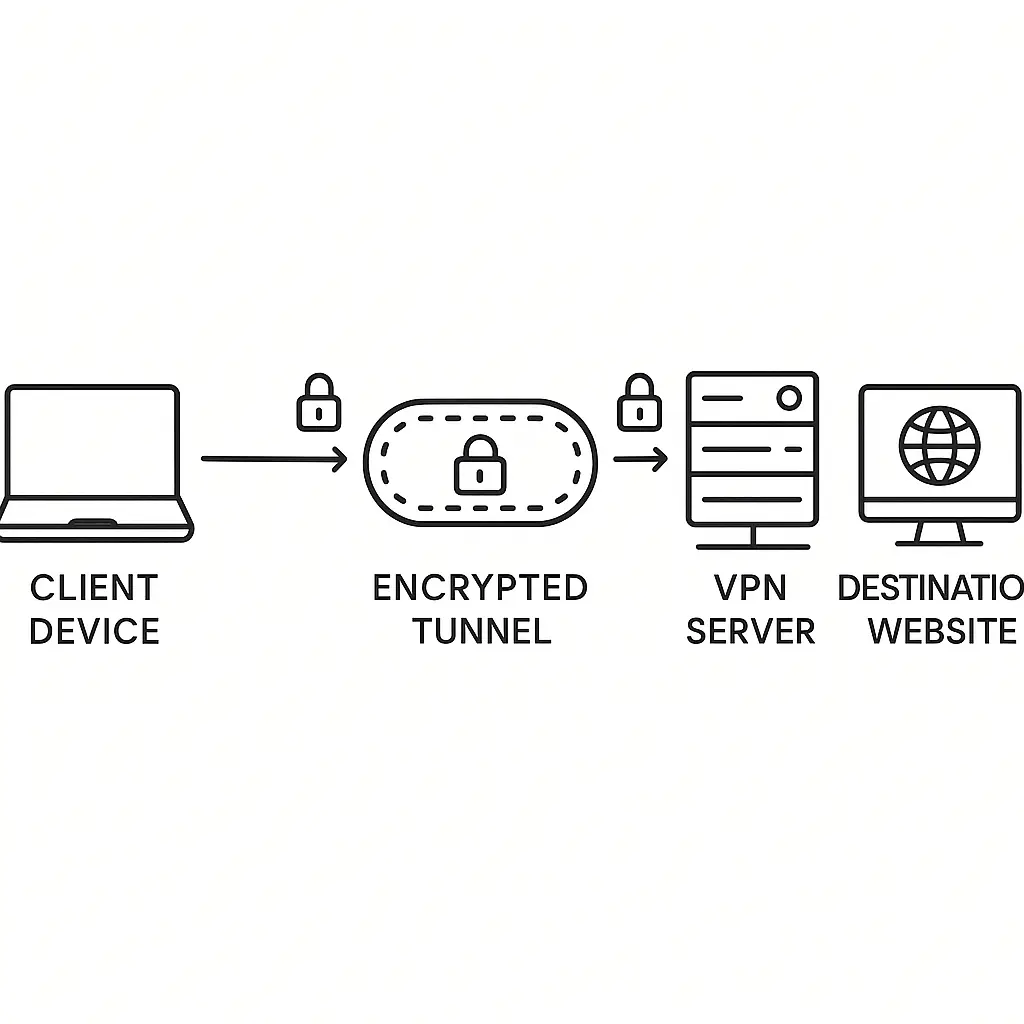
A VPN creates an encrypted tunnel between your device and a remote server. That's not marketing language. It's a reasonably accurate description of what happens at the network layer.
Before the VPN connects, your device sends data directly to your router, which forwards it to your internet service provider, which routes it across the internet to its destination. Every hop along that path can see the unencrypted packet headers: where you're going, what protocol you're using, how much data you're sending. If the connection itself isn't encrypted (plain HTTP instead of HTTPS), they can see the content too.
When you activate a VPN, your device establishes a separate encrypted connection to the VPN server before sending any other traffic. All subsequent data gets encrypted, wrapped in another layer of packets, and sent through that connection. From the outside, observers see only encrypted packets flowing between you and the VPN server. They can't see what's inside. They can't see where the traffic is ultimately going. The tunnel hides the cargo.
The VPN server receives your encrypted packets, decrypts them, and forwards the original requests to their actual destinations. Responses travel back the same way: the VPN server encrypts them and sends them through the tunnel to you.
This is why CISA guidance on network security emphasizes encrypted communications for remote access. The tunnel prevents interception at the network level.
The Handshake: How Encryption Keys Get Exchanged
Before any tunnel exists, your device and the VPN server need to agree on encryption keys. This happens during the connection handshake, a process that takes a few seconds and determines the security of everything that follows.
The handshake uses asymmetric cryptography. Your VPN client has the server's public key, which it uses to encrypt a message that only the server can decrypt with its private key. The server responds with its own encrypted message. Through this exchange, both sides generate a shared session key that encrypts all subsequent traffic.
Different VPN protocols handle this differently. OpenVPN, one of the most widely deployed protocols, uses the OpenSSL library and supports multiple encryption algorithms. NIST cryptographic standards define which algorithms are considered secure. OpenVPN typically uses AES-256 for encryption and RSA or elliptic curve cryptography for key exchange.
WireGuard, a newer protocol, simplifies the handshake by using only modern cryptographic primitives. It completes the handshake faster and with less code, which means fewer opportunities for implementation bugs. Security researchers generally consider simpler code easier to audit and less likely to contain vulnerabilities.
The handshake also authenticates both ends. Your device verifies the server's identity using its certificate. The server verifies your identity using your credentials (username and password, certificate, or pre-shared key). This mutual authentication prevents man-in-the-middle attacks where an attacker impersonates the VPN server.
Once the handshake completes, the tunnel exists. Everything you send gets encrypted with the session key before it leaves your device.
What Your ISP Sees After You Connect
Your internet service provider can't read the contents of your VPN traffic, but they can see that you're using a VPN. The encrypted packets have recognizable patterns. The destination IP address belongs to a known VPN provider. The traffic volume and timing still leak some information.
Your ISP sees encrypted packets flowing to the VPN server's IP address. They see how much data you're sending and when you're sending it. They can infer you're watching video if you're pulling down sustained high-bandwidth traffic. They can infer you're browsing if you're sending small requests and receiving larger responses in bursts.
What they can't see: which websites you're visiting, what you're searching for, what you're downloading, what you're uploading. The encryption hides the payload and the destination. Your ISP knows you're connected to a VPN server in Amsterdam, but they don't know you're streaming video from a service that's blocked in your region or accessing a news site that's censored locally.
This is the core privacy benefit. Your ISP can't sell your browsing history to data brokers because they can't see it. Your mobile carrier can't inject tracking headers into your HTTP requests because they can't read them. Your workplace network administrator can't log which sites you visit because the traffic is opaque.
In The Good Place, Eleanor discovers that every action in the afterlife gets tracked and scored. The system knows what you did, when you did it, and assigns points accordingly. A VPN is the equivalent of wrapping your actions in a box that the system can see you're carrying but can't open. The system knows you're doing something. It doesn't know what.
What the VPN Provider Sees
Shifting the visibility from your ISP to the VPN provider is the fundamental tradeoff. The provider operates the server that decrypts your traffic and forwards it to its destination. They can see everything your ISP would have seen if you weren't using the VPN.
The VPN server receives your encrypted packets, decrypts them, and sees the original requests: which websites you're visiting, what you're downloading, what protocols you're using. The server logs could contain your IP address, connection timestamps, bandwidth usage, and destination addresses.
Whether the provider actually logs this data depends on their policy and jurisdiction. Some providers claim they don't log anything. Some log connection metadata but not traffic contents. Some log everything and comply with law enforcement requests. You're trusting the provider's word and their legal obligations.
Mozilla VPN, for example, publishes its logging policy and undergoes independent security audits. Other providers make similar claims. Verifying those claims from the outside is difficult. You can read their privacy policy, check their jurisdiction, and look for independent audits, but you're ultimately trusting them.
The technical mechanism doesn't change: the VPN provider has full visibility into your decrypted traffic. The privacy you gain from your ISP, you lose to the VPN provider. That tradeoff makes sense if you trust the provider more than your ISP, or if your threat model prioritizes hiding activity from local network observers.
The VPN Server Becomes Your Network Exit Point
After the VPN server decrypts your traffic, it forwards your requests to their actual destinations. From the destination's perspective, the traffic appears to originate from the VPN server's IP address, not yours.
This is how VPNs mask your location. If you're in Chicago and connect to a VPN server in Amsterdam, websites see a visitor from Amsterdam. Your actual location stays hidden. The destination sees the VPN server's location.
This location masking has practical uses. You can access region-locked content by connecting to a server in the right country. You can bypass local network restrictions by routing traffic through a server outside the restricted network. You can reduce targeted advertising by appearing to browse from a different location than your actual one.
The destination website still sees your traffic. It still sees what you're requesting, what you're downloading, what you're searching for. If you log into an account, the site knows who you are regardless of your IP address. Cookies and browser fingerprints track you across sessions. A VPN doesn't make you anonymous to the sites you visit. It masks your IP address and location, but not your identity or behavior.
OWASP testing guidance describes network infrastructure testing that includes checking how applications handle connections from different IP addresses. Security-conscious sites may flag or block traffic from known VPN servers, especially for sensitive operations like financial transactions.
How VPN Protocols Differ in Practice
The protocol your VPN uses determines how the encryption happens, how the handshake works, and how the tunnel operates. Different protocols make different tradeoffs between speed, security, compatibility, and complexity.
OpenVPN is the most widely deployed protocol. It runs on nearly every platform, works over both TCP and UDP, and supports a wide range of encryption algorithms. It's been audited extensively. The codebase is mature. It's also relatively slow compared to newer protocols because it runs in userspace rather than kernel space, which adds overhead.
WireGuard is newer and faster. It uses modern cryptographic primitives, runs in kernel space on Linux, and completes handshakes more quickly. The entire codebase is around 4,000 lines, compared to OpenVPN's hundreds of thousands. Security researchers can audit the entire protocol in a reasonable timeframe. WireGuard typically delivers higher speeds with lower latency.
IPsec is an older protocol suite that's built into most operating systems. It's complex, with multiple components and configuration options. It's widely used in corporate environments for site-to-site VPNs. It's less common for consumer VPN services because the complexity makes it harder to configure correctly.
IKEv2 (Internet Key Exchange version 2) is often paired with IPsec for mobile devices because it handles network changes well. If you switch from WiFi to cellular, IKEv2 can reconnect quickly without dropping the tunnel. This makes it popular for VPN apps on phones.
Proprietary protocols like NordLynx (NordVPN's implementation of WireGuard) or Lightway (ExpressVPN's protocol) are variations built on established cryptographic foundations. They aim to combine the speed of modern protocols with features specific to the provider's infrastructure.
The protocol matters for performance and security, but the VPN provider's implementation matters more. A poorly configured OpenVPN server is less secure than a well-configured WireGuard server, and vice versa.
What VPNs Don't Protect Against
A VPN encrypts traffic between your device and the VPN server. It doesn't encrypt traffic between the VPN server and the destination unless that connection is already encrypted (HTTPS). If you visit an HTTP site through a VPN, the traffic between the VPN server and the site travels unencrypted.
A VPN doesn't protect you from malware on your device. If your computer is infected, the malware can log your keystrokes, steal your files, and exfiltrate data before it enters the VPN tunnel. The VPN encrypts the malware's traffic just like it encrypts your legitimate traffic.
A VPN doesn't stop browser-based tracking. Cookies, browser fingerprints, and tracking pixels work the same way whether you're using a VPN or not. Advertisers and analytics companies track you through identifiers embedded in your browser, not just your IP address. A VPN changes your IP, but it doesn't clear your cookies or prevent fingerprinting.
A VPN doesn't anonymize you to websites where you log in. If you connect to a VPN and then log into Facebook, Facebook knows exactly who you are. Your account identifies you. The VPN hides your real IP address from Facebook, but your identity is tied to your login, not your IP.
A VPN doesn't protect you from phishing. If you click a phishing link and enter your credentials, the VPN encrypts the traffic to the phishing site just like it encrypts traffic to legitimate sites. The VPN can't distinguish between a real bank login page and a fake one.
These limitations are inherent to what a VPN actually does. It encrypts traffic between two points. It doesn't inspect content, filter malicious sites, block trackers, or verify identities. Those are different tools with different mechanisms.
The Performance Tradeoff: Why VPNs Slow Things Down
Routing traffic through a VPN adds latency. Your data travels farther (to the VPN server and then to the destination instead of directly to the destination). Encryption and decryption add processing overhead. The result is slower speeds compared to a direct connection.
How much slower depends on several factors. Geographic distance to the VPN server matters. Connecting to a server on the other side of the world adds hundreds of milliseconds of latency. Server load matters. If the VPN server is handling traffic from thousands of users, congestion slows everyone down. Protocol efficiency matters. WireGuard typically delivers better performance than OpenVPN on the same hardware.
Your own connection speed matters too. If you have a fast internet connection, the VPN overhead is a smaller percentage of your total bandwidth. If you have a slow connection, the overhead becomes more noticeable.
Some VPN providers throttle speeds on free tiers or cheaper plans to encourage upgrades. Some ISPs throttle VPN traffic because they can identify the encrypted patterns and the destination IP addresses. The technical mechanism of the VPN itself adds some overhead, and business decisions or network policies can add more.
For most browsing, the slowdown is noticeable but not prohibitive. For bandwidth-intensive activities like streaming 4K video or online gaming, the added latency and reduced throughput can degrade the experience significantly.
Split Tunneling: Routing Some Traffic Through the VPN and Some Direct
Split tunneling lets you choose which traffic goes through the VPN and which goes directly to the internet. You might route your browser through the VPN to hide your browsing from your ISP, but send your gaming traffic directly to reduce latency.
The VPN client configures routing rules on your device. Traffic to certain IP addresses or from certain applications gets encrypted and sent through the tunnel. Everything else bypasses the VPN and goes directly through your normal internet connection.
This reduces the performance impact for traffic that doesn't need the VPN's protection, but it also reduces the privacy benefit. Your ISP can see the traffic that bypasses the VPN. If you're trying to hide your activity from your ISP, split tunneling defeats that goal for the excluded traffic.
Split tunneling also complicates your threat model. You need to decide which applications and destinations need VPN protection and which don't. If you get that decision wrong, you leak data you intended to protect.
Some corporate VPNs disable split tunneling to ensure all traffic goes through the company's security infrastructure. Some consumer VPNs offer split tunneling as a convenience feature for users who understand the tradeoffs.
Kill Switches: What Happens When the VPN Disconnects
VPN connections drop sometimes. Your internet connection flickers. The VPN server goes offline. Your device switches from WiFi to cellular. When the tunnel drops, your traffic reverts to its normal path through your ISP unless you have a kill switch configured.
A kill switch is a firewall rule that blocks all internet traffic when the VPN is disconnected. If the tunnel drops, your device can't send or receive any data until the VPN reconnects. This prevents leaks where your real IP address and unencrypted traffic get exposed during the reconnection window.
Without a kill switch, there's a brief period where you're browsing without VPN protection and might not notice. Your browser continues loading pages. Your apps continue syncing data. Your ISP sees everything. If you're using a VPN to hide your activity from your ISP or bypass network restrictions, that leak defeats the purpose.
Kill switches are usually optional. Some VPN clients enable them by default. Some make you turn them on manually. Some don't offer them at all. If you're using a VPN for privacy or security rather than just location masking, a kill switch is essential.
The tradeoff is that when the VPN disconnects, you lose all internet access until it reconnects. If you're in the middle of something time-sensitive, that interruption can be frustrating. If you're using the VPN to protect sensitive activity, the interruption is preferable to leaking data.
DNS Leaks: When Your Queries Bypass the Tunnel
Domain Name System queries translate domain names (like breachexpress.com) into IP addresses that your device uses to connect. When you type a URL into your browser, your device sends a DNS query to a DNS server to look up the IP address.
If your VPN is configured correctly, DNS queries go through the tunnel to the VPN provider's DNS servers. If it's configured incorrectly, DNS queries bypass the tunnel and go directly to your ISP's DNS servers. This is a DNS leak.
DNS leaks expose which websites you're visiting even though the actual traffic is encrypted and routed through the VPN. Your ISP can't see what you're doing on those sites, but they can see which sites you're visiting based on the DNS queries. That's enough to build a profile of your browsing behavior.
Testing for DNS leaks is straightforward. You visit a leak test site while connected to the VPN. The site shows which DNS servers are handling your queries. If you see your ISP's DNS servers instead of your VPN provider's, you have a leak.
Fixing DNS leaks usually involves configuring your device or VPN client to use the VPN provider's DNS servers exclusively. Most modern VPN clients handle this automatically, but older clients or manual configurations can get it wrong. EFF guidance on HTTPS and encryption discusses how DNS queries leak information even when connections are encrypted.
IPv6 Leaks: When Your Device Uses a Protocol the VPN Doesn't Support
Most VPNs route IPv4 traffic through the tunnel but don't support IPv6. If your device and network support IPv6, your device might send IPv6 traffic directly to the internet, bypassing the VPN entirely.
IPv6 leaks are similar to DNS leaks but harder to detect. Your IPv6 traffic reveals your real IP address and bypasses the VPN's encryption. If you're using a VPN to hide your location or activity, IPv6 leaks defeat that goal.
The simplest fix is to disable IPv6 on your device while the VPN is active. Some VPN clients do this automatically. Some require you to disable it manually in your network settings. Some VPNs now support IPv6 routing, which eliminates the leak by routing both IPv4 and IPv6 traffic through the tunnel.
Testing for IPv6 leaks requires visiting a site that checks your IPv6 address while connected to the VPN. If the site shows your real IPv6 address instead of the VPN server's address (or no IPv6 address at all), you have a leak.
IPv6 adoption is increasing, which makes this leak more relevant over time. In 2026, many networks and devices support IPv6 by default. If your VPN doesn't handle it correctly, you're leaking data.
The Legal and Jurisdictional Questions That Affect Technical Choices
Where your VPN provider is based affects what data they're required to log and what requests they're required to honor. Providers in some countries face mandatory data retention laws. Providers in other countries face legal pressure to cooperate with law enforcement or intelligence agencies.
The technical mechanism of the VPN doesn't change based on jurisdiction, but the provider's logging and data sharing practices do. A provider based in a country with strong privacy laws and no mandatory retention can offer better privacy than a provider in a country that requires logging.
Some providers operate under "no-log" policies, claiming they don't retain any information about your activity. Verifying those claims requires trusting the provider's word, checking for independent audits, and understanding the legal obligations in their jurisdiction.
Some countries block VPN traffic or require VPN providers to register with the government. Using a VPN in those countries may be legal but restricted, or it may be prohibited entirely. The technical mechanism works the same way, but the legal risk changes.
This is where the "which VPN should I use" question gets complicated. The technical differences between providers are often smaller than the jurisdictional and policy differences. A fast VPN with strong encryption but aggressive logging provides less privacy than a slower VPN with weaker encryption but a verified no-log policy.
When You Actually Need a VPN and When You Don't
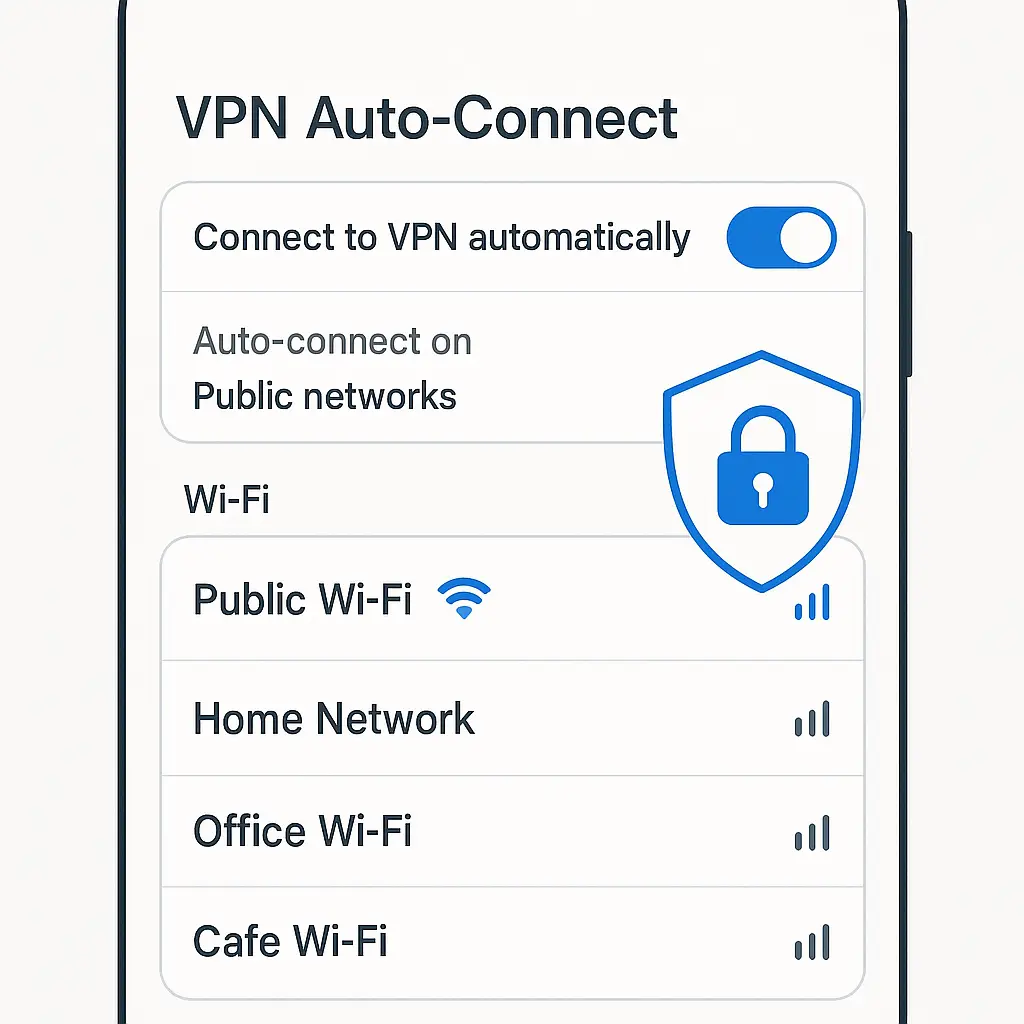
VPNs solve specific problems. If you're on an untrusted network (public WiFi at a coffee shop, hotel, or airport), a VPN encrypts your traffic so local attackers can't intercept it. If you're trying to bypass geographic restrictions (accessing content that's blocked in your region), a VPN masks your location. If you're trying to hide your browsing activity from your ISP, a VPN shifts that visibility to the VPN provider.
If you're already on a trusted network and browsing sites over HTTPS, a VPN adds encryption on top of encryption. The benefit is minimal. If you're trying to stay anonymous online, a VPN is one piece of a larger privacy strategy that includes browser configuration, tracker blocking, and behavior changes. If you're trying to protect against malware or phishing, a VPN doesn't help at all.
The decision to use a VPN depends on your threat model. What are you protecting? Who are you protecting it from? What risks are you willing to accept? A VPN protects your traffic in transit between your device and the VPN server. It doesn't protect you from threats on your device, threats at the destination, or threats that don't depend on network visibility.
For most people in most situations, the privacy and security benefits of a VPN are modest. The performance cost is real. The trust shift from ISP to VPN provider is significant. The decision makes sense when the specific threats you face align with what a VPN actually protects against.
If you're traveling internationally and need to access work systems, your employer probably requires a VPN. If you're a journalist working with sensitive sources, a VPN is part of a broader operational security plan. If you're browsing from home on a trusted network, the benefit is smaller.
The Mechanism Is Simpler Than the Marketing
VPN providers market their services with language about military-grade encryption, total anonymity, and bulletproof security. The technical mechanism is more modest. A VPN encrypts traffic between your device and a server, routes that traffic through the server, and masks your IP address. That's it.
The encryption is strong. The protocols are well-designed. The privacy benefit is real within the specific scope of what a VPN does. But a VPN doesn't make you anonymous. It doesn't protect you from all threats. It doesn't secure your device. It shifts visibility from one party to another and adds encryption to one segment of your connection.
Understanding the mechanism helps you evaluate whether a VPN solves your problem. If your threat model is "I don't want my ISP selling my browsing history to data brokers," a VPN addresses that. If your threat model is "I don't want anyone to know what I'm doing online," a VPN is insufficient by itself.
The tunnel is real. The encryption is real. The limitations are real too.