Vacation rental scams: How to verify Airbnb listings before you book
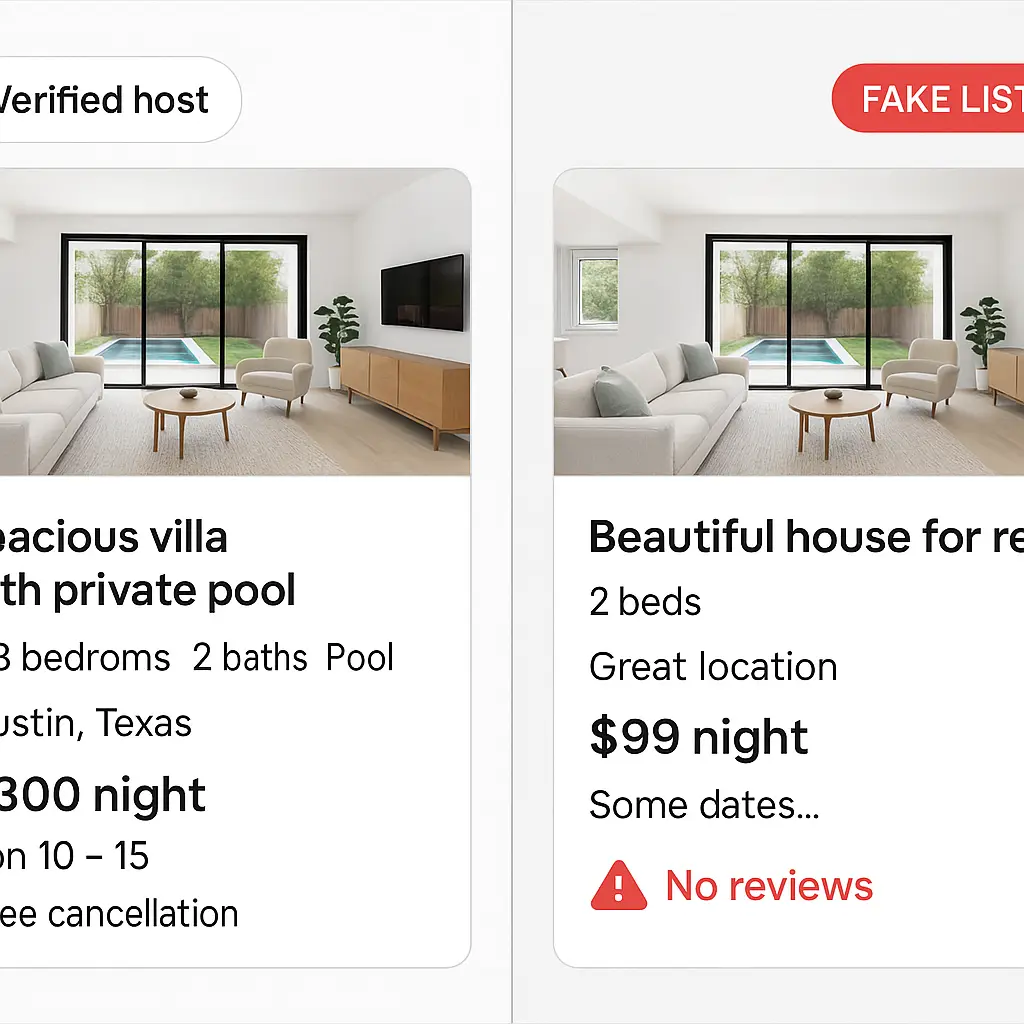
You're booking a beach house for next month. The listing looks perfect, ocean view, reasonable price, glowing reviews. You message the host. They respond fast, maybe too fast, and suggest you finalize payment through Venmo to "avoid platform fees." You hesitate. Should you?
You should walk away. That's a scam.
Vacation rental fraud drained travelers of hundreds of millions in 2025, according to the FBI's Internet Crime Complaint Center. Fake listings appear on Airbnb, Vrbo, and independent booking sites. Some are entirely fabricated properties. Others are real homes listed by people who don't own them. The photos are stolen, the reviews are fake, and the money disappears the moment you send it.
This guide walks you through the exact inspection process to verify rental listings before you book. You'll learn what to check, what each sign means, and how to protect yourself when the listing looks too good to pass up.
The anatomy of a rental scam
Rental scams follow predictable patterns. Understanding the mechanism helps you recognize them before you lose money.
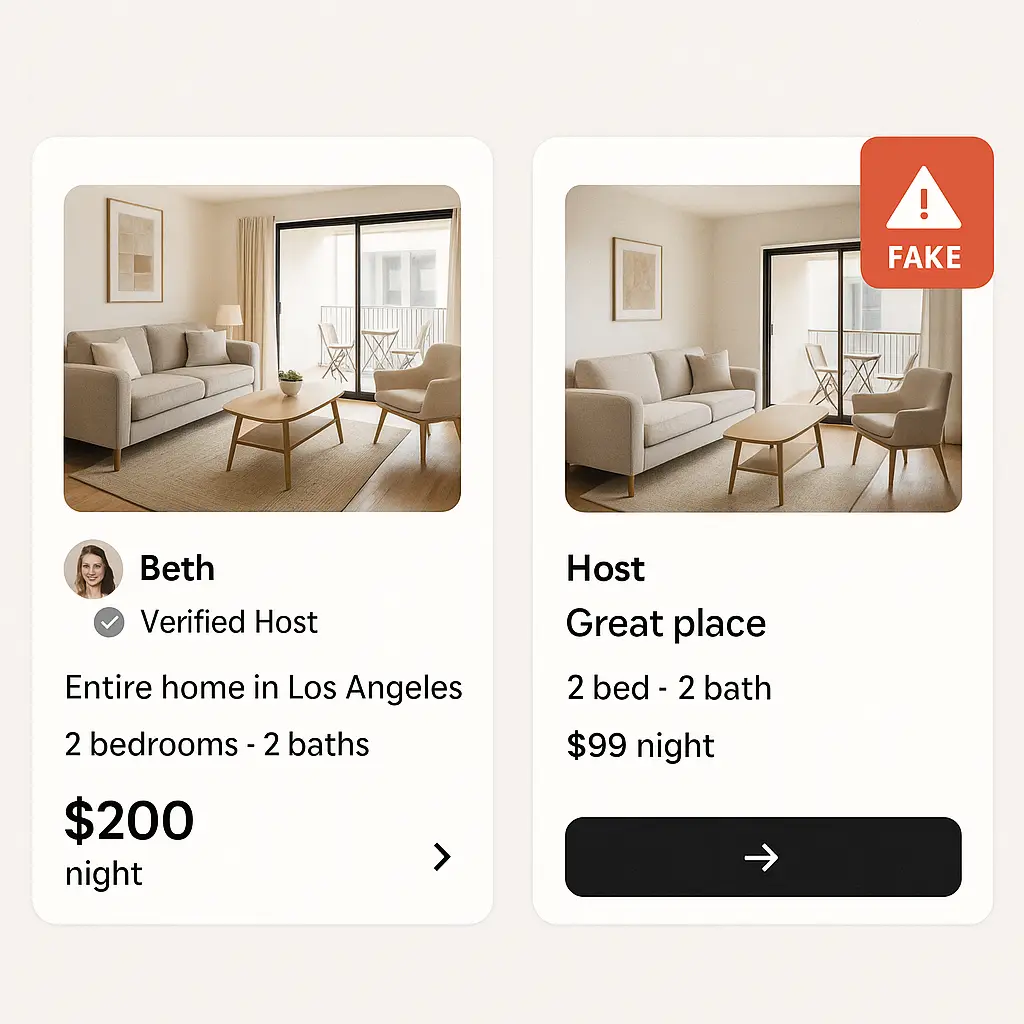
The listing appears legitimate. Scammers steal photos from real properties, sometimes from the actual listing on another platform, sometimes from real estate sites or Instagram. They copy descriptions, amenities lists, and even host bios. The listing looks professional because it's built from real materials.
The price sits just below market rate. Not absurdly cheap, that triggers suspicion, but low enough to create urgency. You think you found a deal. You don't want someone else to grab it first.
Communication moves off-platform quickly. The scammer suggests email, WhatsApp, or text to "discuss details" or "finalize the booking." Once you're off the platform, you lose fraud protection. Airbnb and Vrbo can't help you recover money sent through Zelle or wire transfer.
Payment requests bypass the platform. The scammer claims platform fees are too high, or they need a deposit "to hold the property," or there's a "special discount" for direct payment. They ask for wire transfer, Venmo, Zelle, Cash App, or gift cards. Legitimate hosts never do this. Platforms explicitly forbid it.
The property doesn't exist, or the person doesn't own it. Some scammers list properties that are real but unavailable, already booked, or listed by the actual owner elsewhere. Others fabricate addresses entirely. You show up to an empty lot, a confused homeowner, or a property that was never for rent.
The FTC reports that rental scams often begin with social media ads or search results that lead to fake booking sites designed to look like Airbnb or Vrbo. The entire site is a facade. You think you're booking through a trusted platform, but your money goes directly to the scammer.
Step 1: Verify the platform
Before you inspect the listing, confirm you're on the legitimate platform.
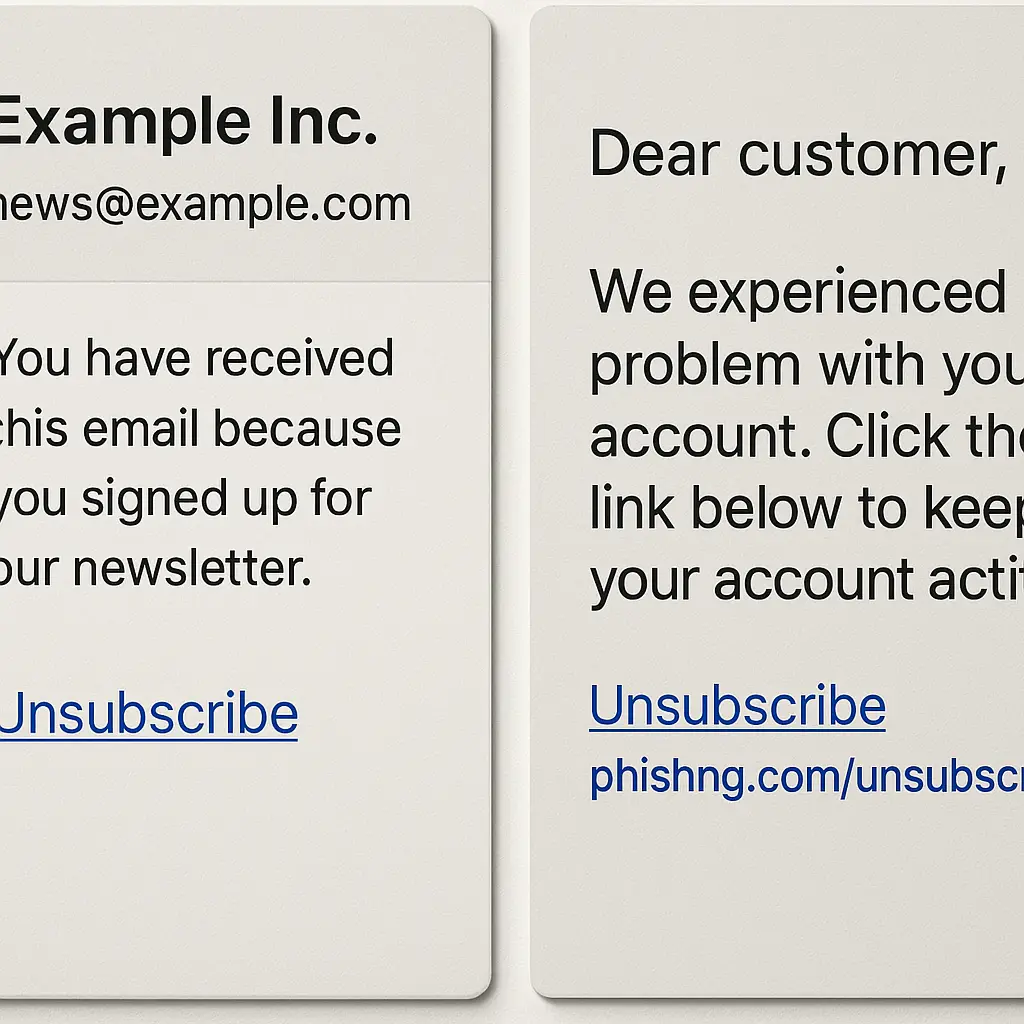
Check the URL carefully. Scammers create fake booking sites with URLs that mimic real platforms: airbnb-rentals.com instead of airbnb.com, vrbolistings.com instead of vrbo.com. Look at the address bar. If the domain doesn't match exactly, you're on a fake site.
Search for the platform directly. Don't click links in emails, texts, or social media ads. Open your browser, type the platform name into the search bar, and navigate to the official site yourself. This avoids fake sites designed to intercept your search.
Look for HTTPS and the padlock icon. Legitimate booking platforms use encrypted connections. The URL should start with https://, and you should see a padlock icon in the address bar. This doesn't guarantee the site is real, scammers can buy SSL certificates, but the absence of HTTPS is a red flag.
If you're already on a fake site, nothing else matters. The listings are fake, the reviews are fake, and your payment goes to the scammer. Start with the platform itself.
Step 2: Inspect the host profile
Legitimate hosts have established profiles. Scammers create new accounts or hijack dormant ones.
Check the host's join date. Accounts created in the last few weeks or months are riskier than accounts active for years. Scammers create fresh profiles to avoid negative reviews. An account that joined two weeks ago and already has a dozen listings should raise suspicion.
Look for verification badges. Airbnb and Vrbo verify hosts through government ID, email, phone number, and sometimes social media. Verified badges appear on the host's profile. A host with no verification badges is either new or hasn't completed the process. Either way, you're taking on more risk.
Read the host's bio and history. Does the profile describe the host's background, why they rent properties, or how long they've been hosting? Or is it generic, "I love travel and meeting new people", with no specifics? Scammers copy generic bios because they're building multiple fake profiles at once.
Count the number of properties. A host with one or two properties is common. A host with dozens of properties in different cities is either a property management company or a scammer scraping listings from across the platform. Cross-reference the number of properties with the account age. Ten properties on a three-week-old account doesn't add up.
Check response time and rate. Legitimate hosts respond to inquiries within hours or days. Scammers respond within minutes because they're running the operation full-time. A 100% response rate with instant replies can be a red flag, especially if the host then pushes you to communicate off-platform.
Step 3: Analyze the listing itself
The listing contains clues about legitimacy. Some are obvious. Others require closer inspection.
Reverse-search the photos. Right-click on the main property photo (or long-press on mobile) and select "Search image with Google" or use a reverse image search tool like TinEye. If the photo appears on real estate sites, other rental platforms, or Instagram accounts that don't match the host, the listing is fake. Scammers steal photos from real properties and repost them.
If you're on mobile and can't right-click, take a screenshot of the photo, then upload it to Google Images or TinEye manually.
Look for consistency across photos. Do all the photos show the same property? Scammers sometimes mix photos from different homes because they're scraping images from multiple sources. Check the flooring, wall colors, furniture, and layout. Inconsistencies mean the listing is fabricated.
Read the description for vague language. Legitimate listings describe specific features: "The kitchen has a six-burner gas stove and granite countertops." Fake listings use generic language: "Beautiful, spacious home perfect for families." Scammers avoid specifics because they don't know the property.
Check the location on the map. Zoom in on the map pin. Does it land on a residential street, or does it sit in the middle of a park, a lake, or an industrial area? Platforms let hosts obscure the exact address for privacy, but the general location should make sense. A beachfront property whose pin lands two miles inland is suspicious.
Count the number of reviews. A property with zero reviews isn't necessarily fake, every listing starts somewhere, but it's riskier. A property with hundreds of reviews posted in the last few weeks is suspicious. Scammers sometimes hijack legitimate accounts with review history, then change the listing details.
Read the reviews carefully. Look for patterns. Do the reviews describe specific features of the property, or are they generic, "Great stay, highly recommend"? Are the reviews all five stars with no criticism? Do they mention the host by name? Fake reviews are often short, vague, and overly positive because they're written by bots or paid reviewers.
Some platforms let you filter reviews by date. Check the oldest reviews first. If the property has been listed for years, the early reviews should describe the same features as the current listing. If the early reviews mention a mountain cabin and the current listing shows a beach house, the account was hijacked.
Step 4: Communicate through the platform only
Scammers push you off-platform because that's where fraud protection ends.
Ignore requests to move to email, WhatsApp, or text. Legitimate hosts communicate through the platform's messaging system. Platforms monitor messages for scam language and can intervene if something looks wrong. Once you're on WhatsApp, you're on your own.
If a host says they "prefer email for faster communication," decline. If they say platform fees are too high and they'll give you a discount for direct payment, report them. These are explicit violations of platform terms and clear scam indicators.
Never share personal information before booking. You don't need to provide your full name, address, Social Security number, or credit card details in a message. The platform handles payment securely. A host who asks for this information before you book is either a scammer or dangerously careless about data security.
Ask specific questions about the property. Scammers don't know the properties they're listing because they don't own them. Ask about details the photos don't show: "Is there a washer and dryer in the unit?" "How far is the walk to the beach?" "What's the parking situation?" Vague or delayed responses suggest the host is scrambling to research the property or making up answers.
Request a video call or additional photos. Legitimate hosts can show you the property in real time or send photos of specific features you ask about. Scammers can't because they don't have access to the property. If the host refuses or makes excuses, "I'm traveling right now," "The property is being cleaned", that's a red flag.
Step 5: Verify payment security
How you pay determines whether you can recover your money if the listing turns out to be fake.
Pay through the platform only. Airbnb, Vrbo, and similar platforms process payments internally and hold the money until after check-in. If the property doesn't exist or doesn't match the listing, you can dispute the charge and potentially get a refund. If you pay outside the platform, you have no recourse.
Never pay via wire transfer, Venmo, Zelle, or Cash App. These payment methods are irreversible. Once the money leaves your account, it's gone. Scammers prefer them because there's no fraud protection and no way for you to claw the money back.
Avoid requests for gift cards. No legitimate business accepts payment in iTunes gift cards, Google Play cards, or Amazon gift cards. This is a scam 100% of the time. Gift cards are untraceable and irreversible, which is exactly why scammers demand them.
Use a credit card, not a debit card. Credit cards offer stronger fraud protection than debit cards. If you dispute a charge, the credit card company investigates and can reverse the transaction. Debit card disputes are harder to win, and the money comes directly out of your checking account while you wait.
Check for deposit scams. Some scammers ask for a "security deposit" or "booking deposit" outside the platform to "hold the property." Legitimate platforms handle deposits internally. A request for an external deposit is a scam.
Step 6: Cross-reference the property
If the listing passes the earlier checks, verify the property exists and matches the description.
Search the address on Google Maps. If the listing provides a street address (some platforms hide it until booking), look it up. Use Street View to see the exterior. Does it match the photos? If the listing shows a modern beach house and Street View shows a 1970s ranch, something's wrong.
Search the address on real estate sites. Scammers sometimes list properties that are for sale, not for rent. Search the address on Zillow, Realtor.com, or Redfin. If the property is listed for sale with the same photos, the rental listing is fake.
Check local property records. Many counties provide online property records that show ownership. If the listing claims the host owns the property, you can verify that. If the property is owned by someone else or by a company, the host may be a property manager, which is fine, or a scammer impersonating the owner.
Look for the property on other platforms. Search for the address or property name on Airbnb, Vrbo, Booking.com, and other rental sites. If it appears on multiple platforms with different hosts, one of them is fake. Compare the photos, descriptions, and prices. The legitimate listing will have more detail, older reviews, and a verified host.
Search for recent news or reviews. Google the property address along with words like "scam," "fraud," or "fake listing." If other travelers have been defrauded by the same listing, they may have posted warnings online. Check Reddit, travel forums, or local Facebook groups.
Step 7: Recognize the urgency tactic
Scammers create artificial urgency to pressure you into making mistakes.
"This property is in high demand." Scammers claim the property is about to be booked by someone else. They want you to send money immediately without completing your inspection. Legitimate hosts don't pressure you. If you need time to verify the listing, take it.
"I need a deposit today to hold it." Platforms don't work this way. Bookings are confirmed when you pay through the platform, not when you send a deposit to the host's personal account. A request for an immediate external deposit is a scam.
"I'm offering a discount if you book now." Discounts exist, but they're applied through the platform, not by bypassing it. A host who offers a discount for direct payment is violating platform terms and likely running a scam.
"The platform is down, so pay me directly." Platforms experience outages, but they don't instruct hosts to collect payment externally. If the platform is down, wait until it's back up. A host who claims the platform told them to collect payment directly is lying.
In When Harry Met Sally, Sally orders her meal with a dozen modifications because she knows what she wants and won't settle for less. Booking a vacation rental works the same way. You're allowed to ask questions, request additional photos, verify details, and take your time. If the host pressures you to skip any of those steps, you're dealing with a scammer who doesn't want you looking too closely.
Step 8: Report suspected scams
If you identify a fake listing, report it. Your report protects other travelers.
Report through the platform. Airbnb, Vrbo, and similar platforms have reporting tools built into every listing. Look for "Report this listing" or "Flag as suspicious." Provide as much detail as you can: what made you suspicious, screenshots of off-platform communication, and any evidence you found through reverse image searches or address verification.
Report to the FTC. The FTC tracks consumer fraud and uses reports to identify patterns and pursue enforcement actions. Reporting takes around five minutes. You provide details about the scam, how much money was involved (if any), and how you were contacted.
Report to the FBI's IC3. The Internet Crime Complaint Center collects reports of online fraud. If you lost money, file a report. The IC3 shares data with law enforcement agencies investigating rental scams.
Warn others. If you found the listing through a specific search term, social media ad, or third-party site, post a warning in relevant forums or groups. Other travelers searching for rentals in the same area may encounter the same scam.
What to do if you've already been scammed
If you sent money to a fake listing, act immediately.
Contact your bank or credit card company. If you paid with a credit card, dispute the charge. Explain that the listing was fraudulent and the property doesn't exist. Credit card companies investigate disputes and can reverse charges if they find in your favor. If you paid with a debit card, contact your bank immediately. Debit card fraud protection is weaker, but you may still recover some funds if you act fast.
Report to the platform. Even if you paid outside the platform, report the listing. The platform may ban the scammer's account and prevent others from being defrauded. Provide screenshots of all communications, payment receipts, and any evidence you gathered.
File a police report. Rental fraud is a crime. File a report with your local police department and with the police department in the jurisdiction where the property was supposedly located. You'll need the police report number for insurance claims or legal action.
Report to the FTC and IC3. Both agencies track fraud and use reports to identify trends. Your report contributes to investigations that may lead to arrests or enforcement actions.
Check your credit report. If you shared personal information with the scammer, Social Security number, driver's license, or full financial details, they may attempt identity theft. Request a free credit report from each of the three bureaus (Equifax, Experian, TransUnion) and look for unfamiliar accounts or inquiries.
Warn your network. Post about the scam on social media, travel forums, or local groups. Other people searching for rentals in the same area need to know.
Recovery is hard. Wire transfers, Venmo, Zelle, and gift cards are designed to be irreversible. If you paid through one of those methods, your money is likely gone. Credit card chargebacks work sometimes, but not always. The best defense is prevention.
Red flags checklist
Use this list to evaluate any rental listing before you book:
- Host account created recently (less than six months ago)
- No verification badges on host profile
- Generic or vague property description
- Price significantly below market rate
- Host pushes communication off-platform (WhatsApp, email, text)
- Request for payment outside the platform (Venmo, Zelle, wire transfer, gift cards)
- Reverse image search shows photos stolen from other sites
- Inconsistent photos (different properties mixed together)
- Map pin doesn't match the described location
- Zero reviews, or reviews that are all generic and recent
- Host refuses video call or additional photos
- Urgency tactics ("book now or lose it")
- Request for personal information before booking (SSN, full financial details)
- Property address appears on real estate sites as for-sale, not for-rent
One red flag might be explainable. Three or more red flags together mean you should walk away.
What legitimate platforms actually do
Understanding how platforms work helps you recognize when something's wrong.
Payment processing. Airbnb, Vrbo, and similar platforms process payments internally. You pay the platform, not the host. The platform holds the money and releases it to the host after check-in. This protects both parties. If the property doesn't exist, you can dispute the charge with the platform.
Communication monitoring. Platforms scan messages for scam indicators: requests to move off-platform, mentions of wire transfers or Venmo, and links to external payment sites. If the system detects scam language, it may block the message or flag the account.
Host verification. Platforms verify hosts through government ID, email, phone number, and sometimes social media. Verification doesn't guarantee the host is trustworthy, scammers can fake IDs or hijack verified accounts, but it's a baseline filter.
Review systems. Reviews are posted by travelers who completed bookings through the platform. Platforms don't allow hosts to delete negative reviews, though they can respond to them. Scammers sometimes hijack accounts with positive review history, then change the listing details. Always check whether the reviews describe the current listing.
Fraud protection. Platforms offer some level of fraud protection if you book and pay through their system. If you pay outside the platform, you lose that protection. This is why scammers push you off-platform.