Using a Unique Email for Every Service: The Practical Setup That Actually Works
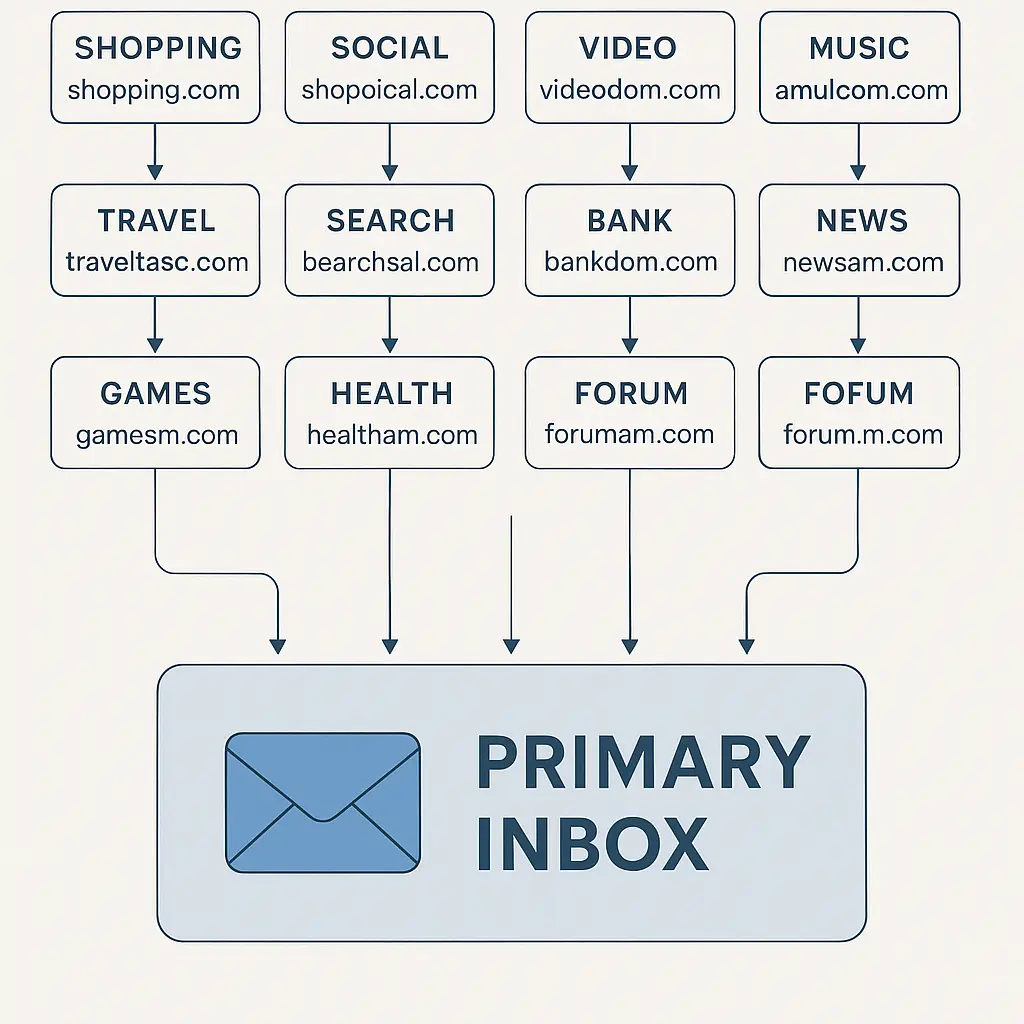
You use the same email address everywhere. Every shopping site, every newsletter, every account you've created in the last decade points to the same inbox. When one of those services gets breached, and they will, your email appears in credential dumps, gets tested against other sites, and becomes the entry point for account takeovers you won't see coming.
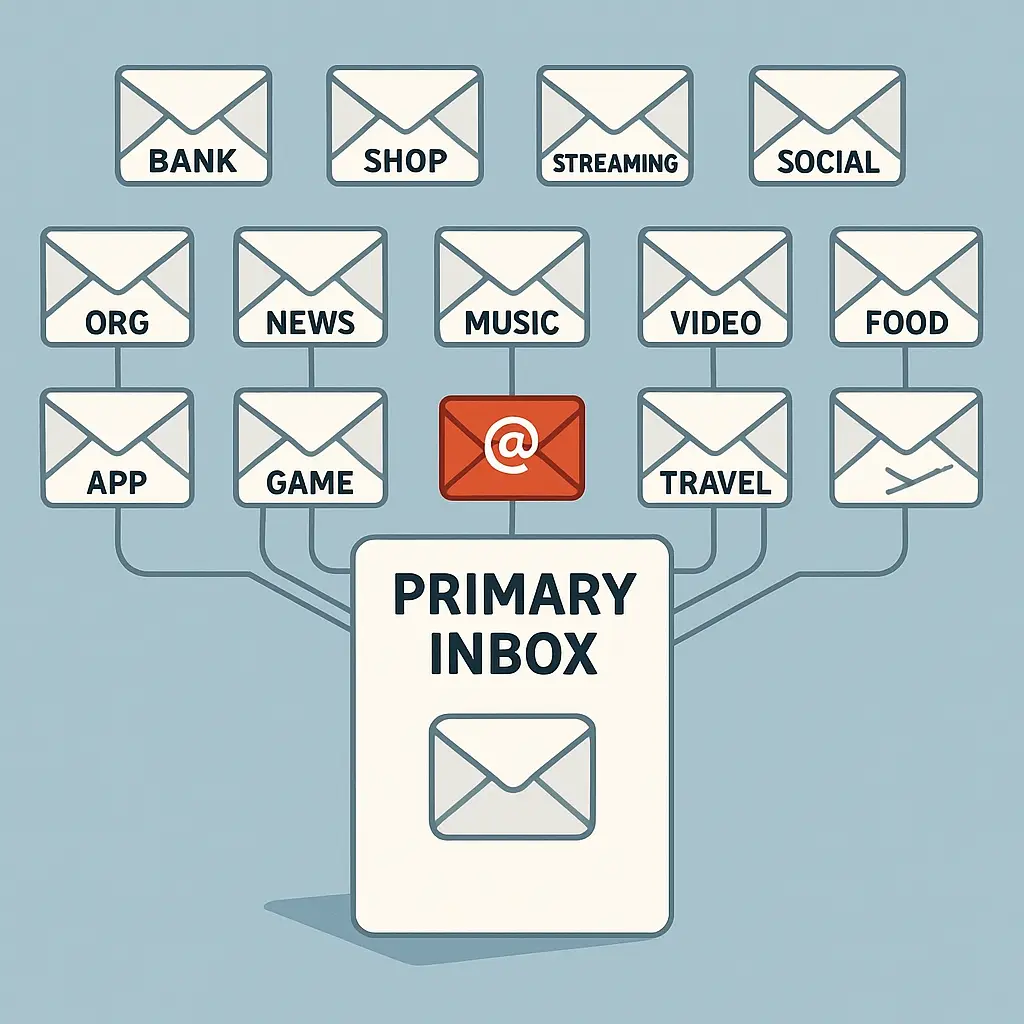
Using a unique email address for every service isolates that risk. One breach stays contained. One leak doesn't cascade into fifty compromised accounts. The method isn't complicated, but it requires a setup that most people skip because they don't know it exists.
Here's how to implement it, what each approach actually protects, and why this is one of the few security practices that gets easier after the initial configuration.
Why the same email everywhere creates cascading risk
When you register for a service using your primary email address, you're creating a permanent link between that service and every other account that shares the same address. The FTC warns about protecting personal information from breaches and scams, but the advice usually stops at "use strong passwords." The email address itself is the vulnerability.
Breaches expose email addresses alongside passwords. Even if you use a unique password for each account, the email address connects them all. Attackers feed breach data into credential-stuffing tools that test email-password combinations across hundreds of sites. If you reuse the email, you've given them the first half of the login.
Around 60% of people reuse passwords across accounts, according to some research I've read. But nearly everyone reuses their email address. The asymmetry creates a blind spot. You protect the password but leave the username exposed.
The plus addressing method: Gmail's built-in aliasing
Gmail supports plus addressing natively. If your email is yourname@gmail.com, you can register accounts using yourname+netflix@gmail.com, yourname+amazon@gmail.com, or yourname+anything@gmail.com. All messages route to your primary inbox, but each service sees a different address.
The setup is instant. No configuration. Just append +servicename before the @ when you register for a new account. Gmail ignores everything between the plus and the at sign for delivery purposes, but the full address appears in the "To" field when you receive mail.
This method isolates breach exposure. If Netflix leaks yourname+netflix@gmail.com, you know exactly which service was compromised. You can create a filter to block mail to that address, or delete and recreate it if the spam becomes unmanageable.
The limitation is visibility. Plus addressing doesn't hide the fact that all your addresses route to the same inbox. Anyone who sees yourname+netflix@gmail.com can deduce that yourname+amazon@gmail.com and yourname+banking@gmail.com probably exist. For breach isolation, that's fine. For privacy from the services themselves, it's not enough.
Some sites reject plus addressing as invalid. Their email validation regex doesn't recognize the plus sign as a legal character, even though it is. When that happens, you need a different approach.
Email aliasing services: SimpleLogin and Apple Hide My Email
Dedicated aliasing services generate completely separate email addresses that forward to your inbox. SimpleLogin, Apple Hide My Email, and similar tools create addresses like random.string.123@simplelogin.co that bear no visible relationship to your primary email.
SimpleLogin is open source and works across platforms. You install the browser extension, and when you encounter an email field during registration, you click the extension to generate a new alias. The alias forwards to your real address. You can reply through the alias, and the recipient sees only the alias address, not your real one.
Apple Hide My Email is built into iCloud and integrates with Safari autofill. It works the same way: generate a unique address for each service, receive mail in your primary inbox, reply through the alias. The limitation is ecosystem lock-in. If you leave Apple, your aliases stop working unless you maintain an iCloud subscription.
Both services let you disable individual aliases if spam becomes a problem. You don't need to change your primary email address or migrate accounts. You just turn off the alias, and mail to that address stops reaching you.
The tradeoff is portability. If you use SimpleLogin and the service shuts down, your aliases die with it. If you use Apple and switch to Android, you lose access unless you keep paying for iCloud. The convenience is real, but so is the dependency.
Custom domains with catch-all routing: Maximum control, maximum complexity
If you own a domain, you can configure catch-all email routing. Any address at your domain, netflix@yourdomain.com, amazon@yourdomain.com, literally-anything@yourdomain.com, routes to your inbox. You create unique addresses on the fly without pre-configuration.
This method offers complete control. You choose the domain. You control the routing. If a service rejects an alias, you create a new one instantly. If spam becomes unmanageable, you change the routing rule or abandon the address without touching your primary inbox.
The setup requires a domain registrar, DNS configuration, and an email provider that supports catch-all forwarding. Some providers charge extra for this feature. Some impose limits on the number of forwarded addresses. You're managing infrastructure instead of clicking a browser extension.
The privacy benefit is real. Each address is fully independent. There's no visible pattern linking netflix@yourdomain.com to amazon@yourdomain.com unless someone already knows you own the domain. For breach isolation, it's overkill. For privacy from the services themselves, it's the strongest option.
The complexity is the barrier. Most people won't configure DNS records and email routing to solve a problem that plus addressing handles in three seconds. But if you already own a domain for other reasons, adding catch-all routing is a weekend project that pays off for years.
What each method actually protects
Plus addressing isolates breach exposure. When a service leaks your email, you know which one. You can filter spam, track which services sell your address to marketers, and delete compromised aliases without touching your primary inbox. It doesn't hide your real address from the services you register with, but it prevents one breach from becoming a master key to your other accounts.
Aliasing services add a layer of privacy from the services themselves. They see a random string, not your real address. If they sell your data to brokers or merge it with other datasets, the alias breaks the link. You can disable the alias and cut off access without changing your primary email or migrating accounts.
Custom domains offer maximum control at the cost of maximum complexity. You own the infrastructure. You set the rules. If a provider changes terms or shuts down, you migrate the routing without losing addresses. The tradeoff is that you're now responsible for DNS, email delivery, and troubleshooting when something breaks.
None of these methods protect against phishing. If you click a malicious link and enter your credentials, the attacker gets whatever email address you used for that account. The alias doesn't stop you from being tricked. It stops one compromised account from cascading into twenty others.
The practical setup process, step by step
Start with plus addressing if you use Gmail, Outlook, or another provider that supports it. The next time you register for a service, append +servicename to your email address. If the site accepts it, you're done. If it rejects the plus sign, move to the next method.
Install SimpleLogin or sign up for Apple Hide My Email if plus addressing doesn't work. Generate an alias for the service, complete the registration, and verify that mail reaches your inbox. Test replying through the alias to confirm bidirectional functionality.
If you own a domain and want full control, configure catch-all routing through your email provider. Set up a forwarding rule that routes *@yourdomain.com to your primary inbox. Test it by sending mail to a random address and confirming delivery.
Create a naming convention and stick to it. I use servicename@domain.com for simplicity. Some people add dates (servicename-2026@domain.com) to track when they created the alias. Others use random strings for maximum privacy. The system doesn't matter as long as you can remember it six months later when you need to log in.
Document your aliases somewhere secure. A password manager works well for this. Store the alias alongside the account credentials so you don't have to guess which email you used when you return to a site you haven't visited in a year.
When to use your real address versus an alias
Use your real address for accounts that require identity verification: banking, government services, healthcare, employment. These services need to contact you reliably, and using an alias creates friction during account recovery or identity verification.
Use an alias for everything else: shopping, newsletters, social media, forums, any service where your identity isn't legally or financially critical. If the service gets breached or sells your data, the alias contains the damage.
Use a dedicated alias for high-risk categories: dating apps, online marketplaces, anything that involves strangers contacting you directly. These services attract scammers and spammers. A dedicated alias lets you disable it without affecting other accounts.
Never use an alias for password recovery. If you forget your password and the recovery email goes to an alias you've disabled, you've locked yourself out permanently. Use your real address for account recovery settings, even if you use an alias for day-to-day communication.
The Succession test: When control matters more than convenience
In Succession, Logan Roy controls Waystar Royco through a web of subsidiaries, shell companies, and legal structures designed to prevent anyone from tracing the full picture. The complexity is the point. No single breach exposes the entire empire.
Email aliases work the same way. Each address is a subsidiary. A breach at one doesn't cascade into the others because the connection isn't visible to attackers. The naming convention is your org chart. The forwarding rules are your corporate structure. You're not hiding from law enforcement or regulators, you're isolating risk so one failure doesn't become systemic.
The analogy breaks down when you consider that Logan's empire eventually collapsed under its own complexity. But email aliases don't require quarterly earnings calls or succession planning. Once configured, they run themselves. The complexity is front-loaded. The benefit compounds.
What happens when an alias gets compromised
You receive spam or phishing attempts at an alias. Check which service uses that address. If it's a service you still use, the address leaked through a breach or was sold to marketers. If it's a service you abandoned years ago, the address sat in an old database that eventually got compromised.
Disable the alias if the spam becomes unmanageable. In SimpleLogin or Apple Hide My Email, you click a toggle. In a custom domain setup, you delete the forwarding rule or add a filter to block mail to that address. The service still has the address on file, but mail no longer reaches you.
Create a new alias if you need to keep using the service. Update your account settings with the new address, verify it works, then disable the old one. This process takes around five minutes and permanently stops the spam without requiring you to abandon the account.
Some services won't let you change your email address. Banks, government portals, and legacy systems sometimes lock the email field after registration. In those cases, you're stuck with whatever address you used initially. That's why I recommend using your real address for high-stakes accounts from the start.
The long-term maintenance cost
Plus addressing requires zero maintenance. You create addresses on the fly, and they work forever unless you actively filter them out.
Aliasing services require periodic review. Every few months, audit your active aliases and disable ones you no longer need. This prevents abandoned aliases from becoming spam magnets and reduces the attack surface.
Custom domains require DNS and email provider management. If you change registrars or email hosts, you'll need to reconfigure routing. If your domain expires, all your aliases stop working immediately. The control is real, but so is the responsibility.
The mental overhead is the hidden cost. Remembering which email you used for which service becomes harder as the list grows. A password manager solves this by storing the alias alongside the credentials, but you need to actually use the password manager consistently.
Why this works better than password rotation
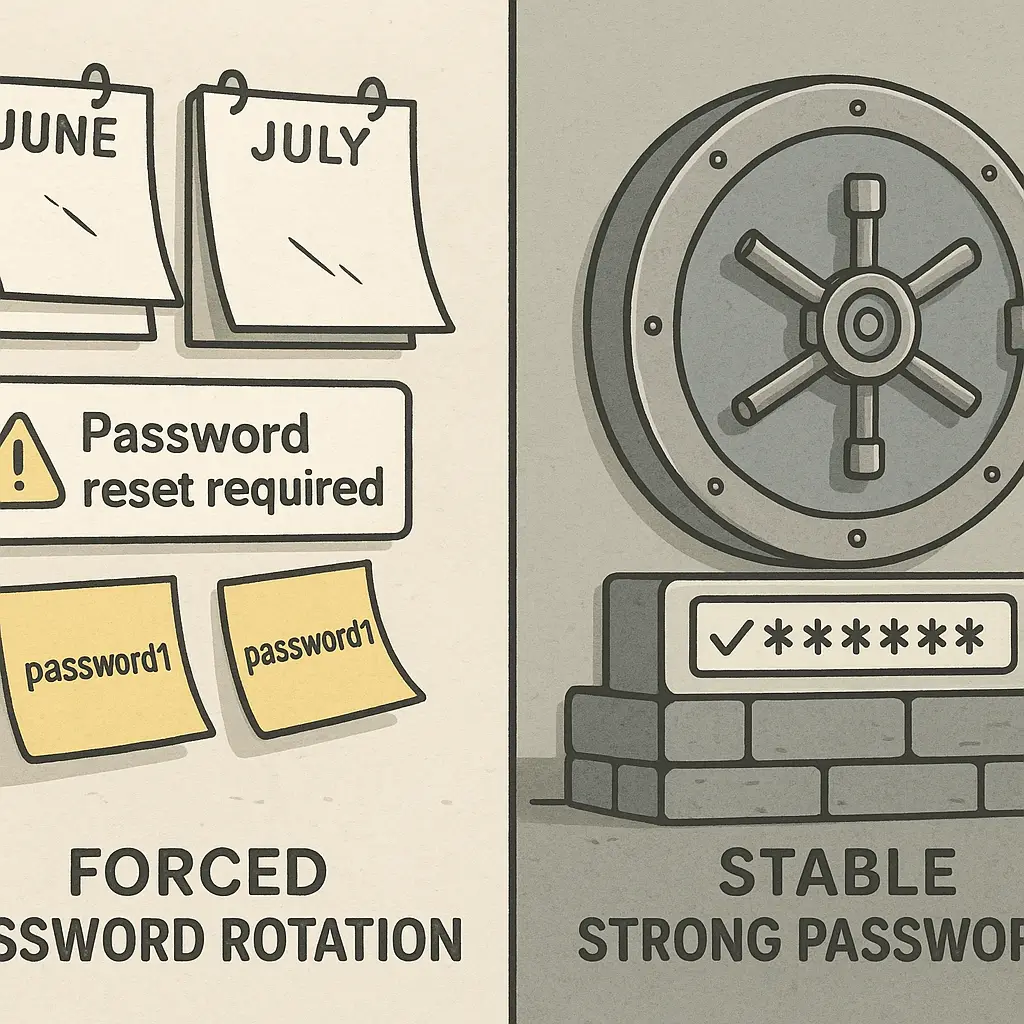
Security advice often focuses on changing passwords regularly. The NIST Digital Identity Guidelines explicitly recommend against forced password expiration because it leads to weaker passwords and predictable patterns. People increment numbers, swap characters, and create passwords that are easier to crack than the ones they replaced.
Email aliasing doesn't have that problem. Once you create an alias, it works indefinitely. There's no expiration, no rotation schedule, no pressure to remember a new address every 90 days. The protection is passive. You set it up once, and it keeps working.
The effort is front-loaded. Configuring plus addressing takes zero time. Installing SimpleLogin takes five minutes. Setting up a custom domain takes a weekend. After that, the system runs itself. You create new aliases as needed, disable old ones if they become spam magnets, and otherwise ignore the infrastructure.
Compare that to password rotation, which requires ongoing effort, creates friction during login, and often results in weaker security because people choose predictable patterns to meet arbitrary requirements. Email aliasing delivers better protection with less ongoing work.
What this doesn't protect against
Email aliases don't stop phishing. If you click a malicious link and enter your credentials, the attacker gets whatever email address you used for that account. The alias doesn't prevent social engineering.
Email aliases don't protect against account recovery attacks. If an attacker convinces a service to reset your password using social engineering, the alias won't stop them. You still need strong recovery settings, two-factor authentication, and monitoring for unauthorized access.
Email aliases don't hide your identity from the services you register with. If you use yourname+netflix@gmail.com, Netflix still knows your real email address. The alias isolates breach exposure but doesn't anonymize your relationship with the service.
Email aliases don't prevent data brokers from aggregating your information. If you use the same name, address, and payment method across services, brokers can still link your accounts even if the email addresses differ. Aliases are one layer in a broader privacy strategy, not a complete solution.
The decision framework: Which method to use
Use plus addressing if you want immediate protection with zero setup. It works in Gmail, Outlook, and most modern email providers. The limitation is that some services reject it, and it doesn't hide your real address from the services themselves.
Use SimpleLogin or Apple Hide My Email if you want stronger privacy from the services you register with. These tools generate random addresses that don't reveal your real email. The tradeoff is dependency on a third-party service and potential portability issues if you switch platforms.
Use a custom domain if you want maximum control and already own a domain for other purposes. The setup is more complex, but the result is complete independence from third-party services and full control over your email infrastructure.
Use your real address for accounts that require identity verification or have strict email policies. Banking, government, healthcare, and employment accounts should use your primary email to avoid recovery issues and compliance friction.
The best approach for most people is a hybrid: plus addressing for low-stakes accounts, a dedicated aliasing service for higher-risk services, and your real address for critical accounts. The system scales as your needs grow, and you can migrate between methods as your threat model changes.
Why I actually do this
I've used email aliases for around eight years. I started with plus addressing, migrated to SimpleLogin when I wanted stronger privacy, and eventually set up a custom domain when I got tired of depending on third-party services.
The benefit isn't theoretical. I know exactly which services leaked my email because spam arrives at specific aliases. I've disabled dozens of aliases over the years when they became spam magnets. I've never had to change my primary email address or migrate accounts because one service got breached.
The friction is minimal. Creating a new alias takes three seconds in SimpleLogin or zero seconds with plus addressing. Checking which alias I used for a service takes one second in my password manager. The system works because it's simpler than the problem it solves.
The alternative, using the same email everywhere and hoping breaches don't cascade, creates more work in the long run. Account recovery after a breach is a nightmare. Cleaning up after credential stuffing is worse. Email aliases prevent both problems before they start.
You don't need to implement this perfectly. Start with plus addressing for new accounts. Migrate high-risk accounts to dedicated aliases when you have time. Use your real address for anything that requires identity verification. The system improves your security even if you only use it for half your accounts.
The goal isn't perfection. The goal is isolation. One breach stays contained. One leak doesn't cascade into fifty compromised accounts. That's worth the five minutes it takes to set up.