Removing yourself from Spokeo, BeenVerified, and Whitepages: step-by-step opt-out process
Data brokers hold detailed profiles on most Americans. Three of the largest are Spokeo, BeenVerified, and Whitepages. These sites aggregate public records, social media, and purchased data to build profiles that anyone can search. Your name, age, addresses, phone numbers, relatives, and sometimes more appear in search results that employers, landlords, stalkers, and scammers can access.
Removing yourself from these sites doesn't erase you from the internet, but it reduces your exposure. The process is manual, repetitive, and requires verification steps that feel invasive. Here's the exact walkthrough for each site, what each step removes, and what you need to know before you start.
What these sites actually hold
Spokeo, BeenVerified, and Whitepages operate as people search aggregators. They scrape public records (property deeds, voter registrations, court filings), purchase data from other brokers, and pull information from social media profiles. The result is a dossier that includes:
- Full name and known aliases
- Current and previous addresses
- Phone numbers (landline and mobile)
- Email addresses
- Age and birth month
- Relatives and associates
- Property ownership records
- Court records and liens
- Social media profiles
- Photos scraped from public posts
These profiles appear in search results when someone types your name. Employers run background checks. Landlords verify applications. Scammers build targeted phishing campaigns. Stalkers track movements. The data isn't secret, but the aggregation makes it accessible in ways that scattered public records never were.
Before you start: what you'll need
Each site requires specific information to locate and verify your listing before removal. Gather this before you begin:
- Your full legal name
- Current address
- Previous addresses (at least the last two)
- Age or birth year
- Names of relatives who might appear in your listing
- A working email address for confirmation
You'll also need to verify your identity, which usually means clicking a confirmation link sent to your email. Some sites require a phone number for verification. If you're removing listings for multiple addresses or name variations, you'll repeat the process for each one.
Spokeo: step-by-step removal
Spokeo is one of the largest people search sites. It pulls data from public records, social media, and other brokers. The opt-out process takes around 10 minutes per listing.
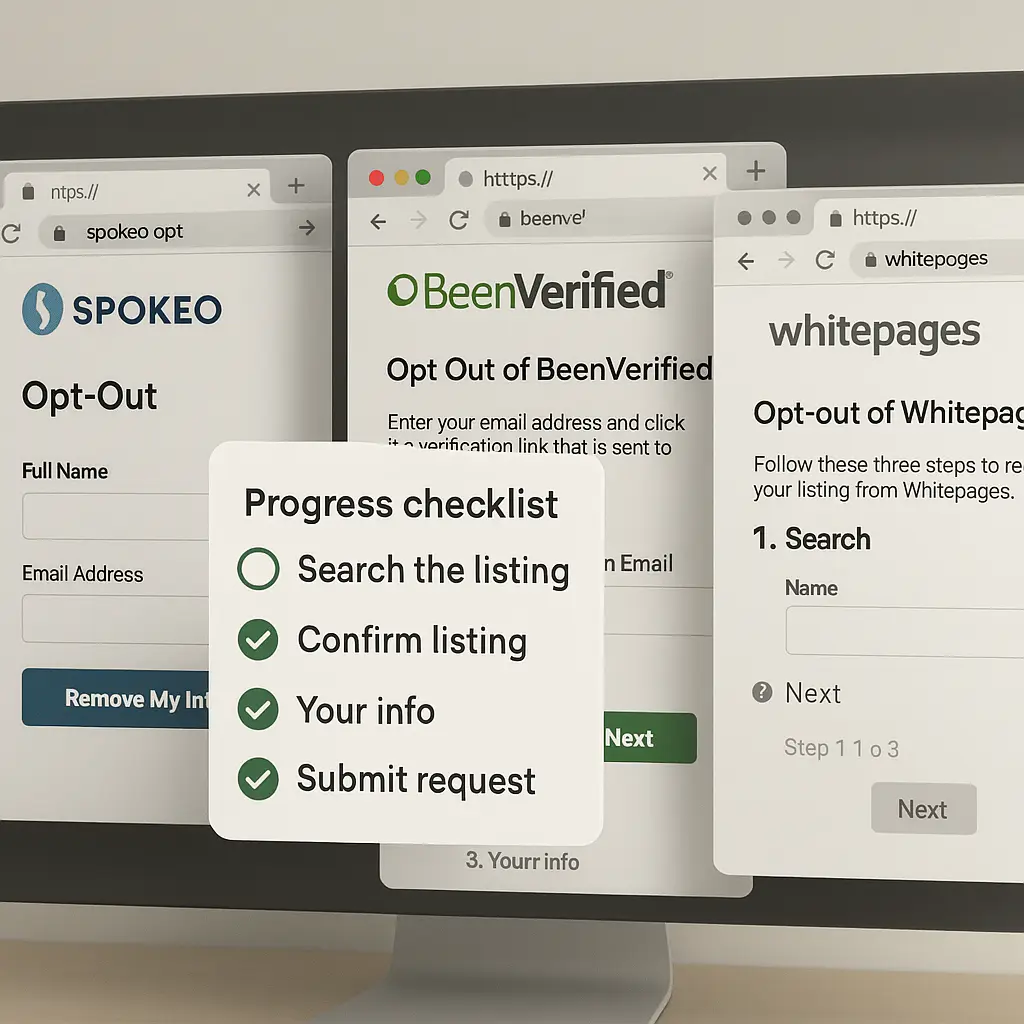
Step 1: Find your listing.
Go to spokeo.com and search for your name. Use the city and state filters to narrow results. Click on the listing that matches you. You'll see a URL in your browser's address bar that looks like spokeo.com/[your-name-and-location]. Copy this URL. You'll need it for the opt-out form.
If you have multiple addresses or name variations, you'll need to repeat this process for each listing. Spokeo treats each address as a separate profile.
Step 2: Navigate to the opt-out page.
Spokeo doesn't link to its opt-out page from the main site. Type this URL directly into your browser: spokeo.com/optout. You'll see a form asking for the URL of your listing.
Step 3: Submit your opt-out request.
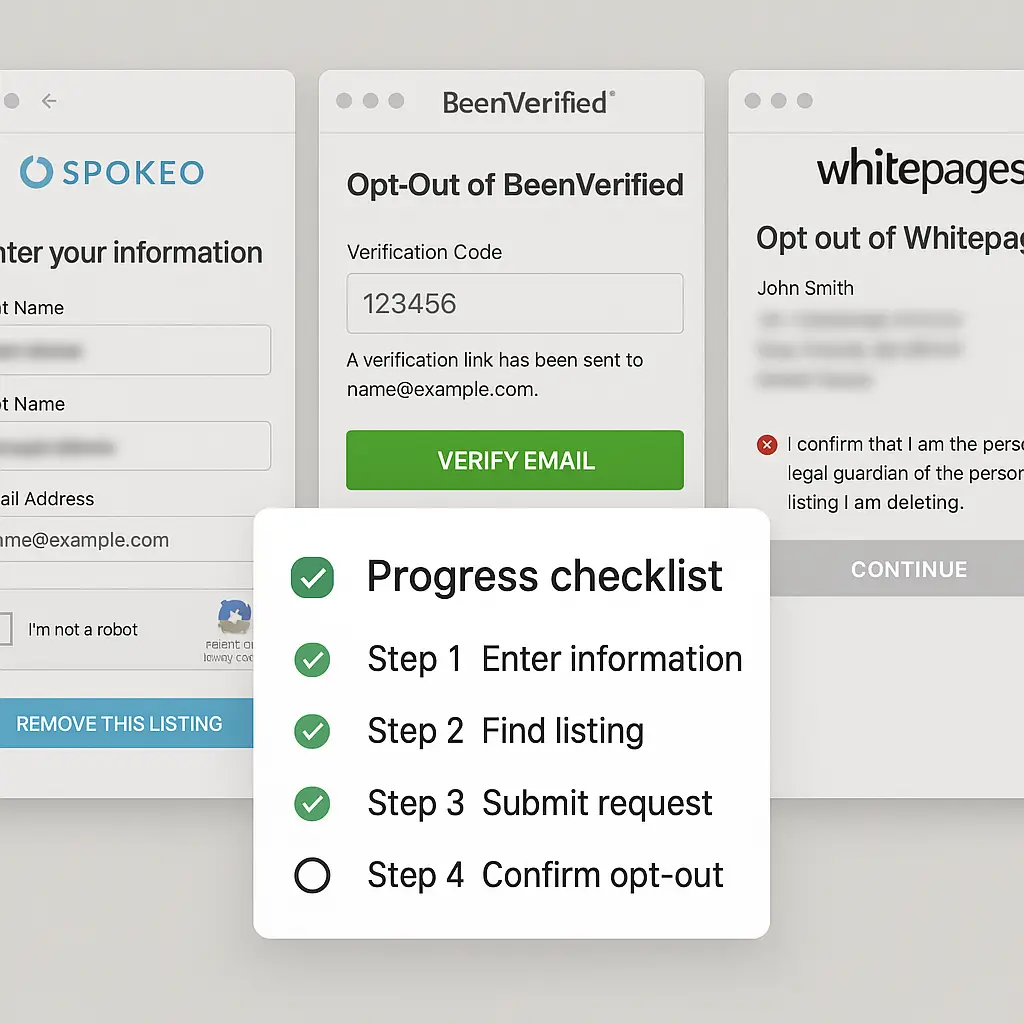
Paste the URL you copied in Step 1 into the form. Enter your email address. Spokeo will send a confirmation link to that email. Check your inbox (and spam folder) for an email from Spokeo. Click the confirmation link. This verifies that you control the email address and authorizes the removal.
Step 4: Wait for processing.
Spokeo states that opt-outs process within 72 hours. In practice, listings sometimes remain visible for up to a week. You'll receive a second email once the removal is complete. If your listing is still visible after a week, repeat the process or contact Spokeo's support.
Step 5: Verify removal.
After the confirmation email arrives, search for your name again on Spokeo. Your listing should no longer appear in results. If it does, check that you removed the correct URL. If the listing persists, submit a new opt-out request.
BeenVerified: step-by-step removal
BeenVerified aggregates public records, social media, and purchased data. The opt-out process is similar to Spokeo but requires additional verification steps.
Step 1: Find your listing.
Go to beenverified.com and search for your name. Use location filters to narrow results. Click on the listing that matches you. Copy the URL from your browser's address bar. It will look like beenverified.com/people/[your-name]/[location].
Step 2: Navigate to the opt-out page.
BeenVerified's opt-out page is at beenverified.com/faq/opt-out. Scroll to the section titled "How do I remove my information?" and click the link that says "opt-out form."
Step 3: Submit your opt-out request.
Paste the URL you copied in Step 1 into the form. Enter your email address. BeenVerified will send a confirmation email. Open the email and click the verification link.
Step 4: Verify your identity.
After clicking the verification link, BeenVerified may ask for additional information to confirm your identity. This can include your phone number, address, or date of birth. Enter the requested information. BeenVerified states that this step prevents fraudulent removal requests.
Step 5: Wait for processing.
BeenVerified processes opt-outs within 24 hours. You'll receive a confirmation email once the listing is removed. Search for your name again on BeenVerified to verify that the listing no longer appears.
Step 6: Repeat for additional listings.
If you have multiple addresses or name variations, repeat the process for each listing. BeenVerified treats each address as a separate profile.
Whitepages: step-by-step removal
Whitepages is one of the oldest people search sites. It aggregates phone directories, public records, and purchased data. The opt-out process is more involved than Spokeo or BeenVerified.
Step 1: Find your listing.
Go to whitepages.com and search for your name. Use location filters to narrow results. Click on the listing that matches you. Copy the URL from your browser's address bar. It will look like whitepages.com/name/[your-name]/[location].
Step 2: Navigate to the opt-out page.
Whitepages' opt-out page is at whitepages.com/suppression_requests. You'll see a form asking for the URL of your listing.
Step 3: Submit your opt-out request.
Paste the URL you copied in Step 1 into the form. Enter your email address and phone number. Whitepages requires a phone number for verification. Select the reason for your opt-out request from the dropdown menu. Options include "Privacy concerns," "Inaccurate information," and "Other."
Step 4: Verify your phone number.
Whitepages will send a verification code to the phone number you provided. Enter the code in the form. This step confirms that you control the phone number associated with the listing.
Step 5: Wait for processing.
Whitepages processes opt-outs within 24 hours. You'll receive a confirmation email once the listing is removed. Search for your name again on Whitepages to verify that the listing no longer appears.
Step 6: Repeat for additional listings.
If you have multiple addresses or name variations, repeat the process for each listing. Whitepages treats each address as a separate profile.
What happens after you opt out
Your listing disappears from search results on the site you removed it from. But the data doesn't vanish. The broker still holds the information in its database. If someone has already downloaded or saved your profile before you opted out, that copy persists. And other brokers that purchased your data from the same sources still hold their own copies.
Data brokers continuously scrape public records and other sources. Your information can reappear on the same site within months. This happens when the broker pulls fresh data from a source you haven't removed yourself from (voter registrations, property records, court filings, and similar). Each time your information reappears, you'll need to submit a new opt-out request.
Why your information reappears
Data brokers don't create the information they sell. They aggregate it from sources that remain accessible:
- Public records: Property deeds, voter registrations, marriage licenses, court filings, and similar documents are public by law. Removing yourself from a broker doesn't remove you from the county clerk's database.
- Data broker networks: Brokers buy and sell data to each other. Removing yourself from Spokeo doesn't remove you from the dozens of brokers that sold Spokeo your data in the first place.
- Social media scraping: Brokers scrape public social media profiles. If your Facebook, LinkedIn, or Instagram profile is public, brokers can pull your name, location, and photos.
The only way to prevent reappearance is to remove yourself from the underlying sources, which is often impossible (you can't unpublish a property deed) or impractical (you'd need to delete all social media presence). This is why quarterly re-checks matter.
Setting up a quarterly re-check
Data broker removal isn't a one-time task. It's ongoing maintenance. Here's the system that works:
Step 1: Mark your calendar.
Set a recurring reminder every three months. Choose a specific date (the first Monday of the quarter, for example) and add it to your calendar with a task list.
Step 2: Create a checklist.
List the sites you've removed yourself from. Include the opt-out URL for each site. This saves time when you re-check. Your list should include at least Spokeo, BeenVerified, and Whitepages, but consider expanding it to other brokers as you identify them.
Step 3: Search and verify.
On your scheduled date, search for your name on each site. If your listing has reappeared, repeat the opt-out process. If it hasn't, move to the next site.
Step 4: Document removal dates.
Keep a log of when you removed yourself from each site. This helps you track patterns. If a site consistently re-lists you within two months, you might need to check it more frequently.
The alternative: automated removal services
Manual removal works, but it's time-consuming. You're repeating the same steps every quarter, and you're only removing yourself from the sites you know about. Hundreds of data brokers exist, and most people aren't aware of more than a handful.
Automated removal services like Incogni submit opt-out requests on your behalf across dozens of brokers. These services monitor for reappearance and submit new requests when your information resurfaces. The tradeoff is cost (around $10-15 per month) and the need to trust the service with enough personal information to identify your listings.
If you're removing yourself manually, automated services don't replace quarterly re-checks. They reduce the frequency and expand the coverage, but they don't eliminate the need to verify that removals stick.
What doesn't work
Paying for "premium" removal: Some sites offer paid services to expedite removal or provide additional privacy protections. These are often scams or upsells for features you don't need. The free opt-out process works. Don't pay for removal.
Contacting customer support: Data brokers don't staff customer support lines for opt-out requests. The opt-out form is the only mechanism. Calling or emailing support will redirect you to the form.
Using a VPN or Tor: Your IP address doesn't affect the opt-out process. Data brokers verify your identity through email or phone, not your network connection. A VPN won't speed up removal or protect your identity during the process.
Submitting fake information: Opt-out forms require accurate information to locate your listing. Submitting fake data will cause the request to fail. The broker can't remove a listing it can't find.
The cultural reference that fits here
In The Fellowship of the Ring, Frodo learns that the Ring makes him visible to the Nazgûl. Wearing it feels like invisibility, but it's actually exposure. Data brokers work the same way. You think you're invisible because you're not actively publishing your information, but aggregation makes you visible in ways you didn't intend. Removing yourself from brokers is like taking off the Ring: it doesn't make you disappear, but it stops broadcasting your location to anyone who's looking.
Why this matters beyond privacy
Data broker listings create tangible risks:
- Phishing campaigns: Scammers use broker data to craft convincing phishing emails. Knowing your address, relatives, and phone number makes a scam email look legitimate.
- Stalking: Abusers use broker sites to track victims. Domestic violence survivors, journalists, and activists face real danger when their addresses appear in search results.
- Identity theft: Brokers sell data that identity thieves use to answer security questions, apply for credit, or impersonate you.
- Discrimination: Landlords and employers use broker data to make decisions that might violate fair housing or employment laws. A listing that includes court records or bankruptcy filings can affect your ability to rent an apartment or get a job.
Removing yourself from Spokeo, BeenVerified, and Whitepages reduces these risks. It doesn't eliminate them, but it makes you harder to find.
What to do next
Start with Spokeo, BeenVerified, and Whitepages. These three sites are the most visible and widely used. The process takes around 30 minutes total. Once you've removed yourself from these three, set a calendar reminder for three months from now. When the reminder triggers, search for your name again and re-check.
If you're serious about reducing your data broker exposure, expand your list. Search for your name on other people search sites (Intelius, PeekYou, Pipl, and similar) and repeat the opt-out process. Each site you remove yourself from reduces the surface area for scammers, stalkers, and identity thieves.
And if the quarterly maintenance feels like too much, consider a paid removal service. The cost is around $120 per year, which is less than the time you'd spend doing it manually. The tradeoff is trusting the service with your data, but for most people, that's a reasonable exchange.