Refund and Return Scams: When 'Help' Is a Scam
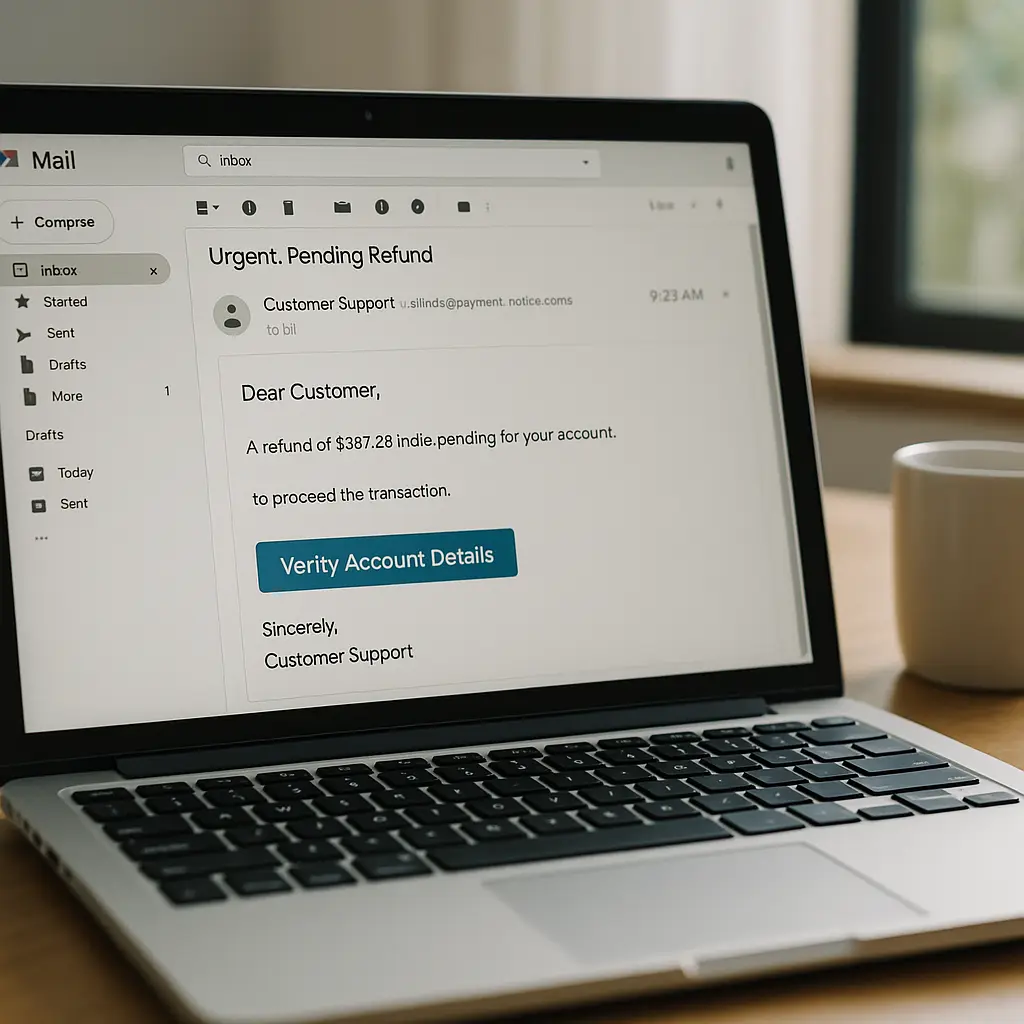
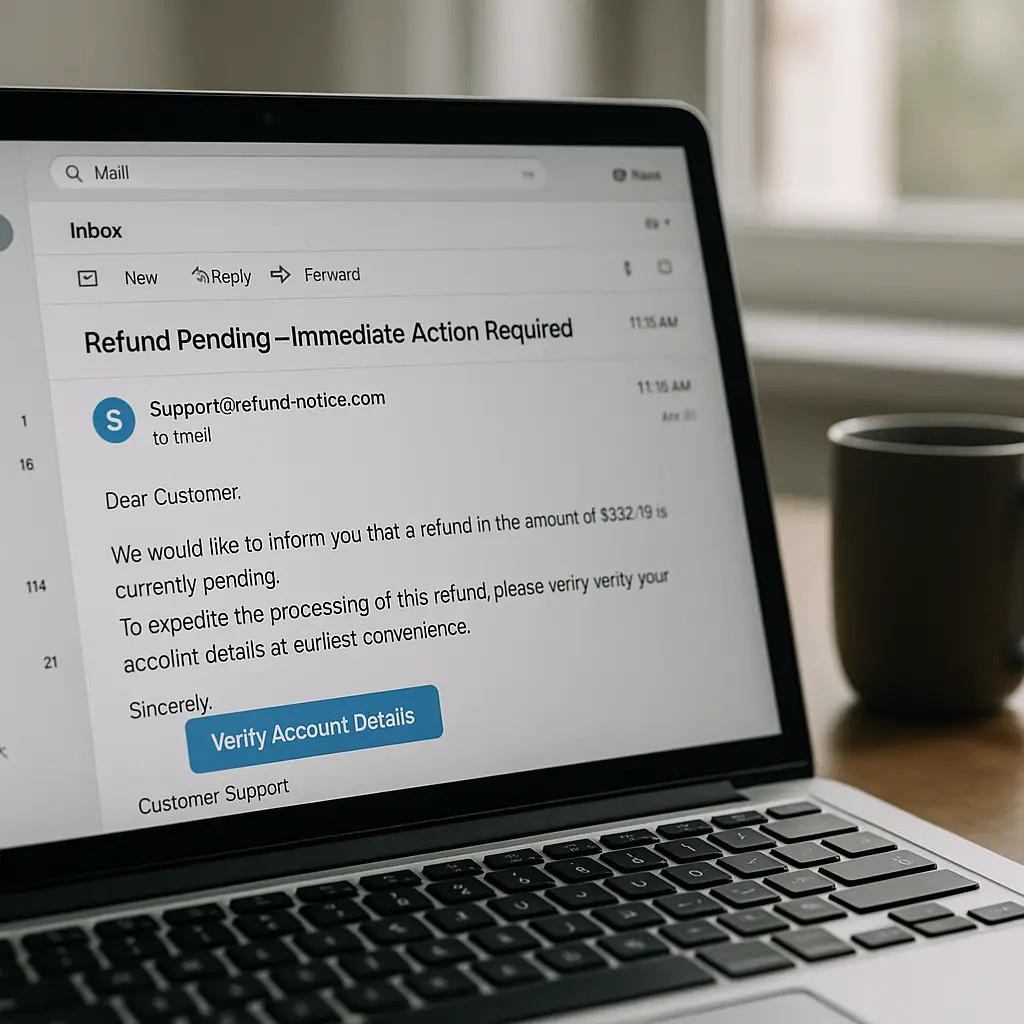
You get an email about a refund. Maybe it's from a retailer you recognize, maybe it's about a subscription you forgot you had, maybe it's for an amount that seems plausible. The message says there's a problem processing your refund, or your account needs verification, or you need to confirm your return. There's a link, or a phone number, or a form to fill out.
This is the refund scam. It's one of the most effective phishing variations because it flips the usual dynamic. Instead of asking you to pay, it promises to pay you. That psychological shift bypasses a lot of skepticism.
Here's how the mechanism works, why these scams succeed, and how to recognize them before you hand over credentials, payment information, or access to your accounts.
The Core Mechanism: Exploiting the Expectation of Money
Most phishing emails create a problem you need to solve. Your account is locked. Your package is delayed. Your payment failed. You react to the threat.
Refund scams do the opposite. They create an opportunity you don't want to miss. You're owed money. You overpaid. A return is ready. The emotional response shifts from fear to anticipation. That anticipation makes people less careful.
The FTC reports that imposter scams, which include fake refund schemes, cost Americans billions annually. The refund variation works because it mimics legitimate business processes. Retailers send refund notifications. Subscription services email about billing issues. The scam hides inside normal commercial communication.
The attack follows a predictable sequence. The email arrives, often using a real company's name and logo. It references a transaction, sometimes a real one if the attackers have access to breach data. It creates urgency around the refund, claiming it will expire, requires verification, or needs immediate action. Then it directs you to take one of three paths: click a link, call a phone number, or reply with information.
Each path leads to the same destination: credential theft, payment fraud, or malware installation.
Link-Based Refund Scams: The Fake Portal
The most common refund scam uses a link to a fake website. The email says your refund is ready, but you need to verify your account details to receive it. The link goes to a page that looks like the retailer's login screen.
You enter your username and password. The fake site captures them. If the site is sophisticated, it forwards you to the real retailer's website after you log in, making it seem like the process worked. You might not realize anything happened until days or weeks later when your account gets used for fraudulent purchases.
Some variations ask for more than login credentials. After you enter your username and password, the fake site asks you to verify your payment method. It displays a form that looks like the retailer's payment update page. You enter your credit card number, expiration date, and CVV. The attackers now have everything they need to make purchases in your name or sell your card details.
The technical mechanism is straightforward. The attackers register a domain that looks similar to the legitimate company's domain. They copy the company's login page design. They host the fake page on cheap infrastructure. When you submit the form, your data goes to the attackers' server, not the company's. The page might display a success message or an error, then redirect you elsewhere. The whole interaction takes less than a minute.
Phishing detection research shows that even security-aware users fall for well-crafted fake login pages, especially when they expect to log in. The refund premise creates that expectation.
Phone-Based Refund Scams: The Callback Variation
Some refund scams skip the link entirely. The email says there's a problem with your refund and provides a phone number to call. When you call, you reach someone claiming to work for the company's refund department.
The person on the phone is friendly, professional, and helpful. They confirm your refund is ready but explain that they need to verify your identity. They ask for your account number, date of birth, or the last four digits of your Social Security number. They might ask you to log into your account while they're on the phone to "help" you navigate the refund process.
This is social engineering at work. The scammer builds rapport, creates the illusion of legitimate customer service, and uses that trust to extract information. Some callback scams go further. They ask you to install remote access software so they can "process the refund directly." Once you grant access, they can see everything on your screen, capture your keystrokes, and control your device.
The FBI's Internet Crime Complaint Center reports show callback scams increasing year over year. The phone interaction feels more legitimate than email because you initiated the call. That perceived control makes people more trusting.
Payment Reversal Scams: The Overpayment Trick
A more sophisticated variation involves fake overpayment scenarios. You receive an email saying you were accidentally refunded too much money. The message claims the company made an error and sent you, say, $500 instead of $50. It asks you to return the difference.
The trick: no money ever arrived. The scam relies on you not checking your account balance before you respond. If you follow the instructions and send money back, you're sending your own money to the attackers. By the time you realize no refund ever came through, the scammers are gone.
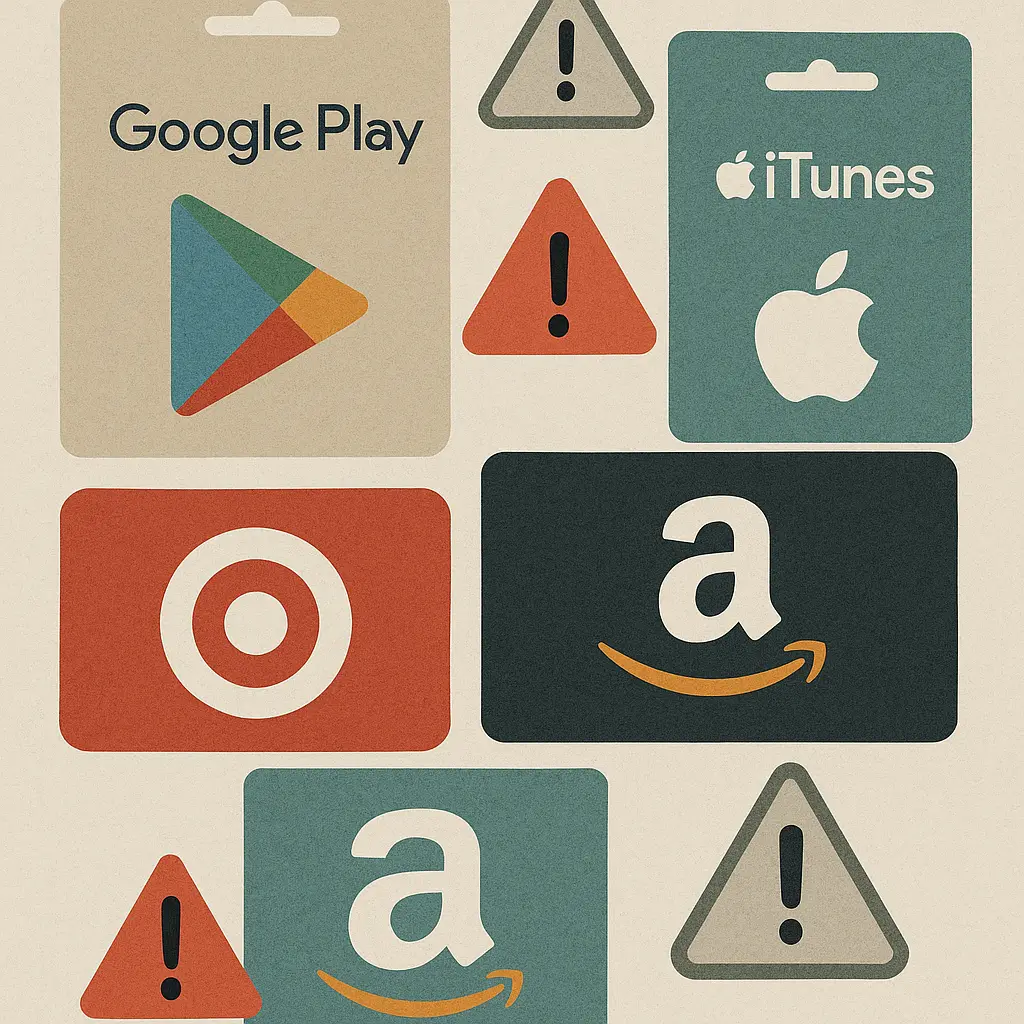
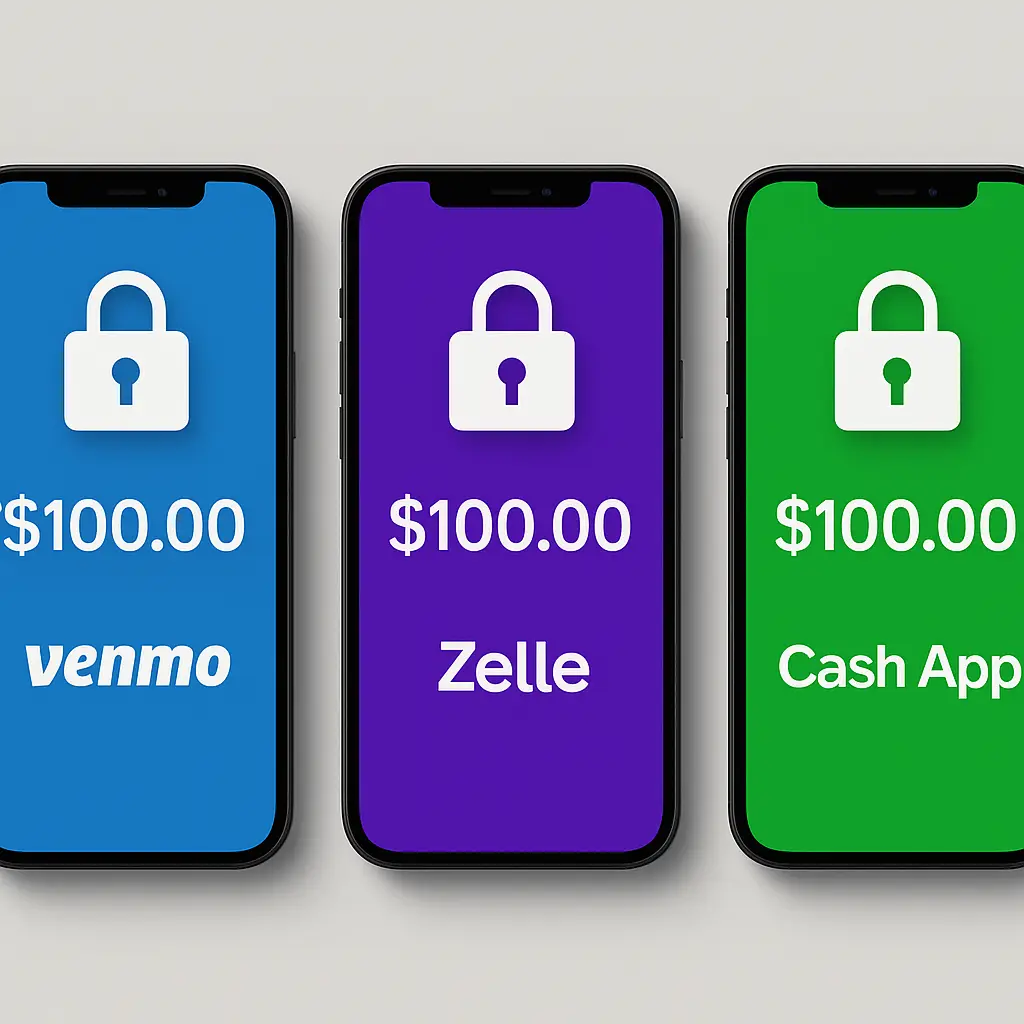
Some versions of this scam use fake payment notifications. You get an email that looks like it's from PayPal, Venmo, or your bank, showing a large deposit. The message says the deposit was a mistake and asks you to send the money back through a specific method, often wire transfer or gift cards. When you check your actual account, there's no deposit. The notification was entirely fabricated.
Subscription Refund Scams: The Renewal Angle
Subscription services create another refund scam opportunity. You receive an email claiming your subscription was renewed but there was a billing error. The message says you were charged twice, or charged the wrong amount, or charged after you cancelled. It offers a refund if you verify your account.
This variation works particularly well because subscription billing is genuinely confusing. People often don't remember which services they're paying for, when renewals happen, or how much they cost. The scam exploits that uncertainty.
The email might reference a real service you use, making it harder to dismiss. If you've ever had a legitimate billing issue with that service, the message feels even more plausible. The attackers count on you not checking your actual billing history before you click.
Hijacking Real Transactions: The Timing Attack
The most difficult refund scams to spot involve real transactions. You make a purchase online. Within hours or days, you receive an email about a problem with that purchase. The timing makes the message feel legitimate.
The attackers got information about your purchase through several possible channels. If the retailer suffered a data breach, your order details might be circulating in criminal markets. If the retailer's order confirmation emails are intercepted through compromised email accounts, the attackers can see what you bought. If you posted about the purchase on social media, that information is public.
The scam email references your actual order number, the items you bought, and the amount you paid. It says there's a problem processing your order and offers a refund. Because all the details match, you're more likely to trust the message and follow the instructions.
The Return Processing Scam: Fake Customer Service
You initiate a legitimate return through a retailer's website. Days later, you receive an email that appears to be from the retailer's customer service team. It says there's a problem processing your return. Your refund is on hold. You need to verify your account or update your payment method to receive your money.
This scam works because you're already expecting communication about the return. The timing and context make the fake email blend into the legitimate process. The attackers might have scraped information about your return from your email if you use a compromised account, or they might be sending these messages to everyone who shops at that retailer, counting on some percentage to have active returns.
The Red Flags: What Legitimate Refund Emails Don't Do
Legitimate refund notifications follow patterns. They come from the company's official email domain. They include specific details about your transaction that only the company would know. They don't ask you to verify account information through email links or phone calls. They don't create artificial urgency around refunds that are already processed.
If a refund email asks you to log in through a link in the email, that's a red flag. Legitimate companies tell you to log in through their website or app, not through an email link. If the email asks you to call a phone number that's not listed on the company's official website, that's a red flag. If the message claims your refund will expire or be cancelled unless you act immediately, that's a red flag.
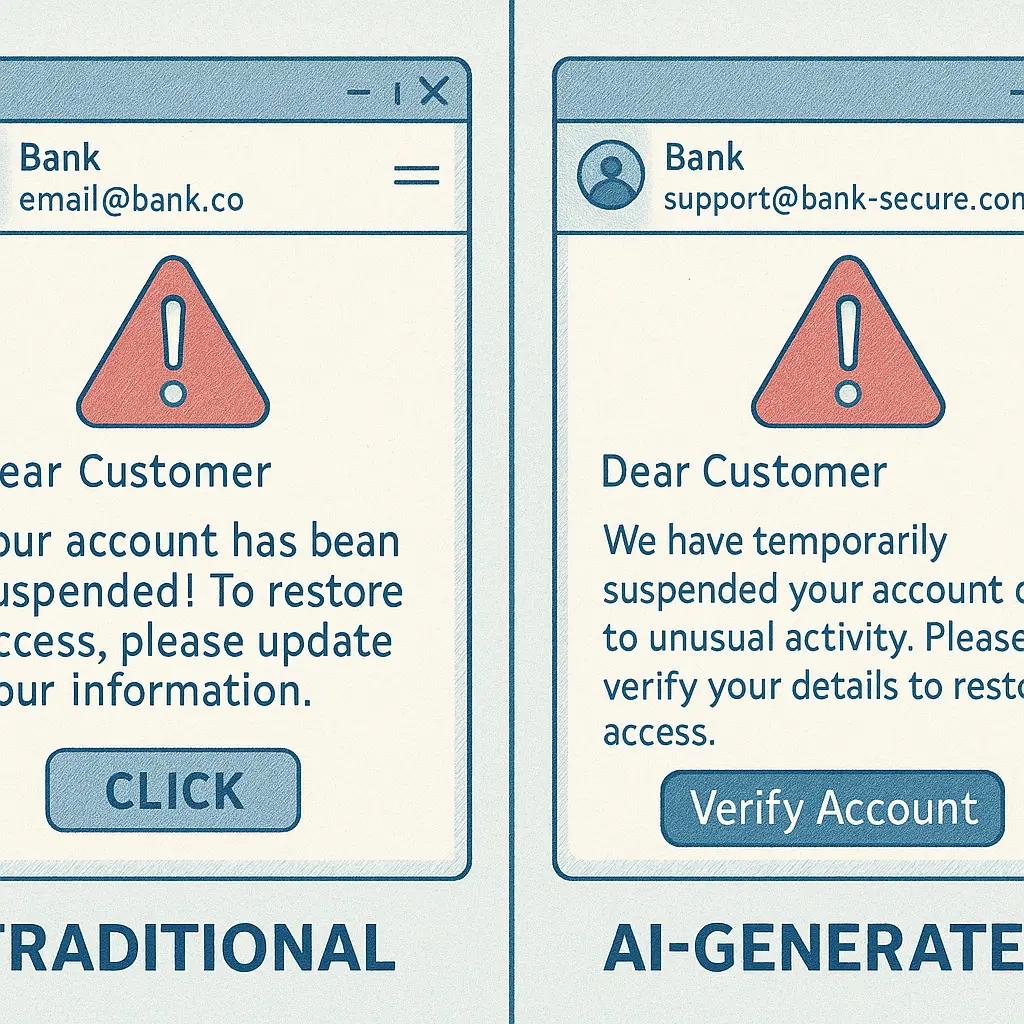
Generic greetings are another indicator. Legitimate refund emails use your name because the company has your account information. Scam emails often use "Dear Customer" or "Dear Valued Member" because the attackers are sending the same message to thousands of people.
Spelling and grammar errors used to be reliable indicators of scams, but that's changing. AI-generated phishing emails are grammatically correct and professionally written. You can't rely on language quality alone anymore.
The Verification Process: How to Check Before You Click
When you receive a refund email, verify it independently before you take any action. Don't click links in the email. Don't call phone numbers listed in the email. Instead, go directly to the company's website by typing the URL into your browser or using a bookmark you created.
Log into your account through the official website. Check your order history, your transaction history, and any notifications from the company. If there's a legitimate refund, it will show up there. If there's a problem with a return, the company's system will display it.
If you're not sure whether the email is legitimate, contact the company through their official customer service channels. Use the phone number or chat function on their website, not the contact information in the email. Describe the message you received and ask if it came from them.
This verification process takes a few extra minutes, but it's the only reliable way to distinguish legitimate refund communications from scams. The attackers count on you not taking those minutes.
What Happens If You Fall for It
If you clicked a link in a refund scam email and entered your credentials, the attackers now have access to your account. They can make purchases, change your password, update your email address, and lock you out. The first steps after clicking a phishing link are time-sensitive: change your password immediately, check for unauthorized activity, and enable two-factor authentication if you haven't already.
If you provided credit card information, contact your card issuer right away. Report the fraud, dispute any unauthorized charges, and request a new card. The faster you act, the more likely you are to recover your money and prevent additional fraud.
If you called a phone number and provided personal information, the damage depends on what you shared. Social Security numbers, dates of birth, and account numbers can be used for identity theft. Consider placing a fraud alert on your credit reports and monitoring your accounts closely for signs of misuse.
If you installed remote access software, the attackers might still have access to your device. Uninstall the software immediately, run a full malware scan, and change passwords for all accounts you accessed while the software was installed. In some cases, you might need to wipe and reinstall your operating system to be certain the access is terminated.
The Broader Context: Why Refund Scams Keep Working
Refund scams succeed because they exploit normal commercial interactions. People expect to receive refunds. Retailers do send refund notifications. Billing errors do happen. The scam hides inside legitimate business processes, making it harder to distinguish fake messages from real ones.
The FTC's data on imposter scams shows these attacks increasing in sophistication and volume. As more commerce moves online, the opportunities for refund scams multiply. Every transaction creates a potential opening for a fake follow-up message.
The attacks also benefit from data breaches. When retailers get breached and customer data leaks, attackers gain the information they need to make refund scams more convincing. They know what you bought, when you bought it, and how much you paid. That information turns a generic scam email into a targeted message that references your actual transaction.
The Defense: Skepticism as Default
The most effective defense against refund scams is treating all unsolicited refund communications as suspicious until proven otherwise. That doesn't mean ignoring them. It means verifying them independently before you take any action.
Don't click links in refund emails. Don't call phone numbers provided in refund emails. Don't provide account information in response to refund requests. Instead, go directly to the company's website, log in through official channels, and check whether the refund communication is legitimate.
If you're expecting a refund and receive an email about it, verify the details match what you know. Check the order number, the amount, the date. If anything doesn't align, investigate before you proceed.
If you receive a refund notification for a transaction you don't remember making, that's an immediate red flag. Either you're being targeted by a scam, or someone used your account without your knowledge. Either way, you need to verify through official channels.
Reporting Refund Scams
When you identify a refund scam, report it. The FTC accepts reports through ReportFraud.ftc.gov. The FBI's Internet Crime Complaint Center also collects reports of online fraud. Reporting doesn't guarantee recovery of lost money, but it helps law enforcement track patterns and identify large-scale operations.
Forward phishing emails to the company being impersonated. Most major retailers have dedicated email addresses for reporting phishing attempts. They use these reports to identify attack campaigns and warn other customers.
If you lost money to a refund scam, file a report with your local police department. You'll need the police report if you're pursuing identity theft recovery or disputing fraudulent charges.
The Schitt's Creek Principle
In Schitt's Creek, the Rose family loses their fortune and has to rebuild their understanding of how money works. They learn that things that sound too good to be true usually are, and that legitimate business transactions follow predictable patterns. The same principle applies to refund scams.
When someone offers you money unexpectedly, especially through an unsolicited email or phone call, your default response should be skepticism. Legitimate refunds happen, but they don't require you to verify your account through email links, call unfamiliar phone numbers, or provide sensitive information to strangers. The process follows official channels that you can verify independently.
The scam works when you skip that verification step because you're excited about receiving money. The defense is simple: verify first, act second. Every time.
Refund scams will keep evolving. The messages will get more convincing. The fake websites will look more legitimate. The social engineering will get more sophisticated. But the core mechanism stays the same: attackers create a false expectation of receiving money and use that expectation to steal credentials, payment information, or account access. Recognizing that mechanism is the first step to defending against it.