Personalized ads: the actual mechanism behind what you see
You search for running shoes on Tuesday. By Wednesday, running shoe ads follow you across the web. You mention dog food in a text, and suddenly you see dog food ads everywhere. The mechanism feels invasive because it is, but it's not magic and it's not your phone listening to your conversations.
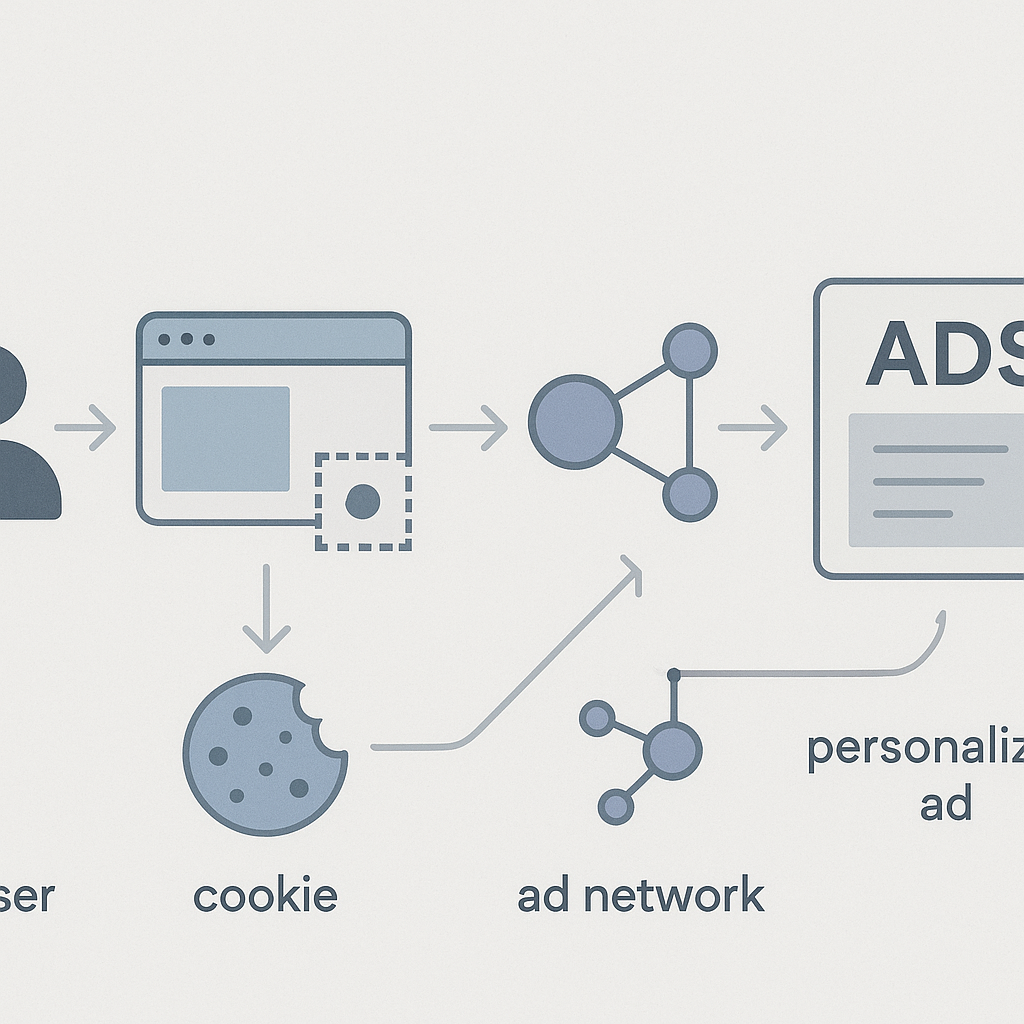
Personalized ads work through a technical infrastructure that tracks your behavior, builds profiles, auctions your attention, and delivers ads based on predictions about what you'll click. The system is vast, automated, and operates mostly invisibly. Here's how it actually works.
The tracking layer
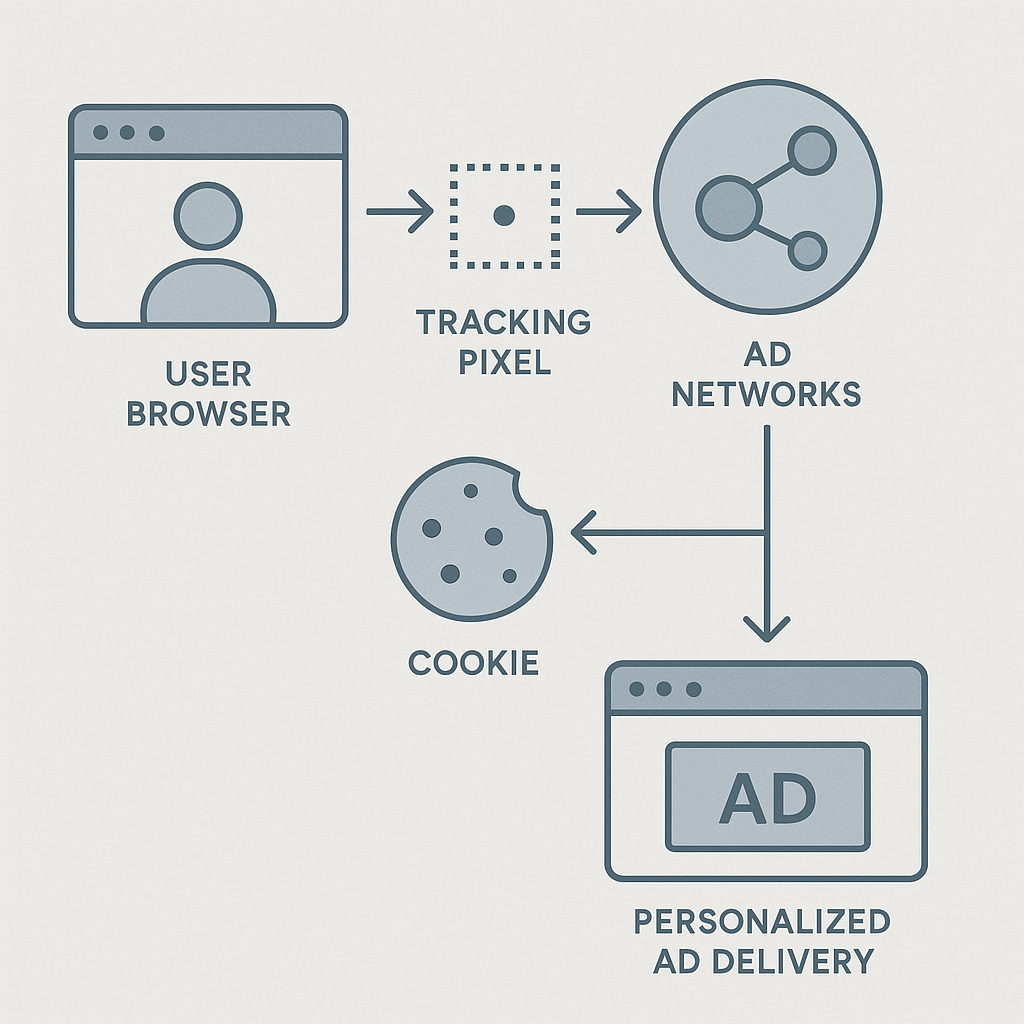
When you visit a website, your browser loads content from dozens of sources. The site's own server delivers the article or product page. But embedded in that page are requests to third-party servers: ad networks, analytics platforms, social media widgets, and tracking services.
Each third-party request can drop a cookie on your browser. Cookies are small text files that store identifiers. A first-party cookie comes from the site you're visiting. A third-party cookie comes from someone else, usually an ad network or tracking company.
Third-party cookies persist across sites. When you visit Site A, the ad network drops a cookie with a unique ID. When you visit Site B, that same ad network recognizes the ID and knows you've been to both sites. Over time, the network builds a profile: visited Site A on Monday, Site B on Tuesday, spent three minutes on a page about running shoes, clicked through to a product page but didn't buy.
The FTC has documented how tracking companies collect and share this data across platforms. The mechanism isn't hidden. It's disclosed in privacy policies that most people don't read.
Some browsers now block third-party cookies by default. Safari and Firefox block them. Chrome announced plans to phase them out, then delayed, then delayed again. When third-party cookies disappear, ad networks shift to other tracking methods.
Tracking pixels and beacons
A tracking pixel is a 1x1 transparent image embedded in a webpage or email. When your browser loads the pixel, it sends a request to the tracking server. That request includes your IP address, browser type, operating system, and the page you're viewing.
The pixel doesn't need to store a cookie. The request itself provides enough data to log your visit. If the same tracking company operates pixels across multiple sites, they can link your activity by IP address, device fingerprint, or login status.
Email tracking pixels work the same way. When you open an email, your email client loads images from external servers. The tracking company logs the request and knows you opened the message, when you opened it, and what device you used.
Blocking pixels requires blocking external images or using a browser extension that intercepts tracking requests. Most people don't configure these protections because they don't know the mechanism exists.
Device fingerprinting
When cookies fail, ad networks use fingerprinting. Your browser reveals information every time it loads a page: screen resolution, installed fonts, timezone, language settings, GPU model, browser plugins, and dozens of other characteristics.
Individually, these data points are common. Millions of people use the same screen resolution. But the combination is often unique. A device running Firefox on macOS with a specific set of fonts, a particular screen resolution, and a timezone in Central Europe creates a fingerprint that identifies you across sites without storing anything on your device.
Mozilla's developer documentation explains how browsers expose this information through standard web APIs. The mechanism isn't a vulnerability. It's how browsers function. Fingerprinting exploits that functionality for tracking.
Fingerprinting is harder to block than cookies because it doesn't rely on stored data. Browser extensions like Privacy Badger attempt to detect and block fingerprinting scripts, but the arms race continues. Ad networks develop new techniques, privacy tools catch up, the cycle repeats.
The profile-building layer
Ad networks don't just log where you go. They infer what you want. If you visit ten sites about running shoes, the network tags your profile with "running shoes" as an interest. If you spend time on parenting blogs, you get tagged with "parent." If you read articles about mortgages, you get tagged with "homebuyer."
These tags combine into audience segments. You're not just "interested in running shoes." You're "female, 35-44, interested in fitness, high income, homeowner, parent." Ad networks sell access to these segments.
The inference isn't always accurate. You might research running shoes for a gift. You might read parenting blogs because you're a teacher. The system doesn't care. It predicts based on behavior, not intent.
The Electronic Frontier Foundation has tracked how these profiles expand over time, incorporating data from credit bureaus, data brokers, and offline purchases. The web tracking layer connects to a much larger data ecosystem.
Some profiles include sensitive inferences: health conditions, financial status, political beliefs, sexual orientation. Ad networks claim they don't use these categories, but researchers have documented how targeting options allow advertisers to reach people based on precisely these characteristics.
The real-time bidding layer
When you load a webpage, an auction happens in milliseconds. The site sends a bid request to an ad exchange. The request includes information about the page, the ad slot, and your profile.
Advertisers submit bids. The highest bidder wins. The ad loads. You see it. The entire process completes before the page finishes rendering.
This is real-time bidding. It's the mechanism behind most display ads. Your profile determines which advertisers bid and how much they pay. A profile tagged "high-income homebuyer" attracts higher bids than a profile tagged "budget shopper."
The bid request often includes your full profile data. Hundreds of companies receive this data every time an ad loads. Industry guidance suggests that this data should be anonymized, but researchers have shown how easy it is to re-identify individuals from supposedly anonymous profiles.
The auction layer is where tracking converts into money. Ad networks monetize your behavior by selling access to your attention. The more precise the profile, the higher the bids.
The delivery layer
After the auction, the ad loads from a content delivery network. The ad itself might contain additional tracking. When you click, the ad network logs the click, updates your profile, and redirects you to the advertiser's site.
The advertiser's site drops its own cookies. If you make a purchase, the advertiser reports the conversion back to the ad network. The network credits the click, updates your profile again, and adjusts future bids based on your behavior.
This feedback loop refines targeting over time. If you clicked an ad for running shoes but didn't buy, the network might show you ads for cheaper shoes or related products. If you bought, it might show you ads for running apparel or fitness trackers.
Retargeting uses this mechanism to follow you after you leave a site. You browse a product page, don't buy, and leave. The site's tracking pixel logs your visit. Later, you see ads for that exact product across the web. The ad network knows you showed interest and bids higher to show you that specific item.
Cross-device tracking
Ad networks link your phone, laptop, and tablet into a single profile. They do this through login data, IP addresses, and probabilistic matching.
If you log into the same account on multiple devices, the network links them directly. Your Google account, Facebook account, or Amazon account ties your behavior together across platforms.
If you don't log in, networks use IP addresses and device fingerprints to infer connections. If a phone and laptop connect from the same home WiFi network at similar times, the network guesses they belong to the same person. The guess isn't always right, but it's right often enough to be profitable.
Cross-device tracking means searching for a product on your phone can trigger ads on your laptop. The mechanism feels like surveillance because it is. Your behavior on one device influences what you see on another.
The data broker connection
Ad networks don't work in isolation. They buy data from data brokers who compile information from public records, purchase history, loyalty programs, and offline behavior.
A data broker might know you bought a house, have two kids, drive a specific car model, and shop at particular stores. Ad networks merge this offline data with online tracking to build richer profiles.
This is how you see ads for baby products after giving birth, even if you never searched for them online. The hospital or insurance company reports the birth to a data broker. The broker sells the data to ad networks. The networks target you based on life events they learned about offline.
Consumer privacy organizations have documented how this data flows between industries, creating profiles that span every aspect of your life. The web tracking layer is just one input into a much larger system.
The location layer
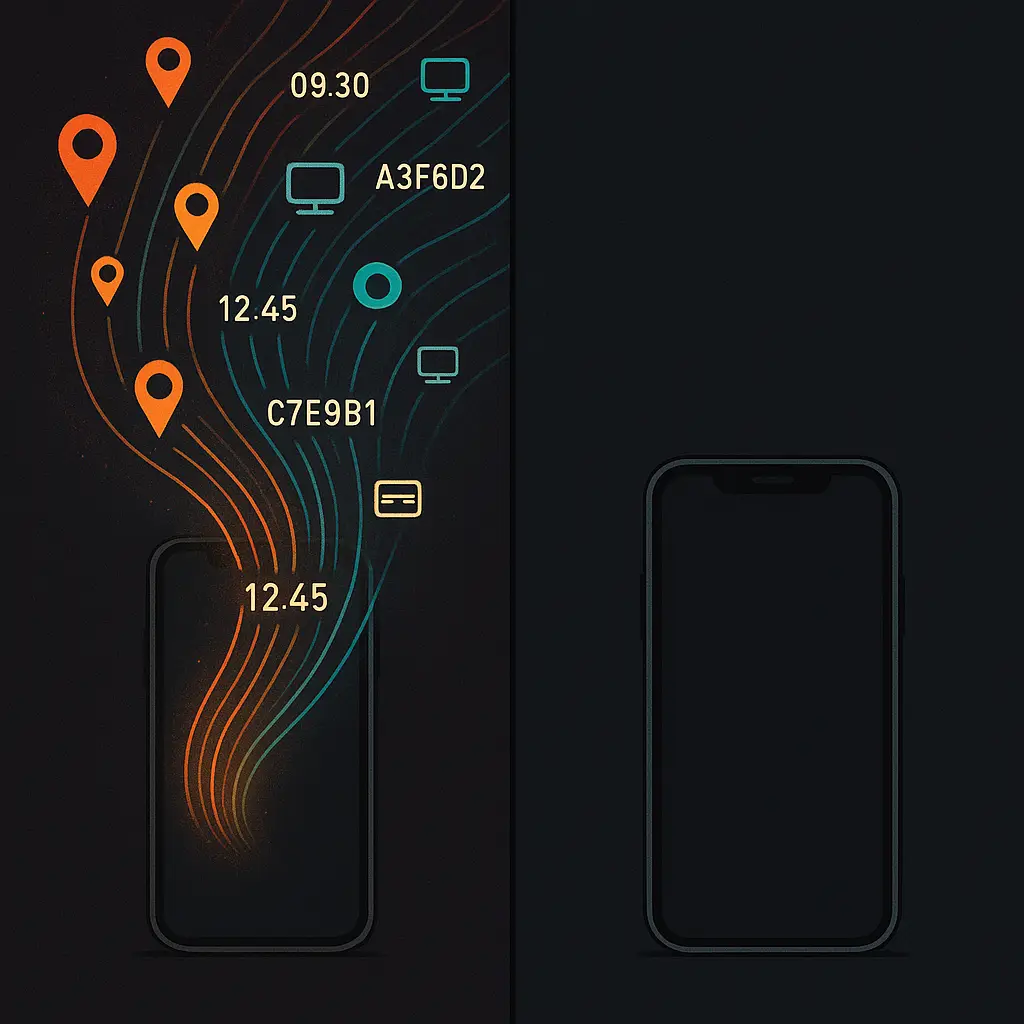
Mobile ads use GPS data to target you based on where you are and where you've been. Apps request location permissions, log your coordinates, and share that data with ad networks.
If you visit a car dealership, ad networks log the visit. Later, you see ads for cars. If you spend time near a competitor's store, you might see ads trying to lure you away.
Geofencing creates virtual boundaries around locations. When you enter the boundary, the ad network logs it and triggers targeted ads. Retailers use this to show you ads when you're near their stores. Advertisers use it to reach people who've visited competitors.
Location data is often more invasive than browsing history because it reveals where you live, work, and spend time. Researchers have shown how easy it is to re-identify individuals from supposedly anonymous location data.
The search connection
Google uses your search history to inform ad targeting, but only if you're logged into a Google account. Searches feed into your profile. If you search for "best running shoes," Google tags you as interested in running shoes and shows you related ads across its network.
The mechanism is direct: search query becomes profile tag becomes targeted ad. Google's ad network reaches across millions of sites through Google Ads and AdSense, so your search behavior influences what you see far beyond Google's own properties.
Other search engines don't build profiles the same way. DuckDuckGo doesn't track searches. Bing tracks less aggressively than Google. But if you're logged into a Microsoft account, Bing uses your search data for targeting.
The social media layer
Facebook, Instagram, and Twitter track you across the web through social plugins. The Like button, Share button, and embedded posts all load code from social networks. That code logs your visit even if you don't click.
Social networks combine this web tracking with your on-platform behavior: posts you like, accounts you follow, groups you join, ads you click. The profile is richer than what ad networks build because social platforms know your social graph, your real name, and often your phone number and email.
Facebook's ad platform lets advertisers upload customer lists and target people who match. If a retailer has your email from a past purchase, they can show you ads on Facebook. The mechanism is called Custom Audiences, and it links offline customer data directly to social profiles.
The email connection
Email addresses serve as universal identifiers across platforms. If you use the same email to sign up for multiple services, ad networks link your accounts and merge your profiles.
Some companies hash email addresses before sharing them, converting you@example.com into a string like 5d41402abc4b2a76b9719d911017c592. Hashing is supposed to protect privacy, but if multiple companies hash the same email with the same algorithm, they can still match records without storing the plaintext address.
This is how you see ads for products you browsed on one site when you visit a completely different site. The two sites share hashed emails with the same ad network. The network matches the hashes, links your profiles, and targets you across both properties.
What you can actually control
You can block third-party cookies in your browser settings. Safari and Firefox block them by default. Chrome requires manual configuration. Blocking third-party cookies breaks some website functionality, but most sites work fine.
You can install an ad blocker. uBlock Origin blocks ads and tracking scripts. Privacy Badger learns which domains track you and blocks them automatically. The EFF maintains Privacy Badger as a tool specifically designed to fight tracking.
You can use browser extensions that block fingerprinting. These extensions make your browser look more generic, reducing the uniqueness of your fingerprint. They don't eliminate fingerprinting, but they make it harder.
You can opt out of personalized ads through industry tools like the Digital Advertising Alliance's opt-out page. Opting out doesn't stop tracking. It tells ad networks not to use your profile for targeting. You still see ads, just less personalized ones.
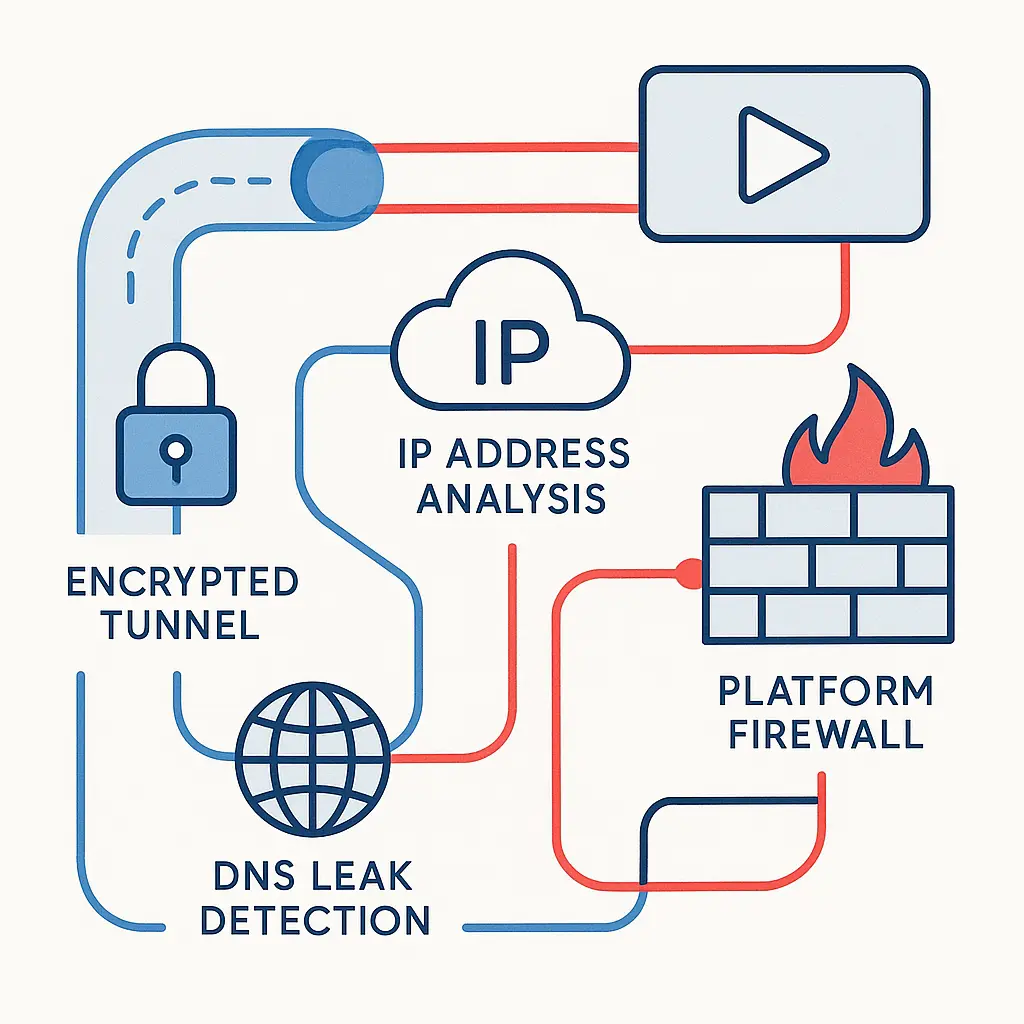
You can use a VPN to hide your IP address. Ad networks can't link your activity across sessions if your IP changes constantly. VPNs don't stop tracking within a session, but they make cross-session tracking harder.
You can clear your cookies regularly. This breaks persistent tracking but also logs you out of sites and resets preferences. Some people automate cookie clearing on browser close. It's effective but inconvenient.
You can disable location permissions for apps. If apps can't access GPS, they can't log your physical location. This breaks some functionality, like navigation apps and location-based recommendations.
You can use different browsers for different activities. Browse shopping sites in one browser, news sites in another. Ad networks can't link profiles across browsers unless you log into the same accounts.
You can avoid logging into accounts when you don't need to. Logging in links your behavior to your identity. Browsing logged out makes tracking harder, though not impossible.
None of these steps eliminate tracking completely. Ad networks adapt. New techniques emerge. But each step reduces the data available and makes profiling less accurate.
Why the mechanism persists
Personalized ads fund the web. Publishers rely on ad revenue. Ad networks pay more for personalized ads than generic ones. The economic incentive to track is enormous.
Users tolerate tracking because the tradeoff isn't obvious. You see ads either way. Personalized ads feel creepy, but they also sometimes show you things you actually want. The harm is diffuse and long-term: profiles that persist for years, data breaches that expose tracking data, discrimination based on inferred characteristics.
Regulation is slowly catching up. GDPR in Europe requires consent for tracking. CCPA in California gives users the right to opt out. But enforcement is inconsistent, and many sites bury consent in dark patterns that nudge you toward accepting.
The technical infrastructure is deeply embedded. Thousands of companies participate in the ad ecosystem. Changing it requires coordination across an industry that profits from the status quo.
In The Office, Michael Scott runs a paper company in a world being overtaken by digital communication. He clings to the old model because it's what he knows, even as the industry shifts around him. The web's ad-supported model is facing a similar reckoning. Privacy regulations, browser changes, and user backlash are forcing the industry to adapt. But unlike Michael, ad networks aren't clinging to the old ways out of nostalgia. They're adapting because the money is too good to walk away from.
The mechanism behind personalized ads isn't going away. It's evolving. Third-party cookies are dying, but fingerprinting, first-party data, and probabilistic matching are filling the gap. The tracking continues, just through different techniques.
Understanding the mechanism gives you leverage. You can't opt out of the entire system without leaving the web, but you can reduce your exposure, limit what gets collected, and make your profile less valuable. The tools exist. The question is whether the inconvenience is worth the privacy.