How Online Tracking Actually Works: The Mechanism Behind the Surveillance
You visit a recipe site. You read about roasted chicken. You close the tab. An hour later, you're on a news site, and an ad for a meal kit service appears. You didn't sign in anywhere. You didn't share your email. The recipe site and the news site have no visible connection. But somehow, the meal kit company knows you were looking at chicken recipes.
This is online tracking. It's not magic. It's not a breach. It's the designed behavior of the web's advertising infrastructure. The mechanism is technical, but it's not complicated. Here's how it works.
The Basic Mechanism: Third-Party Scripts
When you load a webpage, your browser doesn't just fetch content from that site. It also fetches code from dozens of other domains. These are third-party scripts: analytics tools, ad networks, social media widgets, and data brokers. The site owner includes them intentionally, usually to monetize the page or measure traffic.
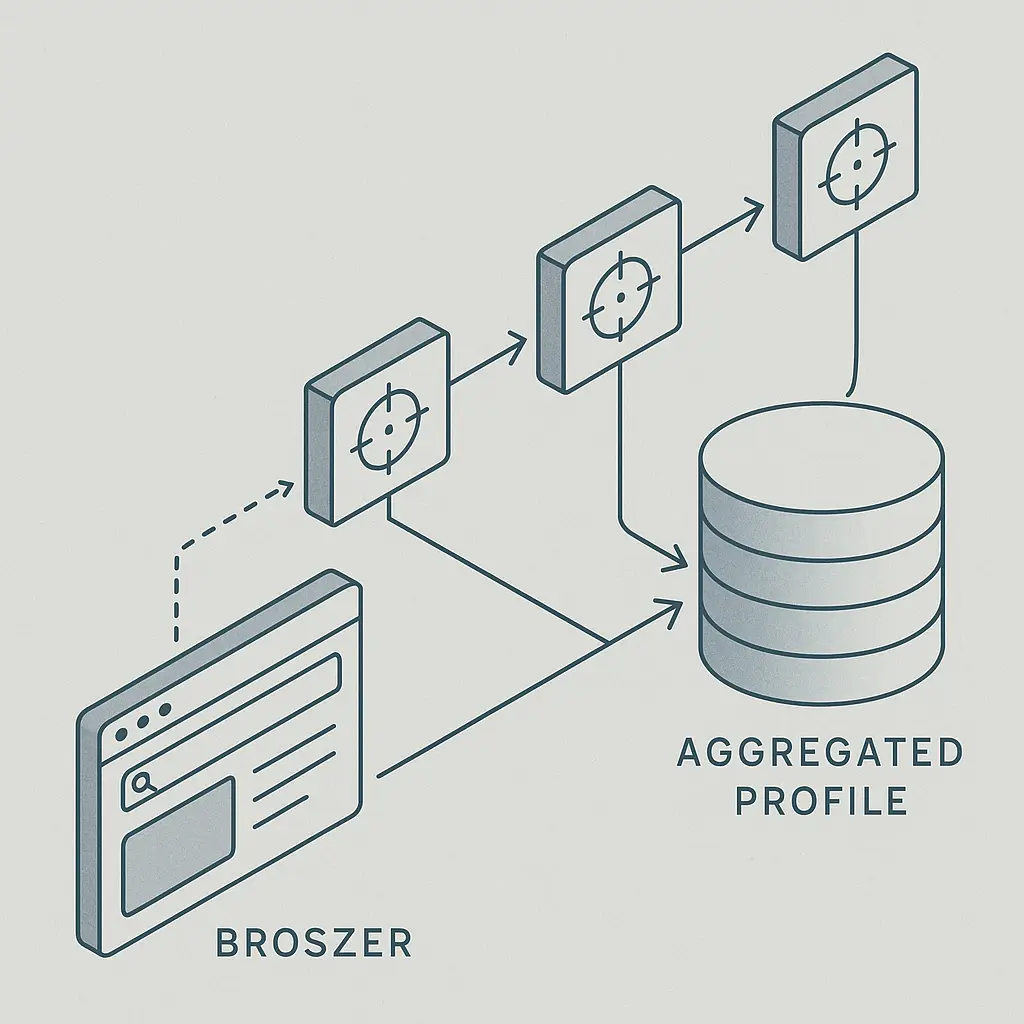
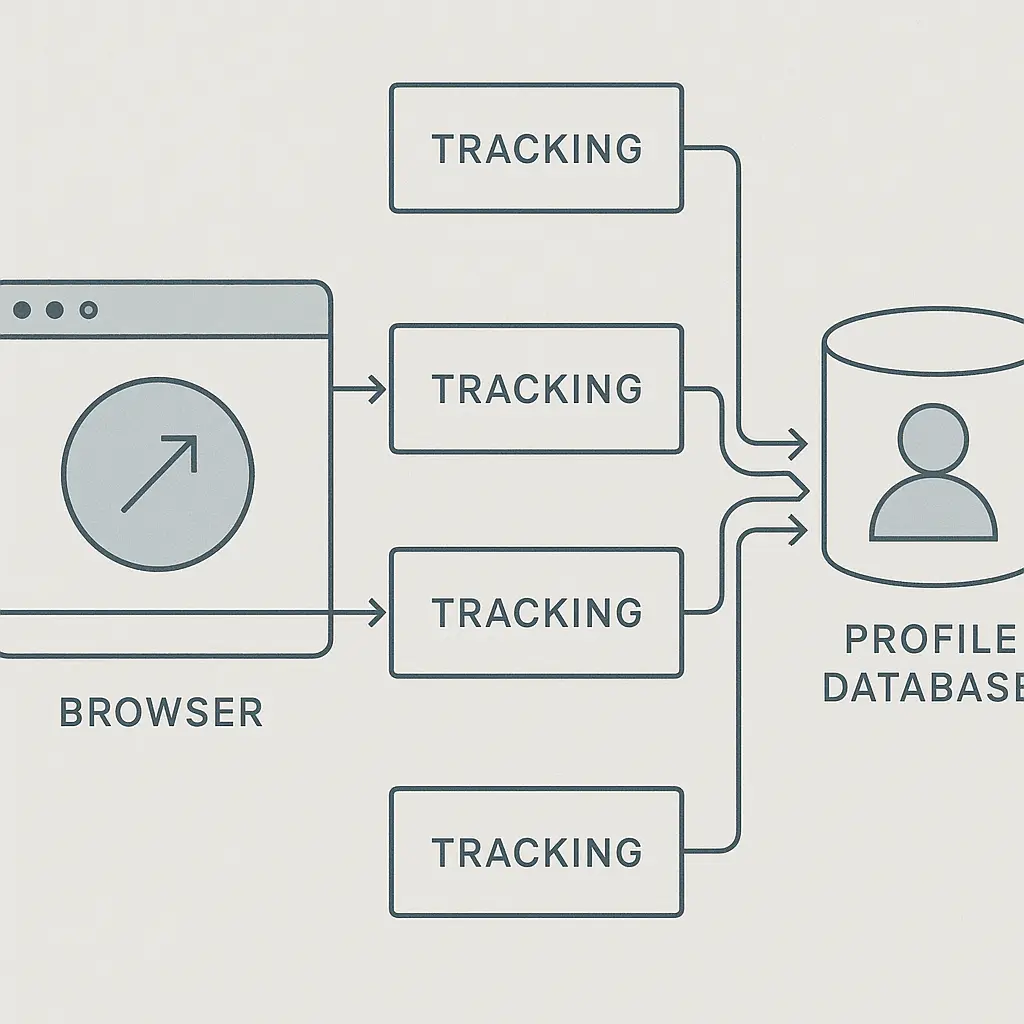
Each script runs in your browser and reports back to its own server. It sees the URL you're visiting, your IP address, your device type, and your browser version. If the same script appears on multiple sites, it sees everywhere you go. That's the foundation of cross-site tracking.
The Electronic Frontier Foundation has documented how third-party tracking works across the web ecosystem, including the role of ad networks and data brokers in aggregating browsing behavior.
The recipe site loads a script from an ad network. The news site loads the same script. The ad network sees both visits. It doesn't need permission from you. It doesn't need you to log in. It just needs the site owner to include its code, which happens automatically when the site uses that ad network.
Cookies: The Persistent Identifier
A cookie is a small text file stored in your browser. When you visit a website, the site can write a cookie to your browser and read it back on future visits. That's how sites remember your login, your shopping cart, and your preferences.
Third-party trackers use cookies the same way, but across sites. When you visit the recipe site, the ad network's script writes a cookie with a unique ID. When you visit the news site, the same script reads that cookie and recognizes you. The ID links both visits to the same person, even though the sites are unrelated.
This is called a third-party cookie because it's set by a domain you're not directly visiting. Your browser allows it by default because blocking third-party cookies breaks some legitimate features, like embedded videos and payment widgets. But the same mechanism that powers those features also powers surveillance.
The Federal Trade Commission has enforced cases against companies that misrepresented how they used cookies to track users, establishing that deceptive tracking practices violate consumer protection law.
Cookies don't contain your name or email. They're just random strings. But over time, the ad network associates that string with everything you do on sites where its script appears. It builds a profile: your interests, your shopping habits, your reading patterns, your location history. The profile is pseudonymous until the ad network links it to your real identity, which happens when you log into a service owned by the same company or fill out a form that includes your email.
Browser Fingerprinting: Tracking Without Cookies
Blocking cookies doesn't stop tracking. Browser fingerprinting identifies you based on the characteristics of your device and browser. Every browser has a unique combination of installed fonts, screen resolution, timezone, language settings, plugins, and hardware specs. Trackers collect this information using JavaScript and combine it into a hash that serves as an identifier.
Fingerprinting is less precise than cookies because your fingerprint changes when you update your browser or adjust settings. But it's persistent enough to track you across sessions and sites. And because it doesn't rely on stored data, it's harder to block. You can't delete a fingerprint the way you delete a cookie.
The Mozilla Privacy Principles outline the browser maker's stance on fingerprinting resistance, and Firefox includes protections that limit the information available to fingerprinting scripts.
Some fingerprinting techniques are sophisticated. Canvas fingerprinting renders an invisible image in your browser and measures tiny variations in how your device draws it. Audio fingerprinting plays a silent sound and analyzes how your hardware processes it. These variations are unique enough to identify you, and they happen without your knowledge or consent.
Tracking Pixels: The Invisible Observers
A tracking pixel is a 1x1 transparent image embedded in a webpage or email. When your browser loads the page, it fetches the pixel from the tracker's server. The server logs your IP address, timestamp, device type, and the URL of the page you're viewing. That's enough to track you.
Pixels are everywhere. Marketing emails use them to see if you opened the message. Websites use them to measure traffic. Ad networks use them to confirm that an ad was displayed. Each pixel reports back to a different tracker, and each tracker adds your activity to its database.
Pixels work even if you block cookies. They don't store data in your browser. They just record the fact that your device loaded the image. Combined with other tracking methods, pixels help trackers link your activity across platforms.
The Tracking Ecosystem: Who Sees What
The web's tracking infrastructure is a network of companies that collect, aggregate, and sell data about your behavior. Here's who participates and what they see.
Ad networks like Google Ads and Meta Audience Network place tracking code on millions of sites. They see everywhere you go and use that data to target ads. They also sell access to that data through advertising platforms, where other companies can target you based on your browsing history.
Data brokers aggregate tracking data from multiple sources and sell profiles to marketers, insurers, employers, and law enforcement. They combine your browsing history with public records, purchase history, and social media activity to build detailed dossiers. You've probably never heard of most of them. They don't interact with consumers directly.
Analytics platforms like Google Analytics track your behavior on individual sites and report back to the site owner. They also aggregate data across all sites that use the platform, giving the analytics company a view of the entire web.
Social media widgets like Facebook's Like button and Twitter's share button track you even if you don't click them. Loading the widget tells the social network which page you're viewing. If you're logged into that social network in another tab, it links your browsing to your account.
The FTC's privacy enforcement actions have targeted companies across this ecosystem, including ad networks, data brokers, and social media platforms that failed to disclose or limit tracking practices.
Each tracker sees a slice of your activity. But trackers share data with each other, either directly through data-sharing agreements or indirectly through real-time bidding systems that broadcast your profile to hundreds of companies every time you load a page with an ad slot. That's how a fragmented view becomes a comprehensive surveillance profile.
Real-Time Bidding: Tracking as Infrastructure
When you load a webpage with an ad slot, an auction happens in milliseconds. The site sends your profile to an ad exchange, which broadcasts it to hundreds of advertisers. Each advertiser bids on the chance to show you an ad. The highest bidder wins, and the ad loads.
This is called real-time bidding, and it's the dominant model for online advertising. The problem is that your profile gets shared with every bidder, whether they win or not. That means hundreds of companies see your browsing history, location, and interests every time you load a page. They don't need to show you an ad. They just need to participate in the auction.
Real-time bidding turns tracking into infrastructure. It's not a feature you can opt out of. It's the mechanism that funds most of the free web. And it leaks your data to more companies than any other tracking method.
Cross-Device Tracking: Linking Your Devices
Trackers don't just follow you on one device. They link your phone, laptop, and tablet into a single profile. This is called cross-device tracking, and it works through several mechanisms.
Deterministic linking happens when you log into the same account on multiple devices. If you use Facebook on your phone and your laptop, Facebook knows both devices belong to you. It links your browsing history across both.
Probabilistic linking uses patterns to guess which devices belong to the same person. If two devices share the same IP address, visit the same sites at similar times, and show similar browsing patterns, trackers assume they belong to the same household or person. It's less accurate than deterministic linking, but it works without requiring a login.
Ultrasonic beacons embed inaudible sounds in ads or TV shows. Apps on your phone listen for these sounds and report back when they hear them. That links your phone to your TV, your location, and the content you're watching. This method is less common than it used to be, but it still exists.
Cross-device tracking means that blocking trackers on one device doesn't protect your privacy. Your profile follows you everywhere.
Email Tracking: Surveillance in Your Inbox
Marketing emails track you the same way websites do. When you open an email, your mail client fetches images from the sender's server. One of those images is a tracking pixel. The server logs your IP address, the time you opened the email, and which device you used.
Some email clients block this by default. Apple Mail and Outlook now prevent tracking pixels from loading automatically. But most people use default settings, and most defaults allow tracking.
Email tracking also happens through links. When you click a link in a marketing email, it doesn't go directly to the destination. It routes through a tracking server that logs the click, then redirects you. The tracker sees what you clicked, when you clicked it, and where you went next. Combined with tracking on the destination site, this links your email activity to your browsing activity.
Location Tracking: Connecting Online and Offline
Your IP address reveals your approximate location. It's not GPS-precise, but it's accurate enough to identify your city and sometimes your neighborhood. Trackers use this to target ads and build location histories.
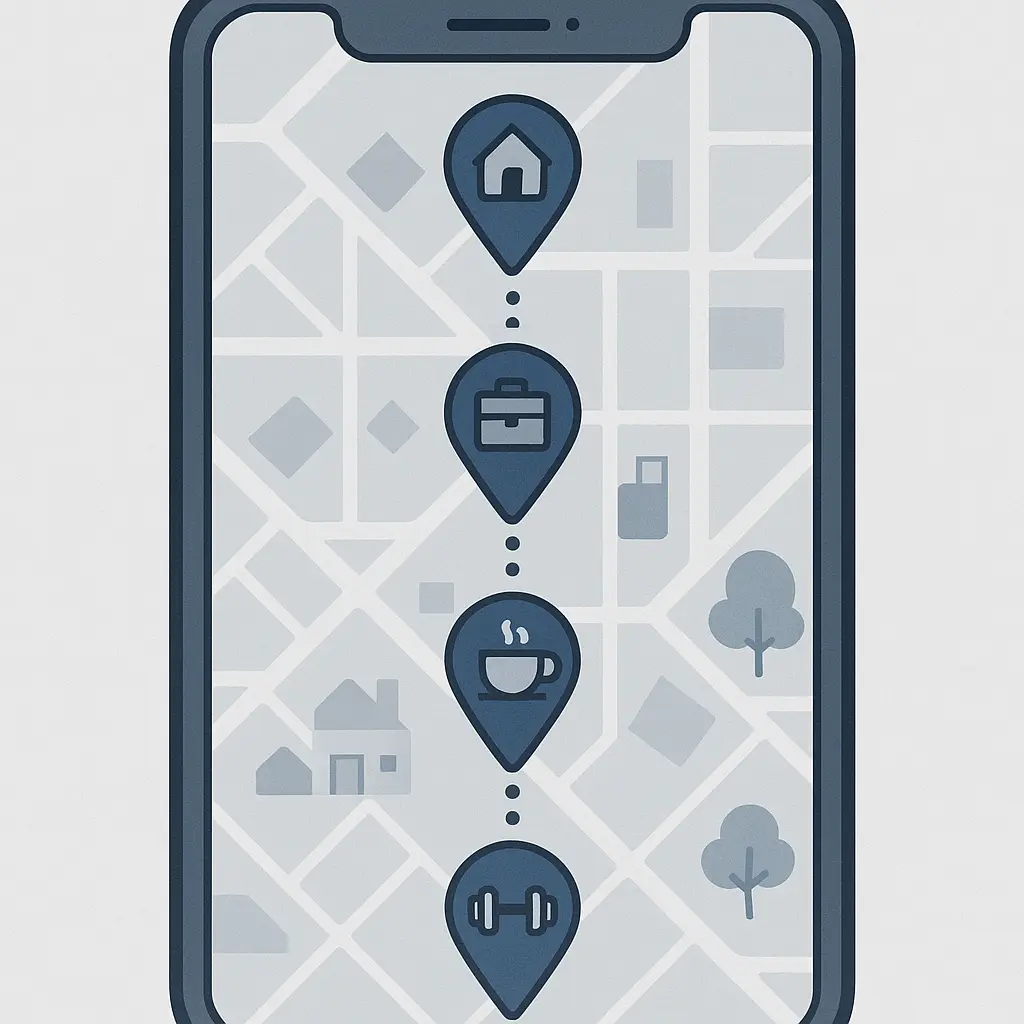
Mobile apps track you more precisely. If you grant location permissions, the app sees your GPS coordinates. Ad networks and data brokers buy this data from apps and use it to link your online profile to your real-world movements. They know which stores you visit, which neighborhoods you spend time in, and which routes you take.
Some trackers use WiFi and Bluetooth signals to track you indoors. Stores and malls install beacons that detect your phone's unique identifiers. When your phone's WiFi or Bluetooth is on, these beacons log your presence. Combined with your online profile, this links your browsing history to your physical shopping behavior.
The Role of First-Party Data
Not all tracking comes from third parties. The sites you visit also collect data about you. This is called first-party data, and it includes everything you do on that site: pages you view, searches you run, products you click, time spent on each page.
First-party data is less invasive than third-party tracking because it stays with the site you're visiting. But sites often share first-party data with ad networks, analytics platforms, and data brokers. They do this through data-sharing agreements, real-time bidding, and tracking pixels. So even first-party data ends up in the broader tracking ecosystem.
Some sites use first-party cookies to track you across their own properties. If you visit a news site that owns multiple domains, a first-party cookie can follow you across all of them. This is less visible than third-party tracking but achieves a similar result.
Tracking Through Logins: Identity Linking
When you log into a site, you link your browsing activity to your real identity. The site knows your name, email, and any other information you provided when you signed up. It also knows everything you do while logged in.
Single sign-on services like "Log in with Google" or "Log in with Facebook" extend this across sites. When you use these services, the identity provider sees which sites you visit and links your activity to your account. This is convenient, but it gives one company a comprehensive view of your online behavior.
Some sites require login to access content. Others encourage it with personalized features. Either way, logging in turns pseudonymous tracking into identified tracking. Your profile gets a name, and everything you do online gets linked to that name.
The Legal Landscape: What's Allowed and What's Not
Tracking is legal in most jurisdictions, but regulations are tightening. The European Union's General Data Protection Regulation requires sites to get consent before setting non-essential cookies. The California Consumer Privacy Act gives residents the right to know what data is collected and to opt out of its sale.
The European Data Protection Board issues guidance on tracking practices under GDPR, including requirements for cookie consent and restrictions on cross-border data transfers.
Enforcement is inconsistent. Many sites ignore the rules or implement consent mechanisms that are designed to confuse rather than inform. Dark patterns like pre-checked boxes, misleading language, and hidden opt-out links are common. The FTC has taken action against companies that use deceptive tracking practices, but most violations go unpunished.
In the United States, there's no federal privacy law. State laws vary. Some require opt-in consent. Others allow opt-out. Most have no rules at all. This patchwork creates confusion and makes it hard to know what protections you have.
What Tracking Enables: The Business Model
Tracking exists because it funds the web. Advertisers pay more for targeted ads than for generic ones. Sites earn more revenue when they can deliver your profile to advertisers. Data brokers profit by aggregating and reselling tracking data. The entire ecosystem depends on surveillance.
This model has consequences. It incentivizes collecting as much data as possible, sharing it as widely as possible, and keeping it as long as possible. It creates databases that are targets for breaches. It enables discrimination in housing, employment, and credit. It turns your behavior into a commodity.
The alternative is a web funded by subscriptions, donations, or contextual advertising that doesn't require tracking. Some sites have adopted these models. Most haven't, because targeted advertising is more profitable.
The Cultural Reference That Fits
In Friends, Monica's apartment is the gathering place. Everyone knows where to go. The door's always open. Coffee's always on. It's the hub that connects the group, and everything flows through it.
Third-party trackers work the same way. They're the hub. Every site you visit connects to them. They see everyone who passes through, and they remember. The recipe site, the news site, the shopping site, they all route through the same trackers. The trackers don't need to visit you. You come to them, and they log every arrival.
The apartment doesn't follow Monica's friends around the city. But the trackers do. That's the difference. They're not a static meeting place. They're embedded everywhere you go, watching every move, linking every visit into a continuous timeline of your life online.
Defenses: What You Can Do
Tracking is pervasive, but it's not invisible. You can reduce it.
Browser settings: Most browsers let you block third-party cookies. This stops the most common tracking method. Some browsers, like Firefox and Safari, block trackers by default. Chrome does not, though it plans to phase out third-party cookies eventually.
Extensions: Tools like Privacy Badger and uBlock Origin block trackers automatically. They learn which domains track you and stop them from loading. These extensions are free and work on most browsers.
Private browsing modes: Incognito or private windows don't save cookies or browsing history locally, but they don't stop tracking while you're browsing. Sites and trackers still see your activity during the session. Private browsing is useful for preventing local tracking on a shared device, but it doesn't protect you from online tracking.
VPNs: A VPN hides your IP address from sites and trackers, making location tracking harder. It doesn't stop cookies or fingerprinting, but it adds a layer of obscurity. Not all VPNs are trustworthy. Choose one with a clear no-logging policy and independent audits.
Disabling JavaScript: Some tracking methods require JavaScript. Disabling it stops those methods, but it also breaks most modern websites. This is a nuclear option, useful for high-risk situations but impractical for daily browsing.
Email settings: Configure your email client to block remote images. This prevents tracking pixels from loading when you open marketing emails. Most clients support this. It's a simple toggle in settings.
Opting out: Some ad networks and data brokers offer opt-out mechanisms. These are often buried, hard to find, and limited in scope. Opting out of one tracker doesn't stop the others. But it's worth doing if you have the time.
None of these defenses are perfect. Trackers adapt. New methods replace old ones. The tracking ecosystem is designed to be resilient. But partial protection is better than none.
The Limits of Individual Action
You can block some trackers. You can obscure some data. But you can't opt out of the system entirely, not if you want to use the web. Tracking is infrastructure. It's woven into how sites load, how ads display, how analytics work. Blocking it breaks things.
This isn't your fault. The web wasn't designed with privacy in mind. It was designed for openness and interoperability, which made tracking easy. Fixing it requires systemic change: stronger laws, better enforcement, business models that don't depend on surveillance.
Until that happens, individual action is a stopgap. It reduces your exposure. It makes tracking harder. But it doesn't eliminate the problem. The problem is structural, and structural problems need structural solutions.
What Happens to the Data
Tracking data doesn't disappear. It accumulates in databases owned by ad networks, data brokers, and analytics platforms. These databases persist for years. They get merged, sold, and resold. They're used for targeting, profiling, and prediction.
Some of this data ends up in breaches. Tracking databases are valuable, which makes them targets. When they're breached, your browsing history, location data, and profile information leak into criminal markets. From there, it's used for fraud, harassment, and identity theft.
Some of this data ends up in law enforcement hands. Governments buy tracking data from data brokers or subpoena it from ad networks. They use it to identify protesters, track activists, and surveil communities. This happens without warrants, because the data is technically public, purchased from a broker, not seized from your device.
The FTC's guidance on consumer privacy acknowledges that data collected for advertising can be repurposed in ways consumers don't expect, including resale to third parties and use by law enforcement.
You don't control what happens to tracking data once it's collected. The companies that collect it make those decisions, and their incentives don't align with your privacy.
The Future of Tracking
Browsers are starting to block third-party cookies by default. Safari and Firefox already do. Chrome plans to follow, though the timeline keeps shifting. This will reduce the most visible form of tracking, but it won't eliminate tracking.
Trackers are adapting. They're investing in fingerprinting, first-party data, and server-side tracking that happens before your browser even loads the page. They're building identity graphs that link your devices, accounts, and offline behavior into unified profiles. They're using machine learning to infer information about you from sparse data.
Regulation is tightening, but slowly. The European Union leads on privacy law. The United States lags. Most countries have no comprehensive privacy framework. Even where laws exist, enforcement is weak. Companies pay fines and keep tracking.
The web's business model is the core issue. As long as surveillance is profitable, tracking will persist. Changing the model requires collective action: supporting sites that don't track, demanding stronger laws, building alternatives that respect privacy. Individual defenses help, but they're not enough.
Why This Matters
Tracking shapes what you see online. It determines which ads appear, which search results rank higher, which content gets recommended. This creates filter bubbles that reinforce your existing views and hide information that contradicts them.
Tracking enables discrimination. Advertisers use your profile to exclude you from job listings, housing ads, and credit offers based on your race, gender, or zip code. This happens invisibly, through algorithmic targeting that proxies for protected characteristics.
Tracking chills behavior. When you know you're being watched, you self-censor. You avoid controversial topics, political content, health information. You change your behavior to avoid judgment, even when the judgment is algorithmic.
Tracking is surveillance. It's not government surveillance, but it's surveillance nonetheless. It's the constant monitoring of your behavior by companies you've never heard of, for purposes you didn't consent to, with consequences you can't predict.
Understanding how tracking works is the first step toward reclaiming some control. You can't opt out entirely, but you can make it harder. You can reduce your exposure. You can demand better from the companies and governments that enable this system.
The web doesn't have to work this way. Tracking is a choice, not a technical necessity. It's a choice made by companies that profit from your data and governments that allow it. Changing that choice starts with understanding the mechanism. Now you do.
Related reading: