Employee Password Policies That Actually Work: A Small Business Guide
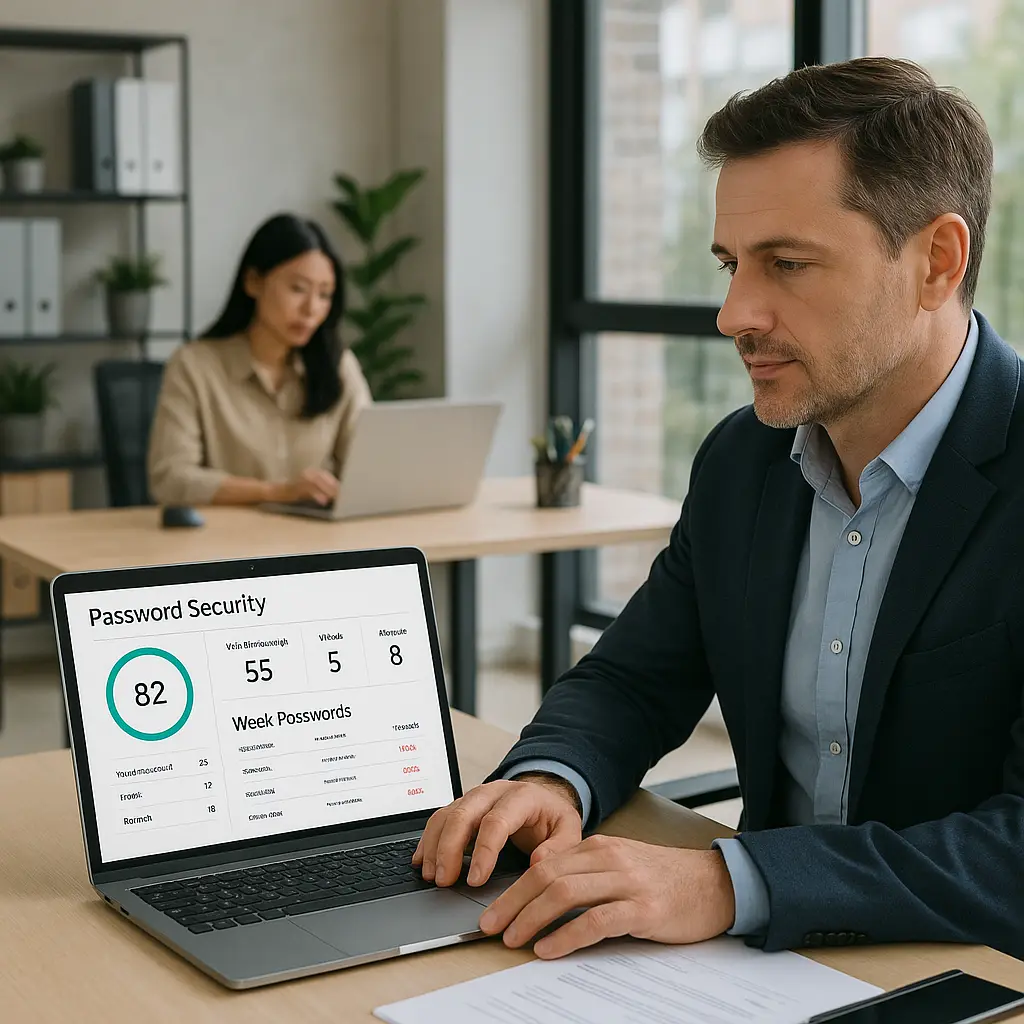
You run a small business. You don't have an IT department. You probably don't have a security team. You might not even have someone whose job includes the word "technology." But you have employees who log into accounts that matter, email, banking, customer databases, social media, payment processors, and you need a password policy that actually works.
Most password policies fail because they're written for enterprises with dedicated security staff, compliance officers, and the budget to enforce complex rules. You need something different: a policy employees will follow without constant supervision, that protects what matters, and that you can implement this week.
This is that guide.
Why Most Small Business Password Policies Fail
The typical small business password approach falls into one of three categories. The first is no policy at all, employees choose their own passwords, reuse them across accounts, and write them on sticky notes. The second is an overly complex policy copied from a Fortune 500 company, requiring 14-character passwords with uppercase, lowercase, numbers, symbols, and mandatory changes every 60 days. The third is a vague directive like "use strong passwords" with no definition of what that means and no way to verify compliance.
All three fail for the same reason: they don't account for how real people behave under real workplace conditions.
When you require complexity without providing tools, employees choose Password1! and increment the number each time you force a change. When you mandate frequent rotation, they write passwords on paper or store them in unencrypted spreadsheets. When you give no guidance at all, they reuse their personal passwords across business accounts, turning one breach into a skeleton key for your entire operation.
The FTC's guidance on data security emphasizes that security measures must be reasonable and appropriate for the size and nature of your business. A workable policy for a five-person shop looks nothing like policy for a 500-person company.
What Your Password Policy Actually Needs to Do
Before you write rules, define the problem you're solving. Your password policy exists to prevent unauthorized access to business accounts. That means stopping three specific threats:
Credential stuffing. Attackers use passwords leaked from other breaches to try logging into your accounts. If an employee reuses their LinkedIn password for your accounting software, one breach becomes two.
Brute-force attacks. Attackers guess passwords by trying millions of combinations. Short passwords fall fast. Long passwords take centuries.
Social engineering. Attackers trick employees into revealing passwords through phishing emails, fake support calls, or impersonation. No password policy stops this directly, but reducing password reuse limits the damage when it succeeds.
Your policy needs to address all three without creating so much friction that employees route around it.
The Core Rules That Matter
Here's the policy that works for most small businesses. It's short enough to fit on one page, specific enough to enforce, and practical enough that employees will actually follow it.
Rule 1: Minimum 12 characters, no maximum. Length beats complexity. A 12-character password built from random words defeats brute-force attacks better than an 8-character password with symbols. NIST's Digital Identity Guidelines recommend at least 8 characters, but 12 gives you margin against increasingly powerful cracking hardware.
Don't cap password length. Some systems limit passwords to 16 or 20 characters for no good reason. If your software does this, that's a red flag about how it stores passwords internally.
Rule 2: No mandatory password changes unless there's a breach. Forced rotation makes security worse, not better. Employees who must change passwords every 90 days choose weaker passwords, write them down, or increment a number at the end. Change passwords when someone leaves the company, when you discover a breach, or when an employee reports suspicious activity. Not on a calendar schedule.
NIST's guidance explicitly recommends against mandatory periodic changes. This isn't controversial anymore. It's settled.
Rule 3: Check passwords against known breach databases. Every password must be checked against lists of previously compromised credentials. Have I Been Pwned maintains a database of billions of leaked passwords. If an employee's password appears in that list, it's already in attackers' dictionaries. Reject it.
Most password managers check this automatically. If yours doesn't, use Have I Been Pwned manually during setup.
Rule 4: No password reuse across accounts. Every business account gets a unique password. Email, banking, social media, vendor portals, customer databases, all different. This rule is non-negotiable. One breach should never unlock multiple accounts.
Rule 5: Use a password manager for all business credentials. Employees cannot follow Rule 4 without a password manager. Human memory doesn't scale to dozens of unique 12-character passwords. A password manager generates, stores, and fills passwords automatically. It's the only tool that makes the other rules practical.
Rule 6: Enable two-factor authentication on every account that offers it. 2FA adds a second verification step beyond the password. Even if an attacker steals credentials, they can't log in without the second factor. CISA's guidance on multifactor authentication calls it one of the most effective security controls available.
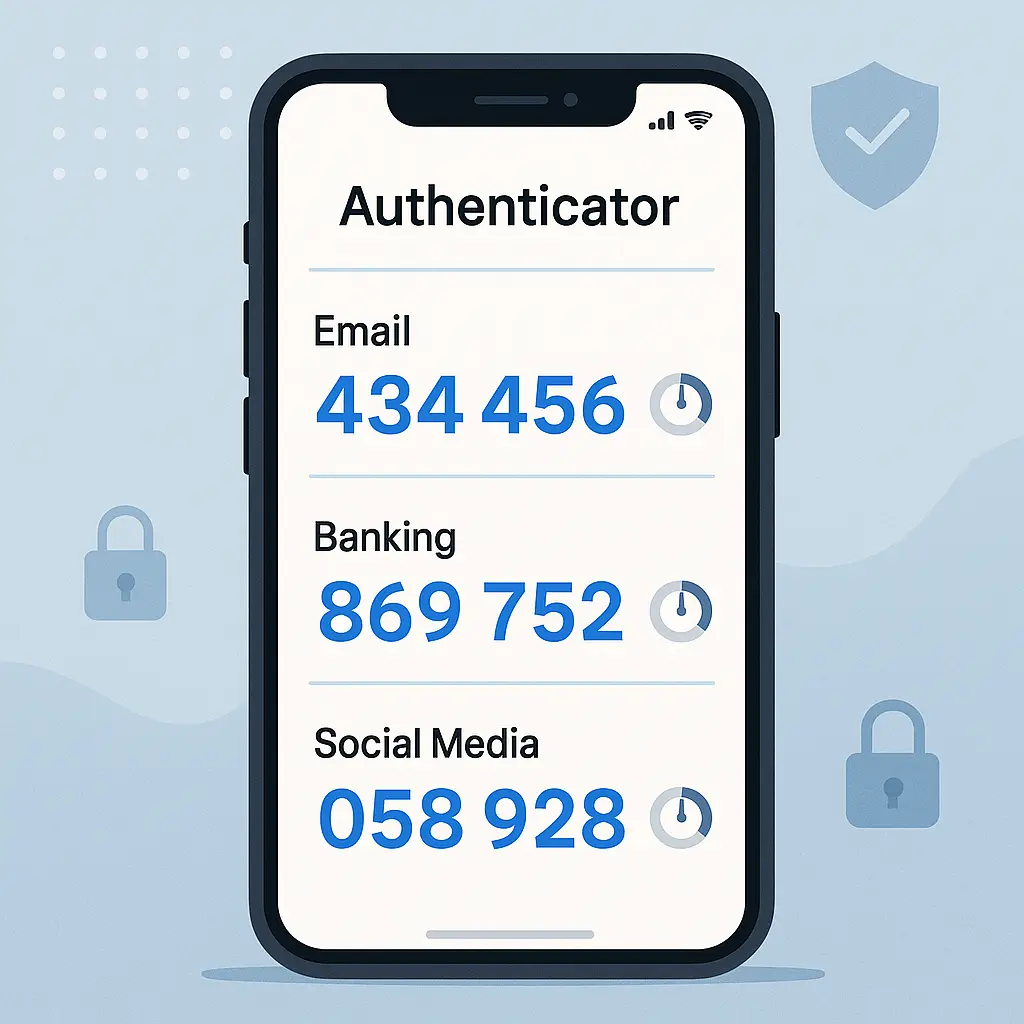
Prioritize authenticator apps over SMS. SMS is better than nothing, but attackers can intercept texts through SIM swaps. Authenticator apps like Google Authenticator or Authy generate codes locally on the employee's phone.
Choosing a Password Manager for Your Team
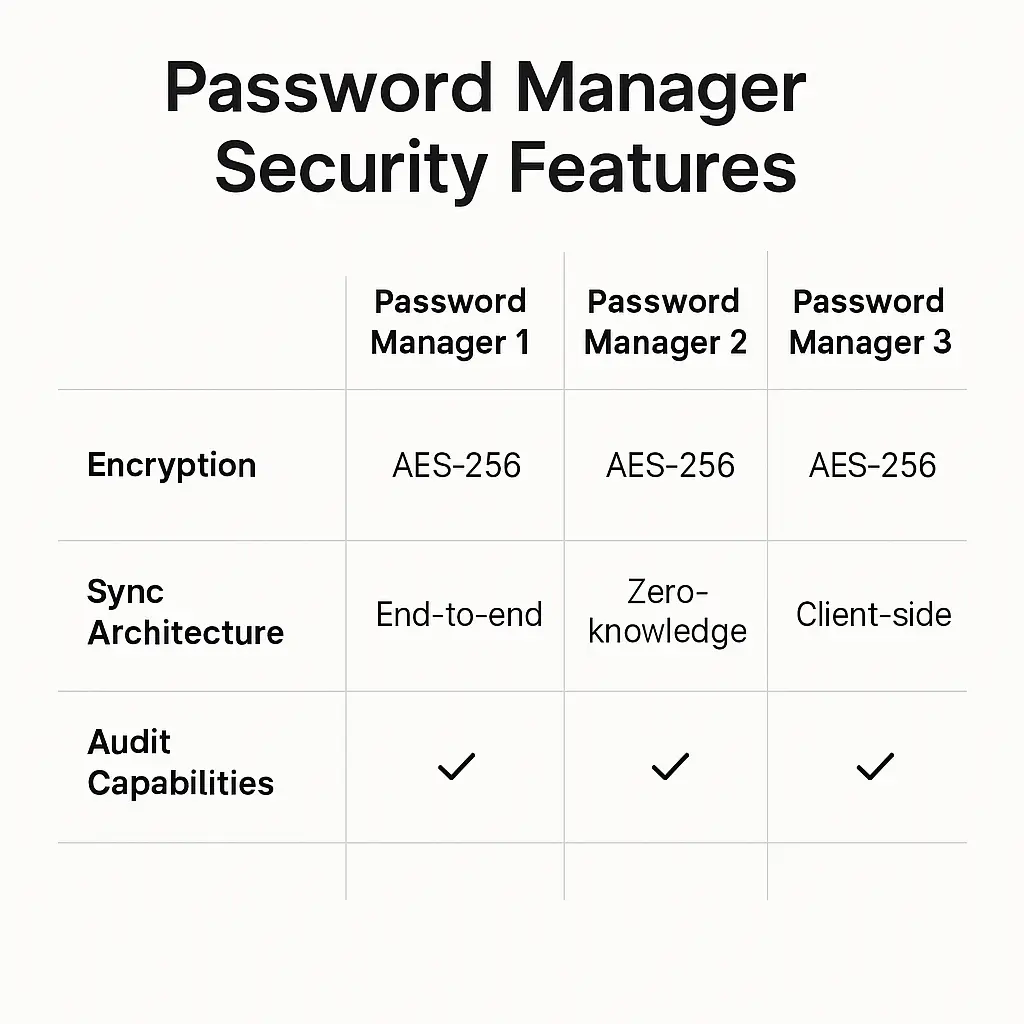
You need a password manager with business features. Consumer password managers work for individuals. Business password managers add shared vaults, policy enforcement, and admin controls.
Look for these features:
Shared vaults. Multiple employees need access to the same accounts, social media, vendor portals, shared email. Shared vaults let you grant access without revealing the actual password. When someone leaves, you remove them from the vault instead of changing dozens of passwords.
Policy enforcement. The password manager should enforce your minimum length requirement, check passwords against breach databases, and flag weak or reused passwords automatically. You shouldn't need to audit this manually.
Admin dashboard. You need visibility into who has access to what, which passwords are weak, and which accounts lack two-factor authentication. The dashboard shows you compliance at a glance.
Emergency access. If an employee leaves suddenly or gets locked out, you need a way to recover credentials without waiting for support tickets. Emergency access gives designated admins the ability to access vaults after a waiting period.
Audit logs. Track who accessed which password and when. If something goes wrong, you need to know who had access.
NordPass offers these features at a price point that makes sense for small businesses. Other options include 1Password for Business, Bitwarden for Teams, and Dashlane Business. Compare them on features, not just price. The cost difference between plans is negligible compared to the cost of one breach.
Rolling Out the Policy
You've written the policy. You've chosen a password manager. Now you need employees to actually use it.
Step 1: Announce the policy in writing. Send an email or memo that explains the new requirements, why they matter, and when they take effect. Give employees at least two weeks to comply. Include a link to this guide or your own internal documentation.
Make it clear this is a job requirement, not a suggestion. Employees who handle business credentials must follow the policy. Document this in writing.
Step 2: Set up the password manager. Create accounts for every employee who needs access to business systems. Configure shared vaults for accounts multiple people use. Set up the admin dashboard so you can monitor compliance.
Walk through the setup process with each employee. Show them how to install the browser extension, save their first password, and generate new passwords for existing accounts. This takes 15 minutes per person. Do it.
Step 3: Migrate existing passwords. Employees need to move their current passwords into the password manager and replace weak ones. Start with the most critical accounts, email, banking, customer databases. Then work through vendor portals, social media, and everything else.
Use the password manager's audit tool to identify weak, reused, or breached passwords. Replace them one at a time. This takes hours, not minutes. Block out time for it.
Step 4: Enable two-factor authentication everywhere. Go through every business account and turn on 2FA. Prioritize email first, it's the master key to password resets for everything else. Then banking, payment processors, and customer databases.
EFF's guide on enabling two-factor authentication walks through the process for major services. Most platforms bury the setting under "Security" or "Account Settings."
Step 5: Train employees on phishing recognition. Password policies don't stop social engineering. Employees need to recognize phishing emails, fake support calls, and impersonation attempts. Run a 30-minute training session covering:
- How to verify sender email addresses
- Red flags in urgent requests for credentials
- What to do when something feels wrong (report it, don't click)
CISA's phishing guidance provides free training materials you can use.
Step 6: Set a compliance deadline. Give employees a specific date by which all business passwords must be in the password manager, meet length requirements, and have 2FA enabled where possible. Check compliance through the admin dashboard. Follow up individually with anyone who's not there yet.
The Office Space Problem
In Office Space, Peter Gibbons works at a software company where the biggest security threat isn't external hackers, it's internal apathy. Employees share passwords, ignore policies, and treat security as someone else's problem. The company has rules, but nobody enforces them, so nobody follows them.
Your password policy will fail the same way if you treat it as a one-time announcement. Security requires ongoing attention. Employees need to see that you care about this, that you're checking, and that non-compliance has consequences.
That doesn't mean you need to become the password police. It means you build compliance into normal operations. When you onboard a new employee, password manager setup is part of day one. When someone leaves, you revoke their access immediately. When you discover a weak password during an audit, you fix it that day.
The shared vault structure in your password manager makes this practical. You're not managing dozens of individual passwords. You're managing access to vaults. Add people, remove people, rotate credentials when needed. The password manager handles the rest.
Handling Resistance
Some employees will resist. They'll say password managers are too complicated, that they can remember their passwords just fine, that this is overkill for a small business. Here's how to respond:
"I can remember my passwords." No, you can't. Not 12-character unique passwords for 30+ accounts. And even if you could, what happens when you're out sick and someone needs to access the account? The password manager isn't just for you. It's for the business.
"This seems like overkill." One breach costs more than the annual subscription to a password manager. The FTC's data breach response guide outlines the legal, financial, and reputational costs of a breach. Prevention is cheaper than response.
"What if the password manager gets hacked?" Password managers use zero-knowledge encryption. Even if the company's servers get breached, attackers get encrypted vaults they can't decrypt without your master password. That's why choosing a strong master password matters. Have I Been Pwned tracks password manager breaches. The companies that handle encryption correctly, LastPass aside, don't leak plaintext passwords.
"I don't trust putting all my passwords in one place." You already have all your passwords in one place: your brain, or a spreadsheet, or a text file. The password manager is more secure than any of those. It's encrypted, it's backed up, and it's protected by 2FA.
Make it clear: this is a job requirement. Employees who refuse to comply are refusing to protect business assets. That's not optional.
What to Do When Someone Leaves
Employee turnover creates urgent security work. When someone leaves, whether they quit, get fired, or retire, you need to revoke their access immediately and rotate credentials they touched.
Step 1: Remove them from the password manager. Log into the admin dashboard and revoke their account. They lose access to all shared vaults instantly. This takes 30 seconds. Do it before they leave the building.
Step 2: Change passwords for accounts they accessed. Check the audit log to see which credentials they viewed or used. Change those passwords. If they had access to a shared vault with 20 accounts, change all 20. The password manager makes this fast, click, generate, save.
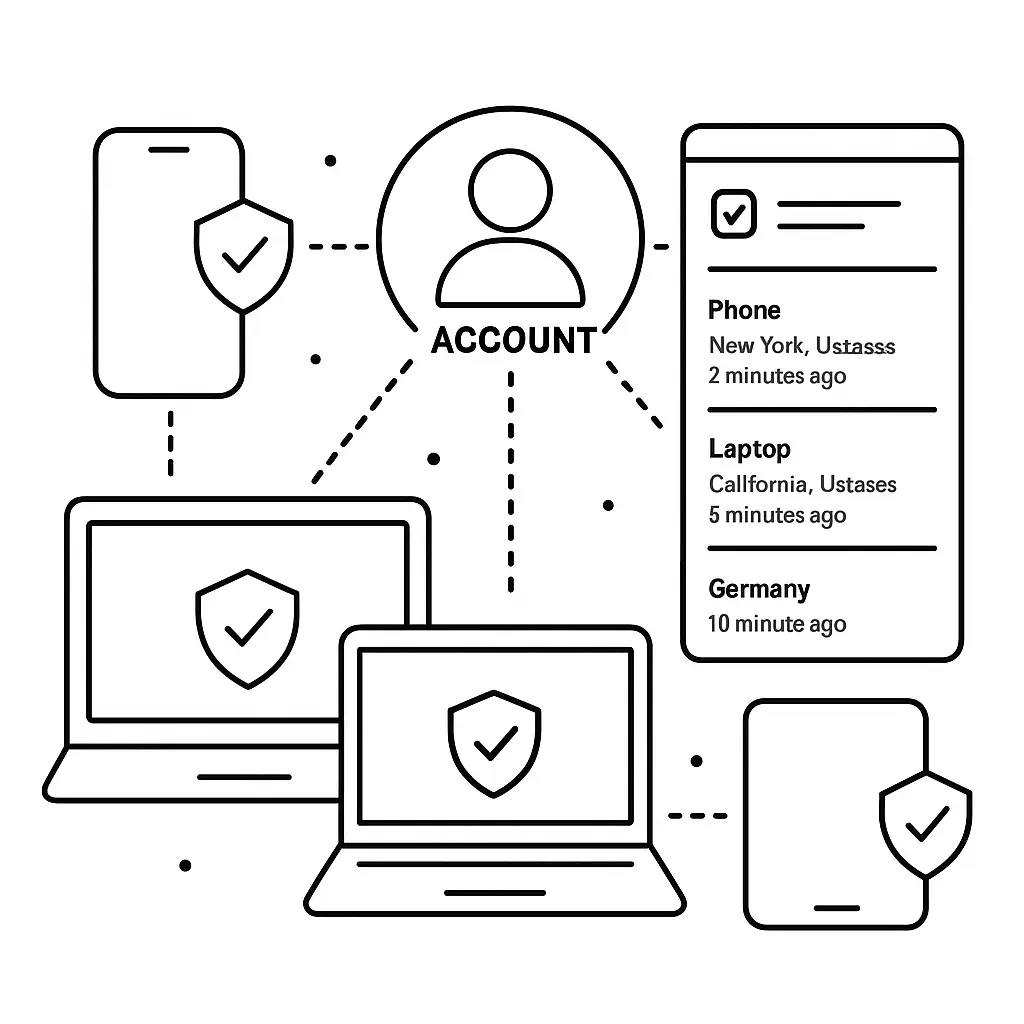
Step 3: Revoke their 2FA devices. If they set up 2FA using their personal phone, remove that device from the account. Add a new device controlled by someone still at the company.
Step 4: Check for forwarding rules or account changes. Disgruntled employees sometimes set up email forwarding rules, add recovery emails, or create new admin accounts before they leave. Check email settings, account recovery options, and admin user lists. Krebs on Security covers email forwarding attacks regularly. It's more common than you think.
Step 5: Monitor for suspicious activity. Watch for login attempts from the former employee's devices or unusual account activity in the weeks after they leave. Most attacks happen within the first month.
Auditing Compliance
Set a recurring calendar reminder to audit password security quarterly. Here's what to check:
Weak passwords. Run the password manager's audit tool. It flags passwords under 12 characters, reused passwords, and passwords found in breach databases. Replace them.
Missing 2FA. Check which accounts lack two-factor authentication. Enable it or document why it's not available.
Unused accounts. Look for credentials in the password manager that nobody's accessed in six months. If you're not using an account, close it. Dormant accounts create breach exposure with zero benefit.
Shared passwords outside the password manager. Ask employees directly: are you sharing any business passwords through email, text, or Slack? If yes, move them into a shared vault.
Former employee access. Verify that everyone in the password manager still works for you. Remove anyone who doesn't.
This audit takes 30 minutes. Do it every quarter. Put it on the calendar now.
When Policy Meets Reality
No policy survives contact with reality unchanged. You'll discover edge cases, software limitations, and employee workflows that don't fit the rules. That's normal. The goal isn't perfect compliance. The goal is reducing risk to a level you can live with.
Some accounts won't support 12-character passwords. Some vendors won't offer 2FA. Some workflows require password sharing in ways the password manager doesn't handle elegantly. Document these exceptions. Understand the risk. Mitigate what you can.
But don't let exceptions become the norm. If you find yourself making exceptions for half your accounts, your policy is wrong. Revise the policy, not the behavior.
The Master Password Problem
Your password manager protects everything behind one master password. If an employee forgets it, they're locked out. If an attacker steals it, they're in.
Require strong master passwords. At least 16 characters, built from random words or a long passphrase. Check it against breach databases. Write it down and store the paper copy in a safe or locked drawer. Yes, write it down. A piece of paper in a locked drawer is more secure than a weak password you can remember.
Don't share master passwords. Each employee gets their own master password. Shared vaults let you grant access without sharing the master password. If someone leaves, you revoke their account. You don't change everyone's master password.
Set up emergency access. Designate one or two people who can access an employee's vault after a waiting period, usually 24 to 48 hours. This prevents lockout if someone forgets their master password or leaves suddenly.
Use 2FA on the password manager itself. The master password unlocks the vault. 2FA adds a second check. Even if someone steals the master password, they can't log in without the second factor.
Vendor Account Security
You probably use dozens of vendor portals, payment processors, shipping companies, software subscriptions, marketing tools. Each one requires a login. Each one is a potential breach point.
Create unique passwords for every vendor. Don't reuse the same credentials across vendors. When one vendor gets breached, attackers try those credentials everywhere.
Use role-based access. If the vendor supports multiple user accounts, create separate logins for each employee. Don't share one login across the team. When someone leaves, you revoke their account instead of changing the shared password.
Review vendor access quarterly. Check which vendors you're still using. Close accounts you don't need. The fewer accounts you maintain, the smaller your attack surface.
Ask vendors about their security. When you sign up for a new service, ask how they handle passwords, whether they support 2FA, and whether they've had breaches. Vendors that can't answer these questions don't take security seriously. Consider that when choosing where to store your business data.
The Cost of Doing Nothing
You're reading this guide because you know password security matters. But in case you're still wondering whether the effort is worth it, here's what happens when you don't have a password policy:
An employee reuses their personal email password for your accounting software. Their email gets breached. Attackers try the same password on your accounting software. It works. They transfer $50,000 before you notice.
Or: An employee writes passwords on a sticky note. A visitor sees it. Two weeks later, your social media accounts start posting spam.
Or: An employee leaves. Nobody changes the passwords they had access to. Six months later, they log in and download your customer list.
These aren't hypothetical. They're the incidents the FTC documents in enforcement actions. They're the breaches Krebs on Security writes about every week. They're the reason cyber insurance premiums keep rising.
A password manager costs around $5 per employee per month. Training takes a few hours. Ongoing audits take 30 minutes per quarter. One prevented breach pays for a decade of subscriptions.
Making It Stick
The hardest part isn't writing the policy. It's making it stick six months from now when the initial urgency fades and employees slip back into old habits.
Here's how to prevent that:
Make password security part of onboarding. Every new employee gets password manager training on day one. It's not optional. It's part of the job.
Include compliance in performance reviews. If security matters, measure it. Ask managers to verify that their reports are following the password policy. Make it part of the annual review process.
Run periodic phishing tests. Send fake phishing emails to employees and track who clicks. Use it as a teaching moment, not a punishment. The goal is awareness, not shame.
Share breach news. When a major breach hits the news, send a quick email explaining what happened and how your policy protects you from the same attack. Keep security top of mind.
Celebrate compliance. When your quarterly audit shows 100% compliance, acknowledge it. People respond to positive reinforcement.
What Happens Next
You've read the guide. You know what to do. Here's the implementation checklist:
- Choose a password manager with business features. Budget for it this week.
- Write the policy using the six core rules above. One page, specific language.
- Announce the policy to employees with a two-week compliance deadline.
- Set up the password manager and create accounts for everyone.
- Walk each employee through installation and first use.
- Migrate existing passwords into the password manager.
- Enable 2FA on every account that supports it.
- Run a 30-minute phishing awareness training session.
- Audit compliance at the deadline and follow up on gaps.
- Set a recurring quarterly reminder to audit again.
This takes time. Block out a week to get it done. The alternative, responding to a breach, takes longer and costs more.
Your employees handle business credentials every day. The accounts they access control money, customer data, and your reputation. A password policy isn't bureaucracy. It's the minimum viable defense against attackers who are already trying to break in.
Start this week. Your future self will thank you.