Email Aliases: How Disposable Addresses Reduce Your Exposure
Your email address is the skeleton key to your digital life. It unlocks password resets, receives two-factor codes, and sits at the center of every account you own. When a breach exposes that address, attackers gain a verified target for phishing, a confirmed identity for credential stuffing, and a permanent entry in spam databases. The damage compounds across years.
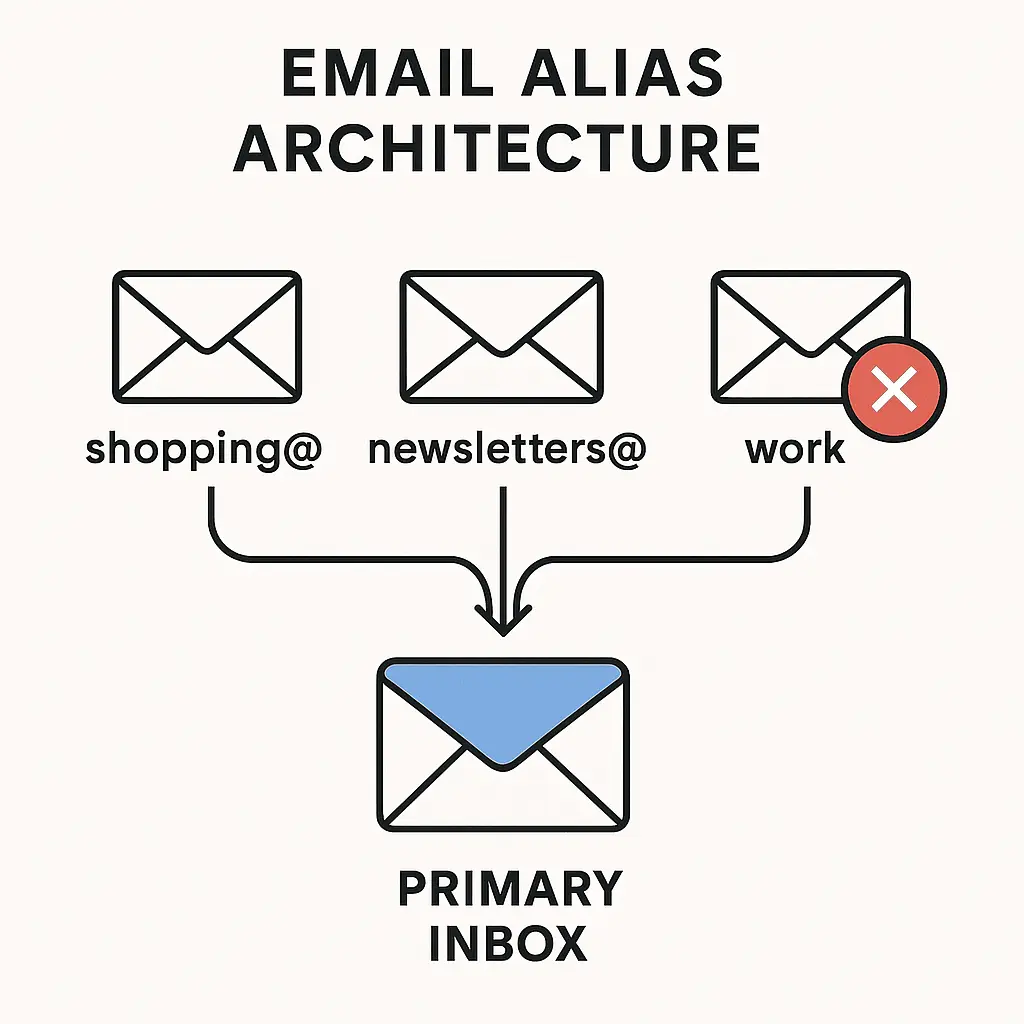
Email aliases break that single point of failure. An alias is a secondary address that forwards messages to your primary inbox. When you sign up for a service using an alias, the company never sees your real email. If that service gets breached, only the alias leaks. You delete the compromised address, create a new one, and your primary inbox remains untouched.
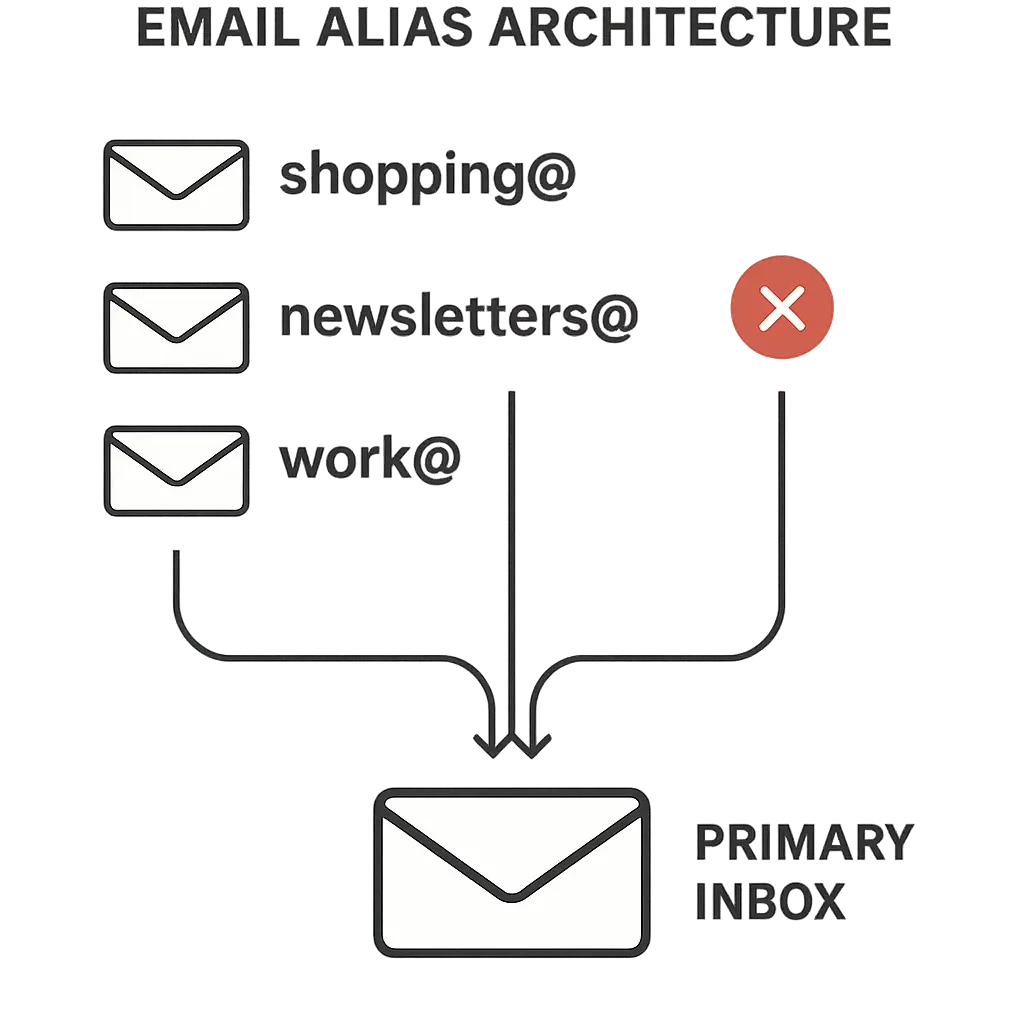
The mechanism is simple: you control multiple email addresses, but you only manage one inbox. The aliases are routing labels, not separate accounts. You don't log into them. You don't check them individually. Messages sent to any alias arrive in your primary inbox, marked with the alias address so you know which service sent them.
This article explains how email aliases work, what they protect, and when the extra step of creating unique addresses for different services actually reduces your exposure.
How Email Aliases Work: The Routing Mechanism
An email alias is a forwarding rule attached to your primary account. When someone sends a message to the alias, your email provider intercepts it and delivers it to your real inbox. The sender never sees your primary address. The alias appears in the "To" field, but the message lands in the same place as everything else.
Most email providers let you create aliases through account settings. Gmail uses the plus-sign method: if your address is yourname@gmail.com, you can append a label like yourname+shopping@gmail.com. Messages to that address arrive in your inbox, and you can filter them by the alias. Outlook, ProtonMail, and Apple iCloud offer similar features with varying syntax.
The alias doesn't require a separate password. It's not a distinct account. It's a label that routes to your existing inbox. You can create dozens of aliases without managing dozens of passwords or checking multiple inboxes. The organizational burden stays minimal.
When you reply to a message sent to an alias, you can choose which address appears in the "From" field. Most providers default to your primary address, but you can configure the reply to use the alias instead. This keeps your real email hidden even during two-way conversations. The recipient sees the alias, not the underlying account.
Filtering and organizing messages by alias is straightforward. You create a rule that moves messages addressed to a specific alias into a dedicated folder. If yourname+newsletters@gmail.com receives promotional emails, you filter those into a "Newsletters" folder and keep your main inbox clean. The alias becomes a sorting mechanism as well as a privacy tool.
The technical mechanism is transparent to the sender. They see an email address that looks like any other. They don't know it's an alias unless you tell them. The forwarding happens on your provider's servers, invisible to everyone except you.
What Email Aliases Protect: Isolation and Identification
Aliases isolate risk by compartmentalizing exposure. When you use a unique alias for every service, a breach at one company doesn't reveal your primary email or connect you to other accounts. The leaked alias is a dead end for attackers. They can't use it to find your bank login, your social media, or your recovery email. The compromise stays contained.
That isolation extends to spam and tracking. When you give a retailer an alias like yourname+store@gmail.com, you know exactly where spam originates if that address starts receiving junk mail. You didn't reuse the alias anywhere else, so the source is unambiguous. You delete the alias, and the spam stops. The retailer can't sell your email to data brokers because the address you gave them is now gone.
Aliases also function as phishing detectors. If you used yourname+banking@gmail.com only for your bank, any email to that address claiming to be from a different service is fraudulent. The alias itself reveals the scam. You don't need to analyze the sender's domain or inspect the links. The wrong address in the "To" field is proof enough.
This identification mechanism works because aliases are unique. Each service gets its own address, and you never reuse them. When a message arrives, the alias tells you who sent it. If yourname+socialmedia@gmail.com receives a message claiming to be from your credit card company, you know it's fake. The address doesn't match the claimed sender.
Aliases don't encrypt your email. They don't hide the content of messages. They don't protect against attackers who already have access to your inbox. The protection is upstream: aliases prevent your primary email from leaking in the first place, and they give you visibility into who's misusing the addresses you've distributed.
When Aliases Matter: Breach Exposure and Long-Term Risk
Aliases reduce exposure when you sign up for services that will eventually get breached. That's not cynicism, it's probability. The FTC tracks data breaches affecting millions of accounts annually, and breach frequency shows no sign of declining. When you use your primary email for every signup, every breach adds your address to attacker databases. Over time, that address becomes a confirmed target for phishing, spam, and credential stuffing.
Using an alias for each service limits the damage. If an online retailer gets breached and your alias leaks, attackers gain one address tied to one company. They can't connect it to your other accounts because you didn't reuse the alias. They can't use it to reset passwords at your bank because your bank has a different alias. The breach exposes a throwaway address, not your identity.
The long-term risk reduction comes from disposability. When an alias starts receiving spam or phishing attempts, you delete it and create a new one. Your primary email never appears in the leaked dataset. You don't need to change your real address or notify contacts. You just stop using the compromised alias and move on.
Aliases also matter when you're evaluating whether to trust a new service. If a website asks for your email but you're unsure about its security practices, you give it an alias. If the service turns out to be legitimate, you keep the alias. If it starts spamming you or gets breached, you delete the alias without consequence. The decision to trust becomes reversible.
The protection scales with how many services you use. If you have accounts at 50 websites, using your primary email for all of them means 50 opportunities for exposure. Using 50 unique aliases means each breach is isolated. The risk doesn't compound. Each compromised alias is a separate, contained incident.
Creating and Managing Aliases: Practical Setup
Most email providers support aliases, but the implementation varies. Gmail's plus-sign method is the simplest: append +label to your username, and messages route to your inbox. If your address is yourname@gmail.com, you can use yourname+shopping@gmail.com, yourname+newsletters@gmail.com, and so on. The label after the plus sign can be anything. Gmail treats all of them as the same account.
The limitation of Gmail's method is that the pattern is obvious. Anyone who sees yourname+shopping@gmail.com can deduce your primary address by removing the +shopping part. For most purposes, that's fine, the alias still isolates spam and identifies sources. But if you need to fully hide your primary address, you'll want a provider that offers true alias addresses with no visible connection to your main account.
Outlook and iCloud offer similar plus-sign functionality. ProtonMail and FastMail let you create completely separate alias addresses that don't reveal your primary email. These aliases look like standalone addresses: shopping@yourdomain.com, newsletters@yourdomain.com, and so on. The recipient can't derive your real email from the alias. The cost is that you need a custom domain or a provider that supports this feature natively.
Setting up aliases takes around two minutes per address. You decide on a naming convention, I use the service name as the label, like +amazon or +linkedin, and you create the alias in your email settings. Then you use that alias when signing up for the service. The alias starts routing messages immediately. No additional configuration required.
Managing aliases over time requires minimal effort. When an alias starts receiving spam, you delete it through your email provider's settings. If you need to update an account with a new alias, you log into the service, change the email address in your profile, and replace the old alias with a new one. The process takes longer than ignoring the spam, but it's a one-time fix that stops the problem permanently.
Filtering messages by alias keeps your inbox organized. You create a rule that says "if the message is addressed to yourname+newsletters@gmail.com, move it to the Newsletters folder." Your email client applies the rule automatically. You check the folder when you want to read newsletters, and your main inbox stays clear. The alias becomes a sorting tool as well as a privacy mechanism.
Aliases vs. Separate Accounts: When Each Approach Works
Email aliases and separate email accounts solve different problems. Aliases route to one inbox, keeping management simple while isolating exposure. Separate accounts require individual logins and separate inboxes, but they offer stronger isolation when you need to fully separate identities.
Use aliases when you want to protect your primary email without managing multiple accounts. If you're signing up for online shopping, newsletters, or low-stakes services, aliases give you the isolation benefits without the overhead of checking multiple inboxes. You still see all your messages in one place, but each service gets a unique address.
Use separate accounts when you need to segregate identities completely. If you're separating work from personal email, or if you're managing accounts for different family members, separate email accounts make sense. The identities don't overlap, the inboxes don't mix, and you log into each account independently. The tradeoff is that you're managing multiple passwords, multiple recovery settings, and multiple inboxes.
Aliases also work when you want to test a service before committing. If you're unsure whether a website is legitimate, you give it an alias. If the service turns out to be trustworthy, you keep the alias. If it starts spamming you, you delete the alias and walk away. The decision to engage is reversible in a way that handing over your primary email is not.
Separate accounts make sense when you're dealing with high-value targets. Your primary email holds your banking logins, your password manager account, and your two-factor authentication recovery codes. Keeping that address completely private, never giving it to any service, reduces the attack surface. You use a secondary account for signups, and you use aliases within that secondary account for further isolation. The layered approach keeps your most sensitive email address out of circulation entirely.
The choice depends on your threat model. If you're protecting against spam, tracking, and low-level phishing, aliases are sufficient. If you're protecting against targeted attacks or you're managing sensitive accounts, separate email addresses with aliases on top provide stronger isolation.
Aliases and Phishing: How Unique Addresses Reveal Scams
Phishing emails succeed when they look legitimate. Attackers spoof sender addresses, copy brand logos, and craft urgent messages that pressure you into clicking. But if you're using email aliases, the address in the "To" field becomes a verification mechanism. The alias tells you who should be sending the message, and any mismatch reveals the scam.
Here's how it works: you use yourname+banking@gmail.com only for your bank. No other service has that address. If you receive an email to that alias claiming to be from Amazon, Netflix, or the IRS, you know it's fake. The alias doesn't match the sender. The bank is the only entity that should be emailing that address, so any other message is fraudulent by definition.
This works because aliases are unique and service-specific. You don't reuse them. You don't give yourname+banking@gmail.com to your credit card company or your mortgage lender. The alias is a one-to-one mapping: one service, one address. When the mapping breaks, when a message to your banking alias claims to be from someone else, you've identified a phishing attempt without analyzing the email content.
The mechanism also helps when attackers compromise a legitimate service and use it to send phishing emails. If your gym's email system gets hacked and starts sending phishing messages, those messages will arrive at yourname+gym@gmail.com. You'll see the alias and know the message came from the gym's compromised system, even if the email claims to be from your bank. The alias reveals the true source.
Phishing emails that land in your primary inbox without an alias are harder to verify. You can't tell from the "To" field alone whether the sender is legitimate. You need to inspect the sender's domain, check for HTTPS in any links, and look for grammar errors or urgency tactics. Aliases eliminate that ambiguity. The address itself is the verification.
The protection isn't absolute. Attackers who know you use aliases can craft phishing emails to the correct alias. If they breach a service and steal your alias along with your account data, they can send targeted phishing to that address. But that scenario requires more effort than mass phishing campaigns. Most phishing emails are sent to lists of addresses harvested from breaches, with no knowledge of which alias corresponds to which service. The alias mismatch stops those attacks cold.
Limitations: What Aliases Don't Protect
Aliases don't encrypt your email. Messages sent to an alias arrive in your inbox in the same format as messages sent to your primary address. If someone intercepts your email in transit or gains access to your inbox, aliases provide no additional protection. The content is still visible. Encryption requires tools like PGP or end-to-end encrypted email providers, which operate independently of aliasing.
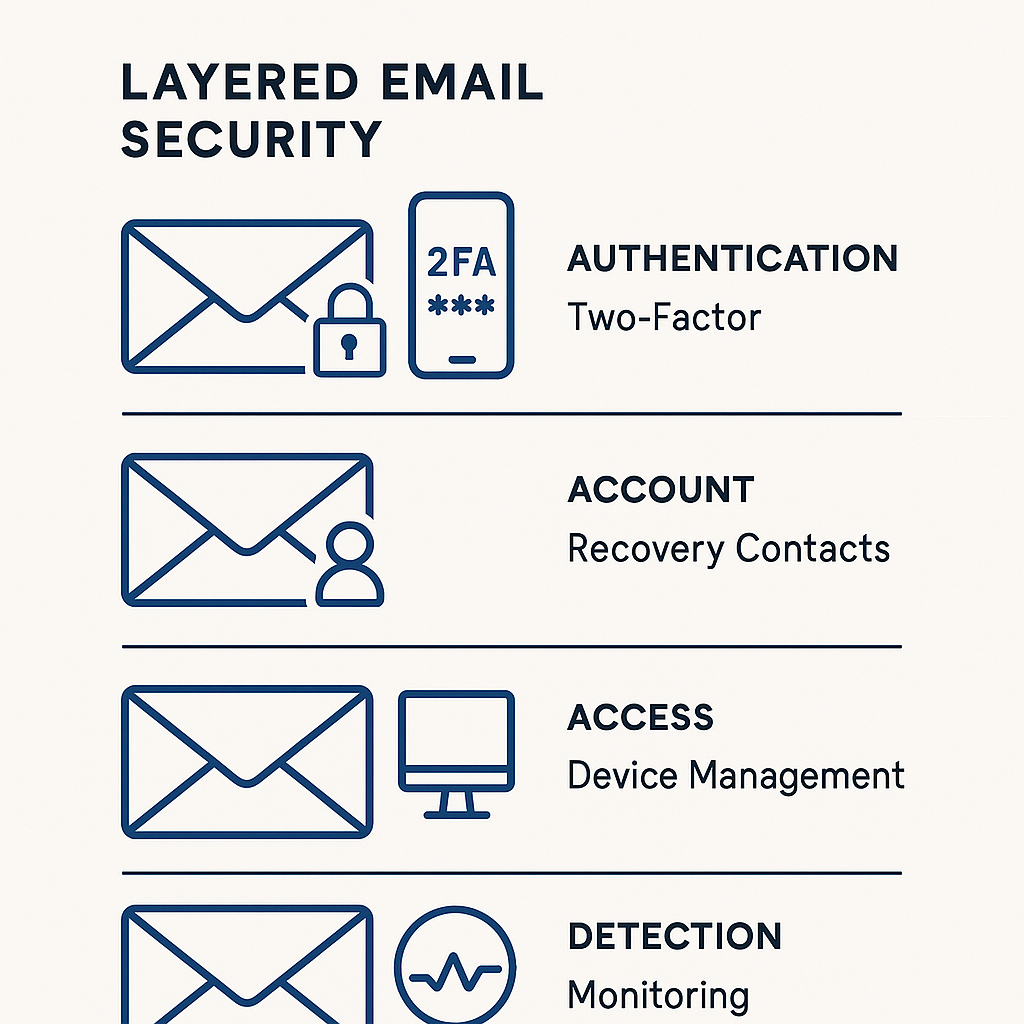
Aliases don't protect against attackers who already have access to your email account. If someone logs into your inbox, through a stolen password, a phishing attack, or malware, they can see every message sent to every alias. The aliases are just labels. They don't create separate security boundaries within your account. Protecting your inbox requires two-factor authentication, a strong password, and vigilance against phishing.
Aliases also don't stop attackers from guessing your primary email if you use the plus-sign method. If you give out yourname+shopping@gmail.com, anyone can deduce that your real address is yourname@gmail.com. They can target your primary address directly, bypassing the alias. The isolation works against automated systems and bulk spam, but it doesn't hide your identity from a determined attacker.
Some services reject email addresses with plus signs, treating them as invalid. This is rare, but it happens. When a signup form won't accept yourname+label@gmail.com, you're forced to use your primary address or find a provider that supports true alias addresses without the plus-sign syntax. The workaround is to use a service like ProtonMail or FastMail that generates standalone aliases.
Aliases don't prevent companies from selling your data. If you give a retailer yourname+store@gmail.com, the retailer can still sell that address to data brokers. The alias doesn't create a legal or technical barrier to data sharing. It just makes it easier for you to identify the source when spam starts arriving. You know the retailer sold your address because the alias is unique to them.
The protection is also limited by how consistently you use aliases. If you use an alias for 90% of your signups but give out your primary email for the remaining 10%, those 10% of services create exposure. The benefit scales with adoption. Partial use is better than no use, but full adoption is where the risk reduction becomes meaningful.
When Aliases Aren't Worth the Effort
Aliases add a small amount of friction to every signup. You need to decide on a label, type the alias into the form, and remember which alias you used for which service. For low-stakes accounts, forums you'll visit once, free trials you'll cancel, or services you're testing, the effort might outweigh the benefit. Your primary email is already exposed in dozens of breaches. One more leak doesn't change the threat landscape significantly.
Aliases also don't make sense when you're sharing an email address with someone else. If you're creating a joint account for a family subscription or a shared work project, using an alias complicates coordination. The other person needs to know the alias, and they need to understand why you're using it. Explaining the mechanism takes longer than just using a straightforward address.
If you're already using a password manager and unique passwords for every account, aliases provide diminishing returns. The password manager prevents credential stuffing even if your email leaks. The unique passwords mean attackers can't reuse stolen credentials across services. Adding aliases on top of that setup improves phishing detection and spam isolation, but the marginal security gain is smaller than the gain from adopting the password manager in the first place.
Aliases also don't help if you're giving your email to people, not services. When you share your address with a friend, a colleague, or a family member, you're not protecting against breaches or spam. You're facilitating communication. Using an alias in that context creates confusion without adding value. The person you're emailing doesn't care what address you use, and they're not going to leak it to a data broker.
The decision to use aliases depends on how much exposure you're trying to prevent and how much effort you're willing to invest. For high-value accounts, banking, email, password managers, using a unique alias makes sense. For throwaway signups and one-time interactions, the juice might not be worth the squeeze.
Setting Up Your First Alias: A Practical Walkthrough
Start with one alias. Pick a service you use frequently but don't fully trust, a retailer, a newsletter, or a social media platform. Create an alias for that service using your email provider's method. For Gmail, append +servicename to your username. For Outlook, use the same syntax. For ProtonMail or FastMail, create a standalone alias through account settings.
Log into the service and update your email address in your profile settings. Replace your primary email with the new alias. The service will send a confirmation email to the alias, which will route to your inbox. Click the confirmation link, and the alias is now active. Future messages from that service will arrive at the alias address.
Set up a filter to organize messages from the alias. In Gmail, create a filter that says "if the message is addressed to yourname+servicename@gmail.com, apply the label 'Service Name' and skip the inbox." The filter moves messages from that service into a dedicated folder. Your main inbox stays clean, and you check the folder when you want to see messages from that service.
Test the alias by triggering an email from the service. Reset your password, update your profile, or perform an action that generates a notification. The email should arrive in your inbox with the alias in the "To" field. If it doesn't, check your filter settings and make sure the alias is routing correctly.
Once the first alias is working, expand the system. Create aliases for other services one at a time. Use a consistent naming convention, service name, category, or purpose, so you can remember which alias corresponds to which account. Update your accounts gradually. You don't need to migrate everything in one session. Spread it out over weeks.
Track your aliases in a password manager or a spreadsheet. Record which alias you used for which service. This becomes your reference when you need to update an account or delete a compromised alias. The tracking step takes 30 seconds per alias, and it prevents confusion later.
Aliases in The Bourne Identity: Compartmentalized Identities
Jason Bourne doesn't have one passport. He has a dozen, each with a different name, each tied to a different identity. When one identity gets burned, he discards it and moves to the next. The aliases don't overlap. The identities don't connect. Each passport is a compartment, and a compromise in one compartment doesn't cascade to the others.
Email aliases work the same way. Each alias is a separate identity tied to a separate service. When one alias gets compromised, you discard it and create a new one. The breach doesn't spread. The exposure stays contained. You're not protecting a single identity, you're managing multiple identities, each isolated from the others.
Bourne's aliases aren't just names. They're operational security. He uses different identities in different cities, and he never reuses them. The moment an identity is exposed, it's dead. He doesn't try to rehabilitate it or explain it away. He just moves on. That's the mindset for email aliases. When an alias starts receiving spam or phishing, you don't filter it or ignore it. You delete it and replace it. The alias served its purpose. Now it's done.
The analogy breaks down when you consider that Bourne's identities are illegal and yours aren't. But the operational principle holds: compartmentalization limits damage. One compromised identity doesn't reveal the others. One breached alias doesn't expose your primary email. The system works because the compartments are separate and disposable.
The Long-Term Payoff: Reduced Exposure Over Years
The benefit of email aliases compounds over time. Every service you sign up for is a potential breach. Every newsletter you subscribe to is a potential spam source. Every account you create is a data point that links back to your primary email. Using aliases for each interaction means those data points stay isolated. The connections don't form. Your primary email remains hidden.
Over a decade, that isolation matters. Your primary email address is the one constant across every account you own. It's the recovery address for your password manager, the login for your bank, the contact point for two-factor authentication. Keeping that address out of breach databases, spam lists, and phishing campaigns reduces your attack surface in a way that scales with how long you maintain the practice.
Aliases also give you visibility into which services are misusing your data. When yourname+retailer@gmail.com starts receiving spam from a company you've never heard of, you know the retailer sold your address. You can delete the alias, file a complaint with the FTC, or just move on. The visibility is useful even if you don't act on it. You know where the leak originated.
The practice also makes it easier to recover from a breach. When a service you use gets compromised and your alias leaks, you delete the alias and update the account with a new one. Your primary email never appears in the breach dataset. You don't need to worry about credential stuffing or phishing campaigns targeting your real address. The cleanup is contained to one alias, not your entire digital identity.
The long-term payoff is a cleaner inbox, fewer phishing attempts, and a primary email address that stays private. The effort is minimal, two minutes per alias, spread out over years. The protection accumulates. Each alias you create is one more layer between your identity and the services that will eventually leak your data.