Bring-Your-Own-Device: What Your Employer Can See
You check your work email on your personal phone. You join a Slack channel. You download a PDF your manager sent at 8 PM. Convenient. Also: your employer now has a technical pathway into your device, and the visibility they gain depends on how that pathway is configured.
The question isn't whether your employer wants to spy on you. The question is what the software you agreed to install can see, and whether you understand the mechanism well enough to know where the boundaries are.
Here's how bring-your-own-device visibility works, what your employer can actually see, and what stays private when you use your personal phone for work.
The Mechanism: Mobile Device Management
When you use your personal phone for work, your employer typically asks you to enroll in a mobile device management platform. MDM is software that gives IT administrators control over devices that access company data. The control ranges from minimal (a few work apps) to extensive (full device monitoring and remote wipe capability).
You install an MDM profile. That profile creates a connection between your phone and your employer's MDM server. The server can now push policies, install apps, and pull data from your device. What it pulls depends on the MDM vendor, the policies your employer configured, and whether you enrolled the entire device or just a work profile.
There are two enrollment models: full device enrollment and work profile enrollment.
Full device enrollment treats your personal phone like a company-owned device. The MDM platform can see device information (make, model, serial number, OS version), location, installed apps, network activity, and in some cases, personal data like contacts and photos. It can enforce passcode requirements, restrict app installations, and remotely wipe the entire phone if you leave the company or if the device is reported lost.
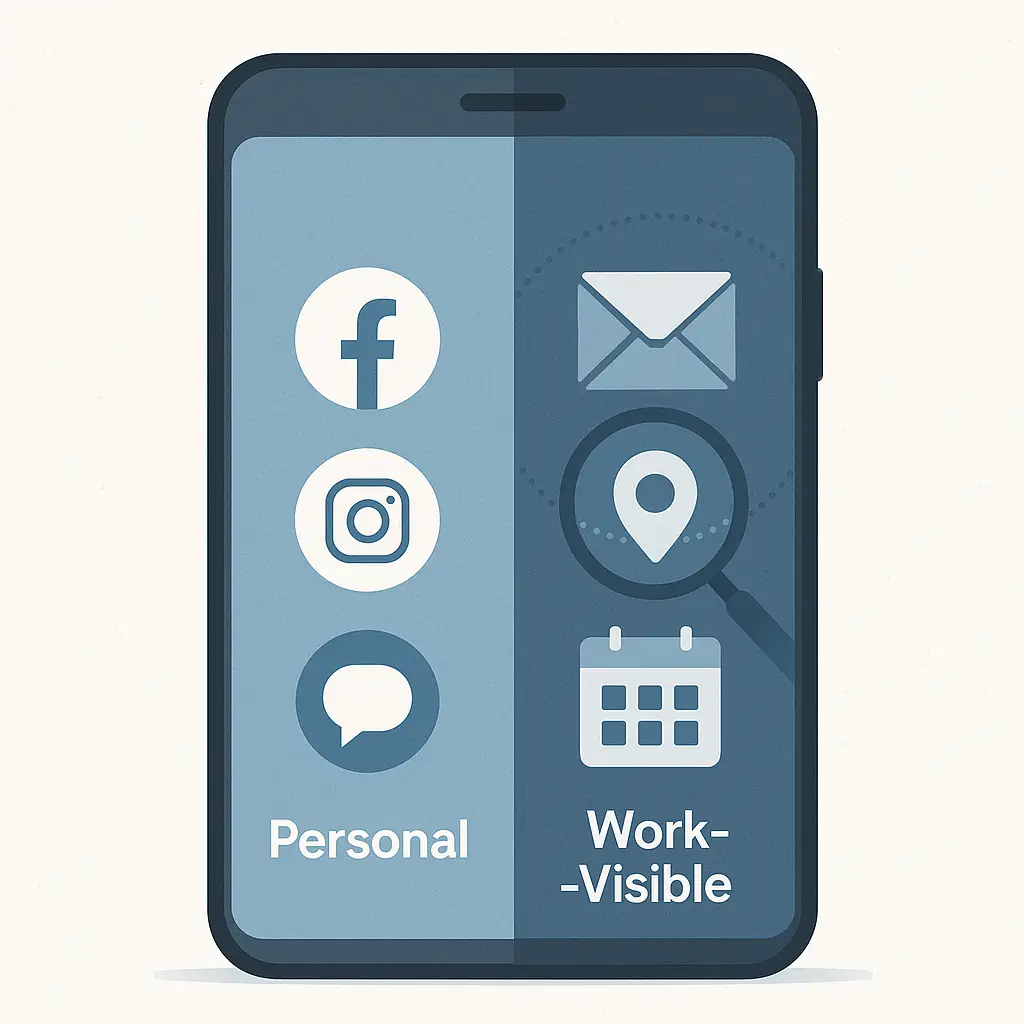
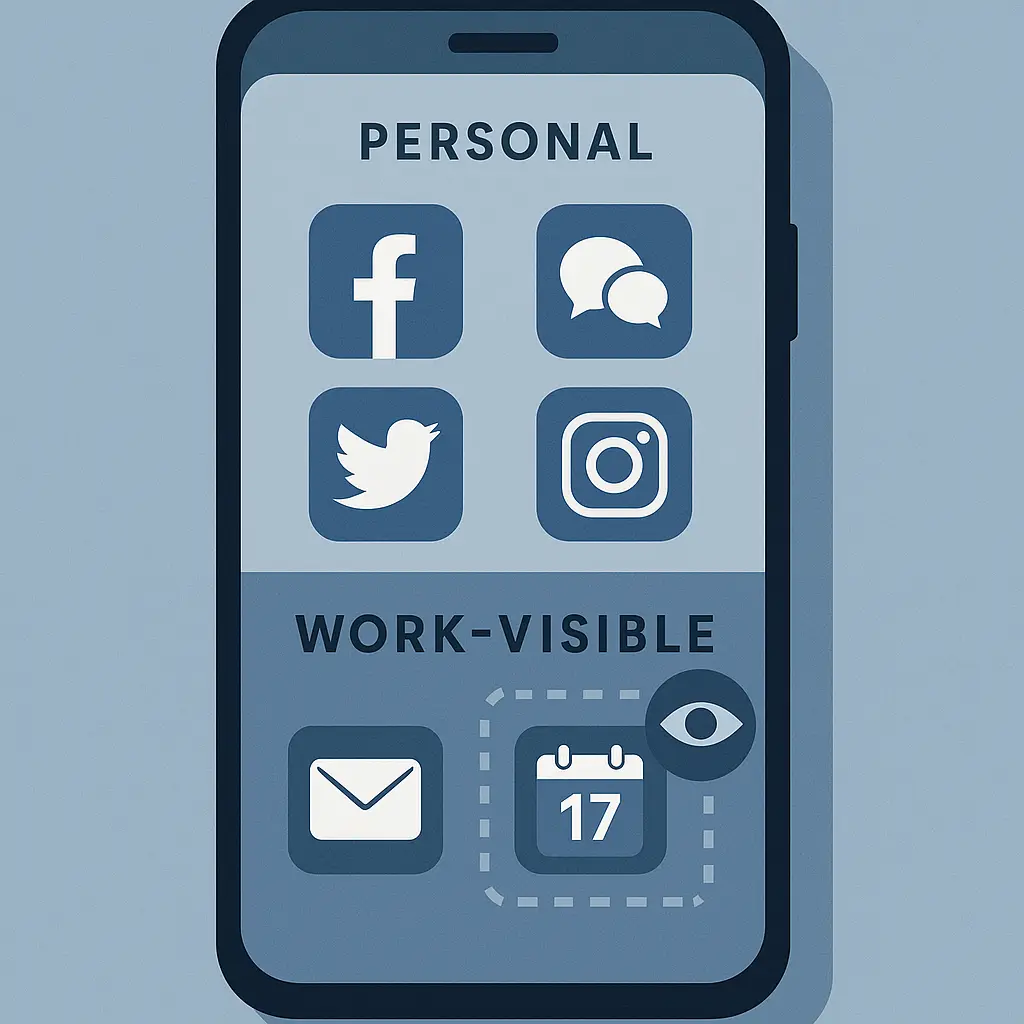
Work profile enrollment (called "managed apps" on iOS and "work profile" on Android) creates a container on your phone. Work apps live inside the container. Personal apps live outside. The MDM platform can only see and control what's inside the container. Your employer gets visibility into work email, work calendar, work files, and work app usage, but they don't see your personal texts, your personal browser history, or your personal photos. When you unenroll, the work container gets wiped, but your personal data stays intact.
The difference between these two models is the difference between handing your employer a key to your house and handing them a key to a locked filing cabinet inside your house.
What Your Employer Can See: The Data Points
The data your employer can see through MDM breaks into three categories: device metadata, work app data, and behavioral data.
Device metadata includes the phone's make and model, operating system version, serial number, IMEI, phone number, and whether the device is jailbroken or rooted. This data is visible in both full device and work profile enrollment. Your employer needs it to enforce security policies (block outdated OS versions, flag compromised devices).
Work app data includes everything that happens inside work-managed apps. If you use your employer's email app, they can see your work email. If you use their file-sharing app, they can see which files you opened and when. If you use their messaging app, they can see your work messages. This is true in both enrollment models, because work apps are always inside the employer's control perimeter.
Behavioral data is where the models diverge. In full device enrollment, your employer can see your location (if location services are enabled for the MDM app), your browser history (if they've configured web filtering), the list of all installed apps (work and personal), and in some cases, your call logs and text message metadata (not content, but who you texted and when). In work profile enrollment, they see none of this. Location tracking, if enabled, only applies when you're using a work app. Browser history is invisible unless you're using a work-managed browser. Personal app usage is outside the container and outside their view.
The FTC's guidance on mobile device privacy emphasizes that consumers should understand what data employers collect before enrolling personal devices. The problem is that most people don't read the MDM enrollment agreement, and even if they do, the language is vague enough to leave the actual data collection boundaries unclear.
What Your Employer Cannot See (Usually)
There are limits. Even in full device enrollment, MDM platforms don't give your employer access to the content of your personal text messages, the photos in your camera roll, or the passwords you've saved in your browser. They can see that you have Signal installed, but they can't read your Signal messages. They can see that you visited Reddit, but they can't see which subreddits you browsed unless they're logging network traffic at the router level (which is a separate monitoring layer, not part of MDM).
End-to-end encrypted apps like Signal, WhatsApp, and iMessage keep message content private even if your employer has full device enrollment. The encryption happens on your device, and the keys never leave your device, so the MDM server can't decrypt the messages even if it wanted to. Your employer might see metadata (you messaged someone at 3 PM), but not content (what you said).
Personal browser history is invisible in work profile enrollment. In full device enrollment, it's technically visible if your employer has configured web filtering or content inspection, but most employers don't enable those features on BYOD devices because the privacy implications are a liability. They're more common on company-owned phones.
Your personal cloud storage (iCloud, Google Drive, Dropbox) is outside the MDM perimeter unless you've installed those apps through a work-managed profile. If you installed Dropbox from the App Store on your own, your employer can't see what's in your Dropbox. If IT pushed a managed Dropbox app to your phone, they can.
The line is: if it's personal and outside the work container, it's invisible. If it's work-related or inside the work container, it's visible.
The Network Layer: What Happens on Company WiFi
MDM is one visibility layer. Network monitoring is another.
When you connect to your employer's WiFi or VPN, they can see your network traffic. That means they can see which websites you visit, which apps you use, and how much data you're transferring, even if those activities happen in personal apps. The monitoring happens at the router or VPN server, not on your phone, so it applies regardless of whether you're enrolled in MDM.
If you're browsing Reddit on your personal phone while connected to your employer's WiFi, they can see that you visited reddit.com. If the site uses HTTPS (most do), they can't see which specific pages you visited or what you posted, but they can see the domain. If the site doesn't use HTTPS, they can see everything.
VPNs add another layer. If your employer requires you to use their VPN to access work resources, all your internet traffic routes through their VPN server while the VPN is active. That means they can log your browsing even when you're not on their WiFi. The VPN app on your phone creates a tunnel, and everything you do online goes through that tunnel until you disconnect.
The EFF's Surveillance Self-Defense guide recommends that workers avoid using employer-controlled networks for personal browsing. If you need to check your bank account or browse social media, disconnect from the company WiFi and use your cellular data. If your employer requires an always-on VPN, turn it off when you're not accessing work resources (if the policy allows). If the policy doesn't allow you to turn it off, that's a signal that your employer is monitoring your network activity more aggressively than most.
The Remote Wipe Risk: What Happens When You Leave
The most consequential MDM capability isn't monitoring. It's remote wipe.
When you enroll in MDM, you give your employer the ability to erase data on your phone remotely. In work profile enrollment, the wipe is limited to the work container. Your personal data stays intact. In full device enrollment, the wipe can be a full factory reset that erases everything: personal photos, personal messages, personal apps, all of it.
The wipe happens in two scenarios: you leave the company, or your phone is reported lost or stolen. In the first scenario, IT unenrolls your device and wipes the work data as part of offboarding. In the second scenario, you (or IT) trigger the wipe to prevent someone from accessing company data on a lost phone.
The problem is that full device wipes are often configured as the default in MDM platforms, even for BYOD devices. IT administrators don't always distinguish between company-owned phones (where a full wipe makes sense) and personal phones (where it's a disproportionate response). If you're enrolled in full device MDM and you lose your phone, there's a non-zero chance that the wipe will erase your personal data along with the work data.
You can protect yourself by backing up your personal data regularly. iCloud and Google Photos handle photos automatically. For everything else, you need a manual backup strategy. The risk isn't hypothetical. I've heard from readers who lost years of personal photos because they didn't realize their employer's MDM policy included a full device wipe.
The Configuration Problem: You Don't Know What You Agreed To
The biggest issue with BYOD visibility is that most people don't know what they agreed to when they enrolled.
MDM enrollment prompts are vague. They say things like "Your organization will be able to manage settings and data on this device." They don't specify which settings, which data, or under what circumstances. You click "Agree" because you need to check your work email, and you assume the monitoring is limited to work apps. Sometimes it is. Sometimes it isn't.
The configuration is invisible to you. You can't see which policies your employer enabled. You can't see whether location tracking is on. You can't see whether they're logging your app usage. The MDM profile is a black box.
You can ask IT what the MDM platform can see, but the answer you get will be generic ("We can see work-related data") or wrong (the person answering doesn't know the actual configuration). The only way to know for sure is to read the MDM vendor's documentation and cross-reference it with your employer's privacy policy, and even then, you're guessing.
The CISA guidance on mobile device security recommends that organizations provide clear documentation of MDM capabilities before requiring enrollment. Most don't. The burden is on you to ask the right questions before you hand over access.
The Work Profile Solution: Isolation by Design
If you want to use your personal phone for work without giving your employer visibility into your personal life, the answer is work profile enrollment.
On Android, you enable a work profile through Settings > Security > Work Profile. The work profile creates a separate user space on your phone. Work apps get an orange briefcase icon. Personal apps don't. Your employer can manage the work profile, but they can't see or control anything outside it. You can turn the work profile off when you're not working, which pauses all work apps and notifications.
On iOS, the equivalent is managed apps. When you enroll in MDM, iOS creates a managed app container. Work apps live in the container. Personal apps live outside. Your employer can manage the container, but not the rest of the phone. The isolation isn't as clean as Android's work profile (iOS doesn't have a toggle to turn work apps off), but the visibility boundaries are similar.
The work profile model solves the visibility problem because it enforces separation at the OS level. Your employer can't accidentally see your personal data because the OS doesn't give them a pathway to it. When you unenroll, the work profile gets wiped, and your personal data stays put.
The tradeoff is that work profile enrollment requires more setup. You have to install work apps twice (once in the work profile, once personally if you want access outside work hours). You have to manage two sets of notifications. You have to remember which version of an app you're using (work Gmail or personal Gmail). It's friction, but it's friction that protects your privacy.
The Legal Landscape: What Employers Are Allowed to Do
The law on employer monitoring of personal devices is a patchwork.
In the U.S., employers have broad latitude to monitor devices used for work, even if those devices are personally owned. The Electronic Communications Privacy Act allows employers to monitor work-related communications, and courts have generally held that employees have no reasonable expectation of privacy when using employer-provided tools (email, messaging apps, VPNs) even on personal devices.
The boundary is consent. If you agreed to enroll in MDM, you consented to the monitoring that MDM enables. If you didn't read the enrollment agreement, that's legally your problem, not your employer's.
Some states (California, Connecticut, Delaware) have laws requiring employers to notify employees before monitoring their devices, but the notification requirement is often satisfied by a single sentence in the employee handbook. The law doesn't require employers to get your explicit consent for each monitoring capability. It just requires them to tell you that monitoring might happen.
The practical result is that if your employer wants to monitor your personal phone, they can, as long as they've told you in some form that monitoring is possible. The question isn't whether it's legal. The question is whether it's worth it to you.
The Cultural Reference: The Holodeck Problem
In Star Trek: The Next Generation, the holodeck is a room that can simulate any environment. Crew members use it for recreation, training, and problem-solving. The holodeck keeps a log of every program you run, every character you interact with, every scenario you create. It's a privacy nightmare disguised as a playground.
The same dynamic applies to BYOD. Your phone is your holodeck: a personal space where you do personal things. When you enroll in MDM, you're giving your employer access to the logs. They can see which programs you're running (apps), which characters you're interacting with (contacts), and which scenarios you're creating (location data, browsing history). The holodeck is still yours, but someone else is watching the playback.
The solution in Star Trek is to use the holodeck off the record, without logging. The solution in real life is to use a work profile, which creates a separate holodeck for work and keeps the logs isolated.
The Practical Decision: Is BYOD Worth It?
The decision to use your personal phone for work is a tradeoff between convenience and privacy.
Convenience: one device, one pocket, no need to carry a separate work phone. You can check work email at 9 PM without switching devices. You can join a Zoom call from your personal phone without installing Zoom twice.
Privacy: your employer gets visibility into some or all of your device, depending on the enrollment model. You give up control over remote wipe. You create a pathway for work to intrude into personal time.
If you value privacy more than convenience, don't enroll your personal phone in MDM. Ask your employer for a work phone. If they won't provide one, access work email through a web browser instead of installing the work email app. Use work apps on your laptop, not your phone. Keep the devices separate.
If you value convenience more than privacy, use work profile enrollment. It's the middle ground. You get the one-device experience, but you keep your personal data out of your employer's view.
If your employer requires full device enrollment and won't allow work profile enrollment, that's a red flag. It means they're prioritizing control over employee privacy. You can comply, but you should back up your personal data first and understand that a remote wipe could erase everything.
What to Do Right Now
If you're already enrolled in MDM, check which model you're using.
On Android: Settings > Security > Work Profile. If you see a work profile toggle, you're using work profile enrollment. If you don't, you're using full device enrollment.
On iOS: Settings > General > VPN & Device Management. If you see a "Management Profile" section, you're enrolled in MDM. Tap the profile to see which apps are managed. If only work apps are listed, you're using managed apps (the iOS equivalent of work profile). If the profile says "This iPhone is supervised," you're using full device enrollment.
If you're using full device enrollment and you didn't realize it, talk to IT. Ask if they can migrate you to work profile enrollment. Some MDM platforms support migration without losing work data. Some don't. If migration isn't possible, decide whether the convenience is worth the visibility. If it's not, unenroll and ask for a work phone.
If you're not enrolled yet and your employer is asking you to enroll, ask these questions before you agree:
- Is this full device enrollment or work profile enrollment?
- Can you see my location when I'm not using work apps?
- Can you see my personal app usage?
- What happens to my personal data if I leave the company?
- What happens if my phone is lost or stolen?
If IT can't answer those questions, that's a problem. If they can answer them but the answers are "yes, we can see all of that," decide whether you're comfortable with that level of visibility. If you're not, don't enroll.
The Long View: BYOD Is a Privacy Negotiation
Bring-your-own-device isn't a technical problem. It's a negotiation between your employer's need for security and your need for privacy.
Your employer wants to protect company data. They want to make sure that if you lose your phone, the work email on that phone doesn't end up in someone else's hands. They want to enforce passcode policies, block outdated operating systems, and have a kill switch if something goes wrong. Those are reasonable goals.
You want to keep your personal life personal. You don't want your employer tracking your location on weekends. You don't want them seeing your personal app usage. You don't want them wiping your personal photos if you forget to back them up before you quit. Those are reasonable goals too.
The negotiation is finding the technical configuration that satisfies both. Work profile enrollment is that configuration. It gives your employer control over work data without giving them visibility into personal data. It's not perfect (you still have to manage two app ecosystems), but it's the best balance available with current technology.
If your employer won't offer work profile enrollment, the negotiation has failed. You're being asked to give up more privacy than the situation requires. You can comply, but you should do it with your eyes open, knowing what you're trading away.
The question isn't whether your employer is spying on you. The question is whether the software you agreed to install makes spying possible, and whether you're comfortable with that possibility.