Apps from outside the official store: when is it safe, when it's not
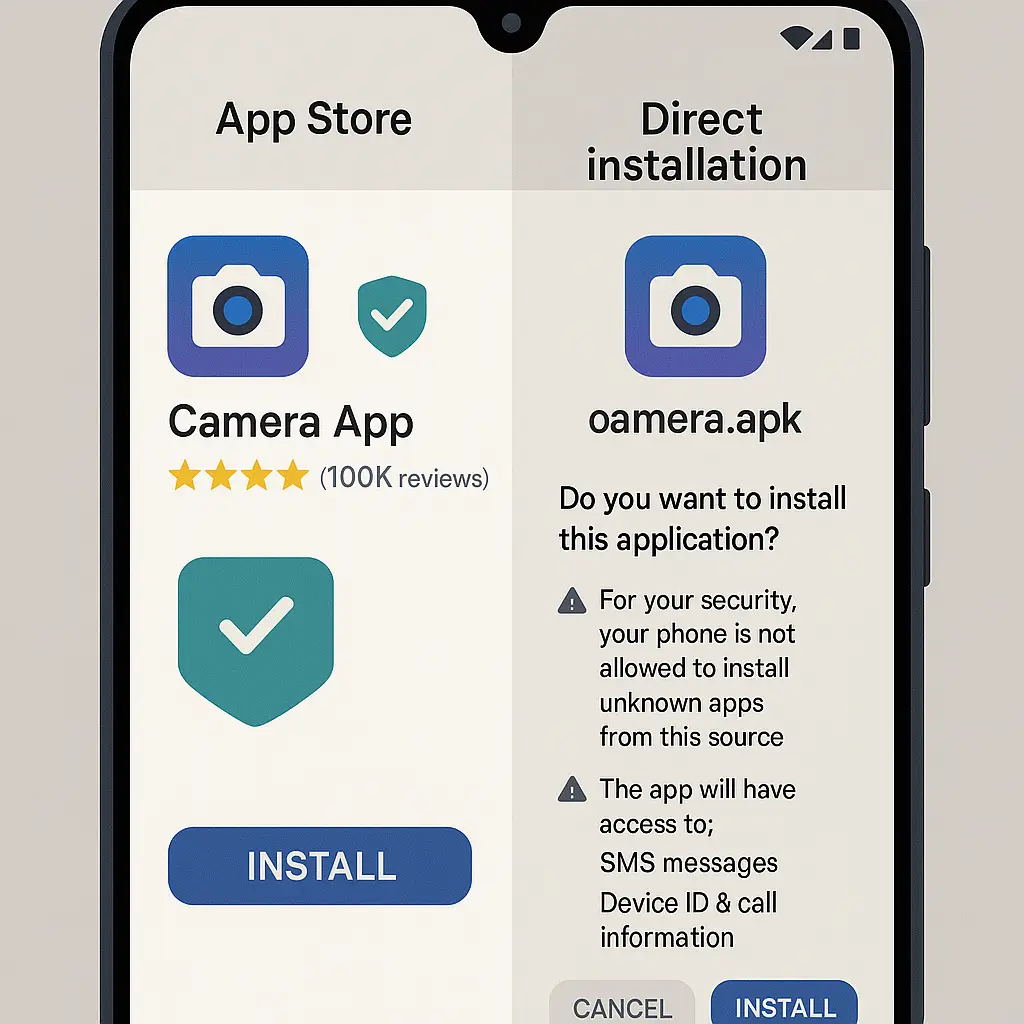
The security advice is consistent: never install apps from outside the official store. Your phone's built-in warnings reinforce it. News stories about malware-laden APKs confirm it. And for most people, most of the time, following that advice is the right call.
But the reality is messier than the warnings suggest.
Official app stores reject apps for reasons that have nothing to do with security. Developers distribute beta versions outside stores because that's how testing works. Open-source projects release builds directly because store approval takes weeks. Region-locked apps exist, and sometimes you need one. Enterprise software deploys through internal channels because that's how organizations manage devices.
Sideloading, installing apps without going through Apple's App Store or Google Play, carries real risk. But the risk isn't binary. It's not "safe in the store, dangerous everywhere else." The actual threat depends on what you're installing, where you got it, and whether you can verify what you're putting on your device.
Here's the reality check.
What sideloading actually means
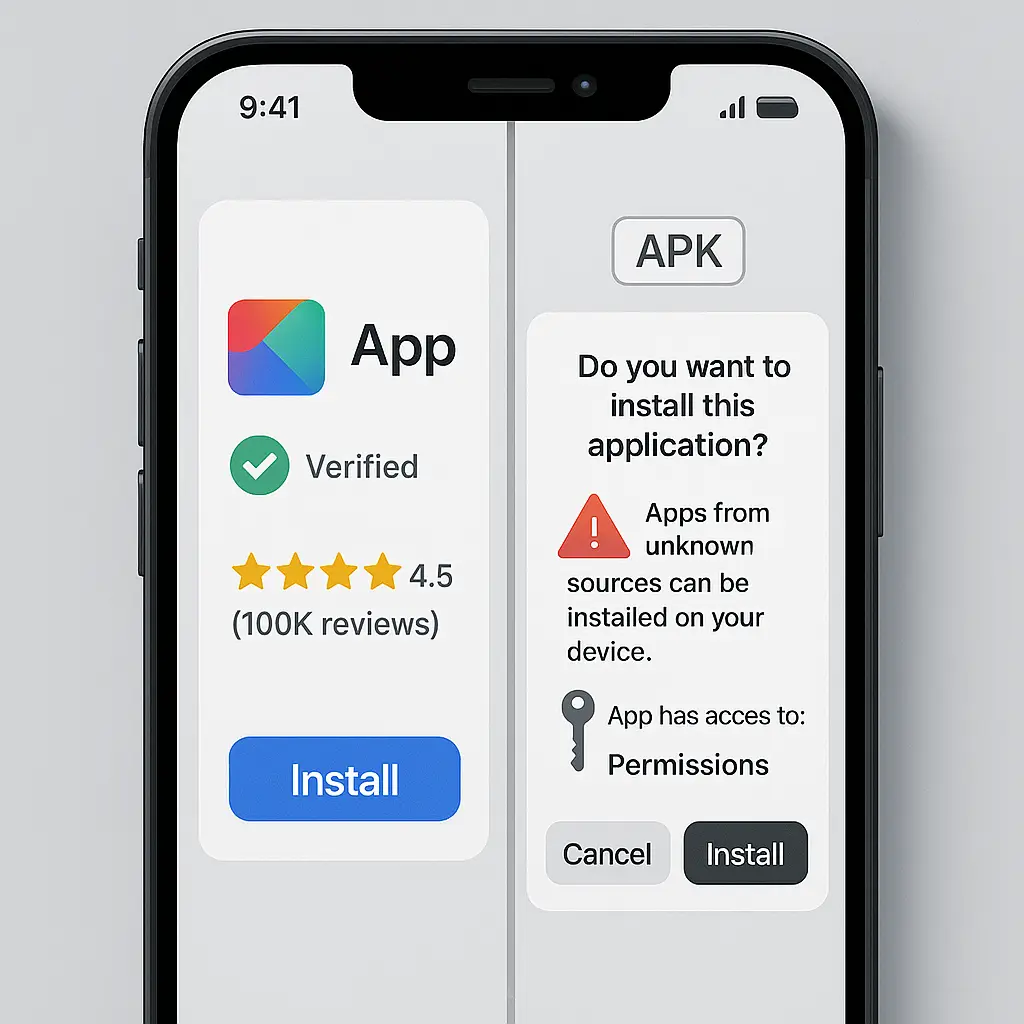
Sideloading is any installation method that bypasses the official app store. On Android, that means downloading an APK file and manually installing it. On iPhone, it means using TestFlight for beta apps, enterprise certificates for internal tools, or developer accounts for personal builds.
The term itself is neutral. It describes a mechanism, not a threat. The risk comes from what you install, not how you install it.
Official stores vet apps before they appear. Apple and Google scan for malware, check permissions, enforce policies, and remove apps that violate rules. That vetting isn't perfect, malicious apps slip through, legitimate apps get rejected, but it creates a baseline filter.
When you sideload, that filter disappears. You're responsible for verifying the app. That responsibility is the core risk.
Why stores reject legitimate apps
App stores enforce rules beyond security. Business models, content policies, technical requirements, and platform politics all influence what gets approved.
Apple rejects apps that compete with built-in features, duplicate functionality, or violate App Store guidelines on payments. Google Play blocks apps that enable features Android restricts by default, like call recording in some regions. Both platforms reject apps for vague policy violations that have nothing to do with malware.
Developers sometimes distribute outside stores because approval is too slow. A critical bug fix can take days to review. A beta test needs immediate deployment. An open-source project doesn't want to pay the developer fee or navigate review processes for every update.
Region restrictions matter. An app available in Europe might not appear in the U.S. store. A government might block an app domestically. A developer might limit distribution to specific countries for legal or business reasons.
None of this means the app is dangerous. It means the app doesn't fit store rules.
The actual risks
The biggest risk is malware. Without store vetting, you can install an app that steals credentials, tracks behavior, displays ads, or joins a botnet. Attackers disguise malware as popular apps, productivity tools, or games. The APK looks legitimate. The permissions seem reasonable. The app works well enough to avoid immediate suspicion.
By the time you notice something wrong, the damage is done.
The second risk is permissions. Sideloaded apps can request the same permissions as store apps, but you're less likely to scrutinize them. An app that asks for contacts, location, camera, and microphone might have good reasons. It might also be harvesting data.
The third risk is updates. Apps installed through stores update automatically. Sideloaded apps require manual updates, which most people skip. That means security patches don't apply, bugs persist, and vulnerabilities stay open.
The fourth risk is device integrity. Some sideloaded apps require disabling security features, unlocking the bootloader, rooting the device, or installing custom firmware. Those changes weaken the entire system, not just the app you wanted.
When sideloading makes sense
Some situations justify the risk.
Beta testing. Developers distribute pre-release versions through TestFlight on iOS or direct APKs on Android. If you're testing for a developer you trust, sideloading is the mechanism.
Open-source software. Projects like F-Droid distribute Android apps outside Google Play. The apps are open-source, auditable, and maintained by communities. The risk is lower because the code is public and reviewable.
Enterprise apps. Organizations deploy internal tools through enterprise certificates or mobile device management. These apps never appear in public stores because they're not meant for public use.
Region-locked apps. Sometimes you need an app that isn't available in your country's store. If you can verify the source and the app's legitimacy, sideloading is the only option.
Developer tools. If you write software, you install your own builds to test them. That's sideloading by definition.
How to assess the source
The source determines the risk more than anything else.
Developer reputation. Do you know who made the app? Can you verify their identity? Do they have a history of legitimate software? A developer with a public track record is lower risk than an anonymous uploader.
Distribution channel. Where did you get the APK? The developer's official website is safer than a third-party download site. A GitHub repository with verified commits is safer than a forum link. A random file-sharing service is high risk.
File verification. Some developers publish checksums or digital signatures. Compare the hash of the file you downloaded to the published hash. If they don't match, don't install it.
Community feedback. Search for the specific app and version. Do other users report problems? Are there reviews from people you trust? Silence isn't proof of safety, but consistent negative reports are proof of danger.
Inspecting permissions before installation
Android shows permissions before you install. Read them.
An app that requests access to contacts, SMS, phone calls, location, camera, and microphone without obvious need is suspicious. A flashlight app doesn't need your contacts. A calculator doesn't need your location. A wallpaper app doesn't need SMS access.
Some permissions are normal. A messaging app needs SMS. A navigation app needs location. A video call app needs camera and microphone. But the combination matters. An app that requests everything is harvesting data.
On iPhone, sideloading through TestFlight or enterprise certificates limits what you can inspect beforehand. You see permissions after installation, when the app first requests them. That's late, but it's your chance to deny access.
The F-Droid model
F-Droid is an Android app repository that distributes only open-source software. Apps in F-Droid are built from public source code, verified by the F-Droid maintainers, and updated through the F-Droid client.
The model reduces risk because the code is auditable. Anyone can inspect what an app does before installing it. The F-Droid community reviews apps, flags problems, and removes malicious software.
F-Droid isn't risk-free. Open-source doesn't mean bug-free or secure-by-default. But the transparency creates accountability that closed-source sideloaded apps lack.
If you need an app that isn't in Google Play, check F-Droid first.
iOS restrictions
Apple locks down sideloading more aggressively than Android. You can install apps through TestFlight if you're invited to a beta. You can use enterprise certificates if your organization provides them. You can install your own builds if you have a developer account.
All three methods have limitations. TestFlight apps expire after 90 days. Enterprise certificates can be revoked by Apple at any time. Developer accounts require renewal and limit how many devices you can use.
Apple's restrictions reduce malware risk by limiting who can sideload and what they can install. But the restrictions also prevent legitimate use cases that Android handles easily.
In You've Got Mail, Kathleen Kelly's bookstore competes with a corporate chain that has more resources, more reach, and more control over distribution. The small bookstore offers something the chain doesn't: curation, trust, and a relationship with the customer. Apple's model is the chain. Android's model leaves room for the bookstore. Both approaches have tradeoffs.
What enterprise certificates actually do
Enterprise certificates let organizations distribute internal apps without going through the App Store. The mechanism is designed for corporate tools, but it's been abused.
Attackers obtain enterprise certificates and distribute malware disguised as legitimate apps. Apple revokes the certificates when it detects abuse, but the apps keep working until the revocation takes effect.
If you install an app using an enterprise certificate, you're trusting the organization that issued the certificate. If you don't know the organization, don't install the app.
Updating sideloaded apps
Apps installed through stores update automatically. Sideloaded apps don't.
That means you're responsible for checking for updates, downloading new versions, and reinstalling manually. Most people don't do this. The app stays at the version you installed, vulnerabilities and all.
Some sideloaded apps include their own update mechanism. F-Droid updates apps through its client. TestFlight pushes updates when the developer releases them. But apps installed from random APKs have no update path unless you repeat the entire process.
If you can't commit to manual updates, don't sideload.
When to say no
Some situations are clear: don't sideload.
You don't know the developer. If you can't verify who made the app, don't install it.
The source is sketchy. If the APK comes from a file-sharing site, a forum post, or a third-party download portal, the risk is too high.
You can't verify the file. If there's no checksum, no signature, and no way to confirm the file matches what the developer released, don't install it.
The permissions are excessive. If the app requests access it doesn't need, it's harvesting data or worse.
You're installing on someone else's device. If the device isn't yours, you don't control the risk. Don't sideload.
The middle ground
The security advice treats sideloading as universally dangerous because that's the safe default. For most people, most of the time, staying inside official stores is the right call.
But the advice oversimplifies. Sideloading isn't inherently dangerous. It's a mechanism. The danger comes from what you install, where you got it, and whether you can verify it.
If you can answer those questions, if you know the developer, trust the source, and understand the permissions, the risk becomes manageable. Not zero, but manageable.
The alternative is accepting that app stores control what you can install, and that control extends beyond security into business models, content policies, and platform politics. Sometimes the store's decision is right. Sometimes it's not.
Sideloading gives you the option to override that decision. The cost is responsibility. The benefit is control.