Apple Hide My Email vs SimpleLogin: Which Email Alias Service Protects You Better
You're signing up for a newsletter. The site wants your email address. You don't want to give it.
Email alias services solve this. They generate a unique address that forwards to your real inbox. You give the site the alias. If the site sells your address or gets breached, you delete the alias and move on. Your real email stays clean.
Two services dominate this space: Apple Hide My Email and SimpleLogin. Both create disposable addresses. Both forward messages. Both promise privacy.
But they work differently, lock you in differently, and give you different levels of control. Here's how they compare on what actually matters.
How Hide My Email Works
Hide My Email is built into iCloud+. It generates random email addresses that look like random-string@icloud.com or random-string@privaterelay.appleid.com. These aliases forward to your primary iCloud email address.
You create aliases in two ways. Safari offers to generate one automatically when you fill out a form. Or you open Settings → Apple ID → iCloud → Hide My Email and create one manually.
Each alias is a one-way forwarding address. Messages sent to the alias land in your inbox. You reply from the alias, and the recipient sees the alias as the sender, not your real address.
The system is automatic. If you use Safari on an iPhone, iPad, or Mac, the browser suggests an alias before you type your real address. You tap, it fills the form, and you're done.
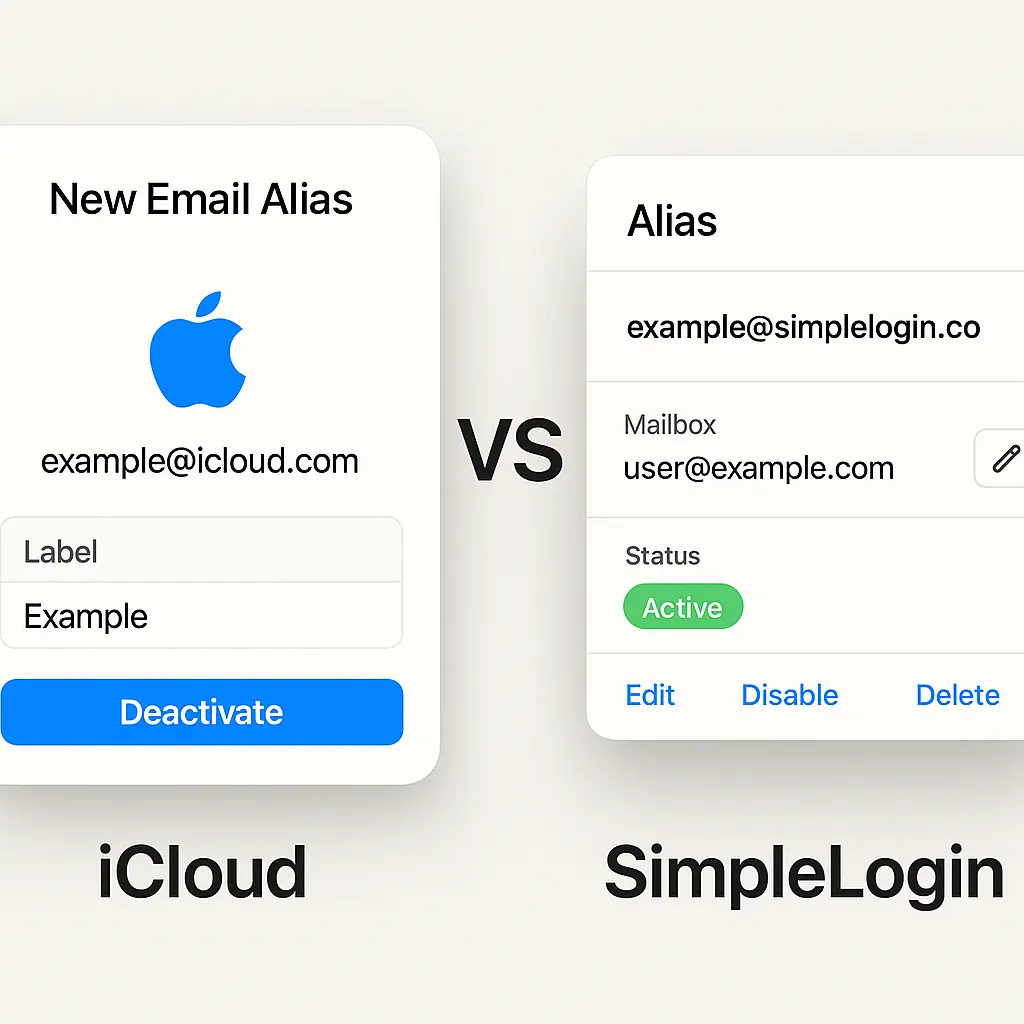
But automatic means minimal control. You see a list of your aliases in Settings. You can deactivate an alias, which stops forwarding. You can add a label to remember where you used it. That's the extent of management.
Hide My Email requires an iCloud+ subscription, which starts at $0.99 per month for 50GB of storage. The alias feature is included. No separate fee. No usage limits on how many aliases you create.
The catch: it only works on Apple devices. If you use Android, Windows, or Linux, Hide My Email isn't available. The aliases exist, but you can't create or manage them without an Apple device.
How SimpleLogin Works
SimpleLogin is a standalone email alias service. You sign up at simplelogin.io, connect your real email address, and start generating aliases.
The aliases look like random-string@simplelogin.com or random-string@yourdomain.com if you bring your own domain. Messages sent to an alias forward to your real inbox. You reply from the alias, and SimpleLogin rewrites the headers so the recipient sees the alias, not your real address.
You create aliases three ways. The browser extension suggests one when you fill out a form. The mobile app generates one on demand. Or you log into the dashboard and create one manually.
SimpleLogin gives you more control than Hide My Email. Each alias has a toggle to enable or disable forwarding. You can add notes to remember where you used it. You can organize aliases with custom domains. You can set up catch-all addresses that accept mail sent to any address at your domain.
The free tier allows 10 aliases. After that, you need a paid plan. Premium costs $30 per year and removes the alias limit. You can create as many as you want.
SimpleLogin works on any platform. The browser extension runs on Chrome, Firefox, Safari, and Edge. The mobile app works on iOS and Android. The web dashboard works anywhere.
The software is open source. You can read the code, audit the privacy claims, and self-host the entire service if you want full control. SimpleLogin offers managed hosting, but you're not locked in.
Ecosystem Lock-In: Apple vs Platform-Agnostic
Hide My Email works only if you stay in Apple's ecosystem. You need an iCloud+ subscription. You need an Apple device to create and manage aliases. If you switch to Android or Windows, your aliases keep forwarding, but you lose the ability to create new ones or turn off old ones.
This is the core tradeoff. Hide My Email is convenient if you're all-in on Apple. It's automatic, integrated, and requires no setup beyond subscribing to iCloud+. But convenience costs portability.
SimpleLogin works everywhere. You can create aliases on an iPhone, manage them on a Windows laptop, and check forwarded mail on an Android tablet. The service doesn't care what devices you use.
If you switch platforms, SimpleLogin moves with you. If you leave SimpleLogin entirely, you can export your alias list and migrate to another service. The data is yours.
Hide My Email doesn't offer export. If you cancel iCloud+, your aliases stop forwarding. There's no migration path. You lose access to every alias you created.
Alias Management: Minimal vs Full Control
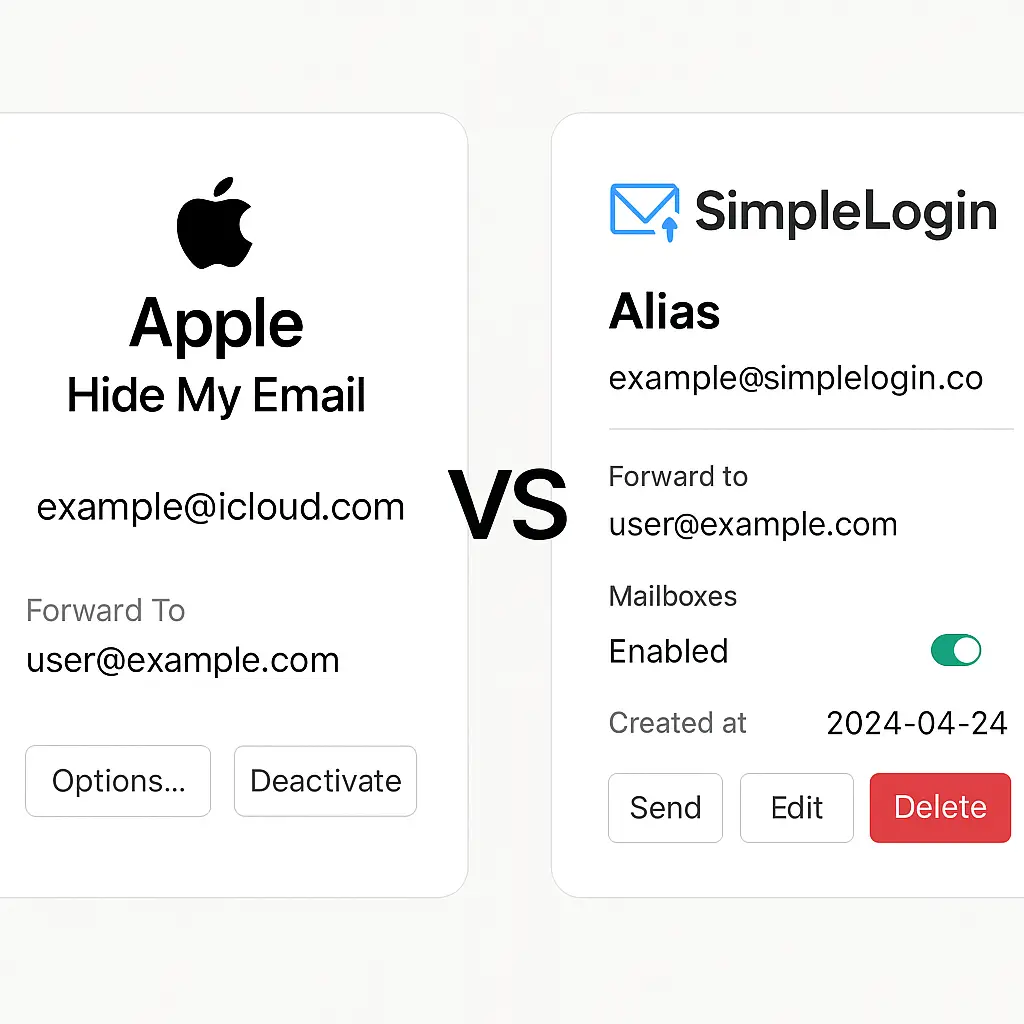
Hide My Email shows you a list of aliases in Settings. Each entry displays the alias address, the label you added, and a toggle to deactivate it. That's the interface.
You can't organize aliases into folders. You can't search by label. You can't see when you created an alias or how many messages it's forwarded. You can't add detailed notes beyond the single-line label.
The list works if you have a dozen aliases. It becomes unwieldy at fifty. There's no way to filter, sort, or search beyond scrolling.
SimpleLogin gives you a dashboard. You see all your aliases in a table. Each row shows the alias address, the creation date, the number of forwarded messages, the forwarding status, and your notes.
You can search by address, label, or domain. You can filter by active or inactive status. You can sort by creation date or message count. You can add multi-line notes to each alias.
If you use custom domains, you can organize aliases by domain. If you set up catch-all forwarding, you can see which addresses actually received mail and convert them into permanent aliases.
The dashboard is a database. Hide My Email's list is a receipt.
Custom Domains: Locked vs Flexible
Hide My Email generates aliases at icloud.com or privaterelay.appleid.com. You don't choose the domain. You can't bring your own.
This matters if you care about portability. An alias at icloud.com signals that you're using Apple's service. If you leave Apple, the alias dies. There's no way to transfer it.
SimpleLogin lets you use custom domains. You register a domain, point the MX records at SimpleLogin's servers, and generate aliases at yourname@yourdomain.com.
This gives you portability. If you leave SimpleLogin, you keep the domain. You can point the MX records at another service, self-host, or forward directly to your inbox. The aliases stay under your control.
Custom domains also give you flexibility. You can create different domains for different contexts. One domain for shopping. One for newsletters. One for work. If one domain gets burned, you abandon it without affecting the others.
Hide My Email doesn't support this. Every alias uses Apple's domain. You can't segment by context. You can't migrate without losing the addresses.
Reply Handling: Transparent vs Visible
When you reply to a message that arrived via an alias, both services rewrite the headers so the recipient sees the alias as the sender, not your real address.
Hide My Email handles this automatically. You reply from your inbox. The service detects that the original message came through an alias and rewrites the outgoing headers. The recipient sees the alias. You don't configure anything.
SimpleLogin works the same way on the technical level, but the interface gives you more visibility. The dashboard shows you which aliases have sent replies. You can see the reply history for each alias.
This matters if you're troubleshooting. If a recipient claims they didn't get your reply, you can check the alias log to confirm it sent. Hide My Email doesn't show you this data.
Privacy Model: Apple's Promises vs Open Source Verification
Both services claim they don't read your email. The forwarding happens automatically without human review or content analysis.
Hide My Email is part of Apple's broader privacy pitch. The company says it doesn't read your mail, doesn't sell your data, and doesn't build profiles. You trust Apple's word.
SimpleLogin is open source. You can read the code that forwards your mail. You can verify that it doesn't log message content. You can audit the privacy claims yourself.
Open source doesn't guarantee privacy, but it makes verification possible. If SimpleLogin's code contained tracking, someone would notice and publish it. With Hide My Email, you trust Apple's internal policies.
For some people, Apple's reputation is enough. For others, verifiable code matters more than corporate promises.
Pricing: Bundled vs Standalone
Hide My Email costs $0.99 per month as part of iCloud+. You're paying for cloud storage. The alias feature is bundled.
If you already subscribe to iCloud+ for storage, aliases are free. If you don't need storage, you're paying for something you won't use.
SimpleLogin charges $30 per year for unlimited aliases. That's $2.50 per month. Slightly more expensive than iCloud+, but you're paying for the alias service directly, not as a bundle.
The free tier gives you 10 aliases. That's enough to test the service. If you need more, the paid plan is straightforward.
Neither service charges per alias. Once you're subscribed, you can create as many as you want.
What Happens When You Leave
If you cancel iCloud+, your Hide My Email aliases stop forwarding immediately. Messages sent to those addresses bounce. There's no grace period. No export option. The aliases are gone.
This is the lock-in mechanism. Every alias you create ties you deeper into Apple's ecosystem. Leaving means losing access to every service where you used an alias.
If you cancel SimpleLogin Premium, you drop to the free tier. Your first 10 aliases keep working. Aliases beyond that stop forwarding.
But SimpleLogin lets you export your alias list. You get a CSV file with every address you created. You can migrate those aliases to another service, set up forwarding manually, or self-host SimpleLogin's open-source software.
The export option changes the calculus. You're not locked in. You can leave without losing everything.
Self-Hosting: Impossible vs Supported
Hide My Email is a closed service. You can't self-host it. You can't run it on your own server. It exists only as part of iCloud+.
SimpleLogin is open source. The code is on GitHub. You can download it, install it on a VPS, and run the entire service yourself.
Self-hosting requires technical skill. You need to configure DNS, set up email forwarding, and maintain the server. But it's possible.
For most people, SimpleLogin's managed hosting is easier. But the option to self-host means you're never fully locked in. If the company shuts down, you can keep running the service yourself.
Hide My Email offers no equivalent. If Apple discontinues the feature, your aliases die.
Browser Integration: Safari Only vs Cross-Browser
Hide My Email integrates with Safari. When you fill out a form that asks for an email address, Safari suggests an alias. You tap, it fills the field, and you're done.
The integration is seamless. No browser extension. No separate login. It just works.
But it only works in Safari. If you use Chrome, Firefox, or Edge, Hide My Email doesn't suggest aliases. You have to create them manually in Settings and copy-paste.
SimpleLogin offers browser extensions for Chrome, Firefox, Safari, and Edge. The extension detects email fields and suggests an alias. You click, it fills the field, and you're done.
The experience is nearly identical to Hide My Email's Safari integration, but it works across browsers.
Mobile App: iOS Only vs iOS and Android
Hide My Email works on iOS. You create aliases in Settings or let Safari suggest them. You manage aliases in Settings. That's the interface.
There's no Android support. If you switch to Android, you can't create new aliases or manage existing ones.
SimpleLogin offers apps for iOS and Android. The interface is identical. You create aliases, manage forwarding, and check logs. The app syncs with the web dashboard.
If you switch platforms, the app moves with you.
When Hide My Email Makes Sense
You're all-in on Apple. You use an iPhone, iPad, and Mac. You subscribe to iCloud+ for storage. You use Safari as your primary browser.
Hide My Email is the easiest option. It's built in. It's automatic. It requires no setup beyond enabling the feature.
You don't need custom domains. You don't need detailed logs. You don't need to export your data. You trust Apple's privacy claims and don't plan to leave the ecosystem.
The convenience is real. If you're already paying for iCloud+, aliases are free. If Safari is your browser, the integration is seamless.
When SimpleLogin Makes Sense
You use multiple platforms. You switch between iOS and Android. You use Chrome, Firefox, or Edge. You want control over your aliases.
SimpleLogin works everywhere. The browser extension, mobile app, and web dashboard sync across devices. You're not locked into one ecosystem.
You care about portability. You want to export your aliases if you leave. You want the option to self-host if the company shuts down.
You need custom domains. You want to organize aliases by context. You want detailed logs showing forwarding history.
The $30 annual fee is worth it for the flexibility. You're paying for control, not convenience.
The Analogy That Fits
In The Fellowship of the Ring, the Council of Elrond debates what to do with the One Ring. Some argue for using it. Some argue for hiding it. Some argue for destroying it.
Gandalf explains the core problem: the Ring grants power, but it corrupts the wielder. You can't use it safely because the power itself is the trap.
Hide My Email and SimpleLogin both grant the same power: disposable email addresses that protect your inbox. But the power comes with different traps.
Hide My Email's trap is convenience. It works automatically, but only inside Apple's walls. The more you use it, the harder it is to leave.
SimpleLogin's trap is complexity. It gives you control, but you have to configure it. You have to think about domains, forwarding rules, and export strategies.
The question isn't which service is better. The question is which trap you're willing to accept.
The Decision Framework
Ask yourself three questions.
First: Do you use Apple devices exclusively, or do you switch between platforms?
If you're all-in on Apple and plan to stay there, Hide My Email is simpler. If you use Android, Windows, or Linux, SimpleLogin is your only option.
Second: Do you care about portability?
If you want the ability to leave without losing your aliases, SimpleLogin's export feature matters. If you're comfortable staying in Apple's ecosystem long-term, Hide My Email's lock-in is less of a concern.
Third: Do you need control over your aliases?
If you want detailed logs, custom domains, and organizational tools, SimpleLogin delivers. If you just need forwarding and don't care about management, Hide My Email's minimal interface is fine.
Your answers determine the choice.
What I Use
I use SimpleLogin. I switch between platforms too often to lock into Apple. I want the ability to export my aliases if I leave. I like seeing forwarding logs when I troubleshoot.
The $30 annual fee is worth it for the flexibility. I don't need the convenience of Safari integration badly enough to accept the lock-in.
But I understand why people choose Hide My Email. If you're already in Apple's ecosystem and don't plan to leave, the convenience is real. The feature works. It protects your inbox. The lock-in only matters if you leave.
Choose based on your situation, not on abstract principles. Both services solve the same problem. They just make different tradeoffs.