Texting Strangers: When to Use a Relay
You're selling a couch on Facebook Marketplace. The buyer wants to text you. You need a phone number to give them, but you don't particularly want them to have your real one.
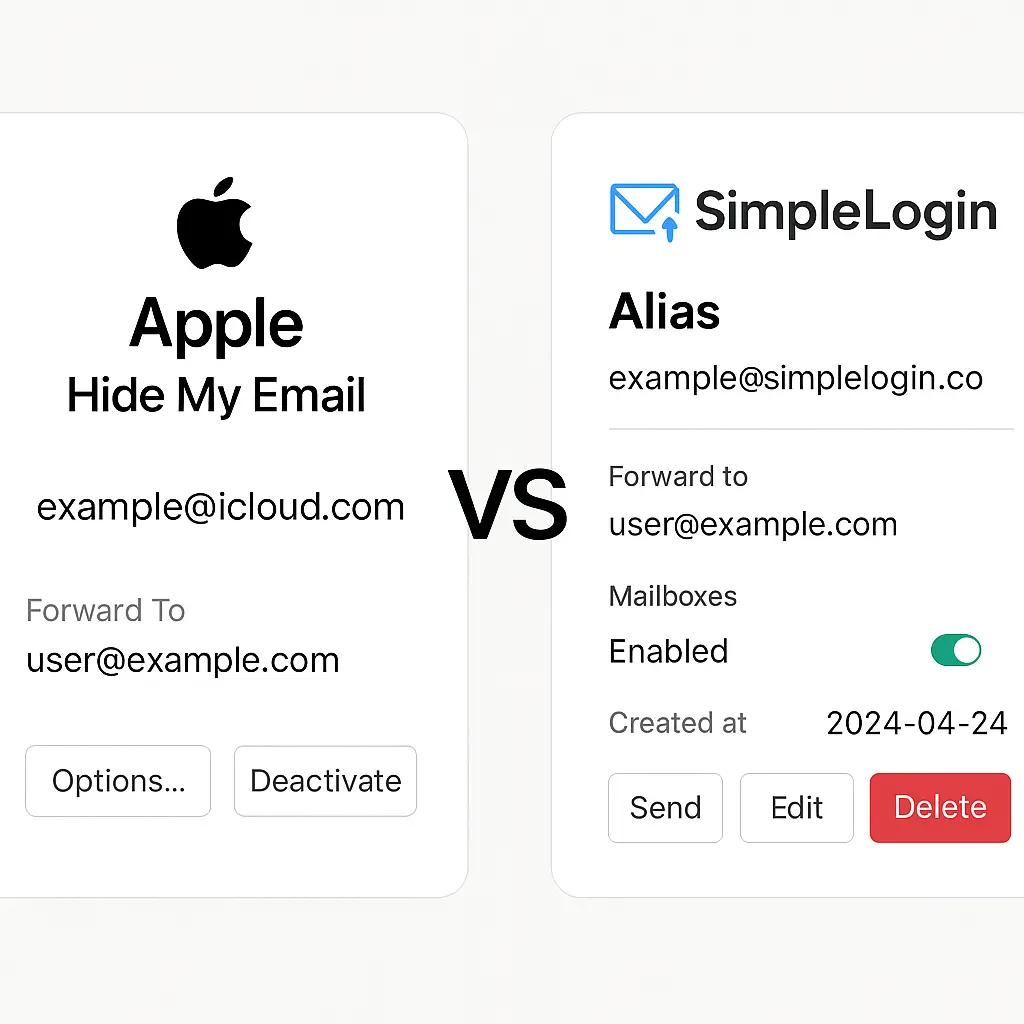
Email solved this problem years ago. You create a burner address, use it for the transaction, and delete it when you're done. If the address leaks or the buyer turns out to be a problem, your primary inbox stays clean.
Phone numbers should work the same way, but they don't. Your number is tied to your identity, your accounts, and your two-factor authentication. Once someone has it, they have a permanent line to you. Blocking helps, but it doesn't undo the exposure.
Phone relays fix this. They generate temporary numbers that forward calls and texts to your real number. When the interaction ends, you delete the relay. The other person never learns your actual number, and you control the connection from start to finish.
This article walks through how phone relays work, when to use them, and the step-by-step process to set one up. If you've ever hesitated before typing your number into a form or handing it to a stranger, this is the tool that makes that hesitation unnecessary.
How phone relays work
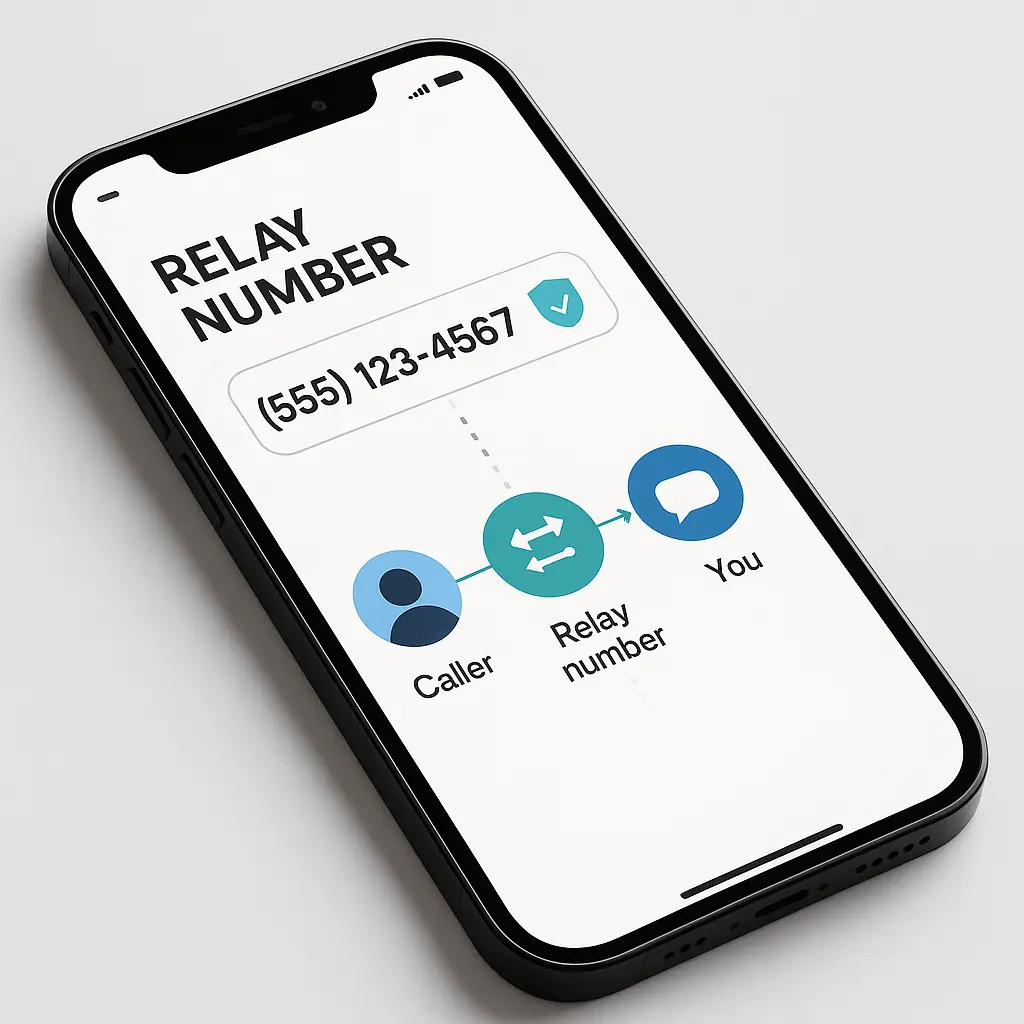
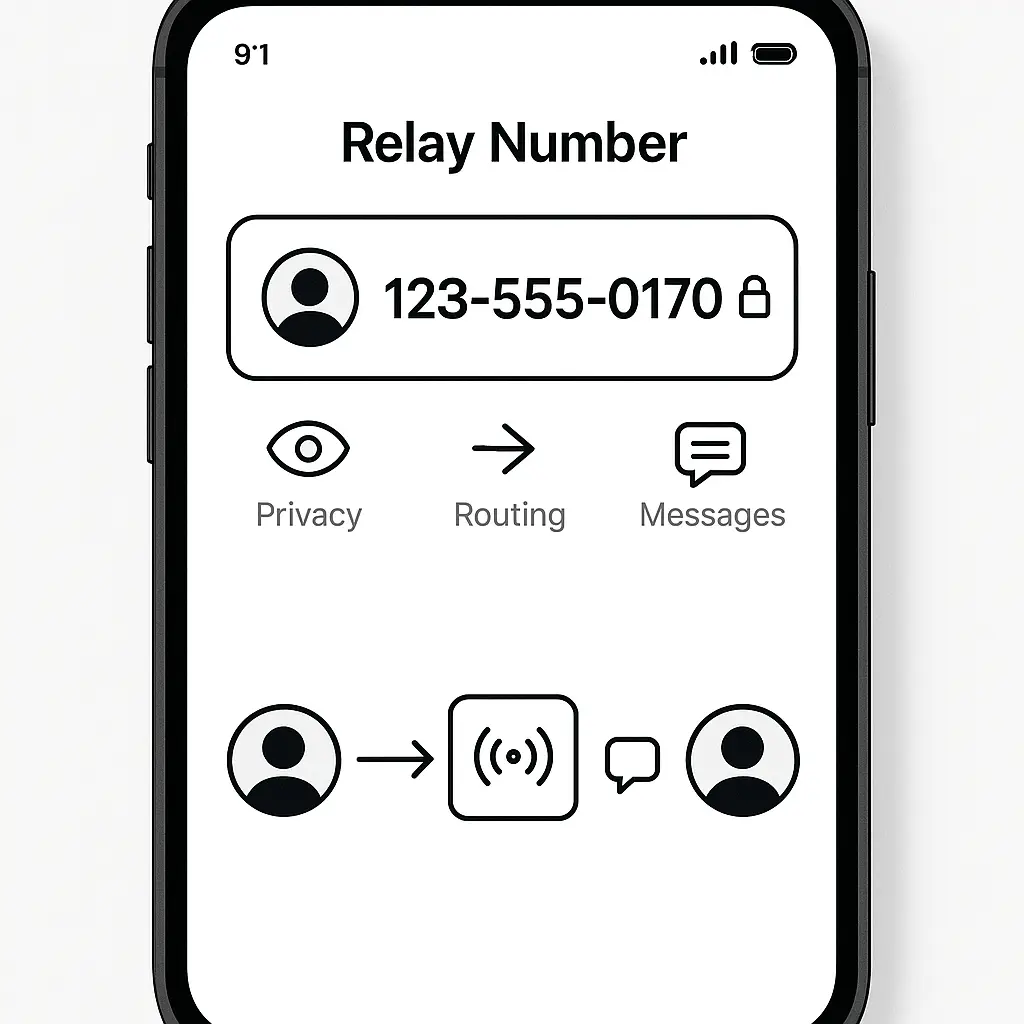
A phone relay is a forwarding service. You get a temporary number from the relay provider. When someone texts or calls that number, the relay routes the message to your real number. When you respond, the relay sends your reply from the temporary number. The other person only ever sees the relay number.
The mechanism is straightforward. The relay service sits between you and the contact. It receives incoming messages, checks which real number the relay belongs to, and forwards the message. Outgoing messages work the same way in reverse. The relay strips your real number from the metadata and substitutes the relay number before delivery.
Some relay services generate new numbers for each contact. Others let you create multiple relay numbers and assign them to different purposes. You might use one relay for marketplace transactions, another for service providers, and a third for dating apps. Each relay forwards to your real number, but the contacts never overlap.
Relays differ from virtual numbers. A virtual number is a permanent second number tied to your account. You keep it indefinitely, and it functions like a real phone number. A relay is temporary by design. You create it for a specific interaction, use it as long as you need it, and delete it when you're done.
The privacy protection comes from control. You decide when the relay exists, who can use it, and when it stops working. If a contact becomes a problem, you delete the relay. They lose the ability to reach you, and you don't have to block them or change your real number.
When to use a relay number
Use a relay when you're giving your number to someone you don't know well and don't expect to maintain a long-term relationship with. The interaction is transactional, time-limited, or carries some risk of unwanted follow-up.
Marketplace transactions are the clearest use case. You're selling furniture, arranging a pickup, or coordinating a local exchange. The buyer needs to text you to confirm timing or ask questions. Once the transaction completes, you have no reason to stay in touch. A relay gives them a way to reach you during the sale without permanent access to your number.
Dating apps are another common scenario. You match with someone, the conversation moves off the app, and they ask for your number. You're not sure yet whether this person is trustworthy, but refusing to share a number feels overly cautious. A relay lets you continue the conversation without exposing your real number until you're confident in the connection.
Service providers you don't fully trust fall into this category. A contractor, a delivery driver, a repair technician. They need to contact you to schedule or confirm work, but you don't want them to have permanent access once the job is done. A relay keeps the interaction professional and bounded.
Situations where you're required to provide a number but don't want to use your real one. Some websites demand phone verification for account creation. Some forms require a contact number for confirmation. If the service doesn't need ongoing access and you don't trust it with your real number, a relay works.
Don't use a relay for trusted contacts. Your family, close friends, and colleagues should have your real number. Relays add friction to communication, and that friction only makes sense when the privacy tradeoff is worth it.
Don't use a relay for accounts that matter. Banks, email providers, and high-security services often block relay numbers or refuse to send verification codes to them. Even if the relay works initially, you risk losing access to your account if the service flags the number as suspicious. Use your real number for anything tied to your identity or finances.
Don't use a relay when the other person needs to verify your identity. If you're coordinating with a school, a government office, or a professional contact who needs to confirm who you are, a relay creates confusion. The temporary number doesn't match records, and explaining the setup wastes time.
The decision framework is simple. If the contact is temporary, transactional, or carries risk of unwanted follow-up, use a relay. If the contact is trusted, long-term, or tied to accounts that matter, use your real number.
Setting up a phone relay
Phone relay services vary in features, cost, and platform support. Some are standalone apps. Others integrate with your phone's existing messaging system. Some generate unlimited relay numbers. Others cap the number of active relays or charge per number.
Google Voice is the most widely known option in the U.S. It provides a free virtual number that forwards calls and texts to your real number. You can use it as a permanent second number or treat it as a relay by changing the forwarding settings when you want to disconnect. Google Voice works on iPhone and Android, and you can access it from a web browser.
The tradeoff with Google Voice is that it's not truly disposable. You get one number, and if you want to change it, you have to pay a fee. It's better suited as a permanent second number than a true relay system, but it works for people who only need occasional separation from their real number.
Burner is a dedicated relay app. It generates temporary numbers that you can delete at any time. You create a new burner for each contact or situation, use it for as long as you need it, and delete it when you're done. Burner offers a free trial, then charges a subscription or per-number fee depending on usage.
Burner integrates with your phone's messaging app, so texts from the relay number appear alongside your regular messages. You can set the relay to auto-delete after a certain period or after a set number of messages. This makes it useful for time-limited interactions where you don't want to manually manage the relay.
Hushed is similar to Burner but offers more international number options. If you need a relay number from a specific country or area code, Hushed provides more flexibility. It charges per number, with pricing based on how long you keep the relay active.
MySudo creates separate identities, each with its own phone number, email address, and payment method. It's more comprehensive than a simple relay, but it works if you want to compartmentalize different aspects of your life. MySudo charges a subscription and offers multiple profiles under one account.
To set up a relay using Burner as an example, download the app from the App Store or Google Play. Create an account with your email address. The app will ask for permission to access your contacts and send notifications. Grant these permissions so the relay can forward messages and alert you when texts arrive.
Tap "Create a Burner" to generate a new relay number. The app will show you a list of available area codes. Choose one that matches your location or the location of the person you're giving the number to. Some people prefer a local area code to make the number look more legitimate. Others choose a distant area code to add an extra layer of separation.
Once you select an area code, Burner generates a number. This is your relay. When someone texts or calls this number, Burner forwards the message to your real number. When you reply, Burner sends your response from the relay number, not your real one.
Label the relay so you remember what it's for. Burner lets you name each number. If you're using it for a Craigslist sale, name it "Craigslist Couch." If it's for a dating app, name it "Hinge Contact." Labels help you track which relay is connected to which interaction, especially if you're managing multiple relays at once.
Set an expiration if you want the relay to auto-delete. Burner offers options like "delete after 7 days" or "delete after 50 messages." This is useful for interactions you know will be short-term. If you're coordinating a one-time pickup, set the relay to expire in a week. If you're not sure how long you'll need it, leave it active and delete it manually when you're done.
Give the relay number to the contact. Text it, email it, or enter it into a form. The relay forwards messages to your real number, and you respond as usual. The contact only sees the relay number, not your real one.
When the interaction ends, delete the relay. Open Burner, find the relay in your list, and tap "Burn." The relay stops forwarding immediately. New messages to that number won't reach you. The relay number gets recycled and may be assigned to another user in the future.
If you're using Google Voice instead of Burner, the setup is similar but less disposable. Install the Google Voice app or go to voice.google.com. Sign in with your Google account. Google will prompt you to choose a new number. Select an area code and pick a number from the available options.
Set up forwarding by linking your real number to the Google Voice number. When someone texts or calls your Google Voice number, it forwards to your real number. You can respond from the Google Voice app or by texting from your real number, depending on your settings.
Google Voice doesn't auto-delete, so you have to manage it manually. If you want to stop using the number, you can either delete it (which costs $3 to reclaim later) or just stop giving it out and ignore incoming messages. It's less clean than Burner's disposable model, but it works if you only need one secondary number.
What relay numbers protect and what they don't
Relay numbers hide your real number from the person you're texting. They can't look up your real number, find your name through a reverse phone search, or use your number to reset passwords on accounts you own. The relay creates a layer of separation that limits their ability to track you or escalate contact beyond what you've agreed to.
Relays also protect you from unwanted follow-up. If the interaction goes badly, you delete the relay and the contact loses access. They can't call you repeatedly, text you at odd hours, or continue reaching out after you've signaled you're done. Blocking a real number works, but it leaves your number in their contact list. A relay removes you entirely.
Relays reduce the risk of number leaks. If the person you gave the relay to shares it with others, sells it to a data broker, or posts it publicly, your real number stays hidden. The relay takes the exposure, and you control when that exposure ends.
Relays don't protect you from the relay service itself. The provider knows your real number and the relay number. If the service gets breached, both numbers could leak. If the service complies with a legal request, law enforcement could trace the relay back to you. Choose providers with strong privacy policies and minimal data retention, but understand that the relay service is a potential point of failure.
Relays don't protect you from sophisticated tracking. If the person you're texting has access to telecom data, law enforcement tools, or advanced social engineering, they may be able to link the relay to your real number. Relays are effective against casual contacts and low-level threats, but they're not designed to resist determined adversaries.
Relays don't encrypt your messages. The texts you send through a relay travel in plaintext, just like regular SMS. The relay service can read your messages, and so can anyone with access to your phone or the recipient's phone. If you need encrypted communication, use Signal or another end-to-end encrypted messaging app. Relays solve a different problem.
Relays don't work for two-factor authentication in most cases. Banks, email providers, and high-security services often block relay numbers or refuse to send verification codes to them. Even if the relay works initially, the service may flag it as suspicious later and lock you out. Use your real number for accounts that matter.
Relays don't hide your location metadata. When you send a text, your phone connects to a cell tower. That connection creates a record of your approximate location. The relay hides your phone number, but it doesn't hide where you were when you sent the message. If location privacy matters, relays alone won't solve it.
When relay numbers fail
Relay services go offline. If the provider shuts down, gets acquired, or changes its business model, your relay numbers stop working. You lose access to any ongoing conversations tied to those numbers, and you can't retrieve messages sent to them. This is rare, but it's a risk inherent to third-party services.
Relay numbers get recycled. When you delete a relay, the service eventually reassigns that number to another user. If someone tries to contact you using the old relay after you've deleted it, their messages go to whoever gets the number next. This creates privacy leaks in both directions. The new user sees messages meant for you, and the sender doesn't realize they're texting the wrong person.
Some services block relay numbers. Websites, apps, and verification systems maintain lists of known relay and virtual number providers. When you try to use a relay for account creation or two-factor authentication, the service rejects it. This happens more often with free relay providers than paid ones, but no relay is immune.
Relay numbers create confusion in group texts. If you're coordinating with multiple people and some have your real number while others have a relay, group messages don't always route correctly. The relay service may not support group texts, or it may forward them in a way that breaks the conversation thread. This makes relays impractical for multi-party coordination.
Relays add friction to communication. You have to manage which number you're using for which contact. You have to remember to respond from the relay app instead of your regular messaging app. You have to decide when to delete the relay and whether to give out your real number later. This friction is the cost of privacy, but it's real.
Relays don't solve the underlying problem of phone number exposure. They mitigate it for specific interactions, but your real number is still tied to your identity, your accounts, and your two-factor authentication. If your real number leaks somewhere else, the relay doesn't help. Relays are a tactical tool, not a comprehensive solution.
The cultural reference that fits
In Office Space, Peter gives his boss a TPS report cover sheet because the boss demands it, even though the cover sheet serves no real purpose. The cover sheet is a layer of bureaucracy that makes the boss feel like something important is happening, but it doesn't change the substance of the report underneath.
Phone relays are the opposite. The layer isn't bureaucracy. It's protection. The relay sits between you and the contact, filtering access and controlling visibility. When you delete the relay, the protection ends cleanly. No awkward explanations. No lingering access. The interaction closes, and you move on.
Peter's cover sheet is theater. Your relay is functional. It does real work. It keeps your real number private, limits unwanted follow-up, and gives you control over who can reach you. The analogy holds because both involve adding a layer to an existing process, but the relay's layer actually matters.
What to do right now
If you've never used a phone relay, set one up this week. Download Burner or sign up for Google Voice. Generate a relay number. Use it the next time you're selling something online, signing up for a service you don't fully trust, or giving your number to someone you don't know well.
If you're already using a relay, audit your active numbers. Delete relays tied to interactions that ended months ago. Check whether any relays are forwarding messages you no longer need to see. Clean up the list so you're only maintaining relays that serve a current purpose.
If you're not sure whether a situation calls for a relay, ask yourself whether you'd be comfortable with this person having permanent access to your phone. If the answer is no, use a relay. If the answer is yes, use your real number. The decision framework is that simple.
Phone numbers are permanent by default. Relays make them temporary by choice. That choice is worth exercising more often than most people do.