Self-Hosting Bitwarden: The Advanced User's Architecture Decision
You're evaluating self-hosted Bitwarden because you want control. Maybe you don't trust cloud providers. Maybe you work in an environment where data sovereignty matters. Maybe you just prefer running your own infrastructure.
The choice between self-hosted and cloud Bitwarden isn't about security in the abstract. Both architectures use the same client-side encryption where your master password never touches Bitwarden's servers. The difference is operational: who runs the infrastructure, who handles incidents, who owns the backup strategy, and who gets paged when something breaks.
Self-hosting gives you architectural control. Cloud hosting gives you operational maturity. Here's how to choose.
The Architecture You're Actually Running
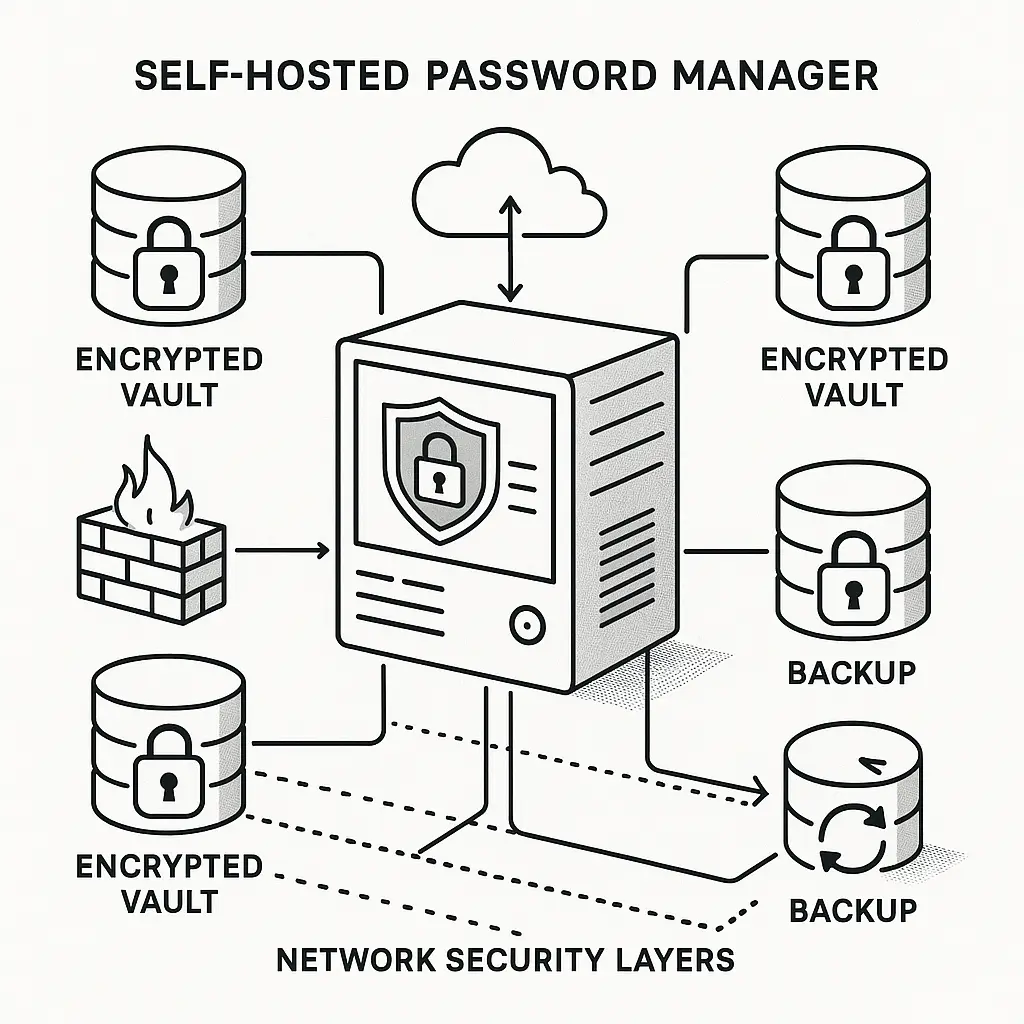
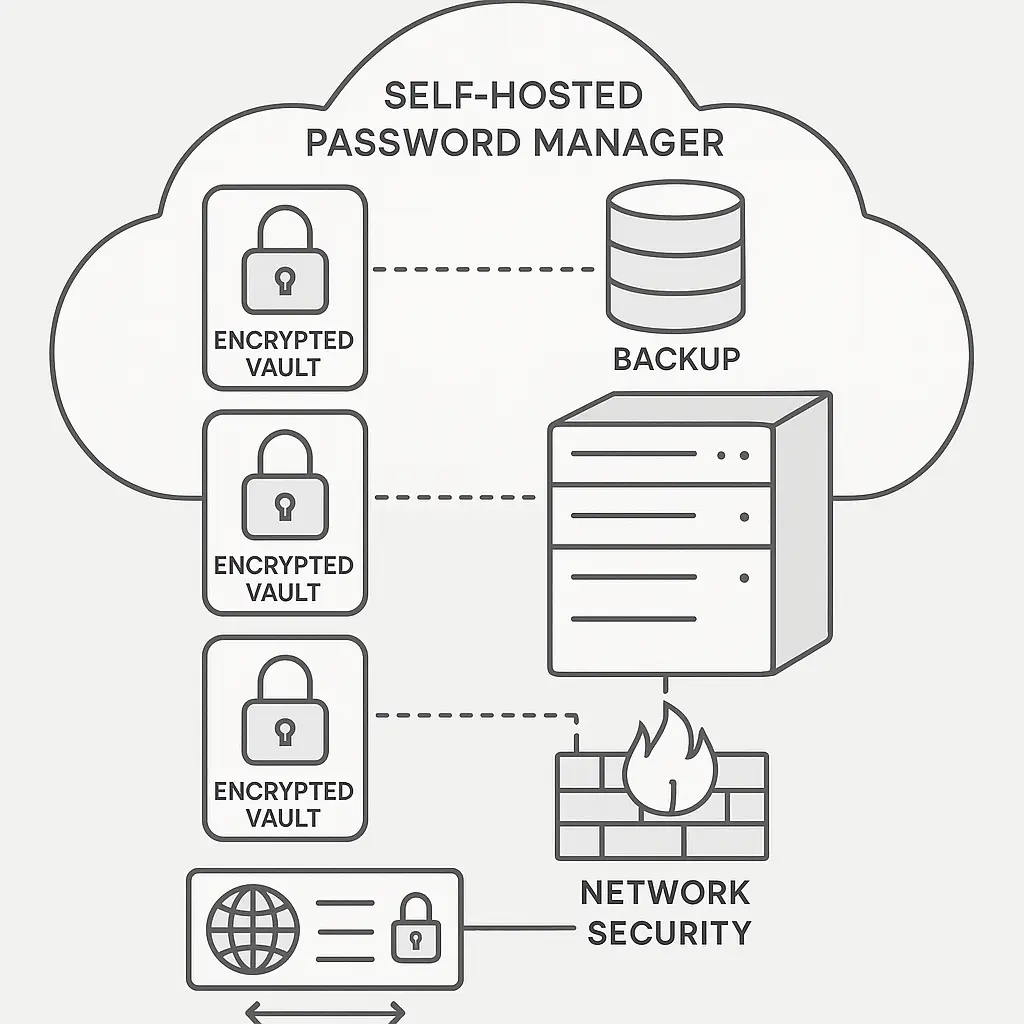
Self-hosted Bitwarden is a Docker container stack running on infrastructure you control. The core components:
Bitwarden server: Handles authentication, vault sync, and API requests. Runs as multiple containers (web vault, API, identity service, attachments storage).
Database: Stores encrypted vaults, user metadata, and organizational data. Typically PostgreSQL or Microsoft SQL Server.
Reverse proxy: Terminates TLS, routes requests, handles rate limiting. Usually nginx or Caddy.
Backup system: Your responsibility. The cloud version handles this professionally with redundant storage, point-in-time recovery, and geographic distribution.
When you self-host, you're not just running a password manager. You're operating a multi-tier web application with authentication, encryption, database management, and disaster recovery requirements. The software is the same. The operational burden is entirely yours.
What Client-Side Encryption Actually Means
Both self-hosted and cloud Bitwarden use the same cryptographic architecture. Your master password derives an encryption key that never leaves your device. The vault encrypts locally before sync. The server stores ciphertext it cannot decrypt.
This matters because the common threat model, "what if Bitwarden gets breached?", plays out identically in both architectures. An attacker who compromises Bitwarden's cloud servers gets encrypted vaults. An attacker who compromises your self-hosted server gets encrypted vaults. The protection comes from the master password, not the hosting location.
Self-hosting protects against a different threat: service-level access. Bitwarden employees cannot read your vault, but they can access infrastructure, logs, and metadata. Self-hosting removes that organizational trust requirement. You control the infrastructure. You see the logs. You own the metadata.
The tradeoff: Bitwarden's security team handles vulnerability disclosure, patch management, and incident response for millions of users. Your self-hosted instance gets the same patches, but you handle deployment, testing, and rollback. When a critical vulnerability drops, Bitwarden's cloud patches in hours. Your self-hosted instance patches when you have time.
The Operational Security Burden You're Accepting
Self-hosting shifts responsibility from Bitwarden's operations team to you. Here's what that means in practice:
Updates and patches: Cloud Bitwarden applies security updates automatically. Self-hosted requires you to monitor release notes, test updates in staging, and deploy to production. A vulnerability in the web vault component requires you to pull the latest Docker images, verify compatibility, and restart services.
TLS certificate management: Cloud Bitwarden handles certificate issuance, renewal, and rotation. Self-hosted requires you to configure Let's Encrypt or manage certificates manually. Certificate expiration locks users out of their vaults until you fix it.
Backup and recovery: Cloud Bitwarden maintains redundant backups with point-in-time recovery. Self-hosted requires you to implement backup automation, test restoration procedures, and store backups securely. Encrypted backup storage is non-negotiable, an unencrypted backup defeats the entire security model.
Monitoring and incident response: Cloud Bitwarden monitors service health, detects anomalies, and responds to incidents 24/7. Self-hosted requires you to configure monitoring, set up alerting, and handle incidents when they occur. If your database fills the disk at 2 AM, you're the one getting paged.
Disaster recovery: Cloud Bitwarden survives datacenter failures through geographic redundancy. Self-hosted requires you to plan for server failure, data corruption, and infrastructure loss. If your server dies and you don't have recent backups, you lose access to every password you stored.
Security professionals run self-hosted Bitwarden because they have the skills, tools, and processes to handle these responsibilities. If you're evaluating self-hosting because you think it's "more secure" without understanding the operational burden, you're creating risk.
When Self-Hosting Actually Makes Sense
Self-hosting Bitwarden makes sense in specific contexts:
Data sovereignty requirements: You work in an environment where storing encrypted data on third-party infrastructure violates policy, regulation, or contract terms. Self-hosting keeps the encrypted vault on infrastructure you control.
Air-gapped environments: You need password management in a network that doesn't connect to the internet. Self-hosted Bitwarden runs entirely on your infrastructure without external dependencies.
Organizational control: You manage passwords for a team or organization and need full audit logs, user management, and policy enforcement on infrastructure you control. Bitwarden's self-hosted version supports organizational features with complete administrative access.
Existing infrastructure: You already run a mature infrastructure stack with monitoring, backups, disaster recovery, and on-call rotation. Adding Bitwarden to that stack is incremental work, not a new operational burden.
Learning and experimentation: You want to understand password manager architecture, practice infrastructure management, or learn Docker deployment. Self-hosting Bitwarden is a legitimate learning project if you treat it as such and maintain a cloud backup during experimentation.
Self-hosting does not make sense if:
- You're uncomfortable with Linux server administration
- You don't have a backup strategy you've actually tested
- You can't commit to monitoring release notes and applying security updates promptly
- You want "more security" but can't articulate the specific threat you're defending against
- You're avoiding cloud services on principle without understanding the operational tradeoffs
The question isn't whether self-hosting is more secure. The question is whether you can operate it more securely than Bitwarden's professional operations team operates the cloud version.
The Backup Strategy That Actually Works
Self-hosted Bitwarden requires a backup strategy you've tested and proven. Here's what works:
Automated encrypted backups: Script regular database dumps, encrypt them with a key stored separately from the server, and upload to offsite storage. The backup encryption key cannot live on the same server as the Bitwarden instance.
Point-in-time recovery: Maintain daily backups for at least 30 days. Vault corruption or accidental deletion requires you to restore to a specific point in time.
Offline backup verification: Periodically restore backups to a test environment to verify they're readable and complete. Backups you haven't tested are backups that will fail when you need them.
Geographic separation: Store backups in a different physical location than your primary server. A fire, flood, or theft that destroys your server should not destroy your backups.
Encrypted export as failsafe: Maintain an encrypted export of your vault stored separately from your infrastructure. If your server and backups both fail, the export lets you import to a new instance or switch to cloud Bitwarden.
Cloud Bitwarden handles all of this professionally. Self-hosting makes it your problem. If you can't commit to this backup discipline, you're creating catastrophic risk.
The Migration Path Between Architectures
Bitwarden's export and import functionality works in both directions. You can start with cloud, migrate to self-hosted, and migrate back if the operational burden becomes unsustainable.
Cloud to self-hosted: Export your vault from cloud Bitwarden, deploy your self-hosted instance, create an account, and import. The encryption keys regenerate on import, so you can't just copy the cloud database to your server.
Self-hosted to cloud: Export your vault from your self-hosted instance, create a cloud account, and import. Your self-hosted infrastructure becomes disposable once the import succeeds.
Hybrid approach: Run self-hosted for organizational vaults and cloud for personal passwords. Some users prefer operational control for work credentials and professional management for personal accounts.
The migration process is straightforward, but the decision should be deliberate. Self-hosting isn't a security upgrade you can casually try. It's an operational commitment that requires sustained discipline.
The Threat Model That Drives The Decision
Self-hosting and cloud hosting defend against different threats:
Cloud hosting protects against:
- Operational errors (you don't have to handle backups, updates, or incident response)
- Infrastructure failure (Bitwarden's redundancy survives datacenter outages)
- Patch delays (security updates deploy automatically)
Self-hosting protects against:
- Service-level access (Bitwarden employees can't access your infrastructure)
- Third-party infrastructure trust (you control the physical and logical security)
- Service discontinuation (you own the software and can run it indefinitely)
Neither architecture protects against:
- Weak master passwords (both rely on client-side encryption)
- Compromised endpoints (malware on your device defeats both)
- Phishing (attackers who trick you into entering credentials bypass all encryption)
The threat you're defending against determines which architecture makes sense. If you trust Bitwarden's operations but not their infrastructure access, cloud hosting with a strong master password is sufficient. If you need physical control over encrypted data storage, self-hosting makes sense, but only if you can operate it competently.
The Decision Framework
Choose self-hosted Bitwarden if:
- You have Linux server administration skills and use them regularly
- You already operate infrastructure with monitoring, backups, and on-call rotation
- You have specific data sovereignty, compliance, or air-gap requirements
- You can commit to prompt security updates and operational discipline
- You've tested your backup and recovery procedures
Choose cloud Bitwarden if:
- You want password management without operational overhead
- You trust Bitwarden's security team to handle infrastructure better than you would
- You value automatic updates, professional monitoring, and disaster recovery
- You don't have time or interest in server administration
- You're evaluating self-hosting because it sounds more secure without specific threat modeling
The architecture choice matters less than the operational discipline. A well-operated cloud instance is more secure than a neglected self-hosted server. A poorly configured self-hosted instance with no backup strategy is a disaster waiting to happen.
What I Actually Run
I use cloud Bitwarden. I have the skills to self-host. I've run self-hosted instances for testing and learning. I choose cloud because Bitwarden's operations team handles infrastructure better than I would as a solo operator.
My threat model doesn't require physical control over encrypted vault storage. I trust client-side encryption to protect my passwords from service-level access. I value automatic updates, professional monitoring, and disaster recovery more than I value infrastructure control.
If I worked in an environment with data sovereignty requirements or needed air-gapped password management, I'd self-host. I'd also build the operational discipline to do it safely: automated backups, monitoring, tested recovery procedures, and prompt security updates.
Self-hosting isn't more secure by default. It's more secure if you operate it competently. Most people can't or won't maintain that operational discipline. For them, cloud Bitwarden is the safer choice.