Rideshare Data Collection: What Uber Really Knows About You
You open the Uber app. You request a ride. You arrive at your destination. The transaction feels simple, almost invisible. But behind that clean interface, the app is collecting, analyzing, and storing a detailed profile of your movements, habits, and behavior.
Rideshare apps track more than you think. The question "what does Uber know about me" has a longer answer than most users expect. Here's the underlying mechanism, what data gets collected, what happens to it, and what you can actually control.
The Core Data Collection Mechanism
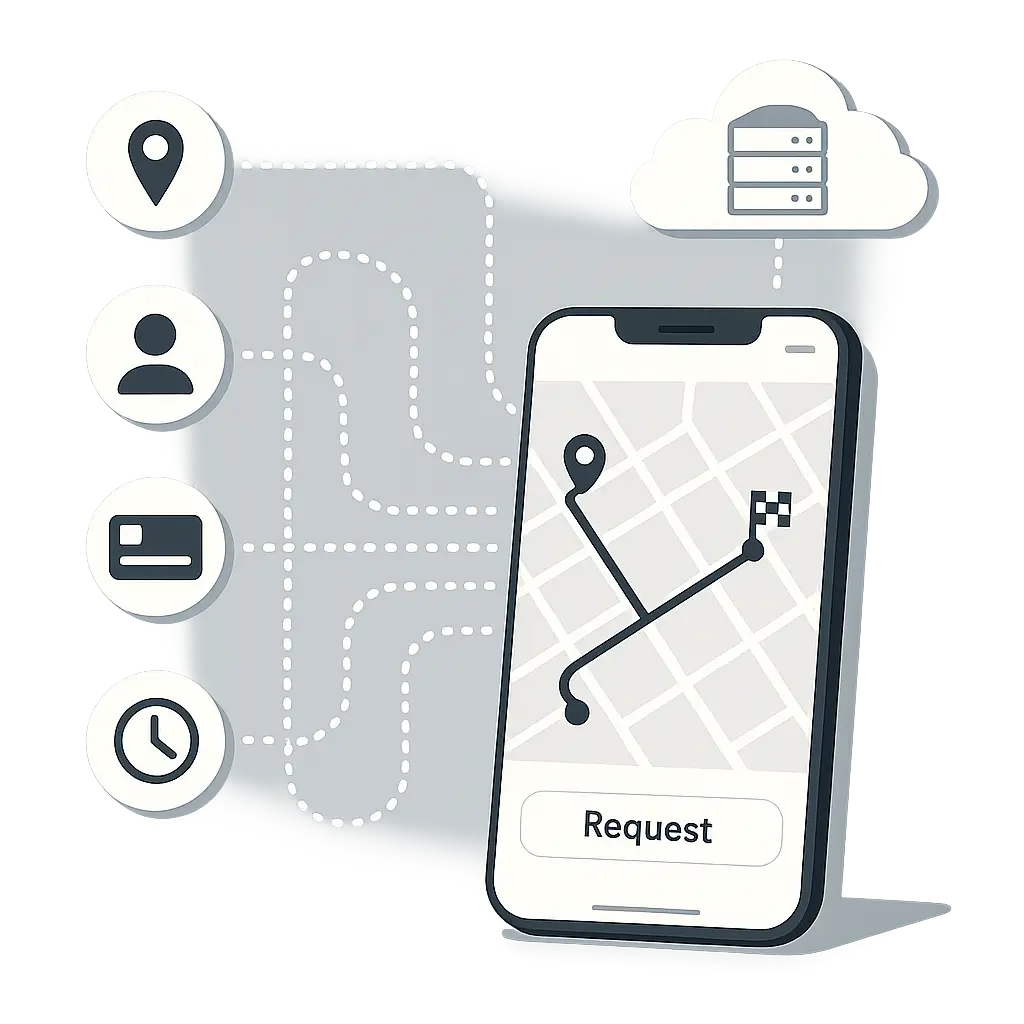
Every rideshare app operates on a foundation of location tracking, user identification, and payment processing. The business model requires knowing where you are, where you're going, and how to charge you. That's the baseline. Everything else builds on top.
When you install Uber and create an account, you provide your name, phone number, email address, and payment method. That's the explicit data exchange. You know you're giving it up because the app won't work without it.
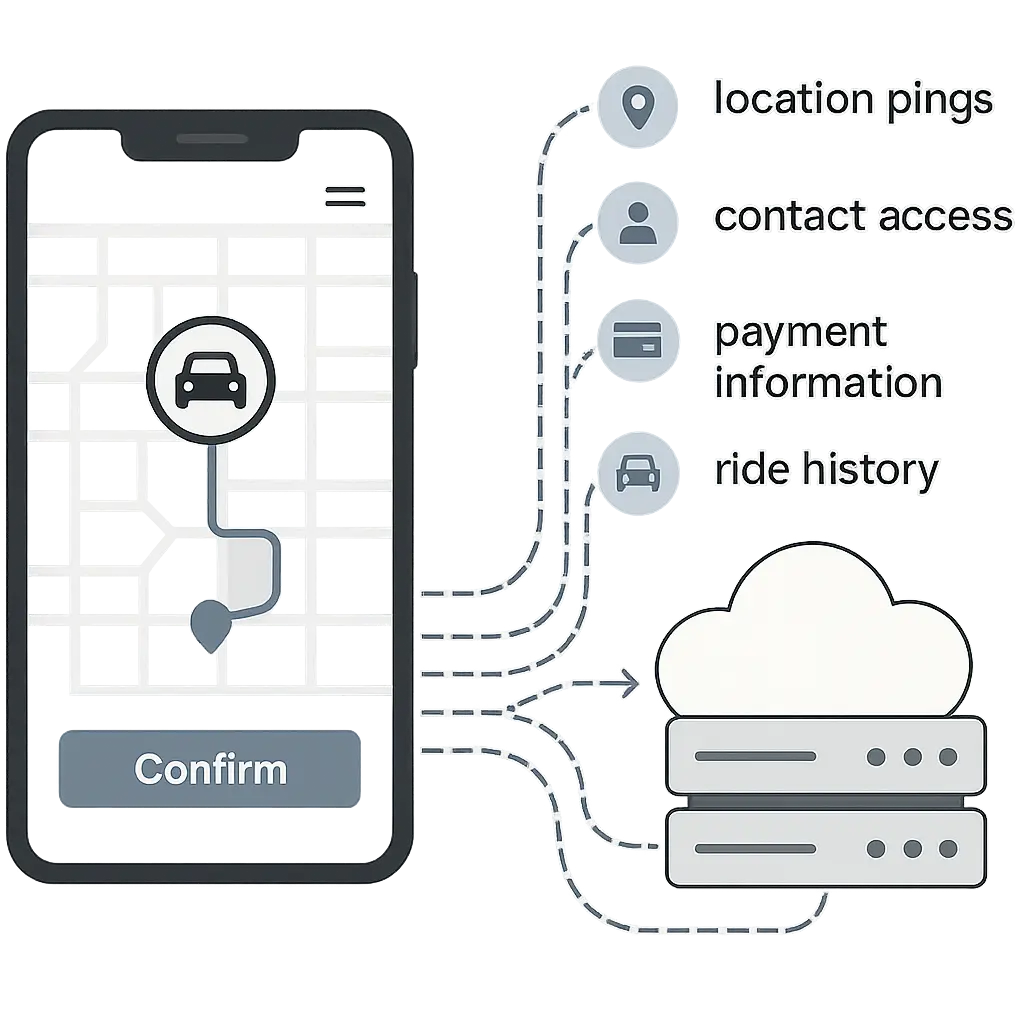
The implicit data collection starts the moment you grant permissions. Location access is the big one. If you set location to "Always Allow," Uber tracks your position continuously, even when the app is closed. If you choose "While Using the App," tracking happens only when the app is open. Either way, the app logs your precise GPS coordinates every few seconds during a trip.
After your ride ends, Uber continues collecting location data for around five minutes. The company says this helps with features like post-trip feedback and detecting fraudulent activity. But the mechanism is the same: your phone pings your location, and Uber's servers log it.
Contact access is another permission that many users grant without thinking. Uber requests access to your contacts so you can split fares, share your ETA, or invite friends to the platform. If you allow it, Uber uploads your entire contact list to their servers. They hash the phone numbers and emails (a one-way encryption that turns readable data into a fixed-length string), then use that hashed data to suggest connections and target ads.
Photo access lets Uber verify your identity or allow you to upload a profile picture. Camera access enables QR code scanning for certain features. Microphone access isn't standard for riders, but drivers grant it for in-app support calls.
Payment data flows through a tokenization process. When you add a credit card, Uber doesn't store the full card number on their servers. Instead, they generate a token (a randomized string that represents your card) and use that for transactions. The payment processor holds the actual card details. This limits Uber's exposure if their systems get breached, but it doesn't eliminate the risk entirely. Uber still stores transaction history: dates, amounts, pickup and dropoff locations, and payment method used.
Device information gets collected automatically. Uber logs your phone model, operating system version, IP address, mobile carrier, and device ID. This data helps with app performance, fraud detection, and targeted advertising. It also creates a persistent identifier that links your activity across sessions, even if you log out.
Behavioral Data and Predictive Analytics
Beyond the explicit permissions, Uber collects behavioral data. How you interact with the app, how long you spend on certain screens, which features you use, and when you typically request rides all get logged and analyzed.
This is where the data collection moves from functional to commercial. Uber uses machine learning models to predict demand, optimize pricing, and personalize the user experience. Those models require massive datasets. Your ride history, location patterns, and app usage feed into algorithms that forecast where riders will be, when they'll need a car, and how much they're willing to pay.
Surge pricing is the most visible output of this system. When demand spikes in a specific area, Uber raises prices. The algorithm calculates surge multipliers based on real-time data: how many riders are requesting cars, how many drivers are available, and how those numbers have behaved historically in that location at that time. Your individual ride requests contribute to that calculation.
Uber also tracks your route preferences. If you consistently take the same route between two locations, the app learns that pattern. If you deviate, the algorithm notices. This data helps with ETA predictions and route optimization, but it also builds a detailed map of your habits.
The app logs your cancellation rate, your average trip distance, your preferred pickup locations, and your tipping behavior. All of this goes into your rider profile. Drivers can see a summary of this information (your rating, approximate number of trips) when they decide whether to accept your ride request.
What Uber Shares and Why
Uber doesn't just collect data for internal use. They share it with third parties under specific conditions outlined in their privacy policy. The categories are broad: service providers, business partners, legal authorities, and corporate transactions.
Service providers include payment processors, cloud storage companies, analytics platforms, and customer support vendors. These companies process data on Uber's behalf. The privacy policy says these providers are contractually obligated to protect your data, but breaches happen. In 2016, Uber disclosed a breach that exposed the personal information of 57 million users and drivers. The company paid $148 million to settle claims with all 50 U.S. states and Washington, D.C.
Business partners include restaurants (for Uber Eats), insurance companies (for driver coverage), and marketing platforms (for ad targeting). When you use Uber Eats, the restaurant receives your delivery address, phone number, and order details. When you hail a ride, your driver sees your pickup location, destination, and first name. These disclosures are necessary for the service to function, but they expand the number of entities that hold your data.
Legal authorities get access when Uber receives a subpoena, court order, or government request. The company publishes a transparency report that lists how many requests they receive and how often they comply. In 2025, Uber reported receiving around 20,000 requests for user data from law enforcement agencies in the United States alone. They provided some data in response to roughly 85% of those requests.
Corporate transactions mean that if Uber merges with another company, gets acquired, or sells off part of its business, your data goes with the deal. The privacy policy states that user data is considered a business asset. If the company changes hands, so does your ride history.
What You Can Control (and What You Can't)
Uber gives you some control over data collection, but the options are limited. You can adjust app permissions in your phone's settings. Changing location access from "Always Allow" to "While Using the App" stops background tracking. Revoking contact access prevents Uber from uploading your address book. Disabling notifications reduces the app's ability to track when you open and interact with messages.
Inside the Uber app, you can request a copy of your data. The privacy settings menu includes a "Download Your Data" option. Uber compiles a file that contains your trip history, payment records, account information, and some of the behavioral data they've collected. The file arrives as a ZIP archive, usually within a few days. Reviewing it gives you a sense of what the company knows, but it doesn't show you everything. Some internal analytics and predictive models aren't included in the export.
You can delete your account through the app's settings. Uber says they remove your profile and stop collecting new data, but they retain some information for legal and regulatory reasons. Trip records, payment history, and location data may be kept for several years. The exact retention period varies by jurisdiction and data type.
You cannot opt out of core data collection and still use the service. Uber requires location access, payment information, and account details to function. If you revoke these permissions, the app stops working. There's no privacy mode that lets you request rides anonymously.
You cannot prevent Uber from using your data for analytics, pricing algorithms, or business development. The privacy policy grants them broad rights to process your information for "legitimate business purposes." That phrase covers a lot of ground. It includes improving the app, personalizing your experience, detecting fraud, and developing new features. It also includes marketing, advertising, and selling aggregated data to third parties.
The Broader Surveillance Infrastructure
Rideshare data collection doesn't exist in isolation. It intersects with other tracking systems: mobile ad networks, data brokers, and third-party analytics platforms. When you use Uber, you're not just sharing data with Uber. You're feeding data into a larger ecosystem.
Mobile operating systems (iOS and Android) collect location data independently of apps. Even if you disable location access for Uber, your phone still tracks where you are through GPS, WiFi triangulation, and cell tower pings. Apple and Google use this data for their own services and, in some cases, share it with third parties.
Data brokers aggregate information from multiple sources. They buy transaction records from retailers, location data from apps, and browsing history from ad networks. Then they build profiles that link your online and offline behavior. Some researchers have found that rideshare data appears in broker databases, though the exact mechanisms vary. Uber says they don't sell personally identifiable information to data brokers, but they do share aggregated, anonymized data with partners. The line between "anonymized" and "identifiable" is thinner than most people realize.
Third-party analytics platforms embedded in the Uber app track your behavior and send that data to companies like Google Analytics, Facebook, and Adjust. These platforms use SDKs (software development kits) that run inside the app and log your interactions. The data flows to the analytics company's servers, where it gets merged with data from other apps and websites you use. This creates a cross-platform profile that follows you across the internet.
In The Good Place, the accountants track every action, every decision, every consequence. The points add up, and the system knows more about you than you know about yourself. Rideshare data collection works the same way. Every trip, every location ping, every interaction with the app adds to your profile. The system doesn't judge you, but it does predict you. It knows where you're likely to go, when you're likely to go there, and how much you're likely to pay. That predictive power is the product. You're not the customer. You're the data source.
What This Means for You
If you use Uber, Lyft, or any rideshare app, you're trading convenience for data. That trade isn't inherently bad, but it's worth understanding what you're giving up.
Your location history is the most sensitive piece. Rideshare apps log every pickup and dropoff. Over time, this builds a map of your life: where you work, where you live, where you go on weekends, where you go at night. This data can reveal patterns you might not want exposed. It can show who you visit, where you spend time, and how your routines change.
Your payment information is tokenized, which reduces the risk of credit card fraud. But transaction history still exists. It shows how much you spend, where you spend it, and when. This data can be subpoenaed in legal cases, used in divorce proceedings, or exposed in a breach.
Your behavioral data feeds into algorithms that shape your experience. Surge pricing, driver availability, and estimated wait times all depend on predictive models trained on user data. If the algorithm thinks you're willing to pay more, you might see higher prices. If it thinks you're a low-value user, you might wait longer for a ride.
You can reduce your data exposure by limiting app permissions, avoiding "Always Allow" location access, and periodically reviewing what data Uber holds. You can delete your account if you decide the tradeoff isn't worth it. But you can't eliminate the data trail entirely. Once the data is collected, it's stored, analyzed, and potentially shared. Deletion requests don't erase everything. Some records persist for years.
The choice is yours. Rideshare apps offer real convenience. They solve the problem of getting from point A to point B without owning a car. But that convenience comes with a cost. The cost is your data, your location history, and a detailed profile of your movements. Understanding what you're trading is the first step toward making an informed decision.