Email forwarding tricks before quitting (and why not to)
You're leaving your job in two weeks. Your work inbox holds three years of client contacts, project documentation, vendor relationships, and proof of your accomplishments. The idea surfaces: what if you just forwarded everything to your personal email before you go?
This is the moment where convenience collides with consequences. The technical steps are straightforward. The legal and professional fallout is not.
The forwarding mechanism you're considering
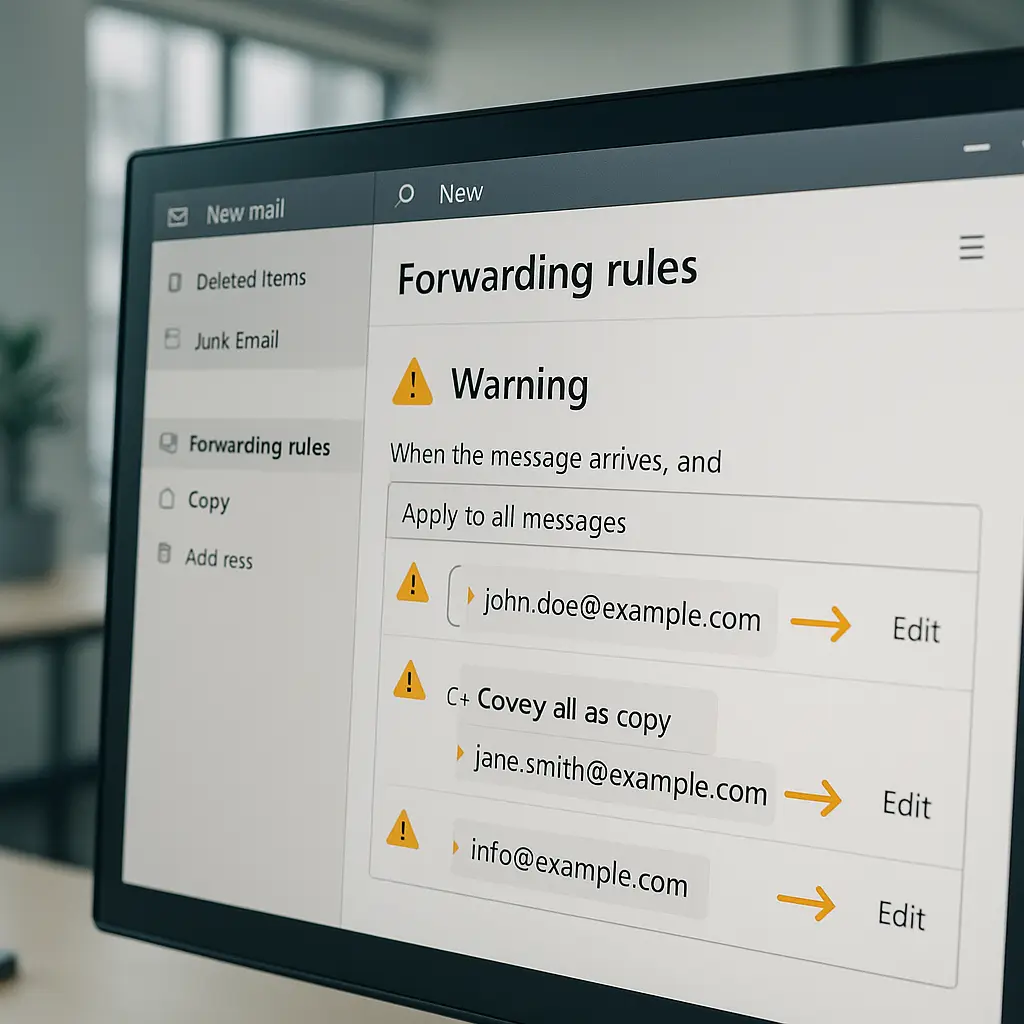
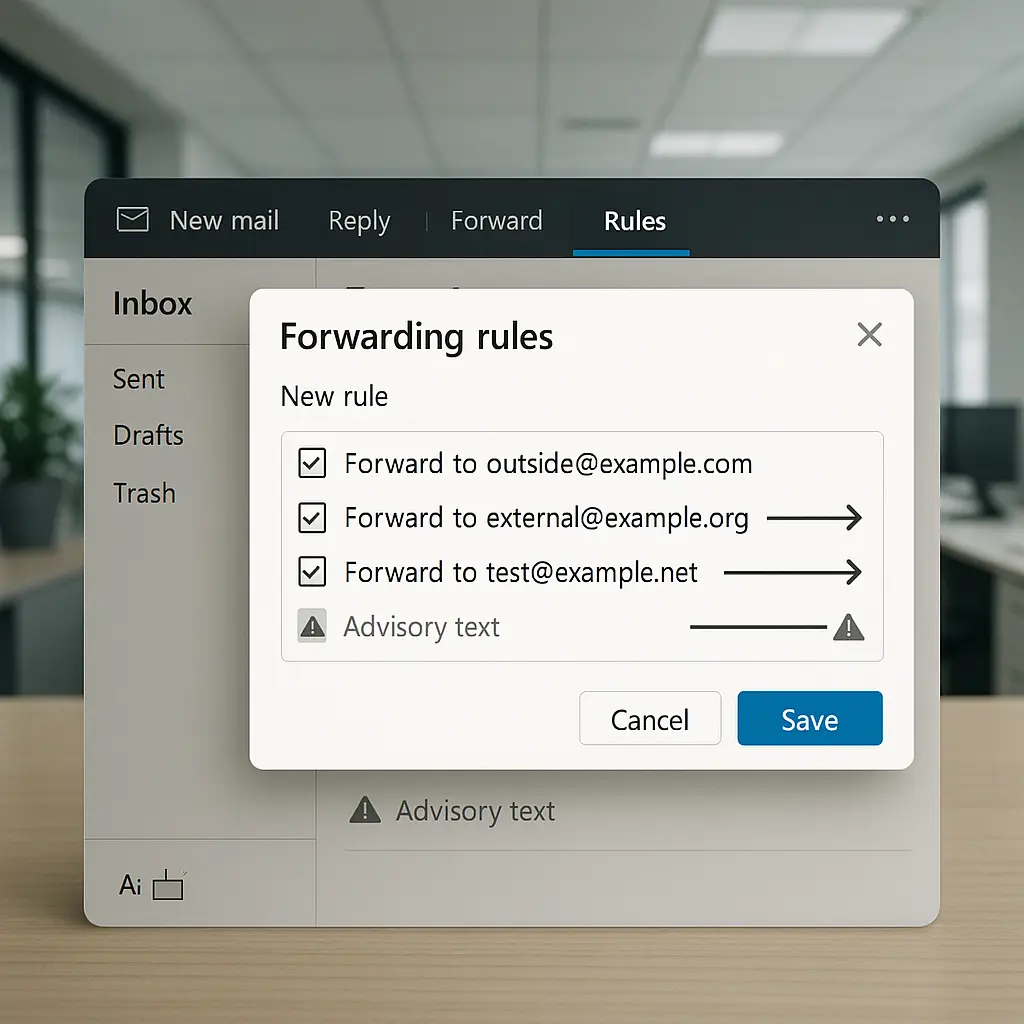
Email forwarding works through rules that copy messages to another address. You create a rule in Outlook, Gmail, or whatever system your employer uses. You specify conditions: forward all messages, or only those from specific senders, or containing certain keywords. You enter your personal email address as the destination. Click save.
From that moment, every message matching your criteria gets copied. The original stays in your work inbox. The copy lands in your personal account. Your employer's email system handles the duplication automatically, silently, continuously.
Some people set up forwarding weeks before their last day. Others do it on their final afternoon. A few configure it to trigger after their departure, hoping to catch messages sent to their old address.
The technical barrier is low. The permission barrier is absolute.
What your employment agreement actually says
Pull out your employment contract. Look for sections labeled "Confidential Information," "Proprietary Data," "Company Property," or "Data Security." Nearly every professional employment agreement contains language that prohibits removing company data without authorization.
Work email is company property. The messages you send and receive on company systems belong to your employer, not you. The FTC's data security guidance makes this clear: businesses must protect customer information, and that protection extends to controlling who accesses it and where it goes.
Your contract likely includes phrases like "all documents, communications, and materials created during employment remain company property" and "employee agrees not to remove, copy, or transmit proprietary information without written authorization." Email forwarding violates both clauses.
The confidentiality obligation doesn't expire when you leave. It persists for years, sometimes indefinitely. Forwarding client communications, internal discussions, or business strategy to a personal account creates a permanent record of your breach.
How employers detect forwarding (and they do)
IT departments monitor email systems. They track forwarding rules, outbound message patterns, and data transfers. Most enterprise email platforms log every rule creation, modification, and deletion with timestamps and user IDs.
When you create a forwarding rule, the system records it. When messages get copied to an external address, the mail server logs the destination. When you leave, IT often runs a final audit of your account activity. Forwarding rules appear in that audit.
Some organizations use data loss prevention tools that flag unusual email patterns. A sudden spike in messages forwarded to a personal Gmail account triggers alerts. Security teams investigate. They find your rule. They review what you copied.
Even if you delete the forwarding rule before anyone notices, the logs persist. Audit trails capture the rule's existence, duration, and volume of messages forwarded. Those logs survive for years and surface during legal discovery, regulatory investigations, or background checks for future employment.
The belief that you can set up forwarding and remove it without a trace is wrong. The evidence persists.
The legal consequences you're risking
Forwarding work email to a personal account can trigger multiple legal mechanisms. The severity depends on what you forwarded, your industry, and your employer's appetite for enforcement.
Breach of contract: Your employment agreement is a contract. Violating confidentiality clauses gives your employer grounds to sue for breach. Damages can include legal fees, lost business value, and punitive penalties.
Theft of trade secrets: If the forwarded emails contain proprietary information, customer lists, pricing strategies, or competitive intelligence, your employer can pursue claims under the Defend Trade Secrets Act. Criminal penalties include fines up to $5 million and imprisonment up to 10 years for individuals.
Computer Fraud and Abuse Act violations: Accessing a computer system to copy data without authorization violates federal law. The CFAA applies when you exceed your authorized access, which forwarding company email to a personal account arguably does. Penalties include criminal charges and civil liability.
Termination for cause: Getting caught before your last day means immediate termination for cause. That label follows you. It appears in background checks, reference calls, and unemployment claims. It eliminates severance, voids stock options, and forfeits accrued benefits.
Industries with regulatory oversight face additional consequences. Healthcare workers who forward patient information violate HIPAA. Financial services employees who copy client data breach SEC and FINRA rules. Government contractors who forward classified or controlled information face federal prosecution.
The risk isn't theoretical. Employers pursue these cases. Courts uphold them. The IC3's annual reports document thousands of cases annually involving unauthorized data access by departing employees.
The professional damage that outlasts the job
Legal consequences are one dimension. Professional reputation is another. Word spreads. Industries are smaller than you think. Hiring managers talk. References get checked.
Getting caught forwarding company email marks you as someone who disregards boundaries, violates trust, and prioritizes personal convenience over professional ethics. That reputation is hard to recover from.
Future employers conduct background checks. They contact previous employers. They ask about circumstances of departure. "Terminated for data security violation" is a conversation-ender. Even if you weren't formally terminated, the fact that your former employer discovered the forwarding and had to intervene creates a record.
LinkedIn connections notice when someone leaves a company abruptly or under unusual circumstances. Colleagues who respected you professionally distance themselves. The network you built erodes.
Some industries maintain informal blacklists. Recruiters share information. Hiring managers ask around. A reputation for mishandling confidential information closes doors before you reach the interview stage.
The professional cost compounds over time. It affects not just your next job, but the one after that, and the one after that. The initial impulse to forward a few emails creates a legacy that follows you.
What you actually need from that inbox
Step back from the forwarding idea and ask: what are you trying to preserve?
Contact information: You want to stay in touch with clients, vendors, or colleagues. The solution isn't copying their emails. It's connecting with them on LinkedIn, asking for their preferred contact method, and writing down what they share voluntarily. Public professional networks exist for this purpose.
Work samples: You want proof of your accomplishments for your portfolio. The solution is requesting written permission to keep sanitized samples. Remove client names, proprietary data, and confidential details. Store only what you created personally and what your employer approves in writing.
Project documentation: You want reference materials for future work. The solution is documenting your process in your own words, without copying company materials. Write down methodologies, lessons learned, and general approaches. Don't copy internal presentations, strategy documents, or client deliverables.
Proof of performance: You want evidence of your contributions for future job searches. The solution is requesting formal reference letters before you leave. Ask your manager for a written recommendation. Collect LinkedIn endorsements. Document your achievements in your own resume without copying company reports.
The pattern is consistent: the legitimate need can be met without forwarding company email. The impulse to forward comes from wanting the easy path, not from actual necessity.
The secure alternative: manual extraction of what you're allowed to keep
If you have a legitimate need for specific information and your employer permits it, extract it manually and transparently.
Get written permission: Email your manager or HR. Specify exactly what you want to keep and why. Request explicit written approval. Forward that approval to your personal email for your records. Do not proceed without documentation.
Extract selectively: Copy only what you're authorized to keep. Don't bulk-forward your entire inbox. Select individual messages or documents. Remove confidential information. Redact client names and proprietary data.
Use approved methods: If your employer allows you to keep certain materials, ask how they want you to extract them. Some companies provide a formal process. Others require IT to create sanitized copies. Follow the established procedure.
Document what you took: Keep a record of what you extracted, when, and under what authorization. If questions arise later, you can demonstrate you followed proper channels.
This approach takes more time. It requires approval. It limits what you can keep. Those constraints are the point. They force you to distinguish between what you need and what you want, between what's yours and what belongs to the company.
The Office parallel you're probably not thinking about
In The Office, Jim Halpert maintains a secret second desk filled with props and personal items. When Dwight discovers it, the reveal is played for laughs. Jim's deception is harmless office pranking.
Forwarding work email is the inverse scenario. You're not creating a harmless duplicate for a joke. You're duplicating company property for personal use without permission. The stakes aren't comedic. The discovery isn't funny. The consequences aren't a five-minute resolution before the credits roll.
The parallel works because both involve creating a hidden copy of something that exists in a workplace context. Jim's second desk violates no laws and harms no one. Your email forwarding violates contracts, risks legal action, and damages trust. The comedy version highlights how far the real version deviates from acceptable behavior.
When the impulse to forward email surfaces, ask yourself: would I defend this decision to my manager, to HR, to a lawyer? If the answer is no, you already know it's wrong.
What to do instead: the professional exit checklist
Leaving a job professionally means respecting boundaries, following process, and preserving relationships. Here's the checklist that doesn't involve forwarding email.
Update your LinkedIn: Connect with colleagues, clients, and vendors through public professional networks before you leave. Send personalized connection requests. Mention you're moving on and want to stay in touch.
Request reference letters: Ask your manager and senior colleagues for written recommendations. Get them while you still have access and goodwill. Store them in your personal files.
Document your achievements: Write down your accomplishments, projects, and contributions in your own words. Use your own language, not company materials. Build your resume from your memory and notes, not from copied emails.
Export public information: If your company uses a shared contact system and permits personal exports, use the official export function. Don't scrape proprietary customer lists. Export only what's designated for employee use.
Clean out personal items: Remove personal files, bookmarks, and browser data from your work computer. Don't leave personal information behind. Don't take company information with you.
Return company property: Hand over your laptop, phone, access badge, and any other company equipment. Sign the return receipt. Confirm you've returned everything.
Exit interview honesty: If asked why you're leaving, be professional and constructive. Don't burn bridges. Don't air grievances. Don't mention that you considered forwarding email.
This process takes effort. It requires planning. It leaves you with less than you'd get from bulk-forwarding your inbox. That's the point. Professional boundaries exist for reasons. Respecting them protects you.
The long-term view: why your reputation matters more than your inbox
Ten years from now, you won't remember most of what's in that work inbox. You will remember how you left. So will your former colleagues.
Your professional reputation is built over decades. It's built through consistent behavior, ethical choices, and how you handle transitions. One impulsive decision to forward company email can undermine years of good work.
Future opportunities depend on references, network connections, and industry reputation. A clean professional exit preserves all three. A messy exit, especially one involving data security violations, damages all three.
The emails you're tempted to forward aren't worth the risk. The contacts you want to preserve can be maintained through legitimate channels. The work samples you need can be created properly. The proof of your accomplishments exists in your resume, your references, and your next job's performance.
The impulse to forward work email comes from fear: fear of losing access, fear of losing proof, fear of losing connections. The solution to fear isn't violating policy. It's recognizing that what you actually need doesn't require copying company data.
When someone tells you "everyone does it"
You'll hear this. A colleague mentions they forwarded their entire inbox before they left their last job. A friend says their company doesn't care. An online forum claims it's standard practice.
None of that makes it legal, ethical, or safe. "Everyone does it" is not a defense in court. It's not an excuse in an exit interview. It's not a justification when your next employer asks why you left your previous job.
The fact that some people get away with it doesn't mean you will. The fact that some employers don't enforce their policies doesn't mean yours won't. The fact that some industries tolerate boundary violations doesn't mean your industry does.
Your employment agreement doesn't have an "everyone does it" exception. The laws protecting confidential information don't have a popularity clause. Your professional reputation doesn't recover because other people made the same mistake.
When someone tells you forwarding work email is fine, ask them if they'd say that in front of their employer's legal team. Ask if they'd put it in writing. Ask if they'd stake their career on that advice. The silence tells you everything.
The bottom line: don't forward work email to your personal account
The technical steps are easy. The consequences are severe. The legitimate needs can be met through proper channels. The risk is not worth the convenience.
Your work inbox belongs to your employer. Your employment agreement prohibits unauthorized copying. IT systems log forwarding activity. Legal mechanisms punish violations. Professional reputation suffers permanent damage.
If you need contact information, connect on LinkedIn. If you need work samples, request permission and sanitize them. If you need proof of accomplishments, document them in your own words. If you need references, ask for letters before you leave.
Leave your job professionally. Respect boundaries. Follow process. Preserve relationships. The emails you're tempted to forward aren't worth the career you're risking.