Rental car infotainment systems: what they store and how to protect your data
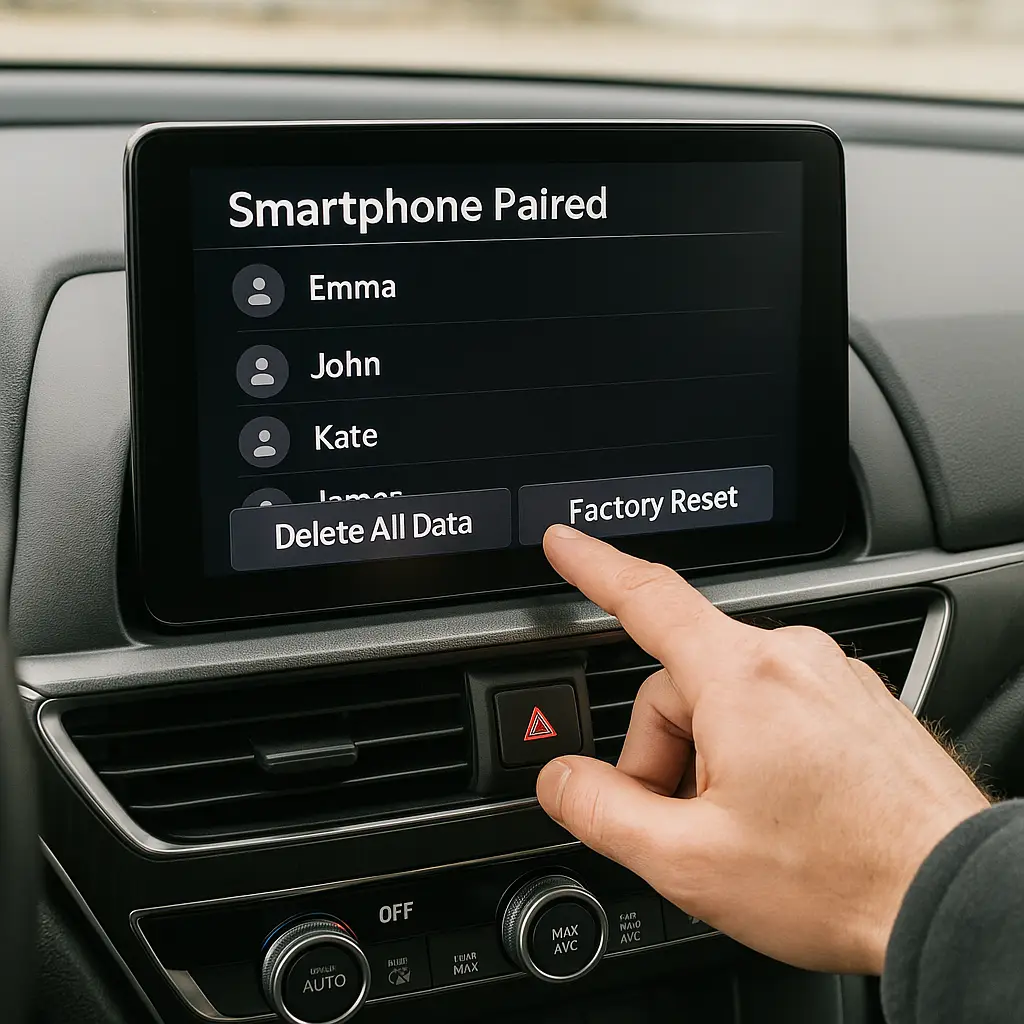
You rent a car at the airport, pair your phone for navigation, and drive to your hotel. Two days later, you return the car and fly home. Your contact list, home address, and text message previews stay behind in the infotainment system, accessible to the next driver, rental staff, or anyone who sits in that seat.
Rental car data storage isn't theoretical. It's the default behavior of modern infotainment systems designed for personal vehicles, deployed in a fleet environment where dozens of people cycle through the same car each month. The technology treats every pairing as permanent until you manually intervene.
Here's how rental car infotainment systems collect and store your data, what happens when you don't delete it, and the step-by-step process to protect yourself before you return the keys.
How car infotainment systems collect smartphone data
When you pair your phone with a rental car, the connection happens through Bluetooth or USB. The car's infotainment system sends a pairing request. Your phone prompts you to allow access to contacts, messages, call history, and sometimes location data. Most people tap "Allow" without reading the permissions because they need navigation or hands-free calling to work immediately.
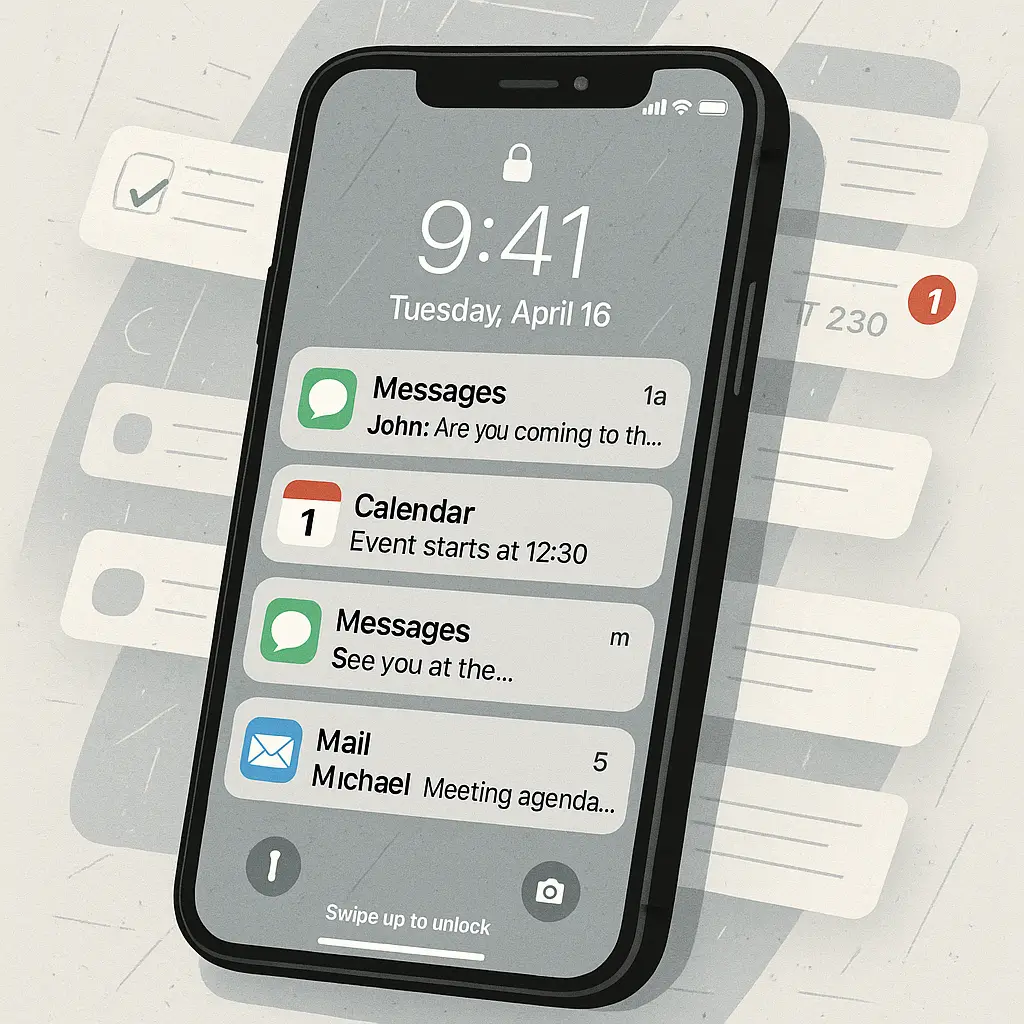
The car imports the data you authorized. Contact names and phone numbers transfer first. Call logs follow. Text message previews sync if you granted SMS access. Navigation systems pull recent destinations from your phone's location history. Some vehicles request calendar access to display upcoming appointments on the dashboard.
This data doesn't stream temporarily. It copies to the car's storage. The infotainment system creates a local profile associated with your phone's Bluetooth identifier. When you disconnect at the end of your rental, the profile remains. The car doesn't know you're a temporary user. It assumes you'll return tomorrow and want your preferences intact.
Manufacturers design this behavior for personal vehicle owners who pair once and use the system daily. The same software runs in rental fleets without modification. No rental-specific privacy mode exists in most systems. The car treats you like the owner, even though you'll never sit in that seat again.
What data persists after you disconnect
Contacts are the most common leftover. Your full contact list, names, phone numbers, email addresses, sometimes home addresses, sits in the car's memory. The next driver can scroll through your contacts if they access the phone pairing menu. Rental staff performing pre-rental inspections see the same data. Mechanics running diagnostics have access.
Call logs show who you called, who called you, and when. Text message previews display the first line of recent messages. Navigation history lists every address you entered, including hotels, restaurants, and home. Some systems store WiFi network names and passwords if you connected the car to your phone's hotspot.
Calendar entries appear in vehicles with advanced integration. Upcoming appointments, meeting locations, and participant names sync to the dashboard display. Music playlists transfer if you used Apple CarPlay or Android Auto. Voice command history logs what you asked the car to do.
The data doesn't expire. It persists until someone manually deletes it or performs a factory reset. Rental companies don't systematically wipe infotainment systems between rentals. I've read reports from travelers who rented a car and found the previous driver's contacts still loaded. The car welcomed them by name, someone else's name.
Why rental companies don't automatically wipe systems
Rental companies operate on tight turnaround schedules. A car returned at noon needs to be cleaned, inspected, refueled, and ready for the next customer by 2 PM. Adding a factory reset step to that workflow would require training staff, creating a standardized process across thousands of vehicles, and building time into the schedule.
The infotainment system isn't part of the standard safety inspection. Staff check tires, fluid levels, exterior damage, and fuel. They don't navigate through settings menus to verify data deletion. The car's computer systems are invisible unless something breaks.
Some rental companies include data privacy language in their terms of service, advising customers to delete their own information before returning the vehicle. That shifts responsibility to the renter. It assumes you know the data persists, understand how to access deletion settings, and remember to do it before you drop the keys in the return slot.
Liability is murky. If your contact list leaks to the next driver, the rental company didn't actively disclose it. You paired the phone. You granted permissions. You didn't delete the data. The legal framework treats this as user error, not a data breach, even though the rental environment creates the exposure.
The next driver sees what you left behind
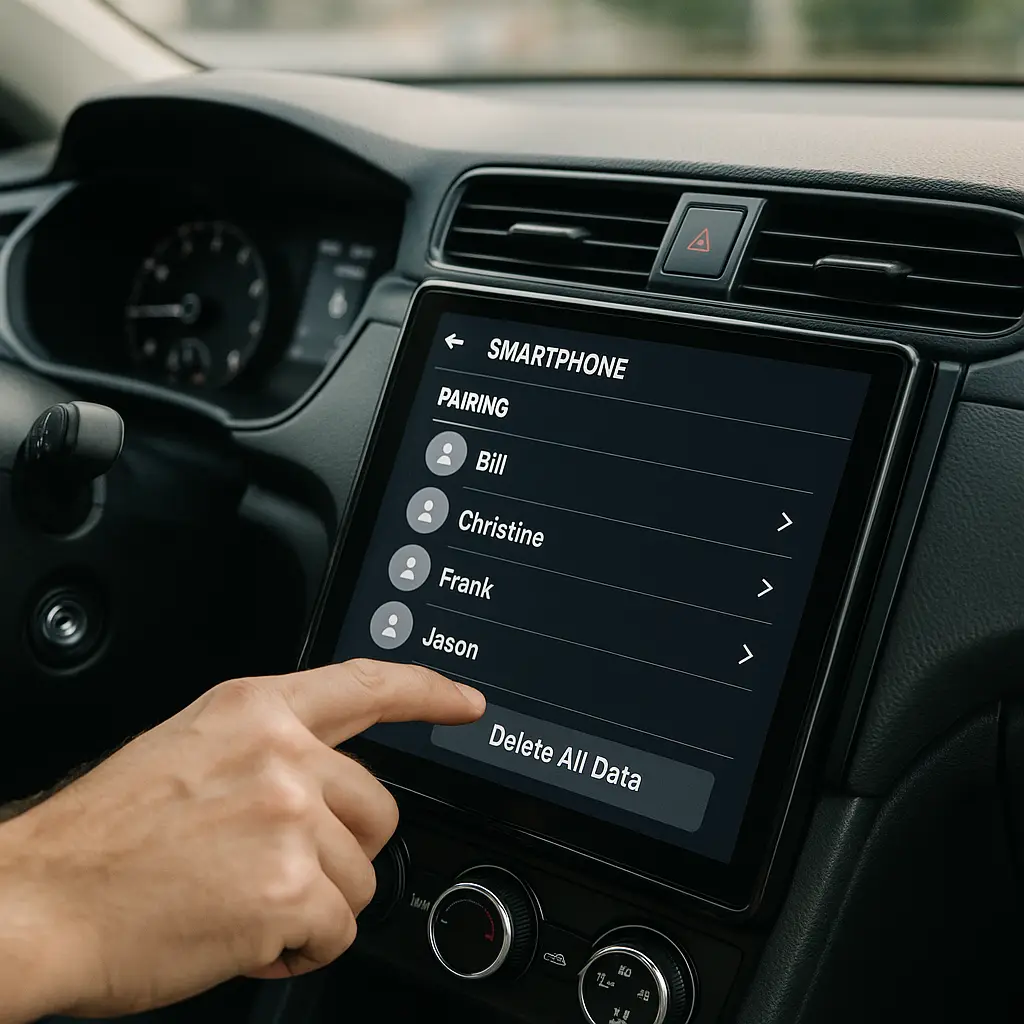
The person who rents the car after you can access your data without technical skill. They sit down, press the phone button on the dashboard, and see a list of previously paired devices. Your phone's name appears. They select it. The system displays your contacts.
They can scroll through your contact list. They can see who you called during your trip. If you used navigation, they see where you went. If you sent or received texts while connected, previews are visible. Your home address appears if you navigated there or stored it in a contact labeled "Home."
This isn't hacking. It's normal system operation. The car displays information it was designed to display. The next driver doesn't need to bypass security or exploit a vulnerability. They just use the interface.
Rental staff have the same access. Mechanics running diagnostics see the same data. Anyone who sits in the driver's seat and explores the settings can find what you left behind. The exposure isn't limited to one person. It extends to everyone who touches that car until someone performs a factory reset.
How to delete your data before returning a rental car
Start by accessing the infotainment system's settings menu. The exact steps vary by manufacturer, but the structure is similar across brands. Look for a gear icon, a settings button, or a menu labeled "System" or "Setup."
Navigate to the Bluetooth or phone pairing section. This might be under "Connections," "Devices," or "Phone." You'll see a list of paired devices. Your phone appears with its name and Bluetooth identifier.
Select your device. The system displays options: Connect, Disconnect, Delete, Forget, or Remove. Choose the deletion option. The car will ask you to confirm. Confirm it. This removes the pairing and should delete associated data.
Don't stop there. Some systems store data separately from the pairing profile. Go back to the main settings menu. Look for "Privacy," "User Data," "Factory Reset," or "Delete All Data." Select it. The car will warn you that this erases all stored information. Proceed. This clears navigation history, WiFi networks, and any residual data not tied to the Bluetooth profile.
Verify the deletion worked. Go back to the phone pairing menu. Your device should no longer appear. Check the navigation history. Recent destinations should be gone. If the system has a home address stored, it should be cleared.
This process takes around three minutes. Do it in the rental lot before you return the car. Don't wait until you're inside the return building. You need access to the vehicle to complete the deletion.
What happens if you forget to delete
Your data sits in the car until someone else deletes it or the system is reset. That could be days, weeks, or months. The next driver might ignore it. They might scroll through out of curiosity. They might call one of your contacts by accident.
Rental staff might notice it during an inspection and delete it. They might not. Mechanics might clear it during maintenance. They might not. There's no predictable timeline. The data persists as long as the system allows it to persist.
The exposure is broader than one rental. If the car stays in the fleet for years, your data could circulate through hundreds of drivers. Each person who rents that vehicle has access until the system is wiped. The risk compounds over time.
You can't remotely delete the data. Once you've returned the car, you've lost physical access to the infotainment system. Calling the rental company to request deletion is theoretically possible, but I think the likelihood of them locating the specific vehicle, accessing the system, and performing the deletion is low. You're relying on a process that doesn't exist in most rental operations.
The rental company's role in data protection
Some rental companies have started including data privacy reminders in their return process. A placard in the car or an email after your rental advises you to delete personal information. This shifts the burden to you, but at least it creates awareness.
A few companies have implemented systematic data wipes as part of their vehicle prep process. Staff use a standardized procedure to factory reset the infotainment system between rentals. This is rare. It requires training, time, and a commitment to privacy that most companies haven't prioritized.
Industry guidance on this issue is vague. The FTC advises consumers to protect personal information and be aware of what data they share, but rental car infotainment systems don't fit neatly into existing privacy frameworks. The car isn't a data breach. It's a device you chose to pair.
Consumer protection literature commonly advises deleting data from devices before selling or discarding them, but rental cars occupy a different category. You don't own the device. You're not selling it. You're temporarily using shared equipment and leaving it behind for the next person.
Alternative strategies to avoid data exposure
The simplest method is to not pair your phone at all. Use your phone as a standalone navigation device. Mount it on the dashboard or windshield. Use its speaker for turn-by-turn directions. You lose hands-free calling and dashboard integration, but your contacts and messages never touch the car's system.
If you need hands-free calling, use a Bluetooth headset instead of the car. Pair your headset to your phone. The car stays out of the loop entirely. This works for calls but doesn't solve navigation unless you're comfortable using your phone's speaker.
Some phones allow you to create a limited Bluetooth profile that restricts what data gets shared. iOS and Android both offer permission controls during pairing. Deny access to contacts, messages, and call history. Grant only the minimum needed for the feature you're using. The car can still navigate without importing your contact list.
Rental companies occasionally offer vehicles with Apple CarPlay or Android Auto. These systems mirror your phone's interface to the car's screen without copying data to the car's storage. When you disconnect, the car retains nothing. This is safer, but not all rental vehicles support it, and you still need to verify that the system doesn't store data locally.
The broader context of connected vehicle data collection
Rental car infotainment is one piece of a larger data collection ecosystem in modern vehicles. Cars track location continuously through GPS. They log speed, braking patterns, and acceleration. Some vehicles record cabin audio and video. Telematics systems transmit this data to manufacturers, insurers, and fleet managers.
Rental companies use telematics to monitor vehicle location, fuel levels, and maintenance needs. They can see where you drove, how fast, and how you handled the car. This data serves operational purposes, but it also creates a detailed record of your trip.
The data you manually pair through your phone adds another layer. It connects your identity, your name, contacts, and personal destinations, to the vehicle's operational data. The car knows where you went. Your phone data tells it who you are.
Privacy policies for rental cars address some of this, but the language is often generic. Companies disclose that vehicles may contain data collection systems. They advise you to review your phone's pairing settings. They don't always specify what data persists, how long it's stored, or who has access.
What travelers need to know before pairing
Before you pair your phone with a rental car, understand that the car will copy data, not just access it temporarily. The system treats the connection as permanent. It assumes you'll return. It stores your information for future convenience.
Ask yourself whether you need the integration. If navigation is the only goal, your phone's screen works fine. If hands-free calling is essential, consider alternatives like a Bluetooth headset that doesn't involve the car.
If you do pair, decide what permissions to grant. Contacts and messages are the highest risk. Call history is lower but still exposes who you communicate with. Navigation history reveals where you went, which might include your home address or workplace.
Set a reminder to delete the data before you return the car. Put it in your calendar. Add it to your pre-flight checklist. Make it as routine as checking for personal items in the back seat. The deletion process is quick, but only if you remember to do it.
How this issue will evolve
Manufacturers are slowly adding rental-specific modes to infotainment systems. These modes limit data storage, simplify deletion, or automatically wipe user data after a set period. Adoption is uneven. Older vehicles in rental fleets won't receive software updates to add these features.
Regulatory pressure might accelerate change. The FTC has emphasized data security principles that address underlying system design, not just user behavior. Rental car data persistence could eventually fall under scrutiny as a systemic vulnerability rather than individual negligence.
Consumer awareness is increasing. Travelers are learning to delete data the same way they've learned to wipe browsing history or log out of shared computers. The behavior isn't universal yet, but it's spreading through the same channels that taught people to avoid public WiFi or use password managers.
Rental companies face reputational risk if high-profile incidents occur. A data leak traced to a rental car's infotainment system would create pressure to implement systematic deletion procedures. Until that happens, the burden remains on individual renters.
The practical reality of rental car privacy
You control what data you share with a rental car, but only if you understand what's happening and act deliberately. The default behavior is to pair, drive, and return the car without thinking about what stays behind. That's what most people do, and it works fine until it doesn't.
The next driver probably won't care about your contacts. Rental staff probably won't notice. The data will probably sit there until the car is sold or the system is reset for unrelated reasons. The risk is low on any single rental. The cumulative risk across all your rentals, and all the people who rent cars, is higher.
Deleting your data takes three minutes. Forgetting to delete it creates exposure that lasts indefinitely. The choice is straightforward once you know the mechanism. The hard part is remembering to make the choice before you walk away from the car.