Freelancer Data Security Clauses: What Contractor Agreements Actually Protect
You sign the contract. You scroll to the signature line. You initial the data security clause without reading it because the client is waiting and you need the work.
That clause just made you personally liable for every piece of client information that touches your devices. If their customer database gets breached because you saved it to an unencrypted laptop, you're on the hook. If ransomware locks their files while they're in your Dropbox, you pay. If you email a spreadsheet to the wrong address, you're covering notification costs for everyone affected.
Freelancer data security clauses aren't boilerplate. They're legal obligations that create real financial exposure. Here's what they actually say, what they require you to do, and how to protect yourself without hiring a lawyer or buying enterprise security tools.
What a Data Security Clause Actually Says
Most freelancer contracts contain language about protecting confidential information. The basic version looks like this: "Contractor agrees to maintain the confidentiality and security of all Client data and information."
That sentence creates a legal duty. You're now responsible for keeping client data safe. But "safe" isn't defined, and that ambiguity works against you. If something goes wrong, the client gets to argue that you didn't do enough.
More specific clauses spell out requirements. You might see:
- Encryption standards (AES-256 for data at rest, TLS 1.2 or higher for transmission)
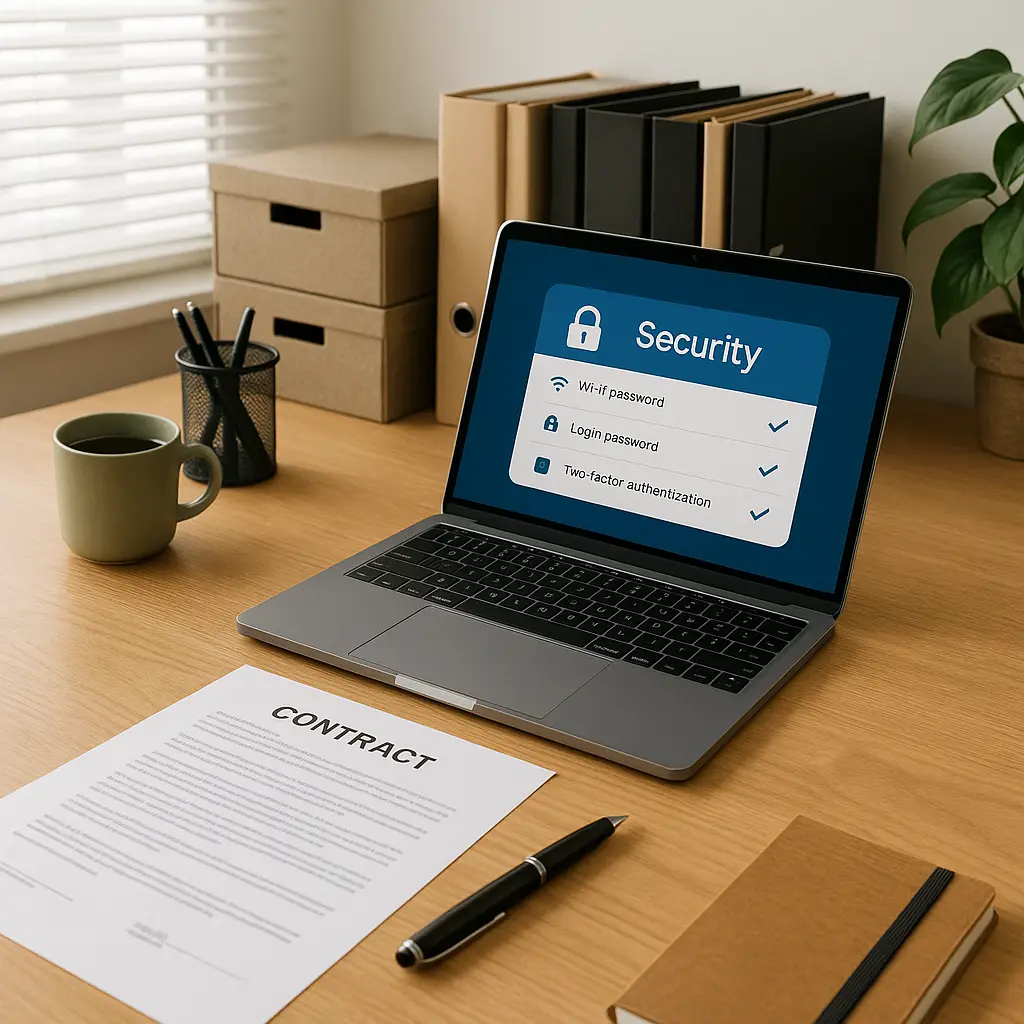
- Access controls (password protection, two-factor authentication, role-based permissions)
- Physical security (locked devices, secure storage, no public WiFi for sensitive work)
- Breach notification (immediate reporting, written notice within 24-72 hours)
- Data retention and destruction (deletion within 30-90 days after project completion, certified destruction for certain data types)
- Compliance with specific regulations (GDPR, HIPAA, CCPA, depending on client industry and location)
Some contracts reference external standards. "Contractor shall implement security measures consistent with NIST Cybersecurity Framework" means you're expected to know and follow federal cybersecurity guidance. "Contractor shall comply with industry best practices" is vaguer but still creates an obligation to meet whatever standard a court later decides is reasonable.
The harshest clauses include indemnification language: "Contractor agrees to indemnify and hold harmless Client from any damages, losses, or expenses arising from Contractor's breach of this agreement, including but not limited to data breaches, unauthorized access, or disclosure of confidential information."
Translation: if client data gets compromised while you're handling it, you pay for everything. Legal fees. Notification costs. Credit monitoring for affected individuals. Regulatory fines. Lost business. All of it.
What These Clauses Require You to Do
Legal language translates to specific actions. Here's what common security clauses actually mean in practice.
Encrypted storage means client files can't sit in a regular folder on your desktop. The data needs encryption at rest, which typically means full-disk encryption (BitLocker on Windows, FileVault on Mac) or encrypted containers (VeraCrypt, Cryptomator). Cloud storage counts as encrypted if the service uses encryption, but some contracts require that you control the encryption keys, which rules out standard Dropbox or Google Drive.
Secure transmission means you can't email client files as attachments. You need encrypted file transfer, which could be SFTP, encrypted email (ProtonMail, Tutanota), password-protected and encrypted zip files sent through separate channels, or secure file-sharing services designed for business use. Some contracts specify approved tools. Others leave it to you to figure out what "secure" means.
Access controls mean password protection on every file containing client data, two-factor authentication on every account that touches client work, and limiting access to only the people who need it. If you're a solo freelancer, that's just you. If you subcontract, you need written authorization from the client before sharing data, and your subcontractor needs their own data security obligations.
Physical security means locking your laptop when you step away, not leaving devices in cars, not working on sensitive projects in coffee shops where someone can see your screen, and storing backup drives in locked locations. Some contracts prohibit working on client data in public spaces entirely.
Breach notification means you have a legal duty to tell the client immediately if something goes wrong. Laptop stolen? You report it that day. Ransomware encrypts client files? You notify them within hours. Accidentally email a file to the wrong person? You disclose it. The contract usually specifies a timeframe (24 hours is common, 72 hours is generous), and missing that deadline can void your indemnification protection.
Data destruction means you can't keep client files forever. Most contracts require deletion within 30 to 90 days after project completion. Some require certified destruction (a third-party service that provides proof of data wiping). Keeping files longer than specified violates the contract, even if you're just holding them for portfolio purposes or in case the client comes back with revisions.
What Happens When You Don't Follow the Rules
Breach of contract is the first consequence. If you violate a data security clause, the client can refuse to pay, demand a refund, or sue for damages. They don't have to prove that a breach actually occurred, just that you failed to meet the contractual requirements. Saved files to an unencrypted laptop? That's a breach, even if nothing bad happened.
Financial liability is the second consequence. If client data gets compromised and the contract includes indemnification language, you're personally responsible for the costs. That includes:
- Legal fees to defend against claims from affected individuals or regulators
- Notification costs (mailings, call centers, website notices)
- Credit monitoring services for affected individuals (often required by state breach notification laws)
- Regulatory fines (GDPR violations can reach 4% of annual revenue; HIPAA fines range from $100 to $50,000 per violation)
- Lost business and reputational damage (harder to quantify but often included in settlement negotiations)
The FTC has published guidance on data breach response costs. Notification alone can run $50 to $100 per affected individual when you factor in mailings, call centers, and credit monitoring. A breach affecting 1,000 people could cost you $50,000 to $100,000 before you get to legal fees or fines.
Professional consequences follow. Clients talk. A data breach or security failure becomes part of your reputation. Future clients ask about your security practices. Some won't hire you without proof of cyber liability insurance or specific security certifications. Others will require more stringent contract terms because you're now a known risk.
Legal exposure extends beyond the client. If the breach involves personal information covered by state or federal privacy laws, affected individuals can sue you directly. Class action lawsuits following data breaches are common, and freelancers aren't exempt just because they're small operators. You're subject to the same legal standards as the companies you work for.
How to Actually Protect Yourself
You don't need enterprise security tools or a legal team. You need to understand what the contract requires and implement controls that meet those requirements without creating operational friction.
Read the data security clause before you sign. Not the whole contract, focus on the sections about confidentiality, data protection, indemnification, and liability. If the language is vague ("industry best practices," "reasonable security measures"), ask the client to specify what they expect. Get it in writing. If they won't clarify, you're guessing, and guessing wrong makes you liable.
Encrypt your devices. Full-disk encryption is the baseline. Turn on BitLocker (Windows Pro or Enterprise) or FileVault (Mac). This protects data if your laptop gets stolen or lost. It takes 10 minutes to enable and runs transparently in the background. If you're on Windows Home, upgrade to Pro or use VeraCrypt for full-disk encryption.
Use a password manager. Every account that touches client work needs a strong, unique password. Reusing passwords across client projects means one breach compromises multiple clients. A password manager (Bitwarden, 1Password, Dashlane) generates and stores passwords so you're not managing them manually. Enable two-factor authentication on every account, especially email, cloud storage, and project management tools.
Set up encrypted file transfer. Email attachments aren't secure transmission. Use SFTP (FileZilla, Cyberduck), encrypted cloud storage (Tresorit, Sync.com), or password-protected encrypted zip files sent through separate channels (password via text, file via email). Some clients provide their own secure file transfer systems. Use those when available.
Create a project-specific folder structure. Keep client data isolated from personal files. Create a dedicated folder for each client, encrypt it (VeraCrypt containers work well for this), and delete it when the project ends. Don't mix client files with personal documents, tax records, or other projects. Isolation limits exposure if something goes wrong.
Work from a secure location. Public WiFi is a risk, but the bigger issue is physical security. Can someone see your screen? Can someone grab your laptop if you step away? If you're working in a coffee shop, position yourself so your screen isn't visible to others, lock your device when you leave your seat, and don't work on highly sensitive data in public spaces. If the contract prohibits public WiFi, respect that. Use a mobile hotspot or work from home.
Set calendar reminders for data deletion. Contracts specify deletion timelines. Set a reminder for 30 days (or whatever the contract requires) after project completion. When the reminder fires, delete all client files, empty your trash, and clear cloud storage. If the contract requires certified destruction, hire a service (Shred-it, Iron Mountain) and keep the certificate.
Get cyber liability insurance. Professional liability insurance (errors and omissions) typically excludes cyber incidents. You need a separate cyber liability policy or an E&O policy with a cyber rider. Coverage should include data breach response costs, legal defense, regulatory fines, and third-party claims. Policies start around $500 to $1,000 per year for freelancers with low revenue. Shop around. Insurers include Hiscox, The Hartford, Chubb, and Coalition.
Document your security practices. Keep a written record of the tools you use, the encryption methods you've implemented, and the steps you take to protect client data. If a dispute arises, documentation proves you followed the contract. It also helps you respond to client security questionnaires, which are becoming more common.
Ask questions before you start work. If the contract requires compliance with specific regulations (HIPAA, GDPR, PCI-DSS), make sure you understand what that means. If you're not equipped to handle regulated data, say so before you sign. Turning down a project is better than taking on liability you can't manage.
What to Do If You're Already in Violation
You signed a contract. You didn't encrypt your laptop. Client files are sitting in a regular folder on your desktop. You're in breach, and you're hoping nothing goes wrong.
Fix it now. Enable full-disk encryption today. Move client files to an encrypted container. Set up two-factor authentication on every account. The contract doesn't require you to have been compliant from day one; it requires you to be compliant now. If the client audits your security practices or asks about your setup, you can truthfully say you've implemented the required controls.
If something has already gone wrong, laptop stolen, file emailed to the wrong person, ransomware infection, notify the client immediately. The contract probably requires notification within 24 to 72 hours. Missing that deadline makes everything worse. Be direct. Explain what happened, what data was affected, what you've done to contain the incident, and what you're doing to prevent recurrence. Don't guess about the scope of the breach. If you don't know what data was compromised, say so.
Consult a lawyer if the breach involves regulated data (health information, financial records, personal information covered by state breach notification laws). You may have legal obligations beyond the contract. A lawyer can help you navigate notification requirements, regulatory reporting, and potential liability.
File an insurance claim if you have cyber liability coverage. That's what the policy is for. The insurer will assign a breach response team, cover notification costs, and handle legal defense if claims arise. Don't wait to see if the client sues. Report the incident as soon as you're aware of it.
The Schitt's Creek Problem
In Schitt's Creek, Johnny Rose runs the motel with no business infrastructure, no insurance, and no clear understanding of his legal obligations. When things go wrong, and they do, he's personally exposed because he never built the protective structures that real businesses rely on.
Freelancers operate the same way. You're the business. You're the IT department. You're the legal team. You're the one who signs contracts that create liability, and you're the one who pays when something breaks.
Data security clauses aren't optional contract language you can ignore. They're legal obligations that create real financial exposure. The difference between a freelancer who survives a data breach and one who doesn't is usually whether they took the clause seriously before something went wrong.
You don't need enterprise tools. You need encryption, a password manager, secure file transfer, and insurance. You need to read the contract before you sign it. You need to ask questions when the language is vague. You need to delete data when the project ends.
The work is the same whether you protect yourself or not. The difference is what happens when a client's data ends up somewhere it shouldn't. One scenario ends with an awkward conversation and a lessons-learned email. The other ends with a lawsuit, a five-figure bill, and a reputation you can't repair.
Freelancing gives you control over your work, your schedule, and your income. It also gives you control over your risk. Data security clauses are part of that risk. Handle them like the legal obligations they are, and you'll avoid the consequences that come from treating them like boilerplate.