PGP for the rest of us: what email encryption actually does
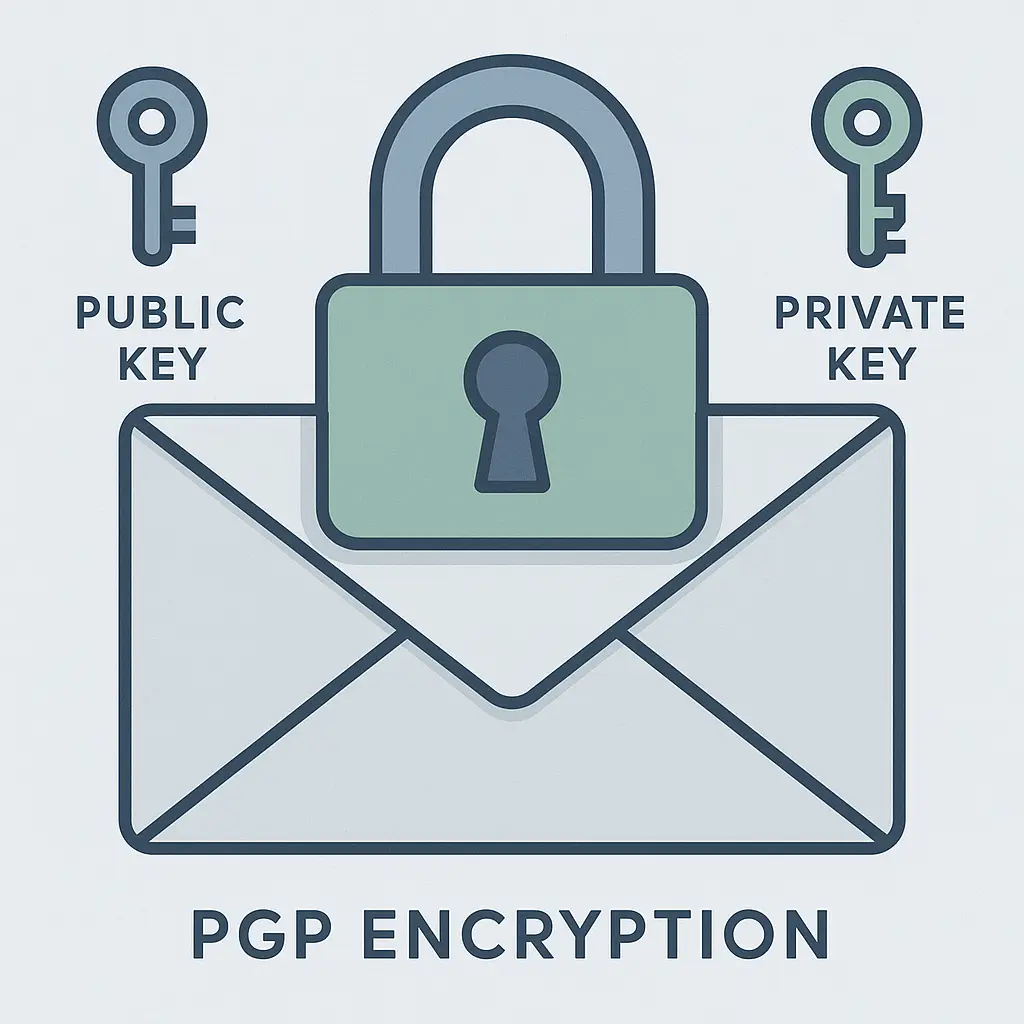
PGP stands for Pretty Good Privacy. The name undersells what it does. PGP encrypts email so thoroughly that even the email provider can't read the contents. It's been around since 1991, and it's still one of the strongest tools available for protecting email from surveillance, interception, and unauthorized access.
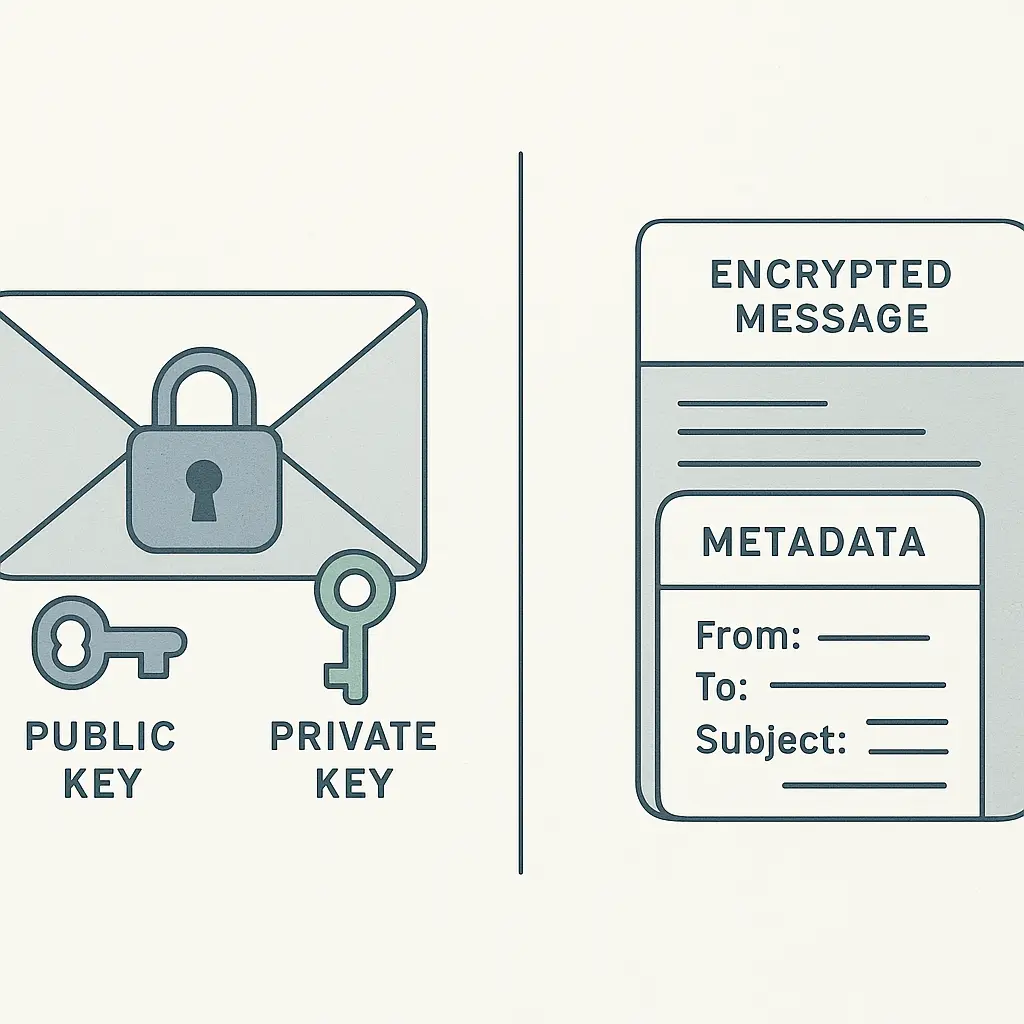
Here's the mechanism: PGP uses public-key cryptography. You generate two keys, a public key and a private key. You share the public key freely. Anyone can use it to encrypt a message to you. Only your private key can decrypt that message. The math behind this is asymmetric encryption, specifically RSA or elliptic curve algorithms. The public key locks the message. The private key is the only thing that unlocks it.
When you send an encrypted email with PGP, your email client uses the recipient's public key to scramble the message body. The encrypted text looks like random characters. The recipient's email client uses their private key to unscramble it back into readable text. No one in between, not the email provider, not the network administrator, not a government agency with a warrant, can read the message without that private key.
PGP also signs messages. A digital signature proves the message came from you and hasn't been altered. Your email client uses your private key to create a unique signature for each message. The recipient's client uses your public key to verify it. If someone tampers with the message in transit, the signature breaks, and the recipient knows.
The cryptography is sound. The implementation is where things get complicated.
What PGP protects and what it doesn't
PGP encrypts the message body and any attachments. That's it. The subject line, sender address, recipient address, timestamp, and routing information remain visible. Email metadata, who you're talking to, when, and how often, leaks in cleartext even when the message itself is encrypted.
This matters more than most people realize. Metadata reveals patterns. If I send you an encrypted email every Tuesday at 3 PM for six months, anyone watching the traffic knows we communicate regularly, even if they can't read the content. If I send you an encrypted email with the subject line "Re: Project Phoenix," the subject line is visible to anyone who handles the message.
PGP doesn't protect against endpoint compromise. If malware runs on your computer or the recipient's computer, it can capture messages before encryption or after decryption. PGP secures the message in transit, not the devices at either end.
PGP doesn't protect against traffic analysis. An observer can see the size of encrypted messages, the timing, and the pattern of communication. These data points leak information even when the content stays hidden.
PGP doesn't protect against key compromise. If someone steals your private key, they can decrypt every message ever sent to you with the corresponding public key. If someone steals your private key and the passphrase that protects it, they own your entire encrypted history.
PGP doesn't protect against user error. If you encrypt a message to the wrong public key, the wrong person can read it. If you forget to encrypt a message, it travels in cleartext. If you lose your private key, you lose access to every encrypted message you've ever received.
How PGP works in practice
You start by generating a key pair. Most people use GPG (GNU Privacy Guard), the open-source implementation of the PGP standard. You run a command, answer some prompts, and the software generates two files: your public key and your private key.
The private key stays on your device, encrypted with a passphrase you choose. The public key goes everywhere. You upload it to public key servers, email it to correspondents, post it on your website, include it in your email signature. The more widely distributed your public key, the easier it is for people to send you encrypted messages.
When someone wants to send you an encrypted email, they import your public key into their email client, compose the message, and click "encrypt." The client scrambles the message using your public key. The encrypted message looks like this:
-----BEGIN PGP MESSAGE-----
Version: GnuPG v2

hQEMA5K3jXj8fG4jAQf/VzN2YwK3mHxPJz8fK9...
[hundreds of lines of random-looking text]
-----END PGP MESSAGE-----
You receive the message, and your email client uses your private key to decrypt it. The client prompts you for your passphrase, unlocks the private key, and reveals the plaintext.
If you want to sign a message without encrypting it, the process is similar. Your client uses your private key to generate a signature block. The recipient's client uses your public key to verify the signature. Signing proves authenticity. Encryption provides confidentiality. You can do one, both, or neither.
Key management is the hard part. Public keys expire. Private keys get lost. Passphrases get forgotten. If you generate a new key pair, you need to distribute the new public key and revoke the old one. If you don't revoke the old key, people will keep encrypting messages to it, and you won't be able to read them.
Key servers help with distribution but create new problems. Anyone can upload a key to a server. Anyone can upload a key with your name and email address. If someone uploads a fake key claiming to be you, correspondents might encrypt messages to the wrong key. Verifying key authenticity requires out-of-band communication, a phone call, an in-person meeting, a signed statement on your website.
The web of trust was PGP's original solution. You sign other people's public keys to vouch for their authenticity. They sign yours. Over time, a network of signatures builds trust. In practice, the web of trust never scaled. Most people don't understand it. Most people don't participate. Most people just hope the key they downloaded is legitimate.
Why PGP never became mainstream
PGP is thirty-three years old. It's free. It's open source. The cryptography is strong. The EFF has published guides on how to use it. Security professionals recommend it. Journalists, activists, and whistleblowers rely on it.
And almost no one else does.
The reason is usability. PGP demands technical knowledge, manual key management, and coordination between sender and recipient. Both parties need compatible software. Both parties need to exchange public keys. Both parties need to remember to encrypt messages. If one person in the conversation doesn't use PGP, the conversation falls back to cleartext.
Email clients don't make this easy. Gmail doesn't support PGP natively. Outlook doesn't support PGP natively. Apple Mail doesn't support PGP natively. You need browser extensions, third-party plugins, or standalone email clients. The setup process involves command-line tools, configuration files, and troubleshooting errors.
Even when the software works, the workflow is clunky. You compose a message, select the recipient's public key from a list, click "encrypt," and send. If you forget to encrypt, the message goes out in cleartext. If you select the wrong key, the wrong person can read it. If the recipient's key has expired, the message bounces or sits unreadable in their inbox.
PGP doesn't integrate with modern email workflows. You can't search encrypted messages without decrypting them first. You can't use server-side filters or spam detection on encrypted messages. You can't access encrypted messages from a webmail interface unless you paste your private key into the browser, which defeats the purpose of keeping it secure.
Mobile support is worse. PGP on a phone requires apps that don't integrate well with native email clients. Managing keys on a touchscreen is painful. Typing passphrases on a phone keyboard is painful. Most people give up.
The threat model doesn't match most people's lives. PGP protects against surveillance, interception, and unauthorized access by third parties. It doesn't protect against phishing, malware, or social engineering. It doesn't protect against the recipient forwarding your message to someone else. It doesn't protect against the recipient taking a screenshot.
For most people, the threats PGP defends against are theoretical. The usability cost is immediate. That's why adoption stalled.
When PGP makes sense
PGP makes sense when you face specific, serious threats that justify the effort.
Journalists communicating with sources. Activists coordinating under hostile governments. Lawyers exchanging privileged information. Whistleblowers disclosing sensitive documents. Researchers handling confidential data.
These are people who need strong encryption, who understand the tradeoffs, and who can't rely on commercial encrypted messaging services. PGP gives them control. They generate their own keys. They manage their own security. They don't depend on a company's servers or a company's promises.
PGP makes sense when you need to encrypt email specifically, not just private communication in general. If you can use Signal, use Signal. Signal is easier, more secure, and better designed for real-world use. But if your correspondent only checks email, or if you need to send encrypted attachments, or if you're required to use email for compliance reasons, PGP is the tool.
PGP makes sense when you're willing to invest time in learning the mechanics. You need to understand key generation, key distribution, key revocation, and key verification. You need to understand the difference between encryption and signing. You need to understand what PGP protects and what it doesn't.
PGP makes sense when both parties commit to using it consistently. One-sided encryption doesn't work. If you encrypt messages to someone who doesn't encrypt their replies, half the conversation leaks. If you encrypt some messages and forget to encrypt others, the encrypted ones stand out as suspicious.
The modern alternatives
In 2026, most people who need encrypted communication don't use PGP. They use Signal, WhatsApp, or another end-to-end encrypted messaging app. These apps handle key management automatically, encrypt metadata where possible, and provide a user experience that doesn't require a manual.
Signal is the gold standard. It uses the Signal Protocol, which provides forward secrecy (past messages stay secure even if keys are compromised) and deniable authentication (you can prove a message is authentic, but you can't prove who sent it to a third party). Signal encrypts message content and most metadata. Signal doesn't require public key distribution or manual key verification. You install the app, verify your phone number, and start messaging.
ProtonMail offers encrypted email that's easier than PGP. ProtonMail encrypts messages between ProtonMail users automatically. Messages to non-ProtonMail users can be encrypted with a password. The tradeoff is trust: you're trusting ProtonMail's servers and ProtonMail's implementation. With PGP, you control the keys.
For most people, Signal is the right answer. For people who need email encryption and can't use Signal, ProtonMail is the right answer. For people who need email encryption and can't trust ProtonMail, PGP is the right answer.
PGP isn't obsolete. It's niche. It's the tool for people who know why they need it.
The learning curve is real
I've used PGP on and off for years. I understand the mechanism. I've read the documentation. I've generated keys, exchanged keys, encrypted messages, signed messages, verified signatures, and revoked keys.
And I still mess it up.
I've sent unencrypted messages I meant to encrypt. I've encrypted messages to the wrong key. I've lost private keys. I've forgotten passphrases. I've uploaded keys to servers and then couldn't figure out how to revoke them. I've spent hours troubleshooting why my email client wouldn't recognize a key I just imported.
The software is better than it was in 1991, but it's still not easy. GPG is a command-line tool. Enigmail, the Firefox extension that brought PGP to Thunderbird, was discontinued in 2020. Mailvelope works in browsers but requires manual setup. GPG Suite works on macOS but costs money. Gpg4win works on Windows but has a learning curve.
You can make it work. You can get to a point where encrypting and decrypting messages feels routine. But it takes effort, and the effort doesn't stop. Keys expire. Software updates break compatibility. Correspondents change email addresses and forget to update their keys.
PGP is the email equivalent of a manual transmission. Some people prefer the control. Some people need the control. Most people just want to get where they're going without thinking about the gears.
The metadata problem won't go away
Even if you use PGP perfectly, metadata leaks. The subject line is visible. The sender and recipient addresses are visible. The timestamp is visible. The message size is visible. The fact that you're using encryption is visible.
This isn't a flaw in PGP. It's a limitation of email as a protocol. Email was designed in the 1970s for a world where privacy meant keeping your mail out of someone else's physical mailbox. The protocol doesn't hide routing information because routing information is how email works.
Some people try to mitigate this by using generic subject lines ("Re: ") or leaving the subject line blank. Some people use anonymous email services or Tor to hide their IP address. Some people use steganography to hide encrypted messages inside innocuous-looking files.
These techniques add complexity without solving the fundamental problem: email metadata is structural. If you need to hide who you're talking to, email is the wrong tool. Use Signal. Use Tor Messenger. Use a dead drop. Don't use email.
PGP is for people who need to protect message content while accepting that metadata will leak. If that tradeoff doesn't work for your threat model, PGP doesn't work for you.
The reality of adoption in 2026
I know three people who use PGP regularly. One is a journalist. One is a lawyer who handles sensitive cases. One is a security researcher who encrypts everything on principle.
I know hundreds of people who've heard of PGP, tried it once, and gave up.
The CISA guidance on email security doesn't mention PGP. The FTC's consumer advice on online security doesn't mention PGP. The EFF's Surveillance Self-Defense guide includes a PGP tutorial, but it's buried under sections on Signal, password managers, and two-factor authentication.
The industry has moved on. Encrypted messaging apps do what PGP does, with better usability and stronger protections. Email encryption still matters for people who can't leave email, but those people are a shrinking minority.
PGP will survive because it's open source, because it's decentralized, and because some people will always need email encryption they control themselves. But it won't become mainstream. It had thirty years to become mainstream, and it didn't.
What you should actually do
If you're reading this because you want to encrypt email, start by asking whether you actually need to encrypt email.
Can you use Signal instead? Signal is easier, more secure, and encrypts metadata. If your correspondent uses Signal, use Signal.
Can you use ProtonMail instead? ProtonMail handles encryption automatically for messages between ProtonMail users. If your correspondent uses ProtonMail, use ProtonMail.
Do you need email specifically because of compliance requirements, organizational policy, or because your correspondent only checks email? Then PGP might make sense.
If you decide PGP makes sense, commit to learning it properly. Don't half-learn it. Don't encrypt one message and then forget about it. Don't generate keys and then lose them.
Install GPG. Generate a key pair. Upload your public key to a key server. Add your public key to your email signature. Practice encrypting and decrypting messages to yourself. Practice signing messages. Practice verifying signatures.
Find one correspondent who will commit to using PGP with you. Exchange public keys. Verify the keys out of band, call them, meet them in person, check the fingerprint on their website. Send encrypted messages back and forth until the workflow feels routine.
Then decide whether the effort is worth it. For most people, it isn't. For some people, it's essential.
PGP is a tool. It's not a philosophy. It's not a statement. It's not a badge of technical sophistication. It's a mechanism for encrypting email, and it works when you need it to work.
If you need it, learn it. If you don't, use Signal.