MDM on Your Work Phone: What Your Employer Can See and Control
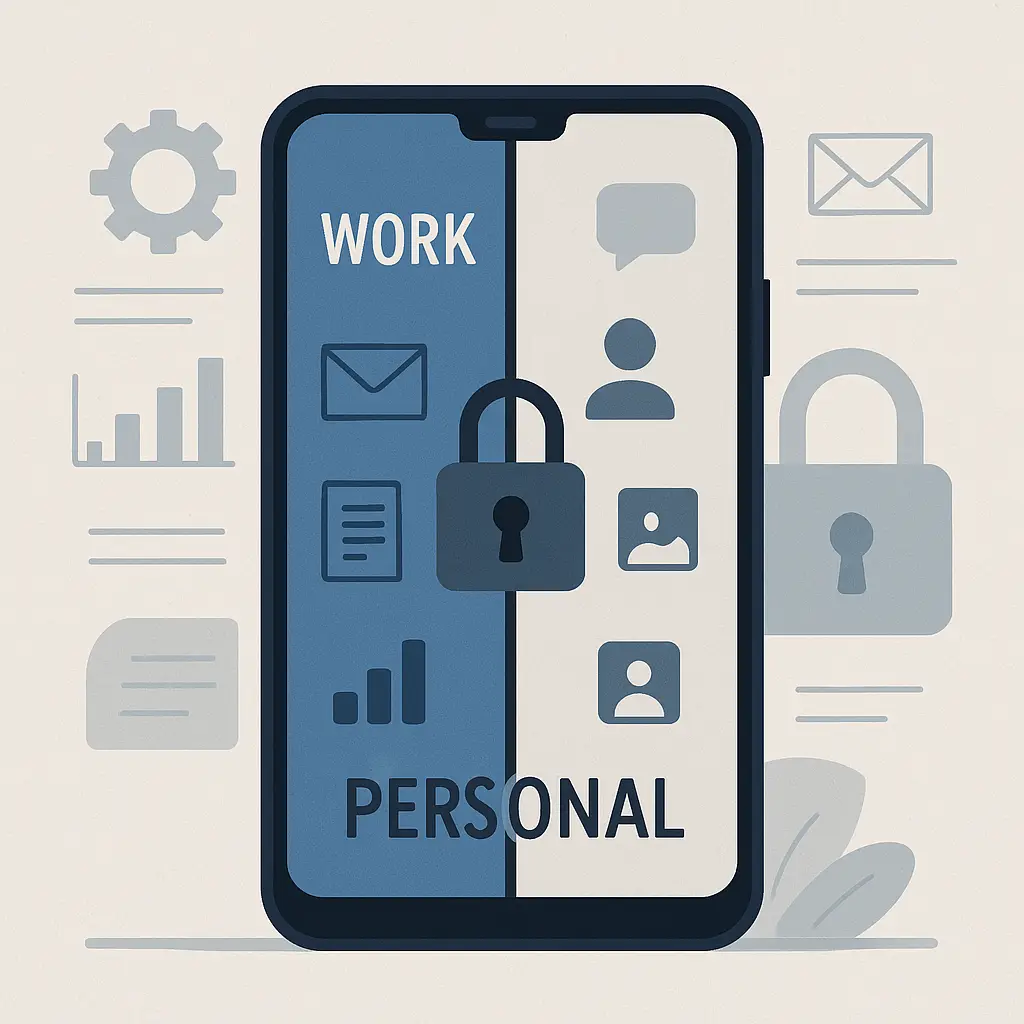
Your employer handed you a phone. Or maybe you brought your own and added work email. Either way, IT asked you to install something called MDM, mobile device management. You clicked through the prompts. Now you're wondering what you just agreed to.
MDM is software that gives your employer control over the device in your pocket. The extent of that control depends on whether the phone belongs to the company or to you, but the underlying mechanism is the same: a management profile that sits between you and the operating system, enforcing policies and collecting data.
Here's what MDM actually does, what your employer can see, and where the boundaries live.
What MDM Software Actually Is
MDM is a control layer installed on your phone that allows remote configuration, monitoring, and enforcement of security policies. When you enroll a device, you're granting an administrator profile that operates at the system level, deeper than any app you install yourself.
The software connects to a central server managed by your employer's IT department. That server pushes policies to your device: password requirements, app restrictions, network configurations, encryption settings. The MDM client on your phone enforces those policies and reports compliance status back to the server.
On iOS, this happens through Apple's Device Enrollment Program or manual profile installation. On Android, it uses Android Enterprise or legacy device administrator APIs. The technical implementation differs, but the result is the same: your employer gains administrative access to a device you carry everywhere.
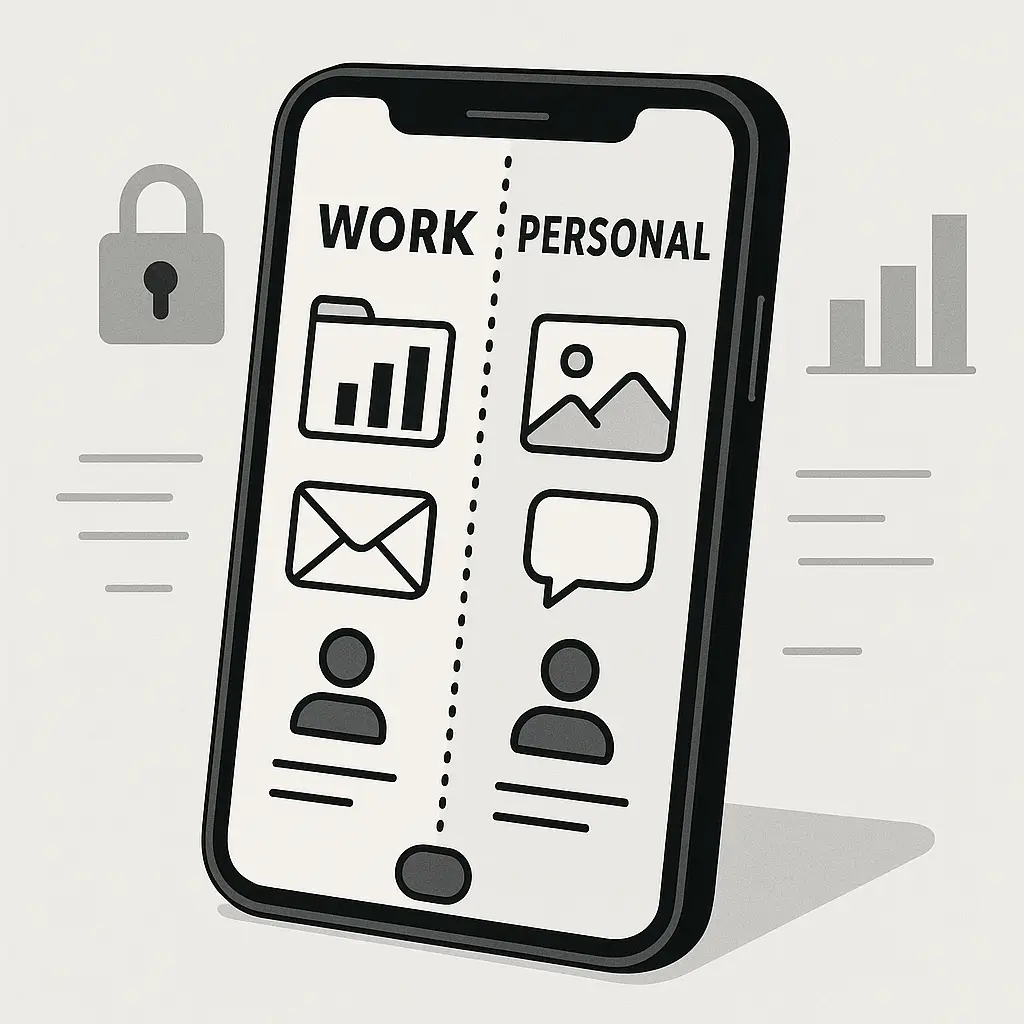
The scope of that access depends on enrollment type. A fully managed device, one owned by the company, gives IT near-total control. A work profile on your personal phone creates a container that isolates work data from personal data, limiting what your employer can see and do. The difference matters.
Company-Owned Devices: Full Visibility and Control
If your employer owns the phone, MDM has broad permissions. IT can see installed apps, browsing history, location, call logs, and text messages. They can remotely wipe the device, lock it, disable features, and enforce restrictions on what you install or access.
This isn't theoretical. The MDM console shows administrators a live inventory of every app on the device, when it was installed, and how often it's used. They can see which websites you visit, even in private browsing mode, if the device routes traffic through a corporate VPN or proxy. Location tracking runs continuously if enabled in the policy, logging where the device goes throughout the day.
Text messages and call logs are accessible through MDM on company devices. Some platforms allow IT to read SMS content directly. Others require additional tools or legal process, but the technical capability exists. The same applies to photos stored on the device: MDM can inventory files and, in some configurations, access them remotely.
Your employer can also enforce content filtering that blocks specific websites, app categories, or communication tools. They can disable the camera, microphone, or Bluetooth. They can prevent you from installing apps outside the company app store or from specific categories flagged as risky.
Remote wipe is the nuclear option. If you leave the company, lose the device, or violate policy, IT can erase everything on the phone from their console. This happens instantly and irreversibly. One command, and the device resets to factory settings.
According to CISA's guidance on mobile device security, organizations should implement MDM to protect sensitive data on mobile devices, particularly in industries handling regulated information. The assumption is that a company-owned device is a company asset, subject to the same monitoring and control as a desktop computer in the office.
That assumption shapes what's technically possible. If the phone belongs to your employer, the default is full visibility. Privacy on a company device is a courtesy, not a right.
Personal Devices with Work Profiles: The Container Model
If you're using your own phone for work, the setup changes. Modern MDM uses a work profile, a separate, encrypted partition that isolates work apps and data from your personal side. This is Android Enterprise's "work profile" mode or iOS's "User Enrollment."
The work profile functions like a second phone inside your phone. Work apps, email, contacts, and files live in the container. Your personal apps, photos, messages, and browsing history stay outside it. The MDM software can see and control what's inside the work profile but has limited visibility into your personal partition.
Here's what your employer can see on a personal device with a work profile:
- Apps installed in the work profile
- Work email, calendar, and contacts
- Files stored in work apps
- Compliance status (whether the device meets security requirements like encryption and screen lock)
- Device model, OS version, and storage capacity
- Location, if work apps request it and you grant permission
Here's what they typically cannot see:
- Personal apps outside the work profile
- Personal email, messages, or call logs
- Photos, videos, or files in personal storage
- Browsing history in personal browsers
- Location when work apps aren't active (depending on configuration)
The boundary isn't perfect. Some MDM platforms can detect jailbreaking or rooting even on personal devices. Some require location services to be enabled globally, which means the OS tracks you constantly even if the work profile only accesses that data during business hours. Some policies mandate full-disk encryption, which affects the entire device, not just the work partition.
But the work profile model is a meaningful improvement over full device management. When you leave your job or unenroll from MDM, IT can wipe the work profile remotely without touching your personal data. Your photos, messages, and apps stay intact. Only the work partition disappears.
The EFF's Surveillance Self-Defense guide recommends work profiles for employees who need work access on personal devices, specifically because the isolation limits employer visibility. It's not perfect privacy, but it's better than handing over full control.
What MDM Monitors in Practice
The gap between technical capability and actual monitoring varies by employer. Some organizations log everything. Others configure MDM to enforce security policies without collecting detailed usage data. You won't know which category your employer falls into unless you ask, and even then, policies can change.
Common monitoring includes:
- App inventory: What's installed, when, and how often it's used
- Network activity: WiFi networks you connect to, VPN usage, data consumption
- Location: GPS coordinates, WiFi triangulation, cell tower proximity
- Compliance checks: Password strength, encryption status, OS version, security patches
- Device health: Battery level, storage usage, system errors
Some MDM platforms offer keystroke logging, screen recording, or remote camera access. These features exist primarily for high-security environments, government, defense, healthcare, but they're available in commercial MDM products. Whether your employer uses them is a policy question, not a technical one.
The monitoring doesn't stop when you clock out. If location tracking is enabled, it runs 24/7. If network monitoring is active, it logs your home WiFi and the coffee shop you visit on weekends. If app inventory is configured, it sees the dating app you installed on Saturday night, assuming you're on a company-owned device or didn't properly isolate your personal side.
This is where the work profile boundary matters. On a personal device with proper isolation, your employer can't see that dating app because it's outside the work container. On a company device, it's logged in the MDM console alongside your work email client.
What Your Employer Can Control Remotely
MDM isn't just surveillance. It's also enforcement. Policies configured on the server propagate to your device automatically, and you can't override them without unenrolling.
Common restrictions include:
- Password requirements: Minimum length, complexity, expiration intervals
- App restrictions: Blacklists, whitelists, mandatory installations
- Network controls: Required VPN connections, blocked WiFi networks
- Feature lockdowns: Disabled camera, microphone, Bluetooth, USB connections
- Content filtering: Blocked websites, restricted search results
- Update enforcement: Automatic OS updates, mandatory security patches
Some policies are reasonable. Requiring encryption protects company data if the device is lost. Enforcing OS updates patches vulnerabilities. Blocking installation of apps from unknown sources reduces malware risk.
Other policies feel invasive. Disabling the camera prevents you from taking photos during work hours. Forcing a VPN routes all your traffic through corporate servers, even personal browsing. Restricting app installation means you can't download tools you need for personal projects.
The line between security and overreach depends on context. A hospital enforcing HIPAA compliance has different needs than a retail store tracking sales associates. The problem is that MDM gives employers the technical capability to enforce any policy they choose, and employees rarely have visibility into what's configured or why.
Remote lock and wipe are the most extreme controls. If you violate policy, IT can lock the device immediately, rendering it unusable until you contact them. If you're terminated, they can wipe it remotely before you leave the building. On a company device, this is expected. On a personal device with a work profile, only the work partition should be affected, but misconfigurations happen, and some platforms allow full-device wipe even in BYOD scenarios.
The BYOD Tradeoff: Convenience vs. Privacy
Bring Your Own Device policies promise convenience. You carry one phone instead of two. You use familiar apps and interfaces. You don't have to manage separate contacts or calendars.
The privacy cost is real. Even with a work profile, you're granting your employer a foothold on a device that holds your entire digital life. The isolation works until it doesn't, until a policy change expands monitoring, until a misconfiguration leaks personal data, until IT decides the work profile model isn't secure enough and mandates full device management.
Some employers require full MDM enrollment even on personal devices. This is legal in most jurisdictions, and declining means losing access to work email and apps. You're left with a choice: accept full monitoring on your personal phone, carry two devices, or find another job.
The calculus changes if you're in a regulated industry. Healthcare workers handling patient data, financial professionals accessing trading systems, government employees with clearances, these roles often mandate full device control regardless of ownership. The security requirements override personal privacy considerations.
For everyone else, the decision is yours. If your employer offers a work profile option, use it. If they require full enrollment on your personal device, consider whether the convenience is worth the visibility. If you're uncomfortable, buy a second phone and keep your personal life off the work device entirely.
What Stays Private (If You Set It Up Right)
Privacy on a work phone isn't automatic. It requires intentional configuration and consistent boundaries.
On a personal device with a work profile:
- Keep personal apps outside the work container
- Use separate browsers for work and personal browsing
- Disable location sharing in work apps when off the clock
- Review work profile permissions regularly
- Never store personal files in work apps or cloud storage
On a company-owned device:
- Assume everything is visible
- Don't install personal apps
- Don't use the device for personal email, messaging, or browsing
- Don't store personal photos or files
- Treat it like a work computer, because that's what it is
The hardest boundary to maintain is behavioral. You're carrying the device everywhere. It's in your pocket during lunch, on your nightstand while you sleep, in your hand while you scroll social media. The temptation to blur work and personal use is constant.
Blurring that line gives your employer data they wouldn't otherwise have. Your weekend location history. Your late-night browsing habits. The apps you use when you're not working. On a company device, they already have access to this data, it's your behavior that determines whether it's collected. On a personal device with a work profile, crossing the boundary means leaking personal information into the monitored partition.
Some employers actively discourage separation. They want you reachable 24/7. They expect you to check work email at night. They normalize the idea that the work device is also your personal device, eroding the distinction that protects your privacy.
You can push back. You can refuse to install personal apps on a company phone. You can insist on a work profile instead of full enrollment. You can carry two devices and enforce a hard boundary. These choices have professional consequences in some workplaces, but they're the only reliable way to maintain privacy when MDM is involved.
What to Ask Before You Enroll
Most employees click through MDM enrollment without reading the prompts or asking questions. The device is required for the job. IT sent instructions. You follow them.
Asking questions before you enroll gives you information to make an informed choice. Some employers will answer honestly. Others will deflect. Either response tells you something about how they view employee privacy.
Questions to ask:
- Is this a company-owned device or my personal device?
- If personal, will you use a work profile or require full device management?
- What data does MDM collect from my device?
- Can you see my location when I'm off the clock?
- Can you read my text messages or call logs?
- What triggers a remote wipe, and does it affect my personal data?
- Can I unenroll if I leave the company, or will you wipe the device remotely?
- What happens to my data if the MDM policy changes after I enroll?
If IT can't or won't answer these questions, that's a red flag. You're being asked to grant administrative access to a device you carry everywhere, and you deserve to know what that access entails.
If the answers make you uncomfortable, you have options. Decline enrollment and use a separate work device. Negotiate for a company-provided phone. Accept the monitoring as a condition of employment and adjust your behavior accordingly. The worst choice is enrolling without understanding what you're agreeing to.
The Reality of Workplace Monitoring in 2026
MDM is one piece of a broader workplace surveillance infrastructure. Your work laptop logs keystrokes. Your email is archived and searchable. Your badge swipes track when you enter and leave the building. Your Slack messages are stored indefinitely. Video calls are recorded.
Mobile device management extends that surveillance to the device in your pocket. It's the same logic applied to a different form factor: the employer owns the work, and monitoring ensures compliance, productivity, and security.
The FTC's guidance on data security emphasizes that organizations handling sensitive information have a responsibility to protect it, and MDM is one tool that fulfills that responsibility. The problem is that the same tool used to protect company data also enables invasive monitoring of employee behavior.
Legal protections for employee privacy are weak in most U.S. jurisdictions. Employers can monitor company-owned devices without restriction. They can require MDM enrollment on personal devices as a condition of employment. They can track location, read messages, and log browsing history, as long as they notify employees, and sometimes even without notification, depending on state law.
You have more control over a personal device than a company device, but that control is limited by the terms of your employment. If your employer requires full MDM enrollment and you decline, they can terminate you. If you unenroll after accepting the terms, you'll lose access to work systems and likely face disciplinary action.
The boundary between work and personal life has been eroding for years. Remote work, always-on communication, and mobile devices have blurred the line. MDM formalizes that blur, giving employers technical access to a device that travels with you everywhere.
The only reliable defense is separation. Two devices. Hard boundaries. No personal use of work devices, no work use of personal devices. It's inconvenient, but it's the only model that preserves privacy in a workplace that treats monitoring as default.
When You Leave: What Happens to the Device
When you leave a job, voluntarily or otherwise, MDM determines what happens to the device and the data on it.
On a company-owned device, IT will remotely wipe it as soon as you're terminated. This is standard procedure. The wipe happens instantly, erasing everything: work apps, personal apps, photos, messages, contacts. If you stored personal data on a company device, it's gone.
On a personal device with a work profile, the remote wipe should only affect the work partition. Your personal apps, photos, and messages stay intact. The work apps, email, and files disappear. This is the intended behavior, but it depends on correct MDM configuration. Misconfigurations can trigger a full-device wipe even when only the work profile should be affected.
Before you leave, back up anything you care about. On a company device, assume everything will be wiped and plan accordingly. On a personal device, verify that the work profile is properly isolated and that your employer's MDM policy supports selective wipe. If you're unsure, back up your personal data anyway.
Some employers disable remote wipe after you return the device or unenroll from MDM. Others leave the capability active indefinitely, allowing them to wipe a device weeks or months after you've left. If you're keeping a personal device after leaving a job, unenroll from MDM immediately and verify that the management profile is fully removed.
Unenrollment usually requires IT assistance or a self-service portal. On iOS, you can remove the management profile manually in Settings > General > VPN & Device Management. On Android, the process varies by manufacturer, but it typically involves removing the work profile or factory resetting the device.
If you're terminated abruptly, you might not have time to unenroll before the wipe happens. This is why separation matters. If your personal life depends on data stored on a work-managed device, you've already lost control.
MDM is a tool. Like most tools, it can be used responsibly or invasively. The technical capability exists for your employer to monitor nearly everything you do on a managed device. Whether they exercise that capability depends on policy, industry, and organizational culture.
You can't change what MDM does. You can change how you use the device. Keep work and personal separate. Ask questions before you enroll. Understand what you're agreeing to. And if the monitoring feels too invasive, enforce the boundary yourself, even if it means carrying two phones.
The device in your pocket is yours until you hand control to someone else. MDM is that handoff. Make it intentionally, not by default.