What to Look for in a VPN: The Features That Actually Matter
You're shopping for a VPN. The marketing pages promise military-grade encryption, blazing speeds, and bulletproof privacy. The feature lists run dozens of items long. Some of those features matter. Most don't.
Here's the practical guide to evaluating VPN features. We'll walk through encryption standards, logging policies, kill switches, protocol options, server networks, and the specific configurations that actually protect your traffic. By the end, you'll know what to check, what to skip, and what questions to ask before you subscribe.
Encryption: The Foundation That Everything Else Builds On
Encryption is what makes a VPN a VPN. When you connect, your device and the VPN server negotiate an encryption protocol that wraps your traffic in a tunnel. The protocol determines what cryptographic algorithms protect your data, how keys get exchanged, and what happens if the connection drops.
Most VPNs offer OpenVPN or WireGuard. OpenVPN has been audited extensively over two decades. WireGuard is newer, faster, and uses modern cryptography with a smaller codebase. Both are secure when implemented correctly.
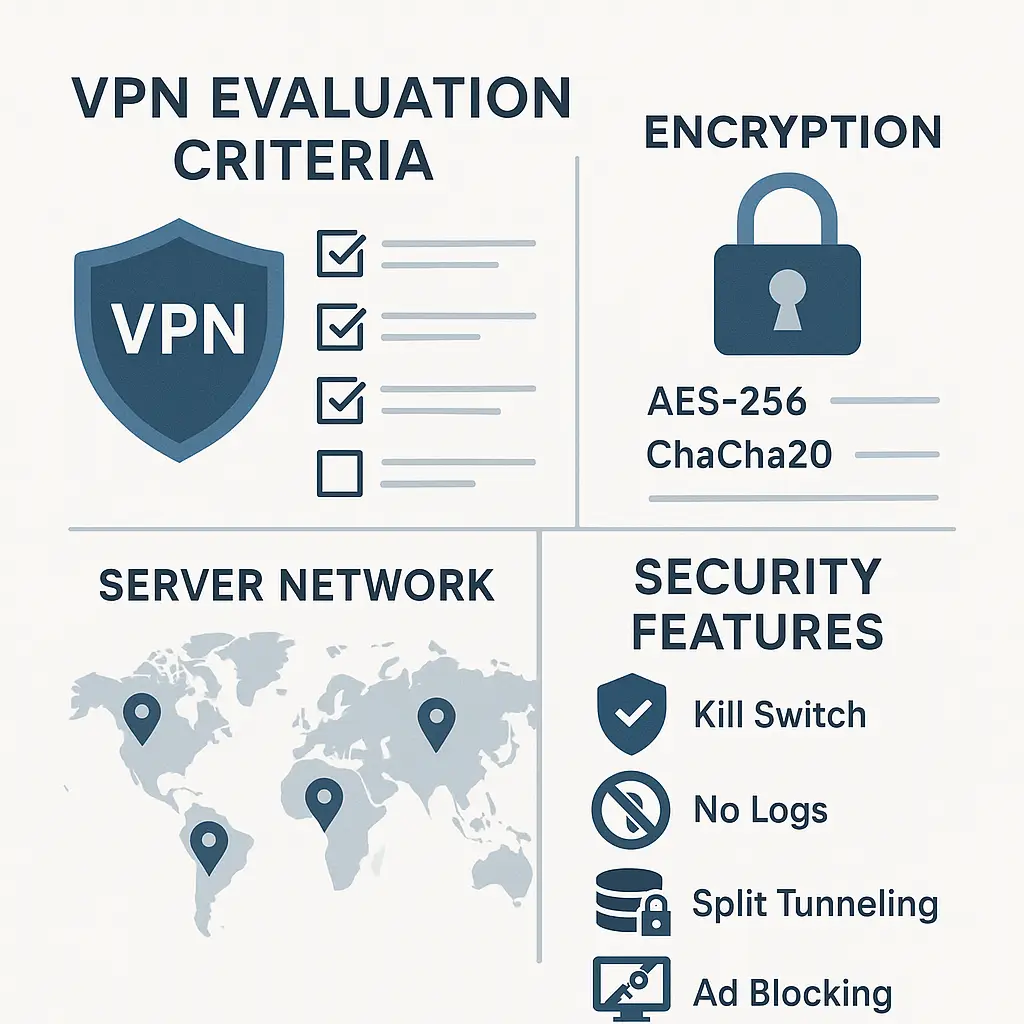
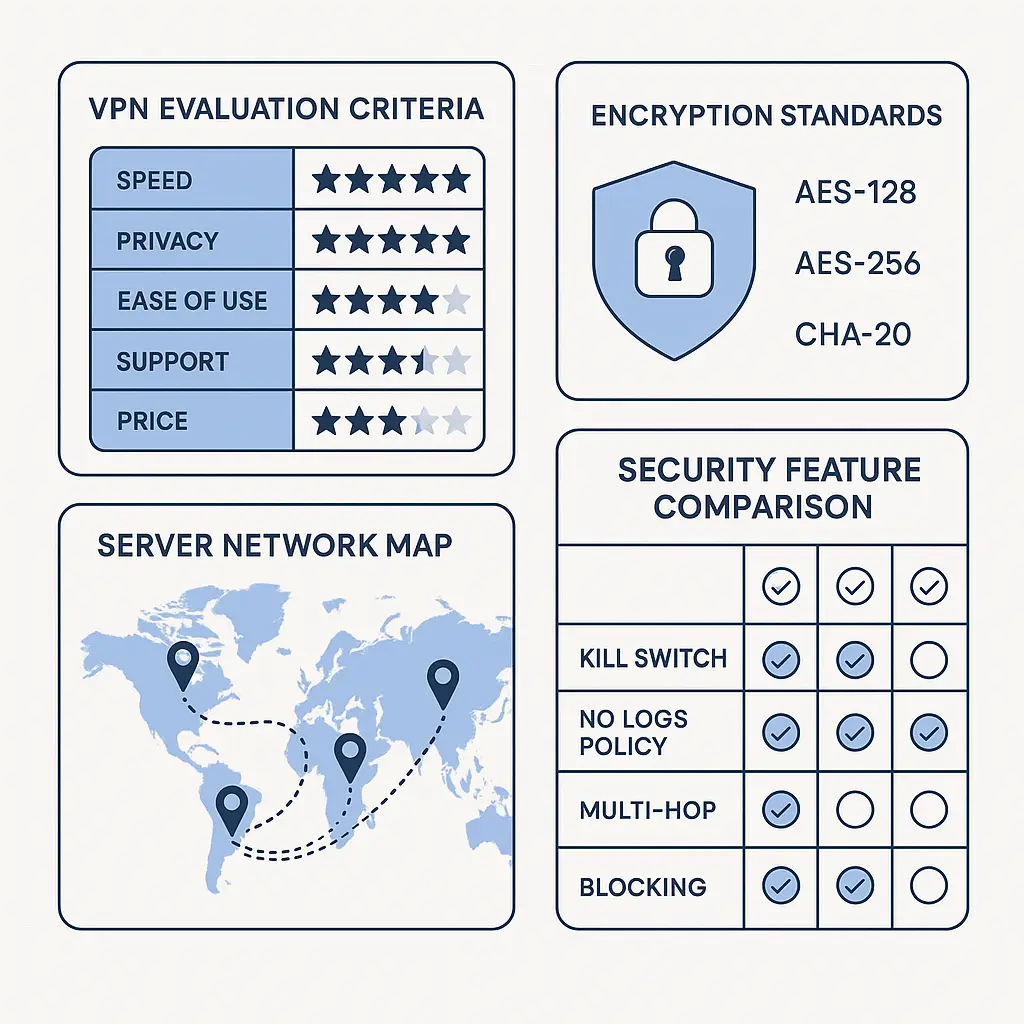
The cipher matters. AES-256 is the standard. AES-128 is also secure and slightly faster, but 256-bit keys are what security professionals expect in 2026. Some providers offer ChaCha20, which performs better on mobile devices without hardware acceleration for AES. Any of these is fine.
What's not fine: proprietary encryption protocols. If the provider invented their own crypto, walk away. Cryptography is hard. Established protocols have survived years of scrutiny. Proprietary protocols have not.
Check the handshake. RSA-2048 or RSA-4096 for key exchange is standard. Elliptic curve options like ECDH are faster and equally secure. The handshake establishes the encryption keys at the start of each session. Weak handshakes undermine strong ciphers.
Perfect Forward Secrecy (PFS) matters. PFS generates a new encryption key for each session. If someone records your encrypted traffic and later steals the VPN server's private key, they still can't decrypt past sessions. Not all VPNs implement PFS. The ones that do advertise it.
Encryption alone doesn't guarantee privacy. The VPN provider sees your unencrypted traffic after it exits the tunnel. Encryption protects you from eavesdroppers on your local network and your ISP. It doesn't protect you from the VPN provider itself. That's where logging policies come in.
Logging Policies: What Gets Recorded and What Stays Hidden
A no-logs policy means the VPN provider doesn't store records of your activity. No timestamps, no destination IPs, no DNS queries, no bandwidth totals tied to your account. When you disconnect, nothing about that session persists.
Some providers claim no-logs but log connection timestamps, bandwidth usage, or server selections. Those are connection logs, not activity logs, but they're still logs. Connection logs can reveal patterns: when you connect, how long you stay online, which servers you prefer. In some contexts, that's enough to identify you.
Read the privacy policy. The marketing page will say "no logs." The privacy policy will specify what that means. Look for language like "we do not collect, store, or log any traffic data or browsing activity." If the policy hedges with "we may collect certain connection metadata for troubleshooting," that's not no-logs.
Jurisdiction matters. VPN providers operate under the laws of the country where they're incorporated. Some countries require data retention. Others allow government agencies to demand records without warrants. Privacy-focused VPNs incorporate in jurisdictions with strong privacy laws: Switzerland, Panama, the British Virgin Islands, Iceland.
Independent audits verify logging claims. A third-party security firm reviews the provider's infrastructure, examines server configurations, and confirms that no activity logs persist. Mozilla VPN publishes audit results. So do Mullvad, IVPN, and Proton VPN. If the provider hasn't been audited, their no-logs claim is just a promise.
Some providers use RAM-only servers. The entire server runs in volatile memory. When the server reboots, everything disappears. No hard drives, no persistent storage. RAM-only infrastructure makes logging technically difficult even if someone wanted to.
Payment methods affect anonymity. If you pay with a credit card tied to your real name, the VPN provider knows who you are even if they don't log your activity. Privacy-focused VPNs accept cryptocurrency, cash by mail, or gift cards. You're trading convenience for anonymity.
Logging policies protect you from the provider, but they don't protect you from law enforcement with a warrant. If a court orders the provider to start logging your account, they'll comply. No-logs means nothing retroactive exists. It doesn't mean nothing will ever exist.
Kill Switches: What Happens When the VPN Connection Drops
VPN connections drop. Your phone switches from WiFi to cellular. The VPN server restarts. The client software crashes. Network conditions change. When the tunnel fails, your traffic reverts to your normal connection, unencrypted, unrouted, visible to your ISP and anyone watching.
A kill switch blocks all network traffic when the VPN disconnects. Your device can't reach the internet until the VPN reconnects. This prevents leaks during the gap between disconnection and reconnection.
Not all kill switches work the same way. Some block traffic at the application level: if the VPN client crashes, other apps can still connect. Some block at the system level: nothing gets through until the VPN is back. System-level kill switches are stronger.
Some VPNs offer split tunneling alongside kill switches. Split tunneling lets you route some apps through the VPN and others through your normal connection. If you enable split tunneling, the kill switch might not apply to split-tunneled apps. Check the documentation.
The kill switch setting is often off by default. You have to enable it manually in the client settings. If you care about preventing leaks, turn it on. If you value uninterrupted connectivity over leak protection, leave it off. There's no wrong answer, but there is a tradeoff.
Mobile kill switches are harder to implement. iOS and Android handle network connections differently than desktop operating systems. Some mobile VPN clients don't offer kill switches at all. Others offer limited versions that don't cover all scenarios. Test it: disconnect from WiFi while the VPN is active and see what happens.
Kill switches protect against accidental leaks. They don't protect against intentional bypasses. If you disable the VPN to access a site that blocks VPN traffic, the kill switch won't stop you. It's a safety net, not a lockdown.
DNS Leak Protection: Keeping Your Queries Inside the Tunnel
When you visit a website, your device sends a DNS query to resolve the domain name into an IP address. If those queries go to your ISP's DNS server instead of through the VPN tunnel, your ISP sees every site you visit even though your traffic is encrypted.
That's a DNS leak. It happens when your operating system ignores the VPN's DNS settings and uses the default DNS server configured by your network. Windows, macOS, iOS, and Android all handle DNS differently. Some prioritize speed over privacy. Some honor VPN DNS settings. Some don't.
VPNs prevent DNS leaks by routing all DNS queries through the tunnel to the VPN provider's DNS servers. When the VPN connects, it reconfigures your system's DNS settings. When it disconnects, it restores the original settings. If this process fails, queries leak.
Test for DNS leaks. Dozens of websites will check which DNS server your queries reach. Connect to your VPN, visit a DNS leak test site, and confirm that the DNS server belongs to your VPN provider. If you see your ISP's DNS server or a public DNS service you didn't configure, you're leaking.
Some VPNs offer DNS leak protection as a separate toggle in settings. Enable it. Some VPNs build it into the client by default. Either way, test it yourself. Don't assume it works.
IPv6 leaks are a related problem. If your VPN only routes IPv4 traffic and your ISP supports IPv6, some of your traffic bypasses the tunnel entirely. Most VPNs either route IPv6 through the tunnel or block IPv6 traffic entirely. Check the settings.
Custom DNS servers are an option. Some VPNs let you specify your own DNS servers instead of using theirs. If you trust a third-party DNS provider more than your VPN provider, this gives you control. But it also introduces another party that sees your queries.
DNS leak protection is table stakes. Every VPN should handle this correctly. If you're testing a new VPN and find DNS leaks, that's a red flag about implementation quality.
Server Networks: Location, Quantity, and Ownership
VPN providers advertise server counts in the thousands. More servers mean better performance, more location options, and redundancy when servers go down. But quantity alone doesn't tell you much.
Location matters more than quantity. If you're in the U.S. and want to appear in the U.S., you need U.S. servers. If you're traveling to Europe and want to access U.S. content, you need U.S. servers. If you want to route through a privacy-friendly jurisdiction, you need servers in Switzerland, Iceland, or Panama.
Server ownership matters. Some VPNs own their servers. Others rent from data centers. Rented servers mean the data center has physical access to the hardware. If the data center cooperates with law enforcement or gets compromised, your traffic could be at risk. Owned servers give the provider more control, but they're expensive to operate.
Virtual locations are common. A virtual server has an IP address in one country but physically sits in another. Providers use virtual locations to offer coverage in countries where operating servers is difficult or expensive. This isn't necessarily bad, but it's not the same as a physical server in that country. Some providers disclose virtual locations. Others don't.
Server load affects performance. If a server is overloaded, your connection will be slow. Some VPN clients display server load as a percentage. Choose lightly loaded servers when performance matters. Some clients auto-select the best server based on load and latency.
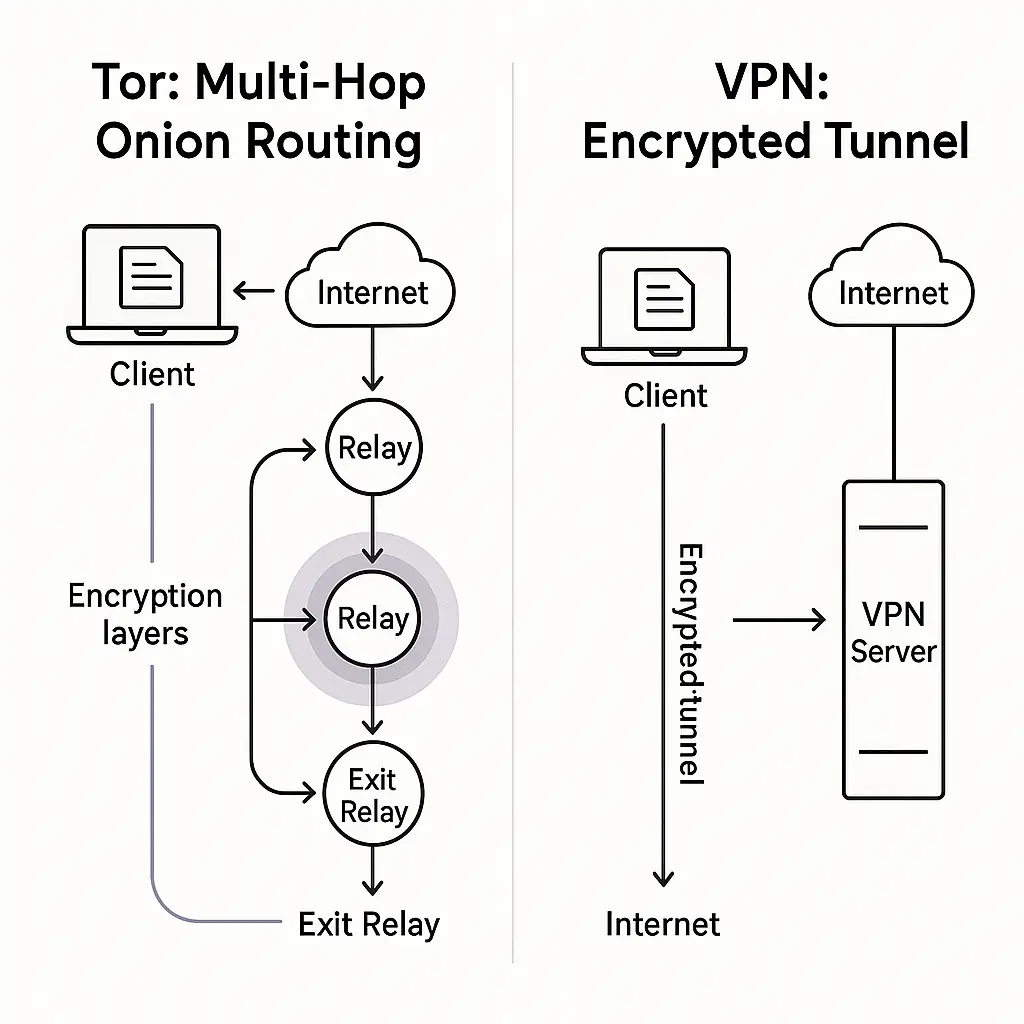
Specialized servers serve specific use cases. P2P servers allow torrenting. Obfuscated servers hide the fact that you're using a VPN, useful in countries that block VPN traffic. Double VPN servers route your traffic through two servers instead of one, adding a second layer of encryption. Onion over VPN routes traffic through the Tor network after exiting the VPN. These features are niche. Most people don't need them.
Server infrastructure changes. Providers add servers, retire servers, move servers between data centers. If you rely on a specific server location, check that it's still available before you subscribe.
Protocols: OpenVPN, WireGuard, and What They Actually Do
VPN protocols define how your device and the VPN server communicate. The protocol handles encryption, authentication, and data transmission. Different protocols offer different tradeoffs between speed, security, and compatibility.
OpenVPN is the industry standard. It's open source, audited extensively, and works on almost every platform. OpenVPN can run over TCP or UDP. TCP is slower but more reliable. UDP is faster but can drop packets. Most VPNs default to UDP and fall back to TCP if needed.
WireGuard is newer. It's faster than OpenVPN, uses less battery, and has a smaller codebase, around 4,000 lines of code compared to OpenVPN's 100,000. Smaller codebases are easier to audit and less likely to contain vulnerabilities. WireGuard is built into the Linux kernel as of version 5.6.
WireGuard's weakness is that it wasn't designed for commercial VPNs. It assigns static IP addresses to each connection, which can be used to identify users. VPN providers work around this with custom implementations that rotate IPs or assign dynamic addresses. If your VPN offers WireGuard, check how they handle IP assignment.
IKEv2/IPsec is common on mobile devices. It reconnects quickly when you switch networks, making it good for phones that move between WiFi and cellular. It's secure, but it's not open source. Some privacy advocates prefer open-source protocols.
L2TP/IPsec is older and slower. It's still supported by many VPNs for compatibility with legacy systems, but you shouldn't use it unless you have no other option.
PPTP is obsolete. It's fast but insecure. If a VPN still offers PPTP in 2026, that's a sign they haven't updated their infrastructure.
Some VPNs offer proprietary protocols. NordVPN has NordLynx (a WireGuard implementation). ExpressVPN has Lightway. Surfshark has Nexus. Proprietary protocols can be secure if they're audited, but you're trusting the provider's implementation.
Protocol choice affects performance. WireGuard is typically the fastest. OpenVPN UDP is close behind. IKEv2 is fast on mobile. OpenVPN TCP is slower but works through restrictive firewalls. Test different protocols to see which performs best on your network.
Multi-Hop and Obfuscation: When Standard VPN Features Aren't Enough
Most VPN connections route your traffic through one server. Multi-hop (also called double VPN) routes it through two. Your traffic is encrypted twice, and the exit server doesn't know your real IP, only the IP of the first server.
Multi-hop adds latency. Your data travels farther, so connections are slower. The security benefit is debatable. If you trust your VPN provider, one hop is enough. If you don't trust them, routing through two of their servers doesn't help. Multi-hop makes sense if you want to obscure your traffic pattern from the exit server or if you're routing through countries with different legal jurisdictions.
Obfuscation hides the fact that you're using a VPN. Some networks block VPN traffic by detecting VPN protocols. Obfuscated servers wrap your VPN traffic in a layer that looks like regular HTTPS traffic. This helps in countries like China, Iran, or Russia where VPNs are restricted.
Obfuscation isn't the same as Tor. Tor routes your traffic through multiple volunteer-run nodes and is designed for anonymity. VPN obfuscation just makes your VPN traffic look like non-VPN traffic. You're still trusting the VPN provider.
Stealth protocols are a related feature. Some VPNs offer protocols specifically designed to bypass deep packet inspection (DPI). These protocols mimic ordinary web traffic at the packet level. They're slower than standard protocols but harder to detect.
Onion over VPN routes your traffic through the VPN, then through the Tor network. This combines VPN encryption with Tor's anonymity, but it's extremely slow. Most people don't need this. If you're doing something that requires Tor, use Tor directly.
These features are niche. If you're traveling to a country that blocks VPNs, obfuscation matters. If you're worried about nation-state surveillance, multi-hop might help. For most use cases, a standard VPN connection is sufficient.
Split Tunneling: Routing Some Apps Through the VPN and Others Direct
Split tunneling lets you decide which apps use the VPN and which use your normal connection. You might route your browser through the VPN for privacy but exclude your banking app to avoid triggering fraud alerts. Or route torrenting through the VPN but exclude video streaming to reduce buffering.
Split tunneling is convenient, but it creates complexity. If you misconfigure it, sensitive apps might bypass the VPN when you expect them to be protected. If you enable split tunneling and forget about it, you might assume all your traffic is protected when it isn't.
Not all VPNs offer split tunneling. Some offer it on desktop but not mobile. Some offer it on Android but not iOS. The implementation varies. Some VPNs let you split by app. Others let you split by IP address or domain.
Split tunneling interacts with kill switches. If the VPN connection drops, does the kill switch block all traffic or just traffic from VPN-routed apps? The answer depends on the VPN client. Read the documentation.
Split tunneling is useful for accessing local network devices while connected to a VPN. If you're working from home and need to print to a local printer or access a NAS, you can exclude local network traffic from the VPN tunnel. Otherwise, your print jobs might fail because they're trying to route through a server in another country.
Some VPNs offer inverse split tunneling. Instead of choosing which apps go through the VPN, you choose which apps bypass it. Everything else routes through the VPN by default. This is safer if you want most traffic protected but need to exclude a few specific apps.
Split tunneling reduces VPN overhead. If you're streaming video or downloading large files that don't need privacy, excluding them from the VPN reduces server load and improves performance. But it also means those activities are visible to your ISP.
Split tunneling is a power-user feature. If you don't need it, don't enable it. If you do need it, configure it carefully and test that it's working as expected.
Simultaneous Connections: How Many Devices Can You Protect at Once
Most VPN subscriptions allow multiple simultaneous connections. Five is common. Some allow ten. Some allow unlimited. This matters if you want to protect your laptop, phone, tablet, and router at the same time.
Counting connections isn't straightforward. If you install the VPN on your router, every device that connects to that router uses the VPN, but it only counts as one connection to the VPN provider. Router installation is more complex but protects devices that can't run VPN clients directly, smart TVs, game consoles, IoT devices.
Some VPNs count connections per account. Others count per subscription. If you share a family plan, check whether each family member gets their own set of simultaneous connections or whether you're all sharing from the same pool.
Connection limits affect usability. If your VPN allows five connections and you regularly use six devices, you'll have to disconnect one device to connect another. Some VPNs let you manage active connections through a web dashboard. Others require you to disconnect manually from the device.
Unlimited connections sound appealing, but they come with performance tradeoffs. Providers that offer unlimited connections often have stricter bandwidth limits or throttle heavy users. Read the terms of service.
If you only need to protect one or two devices, connection limits don't matter. If you're securing an entire household, they do. Count your devices before you subscribe.
Customer Support: What Happens When Something Breaks
VPNs fail in predictable ways. The client won't connect. The connection drops repeatedly. Speeds are unusable. DNS leaks despite leak protection being enabled. Some of these problems are on your end. Some are on the provider's end. Either way, you need support.
Good VPN providers offer 24/7 live chat. You describe the problem, they troubleshoot, and you get back online. Bad providers offer email-only support with 24-48 hour response times. If your VPN stops working while you're traveling, waiting two days isn't acceptable.
Some providers offer chatbots that escalate to humans. Test the chatbot before you subscribe. Ask a technical question and see if you get a canned response or actual help. If the bot can't escalate, you're stuck.
Knowledge bases are useful for common problems. Check if the provider documents setup instructions for your operating system, troubleshooting steps for connection issues, and explanations of advanced features. A good knowledge base means you can solve simple problems yourself without waiting for support.
Community forums are hit or miss. Some VPN providers have active user communities where experienced users help newcomers. Others have ghost-town forums with unanswered questions. Forums are useful if you have an obscure problem that support hasn't seen before.
Refund policies matter. Most VPNs offer 30-day money-back guarantees. This gives you time to test the service, check for leaks, measure performance, and confirm that features work as advertised. If the provider doesn't offer refunds, that's a red flag.
Support quality correlates with price. Cheap VPNs often have minimal support. Expensive VPNs often have responsive, knowledgeable support teams. This isn't universal, but it's a pattern.
Pricing: What You're Actually Paying For
VPN pricing ranges from a few dollars per month to $15 or more. Longer subscriptions are cheaper per month but require more upfront payment. Monthly plans are expensive but let you cancel anytime.
Pricing correlates loosely with quality. Expensive VPNs aren't always better. Cheap VPNs aren't always worse. But free VPNs are almost always bad. Free VPNs make money by selling your data, injecting ads, or throttling speeds to push you toward paid plans.
Promotional pricing is common. A VPN might advertise $2.99/month, but that's the price if you pay for three years upfront. The monthly price is $12.99. Read the fine print.
Some VPNs charge extra for advanced features. Static IPs, dedicated servers, or port forwarding might cost extra. If you need those features, factor them into the total cost.
Renewal pricing is often higher than introductory pricing. You sign up for $3/month, but when your subscription renews, it's $8/month. Check the renewal price before you commit.
Payment methods affect privacy. Credit cards tie your identity to your VPN account. Cryptocurrency or cash by mail preserves anonymity but requires more effort. Some VPNs accept gift cards as a middle ground.
Bundled services can save money. Some VPN providers offer password managers, cloud storage, or ad blockers as part of the subscription. If you need those services anyway, a bundle might be cheaper than paying for each separately.
Pricing isn't the most important factor, but it's not irrelevant. A VPN that costs twice as much but offers marginal improvements might not be worth it. A VPN that costs half as much but leaks DNS queries isn't a bargain.
Jurisdiction and Legal Considerations: Where Your VPN Provider Operates
VPN providers operate under the laws of their country of incorporation. Some countries require data retention. Others allow warrantless surveillance. Others have strong privacy protections.
The Fourteen Eyes is an intelligence-sharing alliance. Fourteen countries (including the U.S., UK, Canada, Australia, and most of Europe) share surveillance data. Privacy-focused VPNs avoid incorporating in Fourteen Eyes countries. They choose Switzerland, Panama, the British Virgin Islands, or Romania instead.
Jurisdiction doesn't guarantee privacy. A VPN incorporated in a privacy-friendly country can still log your data if they choose to. A VPN incorporated in a Fourteen Eyes country can still have a legitimate no-logs policy. Jurisdiction is one factor, not the only factor.
Some countries have mandatory data retention laws. If the VPN operates servers in those countries, they might be required to log connection data for servers in that jurisdiction even if they don't log data for servers elsewhere. Check where the servers you use are physically located.
Legal requests vary by country. In the U.S., law enforcement can request data with a warrant. In some countries, they can request it without one. In others, they can compel providers to start logging specific users prospectively. No-logs policies protect against retroactive requests but not prospective ones.
Some VPNs publish transparency reports. These reports disclose how many legal requests they received, how many they complied with, and what data they provided. Mullvad, Proton, and IVPN publish transparency reports. Most VPNs don't.
Jurisdiction matters most if you're worried about government surveillance. If you're just trying to hide your browsing from your ISP or access geo-restricted content, jurisdiction is less critical.
Performance: Speed, Latency, and Reliability
VPNs slow down your connection. Your traffic travels farther, from your device to the VPN server, then to the destination. Encryption adds overhead. Server load affects throughput. The question isn't whether a VPN will slow you down. The question is how much.
Speed tests are useful but not definitive. Test your connection speed without a VPN. Connect to a nearby VPN server and test again. The difference tells you the overhead. Test multiple servers. Test at different times of day. Network conditions vary.
Latency matters for real-time applications. If you're video conferencing or gaming, latency (ping time) affects responsiveness. VPNs add latency because your traffic takes a longer path. Choose servers close to you or close to the service you're accessing.
WireGuard is typically faster than OpenVPN. If your VPN offers both, test them. On some networks, OpenVPN performs better. On others, WireGuard does. It depends on your device, your network, and the VPN server.
Bandwidth throttling is rare among reputable VPNs but common among free VPNs. If your speeds are consistently terrible, check whether the provider throttles free users or users on cheaper plans.
Server load affects performance. Overloaded servers are slow. Some VPN clients show server load percentages. Choose servers under 50% load if you care about speed.
Reliability matters as much as speed. A VPN that's fast but drops connections every ten minutes is unusable. Test reliability over several days. Connect, leave it running, and see if it stays connected.
Performance varies by location. A VPN that's fast in the U.S. might be slow in Asia if they have poor server coverage there. If you travel, test servers in the regions you'll visit.
Compatibility: What Devices and Operating Systems Are Supported
VPNs support Windows, macOS, iOS, and Android. That's table stakes. The differences are in how well they support each platform and what other platforms they cover.
Linux support varies. Some VPNs offer native Linux clients. Others require manual configuration through OpenVPN or WireGuard. If you use Linux, check whether the VPN offers a GUI client or just command-line tools.
Router support extends VPN protection to every device on your network. Some VPNs offer custom router firmware. Others provide configuration guides for popular routers like Asus, Netgear, or DD-WRT. Router setup is more complex but protects devices that can't run VPN clients.
Browser extensions are common but limited. A VPN browser extension only protects traffic from that browser. Other apps on your device use your normal connection. Extensions are convenient for quick access but not a substitute for a full VPN client.
Smart TV and streaming device support is inconsistent. Some VPNs offer apps for Fire TV, Apple TV, or Android TV. Others require you to install the VPN on your router or use a workaround like sharing a VPN connection from your laptop.
Game console support is rare. PlayStation and Xbox don't support VPN apps. You have to route them through a VPN-enabled router or share a VPN connection from a PC.
Simultaneous platform support matters if you use multiple devices. Check whether the VPN allows you to connect your laptop, phone, and tablet at the same time or whether you have to disconnect one to connect another.
Some VPNs offer different features on different platforms. The desktop client might have a kill switch, but the mobile app doesn't. The Android app might support split tunneling, but the iOS app doesn't. Check feature parity across the platforms you use.
Audits and Transparency: How to Verify What Providers Claim
VPN providers make claims about security, privacy, and logging. Independent audits verify those claims. A third-party security firm examines the provider's infrastructure, reviews code, tests for leaks, and confirms that no activity logs persist.
Some audits are public. The firm publishes a report detailing what they tested, what they found, and whether the provider's claims are accurate. Mozilla VPN publishes audit results. So do Mullvad, IVPN, and Proton VPN.
Other audits are private. The provider hires a firm, gets audited, and announces that they passed. They don't publish the report. Private audits are better than no audits, but they're less transparent.
Not all audits cover the same scope. Some audit the VPN client software. Others audit the server infrastructure. Others audit the no-logs policy. The most thorough audits cover all three.
Audit frequency matters. A one-time audit in 2020 doesn't tell you much about the provider's security in 2026. Providers that take security seriously get audited regularly, annually or every two years.
Open-source clients are more transparent than closed-source clients. Anyone can review the code, look for vulnerabilities, and verify that the client does what the provider claims. WireGuard is open source. OpenVPN is open source. Proprietary VPN protocols are not.
Transparency reports disclose legal requests. They tell you how many government agencies asked for data, how many requests the provider complied with, and what data they provided. Transparency reports are rare. Most VPNs don't publish them.
Canary statements are cryptographic proofs that the provider hasn't received a gag order. Some countries prohibit companies from disclosing certain types of legal requests. A canary statement is a regularly updated message that says "we have not received a gag order." If the statement stops updating, you can infer that they received one. Canaries are controversial and legally ambiguous.
In The Good Place, Chidi spends an eternity agonizing over which frozen yogurt flavor to choose
He's paralyzed by the fear of making the wrong decision. VPN shopping can feel the same way. Dozens of features, conflicting advice, marketing claims that all sound identical.
Here's the thing: most reputable VPNs are good enough. The differences between the top five or ten providers are smaller than the differences between any of them and a bad VPN. If you focus on the features that matter, strong encryption, a verified no-logs policy, a working kill switch, good server coverage, and responsive support, you'll be fine.
The wrong decision isn't choosing NordVPN over ExpressVPN or WireGuard over OpenVPN. The wrong decision is choosing a free VPN that logs your activity, or a cheap VPN that leaks DNS queries, or skipping a VPN entirely when you're working from a coffee shop on public WiFi.
Start with the basics. Pick a VPN that uses AES-256 encryption, offers OpenVPN or WireGuard, has a verified no-logs policy, and includes a kill switch. Test it for a week. Check for DNS leaks. Measure performance. If it works for your use case, you're done. If it doesn't, you have 30 days to get a refund and try another one.
The features in this guide give you the framework to evaluate VPNs on what matters. You don't need every feature. You need the features that protect you in the situations where you'll actually use a VPN. Figure out what those situations are, match them to the features that matter, and choose accordingly.
And if you're still stuck between two options, flip a coin. Either one is probably fine.