Why Legitimate Emails Sometimes Look Like Phishing
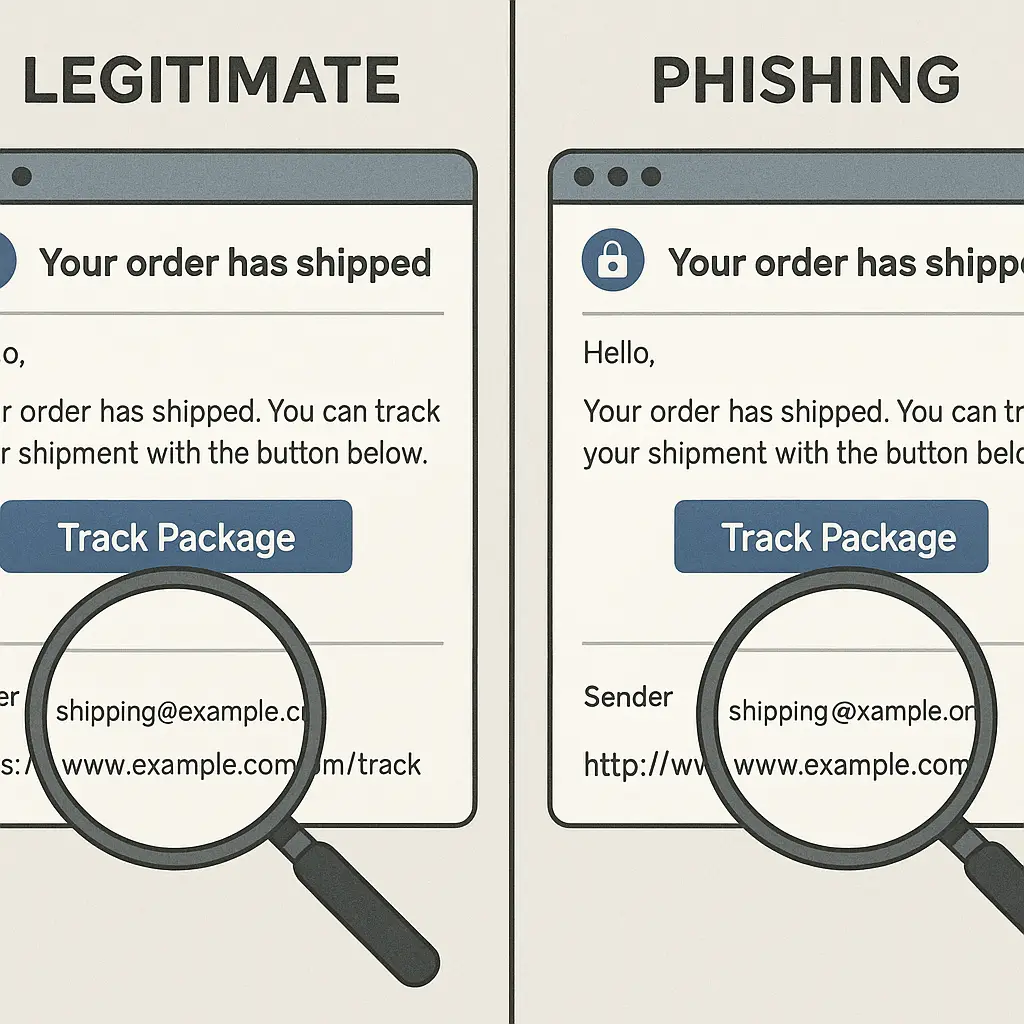
Your bank sends an email about suspicious activity. The subject line screams urgency. The sender address ends in a domain you don't recognize. The message uses a generic greeting. Every phishing warning you've internalized fires at once.
You hover over the link. It points to a subdomain that looks wrong. You check the sender again. The display name says "Chase Security Alert" but the actual address is something like no-reply@alerts.chase-services.com. Or maybe notifications@em.bankofamerica.com. Or security@mail.wellsfargo.net.
You're stuck. Click and you might hand credentials to an attacker. Ignore it and you might miss a real fraud alert that requires immediate action.
This isn't a failure of your judgment. It's a collision between security advice that tells you to distrust everything and business practices that make legitimate emails look exactly like the threats you're trained to avoid.
The mechanism behind the confusion
Email authentication was never designed for the way companies actually send messages in 2026.
When you receive an email, your mail client shows you a display name and an address. The display name is cosmetic. Anyone can set it to anything. The address underneath determines where replies go and whether the message passes authentication checks.
Most large organizations don't send email directly from their primary domain. They use third-party services like SendGrid, Mailchimp, Amazon SES, or specialized platforms for billing, shipping notifications, fraud alerts, and marketing. These services send from their own domains or subdomains configured by the company.
The result is an email that says it's from Chase but arrives from @alerts.chase-services.com, or an Amazon shipping notification from @shipment-tracking.amazon.com, or a PayPal receipt from @email.paypal.com.
SPF, DKIM, and DMARC are authentication protocols that verify the sender's domain is authorized to send on behalf of the company. When properly configured, these protocols confirm the email came from a legitimate source. But they don't solve the human problem: you still see an unfamiliar domain in the sender field.
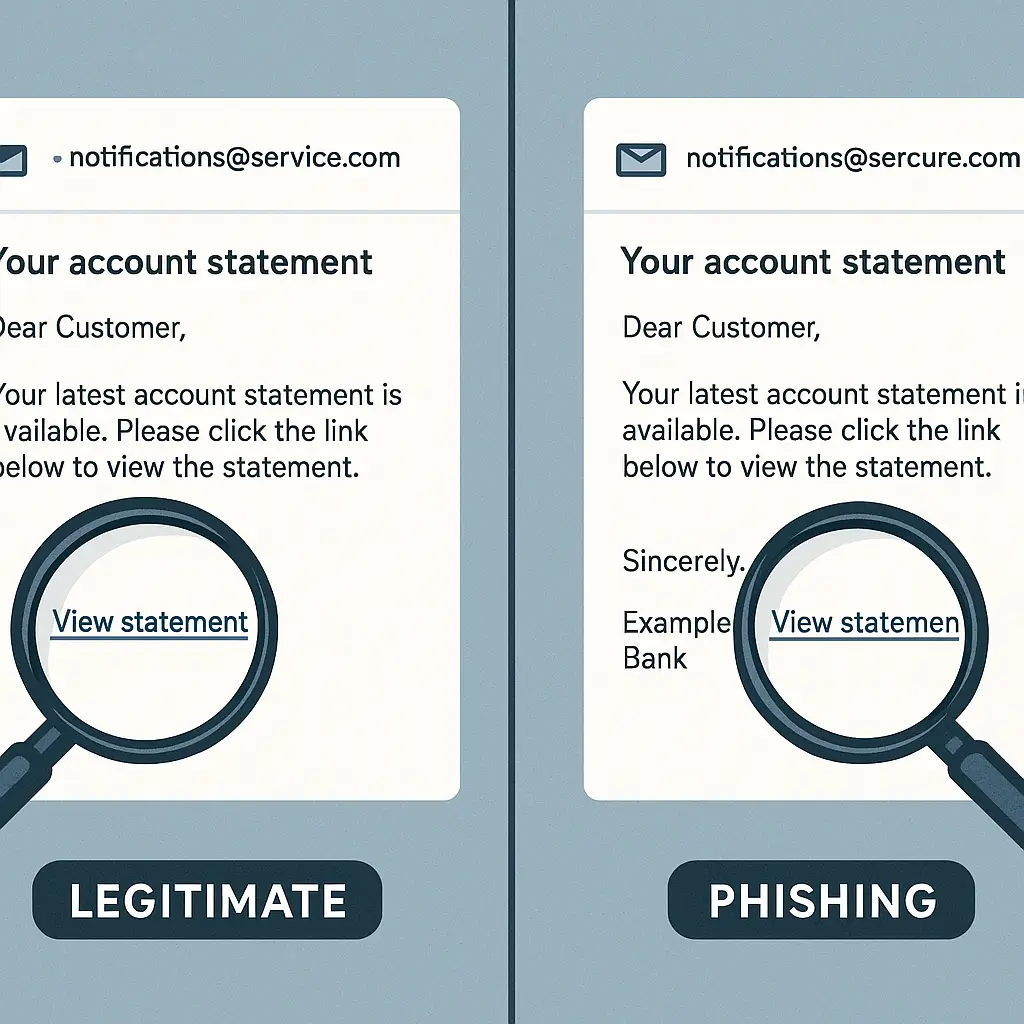
Phishing emails exploit this exact confusion. Attackers register domains like chase-security-alert.com or amazon-shipment.net that look plausible at first glance. They send from addresses like security@chase-security-alert.com that pass casual inspection. The display name says "Chase Bank" or "Amazon Customer Service" and most people never look deeper.
The legitimate email from @alerts.chase-services.com and the phishing email from @chase-security-alert.com look functionally identical in your inbox. Both use urgent language. Both ask you to click a link. Both feel wrong.
Why companies make this worse
Organizations know their emails look like phishing. They send them anyway because the alternative is expensive, complex, or breaks existing workflows.
Third-party email services handle deliverability, bounce management, unsubscribe compliance, and spam filtering at scale. Building and maintaining that infrastructure internally costs more than most companies want to spend. Outsourcing means accepting that your fraud alerts will arrive from @em.bankname.com instead of @bankname.com.
Marketing departments use different platforms than billing systems, which use different platforms than customer support. Each platform sends from its own domain or subdomain. Your relationship with one company might generate emails from four different sender addresses across a month.
Some companies configure custom subdomains that look more legitimate, alerts.chase.com instead of alerts.chase-services.com. But many don't. The cost and technical complexity of DNS configuration, SSL certificates, and ongoing maintenance means smaller organizations stick with whatever their email service provider offers by default.
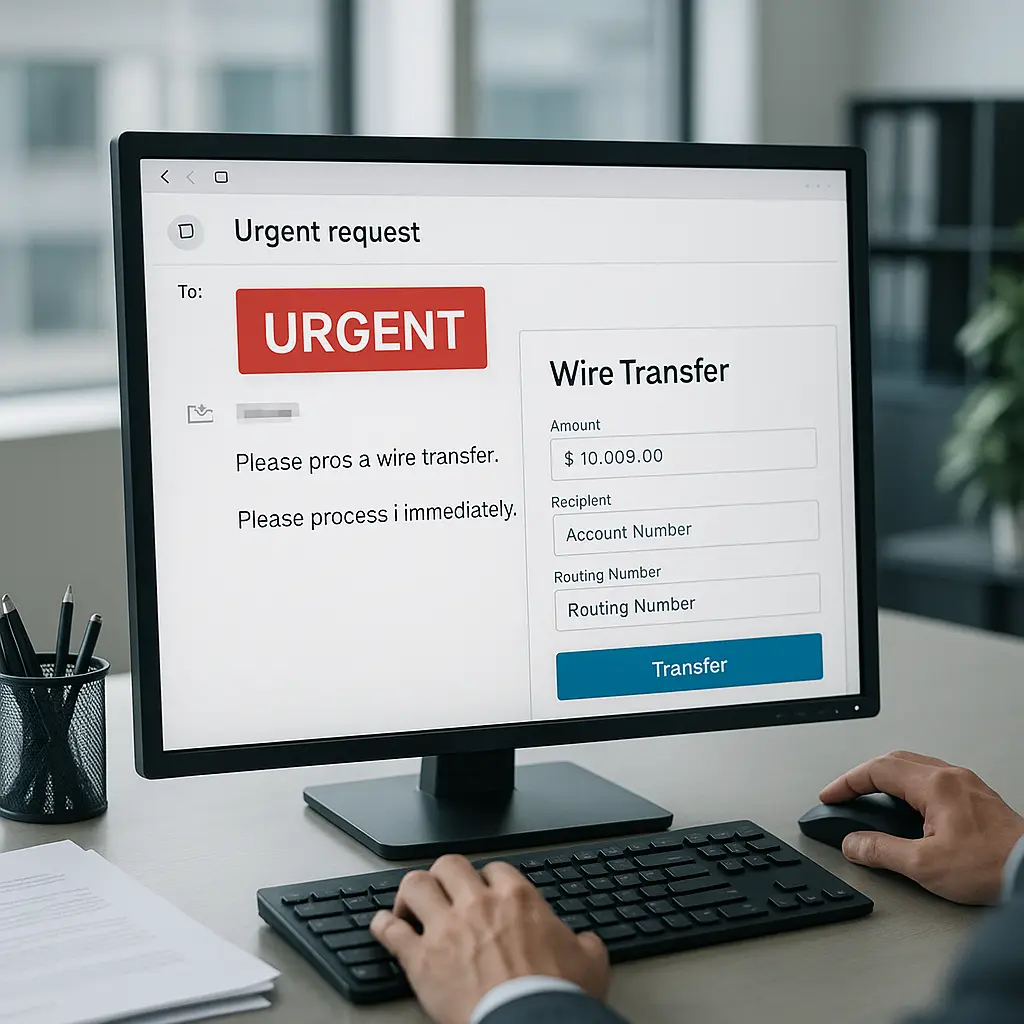
Urgency language isn't always manipulation. Fraud alerts, password reset confirmations, and account lockout notifications are time-sensitive by nature. A legitimate message about suspicious activity on your account needs to convey urgency because waiting three days to respond could mean thousands in unauthorized charges.
Generic greetings happen because personalization systems fail, databases don't sync, or the email template predates current best practices. A message that says "Dear Customer" instead of "Dear Margot" might be phishing. Or it might be a legitimate notification from a system that doesn't have access to your name field.
The FTC warns about phishing using the exact characteristics that appear in real emails: urgent language, unfamiliar sender domains, requests to click links, and generic greetings. The advice is correct. The problem is legitimate senders use the same patterns.
What actually separates real from fake
Domain inspection is your first filter. The sender address matters more than the display name.
Hover over the sender's email address. Look at the actual domain after the @ symbol. If the email claims to be from Chase, the domain should contain chase.com. Subdomains like alerts.chase.com or email.chase.com are common and usually legitimate. Completely different domains like chase-security.com or chase-alerts.net are red flags.
Phishing domains often use the company name as a prefix or embed it in a longer string: chase-verify.com, secure-amazon-login.net, paypal-resolution-center.com. Legitimate companies use their primary domain with subdomains: verify.chase.com, login.amazon.com, resolution.paypal.com.
This isn't foolproof. Attackers register domains that look close: chaase.com, arnazon.com, paypa1.com (with a number one instead of the letter L). You need to look carefully at every character.
Link destinations reveal more than sender addresses. Hover over any link in the email without clicking. Your browser or email client will show you where the link actually points. If the email claims to be from your bank but the link goes to secure-login-bankofamerica.net, that's phishing. If it goes to signin.bankofamerica.com, it's probably real.
Phishing links often use URL shorteners (bit.ly, tinyurl.com) or long strings of random characters. Legitimate companies sometimes use tracking parameters that make URLs look messy, but the core domain should match the company's official site.
When in doubt, don't click. Open a browser, type the company's URL yourself, and log into your account. If the email is real, you'll see the same alert, notification, or message in your account dashboard. If it's phishing, you've just avoided handing over your credentials.
Contact verification works when the stakes are high. If an email claims your account is locked, your payment failed, or fraud was detected, call the company using the number on their official website, not a number in the email. Ask if they sent the message. This takes three minutes and eliminates ambiguity.
The cultural reference that fits
In Star Trek: The Next Generation, the Enterprise encounters species that communicate entirely through metaphor and historical reference. "Darmok and Jalad at Tanagra" means cooperation. "Shaka, when the walls fell" means failure. The Tamarians can't communicate directly, they can only point to shared stories and hope the other side recognizes the pattern.
Email authentication is the same problem from the opposite direction. We've built a system where legitimate messages and phishing attempts use identical patterns. You can't trust what an email says about itself. You can only compare it to known patterns and hope you recognize which story it's telling.
The Tamarians eventually learn to communicate by building new shared references. We're stuck with email infrastructure designed in the 1980s, retrofitted with authentication protocols in the 2000s, and exploited by attackers who understand the gap between technical verification and human recognition.
The solution isn't better pattern matching. It's stepping outside the email entirely and verifying through a separate channel.
What companies could do but mostly don't
Some organizations make verification easier. They publish their legitimate sender domains on their website. Chase lists authorized email addresses at chase.com/digital/resources/email-from-chase. Amazon maintains a page explaining its notification emails and how to verify them.
Most companies don't do this. Finding legitimate sender information requires digging through help documentation, calling customer service, or searching support forums where other users ask the same question.
Consistent branding helps. If every email from your bank uses the same sender domain, the same footer, and the same security reminders, you learn to recognize the pattern. When something breaks that pattern, you notice. But consistency requires coordination across departments, platforms, and vendors that many organizations can't or won't enforce.
Some companies embed account-specific information in emails to prove legitimacy. A message that includes the last four digits of your account number, your recent transaction history, or your registered phone number is harder to fake than a generic alert. Attackers can't include details they don't have access to.
But account-specific details create privacy risks. An email that displays your account balance or recent purchases could expose sensitive information if intercepted, forwarded, or viewed by someone else with access to your inbox. Companies balance verification against privacy and usually err toward generic messages.
Passkeys and hardware tokens bypass email verification entirely. Instead of clicking a link to confirm your identity, you authenticate using a physical device or biometric sensor. This eliminates phishing because there's no credential to steal. Adoption is growing but still limited to specific platforms and use cases.
What you can control right now
Build verification habits that don't depend on recognizing phishing patterns.
Never click links in unexpected emails, even if they look legitimate. Open a browser, navigate to the company's website, and log in directly. This works for banks, retailers, utilities, shipping notifications, and any service that sends account alerts.
If an email claims urgency, account locked, payment failed, suspicious activity detected, verify through the company's app or website before taking action. Real emergencies will still be there when you log in through a trusted channel. Fake emergencies disappear when you bypass the phishing link.
Use unique passwords for every account. When credentials leak, attackers test them across hundreds of sites looking for reuse. A password manager generates and stores unique passwords so one breach doesn't cascade into account takeovers across your entire digital life. EFF's guide to password managers walks through options and setup.
Enable two-factor authentication on accounts that matter. Email, banking, social media, cloud storage, and work accounts should all require a second factor beyond your password. Authenticator apps are stronger than SMS codes. Hardware keys are stronger than authenticator apps. CISA's multi-factor authentication guide explains the options and how to set them up.
Report phishing to your email provider and the company being impersonated. Gmail, Outlook, and Apple Mail all have built-in reporting tools. The FTC accepts phishing reports that feed into enforcement actions. Reporting doesn't help you directly, but it helps identify campaigns before they reach more people.
Why this won't get better soon
Email is too entrenched to replace and too broken to fix completely.
The protocols that authenticate email, SPF, DKIM, DMARC, verify technical legitimacy but don't solve human recognition problems. An email from @alerts.chase-services.com passes authentication because Chase configured that domain. You still don't know if it's real because the domain doesn't match your mental model of what a Chase email should look like.
Companies won't abandon third-party email services because building internal infrastructure costs more than the phishing confusion is worth to them. The risk falls on you, not on the organization sending confusing emails.
Phishing evolves faster than defenses. Attackers study legitimate email patterns, register convincing domains, and craft messages that exploit the exact ambiguity created by real business practices. When companies change their email infrastructure, attackers adapt within weeks.
Better email alternatives exist. Encrypted messaging apps, in-app notifications, and authenticated push alerts all solve the verification problem by removing email from the loop entirely. But migration is slow, adoption is uneven, and most organizations stick with email because everyone already has it.
The gap between security advice and business reality isn't closing. You're told to distrust urgent emails from unfamiliar domains, but legitimate companies send exactly those messages daily. The solution isn't better pattern recognition. It's building habits that verify through separate channels and never trusting what an email says about itself.
The verification method that actually works
When an email triggers your phishing instincts, assume it's fake until proven otherwise.
Don't click links. Don't call numbers in the message. Don't reply. Open a browser, navigate to the company's official website, and log into your account. If the alert is real, you'll see it there.
If you can't verify through the website, call the company using a number you find yourself, not one provided in the email. Ask if they sent the message. Explain what it said. They'll tell you if it's legitimate or if you just caught a phishing attempt.
This takes longer than clicking the link. It's also the only method that consistently works when legitimate emails look exactly like phishing.
The confusion isn't your fault. It's a structural problem created by outdated infrastructure, conflicting business incentives, and attackers who exploit the gap. You can't fix email. You can build habits that protect you anyway.