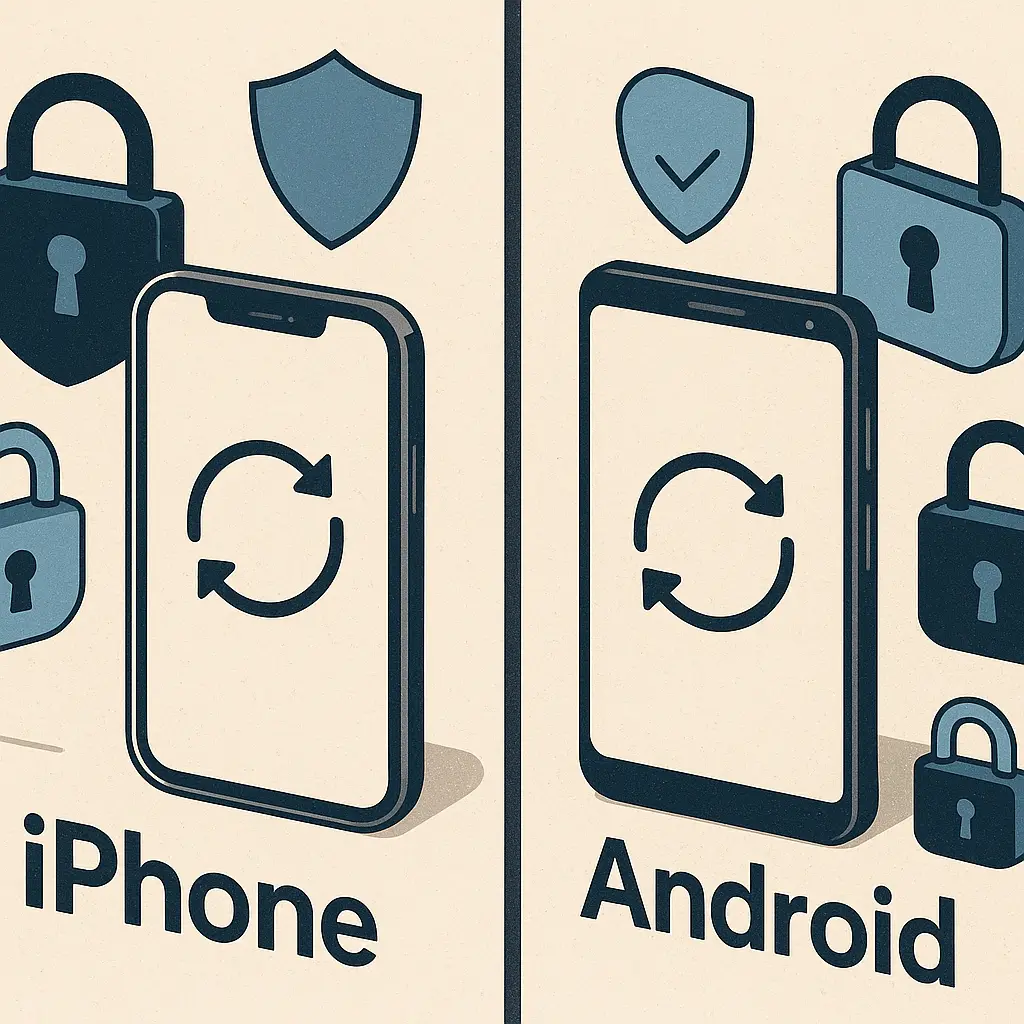
iPhone vs Android: which platform actually protects you better
The iPhone versus Android security debate has been running since 2008, and the answer is still the same: it depends on what you mean by security, and what you're willing to manage yourself.
Both platforms protect you from real threats. Both have been breached. Both require you to make choices that affect your safety. The difference is in how much control you get, how much you have to configure, and where the failure points sit.
Here's how the two platforms compare on the security mechanisms that actually matter in 2026.
Operating system updates and patch delivery
Security updates fix vulnerabilities before attackers can exploit them. The faster a patch reaches your phone, the smaller the window for exploitation. This is where the platforms diverge most sharply.
Apple controls the entire stack. One company designs the chip, writes the operating system, and manufactures the hardware. When a vulnerability appears, Apple ships a patch to every supported iPhone on the same day. No carrier approval. No manufacturer delays. If your iPhone is less than around six years old, you get the update within hours of release.
CISA's mobile device security guidance emphasizes automatic updates as the single most important setting you can enable. iPhones make this the default. You don't configure it. You don't think about it. It happens.
Android is a different architecture. Google writes the operating system. Qualcomm or MediaTek makes the chip. Samsung, Motorola, OnePlus, or another manufacturer builds the phone and adds their own software layer. When a vulnerability appears, Google releases a patch to the Android Open Source Project. Then the chipmaker adapts it. Then the phone manufacturer integrates it with their customizations. Then, in some markets, the carrier tests it before pushing it to your device.
That process can take weeks or months. Some phones never get the patch at all.
Google Pixel phones bypass most of this. Google controls the hardware and software, so Pixels get updates on the same schedule as iPhones. Samsung has improved dramatically in recent years, committing to five years of security updates for flagship models and delivering monthly patches with reasonable consistency. But the majority of Android phones, budget models, older flagships, devices from smaller manufacturers, get updates slowly or not at all.
The practical result: if you buy an iPhone, you get roughly six years of security patches delivered the day they're released. If you buy a Pixel or recent Samsung flagship, you get around five years with minimal delay. If you buy anything else, you're rolling the dice.
App store review and malware prevalence
Malware gets onto phones through apps. The question is how much screening happens before an app reaches your device.
Apple's App Store uses human review and automated scanning. Every app submission goes through a manual check before approval. Apps can't access certain system functions. They can't install code from outside the App Store. They can't request permissions Apple considers too invasive. The review process is opaque, inconsistent, and occasionally lets scams through, but it works as a filter.
Android's Play Store uses automated scanning with Google Play Protect, which checks apps at install time and periodically afterward. The process is faster and less restrictive than Apple's, which means more apps get through, including some that shouldn't. But the bigger issue is sideloading. Android allows you to install apps from outside the Play Store. That's a feature if you want control. It's a vulnerability if you don't understand what you're installing.
CISA's mobile communications best practices recommend disabling app installation from unknown sources unless you have a specific reason to enable it. On Android, that setting exists because sideloading is possible. On iPhone, it's not an option outside of developer mode, which requires deliberate configuration.
The malware numbers reflect this. Research from security firms consistently shows Android devices encountering malware at rates 15 to 50 times higher than iPhones, depending on the study and the year. Most of that malware comes from apps installed outside the Play Store. Some comes from malicious apps that slip through Play Protect. A small amount comes from zero-day exploits targeting the operating system itself, which affect both platforms.
If you stick to the Play Store, keep Play Protect enabled, and avoid sideloading, your Android malware risk drops significantly. But it doesn't disappear. The App Store's tighter restrictions make malware rarer on iPhones, though not impossible.
Encryption and data protection at rest
Both platforms encrypt data stored on the device. The mechanisms differ, but the outcome is similar: if someone steals your phone and doesn't have your passcode, they can't read your files.
iPhones use hardware-based encryption tied to the Secure Enclave, a dedicated chip that stores encryption keys separately from the main processor. When you set a passcode, the Secure Enclave generates a key that encrypts everything on the device. The key never leaves the chip. Even if an attacker extracts the storage, they can't decrypt it without the passcode and the Secure Enclave's cooperation, which is designed to resist brute-force attempts.
Android phones running version 10 or later use file-based encryption by default, with keys stored in a hardware-backed keystore on devices that support it. Pixel phones and recent Samsung flagships have dedicated security chips similar to Apple's Secure Enclave. Budget Android phones may rely on software-based keystores, which are less resistant to sophisticated attacks, but still effective against casual theft.
In practice, both platforms protect your data if you use a strong passcode and enable encryption (which is default on modern devices). The difference is in edge cases: targeted attacks by well-resourced adversaries, or situations where the phone is seized and subjected to forensic tools. iPhones have a slight edge here due to the Secure Enclave's maturity and Apple's tighter control over hardware, but for most users, the gap is narrow.
App permissions and privacy controls
Apps request permissions to access your camera, microphone, location, contacts, and other data. Both platforms let you grant or deny those requests. The difference is in how much visibility and control you get.
iPhones show a prompt the first time an app requests a permission. You can allow it once, allow it while using the app, or deny it entirely. iOS also shows indicators when an app is using your camera or microphone, an orange dot for the microphone, a green dot for the camera. You can review and revoke permissions in Settings at any time. iOS 15 introduced App Privacy Reports, which show you which apps have accessed sensitive data and when.
Android has similar permission prompts and the ability to revoke permissions after granting them. Recent versions added indicators for camera and microphone use, matching iOS. Android 12 introduced a Privacy Dashboard that shows permission usage over time. The controls are comparable to iOS in functionality, but the interface is less consistent across manufacturers. Samsung's One UI, Google's Pixel interface, and other Android skins present permissions differently, which can make the settings harder to find.
Both platforms now require apps to display privacy labels that describe what data they collect. Apple enforces this in the App Store. Google enforces it in the Play Store. The labels are self-reported by developers, so they're not perfectly reliable, but they give you a starting point.
The practical difference: iPhones make privacy controls slightly more visible and consistent. Android gives you the same controls, but you may have to hunt for them depending on your phone's manufacturer.
Lockdown Mode and advanced threat protection
Some users face threats beyond the general consumer threat model. Journalists, activists, executives, and others targeted by sophisticated attackers need protections that go beyond default settings.
Apple introduced Lockdown Mode in iOS 16. When enabled, it disables several features attackers commonly exploit: message attachment previews, link previews, FaceTime calls from unknown contacts, wired connections to computers while locked, and certain web technologies in Safari. It's a blunt instrument. It breaks some legitimate functionality. But it significantly reduces attack surface for users who need it.
Android doesn't have a direct equivalent. Google offers Advanced Protection Program for high-risk users, which requires hardware security keys for account login and restricts app installation to the Play Store, but it's focused on account security rather than device hardening. Some Android manufacturers offer secure folders or work profiles that isolate sensitive data, but these aren't designed for the same threat model as Lockdown Mode.
If you're a high-risk user, the iPhone's Lockdown Mode is a meaningful advantage. If you're not, you'll never need it.
The cultural reference that fits here
In Sex and the City, Carrie Bradshaw spends six seasons choosing between two kinds of relationships: the stable, predictable ones that require less work, and the exciting, complicated ones that demand constant attention. She eventually realizes neither is objectively better. The question is which tradeoffs she's willing to live with.
The same logic applies here. iPhones are the stable choice. They handle security for you, make fewer demands on your attention, and constrain your options in ways that reduce risk. Android is the complicated choice. It gives you more control, more flexibility, and more responsibility to configure things correctly.
Neither is objectively more secure. The question is which tradeoffs you're willing to live with.
Manufacturer support and hardware diversity
Apple makes around 10 iPhone models at any given time. Every one gets the same operating system, the same updates, and the same security features. If you buy an iPhone, you know what you're getting.
Android runs on thousands of models from dozens of manufacturers. A Pixel, a Samsung Galaxy S26, a OnePlus 13, and a $150 budget phone from a brand you've never heard of all run Android, but their security profiles are wildly different. The Pixel gets updates directly from Google. The Samsung gets updates from Samsung's security team. The budget phone might get one update in its lifetime, or none.
NIST's guidelines for mobile device security emphasize choosing devices from manufacturers with strong update track records. For Android, that means Pixel or Samsung flagships. For iPhone, it means any current model.
If you're comparing an iPhone to a Pixel or recent Samsung flagship, the security gap is narrow. If you're comparing an iPhone to a budget Android phone, the gap is a canyon.
Biometric authentication and device unlock
Both platforms support fingerprint and face recognition for unlocking the device. The implementations differ in security and convenience.
iPhones with Face ID use a dedicated infrared sensor array that maps your face in three dimensions. The system is designed to resist spoofing with photos, masks, or video. The facial data never leaves the device and is stored in the Secure Enclave. Face ID works in the dark, adjusts to changes in your appearance (glasses, hats, beards), and falls back to a passcode if it fails multiple times.
iPhones with Touch ID use a capacitive fingerprint sensor embedded in the home button or power button. The fingerprint data is also stored in the Secure Enclave and never transmitted off the device.
Android phones use a mix of biometric technologies depending on the manufacturer. High-end models use ultrasonic or optical fingerprint sensors embedded under the screen, or 3D face recognition similar to Face ID. Budget models use basic 2D face recognition that can be fooled with a photo, or rear-mounted fingerprint sensors. The security varies widely.
Google's Android documentation requires biometric authentication to meet certain standards before it can replace a passcode for sensitive operations, but enforcement is inconsistent. Some Android phones allow you to unlock with face recognition that wouldn't pass Apple's requirements.
The practical result: iPhones offer more consistent biometric security across all models. Android's biometric security depends on which phone you buy.
Cloud backup and data recovery
Both platforms back up your data to the cloud. Both encrypt the backup. The question is who holds the keys.
iCloud backups are encrypted in transit and at rest, but Apple holds the encryption keys. That means Apple can decrypt your backup if compelled by law enforcement, or if you lose access to your account and need Apple's help recovering it. Apple introduced Advanced Data Protection in 2023, which gives you the option to use end-to-end encryption for iCloud backups, meaning Apple can't decrypt them. But it's opt-in, not default, and if you enable it and lose access to your account, your data is gone.
Google Drive backups for Android are also encrypted, with Google holding the keys by default. Google doesn't offer an end-to-end encrypted backup option for Android at the platform level, though some third-party apps provide it for specific data types.
If you want a backup you can recover without the platform vendor's help, and that the vendor can't access, you'll need to use a third-party solution on either platform. If you're comfortable with the vendor holding the keys in exchange for easier recovery, both platforms work similarly.
The comparison on specific criteria
Here's how the platforms compare on the security factors that matter most:
Update speed and longevity: iPhone wins. Every model gets updates for around six years, delivered the same day worldwide. Android Pixels and Samsung flagships come close, but most Android phones lag far behind.
Malware risk: iPhone wins. Tighter app review and no sideloading mean fewer opportunities for malicious apps to reach your device. Android's malware rate is higher, especially outside the Play Store.
Encryption at rest: Tie. Both platforms encrypt your data by default on modern devices. iPhones have a slight edge in hardware security chip maturity, but the practical difference is small.
Privacy controls: Slight edge to iPhone. Both platforms offer similar permissions and privacy dashboards, but iPhone's interface is more consistent and visible.
Advanced threat protection: iPhone wins. Lockdown Mode provides meaningful protection for high-risk users. Android has no equivalent.
Flexibility and control: Android wins. You can sideload apps, use third-party app stores, customize the interface, and access system settings iPhones don't expose. That flexibility increases risk if misused, but it's there if you want it.
Manufacturer diversity: iPhone wins for consistency. Android wins for choice, but that choice includes many insecure options.
What to do if you already own one or the other
If you have an iPhone, enable automatic updates in Settings > General > Software Update. Use a strong passcode (at least six digits, ideally alphanumeric). Enable Find My iPhone. Review app permissions periodically in Settings > Privacy & Security. If you're a high-risk user, consider enabling Lockdown Mode. If you want end-to-end encrypted backups, enable Advanced Data Protection in Settings > [your name] > iCloud > Advanced Data Protection, but understand you'll lose access to your data if you lose your recovery key.
If you have an Android phone, enable automatic updates in Settings > System > System update (the exact path varies by manufacturer). Use a strong passcode or passphrase. Enable Find My Device. Disable installation from unknown sources in Settings > Security (or Settings > Apps, depending on your device). Stick to the Play Store. Review app permissions in Settings > Privacy. If your phone is more than three years old and no longer receiving updates, consider replacing it with a Pixel or Samsung flagship.
Both platforms benefit from the same basic practices: don't click suspicious links, don't install apps you don't trust, use two-factor authentication on important accounts, and keep your operating system current. The platform matters, but your behavior matters more.
The decision framework
Choose an iPhone if you want security handled for you with minimal configuration, if you value consistency across devices, or if you're a high-risk user who needs Lockdown Mode. Choose an iPhone if you don't want to think about which manufacturer provides good updates or which settings to enable. The tradeoff is less control and a higher upfront cost.
Choose an Android phone, specifically a Pixel or recent Samsung flagship, if you want more flexibility, if you're comfortable managing settings yourself, or if you need features Apple doesn't offer. The tradeoff is more responsibility to configure things correctly and a higher risk of making a security mistake.
Avoid budget Android phones if security is a priority. The savings aren't worth the lack of updates and inconsistent security features.
The gap between a current iPhone and a Pixel or Samsung flagship is narrower than the gap between either of those and a budget Android phone. If you're comparing the best of both platforms, the choice comes down to how much you want to manage yourself versus how much you want the platform to manage for you.
Security isn't a single score. It's a collection of mechanisms, tradeoffs, and decisions. Both platforms protect you if you configure them correctly. Both expose you if you don't. The question is which set of tradeoffs fits your life.