Have I Been Pwned: How to Use It to Check Your Accounts
You get an email from a company you barely remember using. There's been a data breach. Your account was affected. The email is vague about what got stolen and unhelpful about what happens next.
This scenario repeats across millions of inboxes every year. Companies disclose breaches months after they happen. Notification emails arrive long after attackers have moved your data through criminal markets. By the time you read the message, your credentials might already be circulating in credential-stuffing tools or sold to the highest bidder.
Have I Been Pwned solves a specific problem: it tells you which breaches exposed your data, what information leaked, and when it happened. The service aggregates breach data from hundreds of incidents and lets you search by email, phone number, or password. It's free. It's fast. And it's the most practical way to check your exposure without waiting for companies to tell you.
Here's how to use it, what each result means, and what to do next.
What Have I Been Pwned Actually Does
Have I Been Pwned is a breach notification service created by security researcher Troy Hunt in 2013. The site collects data from publicly disclosed breaches, verifies the datasets, and indexes them in a searchable database. When you enter your email address, the service checks whether that address appears in any known breach. If it does, you see a list of incidents, dates, and what types of data were compromised.
The service doesn't store passwords in plaintext. For password searches, it uses a technique called k-anonymity: you enter your password, the site hashes it locally in your browser, sends only the first five characters of the hash to the server, and compares the rest against a database of leaked password hashes. The server never sees your actual password. This method protects your input while still checking against billions of compromised credentials.
Have I Been Pwned covers breaches that meet specific criteria. The breach must be publicly disclosed or verifiable through independent sources. The dataset must contain email addresses or other identifiable information. And the data must be accessible enough that it poses real risk to affected users. This means the service doesn't list every possible data leak, but it does cover the incidents most likely to affect you.
The site is widely used by security professionals, IT departments, and individuals checking their own exposure. NIST references breach notification services as part of password hygiene guidance. CISA recommends checking for compromised credentials as part of account security practices. Have I Been Pwned has become the de facto standard for this kind of check because it's transparent, well-maintained, and doesn't monetize your searches.
How to Check Your Email Address
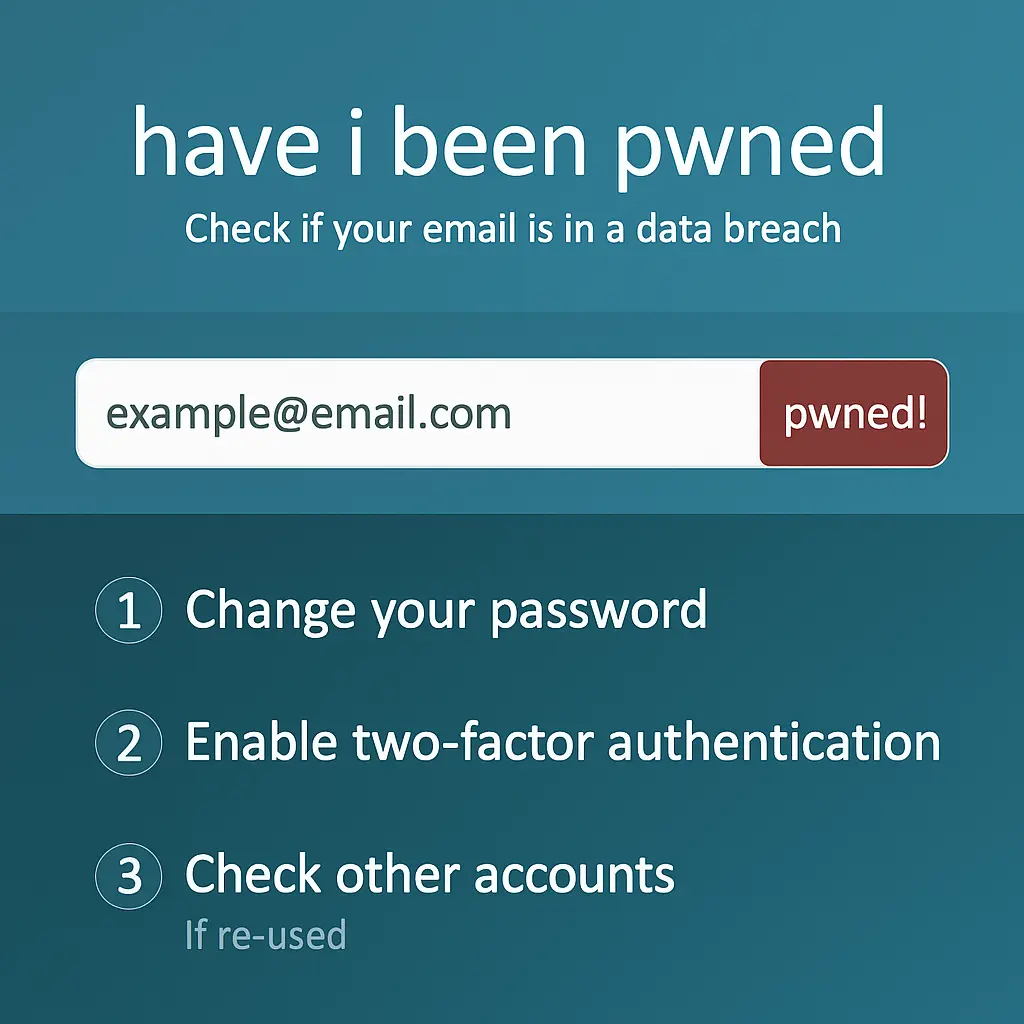
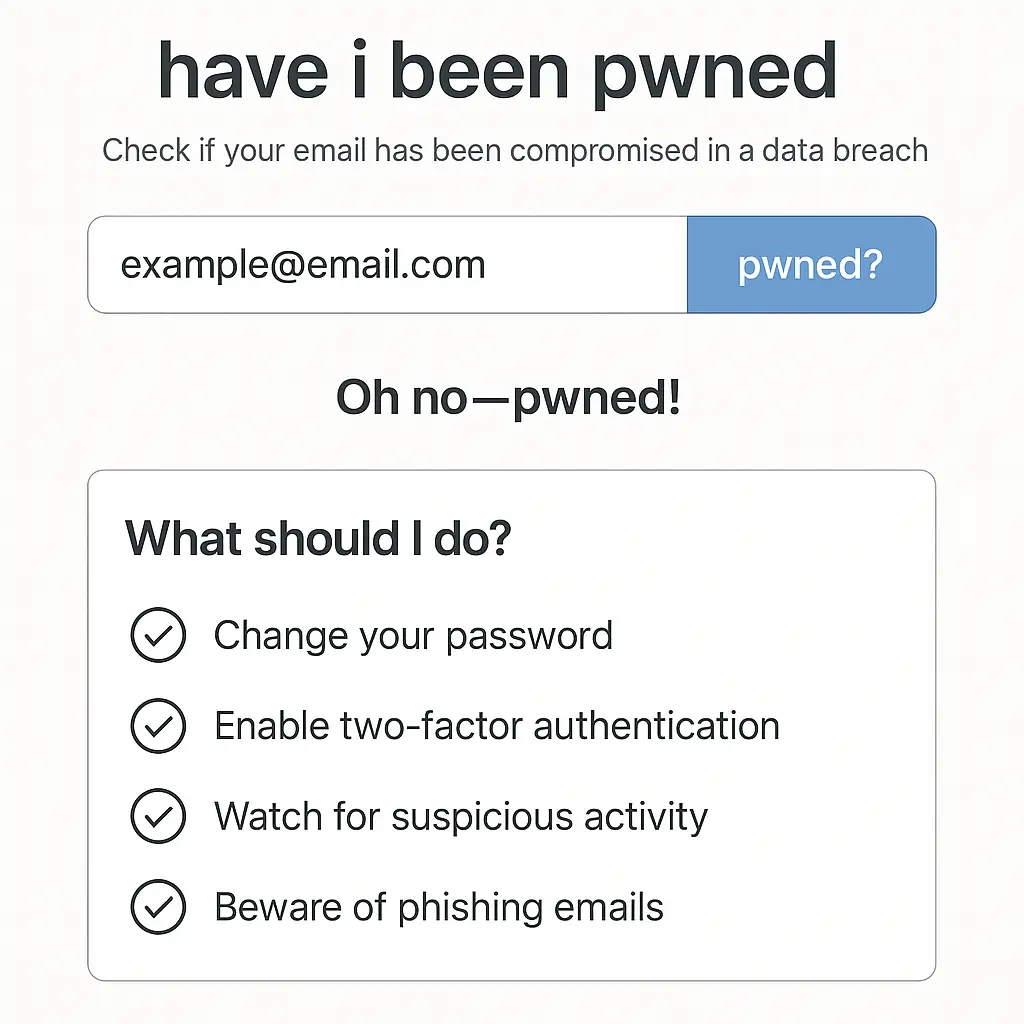
Go to haveibeenpwned.com. The homepage shows a single search field. Enter your email address and click "pwned?"
If your email appears in any breach, the results page lists each incident by name, date, and compromised data types. A breach from 2019 might show "email addresses, passwords, usernames, IP addresses" as the exposed data. A breach from 2023 might list "email addresses, phone numbers, purchase history, physical addresses." Each entry includes a brief description of what happened and a link to more details.
The results distinguish between verified breaches and unverified pastes. Verified breaches are incidents where the data has been confirmed and attributed to a specific company. Unverified pastes are datasets found on paste sites like Pastebin where the source isn't confirmed. Both matter, but verified breaches carry more weight because you know exactly where the data came from.
If your email doesn't appear in any breach, the page says "Good news , no pwnage found!" This doesn't mean your accounts are invulnerable. It means your email hasn't appeared in breaches that Have I Been Pwned has indexed. Breaches happen constantly. New datasets surface regularly. A clean result today doesn't guarantee a clean result next month.
You can search as many email addresses as you want. Check your primary email, your work email, old addresses you used to sign up for forums in 2007. Each address gets its own breach history. If you've used multiple emails over the years, search them all. Old accounts you've forgotten about still hold data that can be exploited.
How to Check Your Phone Number
The phone number search works the same way. Enter your number in international format and click search. If your number appears in a breach, you'll see which incidents exposed it and what other data was included.
Phone numbers leak less frequently than email addresses, but when they do, the consequences are specific. Phone numbers are used for SMS two-factor authentication, account recovery, and identity verification. A leaked phone number makes SIM swap attacks easier. It enables targeted phishing through text messages. And it connects your identity across services that share or sell contact data.
If your number appears in a breach, check whether the incident also exposed passwords, security questions, or account recovery information. A breach that leaked phone numbers and passwords creates more immediate risk than one that leaked only phone numbers. The combination gives attackers multiple angles to compromise your accounts.
How to Check a Password
The password search is under the "Passwords" tab. Enter a password you've used and click "pwned?" The site checks whether that exact password appears in any known breach. If it does, you see how many times the password has been seen in breached datasets.
This check uses k-anonymity to protect your input. When you type a password, your browser hashes it using SHA-1. The site sends only the first five characters of that hash to the server. The server returns all password hashes that start with those five characters. Your browser compares the full hash locally and tells you if there's a match. The server never sees your actual password or the complete hash.
A password that appears in breaches is compromised. Attackers use these passwords in credential-stuffing attacks, where they try leaked username-password pairs across thousands of sites. If you're still using a password that's been pwned, change it immediately. It doesn't matter if you think the breach was minor or if the password is old. Once a password is in a breach dataset, it's in attacker tools forever.
Use this check to evaluate passwords before you create them. If you're about to set a new password and want to know if it's already burned, search it first. If it shows up, pick something else. This works for passphrases too. A passphrase that appeared in a breach is as compromised as an 8-character password with symbols.
What to Do When Your Email Appears in a Breach
Start with the breached site. If the breach is recent and the company is still operating, log in and change your password immediately. Use a strong, unique password that you haven't used anywhere else. If the site offers two-factor authentication and you haven't enabled it, enable it now.
If you used the same password on other sites, change it everywhere. This is the scenario that turns one breach into a cascade. Attackers test leaked credentials across dozens of popular services. If your Netflix password matches your bank password, a Netflix breach becomes a banking problem. CISA guidance on password security emphasizes unique passwords for this reason. Reuse defeats every other precaution.
Check what data was exposed. If the breach included email addresses and passwords, the immediate action is password changes. If it included security questions, payment information, or Social Security numbers, the response escalates. Breaches that leak financial data or identity documents require credit monitoring, fraud alerts, and sometimes credit freezes. The data types listed in Have I Been Pwned tell you how serious the exposure is.
Review your email for suspicious activity. Attackers use breached email addresses for phishing campaigns. They send messages that reference the breach, claim to have additional compromising information, or demand payment. If you start receiving targeted phishing emails after a breach notification, that's not coincidence. Mark them as spam, don't click anything, and delete them.
Consider subscribing to breach notifications. Have I Been Pwned offers a free notification service. Enter your email, verify it, and the site will alert you when your address appears in a new breach. This gives you early warning instead of waiting for the breached company to send a notification months later. The notification email includes the breach name, date, and compromised data types. You can act immediately instead of discovering the breach during a routine search.
What to Do When Your Phone Number Appears in a Breach
Change passwords on accounts that use your phone number for two-factor authentication or account recovery. If your number leaked alongside passwords or security questions, attackers have the information they need to attempt account takeover. Changing passwords limits their access even if they have your number.
Enable additional authentication methods where possible. Some services let you use authenticator apps, hardware keys, or backup codes instead of SMS. If your phone number is compromised, switching to an authenticator app removes SMS as a weak point. EFF's guide to two-factor authentication covers the tradeoffs between SMS, authenticator apps, and hardware keys.
Watch for SIM swap attempts. If your phone suddenly loses service, contact your carrier immediately. SIM swaps let attackers port your number to a new device and intercept your SMS messages. Carriers have protections against this, but they're inconsistent. If your number appeared in a breach that included personal information, you're a higher-risk target.
Be skeptical of text messages claiming to be from services you use. Attackers send phishing texts that look like legitimate notifications from banks, delivery services, or tech companies. If your number is in a breach dataset, you're more likely to receive these messages. Don't click links in unsolicited texts. Open the app or website directly and check there.
What to Do When a Password Appears in a Breach
Stop using that password everywhere. Check every account where you've used it and change it immediately. If you're using a password manager, this is easier. If you're not, start now. A password manager generates unique passwords for every account, so one breach doesn't cascade into dozens of compromised accounts.
If the password is a variation of a pattern you use, change the pattern. Adding numbers to the end of a base password doesn't create unique passwords. If "Sunshine2019" leaked and you're using "Sunshine2026" elsewhere, change it. Attackers test variations. Patterns are predictable. True uniqueness means no shared elements.
Review your security questions. If you used the same password across multiple sites, you probably used similar security questions too. "Mother's maiden name" and "first pet's name" are easy to research or guess. Replace them with random answers stored in your password manager. The answer to "What city were you born in?" can be "8jK3$mP9zL" if you store it properly.
Check your most sensitive accounts first. Email, banking, and accounts that store payment information take priority. A compromised streaming service password is inconvenient. A compromised email password is catastrophic because email unlocks password resets for everything else. Triage based on what the account controls.
Understanding Breach Severity
Not all breaches are equal. A breach that exposed email addresses and usernames creates less immediate risk than one that exposed passwords and security questions. Have I Been Pwned lists the data types for each breach. Use that information to prioritize your response.
Breaches that include passwords in plaintext are the worst. This means the company stored passwords without encryption, so attackers got the actual text of your password. If you see "passwords" listed without "hashed" or "encrypted," assume the password is fully compromised. Change it everywhere immediately.
Breaches that include hashed passwords are better but still serious. Hashing obscures passwords, but weak hashing algorithms can be reversed. If the breach description mentions "unsalted MD5" or "SHA-1," the passwords are vulnerable to cracking. Attackers run these hashes through rainbow tables or brute-force tools to recover plaintext passwords. Change the password even if it was hashed.
Breaches that include personal information alongside passwords create identity theft risk. If a breach exposed your name, address, date of birth, and password, attackers have enough information to attempt account takeovers on other services. They can answer security questions. They can impersonate you to customer service. This kind of breach requires broader action: credit monitoring, fraud alerts, and heightened vigilance across all accounts.
When to Use a Password Manager
If you're checking Have I Been Pwned manually and discovering that you've reused passwords across multiple sites, you need a password manager. Reuse is the single habit that turns isolated breaches into widespread account compromise. A password manager solves this by generating and storing unique passwords for every account you have.
Password managers work by creating a secure vault protected by one master password. You remember the master password. The password manager remembers everything else. When you visit a site, the manager fills in the login credentials automatically. You never type the password. You never see the password. You just unlock the vault and let the manager handle the rest.
The security model is straightforward: one very strong master password protects hundreds of unique, randomly generated passwords. If one site gets breached, only that site's password is exposed. Attackers can't use it anywhere else because it's unique. The breach doesn't cascade. This is the fundamental advantage over reusing passwords.
NIST guidance on password management recommends using password managers to enable unique passwords across accounts. The alternative, memorizing dozens of strong, unique passwords, isn't realistic for most people. Password managers make the secure choice the easy choice.
For detailed setup and comparison of password managers, see our guide on what is a password manager and why you actually need one.
The Difference Between Verified Breaches and Pastes
Have I Been Pwned distinguishes between verified breaches and unverified pastes. Verified breaches are incidents where the data has been confirmed and attributed to a specific company. The site lists the company name, the date of the breach, and the types of data exposed. These are the incidents you should prioritize.
Unverified pastes are datasets found on paste sites like Pastebin where the source isn't confirmed. The data might be real. It might be fabricated. It might be a mix of both. Pastes often contain email addresses and passwords, but without verification, you can't be certain where the data came from or whether it's accurate.
Treat pastes seriously but with appropriate skepticism. If your email appears in an unverified paste, change passwords on accounts that matter. Don't ignore it. But don't assume every paste is a catastrophic breach either. Some pastes are aggregations of older breaches. Some are fake. Some are real but limited in scope.
Verified breaches give you actionable information. You know which company was breached, when it happened, and what data was exposed. You can contact the company, check for official notifications, and take specific steps to secure your account. Pastes give you a signal that your data might be circulating, but without the context to act precisely.
How Often to Check Have I Been Pwned
Check when you hear about a major breach affecting a service you use. Check every few months as part of routine account maintenance. Check when you're setting up a new password manager and migrating old accounts. Check when you're closing old accounts and want to know if they've been breached since you last logged in.
Subscribing to breach notifications removes the need for manual checks. The notification service emails you when your address appears in a new breach. This gives you early warning without requiring regular searches. The email includes the breach name, date, and data types, so you can act immediately.
If you're in IT or handle accounts for others, check more frequently. Organizations use Have I Been Pwned's domain search feature to monitor corporate email addresses. If your company domain appears in a breach, you know immediately which employees are affected. This lets you enforce password resets, audit access logs, and respond before attackers exploit the leak.
For personal use, quarterly checks are enough if you're using unique passwords and two-factor authentication. If you're still reusing passwords, check more often. The risk profile is different. Reused passwords turn every breach into a potential cascade. Unique passwords isolate the damage to one account.
What Have I Been Pwned Doesn't Tell You
The service only shows breaches that have been publicly disclosed or verified through independent sources. If a company experiences a breach but doesn't disclose it, and the data doesn't surface publicly, Have I Been Pwned won't know about it. This is rare for large breaches but common for smaller incidents that never reach public awareness.
The service doesn't tell you if your data is being actively exploited. A breach from 2018 might still be in the database, but that doesn't mean attackers are using your credentials today. Conversely, a breach from last week might already be in use by attackers even though it just appeared on the site. The presence of your email in a breach is a signal, not a real-time threat indicator.
The service doesn't cover every type of data leak. It focuses on breaches that include email addresses or other identifiable information. Breaches that leak only anonymized data, aggregate statistics, or non-identifiable information won't appear. This is by design. The service tracks incidents that create direct risk to individuals, not every possible data exposure.
The service doesn't replace security fundamentals. Checking Have I Been Pwned is useful, but it's not a substitute for using strong passwords, enabling two-factor authentication, and keeping software updated. The site tells you when your data has leaked. It doesn't prevent the leak. Prevention happens through the security practices you implement before a breach occurs.
The Cultural Reference That Fits
In Breaking Bad, Walter White starts cooking meth with the assumption that he can control every variable. He's a chemist. He understands the reactions. He plans for contingencies. But the deeper he goes, the more he realizes that the variables multiply faster than he can account for them. Suppliers, distributors, law enforcement, rivals, each new layer introduces risks he didn't anticipate. By the time he sees the full picture, he's already compromised.
Checking Have I Been Pwned is the moment you see the full picture. You thought your data was secure because you chose decent passwords and didn't click on obvious phishing emails. Then you search your email and discover you're in six breaches. Companies you trusted got hacked. Passwords you thought were fine turned out to be in credential-stuffing databases. The variables multiplied while you weren't looking.
The difference is that you can still act. Walter White couldn't walk away from the meth empire once it started. You can walk away from compromised passwords. Change them. Use a password manager. Enable two-factor authentication. The breach already happened, but the cascade doesn't have to follow.
The Practical Reality of Breach Exposure
Most people are in at least one breach. If you've had an email address for more than a few years and used it to sign up for services, your address is probably in a dataset somewhere. This is the baseline reality of using the internet in 2026. Companies get breached. Data leaks. Your information circulates in criminal markets whether you know about it or not.
The question isn't whether your data has been exposed. The question is whether you're using that data in ways that let attackers exploit it. If you're reusing passwords, every breach is a potential account takeover. If you're using unique passwords, a breach on one site doesn't affect the others. The exposure exists either way. Your response determines the impact.
Have I Been Pwned doesn't fix breaches. It doesn't secure your accounts. It doesn't prevent future leaks. What it does is give you information. You search your email. You see which companies breached your data. You see what information leaked. And then you decide what to do next. The tool is simple. The action is yours.
Check your email. Check your phone number. Check your passwords. See what's already out there. Then fix it.