What happens when your email gets hacked: a step-by-step recovery guide
Your email account is the skeleton key to your digital life. When it gets compromised, attackers don't just read your messages. They reset passwords on other accounts, impersonate you to contacts, and use your inbox as a launching pad for fraud. The first hour after you discover the breach determines how much damage they can do.
This guide walks you through the exact recovery sequence. Every step closes a specific attack vector. Skip one and you leave the door open.
Confirm the compromise
Before you act, verify that your account is actually compromised. False alarms happen. Password reset emails you didn't request, unfamiliar login alerts, or friends reporting spam from your address are the clearest signals. Log into your email from a device you trust and check three places immediately.
First, your sent folder. Attackers send phishing emails to your contacts or use your account to register for services. Look for messages you didn't write, especially in the last 24 hours. If your sent folder has been emptied, that's confirmation. Attackers delete evidence.
Second, your account activity or recent devices section. Every major email provider logs where and when you logged in. Google, Microsoft, and Apple all maintain device lists. Look for unfamiliar locations, operating systems you don't use, or login times that don't match your schedule. One login from a country you've never visited is enough to confirm compromise.
Third, your forwarding and filter settings. Attackers set up rules to forward copies of your email to external addresses or automatically delete security alerts. Check your settings for forwarding addresses you don't recognize or filters that move messages to trash. If you find either, someone has been inside your account.
If you see any of these signs, you're confirmed. Move to recovery immediately. If you don't see them but still suspect compromise, proceed anyway. The cost of false action is low. The cost of inaction when you're actually compromised is catastrophic.
Change your password from a trusted device
Your first action is a password change, but the device you use matters. If your computer is infected with malware, changing your password from that machine hands the new password directly to the attacker. Use a device you're certain is clean. A phone you carry with you daily is safer than a shared computer. A friend's laptop is safer than your own if you suspect infection.
Generate a new password using a password manager. If you don't have one, now is the time to start. NordPass generates strong passwords and stores them encrypted. The password should be unique to this email account. If you've reused your old email password anywhere else, attackers already have it. Reusing passwords is the single worst security habit, and email compromise proves why.
The new password should be long. Around 16 characters is the baseline. Complexity matters less than length. A string of random words beats a short password with symbols every time. If you're creating one manually, use four or five unrelated words with no personal connection to you. Avoid names, dates, or anything someone could guess from your social media.
After you change the password, you'll be logged out of all devices. This is intentional. It forces attackers out immediately. You'll need to log back in on your phone, tablet, and any other device where you access email. That's the price of security.
If you can't log in because the attacker changed your password first, skip to the recovery section below. Time matters, but panic doesn't help. Follow the process.
Enable two-factor authentication immediately
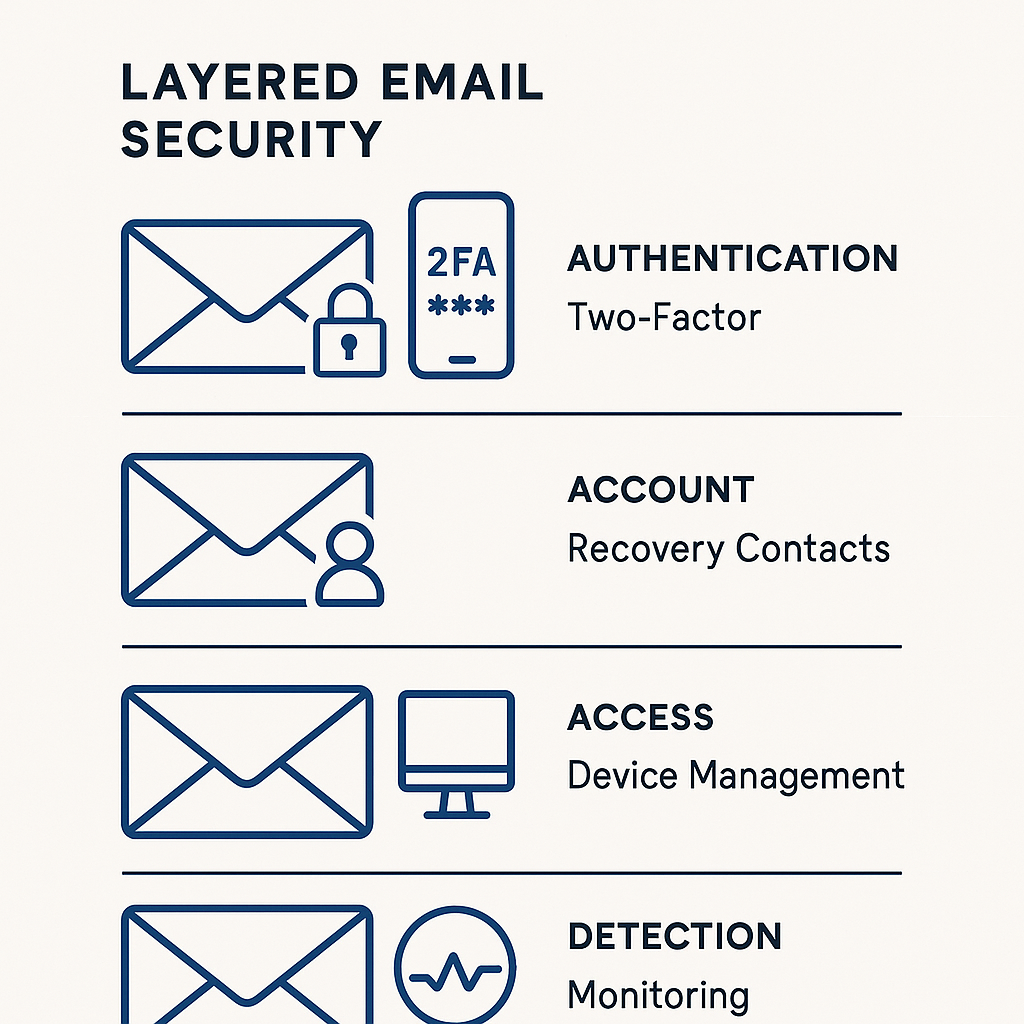
Two-factor authentication is the single most effective defense against account takeover. It requires a second proof of identity beyond your password. Even if attackers steal your password in the next breach, they can't log in without the second factor.
CISA recommends multi-factor authentication as a baseline security control. Email providers support it universally. The setup takes around five minutes. You'll choose a method, verify your identity, and store backup codes. Each step matters.
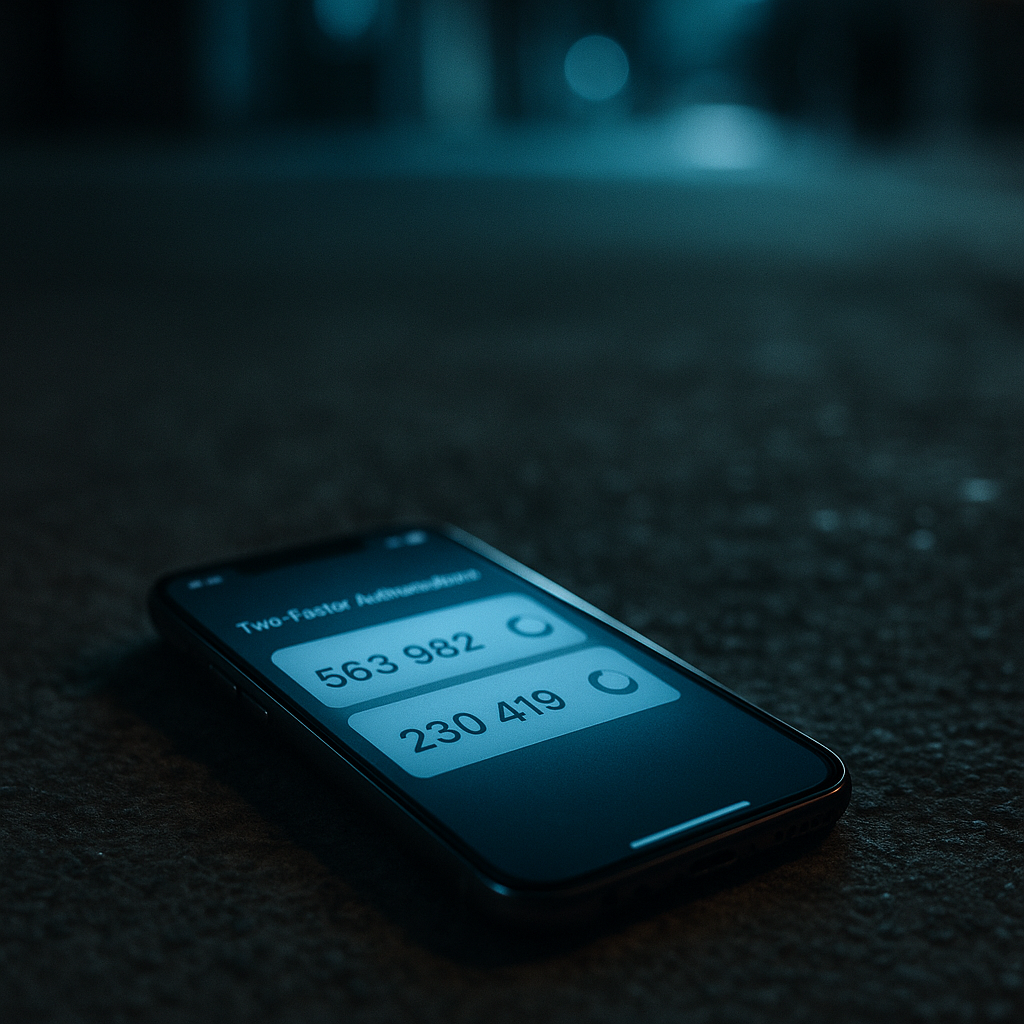
The strongest method is an authenticator app like Google Authenticator, Microsoft Authenticator, or Authy. These apps generate time-based codes that expire every 30 seconds. The codes are tied to your device, not your phone number, which makes them resistant to SIM swap attacks. Install the app, scan the QR code your email provider shows, and store the backup codes somewhere safe. Print them. Don't leave them in a file on your computer.
SMS-based two-factor authentication is weaker but better than nothing. Attackers can intercept SMS codes through SIM swaps or SS7 exploits, but those attacks require more effort than most email compromises justify. If you can't use an authenticator app, SMS is acceptable as a temporary measure. Switch to an app when you can.
Hardware security keys like YubiKey offer the strongest protection, but most people don't need them for personal email. If you handle sensitive work through your email or you're a high-value target, consider them. Otherwise, an authenticator app is sufficient.
After you enable two-factor authentication, your email provider will ask you to verify your identity every time you log in from a new device. You'll enter your password, then the code from your authenticator app. This stops attackers even if they have your password. It's the defense that matters most.
Review and revoke device access
Your email account maintains a list of every device and application with access. Attackers don't always change your password. Sometimes they just add their own device to the authorized list and monitor your email silently. You need to find and remove those devices.
Log into your account settings and navigate to the security or devices section. The exact location varies by provider, but every major email service offers this. You'll see a list of devices, locations, and access times. Look for anything unfamiliar. An iPhone when you use Android. A Windows PC when you only own Macs. A login from a city you've never visited.
If you see an unfamiliar device, revoke access immediately. The button is usually labeled "Remove," "Sign out," or "Revoke." Click it. Don't wait to investigate. You can always log back in from a legitimate device if you made a mistake. The risk of leaving an attacker's device connected is far higher than the inconvenience of re-authenticating.
Check your app-specific passwords next. These are passwords generated for applications that can't use two-factor authentication. Email clients, calendar apps, and some mobile apps use them. If you see app passwords you don't recognize or haven't used in months, delete them. Attackers create app passwords to maintain access even after you change your main password.
Finally, check your connected apps and third-party access. Services like "Sign in with Google" or "Sign in with Apple" grant other applications access to your email. Review the list and revoke access to anything you don't use or don't recognize. Apps you installed years ago and forgot about still have access until you remove it.
This process takes around ten minutes. It's tedious, but it's the only way to confirm that you've removed all attacker access. One missed device or app password means they're still inside.
Check and remove forwarding rules
Email forwarding rules are how attackers maintain long-term access to your account. They set up a rule that forwards copies of all your incoming email to an external address. You change your password, revoke devices, and think you're secure. Meanwhile, every email you receive still goes to the attacker.
Navigate to your email settings and find the forwarding or filters section. The exact location varies by provider. In Gmail, it's under "Settings" > "Forwarding and POP/IMAP." In Outlook, it's under "Settings" > "Mail" > "Forwarding." In Apple Mail, it's under "Preferences" > "Rules."
Look for forwarding addresses you don't recognize. If you see an email address you didn't add, delete it immediately. Attackers use addresses that look plausible. A slight misspelling of your own address, a generic Gmail account, or a domain that sounds legitimate but isn't. If you don't remember setting it up, remove it.
Check your filters next. Filters automatically move, delete, or label incoming messages based on criteria. Attackers create filters to hide security alerts from your inbox. A filter that deletes messages from your bank or moves password reset emails to trash is a red flag. Delete any filter you don't recognize or didn't create intentionally.
Some email providers log changes to forwarding and filter settings. If your provider offers this, check the log. You'll see when the rule was created and from what IP address. This confirms the timeline of the compromise and helps you understand how long the attacker had access.
After you remove forwarding rules and filters, send yourself a test email from another account. Confirm it arrives in your inbox and doesn't get forwarded anywhere else. This is the verification step most people skip. Don't skip it.
Update passwords on connected accounts
Your email account is the recovery mechanism for every other account you own. Banks, social media, shopping sites, and work accounts all use your email for password resets. Once attackers control your email, they can reset passwords on those accounts and lock you out.
Make a list of your high-value accounts. Start with financial accounts. Banks, credit cards, investment platforms, and payment apps like Venmo or PayPal. Then social media. Facebook, Instagram, LinkedIn, and Twitter. Then shopping accounts with saved payment methods. Amazon, eBay, and any retailer where you've stored a credit card. Finally, work accounts if you use your personal email for recovery.
Change the password on each account. Use unique passwords generated by a password manager. If you've been reusing passwords, this is the moment that breaks the habit. One compromised password should never unlock multiple accounts.
Enable two-factor authentication on every account that supports it. Financial accounts and social media platforms universally offer it. The setup process is the same as email. Choose an authenticator app, scan the QR code, and store backup codes.
Check your account recovery settings while you're logged in. Many accounts let you add a backup email address or phone number for password resets. If attackers added their own recovery information, remove it. Then add your own. Use a recovery email address you control and a phone number you own.
This process is time-consuming. Depending on how many accounts you have, it can take an hour or more. You can't shortcut it. Every account you skip is an account attackers can still access. The FTC recommends changing passwords on all accounts after an email compromise. They're right.
Monitor for ongoing fraud
Email compromise doesn't end when you secure your account. Attackers use the information they gathered while they had access. They know your contacts, your shopping habits, your bank, and your employer. They'll use that information to commit fraud for weeks or months after you've locked them out.
Set up credit monitoring if you don't already have it. Services like NordProtect monitor your credit reports for new accounts, inquiries, and address changes. If attackers use your personal information to open credit cards or loans, you'll know immediately. Free credit monitoring from Equifax, Experian, and TransUnion also works, but paid services offer faster alerts and more comprehensive coverage.
Check your bank and credit card statements daily for the next month. Look for small unauthorized charges. Attackers test stolen payment information with small transactions before making larger purchases. A $1 charge to a merchant you don't recognize is a signal to freeze the card and report fraud.
Monitor your email for password reset requests on accounts you didn't change. If you receive a reset email for a service you forgot to update, change the password immediately. Attackers work through your accounts systematically. They don't stop just because you secured your email.
Set up alerts on your financial accounts. Most banks and credit cards let you configure notifications for every transaction over a certain amount. Set the threshold low. $10 or $20. You'll get more alerts, but you'll catch fraud faster.
Finally, watch for phishing emails sent to your contacts. Attackers who had access to your email have your contact list. They'll impersonate you in emails to those contacts, asking for money or spreading malware. If friends or family report suspicious emails from you, warn them immediately. Tell them you were compromised and to ignore any requests for money or personal information.
Monitoring takes around five minutes a day for the first month. After that, you can reduce frequency, but don't stop entirely. Fraud from email compromise can surface months after the initial breach.
Secure your recovery options
Your account recovery settings determine what happens if you lose access again. Attackers who compromised your email once know your recovery email and phone number. If those haven't changed, they can use the same information to compromise you again.
Log into your email account settings and navigate to the recovery or security section. You'll see your backup email address and recovery phone number. If these are the same ones you've used for years, consider changing them. Use a different email address you control, ideally one that's not publicly known. Use a phone number you own and check regularly.
Some email providers let you add multiple recovery options. Google lets you add a backup email and multiple phone numbers. Use this. The more recovery options you control, the harder it is for attackers to lock you out.
Add security questions if your provider supports them. Choose questions with answers that aren't publicly available. Your mother's maiden name, your first pet's name, and your high school are all discoverable through social media. Better questions are ones you can answer but no one else can guess. Some providers let you write custom questions. Use that option.
Test your recovery process. Log out of your account and initiate a password reset. Follow the steps your provider requires. Confirm that the recovery email arrives and that you can reset your password successfully. This test ensures your recovery settings work before you need them in an emergency.
Update your recovery settings annually. Phone numbers change. Email addresses get abandoned. Recovery settings you configured five years ago might not work today. Make this part of your yearly security review.
Understand what attackers accessed
Email compromise gives attackers a complete view of your digital life. They read your messages, see your contacts, and know which services you use. Understanding what they accessed helps you predict what fraud might follow.
Check your email history for the period when attackers had access. Look for emails from banks, credit cards, tax services, health providers, and any service that handles sensitive information. If attackers read those emails, they have account numbers, balances, and personal details. That information fuels identity theft.
Look for emails containing passwords or security codes. Some people email themselves passwords or store them in drafts. If you've done this, assume attackers have those passwords. Change them immediately.
Check for emails with attachments. Tax returns, medical records, and legal documents sent via email are now in attacker hands. You can't undo that exposure, but you can prepare for consequences. Monitor credit reports more closely if attackers saw financial documents. Watch for medical identity theft if they accessed health records.
Review emails from your employer. If you use personal email for work, attackers may have access to confidential business information, client data, or internal communications. Report the compromise to your employer's IT or security team. This isn't optional. Your company's incident response plan may require specific actions.
Finally, check for emails related to other accounts. Password reset confirmations, login alerts, and account statements reveal which services you use. Attackers prioritize high-value targets. If they saw emails from your bank, investment accounts, or cryptocurrency exchanges, expect targeted attacks on those accounts next.
You can't change what attackers already saw, but you can prepare for what they'll do with it. The fraud playbook is predictable. They'll attempt account takeovers, apply for credit in your name, or use personal details for social engineering. Knowing what they have lets you defend against what's coming.
Report the compromise
Reporting email compromise creates a record and triggers protections you might not get otherwise. The process varies depending on who needs to know, but three entities should always hear from you.
First, report to your email provider. Google, Microsoft, and Apple all have abuse reporting systems. File a report through their support channels. This creates a record of the compromise and may trigger additional security monitoring on your account. Some providers offer enhanced protection after a confirmed compromise.
Second, report to the FTC through IdentityTheft.gov. Email compromise is a form of identity theft. The FTC's reporting system creates a recovery plan and provides documentation you'll need if fraud follows. The report takes around 15 minutes. You'll answer questions about what happened, what information was exposed, and what fraud you've detected. The system generates a personalized recovery plan based on your answers.
Third, report to law enforcement if the compromise led to financial loss or if attackers used your account to commit crimes. File a report with your local police department or, if the attack crossed state lines, with the FBI's Internet Crime Complaint Center (IC3). You'll need the police report if you dispute fraudulent charges or if identity theft affects your credit.
If you use your personal email for work, report to your employer immediately. Many companies have incident response procedures that require specific actions after an email compromise. Your IT department needs to know if work-related information was exposed.
Finally, if attackers sent emails from your account, consider notifying your contacts. A brief message explaining that your email was compromised and warning them to ignore suspicious messages prevents further damage. You don't need to explain details. "My email was hacked. Ignore any strange messages you received from me recently" is sufficient.
Reporting feels bureaucratic, but it creates the paper trail you'll need if fraud escalates. Insurance claims, credit disputes, and legal actions all require documentation. File the reports now, even if you haven't detected fraud yet.
Prevent the next compromise
Email compromise happens because of weak passwords, missing two-factor authentication, or successful phishing. The recovery process fixes the immediate problem. Preventing the next compromise requires changing habits.
Use a password manager for every account. NordPass generates unique passwords, stores them encrypted, and fills them automatically. The barrier to entry is around ten minutes of setup. The protection lasts as long as you use it. A password manager solves password reuse, weak passwords, and the cognitive load of remembering dozens of credentials.
Enable two-factor authentication on every account that supports it. Email, banking, social media, and work accounts all offer it. The setup process is the same across services. Install an authenticator app, scan the QR code, and store backup codes. CISA provides a multi-factor authentication toolkit that walks through the process for common services.
Learn to recognize phishing. The FTC's guidance on phishing scams explains the patterns attackers use. Urgency, requests for personal information, and links to login pages are the clearest signals. If an email asks you to verify your account, log in directly through your browser instead of clicking the link. This simple habit stops most phishing attempts.
Review your account activity regularly. Check your email's recent devices section monthly. Look for unfamiliar logins, unexpected locations, or devices you don't recognize. Catching a compromise early limits damage.
Finally, keep your devices updated. Software updates patch vulnerabilities that attackers exploit to install malware or steal passwords. Enable automatic updates on your phone, computer, and tablet. The inconvenience of occasional restarts is negligible compared to the risk of running outdated software.
These habits don't require technical expertise. They require consistency. The people who avoid email compromise aren't smarter or more paranoid. They're just more consistent about basic security practices.
What to do if you can't regain access
Sometimes attackers change your password, add their own recovery information, and lock you out completely. You can't log in, and the account recovery process fails because you don't control the recovery email or phone number anymore. This is the worst-case scenario, but it's not unrecoverable.
Start with your email provider's account recovery system. Google, Microsoft, and Apple all have multi-step processes for users who've lost access. You'll answer security questions, provide information about your account history, and verify your identity through alternative methods. The process can take days or weeks, but it works if you provide accurate information.
If the standard recovery process fails, contact your email provider's support directly. Explain that your account was compromised and that you've lost access. Provide as much identifying information as possible. Account creation date, previous passwords, contacts in your address book, and recent emails you remember receiving. The more details you provide, the better your chances of recovery.
While you wait for account recovery, take defensive action on your other accounts. If you can't access your email, you can't reset passwords through email-based recovery. Contact customer support for your bank, credit cards, and other high-value accounts. Explain that your email was compromised and request alternative verification methods. Most financial institutions have procedures for this situation.
Set up a new email address immediately. You need a functioning email account to communicate with support teams and receive account notifications. Use this new address to update your recovery settings on accounts where you still have access. Don't reuse old passwords or security questions. Start fresh.
Monitor your credit reports closely. If attackers locked you out of your email, they're likely using your information for fraud. Request free credit reports from Equifax, Experian, and TransUnion through AnnualCreditReport.com. Look for new accounts, inquiries, or address changes you didn't authorize. Dispute any fraudulent activity immediately.
Consider a credit freeze. A freeze prevents new creditors from accessing your credit report, which stops most forms of identity theft that require opening new accounts. You can freeze and unfreeze your credit for free through each bureau's website. The process takes around 15 minutes per bureau.
Losing access to your email account is serious, but it's not permanent. The recovery process is slow and frustrating, but persistence works. Keep records of every interaction with support, document the timeline of events, and follow up regularly. Most people regain access within a few weeks.
The long-term view
Email compromise isn't a single event. It's the beginning of a longer timeline. Attackers use the information they gathered to commit fraud weeks or months later. Your job isn't just to secure your account. It's to stay vigilant for as long as the information they stole remains valuable.
Credit monitoring should continue for at least a year after compromise. Identity theft doesn't happen immediately. Attackers sell stolen information, and buyers use it when the timing is right. A credit alert six months after your email was hacked isn't a coincidence. It's the fraud you've been watching for.
Review your account statements monthly. Financial fraud follows predictable patterns. Small test charges, then larger purchases. Unfamiliar merchant names. Transactions in locations you've never visited. Catching fraud early limits liability and simplifies dispute resolution.
Update your security practices annually. The threat landscape changes. New phishing techniques emerge. Password requirements evolve. Authentication methods improve. What worked in 2026 might not work in 2027. Make security review a yearly habit. Check your password manager, review two-factor authentication settings, and update recovery options.
Finally, remember that email compromise happens to everyone eventually. It's not a personal failing. It's a statistical inevitability in a world where billions of credentials circulate through criminal markets. The difference between people who recover quickly and people who suffer long-term consequences isn't luck. It's preparation and response. You've done the work. The account is secure. The monitoring is in place. The habits are established. That's the defense that matters.