Gym WiFi Safety: Separating Real Risk from Security Theater
You're at the gym. Treadmill speed set. Playlist queued. Then your phone asks if you want to join "FitnessCenter-Guest."
The security advice you've absorbed over the years kicks in: public WiFi is dangerous. Don't use it. Use your VPN. Use cellular data. Never check your bank account. Maybe don't even open your email.
But is that still true in 2026? Or is it security theater left over from a different era?
Here's what actually matters when you connect to gym WiFi, what's changed in the last decade, and what risks remain real.
The threat model that shaped public WiFi advice
Around 2010, most websites transmitted data in cleartext. HTTP, not HTTPS. When you logged into your email or checked your bank balance on public WiFi, an attacker on the same network could intercept your username and password as they traveled across the network. Tools like Firesheep made this trivial. You didn't need to be a skilled operator. You clicked a button and captured session cookies from everyone on the network.
That threat was real. The advice to avoid public WiFi was sound.
Then the web changed.
The EFF's Encrypt the Web initiative pushed for universal HTTPS adoption. Certificate authorities made HTTPS certificates free and automated through Let's Encrypt. Browsers started flagging HTTP sites as insecure. Search engines began penalizing sites without encryption.
By 2026, the overwhelming majority of web traffic uses HTTPS. When you visit an HTTPS site, your connection is encrypted before it leaves your device. An attacker on the same WiFi network sees encrypted gibberish, not your password or session data.
The old threat model doesn't apply to most of what you do online anymore.
What HTTPS actually protects
HTTPS encrypts three things: the content of the page, the data you send to the server, and the data the server sends back.
When you log into Gmail on gym WiFi, your username and password are encrypted before they leave your phone. An attacker monitoring the network sees that you connected to google.com, but not what you typed or what Gmail sent back.
When you check your bank balance, the attacker sees that you visited chase.com or wellsfargo.com, but not your account number, balance, or transaction history.
When you shop on Amazon, the attacker sees that you visited amazon.com, but not what you searched for, what you added to your cart, or your payment information.
HTTPS doesn't hide which sites you visit. It hides everything else.
That's a meaningful shift. The attack that made public WiFi dangerous in 2010 doesn't work in 2026 if you're on HTTPS sites.
What HTTPS doesn't protect
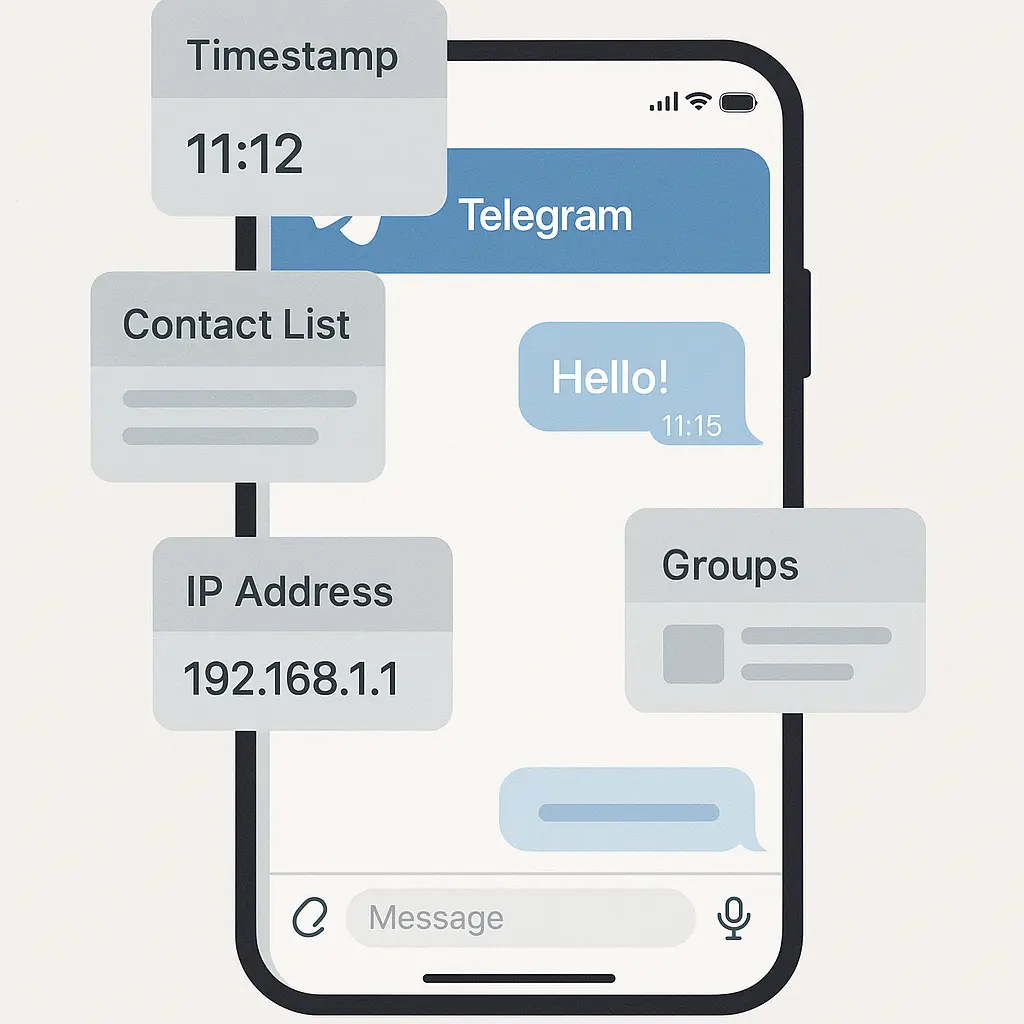
HTTPS protects the content of your connection, not the metadata. An attacker on the same network can still see:
- Which websites you visit (the domain name)
- How much data you send and receive
- When you connect and disconnect
- How long you stay connected to each site
That's not nothing. If someone watches you connect to plannedparenthood.org, aa.org, or divorce-attorney-search.com, they learn something about you even though they can't see the page content.
HTTPS also doesn't protect you from fake networks, which we'll get to shortly.
And HTTPS doesn't protect unencrypted protocols. If you're using an app that communicates over HTTP instead of HTTPS, your data is still vulnerable. Most modern apps use HTTPS by default, but not all of them.
The risks that remain on gym WiFi
Fake networks. The biggest actual risk at the gym isn't the legitimate WiFi network. It's the fake network set up by an attacker to impersonate it.
An attacker can create a rogue access point with a name like "FitnessCenter-Guest" or "GymWiFi-Free" and wait for people to connect. Once you're on their network, they control your traffic. They can redirect you to fake login pages, inject malware, or monitor everything you do.
This attack works because most people don't verify the network name. They see something that looks plausible and connect.
The defense is simple: ask the front desk for the correct network name. If the gym has a captive portal with a password, use it. If the network name doesn't match what the staff tells you, don't connect.
Unencrypted apps. Some apps still use HTTP instead of HTTPS. Fitness apps, in particular, have a spotty track record. If an app transmits your workout data, location, or account information over HTTP, an attacker on the same network can intercept it.
You can't always tell from the app interface whether it's using HTTPS. The best defense is to assume older apps might not be secure and avoid entering sensitive information on public WiFi unless you're certain the app encrypts its traffic.
Device vulnerabilities. If your phone or laptop has unpatched security flaws, an attacker on the same network might exploit them to gain access to your device. This is rare, but it happens.
The defense is to keep your operating system and apps updated. Enable automatic updates if you haven't already. Outdated devices are the low-hanging fruit for attackers.
Man-in-the-middle attacks on poorly implemented HTTPS. HTTPS is strong, but implementation matters. If a website uses weak encryption, outdated TLS versions, or accepts invalid certificates, an attacker can sometimes break the encryption.
Modern browsers warn you when this happens. If you see a certificate error or a warning that the connection isn't secure, don't proceed. That's your browser telling you something is wrong.
When a VPN actually helps
A VPN routes your traffic through an encrypted tunnel to a server controlled by the VPN provider. From the perspective of someone on the gym WiFi network, your traffic is encrypted gibberish. They can see that you're connected to a VPN server, but not which websites you visit or what data you send and receive.
A VPN protects you from fake networks. Even if you connect to a rogue access point, the attacker can't see your traffic because it's encrypted before it leaves your device.
A VPN also hides metadata. An attacker on the gym network can't see which websites you visit because all your traffic goes to the VPN server first.
But a VPN doesn't protect you from threats that originate outside the local network. If you visit a phishing site, a VPN won't stop you from entering your credentials. If you download malware, a VPN won't block it. If your device has a vulnerability, a VPN won't patch it.
A VPN is useful on public WiFi, but it's not a magic shield. It solves specific problems. If you're already on HTTPS sites and you trust the network name, a VPN adds a layer of protection but doesn't fundamentally change your security posture.
If you're accessing work systems, a VPN is often required. Many corporate networks use VPNs to ensure that remote employees connect securely, even on untrusted networks. That's a different use case than casual browsing.
For most people at the gym, a VPN is optional. It's a reasonable precaution, not a necessity.
If you decide to use a VPN, choose one with a clear privacy policy and a reputation for not logging your traffic. NordVPN is one option with a strong track record and auto-connect features for untrusted networks.
Cellular data as the alternative
Cellular data is more secure than gym WiFi by default. Your connection to the cell tower is encrypted. An attacker at the gym can't intercept it without sophisticated equipment and legal risk.
But cellular data isn't unlimited for most people. If you're streaming a workout video or downloading a podcast, gym WiFi saves your data plan.
The practical question is whether the security benefit of cellular data justifies the cost. For casual browsing on HTTPS sites, the answer is usually no. For accessing sensitive work systems or financial accounts, the answer might be yes.
You don't have to choose one or the other for everything. Use cellular data for high-stakes activities and gym WiFi for low-stakes browsing.
What to actually do at the gym
Here's the step-by-step approach that balances security and convenience:
-
Verify the network name. Ask the front desk or check the gym's website for the official WiFi network name. Don't connect to networks that look similar but aren't exact matches.
-
Use HTTPS sites. Check that the URL starts with
https://and that your browser shows a lock icon. If you see a certificate warning, don't proceed. -
Avoid entering sensitive information on unencrypted apps. If you're using an older fitness app or a third-party service, assume it might not encrypt your data. Save account changes and payment updates for when you're on a trusted network.
-
Keep your device updated. Enable automatic updates for your operating system and apps. Outdated software is the easiest target for attackers.
-
Use a VPN if you're accessing work systems or if you want extra protection. A VPN adds a layer of security, but it's not required for casual browsing on HTTPS sites.
-
Turn off auto-connect for public networks. Your phone might automatically connect to networks it's seen before. Disable this feature to avoid connecting to fake networks without realizing it.
-
Forget the network when you leave. After your workout, go into your WiFi settings and forget the gym network. This prevents your phone from auto-connecting next time and reduces the risk of connecting to a rogue network with the same name.
The analogy that fits
In How I Met Your Mother, Ted keeps a box of mementos from past relationships. The box isn't dangerous, but it's a reminder of old patterns that don't apply to his current life. He holds onto it because it feels significant, even though the context has changed.
Public WiFi advice is like Ted's box. The threat model it's based on was real in 2010. But the web has changed. HTTPS is universal. Browsers warn you about insecure connections. The old risks don't apply to most of what you do online anymore.
That doesn't mean gym WiFi is perfectly safe. Fake networks, unencrypted apps, and device vulnerabilities are still real. But the blanket advice to avoid public WiFi entirely is outdated. You can use gym WiFi safely if you take basic precautions.
The bigger picture
Gym WiFi is one example of a broader pattern in security advice. The threat landscape changes, but the advice often doesn't. People repeat warnings that were accurate a decade ago without updating them for current reality.
The result is advice that's either too cautious or not cautious enough. Too cautious because it treats every public network as equally dangerous, even when HTTPS protects most of your traffic. Not cautious enough because it doesn't address the risks that remain, like fake networks and unencrypted apps.
The better approach is to understand the actual threats and respond proportionally. Gym WiFi in 2026 isn't the same as gym WiFi in 2010. The risks are narrower and more specific. You don't need to avoid it entirely. You need to know what to watch for.
What hasn't changed
Some risks are the same as they've always been.
If you enter your password on a fake login page, HTTPS won't save you. If you download malware disguised as a legitimate app, a VPN won't block it. If your device has a vulnerability, the network you're on doesn't matter.
The fundamentals of security still apply. Verify before you trust. Keep your software updated. Don't click on links from strangers. Use strong, unique passwords. Enable two-factor authentication.
Gym WiFi doesn't change those rules. It's just one environment where they apply.
When to use cellular data instead
There are situations where cellular data is the better choice, even if gym WiFi is available.
If you're accessing work systems that require a VPN and you don't have one configured, use cellular data. If you're entering payment information on a site you don't fully trust, use cellular data. If you're on a device with outdated software and you can't update it immediately, use cellular data.
These are edge cases for most people, but they're worth knowing.
The general rule is: if the stakes are high and you're not confident in the security of the connection, use cellular data. For everything else, gym WiFi is fine if you follow the basic precautions.
The role of the gym
Gyms could do more to secure their WiFi networks. Some do. Some don't.
A well-configured gym network uses WPA3 encryption, isolates devices from each other so they can't see each other's traffic, and requires a password that changes periodically. Some gyms go further and use a captive portal that requires you to accept terms of service before connecting.
But many gyms use open networks with no password and no device isolation. On those networks, every device can see every other device. That's not a dealbreaker if you're on HTTPS sites, but it's not ideal.
You can't control how the gym configures its network. You can only control how you use it.
What to tell your friends
If someone asks whether gym WiFi is safe, the honest answer is: it depends on what you're doing and how the gym has configured the network.
For casual browsing on HTTPS sites, gym WiFi is fine. For accessing work systems or entering sensitive information, cellular data or a VPN is better.
The blanket warning to avoid public WiFi entirely is outdated. The specific warning to verify the network name, use HTTPS, and avoid unencrypted apps is still accurate.
Security advice should be specific, not generic. Gym WiFi in 2026 isn't a universal threat. It's a specific environment with specific risks. Treat it accordingly.
The bottom line
Gym WiFi isn't dangerous the way it used to be. HTTPS protects most of your traffic. Browsers warn you about insecure connections. The old attack model doesn't work anymore.
But risks remain. Fake networks, unencrypted apps, and device vulnerabilities are real. The defense is to verify the network name, stick to HTTPS sites, keep your software updated, and use a VPN or cellular data when the stakes are high.
You don't need to avoid gym WiFi. You need to use it correctly.
The security advice you've heard for the last decade was based on a real threat. That threat has narrowed. The advice should narrow with it.