Browser Fingerprinting: What Websites See When You Visit

When you visit a website, the site sees more than your IP address. Your browser volunteers a detailed profile of your device: screen resolution, installed fonts, graphics card behavior, timezone, language preferences, browser plugins, and dozens of other characteristics that, when combined, create a signature as unique as your actual fingerprint.
This is browser fingerprinting. Unlike cookies, which you can delete, your fingerprint is built from attributes of your device that persist across sessions, across browsers, and even across different websites. You don't click Accept. You don't get a popup. The data collection happens automatically the moment a page loads.
Here's how the mechanism works, what gets collected, and what you can actually control.
The Basic Mechanism
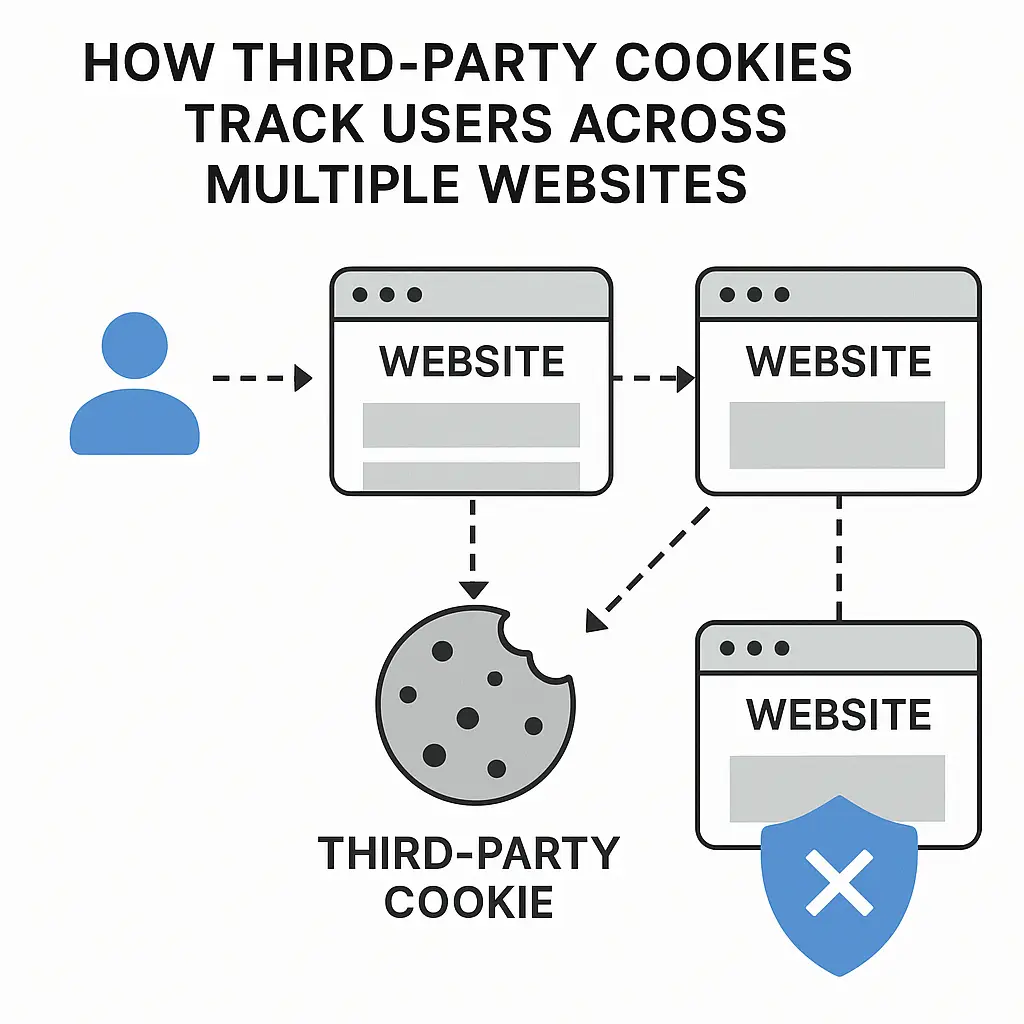
Traditional tracking uses cookies: small text files stored on your device that contain a unique identifier. When you return to a site, the cookie tells the site who you are. Delete the cookie, and the site loses that identifier.
Browser fingerprinting doesn't need cookies. Instead, it queries your browser for information that your browser provides freely to every site you visit. Some of this information is necessary for websites to function properly. Screen resolution, for instance, helps sites render layouts that fit your display. Timezone helps sites show you correct local times. The problem is that these individually reasonable data points combine into something far more identifying.
When a site loads, JavaScript code running in the page can ask your browser hundreds of questions. What fonts do you have installed? What plugins are enabled? How does your graphics card render a specific image? What audio context does your system support? How does your browser handle canvas rendering?
Your answers to these questions create a profile. Research from the Electronic Frontier Foundation has shown that fingerprints can be unique enough to identify individual users even when they're not logged in and have cleared all cookies.
What Gets Collected
The data points fall into several categories, each contributing to your overall fingerprint.
Screen and display characteristics. Your screen resolution, color depth, pixel ratio, and available screen space (accounting for taskbars and docks) are all visible to websites. If you're using a 2560x1440 monitor with a specific pixel density, that narrows the pool considerably compared to someone on a standard 1920x1080 display.
Fonts. Websites can detect which fonts are installed on your system by testing whether text renders at expected widths. If you're a designer with 300 custom fonts installed, your fingerprint is far more distinctive than someone running a default system installation.
Browser and system details. Your browser version, operating system, language settings, timezone, and whether you have Do Not Track enabled all contribute. Even the user agent string (which your browser sends with every request) provides identifying information.
Plugins and extensions. Installed plugins used to be highly identifying, though modern browsers have limited this data. Extensions are harder to detect directly, but they can leave traces in how pages render or behave.
Canvas and WebGL fingerprinting. This is where things get technical. Canvas fingerprinting works by asking your browser to draw an image or render text using HTML5 canvas. Different devices render these elements slightly differently based on their graphics card, drivers, and system configuration. The site captures the rendered output, hashes it, and uses that hash as part of your fingerprint. WebGL fingerprinting does something similar with 3D graphics rendering.
Audio fingerprinting. Websites can analyze how your system processes audio signals. Variations in audio hardware and software create subtle differences that contribute to your fingerprint.
Hardware characteristics. Your device's CPU, GPU, battery status (on laptops), and even motion sensors (on mobile devices) can be queried. Some of this requires permission, but much of it doesn't.
No single data point is uniquely identifying. The power comes from combining them. You might share your screen resolution with millions of people, but far fewer share your screen resolution plus your installed fonts plus your timezone plus your canvas rendering signature plus your audio context.
Why Fingerprinting Beats Cookies
Cookies have become easier to manage. Browsers now include cookie controls. Privacy regulations like GDPR require consent banners. Users have learned to clear cookies or use private browsing modes.
Fingerprinting sidesteps all of that. You can delete every cookie on your system, switch to private browsing, even change browsers, and your fingerprint remains largely the same because it's derived from your device's characteristics, not from stored data.
Fingerprinting is also harder to detect. When a site sets a cookie, you can inspect your browser's cookie storage and see it. Fingerprinting happens through standard web APIs that sites use for legitimate purposes. There's no obvious "fingerprinting storage" to inspect.
This makes fingerprinting attractive to advertisers, analytics companies, and anyone else interested in tracking users across the web. It's persistent, it's difficult to block without breaking websites, and it operates below the level of user awareness.
The Cumberbatch Problem
In the BBC series Sherlock, Benedict Cumberbatch's Holmes solves cases by observing details others miss: the wear pattern on a shoe, the type of mud on a coat, the angle of a pen mark. Each detail alone means little. Combined, they point to a specific person, a specific place, a specific timeline.
Browser fingerprinting works the same way. Your screen resolution is unremarkable. Your installed fonts are mundane. Your canvas rendering signature is just a hash. But layer them together, and they point to you. Not to "someone like you" or "someone in your demographic." To you, specifically, with enough confidence that trackers can follow you across sites even when you've cleared every cookie and logged out of every account.
The parallel holds because both depend on the accumulation of observable details that the subject can't easily hide. Holmes's targets don't know which details matter. You don't know which browser characteristics are identifying. And even if you did, changing them without breaking websites is difficult.
What Browsers Do About It
Modern browsers have started fighting back, though their approaches differ.
Firefox includes Enhanced Tracking Protection, which blocks known fingerprinting scripts from loading. It also implements fingerprinting resistance measures that standardize certain values (like your timezone and screen resolution) when fingerprinting is detected. Firefox's approach balances privacy against usability, blocking aggressive fingerprinting without breaking most websites.
Brave takes a more aggressive stance. It randomizes certain fingerprint values, making your fingerprint inconsistent across sessions. The idea is that if your fingerprint changes frequently, it becomes useless for long-term tracking. Brave also blocks third-party scripts that perform fingerprinting.
Safari uses Intelligent Tracking Prevention, which includes some fingerprinting defenses. Safari simplifies certain values (like system fonts) to reduce uniqueness, though it's less aggressive than Firefox or Brave.
Chrome has been slower to implement fingerprinting protections, though recent versions include some defenses. Chrome's Privacy Sandbox initiative aims to replace third-party cookies with less invasive tracking methods, but it doesn't directly address fingerprinting.
Tor Browser offers the strongest fingerprinting resistance by making all users look identical. Every Tor Browser user has the same screen resolution, the same fonts, the same timezone, the same everything. This makes fingerprinting useless because everyone has the same fingerprint. The tradeoff is usability: Tor is slower, and many websites block Tor traffic.
Each browser's defenses involve tradeoffs. Aggressive fingerprinting protection can break websites that rely on accurate device information for legitimate purposes. A site that needs your screen resolution to display properly will malfunction if your browser lies about that value.
What You Can Actually Do
Complete fingerprinting resistance requires making your browser indistinguishable from millions of others. That's difficult without sacrificing usability.
Here's what you can control.
Use a privacy-focused browser. Firefox, Brave, or Tor Browser all offer better fingerprinting protection than Chrome or Edge. If you're serious about reducing fingerprinting, switching browsers is the most effective single step.
Install fewer fonts. The more custom fonts you have, the more unique your fingerprint. Removing unnecessary fonts reduces your uniqueness, though this has limited impact if you're using a standard system installation.
Limit browser extensions. Extensions can make your fingerprint more unique. Use only the extensions you actually need. Some extensions (like Privacy Badger from the EFF) actively fight tracking, but even privacy extensions can contribute to your fingerprint by changing how pages render.
Disable JavaScript on sensitive sites. Most fingerprinting relies on JavaScript. Disabling it breaks fingerprinting but also breaks most modern websites. This is practical only for specific high-privacy situations.
Use the Tor Browser for high-stakes browsing. If you need strong anonymity (researching sensitive medical conditions, accessing information in a restrictive environment, protecting sources as a journalist), Tor Browser is the answer. For everyday browsing, the usability tradeoffs are steep.
Understand that private browsing doesn't help. Incognito mode, Private Browsing, and similar features clear your local history and cookies but don't change your device's fingerprint. You'll have the same fingerprint in private mode as in normal mode.
Accept that some tracking is unavoidable. Unless you're willing to use Tor Browser for everything, you will be fingerprinted. The goal is reducing the uniqueness of your fingerprint and blocking the most aggressive trackers, not achieving perfect anonymity.
The Legal Landscape
Fingerprinting exists in a regulatory gray area. The FTC monitors deceptive practices around data collection, but fingerprinting itself isn't illegal in the United States. If a company claims not to track users while using fingerprinting, that could violate FTC rules. But transparent fingerprinting is generally legal.
In Europe, the GDPR requires consent for tracking technologies, which includes fingerprinting in some interpretations. The European Data Protection Board has issued guidance suggesting that fingerprinting requires the same consent as cookies, though enforcement varies by country.
California's CCPA and similar state laws give residents the right to know what data is collected and to opt out of its sale, which could cover fingerprinting data. But these laws focus on transparency and control, not on banning the practice outright.
The practical reality is that fingerprinting happens whether it's clearly legal or not. Sites that use it rarely disclose it in plain terms. Privacy policies mention "device information" and "analytics" without explaining fingerprinting specifically. Users have little visibility into which sites fingerprint them or how that data is used.
Why This Matters
Fingerprinting isn't just about ads. It enables persistent tracking across contexts you expect to be separate.
You might browse medical information in one session, political content in another, and shopping sites in a third. Fingerprinting allows trackers to connect those sessions even when you've logged out, cleared cookies, and used different browsers. Your fingerprint ties them together.
This has implications for sensitive research, for political organizing, for journalism, for anyone who needs to keep different aspects of their online life separate. Cookies were easy to understand and manage. Fingerprinting operates below that level of control.
The Electronic Frontier Foundation's work on this issue has documented how fingerprinting enables surveillance that users can't easily detect or prevent. Their Panopticlick tool (now called Cover Your Tracks) lets you test how unique your browser fingerprint is. Most users discover they're far more identifiable than they assumed.
The Usability Tradeoff
Strong fingerprinting resistance requires making your browser common. The most common configuration is the default configuration. Any customization, any installed software, any change from the standard setup makes you more unique.
This creates tension. Privacy-conscious users install extensions, customize settings, and use less common browsers. These actions, intended to improve privacy, can make fingerprints more distinctive. A Firefox user with Privacy Badger, uBlock Origin, and custom font settings has a more unique fingerprint than a Chrome user running defaults.
The paradox is that trying too hard to be private can make you more identifiable. The solution isn't to give up, but to understand the tradeoff. Use privacy tools that provide real protection (like Firefox's Enhanced Tracking Protection or Brave's script blocking) while minimizing unnecessary customization.
Testing Your Fingerprint
You can see how unique your browser fingerprint is by visiting the EFF's Cover Your Tracks tool at coveryourtracks.eff.org. The site analyzes your browser and estimates how many other users share your fingerprint.
Most people discover their fingerprint is unique or nearly unique. Even privacy-focused browsers produce distinctive fingerprints unless you're using Tor Browser, which standardizes everything.
Testing your fingerprint is useful for understanding the problem, but don't expect the results to be encouraging. The goal isn't to achieve a perfect score. The goal is to reduce your fingerprint's uniqueness where practical and to use strong fingerprinting resistance (Tor Browser) when anonymity actually matters.
What Websites See vs. What They Need
Websites need some information to function. Screen resolution helps them render layouts. Language settings help them display content in the right language. Timezone helps them show correct local times.
But websites don't need to know your exact installed fonts. They don't need your canvas rendering signature. They don't need your audio context. These data points serve tracking, not functionality.
The browser APIs that enable fingerprinting were designed for legitimate purposes. Canvas was created to let websites draw graphics. WebGL enables 3D rendering. The problem is that these APIs expose information that can be used for tracking, and there's no technical way to separate legitimate use from tracking use.
This is why browser defenses focus on blocking known fingerprinting scripts and standardizing values when fingerprinting is detected, rather than disabling the APIs entirely. Disabling canvas or WebGL would break too many websites. The defense has to be more surgical.
Cross-Device Tracking
Fingerprinting becomes more powerful when combined with other data. If a tracker fingerprints your laptop and your phone, and you log into the same account on both devices, the tracker can link those fingerprints to the same identity.
Now the tracker knows that laptop fingerprint X and phone fingerprint Y belong to the same person. Even when you're not logged in, the tracker can connect your activity across devices. This is called cross-device tracking, and fingerprinting is one of the techniques that enables it.
There's no simple defense against this. Using different browsers on different devices helps. Avoiding logging into accounts while browsing sensitive content helps. But complete separation is difficult when you use the same accounts across devices for legitimate reasons.
The Arms Race
Fingerprinting defenses and fingerprinting techniques are locked in an arms race. Browsers implement defenses. Trackers develop new fingerprinting methods that bypass those defenses. Browsers respond with stronger defenses. The cycle continues.
Canvas fingerprinting was followed by WebGL fingerprinting, then audio fingerprinting, then battery status fingerprinting, then motion sensor fingerprinting. Each time browsers block one technique, trackers find another.
Some researchers have even demonstrated that the way browsers implement fingerprinting defenses can itself become a fingerprinting vector. If Firefox randomizes canvas rendering in a specific way, that randomization pattern can identify you as a Firefox user, which narrows the pool.
This doesn't mean defenses are useless. It means perfect defense is impossible. The goal is to raise the cost and complexity of fingerprinting enough that casual trackers give up, while accepting that determined adversaries with resources will find ways through.
When Fingerprinting Matters Most
For everyday browsing, fingerprinting is one of many privacy concerns. It's worth mitigating, but it's not the only threat.
Fingerprinting matters most in specific contexts:
- Researching sensitive medical, legal, or financial information where you need separation from your normal browsing
- Accessing information in countries with restrictive internet policies
- Protecting sources or whistleblowers as a journalist
- Political organizing where surveillance is a concern
- Any situation where you need strong anonymity and can't rely on account-based privacy
In these contexts, use Tor Browser. Accept the usability tradeoffs. The fingerprinting resistance is worth it.
For normal browsing, use Firefox or Brave, install Privacy Badger or uBlock Origin, and accept that some tracking will happen. The goal is reducing your exposure, not eliminating it entirely.
The Bigger Picture
Browser fingerprinting is one piece of a larger tracking ecosystem. Sites also use cookies, tracking pixels, social media widgets, login-based tracking, email tracking, location tracking, and behavioral analysis.
Focusing only on fingerprinting while ignoring these other methods gives incomplete protection. But fingerprinting is worth understanding because it's less visible than cookies, harder to block, and more persistent.
The FTC's guidance on privacy and security emphasizes transparency and user control. Fingerprinting undermines both. Users can't see it happening. They can't control it without technical knowledge. And companies rarely disclose it clearly.
This is changing slowly. Browser vendors are implementing defenses. Privacy regulations are expanding. But the change is incremental, and fingerprinting remains widespread.
What Comes Next
As browsers block third-party cookies, fingerprinting will likely become more common. Trackers need alternatives, and fingerprinting is one of the most effective.
At the same time, browser defenses are improving. Firefox and Brave are adding stronger protections. Safari is expanding Intelligent Tracking Prevention. Even Chrome is slowly moving in this direction.
The tension between functionality and privacy will continue. Websites need some device information to work properly. Trackers want as much information as possible. Browsers have to balance these competing demands while keeping sites functional.
For you, the practical steps remain the same: use a privacy-focused browser, limit unnecessary customization, install a tracker blocker, and use Tor Browser when anonymity actually matters. Perfect privacy is unattainable, but significant privacy is achievable with the right tools and understanding.
Related reading: