Fingerprint vs Face ID vs Voice: Which Biometric Actually Protects Your Phone
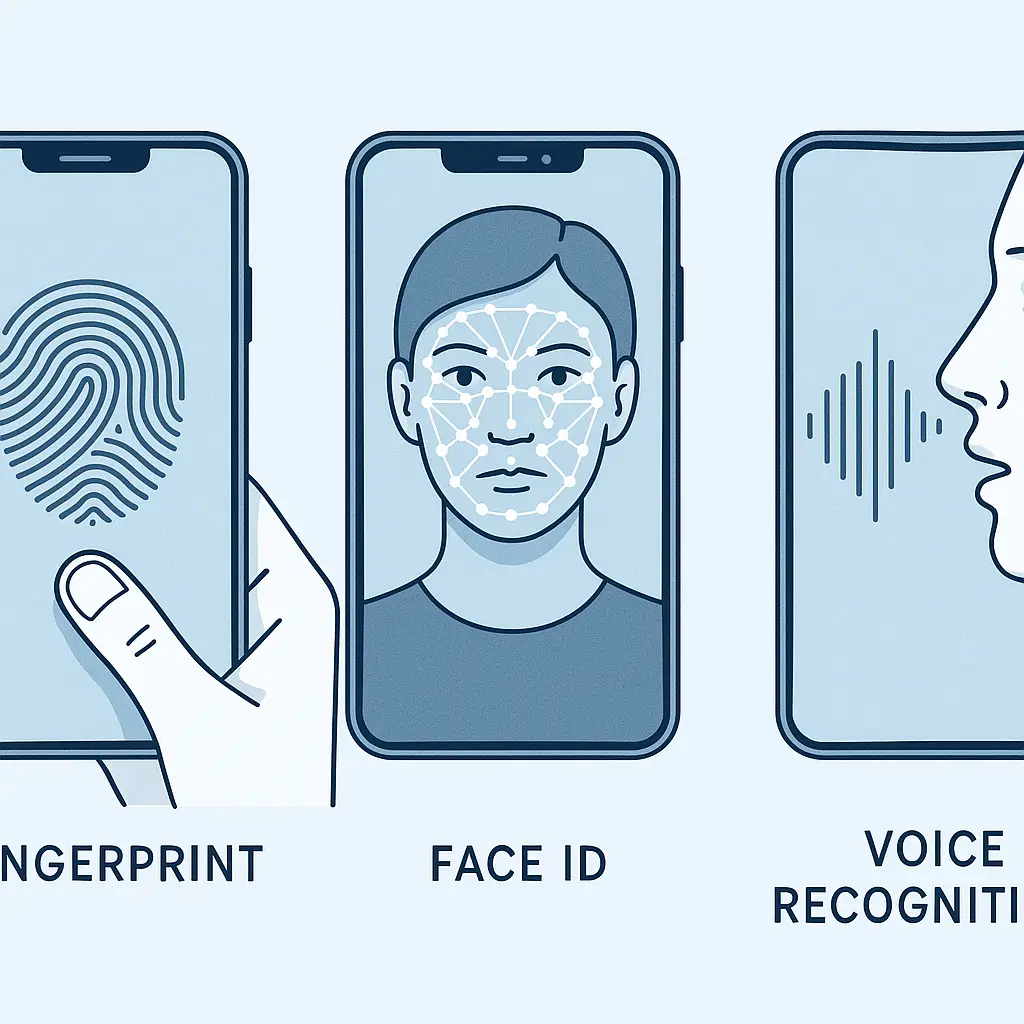
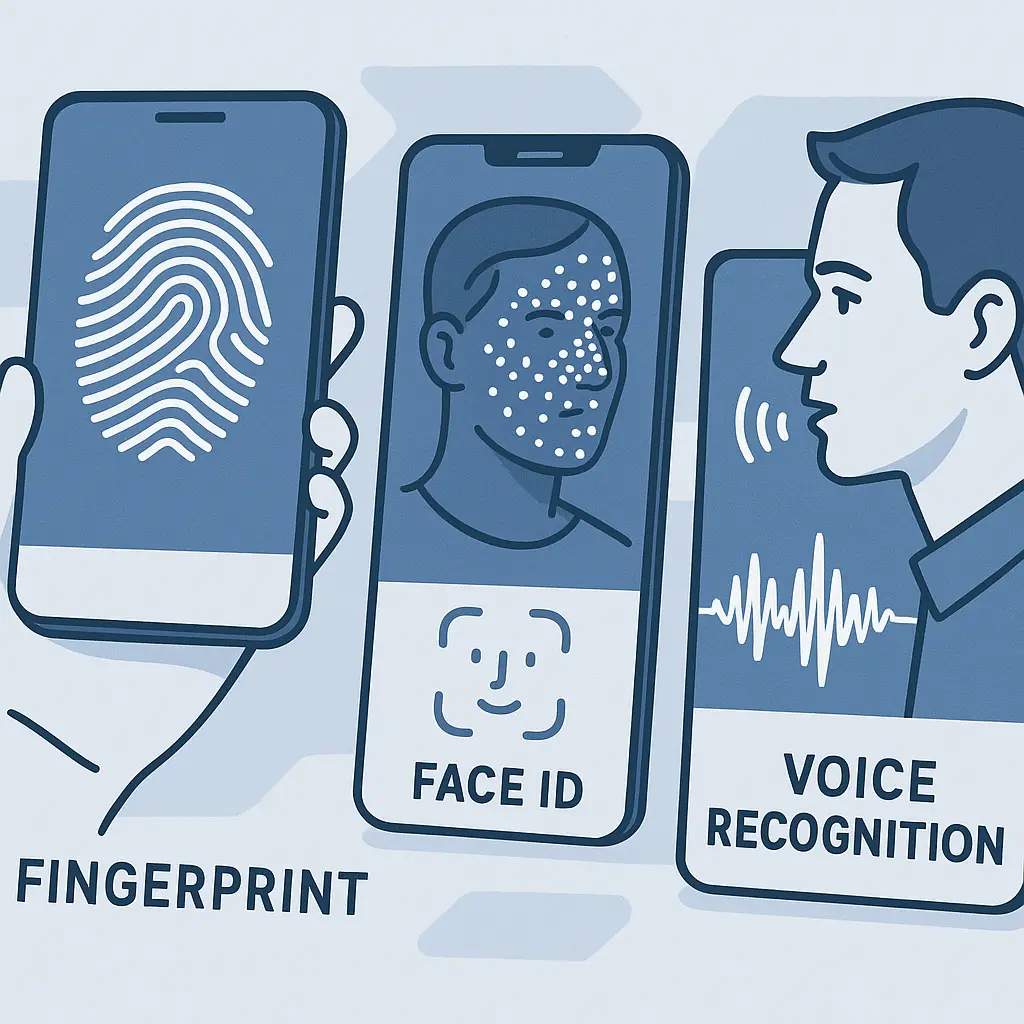
Your phone holds your email, banking, photos, messages, and access to nearly every account you own. The lock screen is the only thing standing between that data and whoever picks up your device. You have three biometric options: fingerprint sensors, Face ID (or similar face recognition), and voice recognition. They all promise convenience and security, but they work differently, fail differently, and protect you differently when someone tries to force access.
Here's how each method actually works, what makes them secure or vulnerable, and which to use for what.
Fingerprint Sensors: The Baseline
Fingerprint sensors read the unique patterns of ridges and valleys on your fingertip. When you register a fingerprint, the sensor captures multiple images from different angles and converts them into a mathematical template, not an image, but a numerical representation of the distinctive features. That template gets stored in your phone's secure enclave, a hardware-isolated area that other software can't access.
When you touch the sensor to unlock, it captures your fingerprint, converts it to a template using the same algorithm, and compares it to the stored version. If enough features match within a tolerance threshold, the phone unlocks. The whole process takes a fraction of a second.
Modern fingerprint sensors come in three types: capacitive (most common, reads electrical signals from your skin), optical (takes a photo of your finger, less secure), and ultrasonic (uses sound waves to map your fingerprint in 3D, most secure but also most expensive). The technology matters less than the implementation, cheap optical sensors can be fooled with photos or molds, while good capacitive sensors resist those attacks.
The security comes from the uniqueness of fingerprints. Researchers estimate that around 1 in 50,000 random fingerprints will match yours well enough to fool a sensor. That's orders of magnitude better than a four-digit PIN, which has a 1 in 10,000 chance of random success. But it's not foolproof, someone with access to a clear fingerprint (from a glass, a doorknob, or a photo) can potentially create a replica that fools the sensor.
Fingerprint sensors fail in predictable ways. Wet fingers often don't register. Dry, cracked skin reduces accuracy. Dirt or oil on the sensor degrades performance. And if you injure the finger you registered, you're locked out until it heals or you use your backup method.
The forced-access problem is simple: if someone can physically press your finger to the sensor while you're asleep, unconscious, or restrained, the phone unlocks. You can't prevent it. This matters in domestic abuse situations, coercive relationships, and border crossings where agents have legal authority to compel biometric unlocking in some jurisdictions.
Face ID: Depth Mapping and Attention Detection
Face ID (Apple's implementation) and similar systems from Android manufacturers use depth-sensing cameras to build a 3D map of your face. When you set it up, the system captures thousands of infrared dots projected onto your face, measuring depth at each point. It creates a mathematical model of your facial geometry, the distance between your eyes, the shape of your nose, the contours of your cheeks, and stores that model in the secure enclave.
When you look at your phone, the system projects the same dot pattern, captures the depth map, and compares it to the stored model. If the geometry matches within tolerance, the phone unlocks. The infrared projection works in darkness, which is why Face ID works at night without lighting.
The 3D depth requirement makes Face ID resistant to photos, videos, and printed masks. A photo is flat, it doesn't have the depth information the system needs. Researchers have demonstrated attacks using sophisticated 3D-printed masks, but those require detailed scans of your face and aren't practical for casual attacks. The false-accept rate, the chance that a random person's face will unlock your phone, is around 1 in 1,000,000, significantly better than fingerprint sensors.
Face ID includes attention detection: it checks whether your eyes are open and looking at the screen. If you close your eyes or look away, it won't unlock. This creates a defense against forced unlocking that fingerprint sensors lack, you can refuse to look at the phone or keep your eyes closed. It's not perfect (someone can force your eyes open), but it adds a layer of active resistance.
The system fails when your face changes significantly. Heavy scarves, ski masks, and some medical masks prevent recognition. Sunglasses work if they're not too dark (the infrared passes through most tinted lenses, but not mirrored or very dark ones). Significant facial injuries, surgeries, or dramatic weight changes can require re-registration.
Twins and close relatives create a known vulnerability. The 1-in-a-million false-accept rate doesn't apply to people who share your genetic facial structure. Some experts say the rate for identical twins is closer to 1 in 100. If you have an identical twin, Face ID isn't secure against them.
The angle and distance matter. You need to hold the phone roughly 10-20 inches from your face, within about 45 degrees of straight-on. Lying flat on a pillow or holding the phone at an extreme angle often fails. This is both a security feature (harder for someone else to aim the phone at you from across the room) and a usability limitation.
Voice Recognition: Pattern Matching and Acoustic Features
Voice recognition for unlocking (distinct from voice assistants like Siri or Google Assistant, though they use similar technology) analyzes the acoustic characteristics of your speech. When you register your voice, you speak a passphrase multiple times. The system extracts features: pitch, tone, cadence, the way you form vowels and consonants, and the unique resonances created by your vocal tract's shape.
It builds a voiceprint, a mathematical model of those features, and stores it locally. When you speak the passphrase to unlock, the system extracts the same features from your speech, compares them to the stored model, and unlocks if they match within tolerance.
The security depends on two factors: the uniqueness of your voice and the complexity of the passphrase. Voices are less unique than fingerprints or faces. Researchers estimate that around 1 in 100 to 1 in 1,000 random voices will match yours well enough to fool basic systems. The passphrase adds entropy, a longer, more complex phrase is harder to match even if the voice characteristics are similar.
Voice recognition fails more often than fingerprint or face recognition. Background noise interferes with feature extraction. Colds, sore throats, or vocal strain change your voice enough to trigger rejections. Different microphones (phone held at different distances, speakerphone mode, Bluetooth headset) can degrade accuracy. And unlike fingerprints or faces, your voice changes naturally over time, aging, hormones, and health conditions all affect vocal characteristics.
The forced-access problem is different from fingerprints and faces. Someone can play a recording of you speaking the passphrase. Sophisticated attackers can use AI voice cloning to synthesize your voice saying the passphrase even if they don't have a recording of you saying those exact words. Some systems include liveness detection, checking for acoustic properties that distinguish live speech from recordings, but these defenses are imperfect.
The bigger issue is that voice recognition for phone unlocking is rare in 2026. Most manufacturers abandoned it years ago because the failure rate was too high and the security too weak. Voice authentication still exists for voice assistants and some banking apps, but it's not a primary phone-unlocking method for most devices. If your phone offers it, it's likely a secondary option, not a replacement for fingerprint or face recognition.
Comparing Security: Attack Scenarios
The question isn't which method is most secure in absolute terms, it's which is most secure against the specific threats you face.
Random attacks (phone stolen by stranger): Face ID wins. The 1-in-a-million false-accept rate beats fingerprint sensors' 1-in-50,000 and voice recognition's 1-in-100 to 1-in-1,000. A thief who picks up your phone has no practical way to unlock Face ID without your cooperation.
Targeted attacks (someone who knows you): It depends. If the attacker has access to your fingerprints (from objects you've touched), fingerprint sensors are vulnerable. If they have recordings of your voice or can use AI to clone it, voice recognition is vulnerable. Face ID is harder to attack in a targeted way unless the attacker has identical facial geometry (twin, close sibling) or can create a detailed 3D mask (expensive, requires sophisticated equipment).
Forced unlocking (coercion, legal compulsion): Face ID offers the most resistance because you can close your eyes or look away. Fingerprint sensors offer no resistance, your finger can be pressed to the sensor while you're unconscious or restrained. Voice recognition requires you to speak, which is harder to compel than pressing a finger but easier than forcing someone's eyes open.
Casual snooping (partner, roommate, family): Face ID and fingerprint sensors are roughly equivalent if the person has casual physical access to you while you're asleep or distracted. Voice recognition is weaker because recordings can be replayed.
Legal context (border searches, arrests): This varies by jurisdiction. In the U.S., some courts have ruled that law enforcement can compel you to unlock your phone with biometrics (fingerprint or face) but cannot compel you to provide a passcode, which is considered testimonial and protected by the Fifth Amendment. Other courts have ruled differently. The legal landscape is inconsistent. If this threat model matters to you, the only reliable defense is to disable biometrics before the interaction, most phones let you do this quickly by pressing specific button combinations.
Comparing Usability: Daily Friction
Security doesn't matter if you disable it because it's too annoying.
Speed: Fingerprint sensors are fastest in ideal conditions, under half a second from touch to unlock. Face ID adds around half a second because you need to position the phone, look at it, and wait for the scan. Voice recognition is slowest, requiring you to speak a phrase and wait for processing, typically 2-3 seconds total.
Failure rate: Fingerprint sensors fail most often due to environmental factors (wet, dirty, or dry fingers). Face ID fails less often but has more situational limitations (masks, extreme angles, darkness with some implementations). Voice recognition fails most often overall due to noise, vocal changes, and microphone variability.
Hands-free operation: Face ID wins. You can unlock your phone by looking at it while your hands are full. Fingerprint sensors require a free finger. Voice recognition requires you to speak, which is awkward in quiet environments.
Accessibility: This depends on individual needs. People with certain disabilities may find one method easier than others. Fingerprint sensors require fine motor control. Face ID requires holding the phone at a specific angle and distance. Voice recognition requires clear speech. Most phones let you enable multiple methods simultaneously, using whichever works in the moment.
Environmental resilience: Fingerprint sensors struggle with wet or dirty conditions but work in any lighting and at any angle. Face ID struggles with masks and extreme angles but works in wet conditions and poor lighting. Voice recognition struggles with noise and vocal changes but works regardless of hand or face position.
The Practical Setup: What to Actually Do
Most phones let you enable both fingerprint and Face ID simultaneously. This is the right choice for most people. You get the speed of fingerprint unlocking in ideal conditions and the fallback of Face ID when your fingers are wet or dirty. The security is determined by the weaker method, if an attacker can bypass either one, they're in, but the usability improvement is worth the marginal security tradeoff for most threat models.
Register multiple fingers if your phone supports it (most allow 3-5). Register your index finger and thumb on your dominant hand, plus at least one finger on your non-dominant hand. This covers the common scenarios: unlocking while holding something in your dominant hand, unlocking while wearing a glove on one hand, and having a backup if you injure a finger.
Enable attention detection on Face ID if your phone offers it. This requires you to look at the screen with your eyes open, adding resistance to forced unlocking. The usability cost is minimal, it only fails when you're trying to unlock without looking, which is rare.
Set up an alternate appearance for Face ID if you regularly wear accessories that change your facial geometry, different glasses, hats that cast shadows, or medical masks. Most implementations let you register a second face model that accounts for these variations.
Configure the emergency lockdown feature that disables biometrics temporarily. On iPhones, pressing the side button five times triggers this. On most Android phones, holding power and volume up does the same. This lets you quickly disable biometric unlocking if you're entering a situation where forced unlocking is a concern, border crossings, protests, interactions with law enforcement, or any scenario where someone might compel you to unlock your device.
Use a strong alphanumeric passcode as your fallback. Biometrics are convenient, but the passcode is what protects you when biometrics fail or are disabled. A six-digit numeric PIN is the minimum; an alphanumeric passphrase is better. The passcode is also what encrypts your device, biometrics just unlock it.
Disable voice unlocking unless you have a specific accessibility need that makes it necessary. The security is weaker, the failure rate is higher, and the attack surface (recordings, AI cloning) is broader than fingerprint or face recognition. If you need voice access, use it only for voice assistant features, not general device unlocking.
The Cultural Reference: Minority Report and Biometric Assumptions
In Minority Report, Tom Cruise's character undergoes eye replacement surgery to evade the retinal scanners that track everyone in 2054 Washington D.C. The film presents biometric identification as both ubiquitous and absolute, your eyes are your identity, and changing them is the only way to escape surveillance.
The reality is messier. Biometric authentication isn't absolute. It's probabilistic, a match within tolerance, not a perfect correspondence. The tolerance determines the tradeoff between false accepts (letting the wrong person in) and false rejects (locking out the right person). Tighten the tolerance and you increase security but also increase the chance of rejecting legitimate users. Loosen it and you improve usability but increase the chance of accepting imposters.
The film also assumes biometrics are permanent and unchangeable. But fingerprints wear down, faces age, voices change. The systems adapt by loosening tolerances over time or requiring periodic re-registration. This creates a window where older stored templates might match a broader range of inputs than fresh ones.
The bigger lesson is that biometric authentication works best as one layer in a multi-factor system, not as a single point of absolute identification. Your fingerprint unlocks your phone, but your phone also requires a passcode after restart. Your face unlocks your banking app, but the bank also checks your device fingerprint, location, and behavioral patterns. The biometric is convenient, but the security comes from the combination.
What Gets Stored and Who Sees It
When you register a fingerprint, face, or voice, the data stays on your device. Modern implementations store the biometric template in a secure enclave, a hardware-isolated chip that other software can't access. The template never leaves your phone. It's not uploaded to iCloud, Google's servers, or any third-party service.
When you use biometric authentication with an app or website, the phone doesn't send your biometric data to the service. Instead, the phone verifies your biometric locally, then sends a cryptographic token to the service saying "this user authenticated successfully." The service never sees your fingerprint, face map, or voiceprint.
This is different from older systems where biometric data was stored in software or transmitted to servers for verification. Those implementations created centralized databases of biometric templates, targets for breaches and government requests. Modern phone-based biometric authentication doesn't have that vulnerability because the data never leaves the secure enclave.
The tradeoff is that if you lose your phone or it's destroyed, your biometric data is lost with it. You can't restore it from backup. You have to re-register on your new device. This is a feature, not a bug, it means your biometric templates can't be stolen from cloud backups or intercepted in transit.
Law enforcement can compel you to unlock your phone with biometrics in some jurisdictions, but they can't extract the biometric template itself. The secure enclave is designed to resist forensic extraction. If you disable biometrics and refuse to provide your passcode, the data on your phone is (in theory) inaccessible. In practice, sophisticated forensic tools can sometimes bypass these protections, but the baseline security is strong.
When to Disable Biometrics Temporarily
There are specific scenarios where disabling biometric unlocking temporarily makes sense:
Border crossings: Some countries' border agents have legal authority to compel biometric unlocking but not passcode disclosure. If you're crossing a border where this is a concern, disable biometrics before you reach the checkpoint. Re-enable them after you're through.
Protests or demonstrations: In jurisdictions where law enforcement might seize phones and compel unlocking, disabling biometrics before attending reduces that risk. The legal protections for passcodes vs. biometrics vary, but physical control of your device combined with compelled biometric unlocking is a known threat.
Medical procedures: If you're going under anesthesia, someone could theoretically unlock your phone with your fingerprint or face while you're unconscious. Disabling biometrics before surgery eliminates that risk. This sounds paranoid, but it's happened in cases of domestic abuse where a partner had access during medical recovery.
Domestic situations: If you're in a relationship where your partner might try to access your phone without permission, disabling biometrics removes the option of unlocking while you're asleep. This is a band-aid on a larger problem, but it's a practical immediate step.
High-security meetings: If you're discussing sensitive information and want to ensure no one can quickly unlock your phone if it's briefly out of your sight, disabling biometrics for the duration of the meeting adds a layer of protection.
Most phones make temporary disabling easy, a button combination that immediately requires the passcode for the next unlock, then re-enables biometrics automatically after that. Learn this combination for your device and practice it until it's muscle memory.
The Failure Scenarios You Need to Plan For
Every biometric method fails eventually. Here's what happens and how to prepare:
Sensor hardware failure: Fingerprint sensors can be damaged by drops, water, or wear. Face ID cameras can be damaged by impacts. If the sensor fails, you're locked into passcode-only unlocking until you repair or replace the device. This is why setting a strong passcode matters, it's your permanent fallback.
Injury or medical changes: If you injure all your registered fingers, you can't use fingerprint unlocking until they heal. If you have facial surgery or significant swelling, Face ID might not recognize you. Voice recognition fails during laryngitis or after vocal cord surgery. Register multiple biometric options if your phone supports it, and always have the passcode as backup.
Temporary environmental conditions: Wet hands, dirty sensors, masks, extreme angles, background noise, all of these create temporary failures. The phone falls back to the passcode. If you find yourself entering your passcode frequently, the biometric method isn't working for your actual usage patterns. Either fix the environmental issue (clean the sensor, remove the mask, move to a quieter location) or accept that you'll be using the passcode more often.
Software bugs: Biometric authentication systems are software, and software has bugs. iOS and Android updates occasionally break fingerprint or face recognition temporarily. Security updates sometimes tighten tolerances, causing more false rejects. If biometric unlocking suddenly stops working after an update, check online forums to see if it's a known issue. Sometimes a forced restart fixes it. Sometimes you have to wait for a patch.
Secure enclave corruption: Rare but possible, the secure enclave can become corrupted due to hardware failure or software bugs. When this happens, all stored biometric data is lost. You'll need to re-register. This is why the passcode is critical, it's the only way to unlock your device if the secure enclave fails.
Choosing Based on Your Threat Model
The right choice depends on who you're defending against and what your daily usage looks like.
Defending against strangers (theft, loss): Face ID or fingerprint sensors are both fine. The security difference is marginal for this threat model. Choose based on usability, which one works better in your daily environment?
Defending against people you know: Face ID is stronger because it's harder to replicate your face than to lift your fingerprint or record your voice. But if you have an identical twin or close sibling, fingerprint sensors are better.
Defending against forced unlocking: Face ID with attention detection is best because you can close your eyes or look away. But if forced unlocking is a serious concern in your threat model, you should be disabling biometrics entirely in high-risk situations and relying on the passcode.
Prioritizing speed and convenience: Fingerprint sensors are fastest in ideal conditions. If you unlock your phone dozens of times per day and usually have clean, dry hands, fingerprint unlocking will feel faster than Face ID.
Prioritizing hands-free operation: Face ID wins. If you often need to unlock your phone while holding something, wearing gloves, or otherwise unable to touch the screen, face recognition is more practical.
Accessibility needs: This is individual. Some disabilities make fingerprint sensors difficult; others make Face ID difficult. Voice recognition is often the most accessible option despite being the least secure. Choose what works for your specific needs, and don't let generic security advice override practical usability.
The bottom line: enable both fingerprint and Face ID if your phone supports it. Register multiple fingers. Enable attention detection. Set a strong passcode. Learn the emergency lockdown combination. Disable biometrics temporarily when entering situations where forced unlocking is a plausible threat. And remember that biometric authentication is a convenience layer on top of the passcode, the passcode is what actually secures your device.