When you actually need a VPN and when you don't
VPN marketing promises privacy, security, and freedom online. Every ad suggests you're vulnerable without one. Every sponsored video implies your data leaks constantly. Every comparison chart positions VPNs as essential infrastructure.
The reality is more complicated. VPNs solve specific problems in specific situations. They don't solve most problems in most situations. And the gap between what VPN companies promise and what VPN technology actually delivers has widened as the web itself has become more secure.
Here's what VPNs actually protect, what they don't, and when the monthly subscription makes sense.
What a VPN actually does
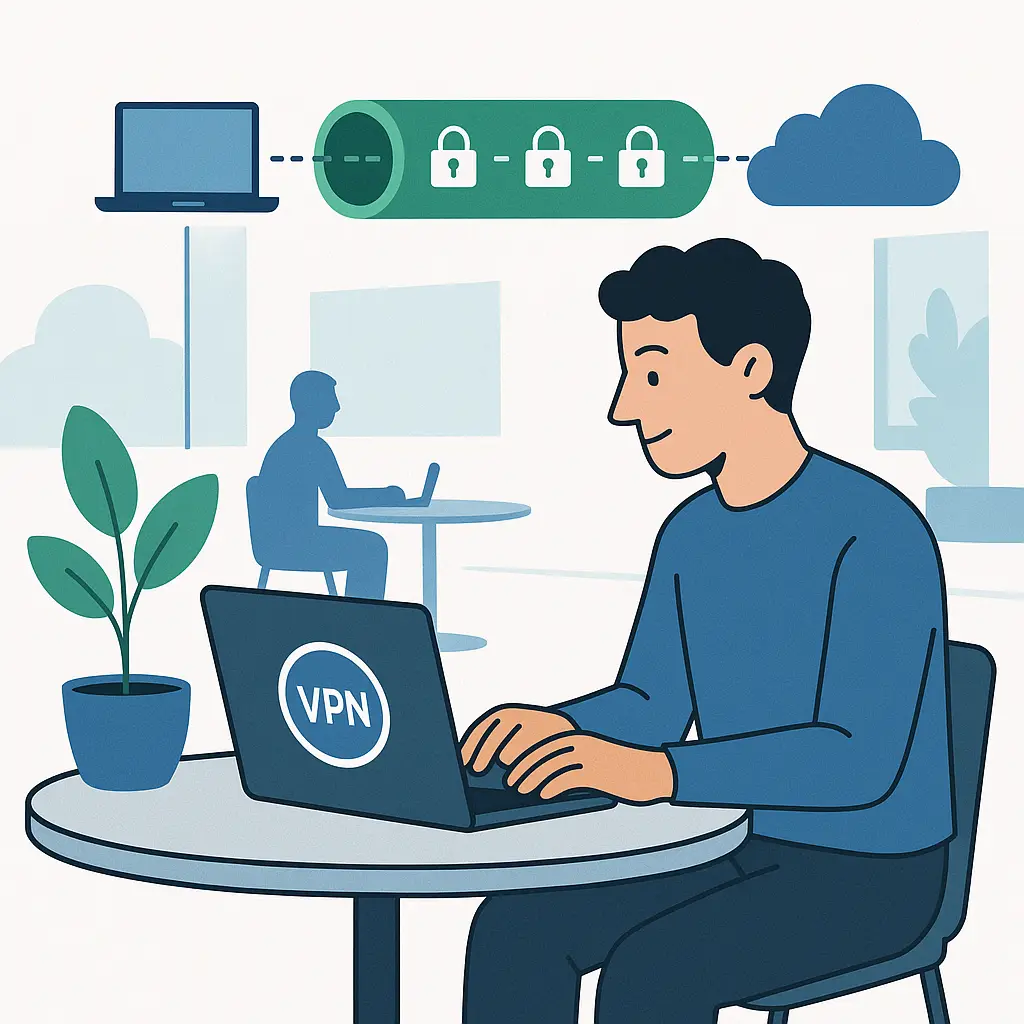
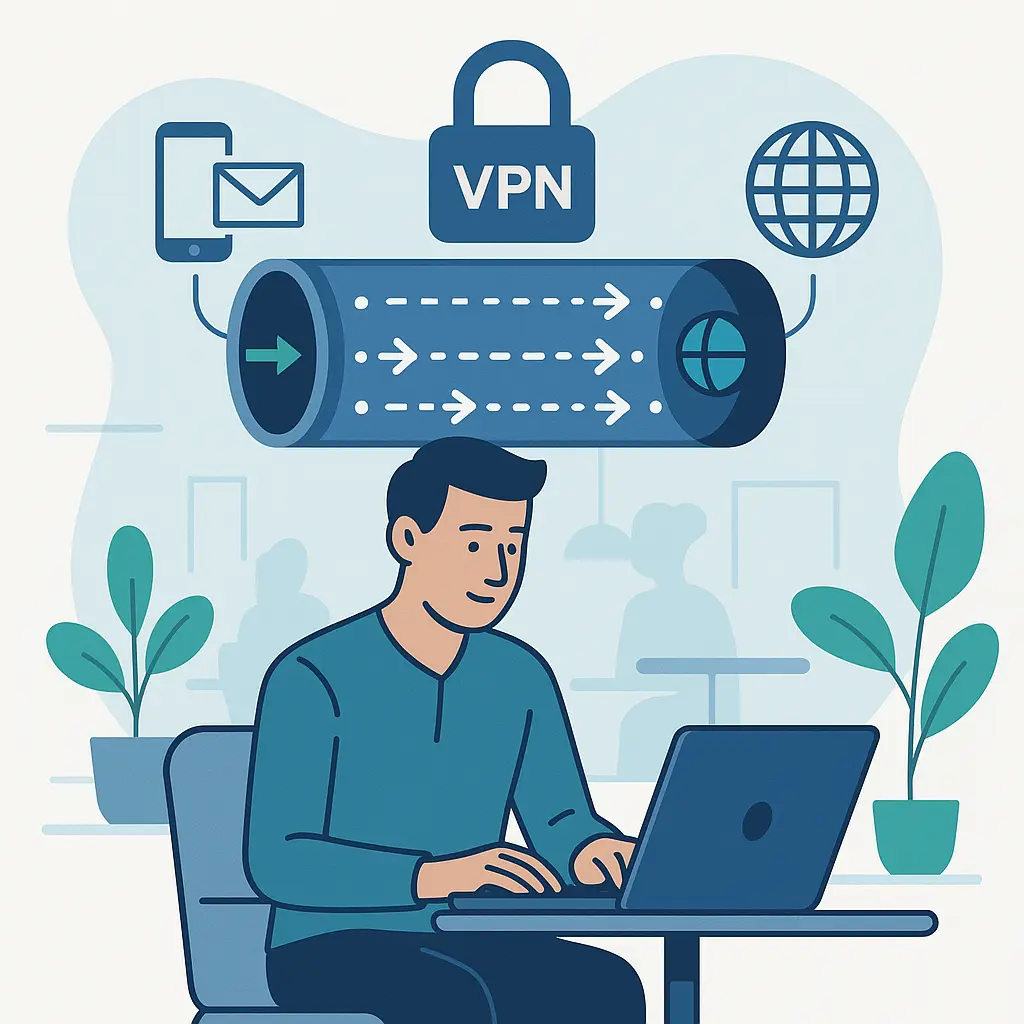
A VPN creates an encrypted tunnel between your device and a server somewhere else on the internet. Your traffic flows through that tunnel to the VPN server, which then forwards it to its final destination. To websites you visit, your connection appears to originate from the VPN server's location, not yours.
That's the technical mechanism. Three things change:
Your internet service provider can't see which websites you visit. They see only that you're connected to a VPN server. The content of your browsing stays hidden inside the encrypted tunnel.
Websites you visit see the VPN server's IP address instead of yours. Your actual location and identity stay one step removed.
If you're on a network you don't control, the network operator can't see your traffic content. They see encrypted data flowing to a VPN server, nothing more.
Those three changes matter in specific circumstances. They don't matter in others. And VPN marketing deliberately conflates the two.
What VPNs don't protect you from
VPNs don't make you anonymous. You're still identifiable through browser fingerprinting, which analyzes your device's unique characteristics. You're still trackable through cookies, which follow you across sites. You're still logged into accounts that know exactly who you are. A VPN hides your IP address. It doesn't hide you.
VPNs don't encrypt your data end-to-end. They encrypt the connection between your device and the VPN server. After that, your traffic travels the normal internet in whatever form the website uses. If you visit an HTTPS site, your data stays encrypted all the way to the destination. If you visit an HTTP site, your data leaves the VPN server unencrypted. The VPN tunnel protects one segment of the journey, not the entire path.
VPNs don't stop phishing. A fake banking site looks identical whether you access it through a VPN or not. The encryption doesn't verify the destination's legitimacy. If you enter your password on a phishing page, the VPN dutifully encrypts that password and sends it to the attacker.
VPNs don't prevent malware. Downloading an infected file through a VPN still downloads an infected file. The encrypted tunnel protects the transmission. It doesn't scan the payload.
VPNs don't guarantee privacy from the VPN provider itself. Your ISP can't see your traffic, but the VPN company can. You're shifting trust from one entity to another. If the VPN provider logs your activity, sells your data, or responds to government requests, the privacy you thought you gained evaporates.
When HTTPS already protects you
In 2010, most websites transmitted data in cleartext. Public WiFi was genuinely dangerous. Packet sniffing tools could capture passwords, emails, and credit card numbers from anyone on the same network. VPNs solved a real, widespread problem.
In 2026, HTTPS encrypts around 95% of web traffic. When you visit a site with HTTPS in the URL, your browser and the server negotiate an encrypted connection before any data moves. The content of your browsing, your passwords, your payment information all travel encrypted, even on public WiFi.
The network operator can see which domains you visit. They can't see which pages within those domains, what you type, or what you download. That metadata leakage matters in some threat models. It doesn't matter in most.
If you're checking email on Gmail, shopping on Amazon, or reading news on any major publication, HTTPS already encrypts your connection. A VPN adds a second layer of encryption around the first. That's not useless, but it's also not the difference between safe and unsafe.
The threat VPNs originally solved has largely disappeared through protocol-level changes to the web itself. HTTPS is now the default. Browsers warn you when sites don't use it. Certificate authorities issue free certificates. The gap VPNs filled in 2010 has closed.
When you actually need a VPN
Some situations still justify the subscription cost. Here's when a VPN adds meaningful protection.
International travel. When you connect to hotel WiFi in a foreign country, you're trusting infrastructure you don't control in a legal jurisdiction that may not protect your data. CISA recommends using VPNs when accessing networks outside your organization's control. A VPN encrypts your traffic before it touches that network.
This matters more in some countries than others. China, Russia, Iran, and others actively monitor and filter internet traffic. A VPN can bypass some restrictions and hide some activity, though effectiveness varies and legal risks exist. Research the specific country's laws before you travel.
Work requirements. Many employers require VPN connections to access internal systems remotely. This isn't about protecting you from public WiFi. It's about controlling access to corporate resources. The VPN authenticates your device, verifies your authorization, and routes your traffic through company infrastructure.
You don't choose whether to use a VPN in this scenario. Your employer does. The company controls the VPN server, monitors the traffic, and enforces the connection requirement. This is a different use case than consumer VPN services.
ISP surveillance concerns. If your threat model includes your internet provider logging and analyzing your browsing history, a VPN hides that activity. Your ISP sees only that you're connected to a VPN server. The VPN provider sees your actual browsing.
This shifts trust. You're betting that the VPN company's privacy practices, logging policies, and legal jurisdiction align better with your needs than your ISP's do. That's a judgment call that depends on your specific situation and the VPN provider you choose.
Network-level blocking. Some networks block specific sites or services. School WiFi might block social media. Corporate networks might block streaming. Government networks might block news outlets. A VPN can bypass these restrictions by tunneling your traffic through a server outside the restricted network.
This works until it doesn't. Network administrators can block VPN protocols. Governments can ban VPN services. Your school or employer can prohibit VPN use in their acceptable use policy. The technical capability exists. The practical and legal risks vary.
The coffee shop WiFi question
Public WiFi is the scenario VPN marketing leans on hardest. The threat model is real: an attacker on the same network uses packet sniffing tools to capture your traffic. In 2010, this was trivial. In 2026, it's significantly harder.
HTTPS encrypts the connection between your browser and the website. The attacker can see which domains you visit. They can't see the content. Your Gmail password, your Amazon purchase, your bank balance all travel encrypted whether you use a VPN or not.
A VPN adds a second encryption layer. Your traffic flows encrypted from your device to the VPN server, then from the VPN server to the website (still using HTTPS). The coffee shop attacker can't see the domains you visit. They can only see that you're connected to a VPN.
That extra privacy has value in some situations. If you're a journalist, an activist, or someone whose browsing history creates risk, hiding domain metadata matters. If you're checking email and reading news, the incremental protection is minimal.
The bigger risk on public WiFi in 2026 isn't packet sniffing. It's evil twin networks that impersonate legitimate WiFi to intercept your traffic, captive portals that harvest data before granting access, and malware delivered through compromised networks. A VPN doesn't solve any of those problems. Careful network selection, HTTPS verification, and device security matter more.
VPN provider trustworthiness
When you use a VPN, you're trusting the provider with everything your ISP used to see. That trust requires verification.
Logging policies. VPN companies claim they don't log your activity. Some mean it. Others log everything and lie about it. Independent audits provide some assurance. Third-party security firms examine the VPN's infrastructure, verify the logging claims, and publish results. Not all VPNs submit to audits. Not all audits are equally rigorous.
Jurisdiction. Where the VPN company operates determines which laws govern data requests. A VPN based in the United States must comply with U.S. subpoenas. A VPN based in Switzerland operates under Swiss law. A VPN based in the British Virgin Islands operates under different constraints entirely. Jurisdiction matters when governments come asking for data.
Business model. Free VPNs monetize somehow. If you're not paying, you're the product. Some free VPNs sell browsing data to advertisers. Some inject ads into your traffic. Some operate as fronts for data harvesting. Paid VPNs have their own incentives, but at least the revenue model is transparent.
Technical implementation. VPN protocols vary in security and performance. OpenVPN and WireGuard are open-source protocols with strong reputations. Proprietary protocols from VPN companies may or may not deliver equivalent security. Encryption strength, key exchange methods, and DNS leak protection all matter. Marketing materials rarely explain these details clearly.
The streaming service angle
VPN companies market the ability to access streaming content from other countries. Connect to a server in the UK, watch BBC iPlayer. Connect to a server in Japan, access Japanese Netflix. The technical capability exists.
The legal and practical reality is messier. Streaming platforms' terms of service prohibit VPN use for geographic circumvention. Netflix, Disney+, Hulu, and others actively detect and block VPN connections. Some VPNs work sometimes. Others get blocked immediately. The cat-and-mouse game continues.
Using a VPN to bypass geographic restrictions violates the platform's terms. Account suspension is a possible consequence. In practice, enforcement is inconsistent. But you're betting your subscription and watch history on that inconsistency.
If this is your primary VPN use case, you're paying for a feature that may stop working tomorrow and creates account risk today. The value proposition is questionable.
The speed tradeoff
VPN connections are slower than direct connections. Your traffic takes an extra hop through the VPN server. Encryption and decryption add processing overhead. Distance between you and the VPN server adds latency.
The performance hit varies. A well-configured VPN on a fast connection might lose 10-20% of your bandwidth. A poorly configured VPN on a slow connection might become unusable. Video calls, gaming, and large downloads all suffer more than web browsing.
Some VPN providers operate faster servers than others. Some protocols perform better than others. But physics imposes limits. The encrypted detour costs speed. You're trading performance for privacy. Whether that tradeoff makes sense depends on what you're doing and what you're protecting.
When VPNs create new risks
VPNs concentrate your trust in a single provider. If that provider is compromised, malicious, or incompetent, you've made your security worse, not better.
A VPN that logs your activity and sells the data to advertisers gives those advertisers more complete information than they'd get from cookies alone. Your ISP might see your browsing. Ad networks might track you across sites. But a logging VPN sees everything and can correlate it all to your account.
A VPN that operates malicious DNS servers can redirect your traffic to phishing sites. You think you're visiting your bank. The VPN sends you to a fake. HTTPS helps, but certificate warnings get ignored.
A VPN that injects ads or tracking code into your traffic monetizes your connection at your expense. Free VPNs do this routinely. Some paid VPNs do it too.
These aren't theoretical risks. VPN companies have been caught logging when they claimed not to, selling data when they promised privacy, and operating infrastructure that actively harmed users. Due diligence matters.
The setup and maintenance burden
VPNs require configuration. You install software, create an account, choose servers, and manage connections. Some VPNs auto-connect to untrusted networks. Others require manual activation. The usability varies widely.
VPN apps request permissions. On mobile devices, they often require VPN profile installation, which grants broad access to network traffic. On computers, they may require administrator privileges. You're trusting the VPN company's software with deep system access.
VPN connections break sometimes. Websites block them. Captive portals don't work. Banking apps flag them as suspicious. You toggle the VPN on and off depending on what you're doing. The friction adds up.
If you're committed to using a VPN consistently, the setup burden is one-time. If you're using a VPN occasionally for specific tasks, the friction of managing connections may outweigh the benefit.
The actual threat model question
VPNs solve specific problems. They don't solve general insecurity. Before you subscribe, define what you're protecting and who you're protecting it from.
If your threat model is "someone on coffee shop WiFi might sniff my traffic," HTTPS already handles that. A VPN adds marginal value.
If your threat model is "my ISP might log and sell my browsing history," a VPN shifts that risk to the VPN provider. You need to trust the provider more than you trust your ISP.
If your threat model is "I'm traveling to a country with internet surveillance and censorship," a VPN provides real protection, subject to that country's laws and enforcement.
If your threat model is "I want to be anonymous online," a VPN is one tool among many. You also need Tor, careful operational security, and behavioral changes that go far beyond network encryption.
If your threat model is "I saw a VPN ad and it seemed like a good idea," you probably don't need one.
The decision framework
Ask these questions:
Do you regularly connect to networks you don't control? If you work from coffee shops, travel frequently, or use public WiFi often, a VPN adds a real layer of protection. If you mostly browse from home and work, the benefit shrinks.
Does your work require a VPN? If your employer mandates VPN use for remote access, you're already covered for work traffic. A separate personal VPN might still make sense for non-work browsing, but the overlap reduces the value.
Do you trust your internet provider less than you trust a VPN company? This is the core question. VPNs shift surveillance risk. They don't eliminate it. If you have reason to believe your ISP monitors and monetizes your traffic, and you've researched VPN providers carefully, the shift might improve your privacy. If you're guessing, you're gambling.
Are you willing to accept slower speeds and occasional connection issues? VPNs cost performance. If that tradeoff bothers you, you'll disable the VPN when it gets in the way, which defeats the purpose.
Do you have a specific, articulable threat you're defending against? "General security" isn't a threat model. "Preventing my ISP from logging which sites I visit" is. "Accessing work systems securely while traveling" is. "Hiding my location from websites" is. Define the threat. Then evaluate whether a VPN actually addresses it.
What to do instead
If you don't need a VPN, here's what actually protects you:
Use HTTPS everywhere. Modern browsers warn you when sites don't encrypt. Pay attention to those warnings. Don't enter sensitive information on HTTP sites.
Keep your devices updated. Security patches close vulnerabilities that attackers exploit. Automatic updates handle this for you.
Use strong, unique passwords. A password manager generates and stores them. Reused passwords turn one breach into a skeleton key.
Enable two-factor authentication on important accounts. Even if someone steals your password, they can't log in without the second factor.
Be skeptical of links and attachments. Phishing works because people click before they think. Slow down.
Review your privacy settings. Platforms collect data by default. Opt out of what you can. Limit what you share.
These practices protect you from the threats you're actually likely to face. VPNs protect you from a narrower set of risks that may or may not apply to your situation.
The bottom line
VPNs are tools, not magic. They encrypt your connection to a server you choose. They hide your IP address from websites you visit. They shift surveillance from your ISP to your VPN provider.
In 2026, the web is more secure than it was when VPNs became popular. HTTPS encrypts most traffic by default. The threats VPNs originally solved have largely disappeared. The threats that remain are specific, not universal.
If you travel internationally, work remotely, or have a defined threat model that includes ISP surveillance, a VPN makes sense. If you're buying one because marketing made you feel vulnerable, you're probably wasting money.
The decision comes down to your specific situation, your specific risks, and your specific trust calculations. There's no universal answer. There's only the answer that fits your threat model.
And if you don't have a threat model, start there. Define what you're protecting and who you're protecting it from. Then choose tools that address those specific risks. A VPN might be one of them. It might not be.