QR Code Phishing: The New Old Trick
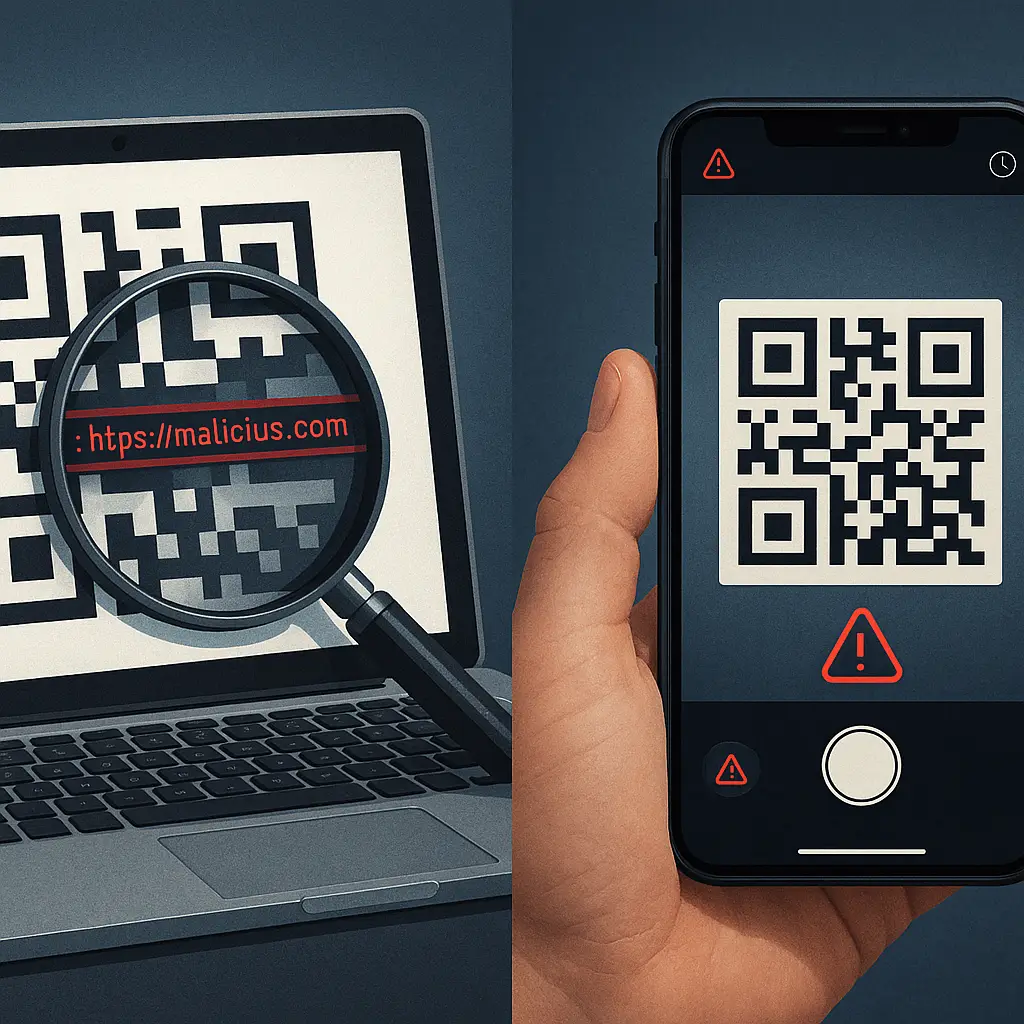
Your email inbox contains a message from your bank. Subject line: "Urgent: Verify Your Account." The body text explains that suspicious activity requires immediate authentication. Instead of a clickable link, there's a QR code. Scan here to verify, the message says. Fast. Convenient. Safe.
You scan it. Your phone opens a login page that looks exactly like your bank's site. You enter your username and password. The page confirms receipt and thanks you for securing your account.
You just handed your credentials to an attacker.
QR code phishing, quishing, in security shorthand, is the same social engineering fraud you've learned to recognize in text-based emails, repackaged for the mobile era. The core mechanism hasn't changed. What's changed is the delivery method, and that shift creates new vulnerabilities in both technical defenses and human pattern recognition.
The Technical Mechanism Behind QR Code Phishing
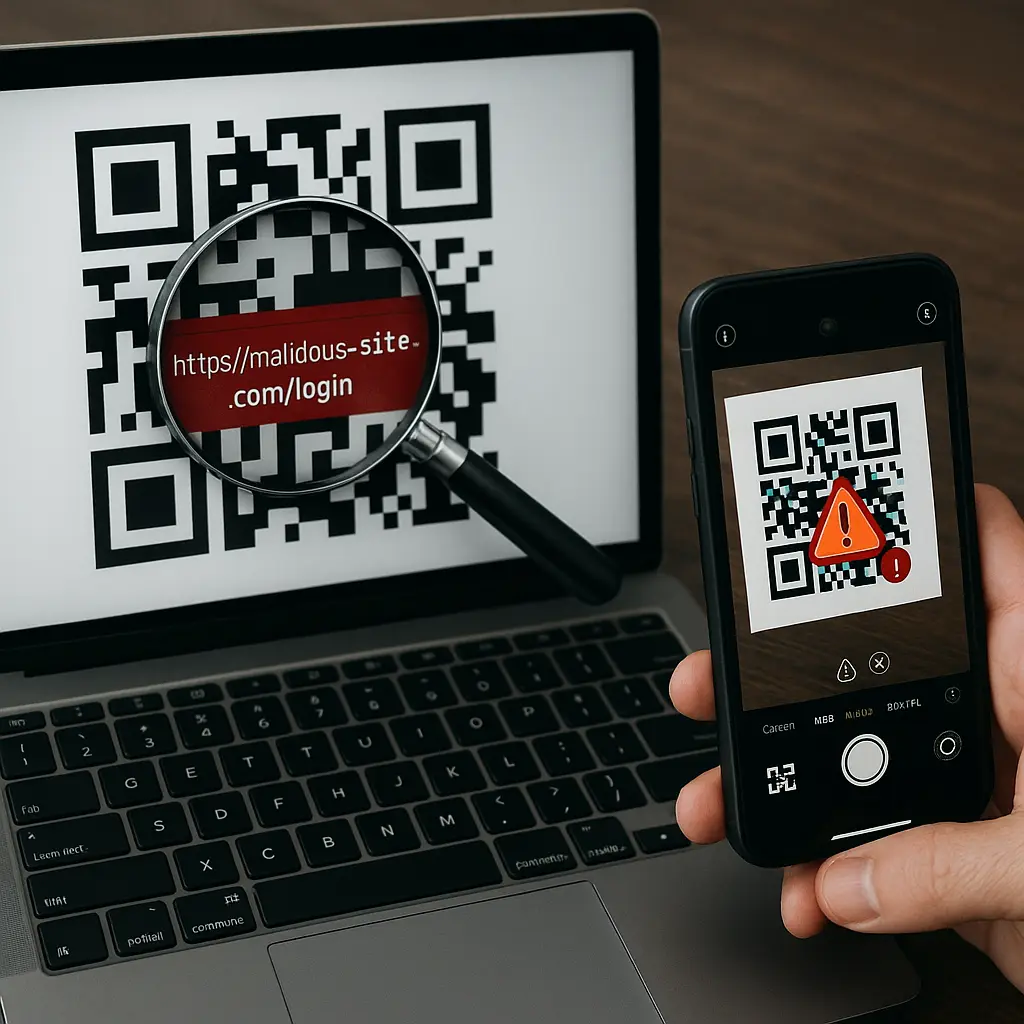
A QR code is a two-dimensional barcode that encodes information, usually a URL, in a pattern of black and white squares. Your phone's camera reads the pattern, decodes the data, and presents the URL for you to open. The entire process happens in seconds.
Email security filters scan message content for known phishing patterns: suspicious URLs, credential harvesting language, sender spoofing indicators, and links to newly registered domains. These filters analyze text. They parse HTML. They check URLs against blocklists and reputation databases.
A QR code bypasses all of that because it's an image. The filter sees a PNG or JPEG file. It might scan the image for malicious code embedded in the file structure itself, but the URL encoded in the QR pattern remains invisible to text-based analysis. The malicious link passes through undetected because the filter can't read what the camera will decode.
Some advanced email security systems now use optical character recognition to extract URLs from QR codes, but deployment is uneven and attackers adapt faster than enterprise security teams can update filters across millions of mailboxes.
The attack succeeds at the intersection of technical evasion and behavioral exploitation. The QR code defeats the filter. The urgency defeats your skepticism. The mobile context, scanning with your phone instead of clicking on your laptop, creates a different mental frame that makes the fraud feel less like the phishing you've been trained to recognize.
Why QR Code Phishing Works
Quishing exploits three distinct advantages that traditional text-link phishing doesn't have.
First: filter evasion. Email security has spent two decades learning to recognize phishing URLs. Blocklists, heuristics, machine learning models, and real-time URL analysis create multiple layers of defense against malicious links in text. QR codes render that entire infrastructure irrelevant because the URL never appears as text in the message. The image is the attack vector, and images don't trigger the same scrutiny.
Second: mobile context. When you scan a QR code, you're using your phone. The screen is smaller. The URL preview is truncated. The browser interface is simplified. You're probably standing, possibly in motion, often distracted. The cognitive load of mobile use makes careful URL inspection less likely. You scan, the browser opens, the page loads, and you're already typing credentials before the full domain name registers.
Third: familiarity and trust. QR codes are everywhere. Restaurant menus. Event tickets. Shipping labels. Parking meters. Retail checkout. The ubiquity creates a baseline assumption of legitimacy. Scanning feels like a normal, safe interaction with the digital world. That assumption is what attackers exploit. The QR code itself signals trustworthiness because it's associated with convenience and modern efficiency, not fraud.
The psychological mechanism is identical to traditional phishing: urgency, authority, and plausibility. The email claims your account needs verification. The sender appears to be your bank, your email provider, your employer's IT department. The message includes enough accurate details, your name, partial account number, recent transaction, to feel legitimate. The QR code is just the delivery mechanism, but it's a delivery mechanism that bypasses both technical filters and learned skepticism about clicking links.
The Patterns That Give Quishing Away
QR code phishing follows predictable patterns because the underlying social engineering playbook hasn't changed. Attackers still need urgency, still need plausibility, still need a reason for you to act before you think.
Unsolicited urgency. Legitimate organizations don't send emergency verification requests via QR code. If the message claims your account is locked, your payment failed, your security was compromised, or your access expires soon, and the only solution is scanning a code, it's fraud. Real account problems generate notifications through official apps, phone calls to numbers you can verify, or website alerts when you log in directly.
Generic greetings and vague details. Phishing emails often open with "Dear Customer" or "Valued User" because the attacker doesn't know your name. Legitimate messages from your bank, employer, or service provider use your actual name and reference specific account details. Quishing messages follow the same pattern. If the email is vague about what account, what transaction, or what problem needs attention, the QR code is almost certainly malicious.
Sender address mismatch. Check the actual sender address, not just the display name. Attackers spoof display names easily, "Chase Bank" or "Microsoft Security", but the underlying email address reveals the fraud. Legitimate organizations send from their own domains. Phishing comes from Gmail, Outlook, or random domains registered yesterday. The QR code might look professional, but the sender address won't match.
Threats and pressure. Real companies don't threaten account closure in unsolicited emails. They don't demand immediate action through QR codes. They don't create artificial urgency to bypass your judgment. If the message warns that failure to scan will result in locked accounts, lost access, or financial penalties, it's designed to make you act before you think. That pressure is the tell.
Design inconsistencies. Professional phishing uses stolen logos and copied layouts, but small details often break the illusion. Fonts that don't match. Spacing that's off. Grammar errors in the body text. Low-resolution images. Legitimate corporate emails are templated and consistent. Quishing emails often show signs of hasty construction because attackers prioritize volume over perfection.
What Happens After You Scan
The attack unfolds in stages, each designed to extract maximum value before you realize what happened.
Stage one: redirection. The QR code encodes a URL. Your phone decodes it and opens the link in your browser. Most modern phones display the URL briefly before opening it, but the preview is truncated and easy to miss. The URL often uses a legitimate-looking domain, yourbank-verify.com, microsoft-security-check.com, or a URL shortener that hides the real destination. You're redirected to a page that looks identical to the service it's impersonating.
Stage two: credential harvesting. The fake page prompts you to log in. The design, branding, and layout match the real site because attackers copy the HTML directly. You enter your username and password. The page accepts the credentials, displays a confirmation message, and sometimes redirects you to the real site to avoid suspicion. Behind the scenes, your credentials are logged and transmitted to the attacker.
Stage three: secondary exploitation. If the fake page requests two-factor authentication, you're prompted to enter the code from your authenticator app or SMS. You provide it, thinking you're securing your account. The attacker now has both your password and your 2FA code, giving them a brief window to log in before the code expires. Some quishing attacks also request additional information, security questions, phone numbers, Social Security numbers, to enable deeper fraud.
Stage four: account takeover. With your credentials, attackers log into your real account. If it's email, they search for financial data, password reset links, and contacts to target next. If it's banking, they attempt transfers or apply for credit. If it's a work account, they look for payroll data, customer information, or access to internal systems. The fraud cascades from the initial credential theft into broader compromise.
The Defense That Actually Works
QR code phishing is preventable through a combination of technical controls and behavioral discipline. Neither alone is sufficient. Both together create effective defense.
Preview the URL before opening it. Most smartphones display the decoded URL after scanning but before opening the link. Read it. Check the domain. Verify it matches the organization the email claims to represent. If the URL is shortened (bit.ly, tinyurl.com), don't open it. If the domain looks suspicious or unfamiliar, stop. Navigate to the service directly through your browser or app instead.
Never scan codes in unsolicited messages. If you didn't request the QR code, don't scan it. Legitimate organizations don't send surprise verification requests via QR code. If the email claims urgency, go directly to the service through official channels, type the URL yourself, use your bookmarked link, or open the app, and check your account status there. If there's a real problem, you'll see it without scanning anything.
Verify the sender before acting. Check the sender's email address, not just the display name. Contact the organization through a phone number or website you find independently, not through information in the suspicious message. Ask whether they sent the QR code. If they didn't, report the phishing attempt and delete the message.
Enable phishing-resistant authentication. Hardware security keys and passkeys provide protection that QR code phishing can't bypass. Even if you scan a malicious code and enter credentials on a fake site, phishing-resistant authentication prevents the attacker from logging in because the cryptographic proof of identity is tied to the legitimate domain. The fake site can't replicate it. This is the strongest technical defense available in 2026.
Report quishing attempts. Forward phishing emails to the FTC, your email provider's abuse team, and the organization being impersonated. Reporting helps security teams update filters, blocklist malicious domains, and warn other users. It's not just about protecting yourself, it's about reducing the attack's effectiveness across the entire ecosystem.
Educate the people around you. QR code phishing targets everyone, but it's particularly effective against people who aren't immersed in security news. Parents, grandparents, colleagues who don't follow tech developments, they're the most vulnerable because quishing feels new and unfamiliar. Share what you know. Explain the mechanism. Show them how to preview URLs. The best defense is widespread awareness.
The Broader Context: Why This Matters Now
QR codes became ubiquitous during the pandemic. Contactless menus, vaccine verification, payment systems, event check-ins, the shift from physical to digital interaction accelerated adoption across demographics that previously had no reason to scan codes regularly. That ubiquity created the opportunity for fraud.
Attackers follow adoption. When a technology becomes familiar, it becomes exploitable. QR codes are no longer novel or suspicious. They're normal. That normalization is what makes quishing effective in 2026. The same mechanism that makes QR codes convenient, instant access without typing URLs, makes them dangerous when weaponized.
Email security will adapt. Optical character recognition for QR code scanning is improving. Machine learning models are being trained to detect quishing patterns. But the adaptation lag creates a window of vulnerability, and attackers exploit that window aggressively. The technical defenses will eventually catch up, but behavioral defenses work right now.
The underlying lesson isn't specific to QR codes. It's about recognizing that every convenience creates a corresponding vulnerability. The easier something is to use, the easier it is to weaponize. The more familiar a technology becomes, the less scrutiny it receives. Quishing works because scanning feels safe, and feeling safe makes you careless.
The Office Connection
In The Office, Jim Halpert pulls elaborate pranks on Dwight Schrute by exploiting Dwight's predictable responses to familiar patterns. Jim hides Dwight's desk supplies in the vending machine. Dwight, trained to expect his stapler in the top drawer, doesn't question the absence, he just follows the pattern. The prank works because Dwight's autopilot takes over.
QR code phishing operates on the same principle. You've scanned dozens of QR codes in the last month. Restaurant menus. Parking apps. Event tickets. The pattern is established. The behavior is automatic. When a QR code appears in an email, your brain categorizes it with all the other codes you've scanned without incident. The autopilot takes over. You scan before you think.
The defense is the same defense Jim's pranks require: break the autopilot. Question the familiar. Inspect the pattern before following it. That's not paranoia. It's the discipline that prevents fraud.
What You Can Do Right Now
If you've never scanned a QR code from an email, maintain that habit. If you have, start treating codes in unsolicited messages the same way you treat suspicious links: don't open them without verification.
Set your phone to display full URLs after scanning but before opening. Check that setting now. On iPhone, it's automatic in recent iOS versions. On Android, it depends on your camera app and browser. Verify the behavior by scanning a test code and watching what appears before the page loads.
If you manage email security for others, at work, for family, in any capacity, add QR code phishing to your training materials. Show examples. Explain the mechanism. Walk through the preview process. The people you're responsible for protecting need to understand this threat because it's not going away.
Review your authentication methods. If you're still using SMS for two-factor codes, upgrade to an authenticator app. If you're using an authenticator app, consider adding a hardware security key for your most critical accounts. Phishing-resistant authentication is the technical control that makes credential theft irrelevant.
And the next time you receive an urgent email with a QR code, stop. Read the sender address. Check the domain. Navigate to the service directly. The thirty seconds you spend verifying legitimacy will prevent the hours, days, or weeks you'd spend recovering from account takeover.
QR code phishing isn't a new kind of fraud. It's the same fraud, delivered through a new mechanism. The defenses you've learned for traditional phishing apply here. The only difference is the format. Recognize the pattern. Question the urgency. Verify before you act. That's how you stop quishing before it starts.