End-to-end email encryption: how to send a message no one else can read
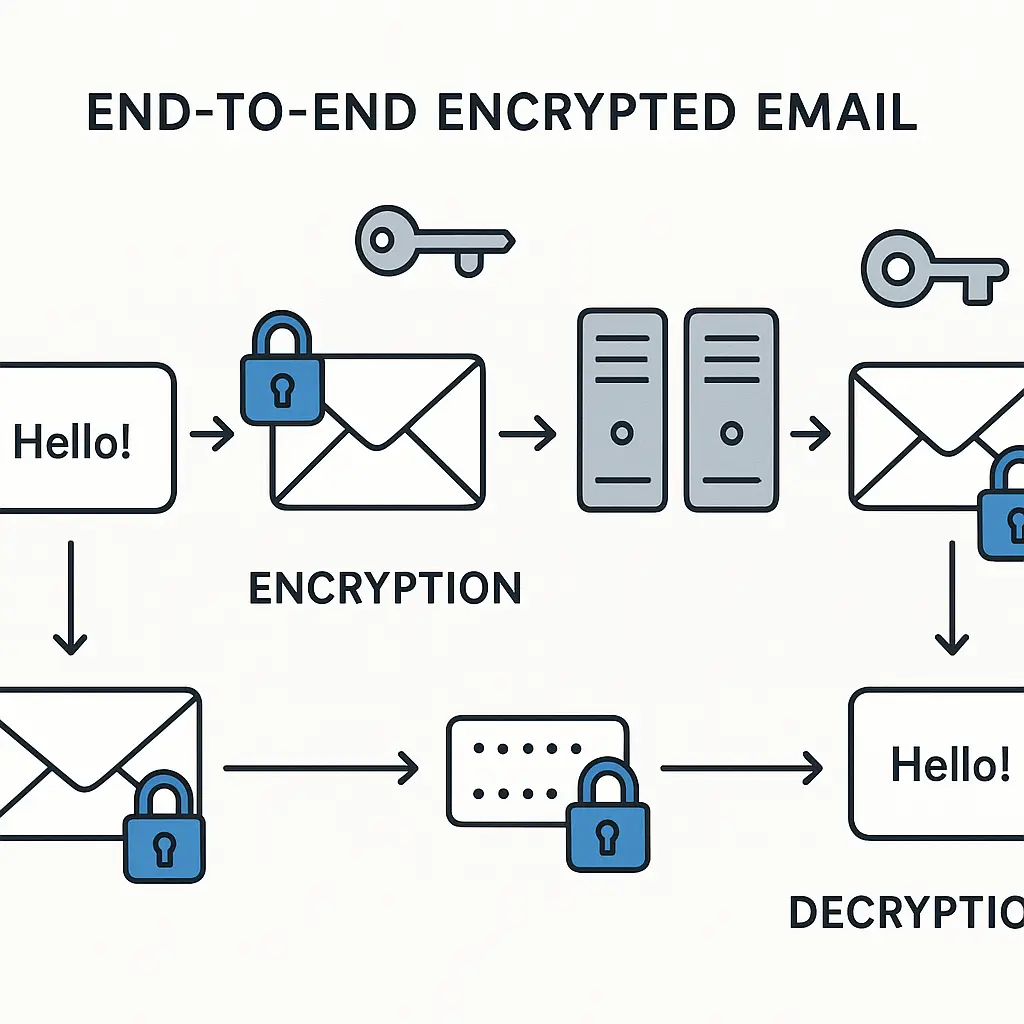
Your email travels through dozens of servers between you and the recipient. Every server along the way can read what you wrote, unless you encrypt it end-to-end.
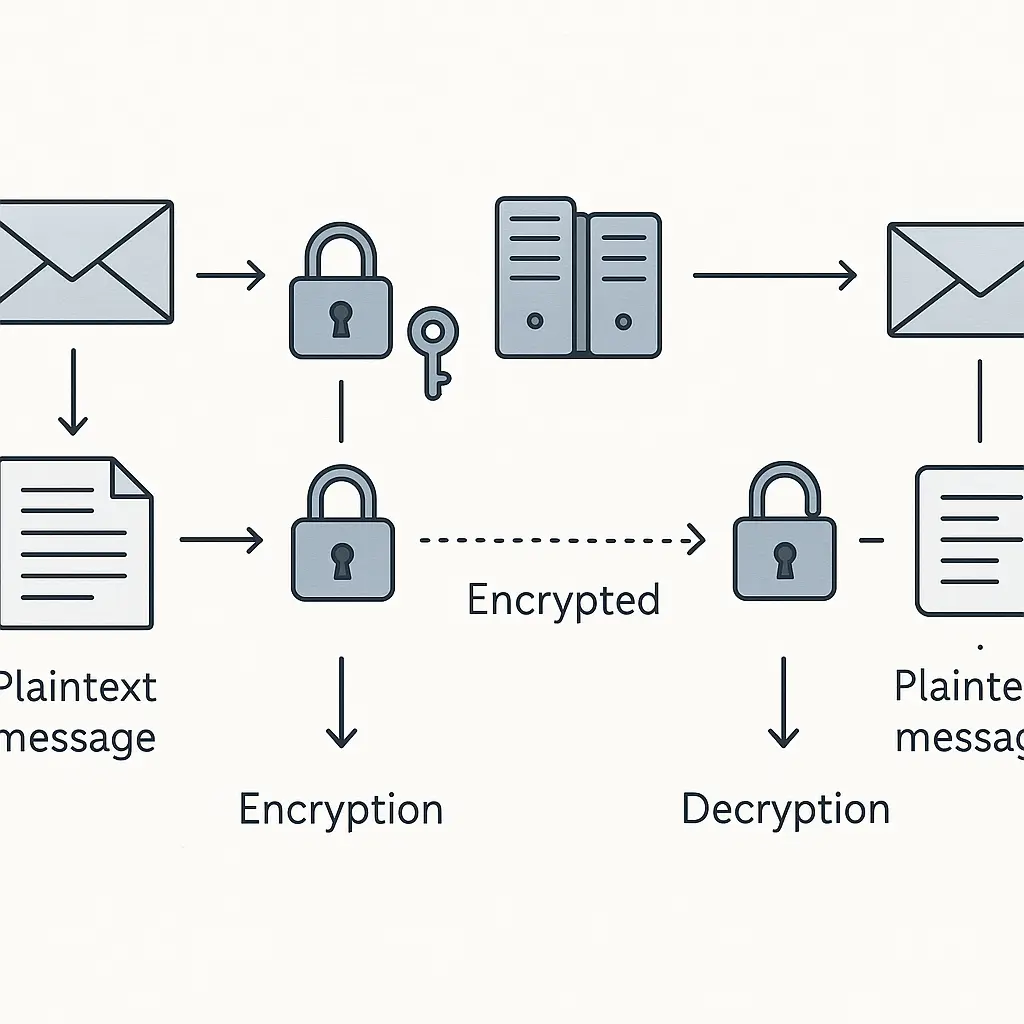
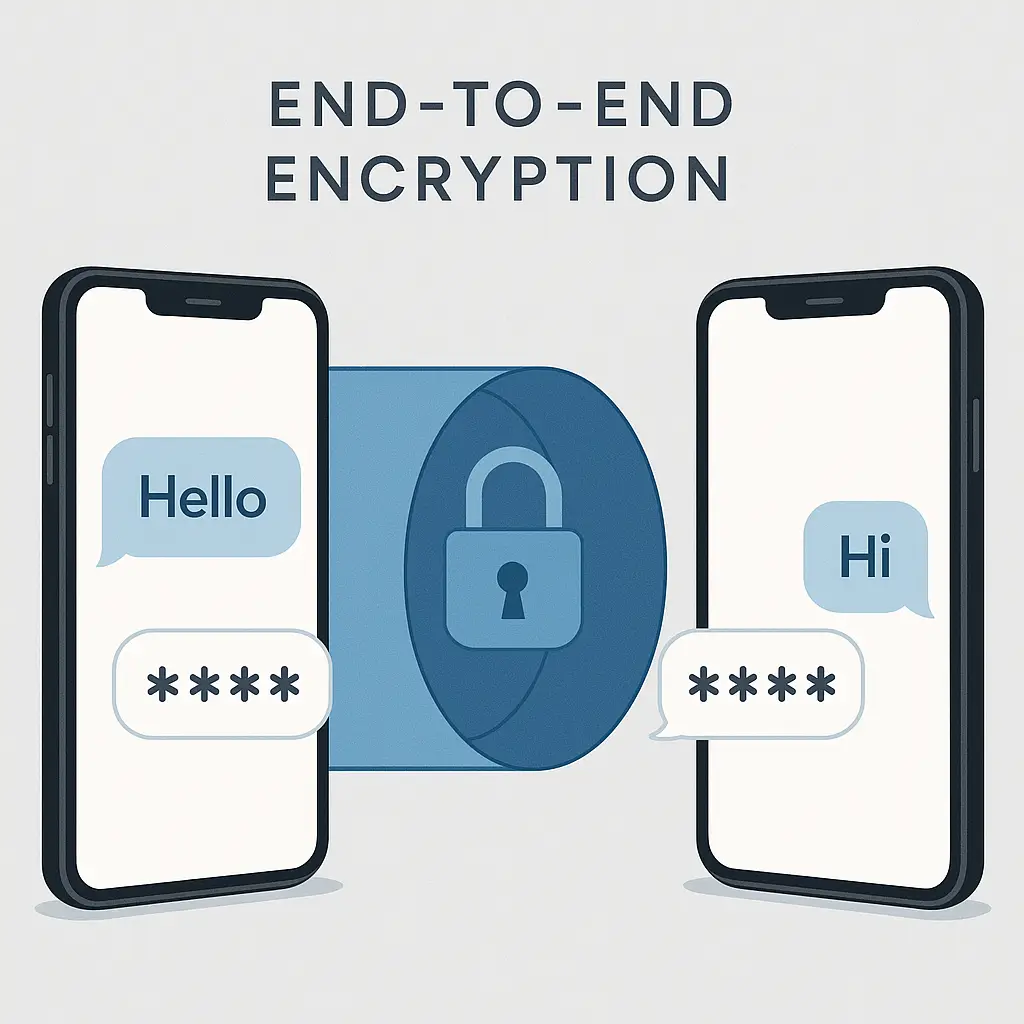
End-to-end encryption means only you and the recipient hold the keys to decrypt the message. The email provider, network operators, government agencies, and anyone intercepting the transmission sees only scrambled ciphertext. No one in the middle can read what you wrote, no matter how much access they have.
This isn't how most email works. Gmail, Outlook, Yahoo, and nearly every mainstream provider encrypt your messages in transit and at rest, but they also hold the keys. They can read your email. Law enforcement can compel them to hand over your messages. Employees with database access can see what you wrote. The encryption protects you from outside attackers, but not from the provider itself.
End-to-end encryption changes that. Here's how the mechanism works, what it actually protects, and what you need to know to send a message no one else can read.
How end-to-end email encryption works
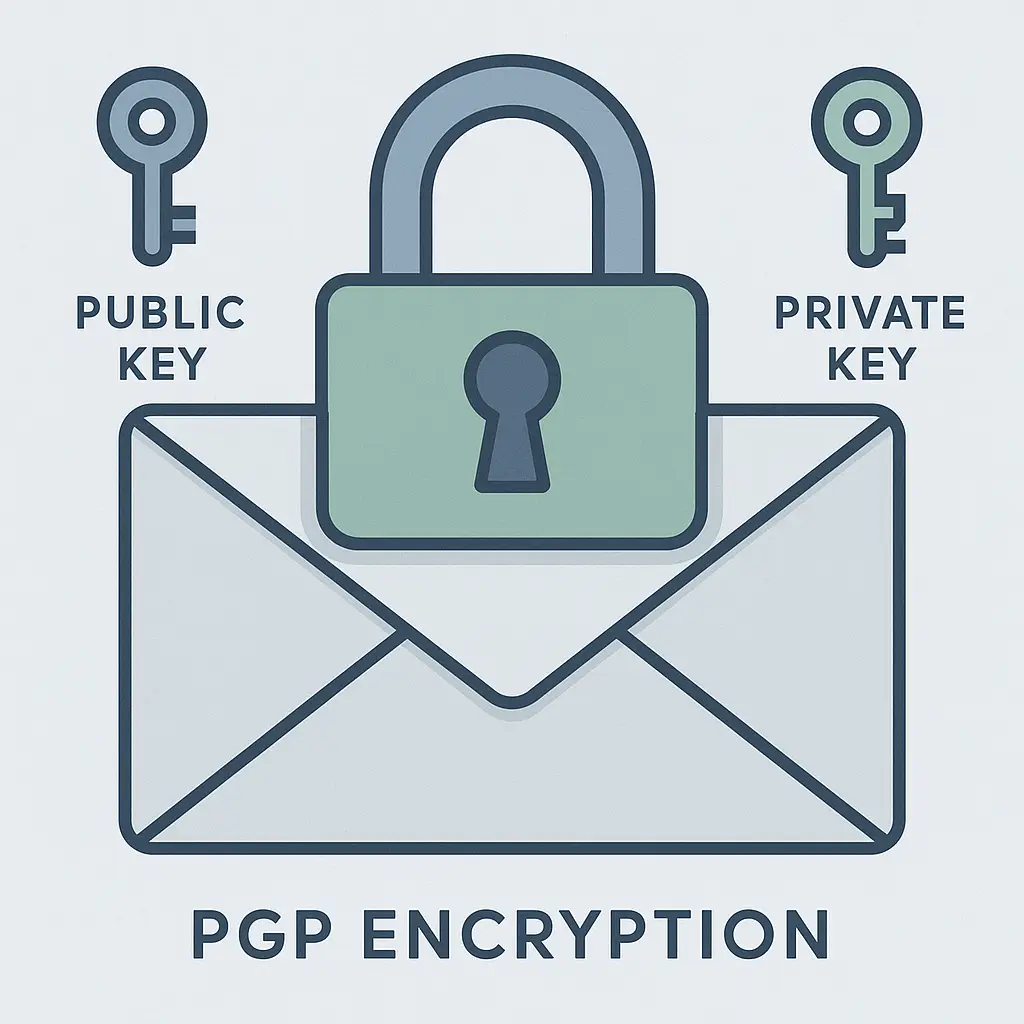
End-to-end encryption relies on public-key cryptography. You generate two mathematically linked keys: a public key you share openly, and a private key you never reveal.
When someone wants to send you an encrypted email, they use your public key to scramble the message. Once encrypted, only your private key can decrypt it. The sender can't decrypt it. The email provider can't decrypt it. Anyone intercepting the message can't decrypt it. Only you can, because only you hold the private key.
The process reverses when you reply. You encrypt your response using the recipient's public key. They decrypt it with their private key. The keys never travel with the message. The private keys never leave your devices.
This is the core mechanism. Everything else, software, protocols, key management, exists to make this exchange happen reliably without exposing your private key.
What end-to-end encryption actually protects
End-to-end encryption protects message content. The body of your email, any attachments, and (in some implementations) the subject line all get encrypted before transmission. An attacker capturing the encrypted message sees only gibberish.
It does not protect metadata. The sender's address, the recipient's address, the timestamp, the message size, and the server routing information all travel in cleartext. Anyone monitoring the network knows who sent the message, who received it, and when. They just can't read what it says.
This matters more than most people realize. Metadata reveals patterns. It shows who you communicate with, how often, and at what times. In Succession, the Roy family's lawyers could map the entire conspiracy just by analyzing phone records and meeting schedules, they didn't need to hear a single conversation. Email metadata works the same way. It tells a story even when the content stays hidden.
End-to-end encryption also doesn't protect against endpoint compromise. If someone installs malware on your device, they can read your email before you encrypt it or after you decrypt it. If someone steals your laptop and cracks your login password, they can access your private key and decrypt everything. The encryption protects the message in transit, not the devices at either end.
Why mainstream email providers don't offer it
Gmail, Outlook, Yahoo, and similar services don't support end-to-end encryption by default because their business models depend on reading your email.
Gmail scans your messages to show you targeted ads. Outlook integrates with Microsoft's productivity tools by analyzing your email content. Yahoo's spam filters and search features require access to message text. End-to-end encryption would break all of this.
The FTC has investigated companies for insufficient data security, but there's no federal requirement that email providers implement end-to-end encryption. The law requires reasonable security measures, and encryption in transit plus encryption at rest generally satisfies that standard.
Some providers offer limited end-to-end encryption features. Gmail supports S/MIME for enterprise accounts, but it requires manual configuration and only works when both parties use compatible systems. Outlook offers similar functionality through add-ons. Neither makes it easy, and neither encrypts by default.
The technical reason is compatibility. End-to-end encryption requires both parties to exchange public keys and use compatible software. Standard email protocols (SMTP, IMAP, POP3) weren't designed with end-to-end encryption in mind. Adding it on top creates friction, breaks features, and confuses users who just want to send a message.
The practical reason is that most people don't need it. Encryption in transit protects against network eavesdropping. Encryption at rest protects against database breaches. For most use cases, receipts, newsletters, casual correspondence, that's enough. End-to-end encryption solves a problem that most users don't have.
PGP: the original standard and why it failed
Pretty Good Privacy (PGP) was the first widely available end-to-end encryption tool for email. Phil Zimmermann released it in 1991. It's still around. It still works. Almost no one uses it.
PGP uses public-key cryptography. You generate a key pair, publish your public key, and keep your private key secure. To send you an encrypted message, I download your public key, encrypt the message with it, and send the ciphertext. You decrypt it with your private key. The mechanism is sound.
The usability is terrible. You have to install software, generate keys, manage a keyring, verify fingerprints to prevent impersonation, and manually encrypt every message. If you lose your private key, every encrypted message you've ever received becomes permanently unreadable. If someone steals your private key, they can decrypt everything.
Key distribution is the biggest problem. How do I get your public key? You could email it to me, but how do I know it's really yours and not an attacker's? PGP uses a "web of trust" model where users sign each other's keys to vouch for authenticity. In practice, this never scaled. Most people don't understand key signing. Most people don't want to attend key-signing parties. Most people just want to send email.
EFF's Surveillance Self-Defense guide covers PGP setup, but even their documentation acknowledges the complexity. They recommend it for journalists, activists, and people facing targeted threats, not for general use.
PGP's failure isn't technical. The cryptography works. The failure is human. It asks too much of users, provides too little feedback, and punishes mistakes with permanent data loss. End-to-end encryption needs to be automatic, invisible, and forgiving. PGP is none of those things.
ProtonMail and the zero-access architecture
ProtonMail launched in 2013 with a different approach: make end-to-end encryption automatic and invisible. You sign up, send email, and the encryption happens behind the scenes. No key management. No software installation. No manual encryption steps.
The mechanism is the same public-key cryptography PGP uses, but ProtonMail handles all the complexity. When you create an account, the service generates your key pair. Your private key encrypts with your password before it's stored on ProtonMail's servers. The company never sees your password and never has access to your unencrypted private key.
When you send a message to another ProtonMail user, their public key encrypts it automatically. The encrypted message sits on ProtonMail's servers, but the company can't decrypt it. When you send a message to a non-ProtonMail user, you can set a password. The recipient clicks a link, enters the password, and views the decrypted message in their browser. It's clunky, but it works without requiring the recipient to install anything.
This is called zero-access architecture. The provider stores your data but cannot access it. Law enforcement can compel ProtonMail to hand over your encrypted messages, but without your password, those messages stay encrypted. The company has no technical ability to decrypt them.
The tradeoff is that if you forget your password, ProtonMail can't reset it. Your private key encrypts with that password. Lose the password, lose access to everything. There's no recovery mechanism. This is a feature, not a bug, it's what makes zero-access encryption work, but it's also unforgiving in a way most email services are not.
ProtonMail still leaks metadata. The sender, recipient, timestamp, and subject line all remain visible to the company and to anyone monitoring the network. End-to-end encryption protects the message body and attachments, but not the envelope.
What about Gmail and Outlook?
Gmail and Outlook encrypt your email, but not end-to-end. They use TLS (Transport Layer Security) to encrypt messages in transit between servers. They use encryption at rest to protect stored messages on disk. But Google and Microsoft both hold the decryption keys.
This means they can read your email. They scan it for spam, phishing, and malware. They index it for search. They analyze it to improve their services. They comply with law enforcement requests by handing over plaintext messages. The encryption protects you from outside attackers, but not from the provider.
CISA's guidance on email security recommends encryption in transit and at rest as baseline protections. For most users, that's sufficient. If your threat model includes government surveillance, corporate espionage, or targeted hacking, you need end-to-end encryption. If your threat model is "I don't want my email stolen in a data breach," Gmail and Outlook's encryption is probably fine.
Gmail offers S/MIME for enterprise accounts, which provides end-to-end encryption between compatible systems. It requires manual setup, IT administration, and both parties using S/MIME-enabled accounts. It's not automatic, and it's not available for personal Gmail accounts.
Outlook offers similar functionality through third-party add-ons and enterprise configurations. It's possible, but not easy, and most users never enable it.
The reality is that Gmail and Outlook prioritize features over privacy. Search, spam filtering, smart replies, calendar integration, and third-party app access all require the provider to read your email. End-to-end encryption would break those features. Most users would rather have the features.
Encrypted email vs. encrypted messaging
Signal, WhatsApp, and iMessage all offer end-to-end encryption by default. They're easier to use than encrypted email, more secure in practice, and better at hiding metadata. If you need private communication, encrypted messaging usually beats encrypted email.
The difference is that messaging apps were built for encryption from the ground up. They use modern protocols designed for mobile devices, asynchronous communication, and forward secrecy. Email protocols date back to the 1980s and were never designed with end-to-end encryption in mind.
Messaging apps also handle key exchange automatically. When you start a Signal conversation, the app generates keys, exchanges them, and verifies them without asking you to do anything. Email requires both parties to use compatible systems and manually exchange public keys (or use a service like ProtonMail that handles it for them).
Metadata protection is better in messaging apps. Signal uses sealed sender to hide who's messaging whom. The Signal server knows you're using the app, but it doesn't know who you're talking to. Email always reveals sender and recipient in cleartext.
The tradeoff is that messaging apps don't replace email. You can't send encrypted messages to someone who doesn't use your app. You can't search years of message history as easily. You can't integrate with calendar, task management, or CRM systems. Encrypted email is clunky and limited, but it works with the existing email infrastructure. Encrypted messaging is elegant and secure, but it's a separate communication channel.
The practical reality of sending encrypted email
If you need to send encrypted email, you have three options.
Option 1: Use ProtonMail or Tutanota. Both services offer zero-access encryption, automatic key management, and email that works like regular email when both parties use the service. ProtonMail is more established. Tutanota is cheaper. Both are better than trying to set up PGP yourself.
The limitation is that both parties need to use the service for seamless encryption. You can send encrypted messages to non-users by setting a password, but that's awkward and requires the recipient to click a link and enter the password in a browser. It works, but it's not smooth.
Option 2: Use PGP with Thunderbird or Apple Mail. If you're comfortable with technical setup and manual key management, PGP still works. Thunderbird has built-in PGP support. Apple Mail supports it through third-party plugins. You'll need to generate keys, exchange public keys with your contacts, and manually encrypt every message.
This is the most flexible option, you can send encrypted email to anyone who has PGP set up, but it's also the most complex. Most people who start down this path give up within a week.
Option 3: Use Signal instead. If your goal is private communication, Signal is easier, more secure, and more reliable than encrypted email. You lose email's features, threading, search, integration with other tools, but you gain simplicity and better metadata protection.
For most people, Option 3 is the right answer. Encrypted email is a niche tool for specific use cases. Encrypted messaging is a general-purpose solution that works for most private communication needs.
What you actually need to know
End-to-end email encryption protects message content from everyone except you and the recipient. It doesn't protect metadata. It doesn't protect against endpoint compromise. It doesn't work seamlessly with standard email providers.
Gmail and Outlook encrypt your email, but they also read it. That's fine for most uses. If you need privacy from your email provider, use ProtonMail or Tutanota. If you need private communication in general, use Signal.
PGP exists, works, and is too hard for most people to use correctly. Don't bother unless you have a specific reason and the technical skills to manage keys.
The real question isn't "how do I encrypt my email?" It's "do I need encrypted email, or do I just need private communication?" For most people, the answer is Signal, not encrypted email. Email is for asynchronous, searchable, persistent communication. Messaging is for private conversation. They solve different problems.
If you do need encrypted email, use a service that handles the complexity for you. Don't try to build it yourself. The cryptography is sound, but the usability is unforgiving.